Kyocera ECOSYS M2040dn
Printer Not Recognized Fix
in Maxus Mall
Certified repair for your Kyocera ECOSYS M2040dn in Maxus Mall. Free doorstep pickup, OEM-quality parts & 90-day warranty.
Open 9 AM – 9 PM · 7 days · Mon-Sun: 9:00 AM - 9:00 PM
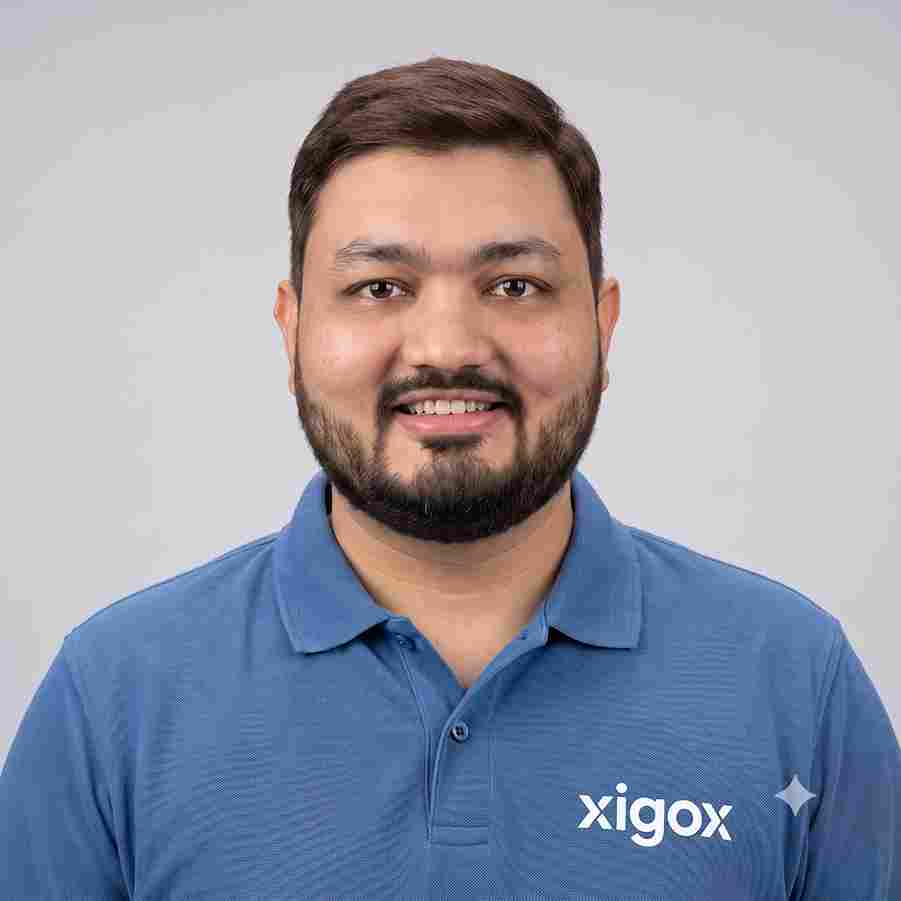
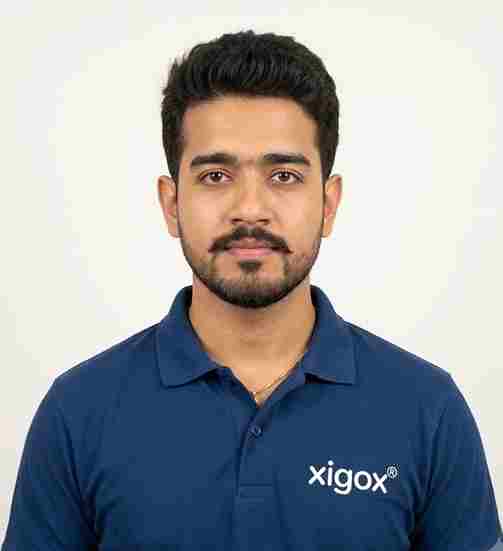
Run by Tejas & Janak Chudasama since 2011
Xigox is a family-run, ISO 9001:2015-certified repair business — not a marketplace listing or a franchise. Every repair is backed by a written 90-day warranty and billed against GSTIN 27AJXPC8441R1Z7. Read our story →
Kyocera ECOSYS M2040dn Printer Not Recognized Fix — Price List
Transparent pricing · ₹350 inspection (refunded if you proceed with repair) · No hidden charges · Pay only after approval
| Issue / Component | Repair Price | Warranty |
|---|---|---|
| Printer Basic Service | ₹299 - ₹599 | 1 Month |
| Printer Setup & Network | ₹499 - ₹999 | 1 Month |
| Printer Hardware Repair | ₹699 - ₹1,499 | 3 Months |
| Printer Complete Overhaul | ₹1,499 - ₹2,999 | 3 Months |
Prices may vary by exact condition. Final quote given after ₹350 inspection (refunded if you proceed with repair).
Get Exact QuoteReal Repair Results — Photos from Our Lab
Every photo below is a real repair completed by our certified technicians. Laptops and computers diagnosed and repaired — no data wiped, no surprises.
_1_11zon.jpg)
_2_11zon.jpg)
_3_11zon.jpg)
_4_11zon.jpg)
_5_11zon.jpg)
_6_11zon.jpg)
_7_11zon.jpg)
_8_11zon.jpg)
_9_11zon.jpg)
_10_11zon.jpg)
_11_11zon.jpg)
_12_11zon.jpg)
All photos taken at Xigox repair lab, Virar West, Mumbai. No stock images used.
Why Choose Xigox for Kyocera ECOSYS M2040dn Repair in Maxus Mall?
With 1,00,000+ successful repairs and a 4.9-star rating, Xigox is Maxus Mall's most trusted independent Kyocera repair specialist. Serving all addresses in the 401105 postal zone.
Brand-Trained Technicians
Our engineers are specifically trained on Kyocera hardware — not generalists. Every repair is precise.
Genuine & OEM-Grade Parts
We use genuine Kyocera parts wherever available; otherwise OEM-certified compatible components.
90-Day Parts Warranty
Every repair backed by a written 90-day warranty. Same fault recurs? We fix it free of charge.
Same-Day Turnaround
Most Kyocera repairs in Maxus Mall completed same-day. Urgent service available for critical cases.
Full Transparency
We quote before starting work. No hidden fees. You pay exactly what you were quoted.
Lifetime Post-Repair Support
Free WhatsApp support for any questions about your Kyocera ECOSYS M2040dn after repair — always.
Real Technicians. 100% Guaranteed Work.
Most online repair websites outsource your laptop or computer to random local shops. Xigox operates its own fully-equipped repair labs with dedicated IC-level soldering stations and microscopic diagnostic equipment. When you trust us with Kyocera ECOSYS M2040dn, it stays securely in our controlled environment.
Every technician at Xigox is in-house trained and certified — no freelancers, no third-party sub-contractors. We invest in continuous training so our engineers stay ahead of the latest chipsets, display technologies, and component architectures.
Our lab follows strict data-confidentiality protocols. Your personal files, passwords, and accounts are never accessed during repair — guaranteed.




How Kyocera ECOSYS M2040dn Printer Not Recognized Fix Works
From booking to delivery — here's exactly what happens at every step
Book Pickup
Call or WhatsApp +91 74997 61196. Tell us your Kyocera ECOSYS M2040dn issue in Maxus Mall and schedule a free doorstep pickup.
₹350 Inspection (refunded if you proceed with repair)
Our certified technician inspects your Kyocera ECOSYS M2040dn and provides a transparent written quote for Printer Not Recognized Fix.
Expert Repair
Once approved, we perform Printer Not Recognized Fix using OEM-quality parts. Most repairs are completed same-day.
Quality Check
Every Kyocera ECOSYS M2040dn passes a multi-point QA test before delivery. Your 90-day warranty starts from this moment.
Free Delivery
We deliver your repaired Kyocera ECOSYS M2040dn back to your Maxus Mall address. Completely free, same day.
After-Service Care
Post-repair support via WhatsApp. If the issue recurs within 90 days, we fix it at zero cost.
Live — Recently Repaired Printers
Showing "Cartridge Problem" error after installing new cartridges. Printer refusing to print. Orange error light blinking.
Cleaned cartridge contacts with isopropyl alcohol. Reseated cartridges with proper alignment. Updated printer firmware to recognize new cart...
Oxidation on carriage contacts was causing intermittent connection. Genuine HP cartridges verified.
Printer not connecting to Wi-Fi network. Wi-Fi Direct not functioning. Mobile printing completely non-operational.
Updated printer firmware to latest version. Reset network settings and reconfigured Wi-Fi with WPA3 protocol. Tested wireless printing from...
Old firmware had known Wi-Fi bug. Post-update, connection stable at 5GHz band.
Paper jamming every 3-4 pages. Multiple sheets feeding simultaneously. Grinding noise during paper pickup.
Replaced worn paper pickup rollers and separation pad. Cleaned dust from feed mechanism. Calibrated paper tray alignment.
Pickup rollers had glazed surface from high humidity. Used genuine Canon rollers for best grip.
Ink tank printer showing "Unable to Clean" error. Black ink not printing at all despite full tank. Head cleaning cycles ineffective.
Disassembled print head assembly. Ultrasonic cleaned clogged nozzles. Replaced ink dampers and purged air from ink lines.
Ink had dried in dampers due to 3 months of non-use. Advised customer to print test page weekly to prevent recurrence.
Printer producing wrinkled, smeared pages with toner marks on backside. Fuser roller showing visible wear.
Replaced faulty fuser assembly with OEM part. Cleaned paper path rollers. Printed 50-page test run with zero defects.
Fuser exceeded rated page count of 100K. Recommended replacement every 80K pages for consistent output.
Cannot connect to Wi-Fi. Mobile printing not working.
Reset network settings. Configured Wi-Fi Direct and router. Set up Print apps.
What Customers Say About
Kyocera ECOSYS M2040dn Printer Not Recognized Fix in Maxus Mall
What our customers say about their repairs
← Swipe or tap dots to browse →
Watch How We Handle Printer Not Recognized Fix
Step-by-step repair videos by our ISO-certified technicians


Laptop & Computer Repair, Sales & Data Recovery — Xigox
How the Xigox team handles laptop and computer repair, sales, service and data recovery across Mumbai, Thane & Palghar.

Xigox Laptop & Computer Repair — Real Customer Experience
See how Xigox handles real customer repairs — fast diagnosis, transparent pricing and a 90-day warranty on every job.

Xigox Service Centre — Mumbai's Trusted Repair Experts
A closer look at the Xigox team, our tools, and the repair process that has earned us 15,244+ five-star reviews across Mumbai MMR.
Watch Our Real Repair Reels
@xigox on Instagram — screen repairs, motherboard fixes, before & afters
Printer Repair
Paper jam to perfect print — see how
Head Cleaning
Clogged nozzles → crisp prints
Cartridge Change
Faded output → full colour restored
Wireless Setup
Printer online across every device
Roller Replacement
Misfeeds and skewed pages fixed
Formatter Repair
Board-level printer diagnostics
Real repair footage — no actors, no scripts
Watch all Reels →Real Customer Stories
Hear from real people who trusted Xigox with their laptops and computers
"Printer was showing paper jam but tray was empty. Xigox found a broken roller and replaced it. Prints 50 pages without a jam now. Excellent repair!"
"Colour prints were streaky and faded. Xigox cleaned the print heads, calibrated the nozzles. Prints are sharp and vibrant again. Professional job!"
"Office printer was giving E04 error. Xigox replaced the drum unit and fuser. Printer back in service same day. AMC plan also taken — good value!"
"Printer stopped powering on after a power surge. Xigox replaced the fuse and power board. Printing again at full speed. Saved buying a new printer!"
"Our office MFP was printing with ghosting and faded text. Xigox replaced the drum unit and calibrated the toner density. Print quality is back to factory fresh. They even cleaned the scanner glass!"
"My Epson ink tank printer was leaking ink internally. Xigox disassembled it completely, cleaned the waste ink pads, and replaced damaged tubes. Saved me from buying a new printer. Very skilled technic..."
FAQs — Kyocera ECOSYS M2040dn Printer Not Recognized Fix in Maxus Mall
Everything you need to know before booking your repair
Still have questions?
Our team responds within 15 minutes on WhatsApp. Send us your question and get expert advice instantly.
Kyocera ECOSYS M2040dn Repair in Maxus Mall — Xigox
Xigox is Maxus Mall's leading independent specialist for Kyocera ECOSYS M2040dn repair. Our engineers are not generalists — they undergo dedicated training on Kyocera hardware, firmware and diagnostics. Since 2011, we have completed over 1,00,000+ repairs across all Kyocera product lines, earning a 4.9-star rating from verified customers.
Parts for Kyocera ECOSYS M2040dn models are held in stock rather than ordered after you book, so most repairs are not waiting on a supplier. Screens, batteries, keyboards, charging boards and flex cables are all OEM-grade. You approve a written estimate first, and the ₹350 inspection is credited back against the repair.
We actively serve the entire 401105 postal area within Thane district, ensuring same-day response for every repair request. ₹350 inspection fee (refunded if you proceed with repair). Located near Maxus Mall, our service coverage extends across Maxus Mall and all surrounding localities. In addition to Maxus Mall, we also provide doorstep repairs and free pickup for lab work for customers in Golden Nest, Navghar Bhayandar, Indralok and other nearby areas.
Straightforward Kyocera jobs — battery, keyboard, screen, SSD or RAM — are done at your address in Maxus Mall. Anything needing the microscope and hot-air station comes back to the lab, with free pickup and drop either way. We confirm within 15 minutes of booking and tell you honestly whether it is a same-day fix.
Every Kyocera repair at Xigox is covered by a 90-day warranty on all parts and labour. If the same fault recurs within the warranty period, we fix it at no charge. Our after-repair WhatsApp support means we are always available to answer questions about your Kyocera ECOSYS M2040dn.
Other Kyocera ECOSYS M2040dn Repair Services in Maxus Mall
Explore all available repair options for your Kyocera ECOSYS M2040dn
Printer Not Recognized Fix for Other Kyocera Models
We repair all Kyocera models in Maxus Mall
Areas, Roads & Landmarks We Cover in Maxus Mall
Free pickup & drop across all these neighbourhoods
📍 Localities & Neighbourhoods
🛣️ Roads & Highways
⭐ Landmarks & Famous Places
Kyocera ECOSYS M2040dn Printer Not Recognized Fix Near Maxus Mall
Same-day service available in all these nearby areas
Printer Not Recognized Fix Across Mumbai — All Locations
More Repair & Tech Services Near Maxus Mall
Same certified technicians · Free pickup · 90-day warranty across all services.
Ready to Fix Your
Kyocera ECOSYS M2040dn Today?
₹350 inspection fee (refunded if you proceed with repair) · Same-day Printer Not Recognized Fix · 90-day warranty
Serving Maxus Mall and all of Mumbai MMR · Open 9 AM – 9 PM daily
Kyocera ECOSYS M2040dn Printer Not Recognized Fix in Maxus Mall — Professional, Reliable, and Affordable
Tired of middlemen? Work with the actual repair team — Xigox. Laser printer drum and fuser failures in Maxus Mall require specific component diagnosis: is it the drum unit, the transfer belt, or the fuser assembly?. Xigox Maxus Mall engineers diagnose the exact component before ordering any part — saving businesses ₹3,000–₹8,000 in unnecessary parts. Kyocera ECOSYS M2040dn Printer Not Recognized Fix in Maxus Mall includes a 100-page test print at delivery.
Fast & Easy this repair in Maxus Mall
We know you can't stay disconnected in Maxus Mall. Our this issue is designed for maximum convenience. In 90% of cases, our Maxus Mall technicians complete the this issue on the same day. Our team offers free doorstep pickup from your Maxus Mall address, execute the repair using precision tools, and return it to you.
Cost-Effective this issue in Maxus Mall
High-quality this repair doesn't have to be expensive in Maxus Mall. By optimizing our repair processes, we offer savings of up to half the cost compared to official repair outlets. You get the same OEM components for your Kyocera, without the massive markup. Request a price estimate for this repair in Maxus Mall today.
Authentic Components for this job
Reliability matters for the repair. That's why our Maxus Mall team exclusively uses original-specification parts for your Kyocera. Compared to local shops in Maxus Mall that use counterfeit components, we use trusted supply chains. This ensures your the repair is durable, backed by our written 90-day warranty.
Trained Technicians for the repair in Maxus Mall
Not all shops in Maxus Mall has the skills for complex this job. Our technicians possess years of experience dealing with Kyocera hardware. From basic part swaps to complex micro-soldering, we handle it all right here for Maxus Mall clients.
Printer this repair in Maxus Mall
Printer problems are surprisingly common and disruptive. Xigox handles HP, Canon, Epson, and Brother printers: inkjet clogging and print head cleaning, drum unit replacement. Common issues we resolve same-day: Wi-Fi connectivity. Corporate print fleets in Maxus Mall benefit from AMC plans covering all Kyocera units.
Same-Day Rush this issue Available
Need your Kyocera fixed urgently? We provide priority this repair in Maxus Mall for critical situations. Whether you have an exam deadline and your Kyocera just stopped working, our priority service guarantees completion within 4–6 hours. Emergency this repair are available 7 days a week in Maxus Mall. Simply mention 'URGENT' when booking and we'll prioritise your this repair immediately.
Rigorous Testing after this job
Fixing the immediate problem is only half the job at Xigox. Prior to delivery in Maxus Mall, it must pass a comprehensive 20-point quality check. Our team ensures that the the repair was 100% successful, checking port functionality. This meticulous testing is the reason for our 4.9★ rating across Maxus Mall.
Maxus Mall Customer Support for the repair
Xigox's responsibility extends beyond the repair itself. Our Maxus Mall support line remains reachable 7 days a week, 9 AM–9 PM via WhatsApp or phone. Should any concern arise within 90 days of your this job, simply contact us and a technician is dispatched at no cost. This commitment is why residents in Maxus Mall return to Xigox.
No Hidden Costs Policy for this repair
The biggest frustration about repair shops in Maxus Mall is surprise bills after the job is done. We've built our entire model around transparency. Before any work begins, our Maxus Mall technician sends a WhatsApp quote that covers everything. You see the exact cost — approve it or decline, no pressure. Our ₹350 inspection fee is fully refunded when you proceed with this issue.
How the this issue Process Step by Step
Arranging this repair in Maxus Mall is designed to be hassle-free. First, message us at +91 74997 61196 sharing your issue. Then, our free pickup technician arrives at your Maxus Mall address within the same day. Our engineers then perform a detailed diagnostic (₹350, refunded if you proceed). After your approval, this repair is completed with OEM-grade parts — and your Kyocera is delivered back to you. Total turnaround: 24-48 hours.
We're a message away in Maxus Mall. Whether it's an urgent fix or a routine service, Xigox makes Kyocera ECOSYS M2040dn Printer Not Recognized Fix effortless: free pickup, genuine parts, rapid turnaround, and a 90-day warranty. Message +91 74997 61196 today.
Kyocera ECOSYS M2040dn Printer Not Recognized Fix in Maxus Mall — Service Area & Coverage
Xigox provides kyocera ecosys m2040dn printer not recognized fix across Maxus Mall (PIN 401105), in the Thane district of Bhayandar. Our doorstep pickup and on-site service cover the entire Maxus Mall area and the neighbourhoods around it.
Localities we cover in Maxus Mall: Bhayandar East, Mira Road. Wherever you are in Maxus Mall, a certified Xigox technician can reach you — usually within 30–60 minutes.
Our technicians regularly serve homes, societies and offices around Maxus Mall, Bhayandar Station and Indralok Society, and along Maxus Mall Road, Kashimira Link Road and Mira Bhayander Road. If you're near any of these landmarks, same-day pickup for kyocera ecosys m2040dn printer not recognized fix is almost always available.
Kyocera ECOSYS M2040dn Printer Not Recognized Fix near Maxus Mall
We also serve these nearby areas — tap your locality for local kyocera ecosys m2040dn printer not recognized fix:
~1 km from Maxus Mall — free doorstep pickup means our technician comes to you, this is just our nearest coordination point.
Kyocera ECOSYS M2040dn Printer Not Recognized Fix — Book Now
Free pickup · Genuine parts · 90-day warranty
Booking Confirmed!
We'll call you within 1 hour to confirm your appointment and arrange doorstep pickup.
Inspection Fee: ₹350
- Refunded if you proceed — credited toward total repair cost
- Applies if laptop is not repairable or you decline repair
Inspection Fee: ₹350
- If you proceed with the repair, ₹350 is refunded — applied as a credit toward your total repair cost.
- If your laptop is not repairable or you decide not to continue, the ₹350 inspection fee will still apply.
By submitting, you agree to our Privacy Policy.