Kyocera
Expert Kyocera Repair — Mumbai

Kyocera Printer Repair in Mumbai

Expert Kyocera repair by experienced technicians. Screen replacement, battery, keyboard, motherboard & all issues. Genuine parts, 90-day warranty.

Xigox is a trusted Kyocera repair service — experienced technicians, OEM-grade parts, and a written 90-day warranty on every repair. We handle all Kyocera laptops, desktops, all-in-one PCs and monitors, from minor screen replacements and battery swaps to complex motherboard-level diagnostics and data recovery. With doorstep on-site repair for common part replacements (battery, keyboard, screen, SSD, RAM) and free pickup & drop for lab repairs across Mumbai, transparent ₹350 inspection pricing (refunded if you proceed with repair), and same-day turnaround for most issues, thousands of Kyocera owners choose Xigox every month for reliable, affordable repairs.

Kyocera Repair Pricing — Transparent & Affordable

One advantage of choosing Xigox for Kyocera repair is pricing transparency.

Where a fault can be traced to a single component, we repair at component level rather than recommending a full-board replacement, which can bring the cost of some motherboard-related repairs down considerably; the exact figure depends on the model and the fault and is confirmed at inspection.

Battery replacements use cells matched to your Kyocera model's specification. Every repair starts with our ₹350 inspection and a written breakdown of parts and labour. If you proceed, the ₹350 is refunded as a credit toward the repair; if not, you only pay the inspection fee.

No hidden charges and no pressure to proceed.

Genuine OEM Parts for Every Kyocera Repair

The quality of replacement parts determines whether your Kyocera repair lasts months or years. Xigox exclusively uses OEM-grade components for all Kyocera repairs — sourced from trusted suppliers, batch-tested before installation, and backed by our 90-day written warranty.

For Kyocera screens, this means panels with original resolution, colour accuracy, and touch responsiveness. For batteries, cells with manufacturer-specification capacity and cycle life. For keyboards, modules with correct tactile response and backlighting compatibility.

We maintain dedicated Kyocera parts inventory at our lab, so most repairs don't require ordering time. Genuine parts simply last longer.

Common Kyocera Issues We Fix

Our workshop handles a comprehensive range of Kyocera printer issues every day.

The most common Kyocera repairs we perform include: paper jam and feed roller replacement, print head cleaning and unclogging (inkjet), drum unit and fuser assembly repair (laser), toner and ink cartridge sensor faults, print quality issues (streaks, faded output, colour banding), Wi-Fi and network connectivity troubleshooting, power supply and mainboard faults, and scanner/copier module repair on multifunction units.

Every Kyocera repair is performed by technicians specifically trained on Kyocera's print mechanisms.

Data Safety During Your Kyocera Repair

We know how much personal data lives on your Kyocera laptop or computer, and we treat that responsibility seriously. Our data privacy protocol ensures that no personal files, photos, apps, or documents are accessed, copied, or shared during your Kyocera repair.

Technicians work only on the specific hardware or system component being repaired — nothing else is touched. Our lab has strict no-photography policies, and all Kyocera repairs are logged with timestamps for accountability.

If your repair requires data-altering steps (OS reinstall, storage replacement), we inform you before starting and offer pre-repair backup options.

For dedicated Kyocera data recovery services — corrupted drives, accidental deletion, water damage — our specialist team achieves high recovery rates using professional tools. Your privacy during Kyocera repair is guaranteed.
How Kyocera Repair Works at Xigox

Getting your Kyocera laptop or computer repaired at Xigox is simple and hassle-free. Step 1: Contact us via phone call (+91 74997 61196) or WhatsApp — describe your issue and our team provides an initial estimate.

Step 2: Our pickup executive arrives at your Mumbai address within 2 hours and collects your Kyocera laptop or computer in cushioned, anti-static packaging.

Step 3: At our Virar West workshop, a technician experienced with Kyocera devices performs a thorough diagnostic and sends you a detailed written quote via WhatsApp with photos. Step 4: Once you approve the quote, repair begins immediately — most Kyocera repairs are completed within 2-6 hours.

Step 5: Your laptop or computer undergoes a multi-point quality check including functional testing, stress testing, and cosmetic inspection.

Step 6: Our delivery executive returns your repaired Kyocera laptop or computer to your doorstep — packaged securely, with a written warranty card and detailed invoice.

Models we work on

Kyocera Series and Models We Repair

Our Kyocera catalogue covers 2 product lines: Kyocera ECOSYS and Kyocera TASKalfa. Each one below says what the line is, who it suits and which models sit inside it, with a link to the model page for the repair detail.

Kyocera ECOSYS

The Kyocera ECOSYS is part of Kyocera's ECOSYS line — Kyocera's laser printer series, known for a long-life drum design that reduces the frequency of consumable replacement compared to typical laser printers.

Best for: offices wanting lower long-term consumable-replacement frequency

Models: Kyocera ECOSYS M2040dn Kyocera ECOSYS P2040dn

Kyocera TASKalfa

The Kyocera TASKalfa 2321 is part of Kyocera's TASKalfa line — Kyocera's higher-volume multifunction printer/copier series for busier office environments.

Best for: busier office environments needing higher print/copy volume

Model page: Kyocera TASKalfa 2321

Kyocera Repair Pricing

Transparent pricing — confirmed after ₹350 inspection (refunded if you proceed with repair)

Issue / ComponentRepair PriceWarranty
Basic Driver Installation ₹350 - ₹649 90 Days
WiFi Software Fix ₹350 - ₹799 90 Days
Printer Setup & Network ₹499 - ₹999 90 Days

* ₹350 inspection fee (refunded if you proceed with repair).

Our process

How Our Kyocera Repair Process Works in Mumbai

Rated 4.9★ by 9,605+ customers — our Kyocera Repair process in Mumbai is built for speed, safety, and total convenience.

  1. Step 1Step 1: Tell Us Your Printer Issue Free

    Tell Us Your Printer Issue

    Call, WhatsApp, or fill out our online form. Share your printer brand (HP, Canon, Epson, Brother, Xerox, Ricoh) and the issue — not printing, paper jam, streaks, poor print quality, connectivity problems, or error codes. We respond within minutes with availability.

  2. Step 2Step 2: Doorstep Technician or Free Pickup

    Doorstep Technician or Free Pickup

    For cartridge replacements, ink refills, WiFi printer setup, and minor software fixes, our technician visits your Mumbai doorstep. For mainboard repairs, printhead replacement, drum unit service, and deep cleaning, we offer free pickup and drop from your Mumbai address. Safe handling.

  3. Step 3Step 3: Printer Diagnosis & Transparent Quote

    Printer Diagnosis & Transparent Quote

    Our experienced printer engineer runs a complete diagnostic — print quality test, nozzle alignment check, roller inspection, and connectivity scan. ₹350 inspection fee applies (fully refunded if you proceed with the repair). You receive a clear, itemised written quote before any work begins. Our 4.9★ rating across 9,605+ reviews reflects our commitment to thorough quality assurance.

  4. Step 4Step 4: Expert Repair with Genuine Printer Parts

    Expert Repair with Genuine Printer Parts

    Using OEM-grade cartridges, genuine printheads, quality rollers, drum units, and manufacturer-approved techniques, our technicians restore your printer to factory output quality. Most repairs — paper jams, print quality, WiFi connectivity — are resolved the same day.

  5. Step 5Step 5: Test Prints & Free Delivery with 90-Day Warranty

    Test Prints & Free Delivery with 90-Day Warranty

    Before return, we run multiple test prints — nozzle check, colour calibration page, alignment test, and quality verification. Your repaired printer is delivered back to your Mumbai doorstep at zero cost. Every repair includes a 90-day written warranty covering parts and labour.

Join 15,244++ happy Mumbai customers. Free pickup for lab repairs, ₹350 inspection (refunded if you proceed with repair), written warranty — get started in under 30 seconds.

Who repairs your device

Repaired in-house by Xigox technicians

Your Kyocera is handled by Xigox technicians from start to finish. It is never handed on to another shop. Work that needs the repair bench is done at our workshop in Virar West.

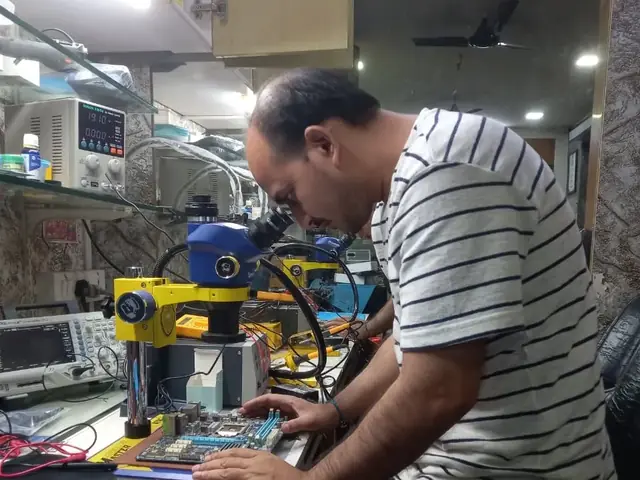
Board-level faults are traced with a microscope, a multimeter and a soldering station before any part is replaced, and parts are fitted only after you approve the quote.

We don't open your personal files during a repair. When a job needs access to your data, such as data recovery or a Windows reinstall, we ask you first.

  • Repaired in-house, not outsourced
  • Quote approved by you before work starts
  • Your files stay private
  • Microscope and board-level tools
  • Genuine or OEM-grade parts
  • 90-day warranty on repairs
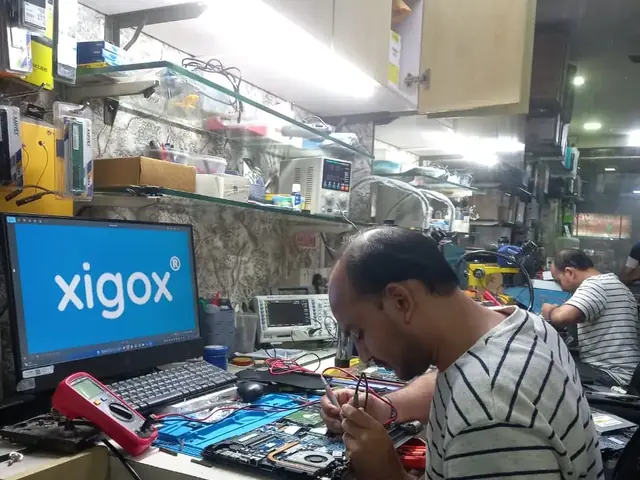
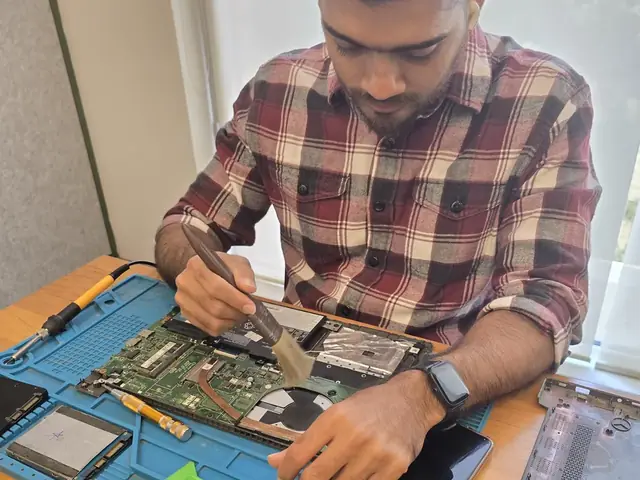
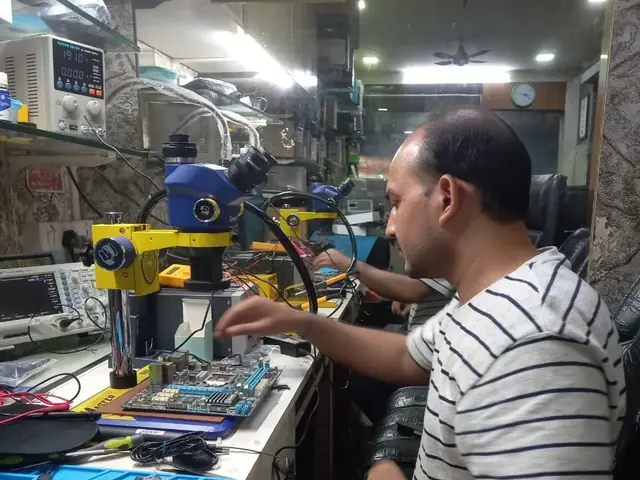
Technician inspecting a laptop motherboard under a microscope at the repair bench Technician testing a laptop mainboard with a multimeter beside a Xigox-branded monitor Technician brushing dust off an opened laptop motherboard with a cleaning brush Technician inspecting a laptop motherboard under a microscope at the repair bench
Xigox technicians at the repair bench.

Repair examples

Live — Recently Repaired Kyocera Printers

View All Recent Repairs

Samsung

Xpress M2835DW

Fixed
Issue
Vertical black lines appearing on every printed page. Print quality deteriorating with ghost images visible.
Solution
Replaced worn imaging drum unit. Cleaned corona wire and transfer roller. Ran diagnostic print to confirm clean output.

Technician's note

Drum surface had scratches causing line defects. Drum at 150%% of rated life — impressive longevity.

Thane West 1.5 Hours
  • Samsung
  • Laser
  • Drum Replacement

Epson

L3252

Fixed
Issue
Printer not connecting to Wi-Fi network. Wi-Fi Direct not functioning. Mobile printing completely non-operational.
Solution
Updated printer firmware to latest version. Reset network settings and reconfigured Wi-Fi with WPA3 protocol. Tested wireless printing from...

Technician's note

Old firmware had known Wi-Fi bug. Post-update, connection stable at 5GHz band.

Bandra West 45 Minutes
  • Epson
  • Wi-Fi
  • Wireless Printing

HP

LaserJet M428fdw

Fixed
Issue
Scanner producing black lines across scanned documents. ADF feeding but scanner output corrupted.
Solution
Replaced cracked ADF scanner glass strip. Cleaned flatbed scanner glass and calibration strip. Tested scan-to-email and copy functions.

Technician's note

Hairline crack in CIS scanner glass invisible to naked eye but caused consistent vertical line artifact.

Vikhroli East 1.5 Hours
  • HP
  • MFP
  • Scanner

Canon

PIXMA G620

Fixed
Issue
Color prints showing streaks, missing cyan. Nozzle blocked.
Solution
Deep chemical cleaning of print head. Restored all color channels.
Bandra East 1 Hours
  • Inkjet
  • Canon
  • Head Clean

Brother

DCP-T820DW

Fixed
Issue
Ink tank printer showing "Unable to Clean" error. Black ink not printing at all despite full tank. Head cleaning cycles ineffective.
Solution
Disassembled print head assembly. Ultrasonic cleaned clogged nozzles. Replaced ink dampers and purged air from ink lines.

Technician's note

Ink had dried in dampers due to 3 months of non-use. Advised customer to print test page weekly to prevent recurrence.

Borivali East 3 Hours
  • Ink Tank
  • Brother
  • Print Head

HP

LaserJet Pro M404dn

Fixed
Issue
Printer producing wrinkled, smeared pages with toner marks on backside. Fuser roller showing visible wear.
Solution
Replaced faulty fuser assembly with OEM part. Cleaned paper path rollers. Printed 50-page test run with zero defects.

Technician's note

Fuser exceeded rated page count of 100K. Recommended replacement every 80K pages for consistent output.

Andheri West 2 Hours
  • Laser Printer
  • HP
  • Fuser Repair

Customer reviews

What Customers Say About Laptop & Computer Repairs in Mumbai

4.9/5 · 6 reviews shown

See all 9,605+ reviews

Kyocera TASKalfa 2321 — Printer Repair

“Kyocera TASKalfa 2321 repair was completed professionally and printer is working smoothly now.”
N Nihal Joshi Andheri · 23 Feb 2026 5

Kyocera ECOSYS M2040dn — Printer Repair

“Reliable service for Kyocera ECOSYS M2040dn printer with transparent pricing and proper testing.”
A Aditya Desai Andheri · 15 Feb 2025 4

Kyocera ECOSYS P2040dn — Printer Repair

“Kyocera ECOSYS P2040dn had paper-feed and print issues. Service resolved both with genuine parts.”
V Vivaan Patel Andheri · 23 Nov 2025 3

Kyocera TASKalfa 2321 — Printer Repair

“Technician fixed Kyocera TASKalfa 2321 quickly and explained preventive maintenance clearly.”
I Ishaan Shah Andheri · 7 May 2025 14

Kyocera ECOSYS M2040dn — Printer Repair

“Excellent same-day repair for Kyocera ECOSYS M2040dn printer. Print quality is now clean and sharp.”
A Aarav Mehta Andheri · 7 Dec 2025 13

Kyocera ECOSYS P2040dn — Printer Repair

“Kyocera ECOSYS P2040dn repair was completed professionally and printer is working smoothly now.”
M Myra Iyer Andheri · 5 Oct 2024 12

FAQ

Kyocera Repair — FAQ

Common questions about Kyocera repair in Mumbai

10 questions answered

Getting a Kyocera device repaired by an independent technician does not automatically void the manufacturer's warranty on unrelated components — most consumer protection rules only void coverage for the specific part that was opened or replaced outside an authorised centre. If your Kyocera device is still under active manufacturer warranty, we'll flag that during inspection so you can weigh the free authorised option against our faster turnaround.
Yes — out-of-warranty and older Kyocera models are a large part of what we do, including devices the manufacturer's own service centre may have stopped supporting. We keep access to parts for most Kyocera generations and will tell you upfront, before the ₹350 inspection fee, if a part for your specific model isn't available.
Yes — Xigox is a trusted Kyocera repair specialist in Mumbai. We handle Kyocera and every other Kyocera line — screen damage, battery issues, keyboard replacement, motherboard repair, data recovery, and software problems. Free doorstep pickup available in Mumbai.
We use OEM-quality or manufacturer-grade parts for all Kyocera repairs. Genuine-grade components ensure your Kyocera performs at full specification after repair and your 90-day repair warranty remains valid. We never compromise on part quality.
Most Kyocera repairs in Mumbai are completed the same day. Screen replacements and battery swaps typically take 2–4 hours. Motherboard repairs or liquid-damage recovery may require 1–2 days depending on parts availability. We provide an upfront time estimate during the inspection.
Every Kyocera repair at Xigox includes a 90-day warranty. If the same issue recurs within 90 days, we rectify it at zero cost. Warranty covers parts and labour for all Kyocera repairs completed in Mumbai and across Mumbai MMR.
Yes. Our technicians are highly experienced in Kyocera liquid-damage recovery. Act quickly — the sooner you bring in a water-damaged Kyocera laptop or computer, the better the outcome. We charge ₹350 inspection fee for Kyocera liquid-damage cases with no charge if we cannot recover it.
Kyocera repair costs in Mumbai depend on the model and type of damage. Indicative pricing from our price list: screen replacement from ₹3,499, battery replacement from ₹2,499 and keyboard replacement from ₹1,799. You get a written quote after the ₹350 inspection (credited to the repair) before any work starts — no surprise bills.
Yes — Xigox provides free doorstep pickup and delivery for Kyocera repairs in Mumbai. Our technician collects your Kyocera laptop or computer from your home or office, repairs it at our Virar West workshop, and returns it — usually the same day. Call or WhatsApp +91 74997 61196 to schedule.
Yes. Our technicians receive specific training in Kyocera hardware architecture, proprietary connectors, and software systems. They stay current with the latest Kyocera models and repair techniques, delivering accurate diagnosis and reliable repairs every time.

Still have questions?

Send us your question on WhatsApp or call — a technician will answer.

Comparison

Xigox vs Kyocera Brand Service Centre

Honest comparison for out-of-warranty Kyocera laptops and computers.

FeatureXigoxBrand Service Centre
Repair ApproachComponent-level repair where a fault can be traced to a partVaries; ask what is offered for your model
PricingWritten quote after a ₹350 inspection (refunded if you repair)Ask for a written estimate to compare
PartsOEM-grade parts, category stated on the quoteTypically manufacturer parts; ask about options
Warranty90-day written (parts + labour)Terms vary; ask what is covered and for how long
TurnaroundMany repairs same-day once diagnosed; parts-dependent jobs take longerVaries by centre and parts availability
Doorstep ServiceFree pickup & delivery across MumbaiVaries; check whether the centre offers pickup
Operating Hours9 AM – 9 PM, 7 days a weekVaries by centre
Quote TimingWritten quote after inspection, before any repair startsVaries; ask when you will receive a quote

* Comparison for out-of-warranty laptops and computers. In-warranty laptops should be serviced at official brand service centres.

Our Kyocera Repair Promise

Don't let a broken Kyocera laptop or computer slow you down. Xigox provides a dependable Kyocera repair service with free pickup, a written quote and a 90-day warranty, and a 4.9★ customer rating. From laptops, desktops, all-in-one PCs and monitors, we fix every Kyocera issue with proven expertise and genuine parts. Book your Kyocera repair now — call +91 74997 61196 or send a WhatsApp message for instant confirmation and free pickup.

Other Printer Brands We Repair

Expert repair for all major printer brands

Explore more services

More Repair & Tech Services Near Mumbai

Same technicians · Free pickup · 90-day warranty across all services.

Book Your Kyocera Repair Now

Free pickup across Mumbai · Genuine parts · 90-day warranty

Open All Days · 9 AM – 9 PM · Reply within 15 minutes

Book a repair

Book Your Kyocera Repair Today

Free pickup across Mumbai · Genuine Kyocera parts · 90-day warranty

Booking received

We'll call you within 1 hour to confirm your appointment and arrange doorstep pickup.

Inspection fee: ₹350

  • Credited to your total repair cost if you go ahead.
  • Still applies if the device can't be repaired or you decline the repair.

+91

Device type *

Inspection fee: ₹350

  • If you go ahead with the repair, the ₹350 is credited to your total repair cost.
  • If the device can't be repaired or you decide not to continue, the ₹350 inspection fee still applies.

Your details are used only to arrange this repair. By submitting, you agree to our Privacy Policy.

Kyocera Repair in Mumbai — Professional, Reliable, and Affordable

Avoid the directory hustle. Choose a direct service centre with Xigox. Preventive servicing in Mumbai dramatically extends print head life: periodic nozzle clearing, roller replacement before jamming begins, genuine toner/ink installation. Xigox offers Mumbai businesses service agreements for any fleet size — covering all labour for Kyocera Repair.

Why Choose Us for Kyocera Repair in Mumbai

You have options in Mumbai, but Xigox is the preferred choice for this issue. Our core values include total honesty. Every issue starts with a detailed hardware check costing just ₹350, refunded if you proceed. No hidden charges — just professional issue in Mumbai.

Post-Repair Support for Kyocera Repair

All the repair completed by Xigox in Mumbai comes with a written three-month warranty on parts and labour. That means, if anything goes wrong within 3 months, we fix it at zero extra cost. You get a written warranty card with every repair, so the terms are clear.

Upfront Diagnosis in Mumbai

Not sure what's wrong with your Kyocera? Before you commit to any issue, Xigox conducts a comprehensive hardware inspection. While we charge a nominal ₹350, this amount is fully refunded when you approve the quote. Our technicians in Mumbai will explain the exact fault clearly so you can make an informed decision.

Extended Care Kyocera Repair Options

A common question is whether their laptop insurance covers the repair. We help with insurance claims and can generate the detailed GST invoice required for claim submission — broken down by component and labour. For out-of-warranty Kyocera units, our repair is almost always often far cheaper compared to the brand's authorised centre.

Privacy Protection for Kyocera Repair

Your personal data is our top priority during your issue. Customers throughout Mumbai trust us because we never access personal files. Throughout the issue, your confidential files remain untouched. If a software reset is necessary, we consult you beforehand.

Express Kyocera Repair — What to Expect

Wondering how fast Xigox can complete repair in Mumbai? Our standard process: First — call or WhatsApp +91 74997 61196 and our pickup technician arrives at your Mumbai address within 2 hours. Then — ₹350 diagnostic pinpoints the issue. Step 3 — you approve the quote via WhatsApp — zero pressure. Step 4 — the repair is done using OEM-grade components by our engineers, usually within 2–4 hours. Step 5 — your Kyocera is delivered back to you with a quality report.

After-Repair Care for Kyocera Repair

Xigox's responsibility extends beyond the repair itself. The Xigox after-service team remains reachable 7 days a week, 9 AM–9 PM via WhatsApp or phone. Should any concern arise within 90 days of your issue, simply contact us and a technician is dispatched at no cost. This commitment is why residents in Mumbai return to Xigox.

Affordable Kyocera Repair in Mumbai

Premium repair shouldn't break the bank in Mumbai. Because we repair at the component level, we typically save customers 30% to 50% versus authorized brand service centres. You receive identical stellar quality for your Kyocera, but at a much fairer price. Get your free quote for the repair in Mumbai now.

Serving Mumbai Homes & Offices

We repair devices for homes, offices and colleges across Mumbai book us with free pickup and drop. You get a written quote before any work, OEM-grade parts and a 90-day warranty, for a single Kyocera or a whole office. When you choose Xigox for this issue in Mumbai, you get the same service and warranty as every other customer.

Business & Corporate Kyocera Repair in Mumbai

Xigox isn't just for individuals Mumbai rely on our repair to keep operations running. Our corporate solutions include bulk repair contracts, same-day priority service, and dedicated account managers. Whether you have 5 laptops or 500, Xigox handles the repair for your Mumbai office with corporate billing and detailed repair documentation.

Technology keeps your life running — protect it with a dependable Kyocera Repair team. Xigox looks after customers across Mumbai, Thane and Palghar with honest quotes. Need a quick fix? Reach us at +91 74997 61196 for instant Kyocera Repair in Mumbai.

Kyocera Repair price in Mumbai — know it before you book

  1. 1Pick your device & issue
  2. 2See the real price range
  3. 3Free doorstep pickup in Mumbai

4.9 from 9,605 customer reviews across all repairs · upfront pricing · 90-day warranty

Before you book: have your device model and a quick description of the issue ready — it speeds up your quote.

Not sure what's wrong?

Find Your Fix by Symptom

Tell us what your device is doing — we'll point you to the right repair, with real pricing and next steps.

See all repair problems we fix
Call WhatsApp