
HP
Pavilion Gaming
- Issue
- Blue screen errors, random crashes during gaming.
- Solution
- Diagnosed RAM failure. Replaced faulty memory modules.
Borivali West
1 Hours
- RAM
- HP
- Gaming
 Dell · Alienware · Boisar Station
Expert repair for your Dell Alienware in Boisar Station. Free doorstep pickup, OEM-quality parts & 90-day warranty.
Open every day, 9 AM – 9 PM
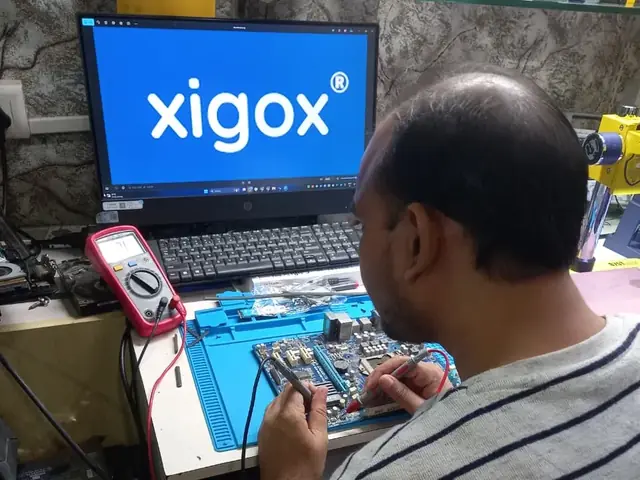
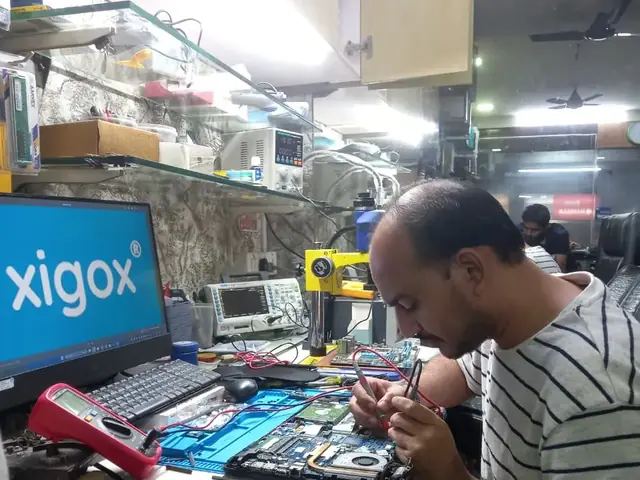

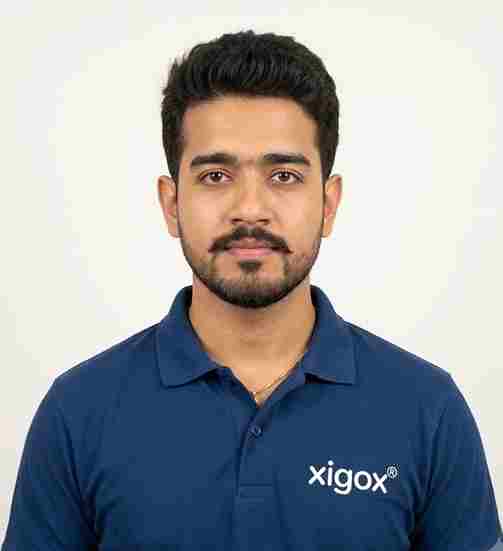
Run by Tejas & Janak Chudasama since 2011
Xigox is a family-run, ISO 9001:2015-certified repair business, not a marketplace listing or a franchise. Every repair is backed by a written 90-day warranty and billed against GSTIN 27AJXPC8441R1Z7. Read our story
Transparent pricing · ₹350 inspection (refunded if you proceed with repair) · No hidden charges · Pay only after approval
| Issue / Component | Repair Price | Warranty |
|---|---|---|
| WiFi Software Fix | ₹350 - ₹799 | 1 Month |
| WiFi Card Repair | ₹749 - ₹1,499 | 3 Months |
| WiFi Card Replacement | ₹1,499 - ₹2,899 | 3 Months |
| Antenna + Card Replacement | ₹2,199 - ₹4,099 | 3 Months |
Prices may vary by exact condition. Final quote given after ₹350 inspection (refunded if you proceed with repair).
Get Exact QuotePhotos
Photographs of Xigox technicians working on opened laptops and boards. They show how the work is done, not the results on any particular customer's device.
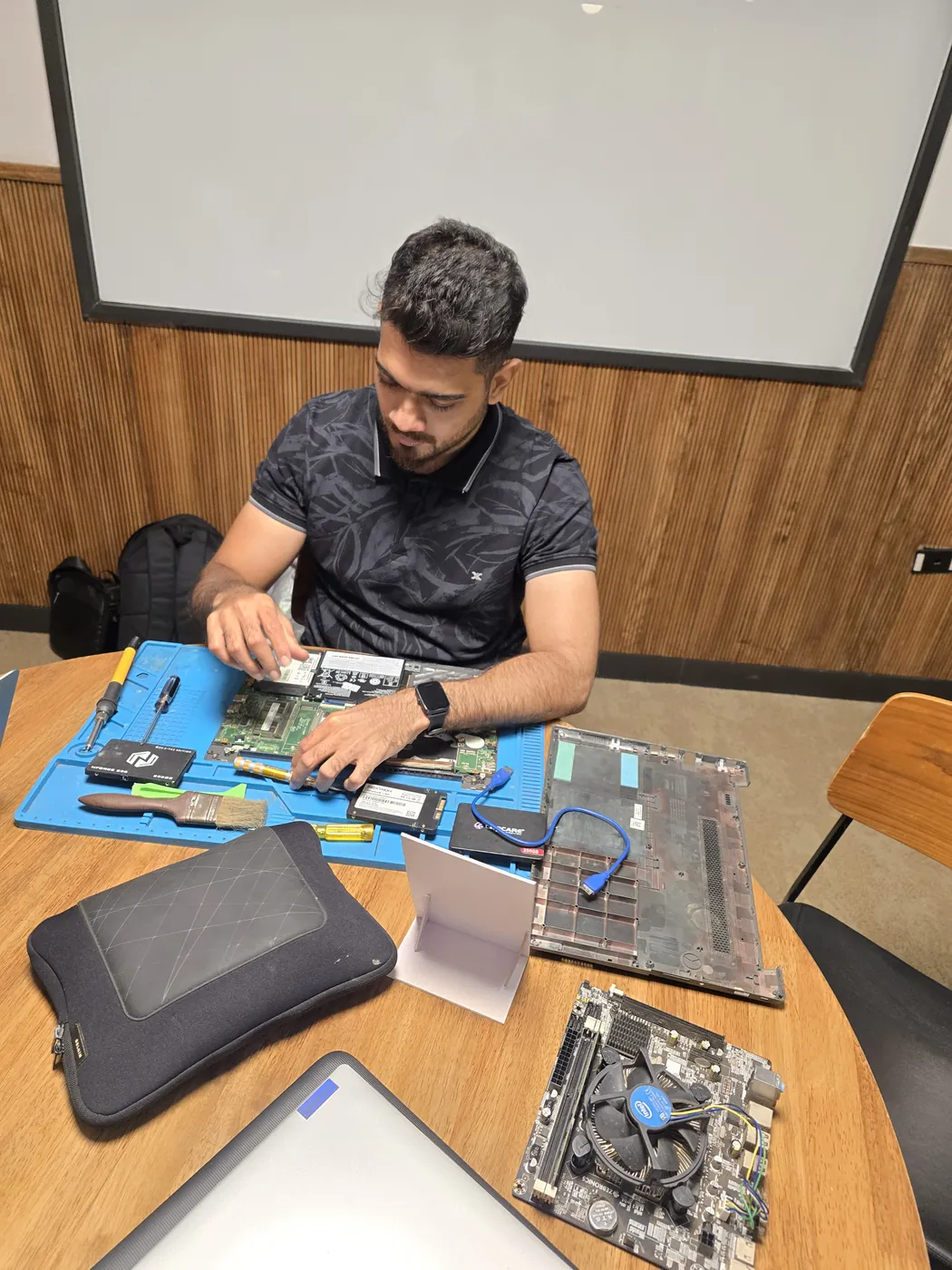
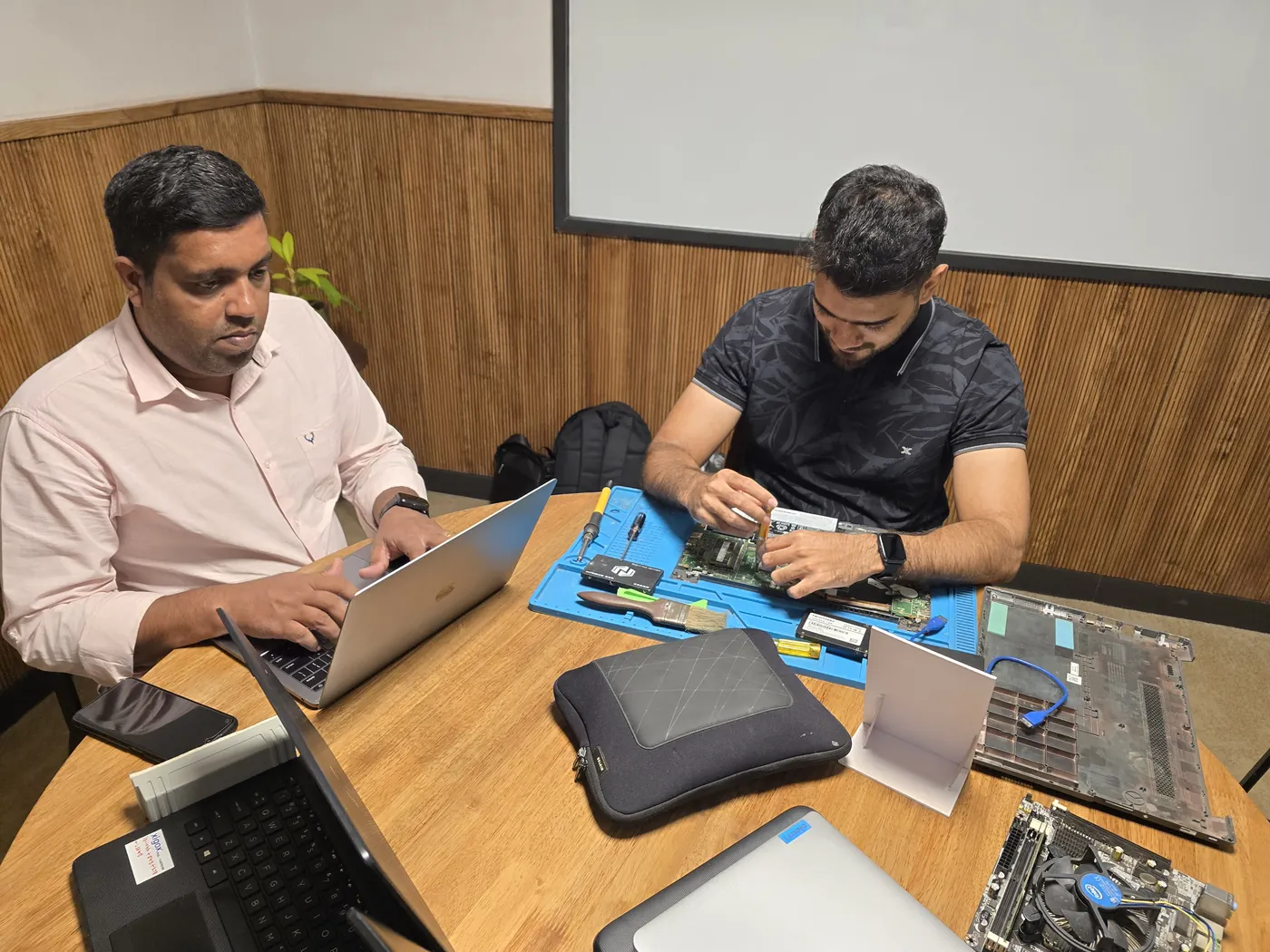





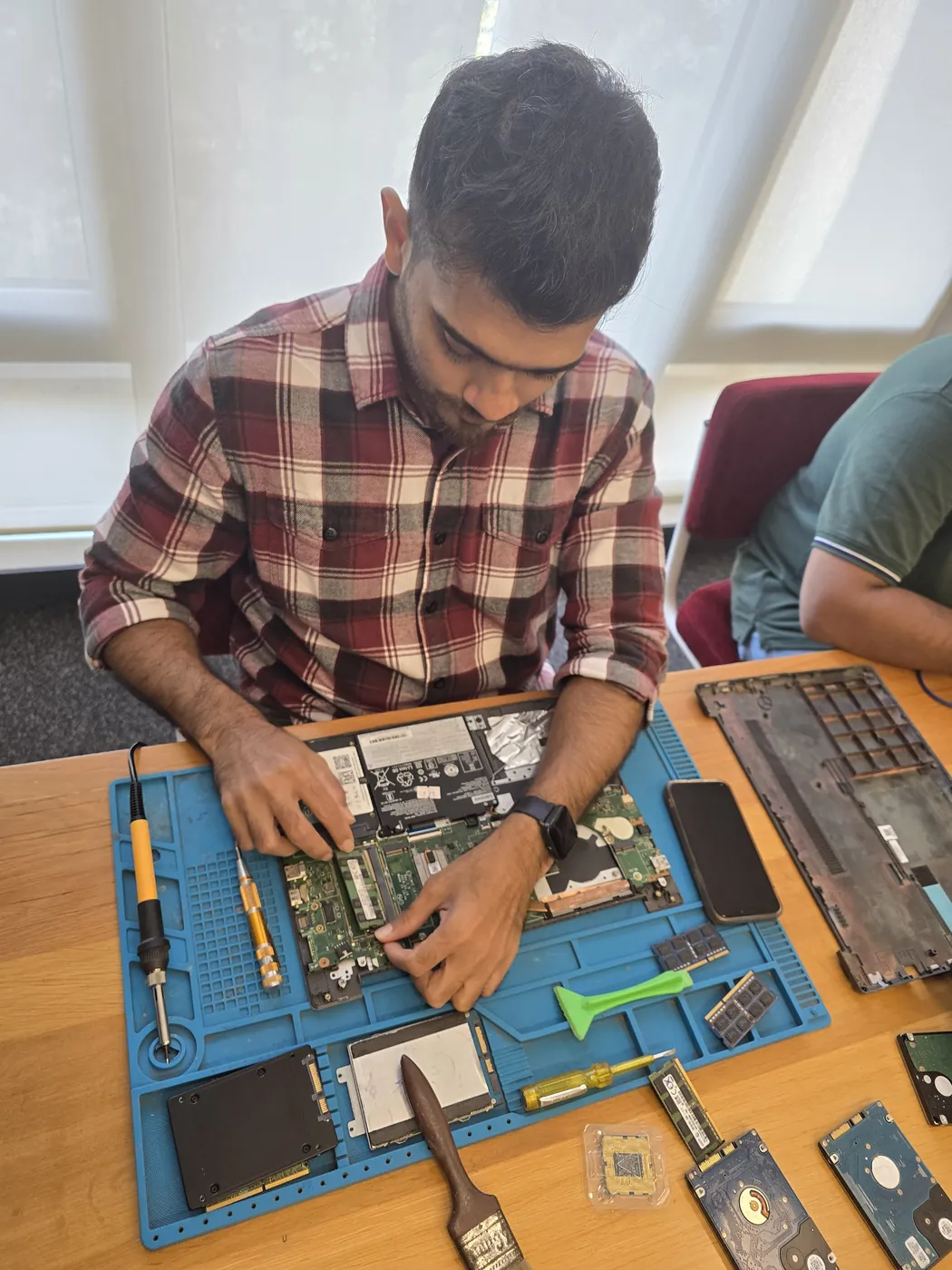
All photos are real photographs of the Xigox team at work.
Why Us?
With 1,00,026+ successful repairs and a 4.9-star rating, Xigox is an independent Dell repair specialist serving Boisar Station. Covering the entire Palghar district with same-day service.
If we cannot resolve your Dell WiFi Not Detecting issue, you pay nothing beyond the inspection fee.
We repair Dell hardware at chip and board level where it's safe to do so — often a fraction of a full-module swap.
Our engineers work on Dell hardware regularly. Every repair is tested before return.
We use genuine Dell parts wherever available; otherwise OEM-compatible components.
Every repair backed by a written 90-day warranty. Same fault recurs? We fix it free of charge.
Most Dell WiFi Not Detecting jobs in Boisar Station are completed same-day. Urgent service available for critical cases.
Since 2011
9,727+ reviews
Parts & labour
For common issues
₹350 inspection fee
15+ yrs in Palghar
Who repairs your device
Your Dell Alienware is handled by Xigox technicians from start to finish. It is never handed on to another shop. Work that needs the repair bench is done at our workshop in Virar West.
Board-level faults are traced with a microscope, a multimeter and a soldering station before any part is replaced, and parts are fitted only after you approve the quote.
We don't open your personal files during a repair. When a job needs access to your data, such as data recovery or a Windows reinstall, we ask you first.




From booking to delivery — here's exactly what happens at every step
Call or WhatsApp +91 74997 61196. Tell us your Dell Alienware issue in Boisar Station and schedule a free doorstep pickup.
Our experienced technician inspects your Dell Alienware and provides a transparent written quote for WiFi Not Detecting.
Once approved, we perform WiFi Not Detecting using OEM-quality parts. Most repairs are completed same-day.
Every Dell Alienware passes a multi-point QA test before delivery. Your 90-day warranty starts from this moment.
We deliver your repaired Dell Alienware back to your Boisar Station address. Completely free, same day.
Post-repair support via WhatsApp. If the issue recurs within 90 days, we fix it at zero cost.
Repair examples
HP
Pavilion Gaming
Dell
XPS 13 9340
MacBook
Pro M3 14-inch
Dell
Latitude 5430
Technician's note
Corporate laptop with heavy daily use. Battery had exceeded 800 charge cycles.
Acer
Aspire 5 A515
Technician's note
HDD was healthy — kept as secondary storage. Massive performance improvement.
MacBook
Air M2
Technician's note
Water had not reached SSD — all data intact. Board-level repair saved customer from logic board replacement.
Comparison
What you get with Xigox in Boisar Station, side by side.
| Feature | Xigox | Other shops |
|---|---|---|
| Experienced Technicians | Trained & Verified | Varies; ask who will work on the device |
| Genuine / OEM Parts | OEM-Quality Parts | Varies; ask which part will be fitted |
| 90-Day Warranty | Written Certificate | Varies; ask for the warranty in writing |
| Diagnosis / Inspection | ₹350, credited to the repair | Varies; ask what the diagnosis costs |
| Same-Day Turnaround | Boisar Station — Most Repairs | Varies; ask for a time in writing |
| Free Doorstep Pickup | Boisar Station — Free | Varies; ask whether pickup is free |
| Transparent Pricing | Written Quote First | Varies; ask for a written quote first |
| Live WhatsApp Updates | Real-time Repair Status | Varies; ask how you will get updates |
Xigox charges ₹350 for inspection — credited to your repair cost if you go ahead.
Customer reviews
4.9/5 · 12 reviews shown
← Swipe or tap dots to browse →
Watch & learn
Repair videos from our Virar West workshop

See how Xigox handles real customer repairs — fast diagnosis, transparent pricing and a 90-day warranty on every job.

A closer look at the Xigox team, our tools, and the repair process behind 9,727+ customer reviews across Mumbai MMR.

A tour of our ISO 9001:2015 certified workshop — laptop, desktop and computer repairs with genuine-grade parts and a 90-day warranty.

How the Xigox team handles laptop and computer repair, sales, service and data recovery across Mumbai, Thane & Palghar.
Customer stories
What customers say about their laptop and computer repairs
“Laptop screen shattered after a fall. Xigox replaced it with an original panel — display looks brand new. Finished in 4 hours, same day. Highly recommend!”
HP Pavilion 15 eg2000
“Keyboard stopped working completely — spilled juice on it. Xigox cleaned and replaced the keyboard. Professional job, data safe, warranty given. Superb!”
Lenovo IdeaPad Slim 3
“Laptop was overheating and shutting down every 20 minutes. Xigox cleaned the fan, replaced thermal paste. Now it runs cool and silent. ₹499 well spent!”
ASUS VivoBook 14
“Motherboard was dead — no power at all. Xigox did chip-level repair instead of replacing the whole board. Saved ₹8000. Running perfectly for 6 months now!”
Dell Inspiron 3511
“Battery was swollen and trackpad stopped clicking. Xigox replaced the battery safely. MacBook performance is back to day-one speed. Expert Apple technicians!”
MacBook Air M1
“Charging port was loose and not connecting. Xigox repaired the port in 2 hours. No data loss, 90-day warranty. Office productivity restored immediately!”
HP EliteBook 840 G8
FAQ
Everything you need to know before booking your repair
10 questions answered
Send us your question on WhatsApp or call — a technician will answer.
Xigox is Boisar Station's leading independent specialist for Dell Alienware repair. Our engineers are not generalists — they undergo dedicated training on Dell hardware, firmware and diagnostics. Since 2011, we have completed over 1,00,000+ repairs across all Dell product lines, earning a 4.9-star average customer rating.
Every Dell component we fit is OEM-grade and batch-tested before it goes into your Dell Alienware — no aftermarket substitutes, no recycled pulls sold as new. You see the part cost and the labour cost separately on the estimate before we start, and the ₹350 inspection comes off the bill if you go ahead.
We actively serve the entire 401501 postal area within Palghar district, ensuring same-day response for every repair request. ₹350 inspection fee (refunded if you proceed with repair). Located near Boisar West, our service coverage extends across Boisar Station and all surrounding localities. In addition to Boisar Station, we also provide doorstep repairs and free pickup for lab work for customers in Boisar East, Boisar West, Boisar MIDC and other nearby areas.
Straightforward Dell jobs — battery, keyboard, screen, SSD or RAM — are done at your address in Boisar Station. Anything needing the microscope and hot-air station comes back to the lab, with free pickup and drop either way. We confirm within 15 minutes of booking and tell you honestly whether it is a same-day fix.
We back Dell work with a 90-day parts-and-labour warranty in writing, not just a verbal promise. If your Dell Alienware does come back with the same fault, we cover it. You keep a direct WhatsApp line to the team that did the work.
Service Hours
Monday – Sunday · 9 AM – 9 PM
Open on all public holidays
Service Area
Boisar Station & surrounding Mumbai areas
Doorstep repairs + free pickup for lab work
Our Guarantee
90-day warranty on all repairs
Free re-repair if same fault recurs
Explore all available repair options for your Dell Alienware
We repair all Dell models in Boisar Station
Free pickup & drop across all these neighbourhoods
Not sure which repair you need? See all Dell Alienware repairs in Boisar Station
Same-day service available in all these nearby areas
Explore more services
Same technicians · Free pickup · 90-day warranty across all services.
₹350 inspection fee (refunded if you proceed with repair) · Same-day WiFi Not Detecting · 90-day warranty
Serving Boisar Station and all of Mumbai MMR · Open 9 AM – 9 PM daily
How it's done
What our technicians do, what it requires, and how to tell you need it.
For this specific fault, our technicians check signal strength and connection stability both with the laptop's own card and (where possible) a known-good external adapter, isolating a hardware fault from a router-side or driver-side cause before any part is replaced.
Typical time: 20–40 minutes
The model
The Dell Alienware is Dell's dedicated gaming brand — distinctive design language, high-refresh displays, aggressive cooling, and RGB lighting, aimed squarely at enthusiast gamers across both laptop and desktop forms.
Avoid the directory hustle. Choose a direct service centre with Xigox. Building a custom gaming PC in Boisar Station is more than just assembling parts. Xigox handles full custom gaming PC builds: component selection guidance, professional cable management, XMP/EXPO RAM profile configuration, and GPU driver installation and stability testing. When it's Dell Alienware WiFi Not Detecting you need in Boisar Station, Xigox applies this same standard: a written quote before any work begins, genuine-grade parts, and a 90-day warranty covering the finished Dell Alienware WiFi Not Detecting — parts and labour both.
Not sure what's wrong with your Dell? Before you commit to any repair, Xigox conducts a comprehensive hardware inspection. While we charge a nominal ₹350, this amount is fully refunded when you approve the quote. Our technicians in Boisar Station will explain the exact fault clearly so you can make an informed decision.
Your Dell model never limits what we can fix. Xigox engineers are trained across all major brands: HP, Dell, Lenovo, Asus, Acer, MSI, Toshiba, Samsung and Apple MacBook. Different manufacturers have unique design choices we account for in every repair. This depth of brand knowledge reduces repair time and lowers the chance of secondary damage.
We know your time is valuable in Boisar Station. Xigox plans the repair for speed and efficiency. In 90% of cases, our technicians complete the repair on the same day. Our team offers free doorstep pickup from your Boisar Station address, execute the repair at our workshop, and return it to you.
Getting your Dell fixed in Boisar Station is incredibly simple. Step 1, call or WhatsApp us at +91 74997 61196 to describe your issue. Next, our complimentary collection driver arrives at your Boisar Station doorstep within 1–2 hours. The team then carry out a thorough diagnostic (₹350, credited toward your repair). Once you agree, this issue is executed with genuine parts — and your Dell is returned to you. Most repairs done same day.
One of the most common complaints about repair shops in Boisar Station is hidden charges after the job is done. Xigox operates differently. Before any work begins, our technician provides a clear cost estimate covering parts and labour. There is zero ambiguity — the decision is entirely yours. The ₹350 diagnostic is credited 100% when you approve the repair.
Don't just take our word for it. Xigox has earned a 4.9-star rating from 9,727+ customer reviews from customers across Mumbai MMR. Customers frequently mention: honest pricing, same-day completion, and OEM-grade replacements. What Boisar Station customers value most: "Same-day fix with genuine parts and clear communication throughout." Join the growing community of happy Xigox customers in Boisar Station.
While your Dell is opened for the repair in Boisar Station, it's the perfect time to consider an upgrade. A large number of clients choose to add thermal repasting during the same visit. Bundling these services saves you money on labour and extends its life by years. Inquire today about performance upgrades when you book your repair.
Xigox's responsibility extends beyond the repair itself. Our support line is available daily via call or message. If you notice anything unusual in the post-repair period, just reach out and we dispatch a technician immediately. This promise is why Boisar Station customers choose Xigox again and again.
Traveling across town in Boisar Station can be a nightmare. That's why Xigox has built a straightforward pickup and delivery network for the repair. Simply share your Boisar Station address, and our technician will pick up the Dell from your home or office. After the repair is completed, it is delivered back fully tested and sealed. Save your time without leaving your desk.
Xigox isn't just for individuals Boisar Station rely on our issue to maintain productivity. Our corporate solutions include AMC agreements, priority SLA turnaround, and dedicated account managers. Whether you have 5 laptops or 500, Xigox handles this issue for your Boisar Station office with corporate billing and detailed repair documentation.
Genuine parts and a clear bill in Boisar Station. Xigox combines experienced engineers, OEM-grade spares, upfront pricing, and a real warranty on every Dell Alienware WiFi Not Detecting. Join the thousands in Boisar Station who trust us — call or WhatsApp +91 74997 61196 for same-day service in Boisar Station.
Service area
Xigox provides dell alienware wifi not detecting across Boisar Station (PIN 401501), in the Palghar district of Boisar. Our doorstep pickup and on-site service cover the entire Boisar Station area and the neighbourhoods around it.
Localities we cover in Boisar Station: Boisar West, Boisar East. Wherever you are in Boisar Station, we can collect your device from your door and bring it back after the repair.
Our technicians regularly serve homes, societies and offices around Boisar Station, Tarapur Nuclear Power Station (nearby) and Boisar Market, and along Boisar Station Road, NH-48 and MIDC Road Boisar. If you're near any of these landmarks, same-day pickup for dell alienware wifi not detecting is almost always available.
We also serve these nearby areas — tap your locality for local dell alienware wifi not detecting:
4.9 from 9,727 customer reviews across all repairs · upfront pricing · 90-day warranty
Before you book: have your device model and a quick description of the issue ready — it speeds up your quote.
Not sure what's wrong?
Tell us what your device is doing — we'll point you to the right repair, with real pricing and next steps.
Our workshop: Head Office — Xigox
~39.1 km from Boisar Station. With free doorstep pickup you don't need to travel — this is where the repair is done.
Book a repair
Free pickup · Genuine parts · 90-day warranty
We'll call you within 1 hour to confirm your appointment and arrange doorstep pickup.
Inspection fee: ₹350
Device type *
Inspection fee: ₹350
Your details are used only to arrange this repair. By submitting, you agree to our Privacy Policy.
 Acer
Acer
 Apple
Apple
 ASUS
ASUS
 Fujitsu
 HP
HP
 Lenovo
 MSI
MSI
 Samsung
 Sony VAIO
 Toshiba