Laptop Battery Replacement Near Me
in Mumbai & Nearby
A laptop battery that drains in minutes, will not charge or has started to swell is replaced with a pack that matches your model, and the technician can do it at your door.
Laptop Battery Replacement in Mumbai & Nearby, in short: diagnosis is ₹350, credited to the repair; repairs start at ₹2,499 (price list). Most repairs are finished the same day; board-level work takes 2–5 days. Free pickup within 2 hours across Mumbai, Thane and Palghar. Simple replacements at your door; board-level and body repairs at our Virar West workshop after free pickup. Every repair carries a 90-day written warranty.
- ₹350 inspection, credited if you repair
- 90-day warranty
- Genuine parts


Closest to you
See which Xigox is nearest to you
Type your area or share your location to see the closest Xigox, roughly how far it is and who to call.
Your location stays in your browser and is not sent to us.
Head office
Xigox Head Office, Virar West
Our repair workshop, open Monday to Sunday, 9 AM – 9 PM. Call before visiting one of our 13 branches.
Local, honest repair
Laptop Battery Replacement: what to expect from Xigox
A tired battery rarely fails all at once. It loses a few minutes of runtime every month, then the laptop starts shutting down at 30 percent, then it stops charging. By that point the laptop is tied to its charger, which is the whole point of owning a laptop gone. Replacing the battery is among the most cost-effective repairs there is: a new pack restores the runtime for a fraction of what a new laptop costs.
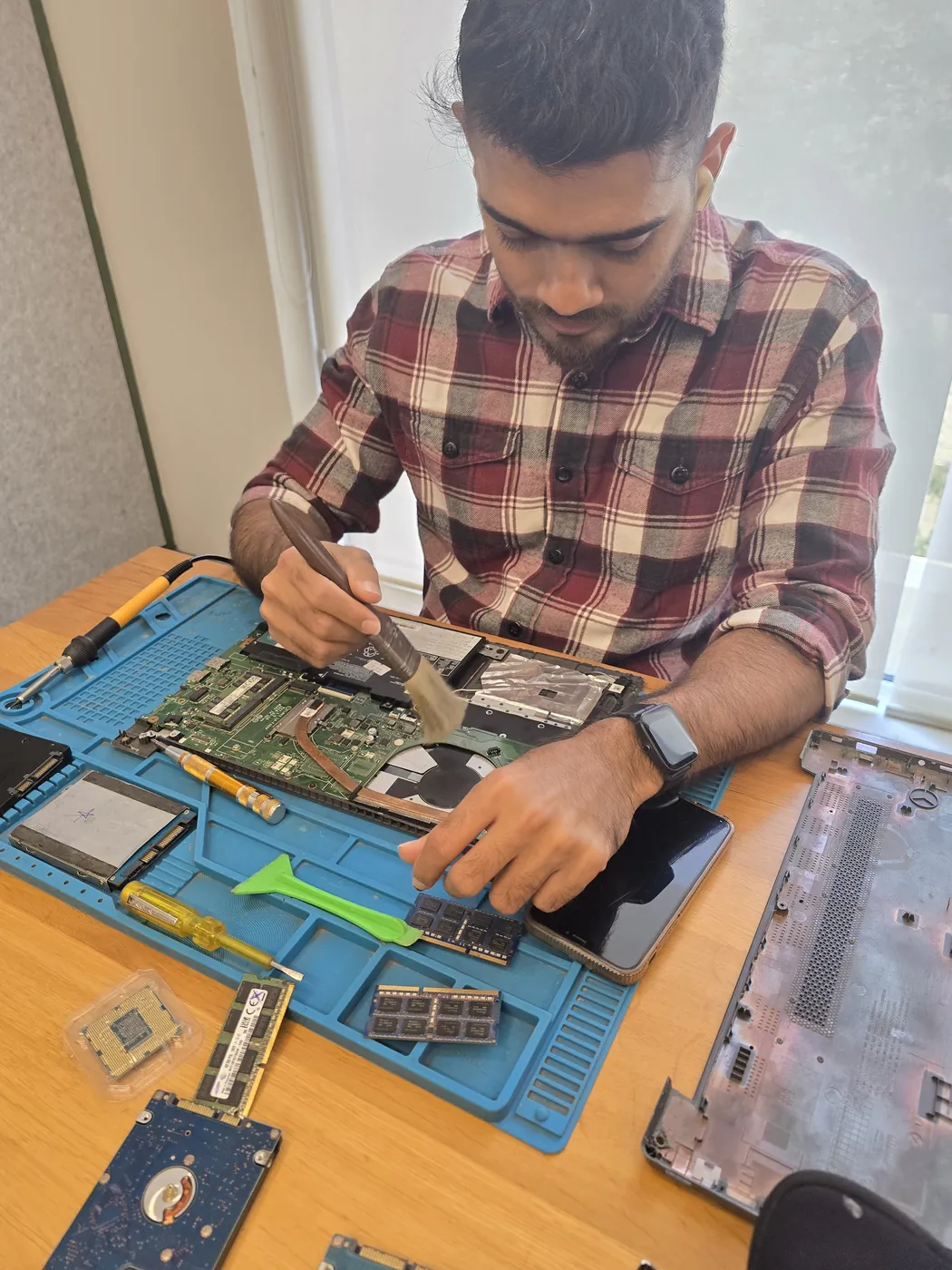
Battery replacement is a job we do at your door. A technician reaches you within 2 hours of booking, reads the battery health, fits a pack matched to your model by its part code and tests charging before leaving. Batteries start from ₹2,499, with gaming and workstation packs priced separately, and the ₹350 inspection is credited to the repair. Call +91 74997 61196 to book.
Is it the battery?
Signs a laptop battery is finished
Some of these point at the battery, some at the charger or the charging circuit. We test both before replacing anything.
Runtime has fallen off a cliff
A laptop that once lasted hours now lasts minutes. Windows can produce a battery report that compares design capacity with what the pack holds today.
Shuts off suddenly at 20 to 40 percent
The cells can no longer deliver current under load. The percentage on screen is an estimate, and a worn pack makes it wrong.
Plugged in, not charging
Can be a dead battery, a wrong or failing adapter, or a damaged charging port. We check the adapter output and the port first.
Works only while plugged in
The pack has failed completely or is no longer detected. If the laptop is fine on mains, the battery is the likely cause.
Bulging case, raised trackpad or a keyboard that lifts
A swollen battery. Stop using and charging it immediately and keep it away from heat. This is a safety issue, not a convenience one.
Very hot underneath while charging
Heat shortens battery life. A laptop that gets hot even when idle needs the battery checked and the cooling looked at.
"Consider replacing your battery" in Windows
Windows has measured a significant loss of capacity. It is a prompt to replace, not a fault.
Charge level stuck or jumping
A sign of an unhealthy pack or a gauge that has lost its calibration. A replacement and a full calibration cycle fix both.
Safety first
If the battery is swollen
Lithium batteries swell when the cells inside degrade and produce gas. A swollen pack can push the keyboard or trackpad upward, stop the case closing flat or make the laptop rock on a table. Do not charge it, do not press or puncture it and do not leave it in a bag, a car or any hot place. Shut the laptop down, unplug it, and call us: a technician can remove the pack safely, usually the same day.
Please never throw an old lithium battery into household waste. Give the old pack to the technician and it is taken away with us, so it does not end up in a bin where it can start a fire.
Getting the right pack
What has to match for the replacement to work
Part code on the battery label
Laptops of the same name use different packs by year and size. The code on the label, or the model number on the base, tells us which one yours takes.
Voltage and capacity
Printed in volts and watt-hours or milliamp-hours. We fit the same voltage and a capacity equal to or better than the original.
Internal or removable
Many slim laptops have the pack screwed inside the base. It is the same job for us, but the bottom panel has to come off with care.
Connector and fit
The plug, the screw points and the cable length all have to match, otherwise the pack will not seat or may press on the cooling fan.
Gaming and workstation laptops
These use larger packs that cost more. They are quoted separately on the price list.
MacBooks
MacBook batteries are priced separately. The pack is bonded into the top case, so the job takes longer and we confirm where it is done when you book.
How it works
How we replace a laptop battery
Usually under an hour once the technician has the pack in hand.
- 1
Read the battery health
Design capacity against current capacity, cycle count if the laptop reports it, and a look at the pack for swelling or heat marks.
- 2
Rule out the charger and port
A multimeter on the adapter, a test with a known-good one and a check of the charging port. A new battery in front of a dying charger is wasted money.
- 3
Written quote
The pack, the price, the time. The ₹350 inspection is credited if you approve.
- 4
Fit the new pack
Bottom panel off, old pack out, new pack seated and cables routed clear of the fan.
- 5
Charge and discharge test
We confirm the laptop recognises the pack, charges, and reports a sensible percentage under load.
- 6
Warranty
A 90-day written warranty on the battery and the fitting.
Prices
Battery and charging prices
Starting prices from our published list. The price depends on the pack your laptop takes.
| Repair | Starting price |
|---|---|
| Laptop battery replacement | ₹2,499 - ₹5,499 |
| Gaming or workstation laptop battery | ₹3,999 - ₹6,999 |
| MacBook battery replacement | ₹5,999 - ₹11,999 |
| Charging port: cleaning and re-solder | ₹549 - ₹1,199 |
| Charging port: connector replacement | ₹1,099 - ₹2,199 |
| Power and charging fault diagnosis | ₹499 - ₹999 |
If the battery turns out to be fine and the charging port is the fault, the quote changes before any work starts, and the ₹350 inspection is credited to whichever repair you approve.
Make the new battery last
Habits that protect a laptop battery
- Heat is the enemy. Do not use the laptop on a bed or sofa where the vents are covered, and do not leave it in a parked car.
- Use the maker's battery-health setting if your laptop has one. Lenovo Vantage, MyASUS, HP Support Assistant and Dell Power Manager can all limit the charge to protect the pack.
- If the laptop sits on a desk plugged in all day, a charge limit of around 80 percent is gentler than a constant 100.
- Use the original charger or one with the same rating. Cheap adapters stress the charging circuit.
- Run the battery down to a low level and recharge fully every few months so the percentage stays accurate.
Near you
Laptop Battery Replacement in the areas around you
Pickup is free across Mumbai, Thane and Palghar. Pick your area, or see all 364 areas we cover.
- Laptop Battery Replacement in Virar
- Laptop Battery Replacement in Vasai East
- Laptop Battery Replacement in Mumbai
- Laptop Battery Replacement in Nalasopara East
- Laptop Battery Replacement in Naigaon East
- Laptop Battery Replacement in Mira Road East
- Laptop Battery Replacement in Bhayandar West
- Laptop Battery Replacement in Hiranandani Estate
- Laptop Battery Replacement in Andheri West
- Laptop Battery Replacement in Dahisar East
- Laptop Battery Replacement in Borivali West
- Laptop Battery Replacement in Goregaon East
Our head office is in Virar West, and 13 branches across Mumbai and Thane take bookings and dispatch technicians. All locations · Contact and branches
Customer reviews
What customers say
4.9/5 from 9,605+ reviews published on this site.
"Fujitsu Charging Port Repair on my Fujitsu laptop was completed same day with fair, transparent pricing."
"Wasn't sure Xigox serviced my Fujitsu WiFi Card Replacement, but they were fully equipped for the Fujitsu laptop and fixed it fast."
"Wasn't sure Xigox serviced my Fujitsu Motherboard Repair, but they were fully equipped for the Fujitsu laptop and fixed it fast."
FAQ
Laptop Battery Replacement: your questions answered
Straight answers on price, time, warranty and where the work is done.
8 questions answered
Still have questions?
Send us your question on WhatsApp or call — a technician will answer.
More near-me repair
Related repairs near you
Book a repair
Laptop Battery Replacement Near Me: Book Now
Free pickup · Genuine parts · 90-day warranty
Booking received
We'll call you within 1 hour to confirm your appointment and arrange doorstep pickup.
Inspection fee: ₹350
- Credited to your total repair cost if you go ahead.
- Still applies if the device can't be repaired or you decline the repair.
Device type *
Inspection fee: ₹350
- If you go ahead with the repair, the ₹350 is credited to your total repair cost.
- If the device can't be repaired or you decide not to continue, the ₹350 inspection fee still applies.
Your details are used only to arrange this repair. By submitting, you agree to our Privacy Policy.