Dell · Vostro 3910 · Lokhandwala

Dell Vostro 3910
System Cleanup
in Lokhandwala

Expert repair for your Dell Vostro 3910 in Lokhandwala. Free doorstep pickup, OEM-quality parts & 90-day warranty.

✓ Free Doorstep Pickup ✓ Same-Day Repair ✓ 90-Day Warranty ✓ ISO 9001 Certified

Open every day, 9 AM – 9 PM

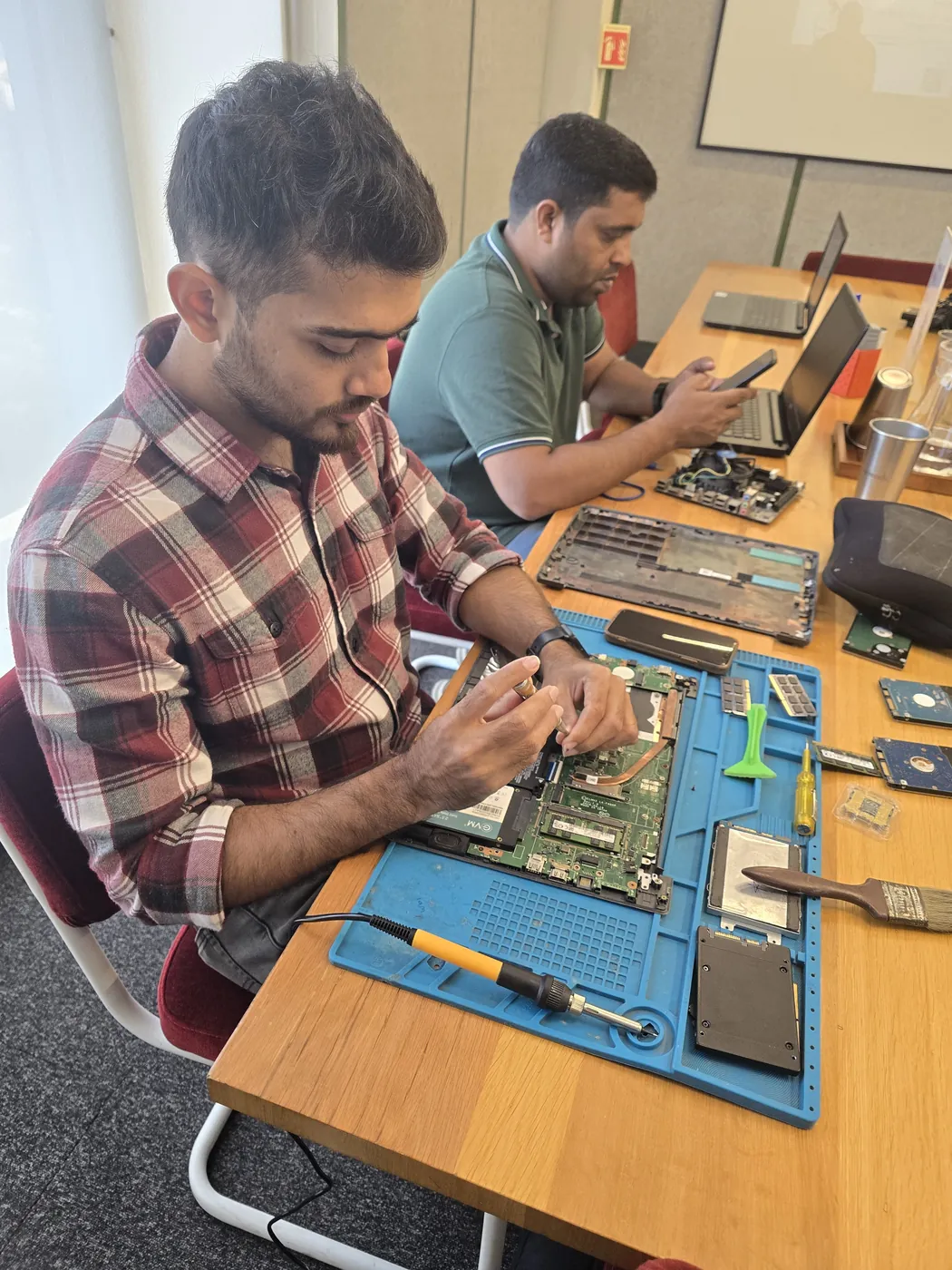
Top-down view of a technician servicing a laptop beside an SSD and a cleaning brush Technician brushing dust off an opened laptop motherboard with a cleaning brush
Xigox technicians at the repair bench
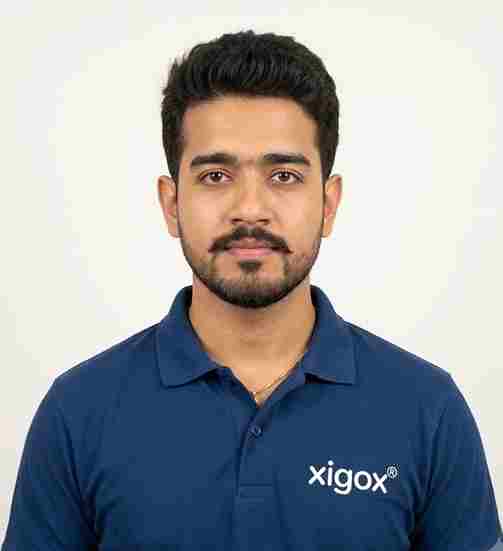
Tejas Chudasama, Xigox Founder Janak Chudasama, Xigox CTO

Run by Tejas & Janak Chudasama since 2011

Xigox is a family-run, ISO 9001:2015-certified repair business, not a marketplace listing or a franchise. Every repair is backed by a written 90-day warranty and billed against GSTIN 27AJXPC8441R1Z7. Read our story

Why Us?

Why Choose Xigox for Dell System Cleanup in Lokhandwala?

With 1,00,116+ successful repairs and a 4.9-star rating, Xigox is an independent Dell repair specialist serving Lokhandwala. Conveniently located near Four Bungalows.

Same-Day Turnaround

Most Dell System Cleanup jobs in Lokhandwala are completed same-day. Urgent service available for critical cases.

Full Transparency

We quote before starting work. No hidden fees. You pay exactly what you were quoted.

Lifetime Post-Repair Support

Free WhatsApp support for any questions about your Dell Vostro 3910 System Cleanup after repair — always.

Free Pickup & Drop

Collection and return anywhere in Lokhandwala at no charge for lab-based Dell work — we don't bill for convenience.

Transparent Pricing

₹350 inspection fee (refunded if you proceed). Written quote before any Dell System Cleanup work begins.

No Fix, No Repair Fee

If we cannot resolve your Dell System Cleanup issue, you pay nothing beyond the inspection fee.

Repairs Completed
1,00,116+
Since 2011
Average Rating
4.9 ★
9,727+ reviews
Repair Warranty
90 Days
Parts & labour
Avg Response
30 Min
For common issues
Pickup & Drop
Free
₹350 inspection fee
Est. Since
2011
15+ yrs in Mumbai Suburban

Who repairs your device

Repaired in-house by Xigox technicians

Your Dell Vostro 3910 is handled by Xigox technicians from start to finish. It is never handed on to another shop. Work that needs the repair bench is done at our workshop in Virar West.

Board-level faults are traced with a microscope, a multimeter and a soldering station before any part is replaced, and parts are fitted only after you approve the quote.

We don't open your personal files during a repair. When a job needs access to your data, such as data recovery or a Windows reinstall, we ask you first.

  • Repaired in-house, not outsourced
  • Quote approved by you before work starts
  • Your files stay private
  • Microscope and board-level tools
  • Genuine or OEM-grade parts
  • 90-day warranty on repairs
Technician inspecting a laptop motherboard under a microscope at the repair bench Technician testing a laptop mainboard with a multimeter beside a Xigox-branded monitor Technician brushing dust off an opened laptop motherboard with a cleaning brush Technician inspecting a laptop motherboard under a microscope at the repair bench
Xigox technicians at the repair bench.
Our Process

How Dell Vostro 3910 System Cleanup Works

From booking to delivery — here's exactly what happens at every step

Book Pickup

Call or WhatsApp +91 74997 61196. Tell us your Dell Vostro 3910 issue in Lokhandwala and schedule a free doorstep pickup.

₹350 Inspection (refunded if you proceed with repair)

Our experienced technician inspects your Dell Vostro 3910 and provides a transparent written quote for System Cleanup.

Expert Repair

Once approved, we perform System Cleanup using OEM-quality parts. Most repairs are completed same-day.

Quality Check

Every Dell Vostro 3910 passes a multi-point QA test before delivery. Your 90-day warranty starts from this moment.

Free Delivery

We deliver your repaired Dell Vostro 3910 back to your Lokhandwala address. Completely free, same day.

After-Service Care

Post-repair support via WhatsApp. If the issue recurs within 90 days, we fix it at zero cost.

Repair examples

Recently Repaired Desktops & Computers

View All Recent Repairs

Mac

Mini M2

Fixed
Issue
Mac Mini came with 256GB SSD — constantly full. macOS throwing "disk almost full" warnings daily.
Solution
Upgraded internal SSD to 1TB. Migrated all data and macOS with Apple's migration tools. Apple Silicon boot verified.

Technician's note

M2 Mac Mini SSD upgrade requires specific NVMe controller compatibility. Used validated module.

Borivali West 2 Hours
  • SSD
  • Mac Mini
  • Apple

HP

EliteDesk 800 G9

Fixed
Issue
PC freezing during multitasking with Chrome, Excel, and Tally running simultaneously. Only 8GB RAM installed.
Solution
Upgraded to 32GB DDR4 RAM (2x16GB). Configured dual-channel. All applications running smoothly simultaneously.

Technician's note

Accounting firm with heavy Tally usage. 32GB is optimal for their workflow.

Dadar West 30 Minutes
  • RAM
  • HP
  • Upgrade

Dell

Vostro 3910

Fixed
Issue
PC infected with ransomware. All personal files encrypted. Desktop showing ransom warning message.
Solution
Removed ransomware from offline boot. Recovered 90% of files using shadow copies and specialized tools. Installed enterprise antivirus.

Technician's note

Infection via phishing email attachment. Trained customer on email safety and suspicious link identification.

Malad West 5 Hours
  • Virus
  • Ransomware
  • Dell

Custom

Gaming PC

Fixed
Issue
Customer purchased individual components online. Needed professional assembly, BIOS config, and OS installation.
Solution
Assembled all components with cable management. Configured BIOS, enabled XMP for RAM. Installed Windows 11 with all drivers and gaming softw...

Technician's note

Build: Ryzen 7 7800X3D, RTX 4070 Super, 32GB DDR5, 1TB NVMe. Stress tested for stability.

Goregaon West 4 Hours
  • Custom Build
  • Gaming
  • Assembly

ASUS

ROG Strix GT35

Fixed
Issue
GPU displaying visual artifacts during gaming. Screen flickering and colored pixels during 3D rendering.
Solution
Replaced dried thermal paste on GPU die. Repaired micro-solder joint on VRAM chip. Artifacts completely eliminated.

Technician's note

Thermal paste had completely dried out. Applied premium thermal compound rated for 8+ years.

Powai 2 Hours
  • GPU
  • ASUS
  • Thermal

Lenovo

ThinkCentre M70t

Fixed
Issue
PC randomly shutting down during heavy workloads. Sometimes fails to POST. Capacitor bulging visible.
Solution
Replaced 3 failed electrolytic capacitors with Japanese-grade caps. Reflowed solder joints around VRM area.

Technician's note

Component-level repair saved customer from motherboard replacement cost.

Thane West 3 Hours
  • Motherboard
  • Lenovo
  • Capacitor

Comparison

Xigox vs Other Dell Vostro 3910 Shops in Lokhandwala

What you get with Xigox in Lokhandwala, side by side.

FeatureXigoxOther shops
Experienced Technicians Trained & VerifiedVaries; ask who will work on the device
Genuine / OEM Parts OEM-Quality PartsVaries; ask which part will be fitted
90-Day Warranty Written CertificateVaries; ask for the warranty in writing
Diagnosis / Inspection ₹350, credited to the repairVaries; ask what the diagnosis costs
Same-Day Turnaround Lokhandwala — Most RepairsVaries; ask for a time in writing
Free Doorstep Pickup Lokhandwala — FreeVaries; ask whether pickup is free
Transparent Pricing Written Quote FirstVaries; ask for a written quote first
Live WhatsApp Updates Real-time Repair StatusVaries; ask how you will get updates

Xigox charges ₹350 for inspection — credited to your repair cost if you go ahead.

Customer reviews

What Customers Say About Dell Vostro 3910 System Cleanup in Lokhandwala

4.9/5 · 12 reviews shown

See all 9,727+ reviews

Dell XPS 8960 — Boot Issues Fix

“My Dell XPS 8960 stopped booting into Windows showing disk errors. Xigox Ghatkopar diagnosed a failing SSD, cloned all data to a new drive, and restored full boot functionality. All programs and settings preserved perfectly.”
P Pranav Deshpande Ghatkopar · 17 Sep 2024 13

Dell XPS 8960 — Power Supply Fix

“My Dell XPS 8960 shut down during gaming sessions. Xigox Bandra diagnosed PSU voltage drops under load. Replaced with eighty-plus gold rated unit and routed cables neatly. Zero shutdowns since then. Professional work.”
R Ramya Krishnan Boisar · 16 Sep 2025 18

Dell Precision 3660 — General Desktop Repair

“My Dell Precision 3660 had random crashes and blue screens for weeks. Xigox Juhu found a failing PSU and bad RAM stick. Replaced both and the system has been rock-solid for over a month now. Thorough and professional.”
G Gaurav Mishra Juhu · 11 Jan 2025 7

Dell Inspiron Desktop — OS Installation

“Windows on my Dell Inspiron Desktop was corrupted beyond repair. Xigox Vashi performed a clean installation, migrated all my files, reinstalled essential software, and configured drivers. Boots fast and runs perfectly now.”
R Rupal Trivedi Lokhandwala · 5 Dec 2025 14

Dell XPS 8960 — BSOD Fix

“My Dell XPS 8960 showed constant blue screen of death errors. Xigox Dadar ran extensive diagnostics and found a bad RAM module. Replaced it and updated all drivers. Rock-solid stability since the repair. Efficient diagnosis.”
V Vaishali Oak Saat Rasta · 18 Nov 2024 39

Dell OptiPlex 7010 — Memory Upgrade

“My Dell OptiPlex 7010 struggled with just eight gigs of RAM. Xigox Kurla installed thirty-two gigs in dual-channel with XMP enabled. Run Photoshop, Chrome, and Slack simultaneously now without any slowdown. Huge improvement.”
A Archana Nipunge Lokhandwala · 31 Aug 2025 12
Page 1 / 2

← Swipe or tap dots to browse →

Customer stories

Customer Stories

What customers say about their laptop and computer repairs

“Desktop was freezing randomly. Xigox diagnosed a failing HDD, replaced with SSD. Boot time went from 3 minutes to 15 seconds. Outstanding upgrade!”

HP ProDesk 600 G6

S Sudhir Pawar Navi Mumbai
“Graphics card died on our office desktop. Xigox sourced a compatible GPU and installed it same day. CAD software running smoothly again. Great service!”

Dell OptiPlex 7080

K Kavya Shetty Vashi
“RAM upgrade from 8GB to 32GB plus NVMe SSD. Xigox handled everything — cable management, BIOS update, Windows reinstall. PC is blazing fast now!”

Custom Gaming PC

P Pramod Jadhav Kharghar
“iMac screen had a crack — thought it was a write-off. Xigox repaired it for half the Apple Store price. Looks and works perfectly. Saved so much money!”

Apple iMac 2021

S Sunita Rathod Belapur
“PSU blew out with a bang. Xigox replaced the power supply unit within 3 hours. All data intact, no OS reinstall needed. Professional and fast!”

Lenovo ThinkCentre M90n

V Vilas Shinde Nerul
“Blue screen errors every hour. Xigox ran diagnostics — faulty RAM stick. Replaced under warranty, reinstalled Windows 11. No crashes in 2 months!”

Assembled Desktop i7

R Rashmi Deshpande Panvel

FAQ

FAQs — Dell Vostro 3910 System Cleanup in Lokhandwala

Everything you need to know before booking your repair

10 questions answered

We recommend system cleanup every 6 months for regular users, and every 3 months for heavy users or business laptops. Regular cleanup prevents slowdowns and extends your device's productive lifespan.
Most customers see 30-50% improvement in boot time and overall responsiveness. If your laptop currently takes 2-3 minutes to boot, cleanup typically brings it down to under 1 minute. Application launch times improve significantly too.
Absolutely not. We only remove junk files, caches, temporary data, and unwanted programs. Your personal documents, photos, videos, and installed applications remain untouched. We always show you what will be removed before proceeding.
Our system cleanup includes: junk file removal, browser cache cleaning, temp file deletion, malware and adware scan & removal, bloatware uninstallation, registry cleaning and optimization, startup program optimization, driver updates, disk defragmentation (for HDDs), and Windows/macOS performance tuning.
Our rule of thumb: if the repair costs more than roughly half of a comparable replacement and the computer is more than five years old, replacement is usually the better call. We tell you which side of that line you are on during the inspection in Lokhandwala, even when the answer means we do not get the job. Customers across Lokhandwala (400053) enjoy priority same-day scheduling.
Yes — Xigox operates 9 AM to 9 PM, seven days a week in Lokhandwala, including Sundays and public holidays. Weekend pickups are often the most convenient option for people who cannot be at home on a working day. We've been serving Mumbai Suburban district for over 15 years.
Yes, on request. Any component we remove during Dell Vostro 3910 System Cleanup is yours, and we will hand it back with the repaired computer so you can see exactly what was changed. Just mention it when you approve the quote. Customers across Lokhandwala (400053) enjoy priority same-day scheduling.
The cost of Dell Vostro 3910 System Cleanup in Lokhandwala depends on your laptop or computer model and the extent of damage. Xigox charges ₹350 for inspection — refunded if you proceed with the repair — you'll receive a transparent, written quote with no hidden charges. Most standard Dell Vostro 3910 System Cleanup jobs start from ₹499. Call or WhatsApp +91 74997 61196 for an instant estimate. Customers across Lokhandwala (400053) enjoy priority same-day scheduling.
Most Dell Vostro 3910 System Cleanup jobs in Lokhandwala are completed the same day — usually within 2–4 hours of pickup. Complex repairs such as motherboard replacement or liquid-damage recovery may take 1–2 days. We'll give you an accurate time estimate during the inspection. Customers near Four Bungalows in Lokhandwala are covered by our free pickup.
Yes — Xigox provides completely free doorstep pickup and delivery for Dell Vostro 3910 System Cleanup across Lokhandwala. An experienced technician collects your laptop or computer from your home or office, completes the repair at our workshop, and returns it — often the same day. Call or WhatsApp +91 74997 61196 to book. Free pickup also available in Oshiwara, Lokhandwala Back Road, Gamdevi and surrounding areas.

Still have questions?

Send us your question on WhatsApp or call — a technician will answer.

Dell Vostro 3910 Repair in Lokhandwala — Xigox

Xigox is Lokhandwala's leading independent specialist for Dell Vostro 3910 repair. Our engineers are not generalists — they undergo dedicated training on Dell hardware, firmware and diagnostics. Since 2011, we have completed over 1,00,000+ repairs across all Dell product lines, earning a 4.9-star average customer rating.

We stock genuine Dell parts and OEM-compatible components for every common Dell Vostro 3910 fault — from screen replacements and battery swaps to logic board repairs and data recovery. Before any work begins, you receive a written cost estimate. Our ₹350 inspection fee is refunded if you proceed with the repair.

We actively serve the entire 400053 postal area within Mumbai Suburban district, ensuring same-day response for every repair request. ₹350 inspection fee (refunded if you proceed with repair). Located near Four Bungalows, our service coverage extends across Lokhandwala and all surrounding localities. In addition to Lokhandwala, we also provide doorstep repairs and free pickup for lab work for customers in Oshiwara, Lokhandwala Back Road, Gamdevi and other nearby areas.

Doorstep part replacement (battery, keyboard, screen, SSD, RAM) is available across Lokhandwala. For chip-level and motherboard repairs, we provide free pickup and drop — confirming within 15 minutes of your booking. Most common faults are resolved same-day. For complex repairs, we provide a realistic timeline and keep you updated throughout.

Every Dell repair at Xigox is covered by a 90-day warranty on all parts and labour. If the same fault recurs within the warranty period, we fix it at no charge. Our after-repair WhatsApp support means we are always available to answer questions about your Dell Vostro 3910.

Service Hours

Monday – Sunday · 9 AM – 9 PM

Open on all public holidays

Service Area

Lokhandwala & surrounding Mumbai areas

Doorstep repairs + free pickup for lab work

Contact Us

+91 74997 61196

info@xigox.com

Our Guarantee

90-day warranty on all repairs

Free re-repair if same fault recurs

System Cleanup for Other Dell Models

We repair all Dell models in Lokhandwala

System Cleanup for Other Brands in Lokhandwala

We repair all major brands — same service, same quality, same warranty

Areas, Roads & Landmarks We Cover in Lokhandwala

Free pickup & drop across all these neighbourhoods

Localities & neighbourhoods

  • Andheri West
  • Oshiwara
  • Four Bungalows
  • Lokhandwala Circle

Roads & highways

  • New Link Road
  • Back Road

Landmarks & famous places

  • Lokhandwala Complex
  • Poisar River
  • Filmistan Studio

Not sure which repair you need? See all Dell Vostro 3910 repairs in Lokhandwala

System Cleanup Across Mumbai — All Locations

Explore more services

More Repair & Tech Services Near Lokhandwala

Same technicians · Free pickup · 90-day warranty across all services.

ISO 9001:2015 Certified · 1,00,116+ Repairs · 4.9 ★ Rating

Ready to Fix Your
Dell Vostro 3910 Today?

₹350 inspection fee (refunded if you proceed with repair) · Same-day System Cleanup · 90-day warranty

Serving Lokhandwala and all of Mumbai MMR · Open 9 AM – 9 PM daily

How it's done

How We Perform System Cleanup

What our technicians do, what it requires, and how to tell you need it.

1 How It's Performed

For a repair job on this component, for driver-specific faults, we identify the exact chipset/controller involved, remove the conflicting or corrupted driver cleanly, and install the manufacturer-correct version rather than letting Windows Update pick a generic one that may not fully support every feature of your hardware.

Typical time: 30–90 minutes

2 What This Requires

  • Your existing product keys/license information for software you want preserved (Windows, Office, etc.), gathered before the reinstall if possible.

3 When You Need This

  • Repeated driver crashes or "device not working properly" errors in Device Manager that persist across restarts.

The model

About the Dell Vostro 3910

Best for: small businesses wanting basic manageability without enterprise pricing

The Dell Vostro 3910 is Dell's small-business laptop/desktop line — positioned between the consumer Inspiron and the enterprise Latitude/OptiPlex lines, aimed at small businesses that want manageability without full enterprise IT overhead.

Key features

  • Business-oriented features (TPM, basic manageability tools) without the full enterprise price premium of Latitude.
  • Generally more accessible internals than Latitude for straightforward repairs.
  • Positioned specifically for small/medium business budgets rather than large IT fleets.

Dell Vostro 3910 System Cleanup in Lokhandwala — Professional, Reliable, and Affordable

Skip the directories. Book direct for transparent pricing with Xigox. A desktop PC or all-in-one that won't boot, runs slowly, or has hardware faults in Lokhandwala needs a technician who understands desktop architecture. Xigox handles Dell Vostro 3910 System Cleanup for all desktop types: the full range of desktop hardware faults. Doorstep collection available across Lokhandwala.

All-Brand Dell Vostro 3910 System Cleanup in Lokhandwala

Your Dell model doesn't limit what we can fix. Our technicians are brand-agnostic experts: HP, Dell, Lenovo, Asus, Acer, MSI, Toshiba, Samsung and Apple MacBook. Each brand has quirks in their assembly that our team knows well. Model-specific experience cuts diagnostic time and improves first-time fix rates.

Premium Protection Dell Vostro 3910 System Cleanup Options

Many Lokhandwala customers wonder whether their laptop insurance covers the repair. We help with insurance claims and can generate the detailed GST invoice required for claim submission — broken down by component and labour. When manufacturer warranty has expired, our repair is almost always often far cheaper compared to the brand's authorised centre.

Guaranteed Protection for Dell Vostro 3910 System Cleanup

All this issue performed by Xigox in Lokhandwala comes with a written 90-day warranty covering parts and labour. Simply put, if the same issue recurs within 90 days, we redo it completely free. Xigox issues a printed warranty receipt every single time, so you know exactly what is covered.

Rigorous Testing after Dell Vostro 3910 System Cleanup

Fixing the immediate problem is only half the job at Xigox. Before your Dell is returned in Lokhandwala, it must pass a comprehensive 20-point quality check. Our team ensures that the repair was 100% successful, checking wi-fi connectivity. This level of testing is the reason for our 4.9★ rating across Lokhandwala.

Enterprise Dell Vostro 3910 System Cleanup in Lokhandwala

Businesses across Lokhandwala trust our issue to keep operations running. We offer bulk repair contracts, guaranteed 4-hour response times, and a single point of contact. From a small team or an entire floor, Xigox manages this issue for your Lokhandwala workspace with GST invoices and complete service reports.

Free Logistics across Lokhandwala

Navigating traffic in Lokhandwala takes hours. To solve this, Xigox offers a no-hassle doorstep logistics service for the repair. Simply share your Lokhandwala address, and our secure courier will collect your Dell directly from you. Once the repair is finished, we safely return it in protective packaging. Enjoy total convenience without leaving your desk.

How the Dell Vostro 3910 System Cleanup Process Works

Arranging this issue in Lokhandwala is designed to be hassle-free. First, message us at +91 74997 61196 sharing your issue. Then, our free pickup technician arrives at your Lokhandwala address within the same day. Our engineers then perform a detailed diagnostic (₹350, refunded if you proceed). After your approval, this issue is completed with OEM-grade parts — and your Dell is delivered back to you. Total turnaround: 24-48 hours.

Same-Day Dell Vostro 3910 System Cleanup — How It Works

Wondering how fast Xigox can complete repair in Lokhandwala? Our standard process: First — call or WhatsApp +91 74997 61196 and our pickup technician reaches you within 2 hours. Then — ₹350 diagnostic pinpoints the issue. Step 3 — you approve the quote via WhatsApp — zero pressure. Step 4 — the repair is done using OEM-grade components by our engineers, usually within 2–4 hours. Step 5 — we return it to your Lokhandwala address with a quality report.

Post-Repair Performance Dell Vostro 3910 System Cleanup

After a successful this issue in Lokhandwala, most customers notice immediate performance improvements: quicker application loading, cooler operating temperatures, restored battery life, or a perfect display — depending on the specific repair. Xigox runs diagnostic tests before and after this issue in Lokhandwala to confirm the improvement.

Safe & Secure Dell Vostro 3910 System Cleanup

Your private information is fully protected during your repair. Residents across Lokhandwala rely on Xigox because we follow strict data privacy protocols. During the repair, your photos, emails, and passwords are completely secure. In cases where OS reinstallation is required, we will always inform you first.

Make the smart choice for your Dell in Lokhandwala. Xigox: real technical skill, genuine components, no hidden costs, doorstep service — all guaranteed in writing. Your neighbours already trust us: call +91 74997 61196 for fast, affordable Dell Vostro 3910 System Cleanup in Lokhandwala.

Service area

Dell Vostro 3910 System Cleanup in Lokhandwala — Service Area & Coverage

Xigox provides dell vostro 3910 system cleanup across Lokhandwala (PIN 400053), in the Mumbai Suburban district of Mumbai. Our doorstep pickup and on-site service cover the entire Lokhandwala area and the neighbourhoods around it.

Localities we cover in Lokhandwala: Andheri West, Oshiwara, Four Bungalows, Lokhandwala Circle. Wherever you are in Lokhandwala, we can collect your device from your door and bring it back after the repair.

Our technicians regularly serve homes, societies and offices around Lokhandwala Complex, Poisar River and Filmistan Studio, and along New Link Road and Back Road. If you're near any of these landmarks, same-day pickup for dell vostro 3910 system cleanup is almost always available.

Dell Vostro 3910 System Cleanup near Lokhandwala

We also serve these nearby areas — tap your locality for local dell vostro 3910 system cleanup:

Dell Vostro 3910 System Cleanup price in Lokhandwala — know it before you book

  1. 1Pick your device & issue
  2. 2See the real price range
  3. 3Free doorstep pickup in Lokhandwala

4.9 from 9,727 customer reviews across all repairs · upfront pricing · 90-day warranty

Before you book: have your device model and a quick description of the issue ready — it speeds up your quote.

Nearest branch: Andheri West

~2.2 km from Lokhandwala. With free doorstep pickup you don't need to travel — this is our nearest branch.

Book a repair

Dell Vostro 3910 System Cleanup — Book Now

Free pickup · Genuine parts · 90-day warranty

Booking received

We'll call you within 1 hour to confirm your appointment and arrange doorstep pickup.

Inspection fee: ₹350

  • Credited to your total repair cost if you go ahead.
  • Still applies if the device can't be repaired or you decline the repair.

+91

Device type *

Inspection fee: ₹350

  • If you go ahead with the repair, the ₹350 is credited to your total repair cost.
  • If the device can't be repaired or you decide not to continue, the ₹350 inspection fee still applies.

Your details are used only to arrange this repair. By submitting, you agree to our Privacy Policy.

Call WhatsApp