Dell · Alienware · BKC

Dell Alienware
Blue Screen (BSOD) Fix
in BKC

Expert repair for your Dell Alienware in BKC. Free doorstep pickup, OEM-quality parts & 90-day warranty.

✓ Free Doorstep Pickup ✓ Same-Day Repair ✓ 90-Day Warranty ✓ ISO 9001 Certified

Open every day, 9 AM – 9 PM

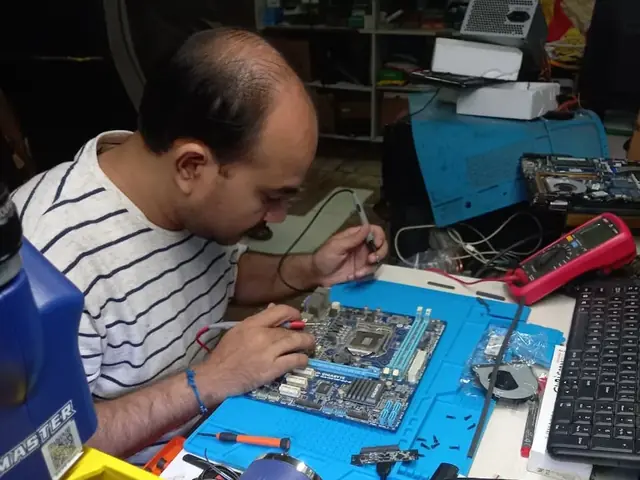
Technician probing a computer motherboard with a multimeter and soldering iron Technician probing a computer motherboard with a multimeter and soldering iron
Xigox technicians at the repair bench
Tejas Chudasama, Xigox Founder Janak Chudasama, Xigox CTO

Run by Tejas & Janak Chudasama since 2011

Xigox is a family-run, ISO 9001:2015-certified repair business, not a marketplace listing or a franchise. Every repair is backed by a written 90-day warranty and billed against GSTIN 27AJXPC8441R1Z7. Read our story

Repair Pricing

Dell Alienware Blue Screen (BSOD) Fix — Price List

Transparent pricing · ₹350 inspection (refunded if you proceed with repair) · No hidden charges · Pay only after approval

Issue / ComponentRepair PriceWarranty
Laptop & Computer Blue Screen (BSOD) Fix — Basic fix ₹599 90 Days
Laptop & Computer Blue Screen (BSOD) Fix — Standard fix ₹999 90 Days
Laptop & Computer Blue Screen (BSOD) Fix — Advanced fix ₹1,999 90 Days
Laptop & Computer Blue Screen (BSOD) Fix — Complex case ₹3,999 90 Days

Prices may vary by exact condition. Final quote given after ₹350 inspection (refunded if you proceed with repair).

Get Exact Quote

Why Us?

Why Choose Xigox for Dell Blue Screen (BSOD) Fix in BKC?

With 1,00,280+ successful repairs and a 4.9-star rating, Xigox is an independent Dell repair specialist serving BKC. Serving all addresses in the 400051 postal zone.

Full Transparency

We quote before starting work. No hidden fees. You pay exactly what you were quoted.

Lifetime Post-Repair Support

Free WhatsApp support for any questions about your Dell Alienware Blue Screen (BSOD) Fix after repair — always.

Free Pickup & Drop

Collection and return anywhere in BKC at no charge for lab-based Dell work — we don't bill for convenience.

Transparent Pricing

₹350 inspection fee (refunded if you proceed). Written quote before any Dell Blue Screen (BSOD) Fix work begins.

No Fix, No Repair Fee

If we cannot resolve your Dell Blue Screen (BSOD) Fix issue, you pay nothing beyond the inspection fee.

Component-Level Repairs

We repair Dell hardware at chip and board level where it's safe to do so — often a fraction of a full-module swap.

Repairs Completed
1,00,280+
Since 2011
Average Rating
4.9 ★
9,605+ reviews
Repair Warranty
90 Days
Parts & labour
Avg Response
30 Min
For common issues
Pickup & Drop
Free
₹350 inspection fee
Est. Since
2011
15+ yrs in Mumbai Suburban

Who repairs your device

Repaired in-house by Xigox technicians

Your Dell Alienware is handled by Xigox technicians from start to finish. It is never handed on to another shop. Work that needs the repair bench is done at our workshop in Virar West.

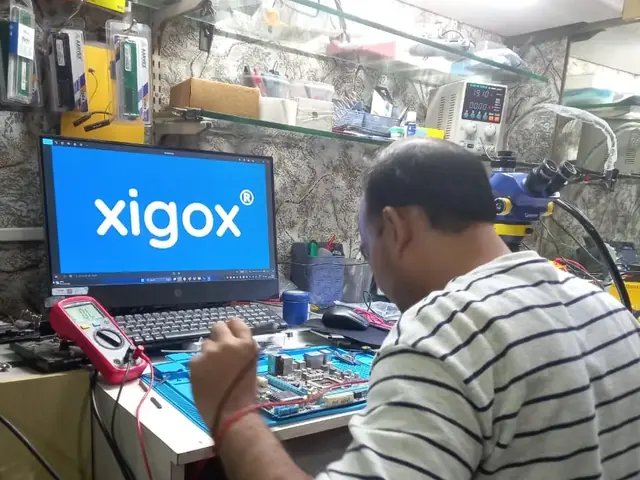
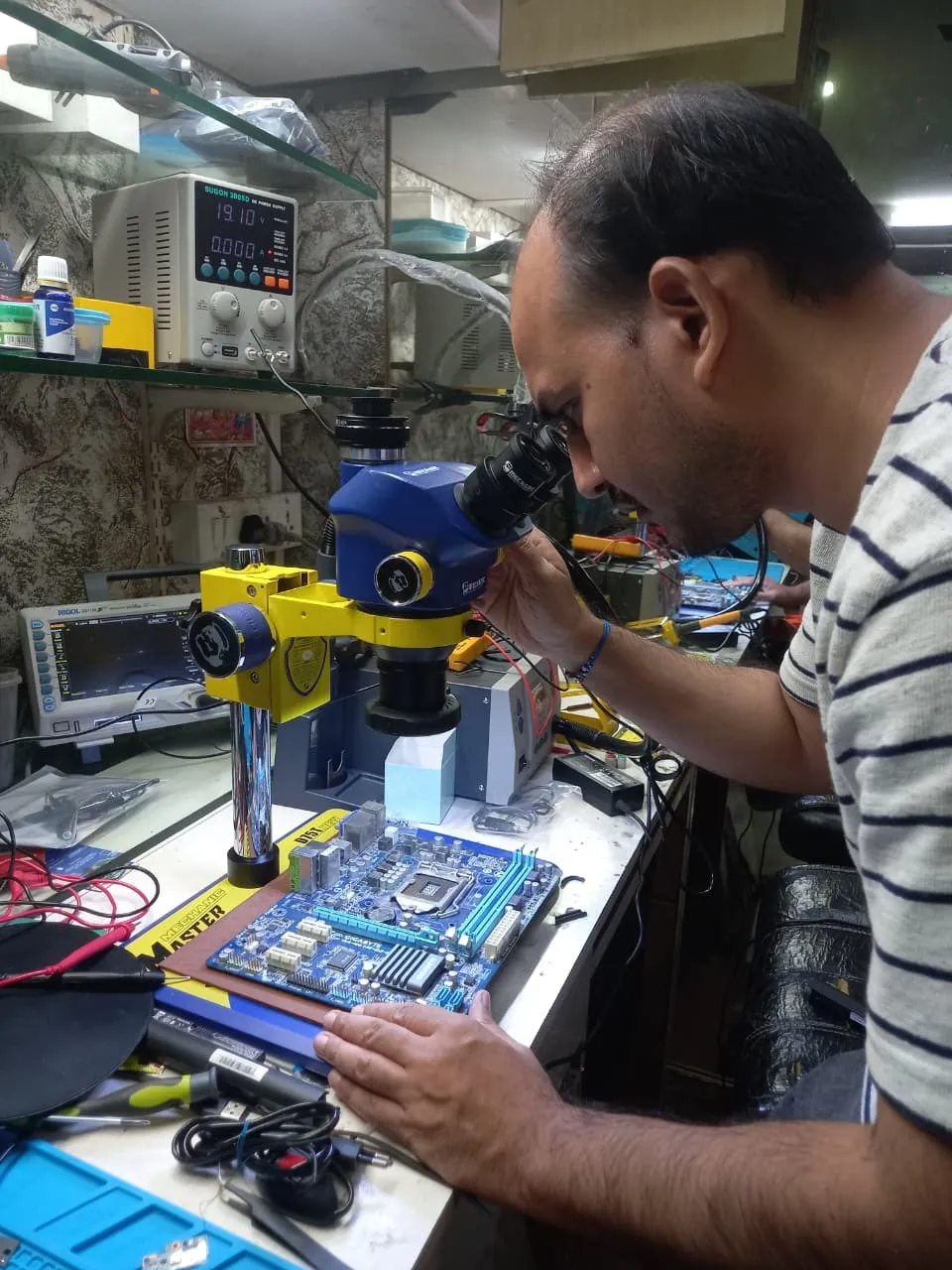
Board-level faults are traced with a microscope, a multimeter and a soldering station before any part is replaced, and parts are fitted only after you approve the quote.

We don't open your personal files during a repair. When a job needs access to your data, such as data recovery or a Windows reinstall, we ask you first.

  • Repaired in-house, not outsourced
  • Quote approved by you before work starts
  • Your files stay private
  • Microscope and board-level tools
  • Genuine or OEM-grade parts
  • 90-day warranty on repairs
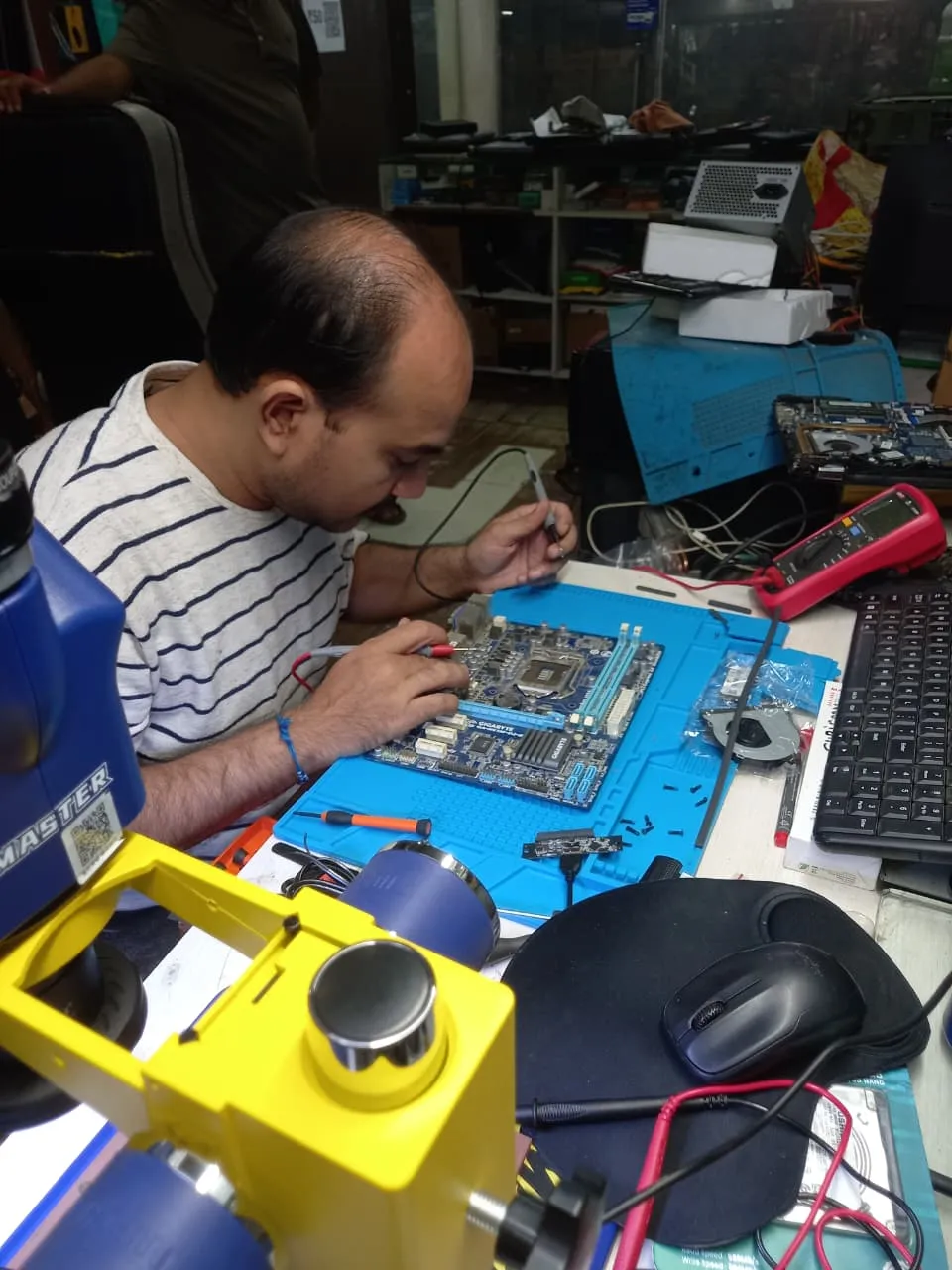
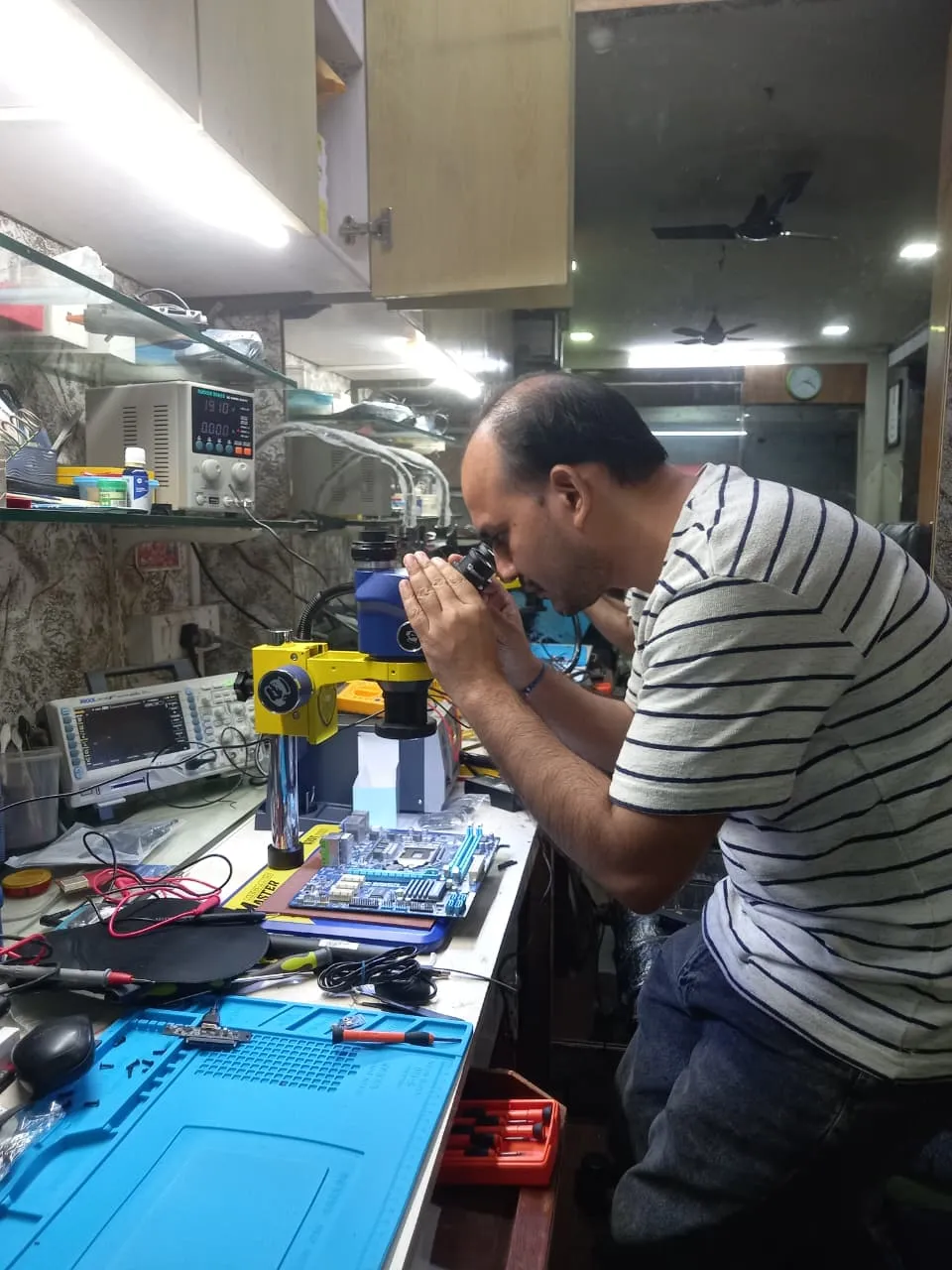
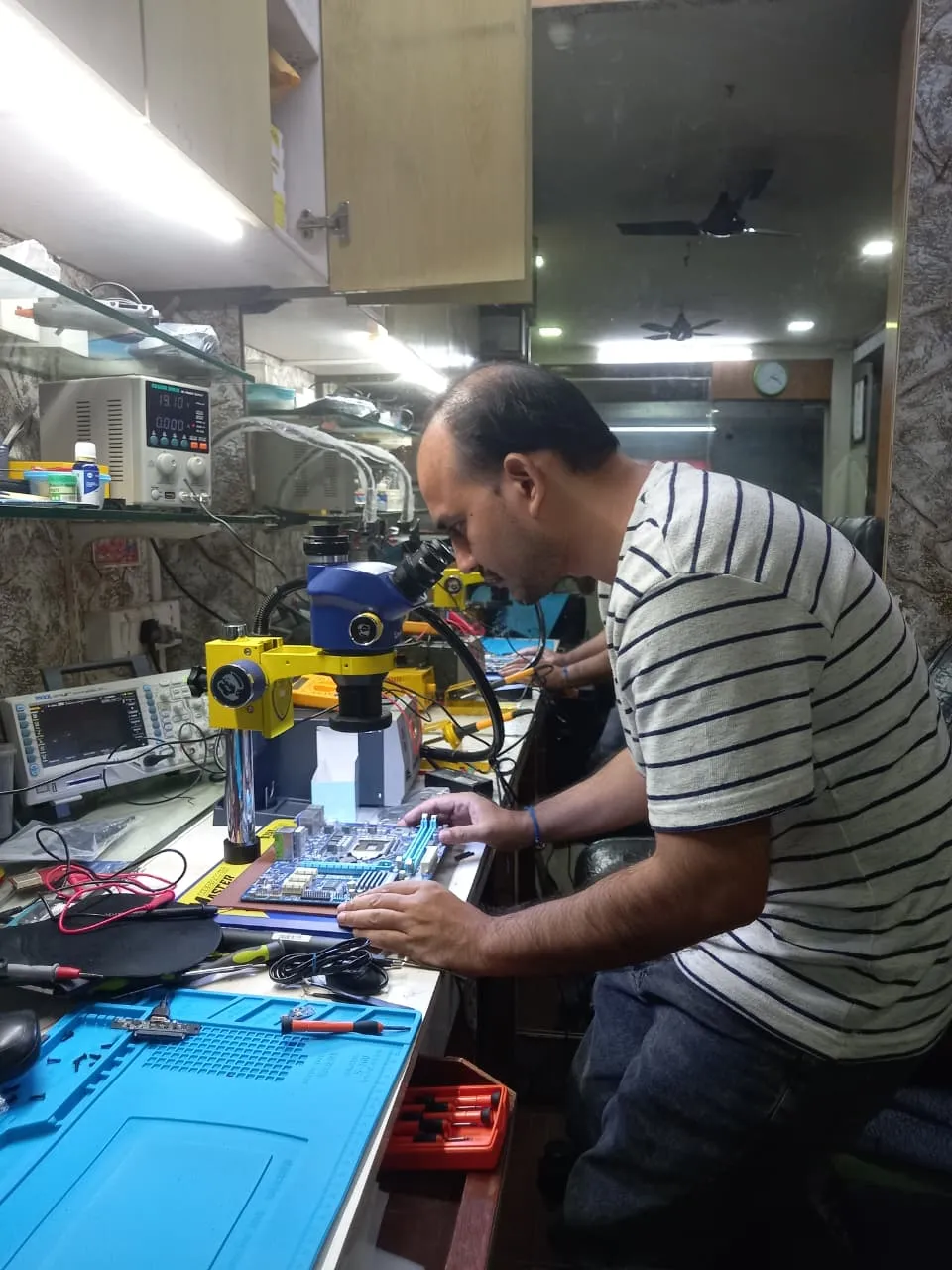
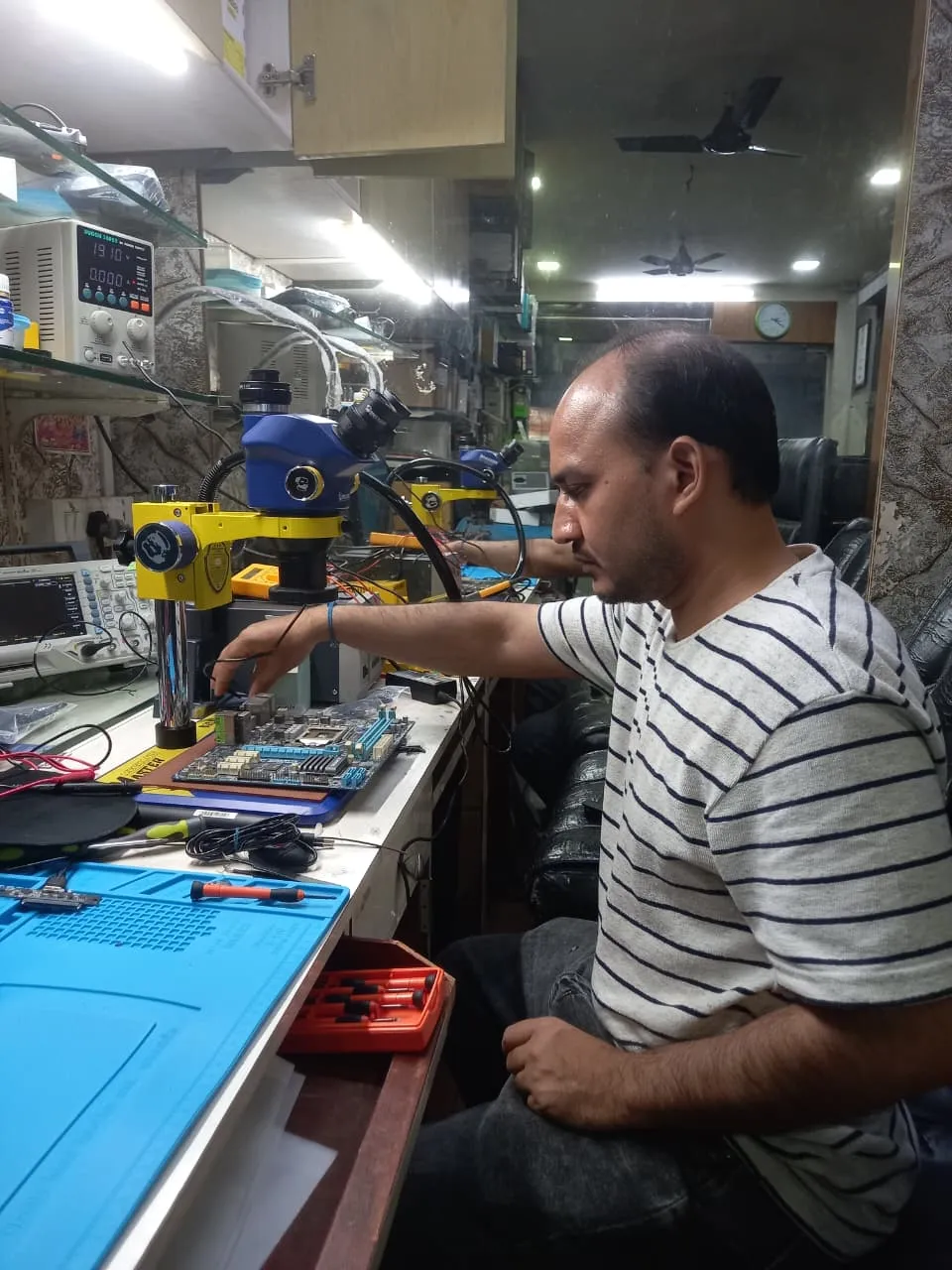
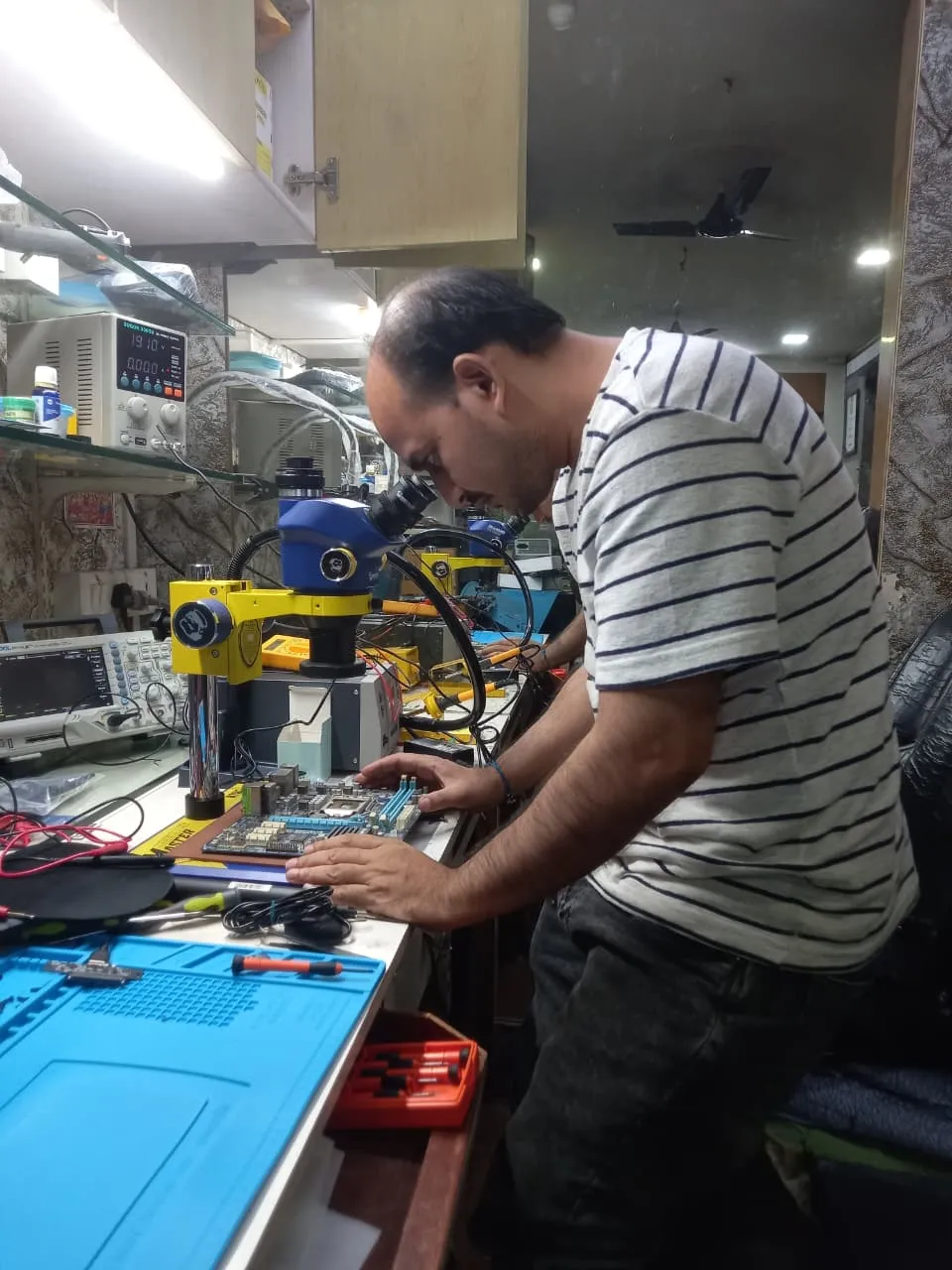
Technician inspecting a laptop motherboard under a microscope at the repair bench Technician testing a laptop mainboard with a multimeter beside a Xigox-branded monitor Technician brushing dust off an opened laptop motherboard with a cleaning brush Technician inspecting a laptop motherboard under a microscope at the repair bench
Xigox technicians at the repair bench.
Our Process

How Dell Alienware Blue Screen (BSOD) Fix Works

From booking to delivery — here's exactly what happens at every step

Book Pickup

Call or WhatsApp +91 74997 61196. Tell us your Dell Alienware issue in BKC and schedule a free doorstep pickup.

₹350 Inspection (refunded if you proceed with repair)

Our experienced technician inspects your Dell Alienware and provides a transparent written quote for Blue Screen (BSOD) Fix.

Expert Repair

Once approved, we perform Blue Screen (BSOD) Fix using OEM-quality parts. Most repairs are completed same-day.

Quality Check

Every Dell Alienware passes a multi-point QA test before delivery. Your 90-day warranty starts from this moment.

Free Delivery

We deliver your repaired Dell Alienware back to your BKC address. Completely free, same day.

After-Service Care

Post-repair support via WhatsApp. If the issue recurs within 90 days, we fix it at zero cost.

Repair examples

Recently Repaired Laptops

View All Recent Repairs

Dell

Inspiron 15 5520

Fixed
Issue
Cracked LCD panel after laptop fell from desk. Screen showing lines and dead pixels on left side.
Solution
Replaced damaged 15.6-inch IPS LCD panel with genuine part. Tested display output and color calibration.

Technician's note

Used original Dell panel. Customer advised to use a laptop sleeve for protection.

Andheri West 2 Hours
  • Screen
  • Dell
  • LCD

ASUS

VivoBook 15

Fixed
Issue
Laptop dead — no power, no charging LED. Other repair shops quoted motherboard replacement.
Solution
Diagnosed failed power IC using multimeter. Replaced IC at chip level. Laptop boots and charges normally.

Technician's note

Power surge damaged the charging IC. Recommended using a surge protector.

Powai 4 Hours
  • Motherboard
  • ASUS
  • Chip-Level

Acer

Aspire 5 A515

Fixed
Issue
Laptop extremely slow with original 1TB HDD. Boot time over 3 minutes.
Solution
Upgraded to 512GB NVMe SSD. Cloned all data. Installed fresh Windows 11 with drivers. Boot time reduced to 8 seconds.

Technician's note

HDD was healthy — kept as secondary storage. Massive performance improvement.

Dadar West 2 Hours
  • SSD
  • Acer
  • Upgrade

Dell

XPS 13 9340

Fixed
Issue
Laptop turns off randomly. Overheating during use.
Solution
Deep cleaned fans, replaced thermal paste. Fixed overheating issue.
Malad West 2 Hours
  • Overheating
  • Dell
  • Thermal

MacBook

Pro M3 14-inch

Fixed
Issue
Screen shows vertical lines, external display works fine.
Solution
Replaced LCD panel and display cable. Updated display drivers.
Virar West 3 Hours
  • Screen
  • MacBook
  • Display

Lenovo

ThinkPad E14

Fixed
Issue
Multiple keys not responding after tea spill. Keyboard backlight also stopped working.
Solution
Replaced full keyboard module with backlit variant. Cleaned internal membrane and tested all keys.

Technician's note

Tea had corroded the membrane. Internal components were safe from further damage.

Thane West 1.5 Hours
  • Keyboard
  • Lenovo
  • Spill

Comparison

Xigox vs Other Dell Alienware Shops in BKC

What you get with Xigox in BKC, side by side.

FeatureXigoxOther shops
Experienced Technicians Trained & VerifiedVaries; ask who will work on the device
Genuine / OEM Parts OEM-Quality PartsVaries; ask which part will be fitted
90-Day Warranty Written CertificateVaries; ask for the warranty in writing
Diagnosis / Inspection ₹350, credited to the repairVaries; ask what the diagnosis costs
Same-Day Turnaround BKC — Most RepairsVaries; ask for a time in writing
Free Doorstep Pickup BKC — FreeVaries; ask whether pickup is free
Transparent Pricing Written Quote FirstVaries; ask for a written quote first
Live WhatsApp Updates Real-time Repair StatusVaries; ask how you will get updates

Xigox charges ₹350 for inspection — credited to your repair cost if you go ahead.

Customer reviews

What Customers Say About Dell Alienware Blue Screen (BSOD) Fix in BKC

4.9/5 · 12 reviews shown

See all 9,605+ reviews

Dell Latitude 5540 — Charging Issue Fix

“My Dell Latitude 5540 stopped charging completely. Xigox Nalasopara found a burnt charging IC and did component-level repair. Saved me from buying a new laptop. Charging works perfectly now with original adapter.”
U Umesh Kamat Nalasopara · 26 Jul 2024 3

Dell Vostro 3520 — Overheating Fix

“My Dell Vostro 3520 kept shutting down from overheating. Xigox Kandivali cleaned the fans, replaced thermal paste, and temperatures dropped twenty degrees. No more random shutdowns even under heavy load. Fast, affordable, and effective.”
R Rohit Deshpande SEEPZ · 5 Apr 2025 8

Dell Inspiron 15 5530 — Data Recovery

“Hard drive on my Dell Inspiron 15 5530 crashed completely. Xigox Malad recovered ninety-eight percent of my files including five years of photos. They also upgraded me to SSD. Professional clean-room recovery at a reasonable price.”
R Rohan Gupta BKC · 28 May 2025 34

Dell Vostro 3520 — Battery Fix

“Battery on my Dell Vostro 3520 barely lasted thirty minutes. Xigox Sion installed a BIS-certified replacement with six-month warranty. Now getting seven-plus hours of backup. Quick turnaround and genuine parts — exactly what I needed.”
S Shreyas Talpade Sion · 31 May 2026 4

Dell Vostro 3520 — Battery Fix

“Battery on my Dell Vostro 3520 barely lasted thirty minutes. Xigox Virar installed a BIS-certified replacement with six-month warranty. Now getting seven-plus hours of backup. Quick turnaround and genuine parts — exactly what I needed.”
A Alka Marathe BKC · 20 Sep 2024 2

Dell Latitude 5540 — Fan Noise Fix

“My Dell Latitude 5540 fan was unbearably loud during video calls. Xigox Vashi replaced the worn-out bearing fan with a genuine part and applied fresh thermal paste. Whisper quiet now even under load. Very satisfied.”
G Gaurang Vaidya Juhu Vile Parle · 20 Jan 2026 8
Page 1 / 2

← Swipe or tap dots to browse →

Customer stories

Customer Stories

What customers say about their laptop and computer repairs

“Laptop screen shattered after a fall. Xigox replaced it with an original panel — display looks brand new. Finished in 4 hours, same day. Highly recommend!”

HP Pavilion 15 eg2000

R Ravi Shankar Andheri West
“Keyboard stopped working completely — spilled juice on it. Xigox cleaned and replaced the keyboard. Professional job, data safe, warranty given. Superb!”

Lenovo IdeaPad Slim 3

M Meenakshi Nair Dadar
“Laptop was overheating and shutting down every 20 minutes. Xigox cleaned the fan, replaced thermal paste. Now it runs cool and silent. ₹499 well spent!”

ASUS VivoBook 14

S Saurabh Joshi Borivali
“Motherboard was dead — no power at all. Xigox did chip-level repair instead of replacing the whole board. Saved ₹8000. Running perfectly for 6 months now!”

Dell Inspiron 3511

P Pooja Tiwari Thane West
“Battery was swollen and trackpad stopped clicking. Xigox replaced the battery safely. MacBook performance is back to day-one speed. Expert Apple technicians!”

MacBook Air M1

A Anil Chauhan Malad
“Charging port was loose and not connecting. Xigox repaired the port in 2 hours. No data loss, 90-day warranty. Office productivity restored immediately!”

HP EliteBook 840 G8

N Nandini Kulkarni Kandivali

FAQ

FAQs — Dell Alienware Blue Screen (BSOD) Fix in BKC

Everything you need to know before booking your repair

10 questions answered

Back up documents, photos and anything stored only on that laptop before any repair — with us or anyone else. Most Dell Alienware Blue Screen (BSOD) Fix work does not touch your data, but board-level faults and storage failures can be unpredictable. Tell us in advance if the drive holds irreplaceable data and we will treat recovery as the first priority. We've been serving Mumbai Suburban district for over 15 years.
Our rule of thumb: if the repair costs more than roughly half of a comparable replacement and the laptop is more than five years old, replacement is usually the better call. We tell you which side of that line you are on during the inspection in BKC, even when the answer means we do not get the job. Customers across BKC (400051) enjoy priority same-day scheduling.
Yes — Xigox operates 9 AM to 9 PM, seven days a week in BKC, including Sundays and public holidays. Weekend pickups are often the most convenient option for people who cannot be at home on a working day. Free pickup also available in Bandra East, Kherwadi, Kurla West and surrounding areas.
Yes, on request. Any component we remove during Dell Alienware Blue Screen (BSOD) Fix is yours, and we will hand it back with the repaired laptop so you can see exactly what was changed. Just mention it when you approve the quote. Free pickup also available in Bandra East, Kherwadi, Kurla West and surrounding areas.
The cost of Dell Alienware Blue Screen (BSOD) Fix in BKC depends on your laptop or computer model and the extent of damage. Xigox charges ₹350 for inspection — refunded if you proceed with the repair — you'll receive a transparent, written quote with no hidden charges. Most standard Dell Alienware Blue Screen (BSOD) Fix jobs start from ₹499. Call or WhatsApp +91 74997 61196 for an instant estimate. We've been serving Mumbai Suburban district for over 15 years.
Most Dell Alienware Blue Screen (BSOD) Fix jobs in BKC are completed the same day — usually within 2–4 hours of pickup. Complex repairs such as motherboard replacement or liquid-damage recovery may take 1–2 days. We'll give you an accurate time estimate during the inspection. Free pickup also available in Bandra East, Kherwadi, Kurla West and surrounding areas.
Yes — Xigox provides completely free doorstep pickup and delivery for Dell Alienware Blue Screen (BSOD) Fix across BKC. An experienced technician collects your laptop or computer from your home or office, completes the repair at our workshop, and returns it — often the same day. Call or WhatsApp +91 74997 61196 to book. Customers near Kurla in BKC are covered by our free pickup.
Every Dell Alienware Blue Screen (BSOD) Fix at Xigox includes a 90-day warranty on the repaired component and all parts used. If the same issue recurs within 90 days, we fix it at zero cost. This warranty applies to all Dell Alienware Blue Screen (BSOD) Fix completed in BKC and across Mumbai MMR. Customers near Kurla in BKC are covered by our free pickup.
We use OEM-quality or manufacturer-grade components for all Dell Alienware Blue Screen (BSOD) Fix work. Genuine-grade parts ensure your laptop or computer performs exactly as designed and your 90-day repair warranty stays valid. We never use substandard aftermarket parts without your prior consent. Customers near Kurla in BKC are covered by our free pickup.
Yes. All our technicians are trained professionals with extensive hands-on experience in Dell Alienware Blue Screen (BSOD) Fix. They receive regular technical training on the latest Laptop models and repair methodologies, ensuring consistently high-quality results. We also serve Bandra East, Kherwadi, Kurla West, so you can recommend us to neighbours too.

Still have questions?

Send us your question on WhatsApp or call — a technician will answer.

Dell Alienware Repair in BKC — Xigox

Xigox is BKC's leading independent specialist for Dell Alienware repair. Our engineers are not generalists — they undergo dedicated training on Dell hardware, firmware and diagnostics. Since 2011, we have completed over 1,00,000+ repairs across all Dell product lines, earning a 4.9-star average customer rating.

Parts for Dell Alienware models are held in stock rather than ordered after you book, so most repairs are not waiting on a supplier. Screens, batteries, keyboards, charging boards and flex cables are all OEM-grade. You approve a written estimate first, and the ₹350 inspection is credited back against the repair.

We actively serve the entire 400051 postal area within Mumbai Suburban district, ensuring same-day response for every repair request. ₹350 inspection fee (refunded if you proceed with repair). Located near Kurla, our service coverage extends across BKC and all surrounding localities. In addition to BKC, we also provide doorstep repairs and free pickup for lab work for customers in Bandra East, Kherwadi, Kurla West and other nearby areas.

How your Dell Alienware gets serviced depends on the fault. Part swaps happen on-site anywhere in BKC; board-level work goes to the bench because it needs proper rework equipment. Either way collection and return are free, and you get progress updates rather than having to chase us.

Every Dell repair at Xigox is covered by a 90-day warranty on all parts and labour. If the same fault recurs within the warranty period, we fix it at no charge. Our after-repair WhatsApp support means we are always available to answer questions about your Dell Alienware.

Service Hours

Monday – Sunday · 9 AM – 9 PM

Open on all public holidays

Service Area

BKC & surrounding Mumbai areas

Doorstep repairs + free pickup for lab work

Contact Us

+91 74997 61196

info@xigox.com

Our Guarantee

90-day warranty on all repairs

Free re-repair if same fault recurs

Blue Screen (BSOD) Fix for Other Dell Models

We repair all Dell models in BKC

Blue Screen (BSOD) Fix for Other Brands in BKC

We repair all major brands — same service, same quality, same warranty

Areas, Roads & Landmarks We Cover in BKC

Free pickup & drop across all these neighbourhoods

Localities & neighbourhoods

  • Bandra East
  • Kurla
  • Kalina

Roads & highways

  • Western Express Highway

Landmarks & famous places

  • Bandra Kurla Complex
  • MMRDA Grounds
  • Diamond Bourse
  • National Stock Exchange
  • American Consulate
  • Platina & Maker Maxity

Not sure which repair you need? See all Dell Alienware repairs in BKC

Blue Screen (BSOD) Fix Across Mumbai — All Locations

Explore more services

More Repair & Tech Services Near BKC

Same technicians · Free pickup · 90-day warranty across all services.

ISO 9001:2015 Certified · 1,00,280+ Repairs · 4.9 ★ Rating

Ready to Fix Your
Dell Alienware Today?

₹350 inspection fee (refunded if you proceed with repair) · Same-day Blue Screen (BSOD) Fix · 90-day warranty

Serving BKC and all of Mumbai MMR · Open 9 AM – 9 PM daily

How it's done

How We Perform Blue Screen (BSOD) Fix

What our technicians do, what it requires, and how to tell you need it.

1 How It's Performed

For this specific fault, our technicians run a memory diagnostic and disk health check alongside reviewing recent driver/software changes, since these three causes together explain the large majority of recurring blue screens.

We read the stop code and minidump from the crash itself before touching anything, since blue screens can stem from driver conflicts, failing RAM, or disk corruption — each needs a different fix.

Typical time: 45–90 minutes

2 What This Requires

  • The exact stop code and, where available, the crash dump file — this is the single most useful piece of information for diagnosing a BSOD correctly the first time.
  • A memory test and disk health check as standard parts of the diagnosis, not an afterthought.

3 When You Need This

  • Blue screens happen repeatedly rather than as a one-off.
  • The crash correlates with a specific action — gaming, waking from sleep, plugging in a device.
  • A recent driver, Windows update, or new hardware addition coincided with the crashes starting.

The model

About the Dell Alienware

Best for: enthusiast and competitive gaming

The Dell Alienware is Dell's dedicated gaming brand — distinctive design language, high-refresh displays, aggressive cooling, and RGB lighting, aimed squarely at enthusiast gamers across both laptop and desktop forms.

Key features

  • Distinctive industrial design with customizable RGB lighting (AlienFX) across the chassis.
  • High-refresh-rate displays (144Hz-360Hz depending on model) genuinely matter for competitive gaming.
  • Aggressive, often multi-fan cooling solutions — dust buildup has a more noticeable performance impact than on thinner, less powerful laptops.
  • Proprietary charging connectors on some models — always confirm the exact connector before ordering a replacement adapter.

Dell Alienware Blue Screen (BSOD) Fix in BKC — Professional, Reliable, and Affordable

Skip the directories. Book direct for transparent pricing with Xigox. A cracked screen makes your device unusable in BKC. Xigox replaces all display types for Dell Alienware Blue Screen (BSOD) Fix — matching the original resolution, brightness and colour accuracy. Most screen replacements in BKC are completed in 2–4 hours with genuine OEM panels and full warranty coverage.

Convenient Collection across BKC

Traveling across town in BKC takes hours. That's why Xigox has built a straightforward pickup and delivery network for this issue. Just drop your pin, and our technician will pick up the Dell from your home or office. After the issue is completed, it is delivered back fully tested and sealed. Save your time without leaving your desk.

Pickup & Drop Across BKC

Customers from BKC with free pickup and drop. Every job gets a written quote before any work, genuine parts and a 90-day warranty, for a single Dell or a whole office. By trusting us for the repair in BKC, your device is repaired at our Virar West workshop and returned tested.

Insurance & Out-of-Warranty Dell Alienware Blue Screen (BSOD) Fix Options

A common question is whether an extended warranty applies to this issue. Xigox supports insurance claims and can provide the itemised bill your insurer needs — including parts cost, labour cost, and fault description. For out-of-warranty Dell units, third-party issue is typically usually cheaper compared to the official service centre.

Office Dell Alienware Blue Screen (BSOD) Fix in BKC

Xigox isn't just for individuals BKC rely on our repair to maintain productivity. Our corporate solutions include AMC agreements, a priority response queue, and dedicated account managers. Whether you have 5 laptops or 500, Xigox handles the repair for your BKC office with corporate billing and detailed repair documentation.

Genuine Parts for Dell Alienware Blue Screen (BSOD) Fix

Longevity matters for this issue. Because of this, our team strictly use OEM-grade parts for your Dell. Instead of grey-market components, we use trusted supply chains. This is how we help your issue stay durable, supported by our standard 90-day warranty.

Emergency Dell Alienware Blue Screen (BSOD) Fix Available

Can't wait 48 hours? Xigox offers rush the repair in BKC for urgent situations. From an important client meeting and your Dell just crashed, our emergency service moves your Dell to the front of the line, so most repairs can be finished the same business day. Emergency the repair can be arranged including weekends in BKC. Just say 'priority' when calling and our team will fast-track your repair immediately.

Multi-Point Inspection after Dell Alienware Blue Screen (BSOD) Fix

Completing the repair is just the first step at Xigox. Prior to delivery in BKC, it undergoes a strict multi-point inspection. We verify that your issue was executed flawlessly, testing thermal performance. This attention to detail is why our return rate is so low across BKC.

Any Dell, Any Brand in BKC

Your Dell model never limits what we can fix. Xigox engineers are trained across all major brands: HP, Dell, Lenovo, Asus, Acer, MSI, Toshiba, Samsung and Apple MacBook. Different manufacturers have unique design choices we account for in every repair. This depth of brand knowledge reduces repair time and lowers the chance of secondary damage.

After-Repair Speed Dell Alienware Blue Screen (BSOD) Fix

After a successful this issue in BKC, most customers notice immediate performance improvements: quicker application loading, cooler operating temperatures, restored battery life, or a perfect display — depending on the specific repair. Xigox runs diagnostic tests before and after this issue in BKC to confirm the improvement.

Real Reviews for Dell Alienware Blue Screen (BSOD) Fix

Don't just take our word for it. Xigox has earned a 4.9-star rating from 9,605+ customer reviews from customers across Mumbai MMR. Customers frequently mention: no surprise charges, same-day completion, and OEM-grade replacements. What BKC customers value most: "Fast, professional service with fair pricing." Join the growing community of happy Xigox customers in BKC.

Your Dell is an investment — protect it with a dependable Dell Alienware Blue Screen (BSOD) Fix team. Xigox looks after customers across Mumbai, Thane and Palghar with transparent billing. Need a quick fix? WhatsApp us at +91 74997 61196 for priority Dell Alienware Blue Screen (BSOD) Fix in BKC.

Service area

Dell Alienware Blue Screen (BSOD) Fix in BKC — Service Area & Coverage

Xigox provides dell alienware blue screen (bsod) fix across BKC (PIN 400051), in the Mumbai Suburban district of Mumbai. Our doorstep pickup and on-site service cover the entire BKC area and the neighbourhoods around it.

Localities we cover in BKC: Bandra East, Kurla, Kalina. Wherever you are in BKC, we can collect your device from your door and bring it back after the repair.

Our technicians regularly serve homes, societies and offices around Bandra Kurla Complex, MMRDA Grounds, Diamond Bourse, National Stock Exchange, American Consulate and Platina & Maker Maxity, and along Western Express Highway. If you're near any of these landmarks, same-day pickup for dell alienware blue screen (bsod) fix is almost always available.

Dell Alienware Blue Screen (BSOD) Fix near BKC

We also serve these nearby areas — tap your locality for local dell alienware blue screen (bsod) fix:

Dell Alienware Blue Screen (BSOD) Fix price in BKC — know it before you book

  1. 1Pick your device & issue
  2. 2See the real price range
  3. 3Free doorstep pickup in BKC

4.9 from 9,605 customer reviews across all repairs · upfront pricing · 90-day warranty

Before you book: have your device model and a quick description of the issue ready — it speeds up your quote.

Not sure what's wrong?

Find Your Fix by Symptom

Tell us what your device is doing — we'll point you to the right repair, with real pricing and next steps.

See all repair problems we fix

Nearest branch: BKC

~0.8 km from BKC. With free doorstep pickup you don't need to travel — this is our nearest branch.

Book a repair

Dell Alienware Blue Screen (BSOD) Fix — Book Now

Free pickup · Genuine parts · 90-day warranty

Booking received

We'll call you within 1 hour to confirm your appointment and arrange doorstep pickup.

Inspection fee: ₹350

  • Credited to your total repair cost if you go ahead.
  • Still applies if the device can't be repaired or you decline the repair.

+91

Device type *

Inspection fee: ₹350

  • If you go ahead with the repair, the ₹350 is credited to your total repair cost.
  • If the device can't be repaired or you decide not to continue, the ₹350 inspection fee still applies.

Your details are used only to arrange this repair. By submitting, you agree to our Privacy Policy.

Call WhatsApp