Canon
PIXMA G620
- Issue
- Color prints showing streaks, missing cyan. Nozzle blocked.
- Solution
- Deep chemical cleaning of print head. Restored all color channels.
Bandra East
1 Hours
- Inkjet
- Canon
- Head Clean
 Epson · WorkForce WF-2860 · Lokhandwala Back Road
Expert repair for your Epson WorkForce WF-2860 in Lokhandwala Back Road. Free doorstep pickup, OEM-quality parts & 90-day warranty.
Open every day, 9 AM – 9 PM
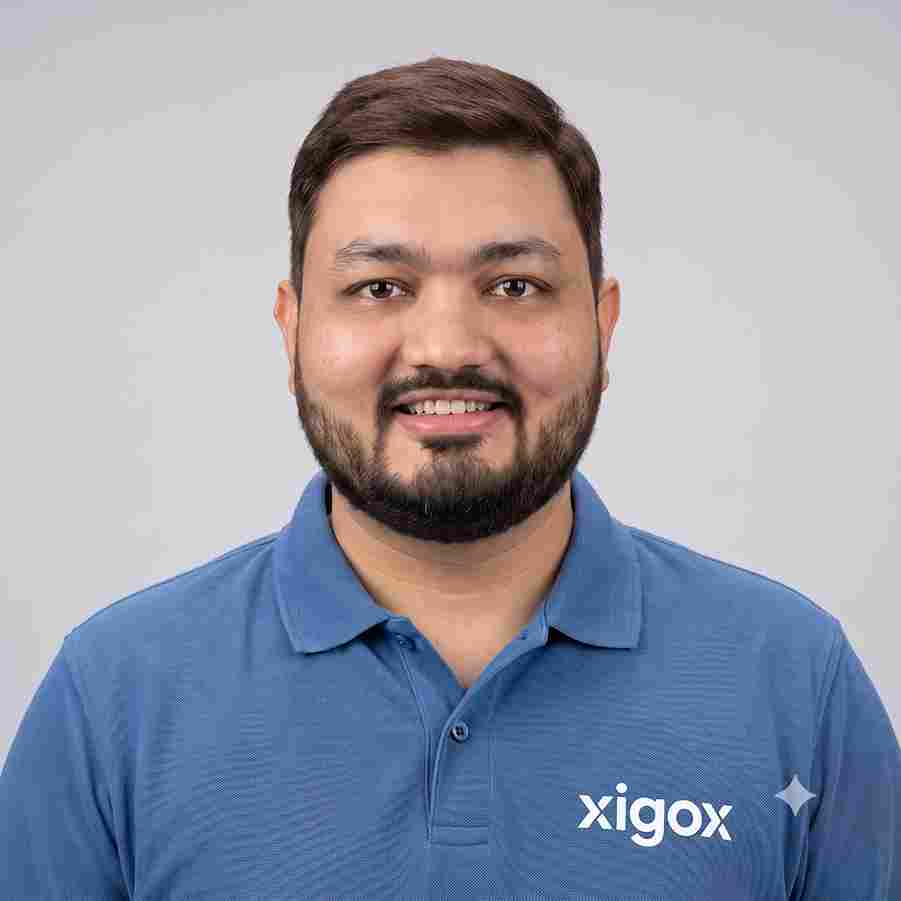
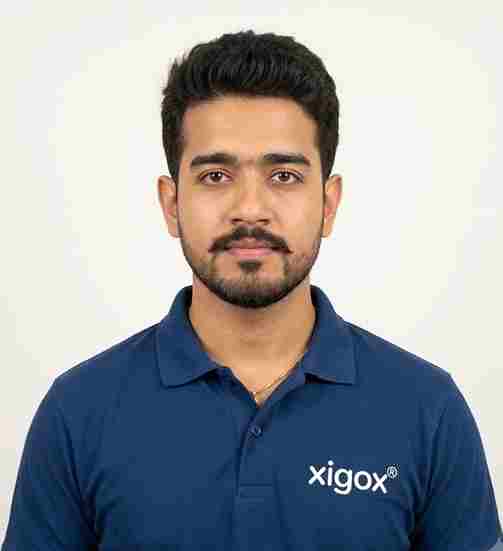
Run by Tejas & Janak Chudasama since 2011
Xigox is a family-run, ISO 9001:2015-certified repair business, not a marketplace listing or a franchise. Every repair is backed by a written 90-day warranty and billed against GSTIN 27AJXPC8441R1Z7. Read our story
Photos
Photographs of Xigox technicians working on opened laptops and boards. They show how the work is done, not the results on any particular customer's device.
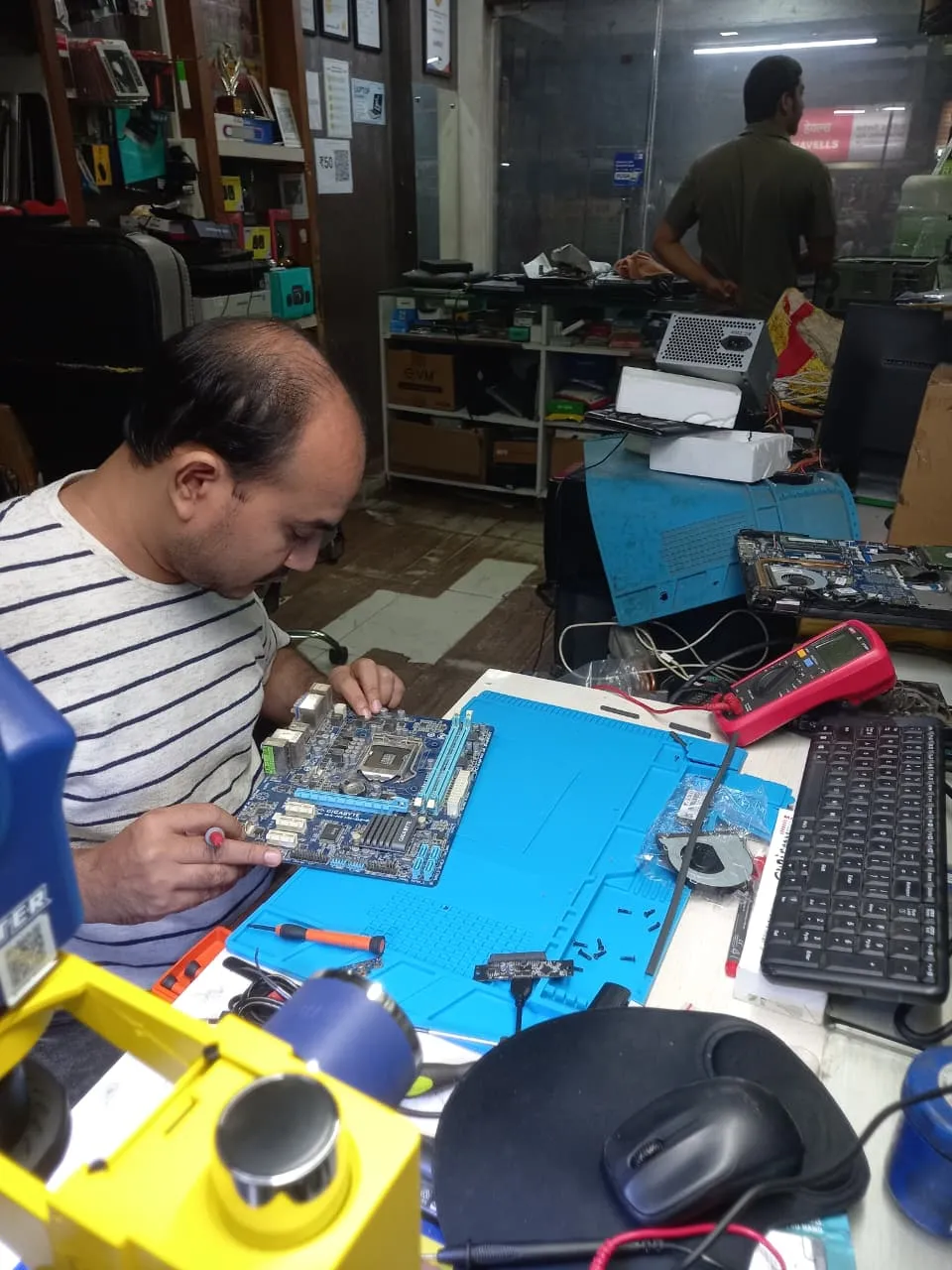
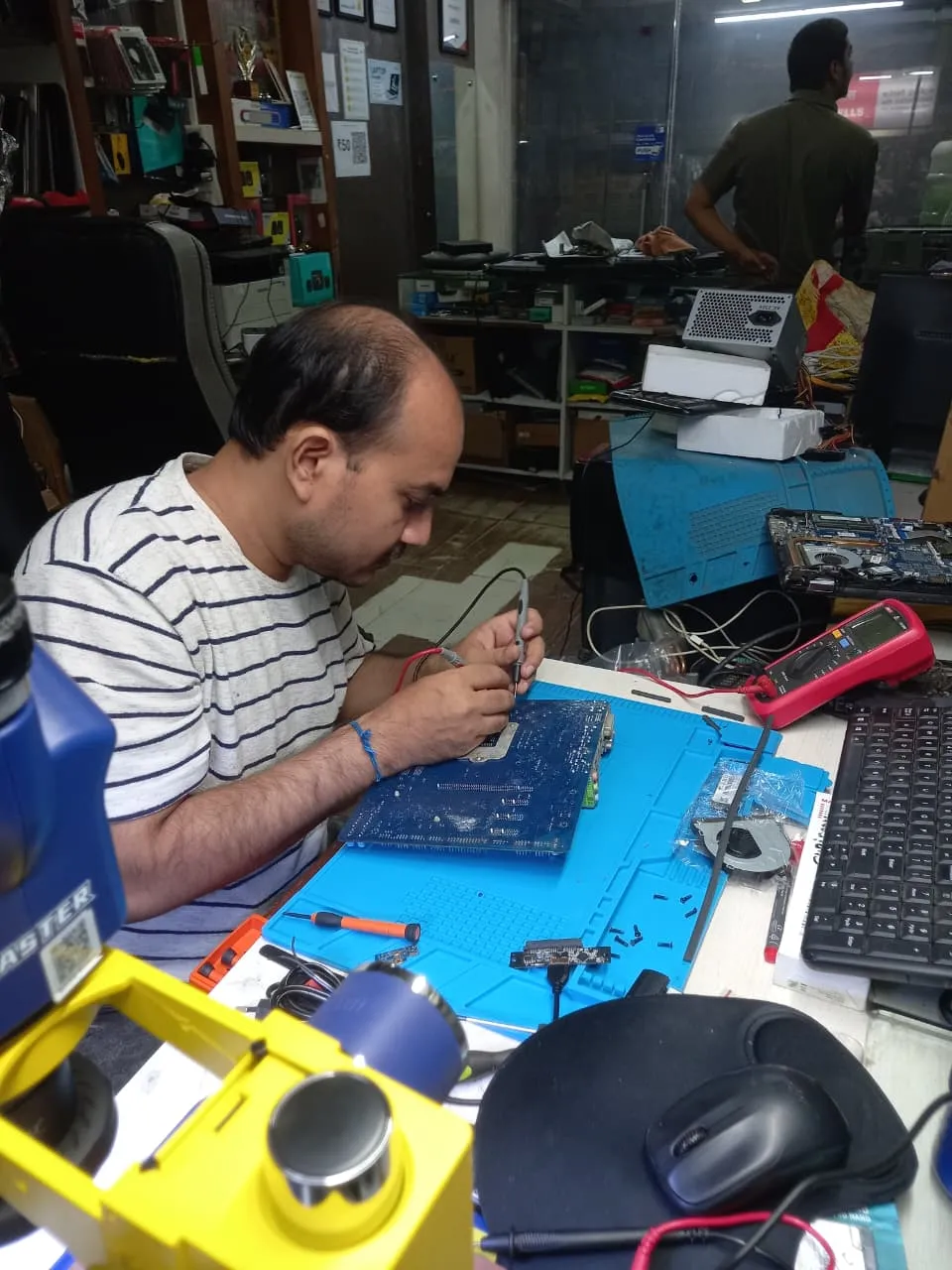
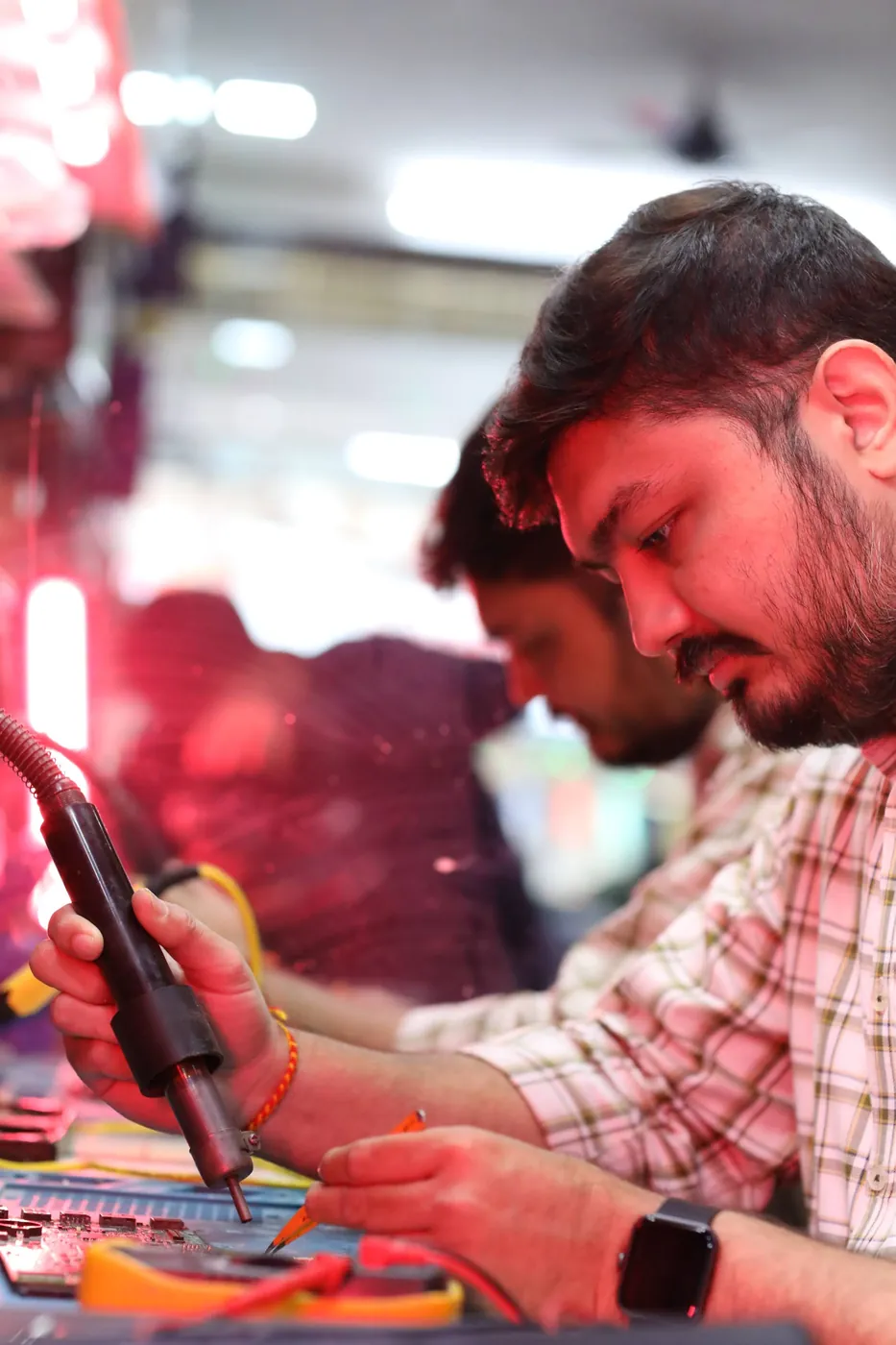
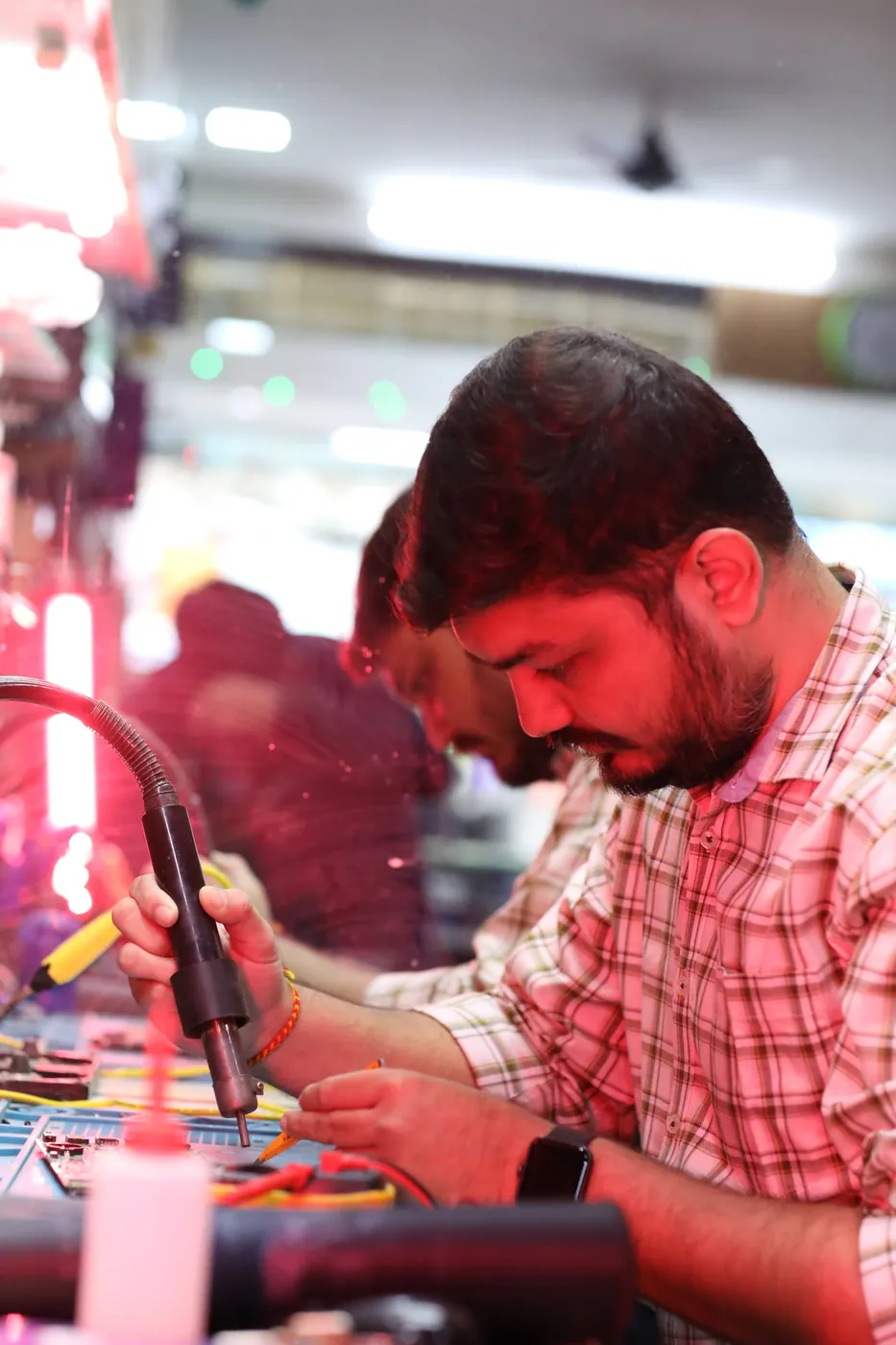
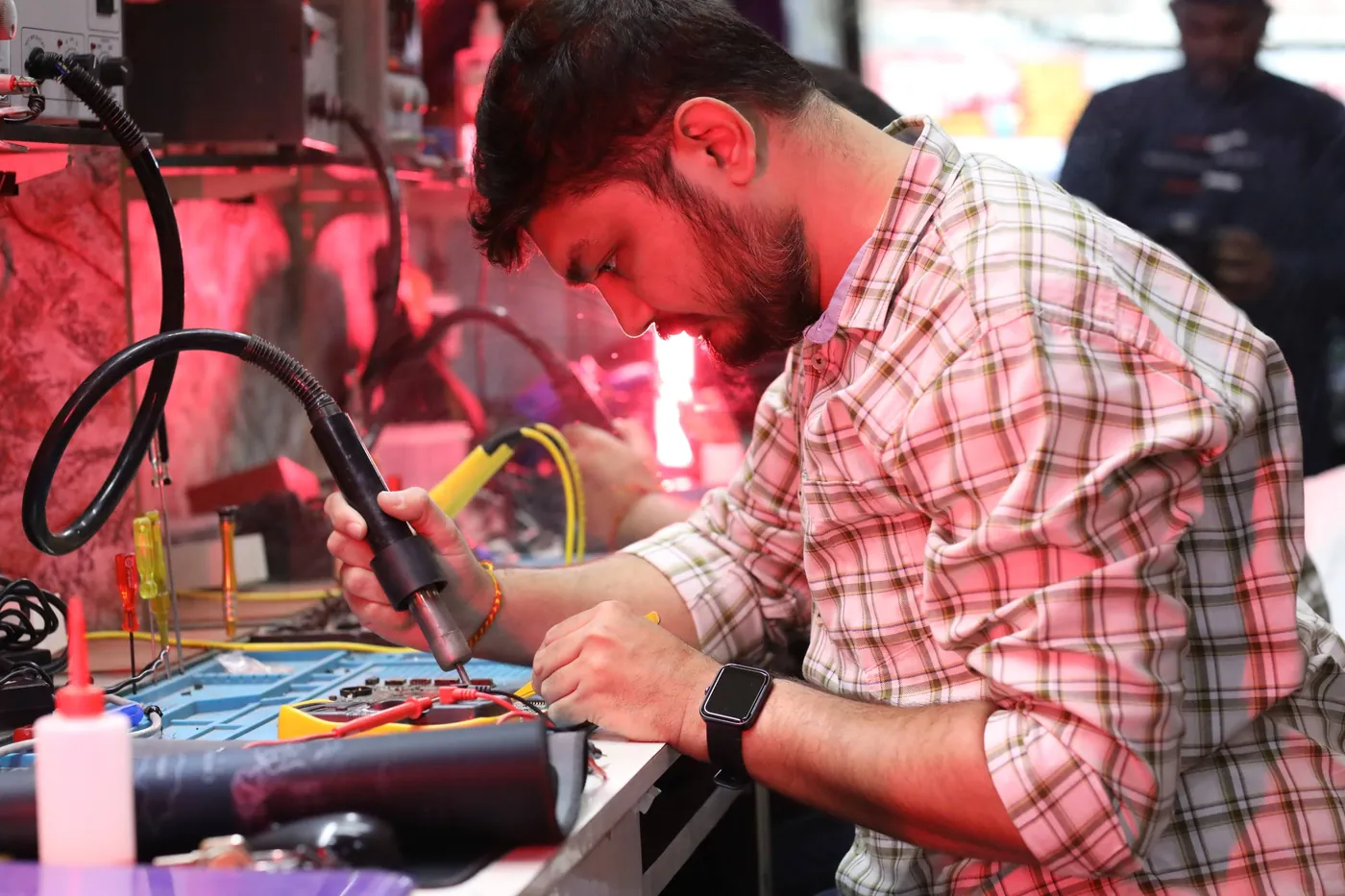
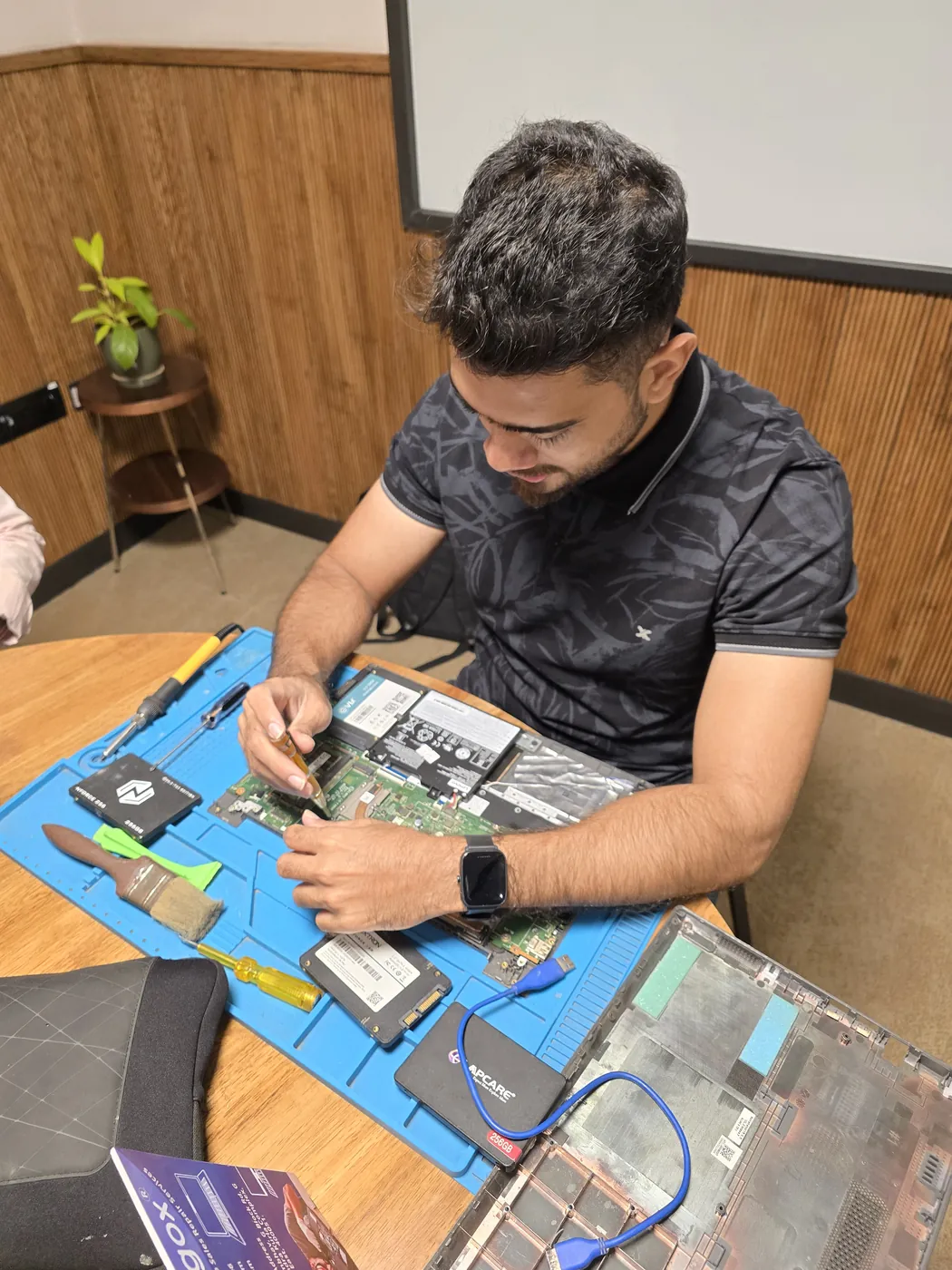

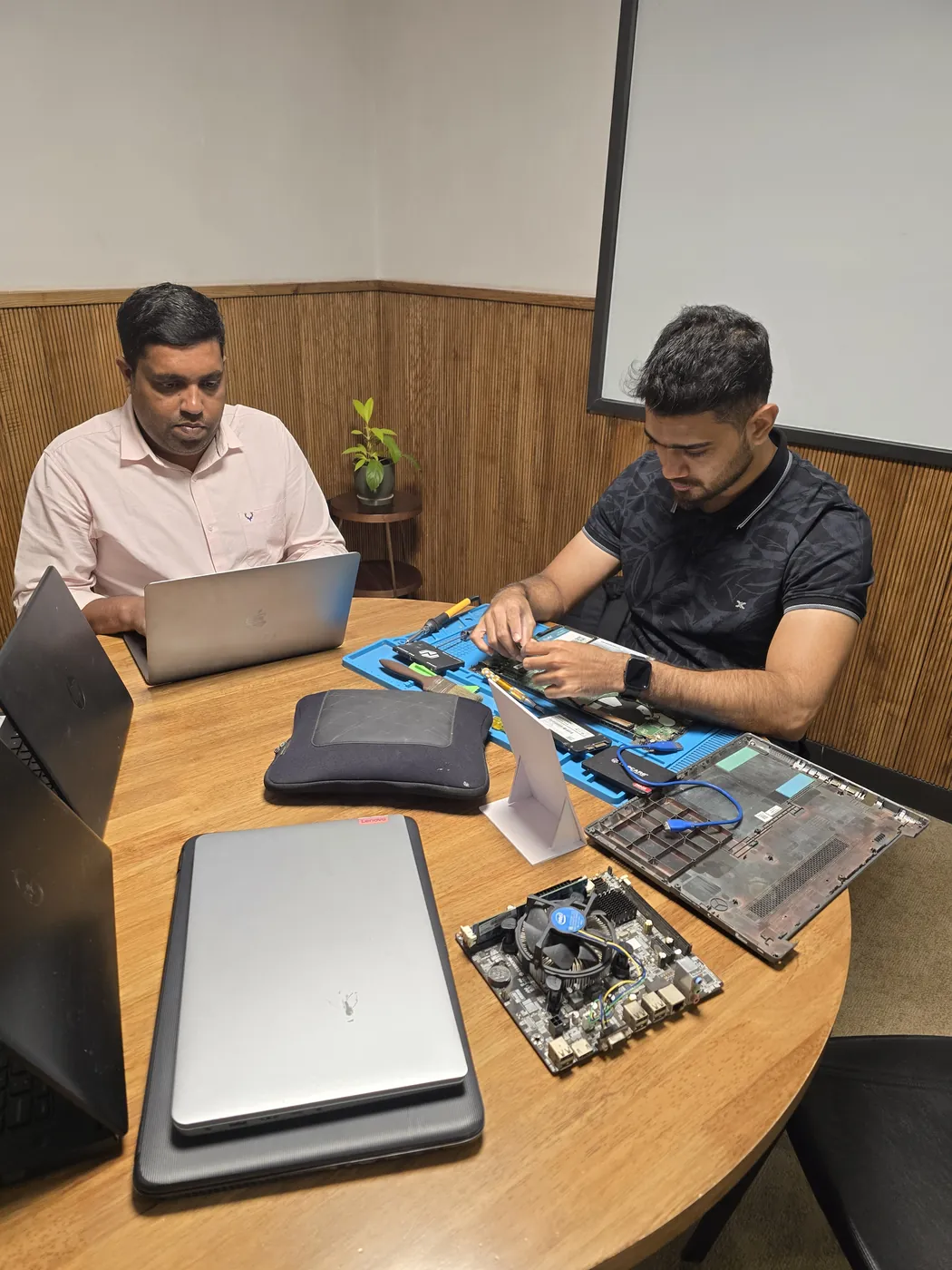
All photos are real photographs of the Xigox team at work.
Why Us?
With 1,00,082+ successful repairs and a 4.9-star rating, Xigox is an independent Epson repair specialist serving Lokhandwala Back Road. Covering the entire Mumbai Suburban district with same-day service.
Most Epson Not Connecting jobs in Lokhandwala Back Road are completed same-day. Urgent service available for critical cases.
We quote before starting work. No hidden fees. You pay exactly what you were quoted.
Free WhatsApp support for any questions about your Epson WorkForce WF-2860 Not Connecting after repair — always.
Collection and return anywhere in Lokhandwala Back Road at no charge for lab-based Epson work — we don't bill for convenience.
₹350 inspection fee (refunded if you proceed). Written quote before any Epson Not Connecting work begins.
If we cannot resolve your Epson Not Connecting issue, you pay nothing beyond the inspection fee.
Who repairs your device
Your Epson WorkForce WF-2860 is handled by Xigox technicians from start to finish. It is never handed on to another shop. Work that needs the repair bench is done at our workshop in Virar West.
Board-level faults are traced with a microscope, a multimeter and a soldering station before any part is replaced, and parts are fitted only after you approve the quote.
We don't open your personal files during a repair. When a job needs access to your data, such as data recovery or a Windows reinstall, we ask you first.




From booking to delivery — here's exactly what happens at every step
Call or WhatsApp +91 74997 61196. Tell us your Epson WorkForce WF-2860 issue in Lokhandwala Back Road and schedule a free doorstep pickup.
Our experienced technician inspects your Epson WorkForce WF-2860 and provides a transparent written quote for Not Connecting.
Once approved, we perform Not Connecting using OEM-quality parts. Most repairs are completed same-day.
Every Epson WorkForce WF-2860 passes a multi-point QA test before delivery. Your 90-day warranty starts from this moment.
We deliver your repaired Epson WorkForce WF-2860 back to your Lokhandwala Back Road address. Completely free, same day.
Post-repair support via WhatsApp. If the issue recurs within 90 days, we fix it at zero cost.
Repair examples
Canon
PIXMA G620
HP
LaserJet M428fdw
Technician's note
Hairline crack in CIS scanner glass invisible to naked eye but caused consistent vertical line artifact.
Epson
L805
Technician's note
Light cyan channel was partially blocked. After 3 cleaning cycles and manual alignment, color accuracy restored to factory spec.
Canon
imageCLASS LBP226dw
Technician's note
Toner dust had coated the optical sensor, giving false low readings. Sensor board had corroded connector pin.
Samsung
Xpress M2835DW
Technician's note
Drum surface had scratches causing line defects. Drum at 150%% of rated life — impressive longevity.
HP
DeskJet 2723
Technician's note
Oxidation on carriage contacts was causing intermittent connection. Genuine HP cartridges verified.
Comparison
What you get with Xigox in Lokhandwala Back Road, side by side.
| Feature | Xigox | Other shops |
|---|---|---|
| Experienced Technicians | Trained & Verified | Varies; ask who will work on the device |
| Genuine / OEM Parts | OEM-Quality Parts | Varies; ask which part will be fitted |
| 90-Day Warranty | Written Certificate | Varies; ask for the warranty in writing |
| Diagnosis / Inspection | ₹350, credited to the repair | Varies; ask what the diagnosis costs |
| Same-Day Turnaround | Lokhandwala Back Road — Most Repairs | Varies; ask for a time in writing |
| Free Doorstep Pickup | Lokhandwala Back Road — Free | Varies; ask whether pickup is free |
| Transparent Pricing | Written Quote First | Varies; ask for a written quote first |
| Live WhatsApp Updates | Real-time Repair Status | Varies; ask how you will get updates |
Xigox charges ₹350 for inspection — credited to your repair cost if you go ahead.
Customer reviews
4.9/5 · 12 reviews shown
← Swipe or tap dots to browse →
Watch & learn
Repair videos from our Virar West workshop

How the Xigox team handles laptop and computer repair, sales, service and data recovery across Mumbai, Thane & Palghar.

See how Xigox handles real customer repairs — fast diagnosis, transparent pricing and a 90-day warranty on every job.

A closer look at the Xigox team, our tools, and the repair process behind 9,727+ customer reviews across Mumbai MMR.

A tour of our ISO 9001:2015 certified workshop — laptop, desktop and computer repairs with genuine-grade parts and a 90-day warranty.
Customer stories
What customers say about their laptop and computer repairs
“Printer was showing paper jam but tray was empty. Xigox found a broken roller and replaced it. Prints 50 pages without a jam now. Excellent repair!”
HP LaserJet M428fdw
“Colour prints were streaky and faded. Xigox cleaned the print heads, calibrated the nozzles. Prints are sharp and vibrant again. Professional job!”
Epson EcoTank L15160
“Office printer was giving E04 error. Xigox replaced the drum unit and fuser. Printer back in service same day. AMC plan also taken — good value!”
Canon imageRUNNER 2204N
“Printer stopped powering on after a power surge. Xigox replaced the fuse and power board. Printing again at full speed. Saved buying a new printer!”
Brother HL-L2321D
“Our office MFP was printing with ghosting and faded text. Xigox replaced the drum unit and calibrated the toner density. Print quality is back to factory fresh. They even cleaned the scanner glass!”
HP LaserJet M428fdw
“My Epson ink tank printer was leaking ink internally. Xigox disassembled it completely, cleaned the waste ink pads, and replaced damaged tubes. Saved me from buying a new printer. Very skilled technic...”
Epson L3250
FAQ
Everything you need to know before booking your repair
10 questions answered
Send us your question on WhatsApp or call — a technician will answer.
Most Lokhandwala Back Road repair shops handle Epson the same way they handle every other make. We do not. Our Epson technicians are trained specifically on Epson WorkForce WF-2860 architecture — schematics, boardview files and firmware behaviour — which is why our first-time fix rate on Epson work is so much higher than a general shop's.
Parts for Epson WorkForce WF-2860 models are held in stock rather than ordered after you book, so most repairs are not waiting on a supplier. Screens, batteries, keyboards, charging boards and flex cables are all OEM-grade. You approve a written estimate first, and the ₹350 inspection is credited back against the repair.
We actively serve the entire 400053 postal area within Mumbai Suburban district, ensuring same-day response for every repair request. ₹350 inspection fee (refunded if you proceed with repair). Located near Seven Bungalows, our service coverage extends across Lokhandwala Back Road and all surrounding localities. In addition to Lokhandwala Back Road, we also provide doorstep repairs and free pickup for lab work for customers in Lokhandwala, Oshiwara, Gamdevi and other nearby areas.
Straightforward Epson jobs — battery, keyboard, screen, SSD or RAM — are done at your address in Lokhandwala Back Road. Anything needing the microscope and hot-air station comes back to the lab, with free pickup and drop either way. We confirm within 15 minutes of booking and tell you honestly whether it is a same-day fix.
Every Epson repair at Xigox is covered by a 90-day warranty on all parts and labour. If the same fault recurs within the warranty period, we fix it at no charge. Our after-repair WhatsApp support means we are always available to answer questions about your Epson WorkForce WF-2860.
Service Hours
Monday – Sunday · 9 AM – 9 PM
Open on all public holidays
Service Area
Lokhandwala Back Road & surrounding Mumbai areas
Doorstep repairs + free pickup for lab work
Our Guarantee
90-day warranty on all repairs
Free re-repair if same fault recurs
Explore all available repair options for your Epson WorkForce WF-2860
We repair all Epson models in Lokhandwala Back Road
Free pickup & drop across all these neighbourhoods
Not sure which repair you need? See all Epson WorkForce WF-2860 repairs in Lokhandwala Back Road
Same-day service available in all these nearby areas
Explore more services
Same technicians · Free pickup · 90-day warranty across all services.
₹350 inspection fee (refunded if you proceed with repair) · Same-day Not Connecting · 90-day warranty
Serving Lokhandwala Back Road and all of Mumbai MMR · Open 9 AM – 9 PM daily
How it's done
What our technicians do, what it requires, and how to tell you need it.
When this exact symptom shows up, we isolate whether the fault is the printer, the connection (USB/WiFi), or the computer's driver/queue first — each has a different fix — by testing the printer directly against a different device before concluding where the fault actually sits.
Typical time: 20–40 minutes
The model
The Epson WorkForce WF-2860 is part of Epson's WorkForce line — Epson's business inkjet printer series, built for office document volume with business-oriented features (networking, higher-capacity paper trays).
Don't waste time on booking portals. Reach the engineers directly with Xigox. Inkjet print head clogs in Lokhandwala Back Road are the #1 reason for blank lines, colour gaps, and faded output — and new heads are rarely needed. Xigox's printer team uses professional cleaning equipment to clear blockages for HP Deskjet, Canon PIXMA, Epson EcoTank, and Brother. Most Epson WorkForce WF-2860 Not Connecting jobs in Lokhandwala Back Road restores full print quality without parts cost.
Getting your Epson fixed in Lokhandwala Back Road is designed to be hassle-free. First, message us at +91 74997 61196 sharing your issue. Then, our free pickup technician arrives at your Lokhandwala Back Road address within the same day. Our engineers then perform a detailed diagnostic (₹350, refunded if you proceed). After your approval, this issue is completed with OEM-grade parts — and your Epson is delivered back to you. Total turnaround: 24-48 hours.
Every repair completed by Xigox in Lokhandwala Back Road comes with a documented three-month warranty on parts and labour. That means, if anything goes wrong within 3 months, we fix it at zero extra cost. You get a written warranty card with every repair, so the terms are clear.
Traveling across town in Lokhandwala Back Road takes hours. That's why Xigox has built a straightforward pickup and delivery network for this issue. Just drop your pin, and our technician will pick up the Epson from your home or office. After the issue is completed, it is delivered back fully tested and sealed. Save your time without leaving your desk.
Customers from Lokhandwala Back Road with free pickup and drop. Every job gets a written quote before any work, genuine parts and a 90-day warranty, whether it is one laptop or an office fleet. By trusting us for the repair in Lokhandwala Back Road, your device is repaired at our Virar West workshop and returned tested.
Numbers speak louder. Xigox maintains a 4.9-star rating from 9,727+ customer reviews from customers across Mumbai MMR. Common praise includes: honest pricing, fast turnaround, and genuine parts. What Lokhandwala Back Road customers value most: "Same-day fix with genuine parts and clear communication throughout." Become part of the growing community of satisfied Xigox customers in Lokhandwala Back Road.
Fixing the immediate problem is only half the job at Xigox. Prior to delivery in Lokhandwala Back Road, it must pass a strict multi-point quality check. Our team ensures that the repair was 100% successful, checking port functionality. This level of testing is the reason for our 4.9★ rating across Lokhandwala Back Road.
We know your time is valuable in Lokhandwala Back Road. Xigox plans this issue for rapid turnaround. In 90% of cases, our technicians complete the issue on the same day. Our team offers free doorstep pickup from your Lokhandwala Back Road address, execute the repair at our workshop, and return it to you.
Your repair doesn't end when the Epson is returned. Our support line is available daily via call or message. If you notice anything unusual in the post-repair period, just reach out and we dispatch a technician immediately. This promise is why Lokhandwala Back Road customers choose Xigox again and again.
One of the most common complaints about repair shops in Lokhandwala Back Road is hidden charges after the job is done. Xigox operates differently. Prior to touching your Epson, our technician sends a WhatsApp quote covering parts and labour. There is zero ambiguity — the decision is entirely yours. The ₹350 diagnostic is credited 100% when you approve the repair.
Your Epson model never limits what we can fix. Xigox engineers are trained across all major brands: HP, Dell, Lenovo, Asus, Acer, MSI, Toshiba, Samsung and Apple MacBook. Different manufacturers have unique design choices we account for in every repair. This depth of brand knowledge reduces repair time and lowers the chance of secondary damage.
Genuine parts and a clear bill in Lokhandwala Back Road. Xigox combines experienced engineers, OEM-grade spares, upfront pricing, and a real warranty on every Epson WorkForce WF-2860 Not Connecting. Join the thousands in Lokhandwala Back Road who trust us — call or WhatsApp +91 74997 61196 for same-day service in Lokhandwala Back Road.
Service area
Xigox provides epson workforce wf-2860 not connecting across Lokhandwala Back Road (PIN 400053), in the Mumbai Suburban district of Mumbai. Our doorstep pickup and on-site service cover the entire Lokhandwala Back Road area and the neighbourhoods around it.
Localities we cover in Lokhandwala Back Road: Lokhandwala, Andheri West, Seven Bungalows. Wherever you are in Lokhandwala Back Road, we can collect your device from your door and bring it back after the repair.
Our technicians regularly serve homes, societies and offices around Gilbert Hill and Lokhandwala Market, and along Yari Road. If you're near any of these landmarks, same-day pickup for epson workforce wf-2860 not connecting is almost always available.
We also serve these nearby areas — tap your locality for local epson workforce wf-2860 not connecting:
4.9 from 9,727 customer reviews across all repairs · upfront pricing · 90-day warranty
Before you book: have your device model and a quick description of the issue ready — it speeds up your quote.
Not sure what's wrong?
Tell us what your device is doing — we'll point you to the right repair, with real pricing and next steps.
Nearest branch: Andheri West
~2.3 km from Lokhandwala Back Road. With free doorstep pickup you don't need to travel — this is our nearest branch.
Book a repair
Free pickup · Genuine parts · 90-day warranty
We'll call you within 1 hour to confirm your appointment and arrange doorstep pickup.
Inspection fee: ₹350
Device type *
Inspection fee: ₹350
Your details are used only to arrange this repair. By submitting, you agree to our Privacy Policy.