


Gaming-Grade RAM — Zero FPS Drops

Gaming Laptop RAM Upgrade in Nilemore

Stop FPS drops, stuttering, and slow loading screens. Upgrade your gaming laptop RAM in Nilemore to 16GB, 32GB, or 64GB — optimised for high-speed dual-channel performance. We service ASUS ROG, MSI, Acer Nitro, Lenovo Legion, HP Omen, and all gaming brands.

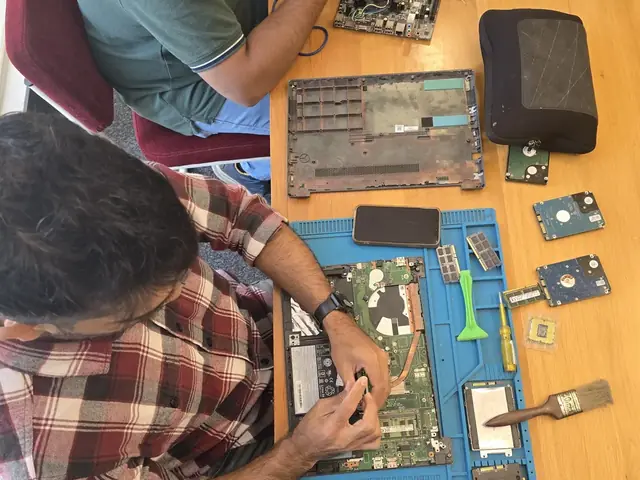
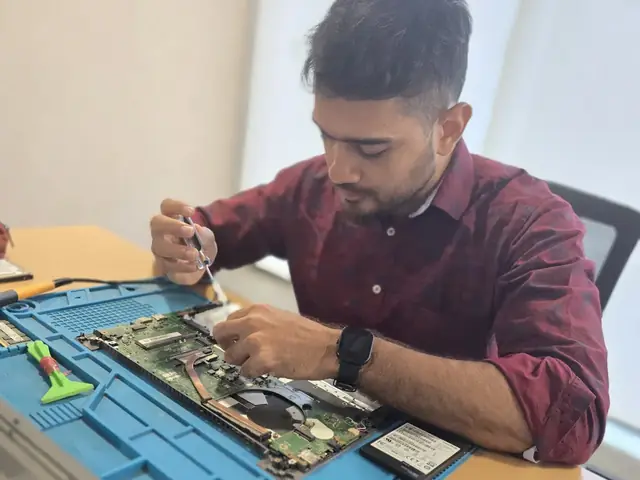
Technician with a screwdriver over an opened laptop, RAM modules and hard drives on the repair mat Technician working inside an opened laptop with RAM modules and an SSD laid out beside it
Xigox technicians at the repair bench

Why Gaming Laptop RAM Upgrade Matters in Nilemore

Modern games demand 16–32GB. Insufficient RAM = stuttering, texture pop-in, and FPS drops.

Eliminate FPS Drops

Games like Fortnite, Warzone, GTA V, and Cyberpunk 2077 use 10–14GB RAM. With 8GB, Windows pagefile causes micro-stutters. 16–32GB eliminates this.

Faster Loading Times

More RAM means game assets (textures, maps, shaders) stay pre-loaded in memory instead of streaming from SSD, cutting loading screens by 30–50%.

Stream While Gaming

Running OBS/Streamlabs + game + Discord + Chrome simultaneously needs 20GB+. Upgrade to 32GB for butter-smooth streaming.

Enable High Textures

Ultra/High texture settings load large assets into RAM. With 16GB+, you unlock texture quality settings that were grayed out or caused crashes before.

Gaming Laptop RAM Upgrade Process in Nilemore

Matched dual-channel kits, XMP profiling, and FPS benchmarking included.

1

Gaming Profile Assessment

Tell us your laptop model and games you play. We check RAM type, current FPS bottleneck, and upgrade headroom.

5 min
2

Matched Kit Sourcing

We source a dual-channel kit (same brand, speed, CAS latency) — critical for gaming performance. No mismatched sticks.

In stock
3

Expert Installation

Anti-static installation. We seat both modules correctly for dual-channel, verify in BIOS, enable XMP profile.

20 min
4

FPS Benchmark Test

We run your game(s) before/after and show you the actual FPS improvement. Share the benchmark screenshots.

15 min

Gaming Laptops We Upgrade in Nilemore

ASUS ROG Strix / Scar / Zephyrus
DDR4/DDR5 SODIMM — 2 slots on most Strix/Scar, 1 slot + soldered on Zephyrus G14
ASUS Gaming
MSI Raider / Katana / Stealth
DDR4/DDR5 depending on generation. Raider: 2 slots. Stealth: may be partially soldered.
MSI Gaming
Lenovo Legion 5 / 7 / Pro
DDR4/DDR5 with 2 user-accessible SODIMM slots. Popular in Nilemore
Lenovo Gaming
HP Omen / Victus
DDR4/DDR5, 2 SODIMM slots on Omen. Victus may have 1 slot + 1 soldered.
HP Gaming
Dell G15 / Alienware
Alienware m15/m17: 2 DDR5 slots. Dell G15: 2 DDR4 slots. Full upgrade support.
Dell Gaming
Acer Nitro 5 / Predator
Nitro 5: 2 DDR4 slots, budget gaming favourite. Predator: DDR4/DDR5, 2 slots.
Acer Gaming
ASUS TUF Gaming
TUF A15/F15: DDR4, 2 user-accessible slots. The most common budget gaming laptop in India.
Budget Gaming
MSI Gaming Laptops
Katana, Cyborg, Stealth: DDR4/DDR5, 2 SODIMM slots. Full upgrade support.
MSI
Custom-Built Gaming Desktop
4 DIMM slots, DDR4/DDR5, XMP support. On-site visit for desktops in Nilemore
Desktop

Brands

Gaming Laptop RAM Upgrade — All Brands in Nilemore

We carry high-speed gaming RAM kits optimised for every gaming brand.

Prices

Gaming RAM Upgrade Prices in Nilemore

Matched dual-channel kits. XMP/EXPO profiling included. Free pickup & delivery.

Repair typeStarting priceExpected FPS Gain
16GB RAM Upgrade₹8,999 - ₹13,99915–25% FPS
32GB RAM Upgrade₹16,999 - ₹25,99925–40% FPS + streaming

From our price list; the exact price depends on the model and the fault. ₹350 inspection fee, credited to the repair if you go ahead.

Reviews

What Customers Say About Gaming Laptop RAM Upgrade in Nilemore

Reviews from Nilemore customers who used our gaming laptop ram upgrade service

“Samsung Virus Removal on my Samsung Galaxy Book4 Pro was completed same day with fair, transparent pricing.”
Sanjana Rao Bandra
“Fujitsu OS Installation on my Fujitsu laptop was completed same day with fair, transparent pricing.”
Kabir Khanna Lower Parel
“Needed Fujitsu Power Jack Repair for my Fujitsu laptop — Xigox technicians handled it professionally with a warranty.”
Meera Pillai Malad
“Booked Fujitsu RAM Upgrade for my Fujitsu laptop online. Doorstep pickup and clear communication throughout.”
Vikram Oberoi Mulund
“Wasn't sure Xigox serviced my Fujitsu Motherboard Repair, but they were fully equipped for the Fujitsu laptop and fixed it fast.”
Simran Kaur Kandivali
“Excellent Fujitsu Screen Replacement service for my Fujitsu laptop. Diagnosed quickly and used a proper replacement part.”
Karan Malhotra Andheri

Customer stories

Customer Stories

What customers say about their laptop and computer repairs

“Motherboard failure on my office laptop. Other shops said it was dead, but Xigox did chip-level repair and saved all my data. Incredible skill!”

Dell Vostro 3520

A Alok Tiwari Dadar
“Laptop was overheating and shutting down during meetings. Xigox cleaned the internals, replaced thermal paste, and now it runs cool and quiet. Amazing service!”

HP Pavilion 15

P Pooja Agarwal Thane
“Hinge was broken and screen was wobbly. Xigox fixed both hinges and the bezel. My EliteBook feels solid as new. Worth every rupee.”

HP EliteBook 840 G9

S Sanjay Kulkarni Powai
“Touchscreen stopped working after a Windows update. Xigox updated drivers and recalibrated the digitizer. Perfect touch response now!”

HP Envy x360

M Megha Sharma Malad
“My ProBook wouldn't boot — stuck on a blue screen. Xigox diagnosed a faulty SSD, cloned my data to a new NVMe drive, and it boots in 10 seconds now.”

HP ProBook 450 G10

R Rajan Bhatia Kandivali
“Spilled coffee on my ThinkPad. Xigox cleaned the motherboard, replaced the keyboard, and recovered all data. Saved my expensive machine!”

Lenovo ThinkPad X1 Carbon

K Kavita Menon Goregaon

Gaming Laptop RAM Upgrade in Nilemore — Performance Guide for Gamers

If you're a gamer in Nilemore experiencing stuttering, texture pop-in, or FPS drops in modern titles — your RAM is likely the bottleneck. Modern AAA games in 2026 recommend 16GB minimum, with titles like Star Field, Cyberpunk 2077, and Alan Wake 2 actively using 12–14GB during gameplay. If you're gaming with 8GB, you're leaving significant performance on the table.

Why Dual-Channel Is Critical for Gaming

A single 16GB stick gives you capacity, but two 8GB sticks in dual-channel mode double your memory bandwidth. This is measurable in GPU-bound games: dual-channel DDR4-3200 delivers ~50 GB/s vs single-channel's ~25 GB/s. The result? 5–15% higher average FPS and dramatically fewer 1% low FPS drops (the stutters you actually feel). We always install matched dual-channel kits for gaming setups.

XMP/EXPO — Unlocking Advertised Speed

Most high-speed RAM kits ship with XMP (Intel) or EXPO (AMD) profiles — overclocking settings certified by the manufacturer. Without enabling these in BIOS, your DDR4-3200 might run at DDR4-2133 (base JEDEC speed). Our technicians enable the correct profile during installation and verify the actual running speed in CPU-Z.

Gaming RAM + Thermal Paste Combo

If you're opening a gaming laptop for RAM, it's the perfect time to repaste the CPU/GPU with high-quality thermal compound (Thermal Grizzly Kryonaut). This can drop temperatures by 10–15°C, reducing thermal throttling and unlocking even more FPS. We offer a combo discount: RAM upgrade + thermal repaste together saves ₹200–500.

Service for Gamers in Nilemore

Free doorstep pickup, matched dual-channel kits in stock, XMP/EXPO activation included, FPS benchmark before and after. Serving all of Nilemore — 7 days a week. Upgrade your gaming experience today.

Gaming Laptop RAM Upgrade — Nilemore, Nalasopara

Matched dual-channel kits for ROG, MSI, Legion, Omen, Alienware. FPS benchmark included. Pincode: 401209.

Get FPS Boost Quote

FAQ

Gaming Laptop RAM Upgrade in Nilemore — Frequently Asked Questions

16GB is the minimum for modern gaming. 32GB is recommended for AAA titles, streaming while gaming, and future-proofing. 64GB is for professional content creators who also game. We recommend 32GB for most gamers in Nilemore.
If you have 8GB, upgrading to 16GB+ can eliminate stuttering and increase 1% low FPS by 20–40%. With 16GB already, going to 32GB helps in open-world games and when streaming. Consistent frame times matter more than peak FPS.
DDR4: 3200MHz is the sweet spot. DDR5: 5600MHz for best value, 6400MHz for enthusiasts. We match the speed your laptop's memory controller supports for optimal performance.
Yes! We service all gaming laptops: ASUS ROG Strix/Zephyrus, MSI Katana/Raider/Stealth, Acer Nitro/Predator, Lenovo Legion, HP Omen/Victus, Dell G-Series, and more.
Most gaming laptops have 2 SODIMM slots and support 32GB or 64GB max. Models like ASUS ROG Strix, MSI Raider, and Lenovo Legion Pro support 2×32GB = 64GB. We check your specific model.

More Services in Nilemore

Areas, Roads & Landmarks We Cover in Nilemore

Free pickup & drop across all these neighbourhoods

Localities & neighbourhoods

  • Nilemore
  • Nalasopara East
  • Virar

Roads & highways

  • Nilemore Road
  • Achole Road
  • SH-43

Landmarks & famous places

  • Nilemore Village
  • Achole Temple
  • Nalasopara East Station Area

Gaming Laptop RAM Upgrade in Nilemore — Nearby Areas

We also serve these locations near Nilemore

Comparison

Xigox vs Local Gaming Laptop RAM Upgrade Shops

What you get with Xigox in Nilemore, side by side.

FeatureXigoxOther shops
Experienced Technicians Trained & VerifiedVaries; ask who will work on the device
Genuine / OEM Parts GuaranteedVaries; ask which part will be fitted
90-Day Warranty Written CertificateVaries; ask for the warranty in writing
Free Doorstep Pickup Nilemore — FreeVaries; ask whether pickup is free
Same-Day Service Nilemore — AvailableVaries; ask for a time in writing
₹350 Inspection (refunded if you proceed with repair) ₹350, credited to the repairVaries; ask what the diagnosis costs
Transparent Pricing Fixed Quote — No SurpriseVaries; ask for a written quote first
Live WhatsApp Updates Real-time Repair StatusVaries; ask how you will get updates

Xigox charges ₹350 for inspection — credited to your repair cost if you go ahead.

Guide

Gaming Laptop RAM Upgrade in Nilemore — Complete Guide

Skip the directories. Book direct for transparent pricing with Xigox. Gaming laptops and PCs demand specialist knowledge — consumer-grade approaches are insufficient for gaming-grade components. In Nilemore, Xigox's gaming specialists handle Gaming Laptop RAM Upgrade for all major gaming brands: GPU failures, VRM damage, BIOS recovery, and overclocking configuration.

Trusted by Nilemore for Gaming Laptop RAM Upgrade

Numbers speak louder. Xigox maintains a 4.9-star rating from 9,727+ customer reviews from customers across Mumbai MMR. Common praise includes: no surprise charges, fast turnaround, and genuine parts. What Nilemore customers value most: "Fast, professional service with fair pricing." Become part of the growing community of satisfied Xigox customers in Nilemore.

Rapid Gaming Laptop RAM Upgrade — Timeline

Wondering how fast Xigox can complete repair in Nilemore? Our standard process: First — call or WhatsApp +91 74997 61196 and our pickup technician arrives at your Nilemore address within 2 hours. Then — ₹350 diagnostic pinpoints the issue. Step 3 — you approve the quote via WhatsApp — zero pressure. Step 4 — the repair is done using OEM-grade components by our engineers, usually within 2–4 hours. Step 5 — your gaming laptop is delivered back to you with a quality report.

Warranty & After-Service for Gaming Laptop RAM Upgrade

Every issue performed by Xigox in Nilemore comes with a documented 90-day warranty covering parts and labour. Simply put, if the same issue recurs within 90 days, we redo it completely free. Xigox issues a printed warranty receipt every single time, so you know exactly what is covered.

Our Gaming Laptop RAM Upgrade Process in Nilemore

Arranging the repair in Nilemore is incredibly simple. Step 1, call or WhatsApp us at +91 74997 61196 to describe your issue. Next, our complimentary collection driver arrives at your Nilemore doorstep within 1–2 hours. The team then carry out a thorough diagnostic (₹350, credited toward your repair). Once you agree, the repair is executed with genuine parts — and your gaming laptop is returned to you. Most repairs done same day.

Performance Tuning alongside Gaming Laptop RAM Upgrade

During your issue in Nilemore, it's the perfect time to consider an upgrade. A large number of clients choose to add a faster SSD while the gaming laptop is being repaired. Bundling these services saves you money on labour and extends its life by years. Inquire today about performance upgrades when you book your issue.

Genuine Parts for Gaming Laptop RAM Upgrade

Quality matters for the repair. That's why our technicians exclusively use genuine parts for your gaming laptop. Rather than unbranded components, we source from established suppliers. This ensures your repair is durable, backed by our written 90-day warranty.

Top-Rated Gaming Laptop RAM Upgrade in Nilemore

You have options in Nilemore, but Xigox is the preferred choice for this issue. Our core values include complete transparency. Every issue starts with a detailed hardware check costing just ₹350, refunded if you proceed. No hidden charges — just professional issue in Nilemore.

Fixed-Quote Policy for Gaming Laptop RAM Upgrade

The biggest frustration about repair shops in Nilemore is surprise bills after the job is done. We've built our entire model around transparency. Before any work begins, our technician provides a clear cost estimate that covers everything. You see the exact cost — approve it or decline, no pressure. Our ₹350 inspection fee is fully refunded when you proceed with the repair.

Same-Day Gaming Laptop RAM Upgrade in Nilemore

We know your time is valuable in Nilemore. Xigox plans this issue for speed and efficiency. In 90% of cases, our technicians complete the issue on the same day. Our team offers free doorstep pickup from your Nilemore address, execute the repair at our workshop, and return it to you.

Data Security During Gaming Laptop RAM Upgrade

Your private information is fully protected during your repair. Residents across Nilemore rely on Xigox because we follow strict data privacy protocols. During the repair, your photos, emails, and passwords are completely secure. In cases where OS reinstallation is required, we will always inform you first.

Ready when you are in Nilemore. From emergency repairs to planned maintenance, Xigox takes the stress out of Gaming Laptop RAM Upgrade: doorstep collection, OEM-grade spares, same-day turnaround, and a written warranty. Call +91 74997 61196 now.

Gaming Laptop RAM Upgrade in Nilemore

Free pickup · Same-day service for most repairs · 90-day warranty

Open every day, 9 AM – 9 PM · Serving Nilemore, Nalasopara

Explore more services

More Repair & Tech Services Near Nilemore

Same technicians · Free pickup · 90-day warranty across all services.

How it's done

How We Perform Gaming Laptop RAM Upgrade

What our technicians do, what it requires, and how to tell you need it.

1 How It's Performed

When you want more capacity or speed rather than just a fix, our technicians check what RAM type, speed, and maximum capacity your exact motherboard actually supports before ordering anything — fitting faster-than-supported RAM just has it run at the board's lower supported speed, so matching specs correctly avoids wasted spend.

Typical time: 15–30 minutes

2 What This Requires

  • Confirmation of how many RAM slots your model has and whether they're user-accessible or soldered — some ultrabooks have some or all memory soldered to the board, which changes what an "upgrade" actually involves.

3 When You Need This

  • Frequent blue screens or random restarts, especially under multitasking or heavier workloads.
  • The system reports less RAM installed than you know is fitted (a sign of a dead or unseated module).
  • Performance feels sluggish specifically when many apps/tabs are open at once, improving when you close them — a classic insufficient-RAM symptom.

Service area

Gaming Laptop RAM Upgrade in Nilemore — Service Area & Coverage

Xigox provides gaming laptop ram upgrade across Nilemore (PIN 401209), in the Palghar district of Nalasopara. Our doorstep pickup and on-site service cover the entire Nilemore area and the neighbourhoods around it.

Localities we cover in Nilemore: Nalasopara East, Virar. Wherever you are in Nilemore, we can collect your device from your door and bring it back after the repair.

Our technicians regularly serve homes, societies and offices around Nilemore Village, Achole Temple and Nalasopara East Station Area, and along Nilemore Road, Achole Road and SH-43. If you're near any of these landmarks, same-day pickup for gaming laptop ram upgrade is almost always available.

Gaming Laptop RAM Upgrade near Nilemore

We also serve these nearby areas — tap your locality for local gaming laptop ram upgrade:

Gaming Laptop RAM Upgrade price in Nilemore — know it before you book

  1. 1Pick your device & issue
  2. 2See the real price range
  3. 3Free doorstep pickup in Nilemore

4.9 from 9,727 customer reviews across all repairs · upfront pricing · 90-day warranty

Before you book: have your device model and a quick description of the issue ready — it speeds up your quote.

Not sure what's wrong?

Find Your Fix by Symptom

Tell us what your device is doing — we'll point you to the right repair, with real pricing and next steps.

See all repair problems we fix

Our head office: Virar West

~4.8 km from Nilemore. With free doorstep pickup you don't need to travel — this is where the repair is done.

Call WhatsApp