Same-Day Service Available in Palghar Station

iMac Overheating Fix in Palghar Station

iMac Overheating Fix in Palghar Station by Apple-experienced technicians. We handle all Mac, MacBook, iMac, and Mac Mini issues including logic board repair, display replacement, and SSD upgrade. Genuine parts with 90-day warranty.

iMac Overheating Fix in Palghar Station, in short: diagnosis is ₹350, credited to the repair. Most repairs are finished the same day; board-level work takes 2–5 days. Free pickup within 2 hours in Palghar Station and across Mumbai, Thane and Palghar. Simple replacements at your door; board-level and body repairs at our Virar West workshop after free pickup. Every repair carries a 90-day written warranty.

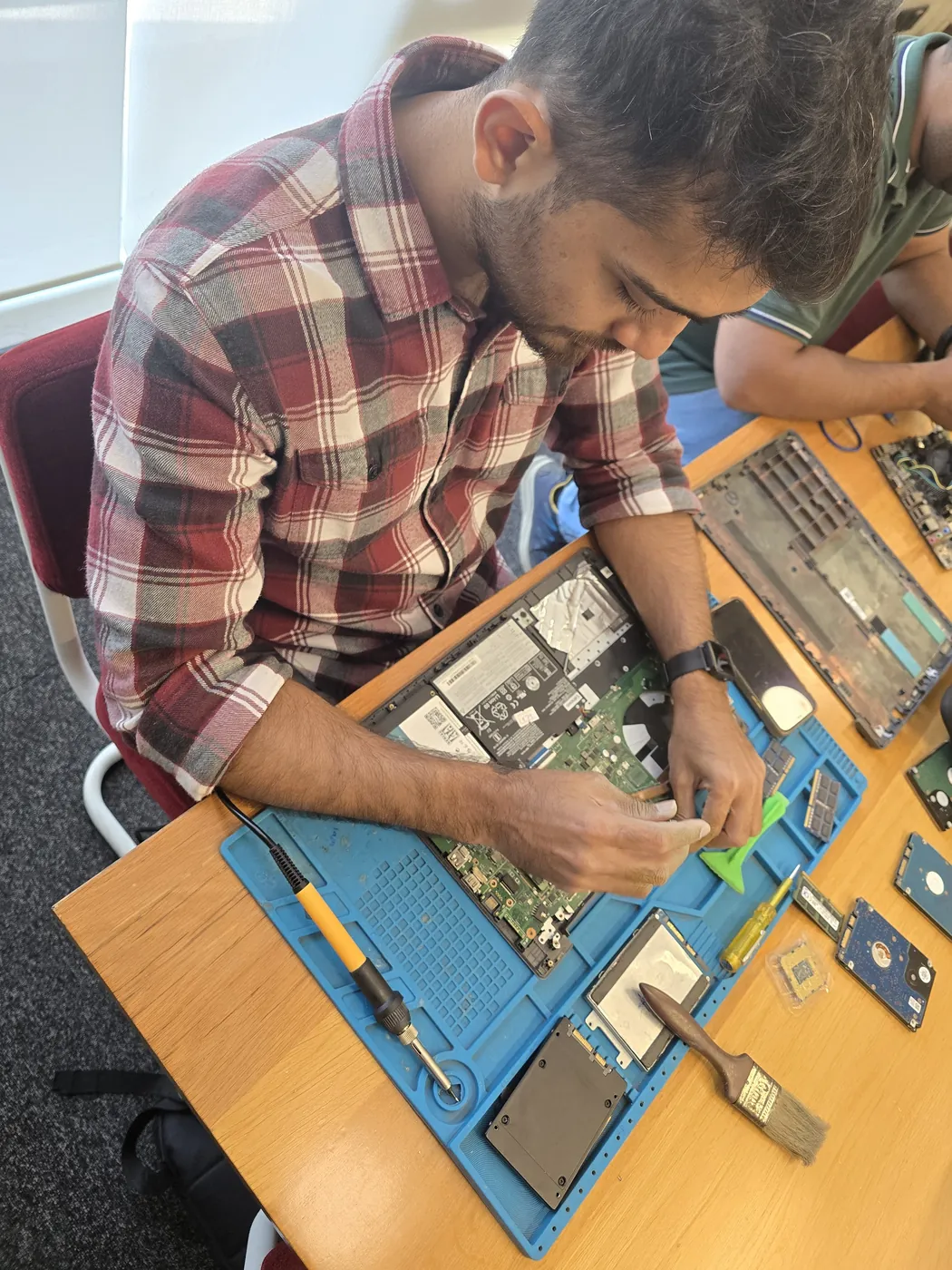
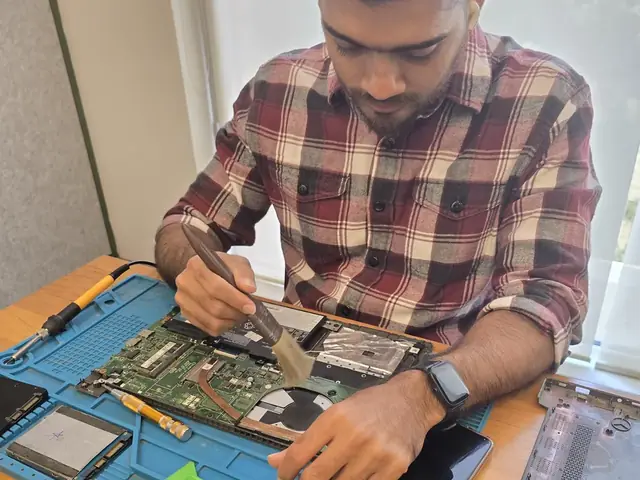
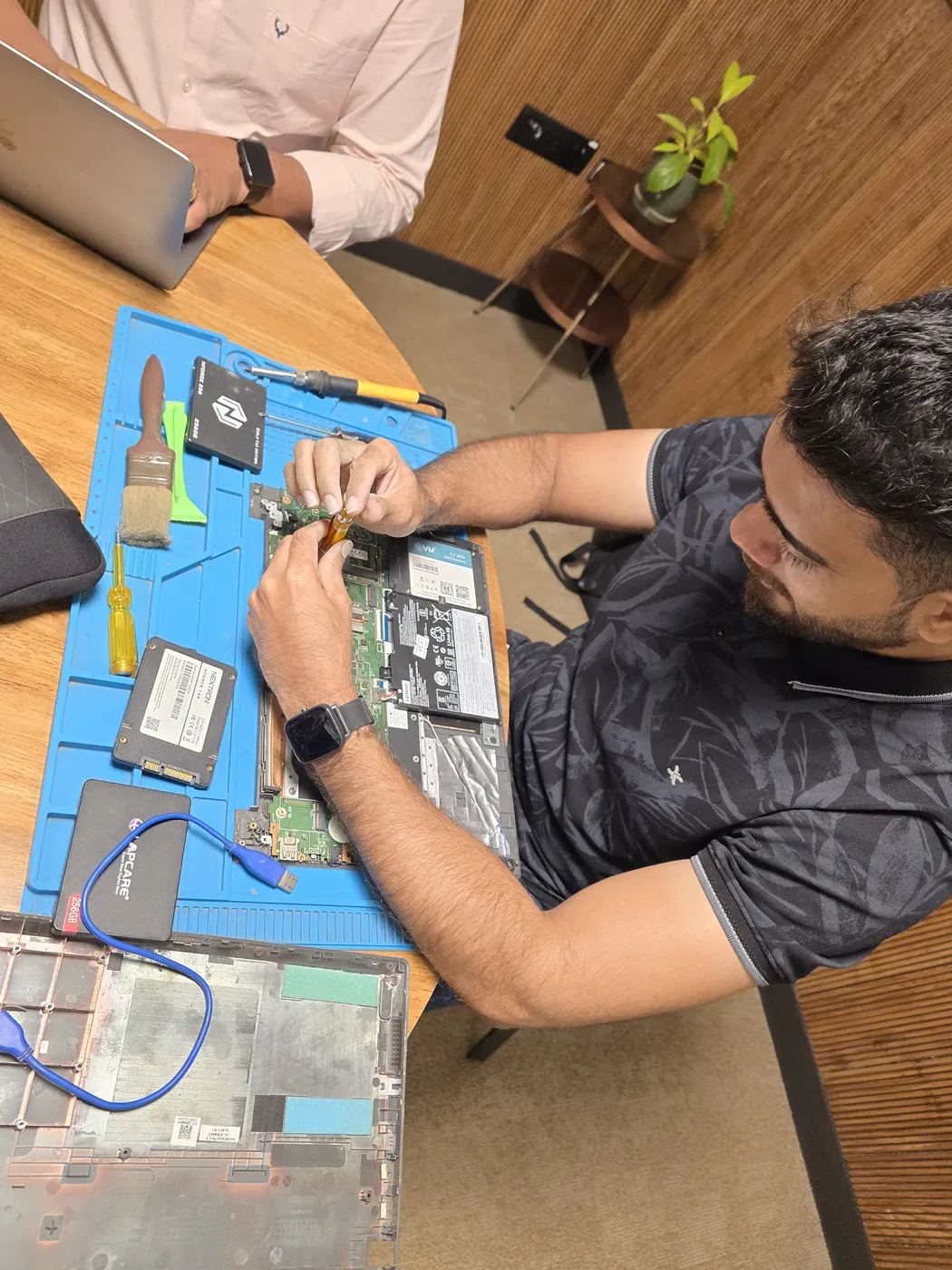
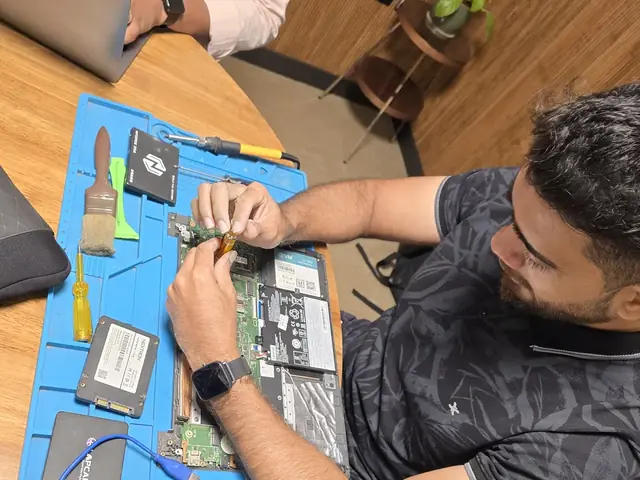
Opened laptop on an anti-static mat with SSDs, a cleaning brush and pry tools laid out Top-down view of a technician servicing a laptop beside an SSD and a cleaning brush
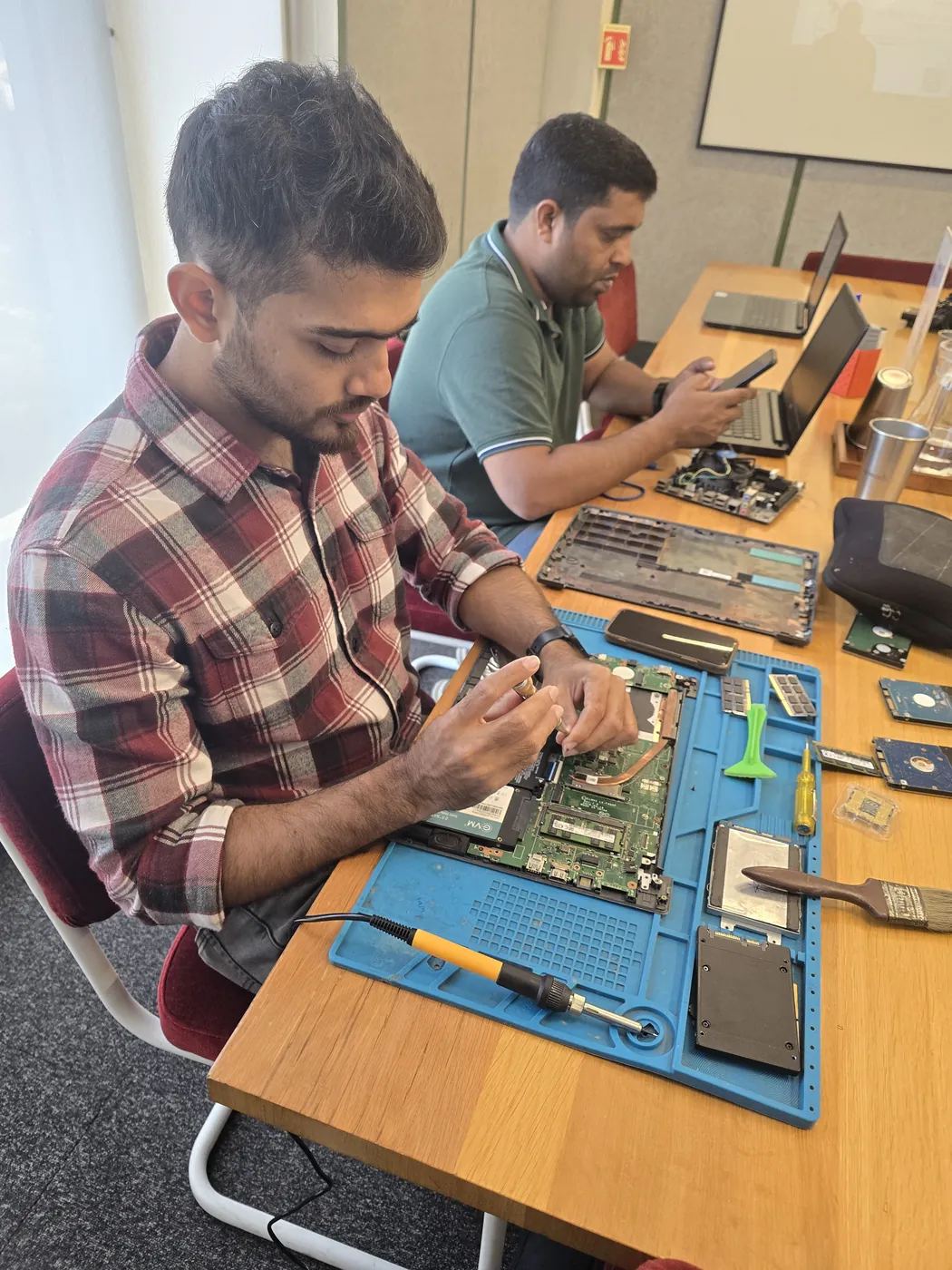
Xigox technicians at the repair bench

Quick facts

Typical price

₹2,499–₹12,000+

Turnaround

2–6 hours

Warranty

90-day warranty

Professional iMac Overheating Fix in Palghar Station

Tired of middlemen? Work with the actual repair team — Xigox. Water damage on a MacBook in Palghar Station is significantly more serious than on standard laptops — the MacBook board design makes liquid damage more severe. Xigox's Apple team performs corrosion cleaning under microscope: all liquid ingress points addressed — with complete post-clean validation. For iMac Overheating Fix in Palghar Station specifically, Xigox follows this exact process from start to finish — free pickup, transparent written quote, genuine-grade parts, and a 90-day warranty on the completed iMac Overheating Fix.

Our iMac Overheating Fix Process Step by Step

Arranging this repair in Palghar Station is incredibly simple. Step 1, call or WhatsApp us at +91 74997 61196 to describe your issue. Next, our complimentary collection driver arrives at your Palghar Station doorstep within 1–2 hours. The team then carry out a thorough diagnostic (₹350, credited toward your repair). Once you agree, this repair is executed with genuine parts — and your iMac is returned to you. Most repairs done same day.

Data Security During iMac Overheating Fix

Your personal data is our top priority during your job. Customers throughout Palghar Station trust us because we never access personal files. Throughout the job, your confidential files remain untouched. If a software reset is necessary, we consult you beforehand.

Transparent Inspection in Palghar Station

Uncertain about the issue with your iMac? Prior to starting any repair, Xigox performs a thorough diagnostic check. The ₹350 inspection fee, it is 100% refunded if you proceed with the repair. Our technicians in Palghar Station will show you the broken part in plain English so you can make an informed decision.

After-Repair Speed iMac Overheating Fix

After a successful this job in Palghar Station, most customers notice immediate performance improvements: quicker application loading, cooler operating temperatures, restored battery life, or a perfect display — depending on the specific repair. Xigox runs diagnostic tests before and after this job in Palghar Station to confirm the improvement.

Top-Rated iMac Overheating Fix in Palghar Station

There are many repair shops in Palghar Station, however, Xigox stands out for this repair. We believe in 100% upfront pricing. Each repair begins with a thorough diagnostic inspection for ₹350, which is fully refunded if you proceed. No surprise fees — only expert repair in Palghar Station.

Convenient Collection across Palghar Station

Traveling across town in Palghar Station can be a nightmare. That's why Xigox has built a straightforward pickup and delivery network for this job. Just drop your pin, and our technician will pick up the iMac from your home or office. After the job is completed, it is delivered back fully tested and sealed. Save your time without leaving your desk.

Independent iMac Overheating Fix in Palghar Station

Apple computers demand in-depth knowledge for this repair — generic repair techniques are inadequate with Apple's proprietary design. Xigox engineers in Palghar Station are trained in Apple-specific repair procedures: Touch ID re-pairing, covering MacBook Pro 14"/16", iMac 24" M-series, and Mac Mini. All parts are tested to the original specification.

Palghar Station Customer Support for iMac Overheating Fix

Your job doesn't end when the iMac is returned. The Xigox after-service team remains reachable 7 days a week, 9 AM–9 PM via WhatsApp or phone. Should any concern arise within 90 days of your job, simply contact us and a technician is dispatched at no cost. This commitment is why residents in Palghar Station return to Xigox.

Warranty & After-Service for iMac Overheating Fix

Every repair completed by Xigox in Palghar Station comes with a documented three-month warranty on parts and labour. That means, if anything goes wrong within 3 months, we fix it at zero extra cost. You get a written warranty card every single time, so the terms are clear.

Insurance & Out-of-Warranty iMac Overheating Fix Options

A common question is whether an extended warranty applies to this job. Xigox supports insurance claims and can provide the itemised bill your insurer needs — including parts cost, labour cost, and fault description. For out-of-warranty iMac units, third-party job is typically usually cheaper compared to the official service centre.

Don't let a broken iMac slow you down in Palghar Station. Call Xigox today for your iMac Overheating Fix. Backed by our written parts and labour warranty and upfront pricing, your iMac is in safe hands. Book your doorstep technician in Palghar Station online now.
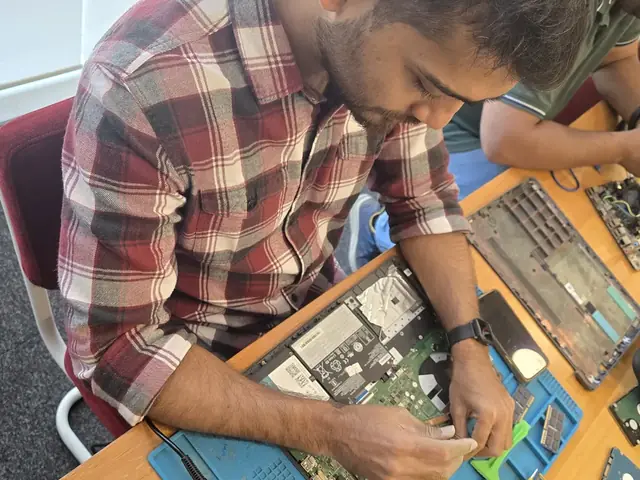
· Verified by Xigox experienced technicians

iMac Overheating Fix — Pricing

Transparent pricing. ₹350 inspection fee (refunded if you proceed with repair). Exact quote before work starts. No hidden charges.

Diagnosis
₹350

Credited to the repair when you go ahead; no charge for the quote itself.

Written quote
Before any work

Part and labour listed; nothing is replaced until you approve it.

Warranty
90 days

In writing, on parts and labour, for the repair we did.

See the full price list

* Final price confirmed after the ₹350 inspection, which is credited to the repair if you go ahead. Call +91 74997 61196 for a specific quote.

Our process

How Our iMac Overheating Fix Process Works in Palghar Station

From your Palghar Station doorstep to our Virar West workshop and back — completely hassle-free. Here's our proven process.

  1. Step 1Step 1: Describe Your All-in-One Issue Free

    Describe Your All-in-One Issue

    Call, WhatsApp, or fill out our online form. Share your all-in-one brand (HP, Dell, Lenovo, ASUS, Acer, Apple iMac) and the problem — screen damage, no display, system crash, motherboard failure, overheating, or performance issues. We respond within minutes with availability.

  2. Step 2Step 2: Home Visit or Free Pickup

    Home Visit or Free Pickup

    For simple fixes (RAM/SSD upgrade, WiFi setup, software), our technician visits your Palghar Station home or office — no need to transport your all-in-one. For screen replacement or motherboard repair, we provide free pickup with professional packaging. We handle all logistics safely. We cover the entire 401404 postal area with priority pickup scheduling.

  3. Step 3Step 3: All-in-One Specialist Diagnosis

    All-in-One Specialist Diagnosis

    Our technicians diagnose your all-in-one PC — display panel test, motherboard and GPU inspection, RAM/SSD health check, cooling system assessment, and port verification. ₹350 inspection fee applies (refunded if you proceed with repair). You receive a clear written quote before any repair work begins. Our 4.9★ rating across 9,605+ reviews reflects our commitment to thorough quality assurance.

  4. Step 4Step 4: Expert Repair — Screen, Motherboard, RAM & SSD

    Expert Repair — Screen, Motherboard, RAM & SSD

    We replace all-in-one screens (touchscreen, Full HD, 4K, and Retina iMac panels), repair motherboards at component level, upgrade RAM and storage (SSD), and resolve overheating — using OEM-grade parts for HP, Dell, Lenovo, ASUS, and Apple iMac models.

  5. Step 5Step 5: Full System Test & Free Delivery with Warranty

    Full System Test & Free Delivery with Warranty

    After repair, we run a complete system test — display quality check, thermal monitoring under load, performance benchmark, and all-port verification. Free delivery to your Palghar Station address. Every all-in-one repair includes a 90-day written warranty covering parts and labour. Same-day delivery extends to Palghar Market and Halav Pol and surrounding localities.

Ready to start? Call or WhatsApp now for a ₹350 inspection (refunded if you proceed with repair) and same-day service from Palghar Station.

How it's done

How We Perform iMac Overheating Fix

What our technicians do, what it requires, and how to tell you need it.

1 How It's Performed

For this specific fault, our technicians run a before/after temperature benchmark under load so the improvement is measurable, not just assumed — checking fan RPM response and idle/load temperatures both before opening the chassis and again after the clean and repaste.

Typical time: 30–45 minutes

2 What This Requires

  • Full disassembly of the cooling path (not just an external vent blow-out), since dust builds up heaviest inside the heatsink fins where compressed air alone can't reach.
  • Complete removal of old, dried thermal paste before applying new paste — layering fresh paste over old residue defeats the purpose.
  • A before/after load-temperature comparison so you can see the actual improvement.

3 When You Need This

  • It's been 2+ years since the last internal cleaning — dust buildup is gradual and easy to not notice until it's already affecting performance.
  • The exhaust vent feels barely warm even when the fan is clearly running fast, suggesting a dust-blocked path rather than a working one.

Who repairs your device

Repaired in-house by Xigox technicians

iMac Overheating Fix is handled by Xigox technicians from start to finish, never handed on to another shop. Work that needs the repair bench is done at our workshop in Virar West.

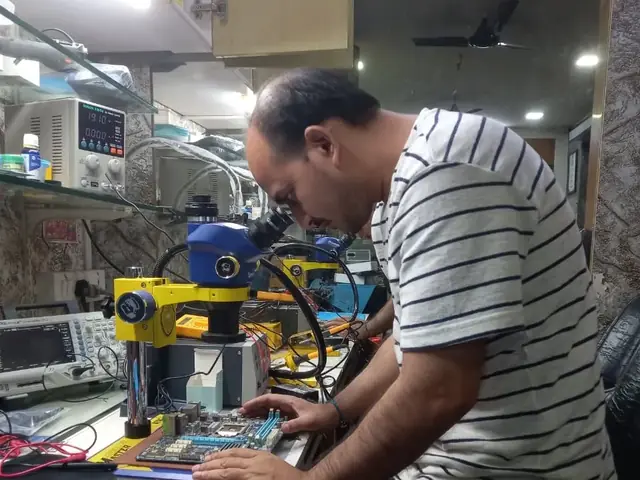
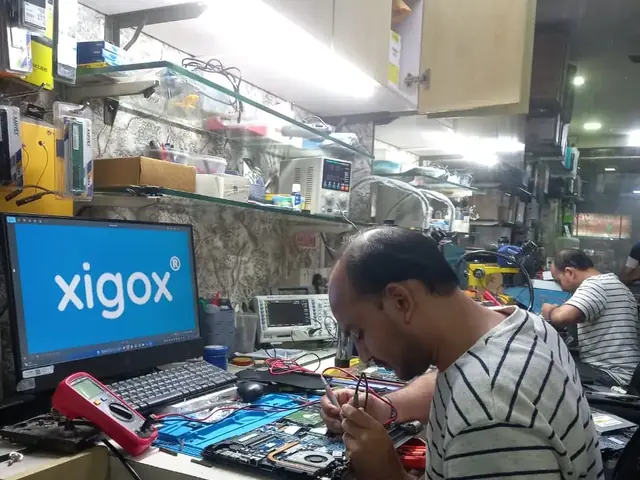
Board-level faults are traced with a microscope, a multimeter and a soldering station before any part is replaced, and parts are fitted only after you approve the quote.

We don't open your personal files during a repair. When a job needs access to your data, such as data recovery or a Windows reinstall, we ask you first.

  • Repaired in-house, not outsourced
  • Quote approved by you before work starts
  • Your files stay private
  • Microscope and board-level tools
  • Genuine or OEM-grade parts
  • 90-day warranty on repairs
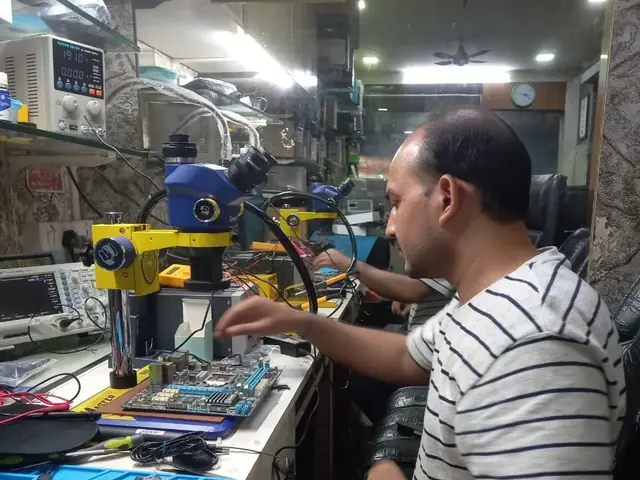
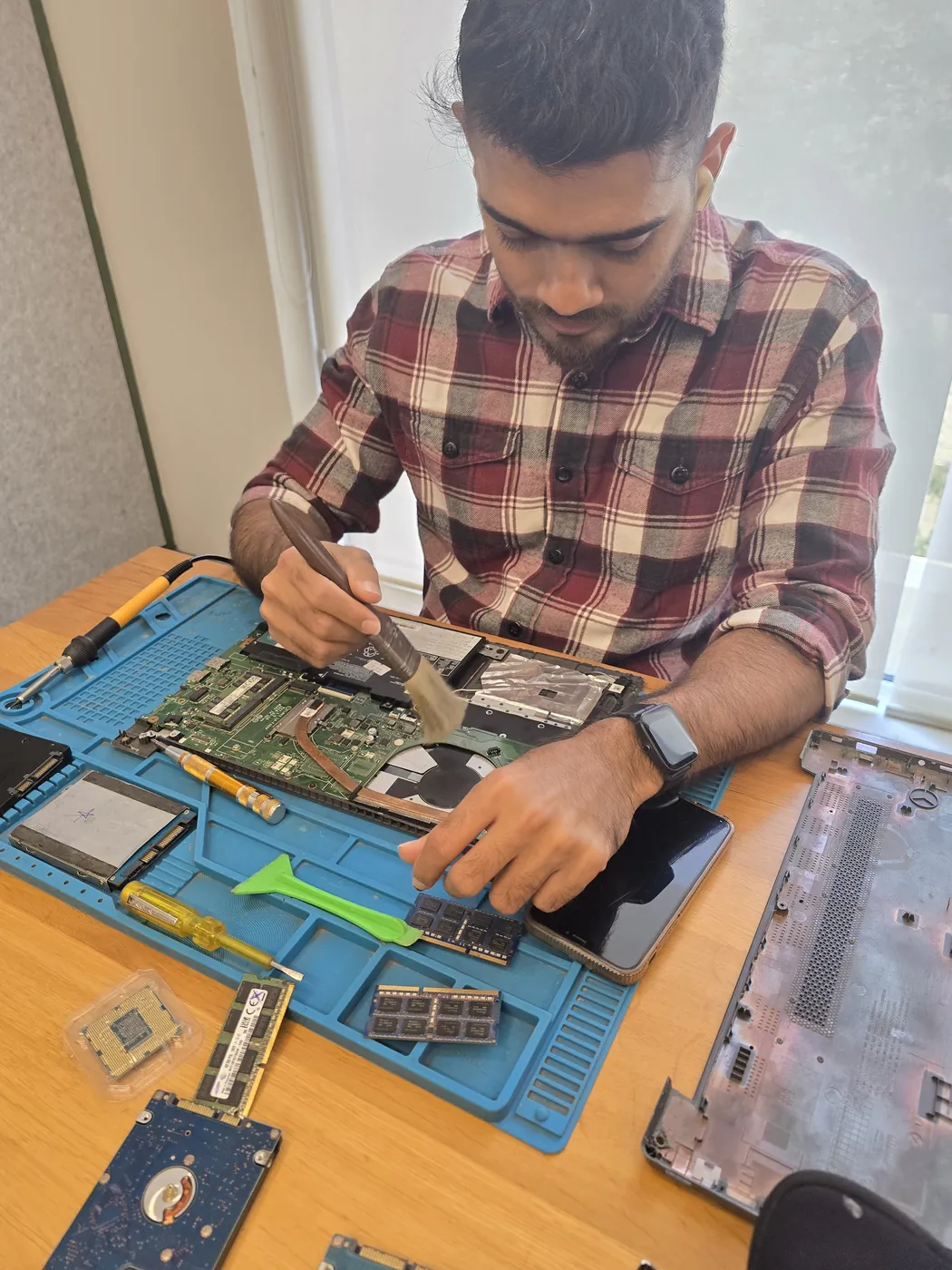
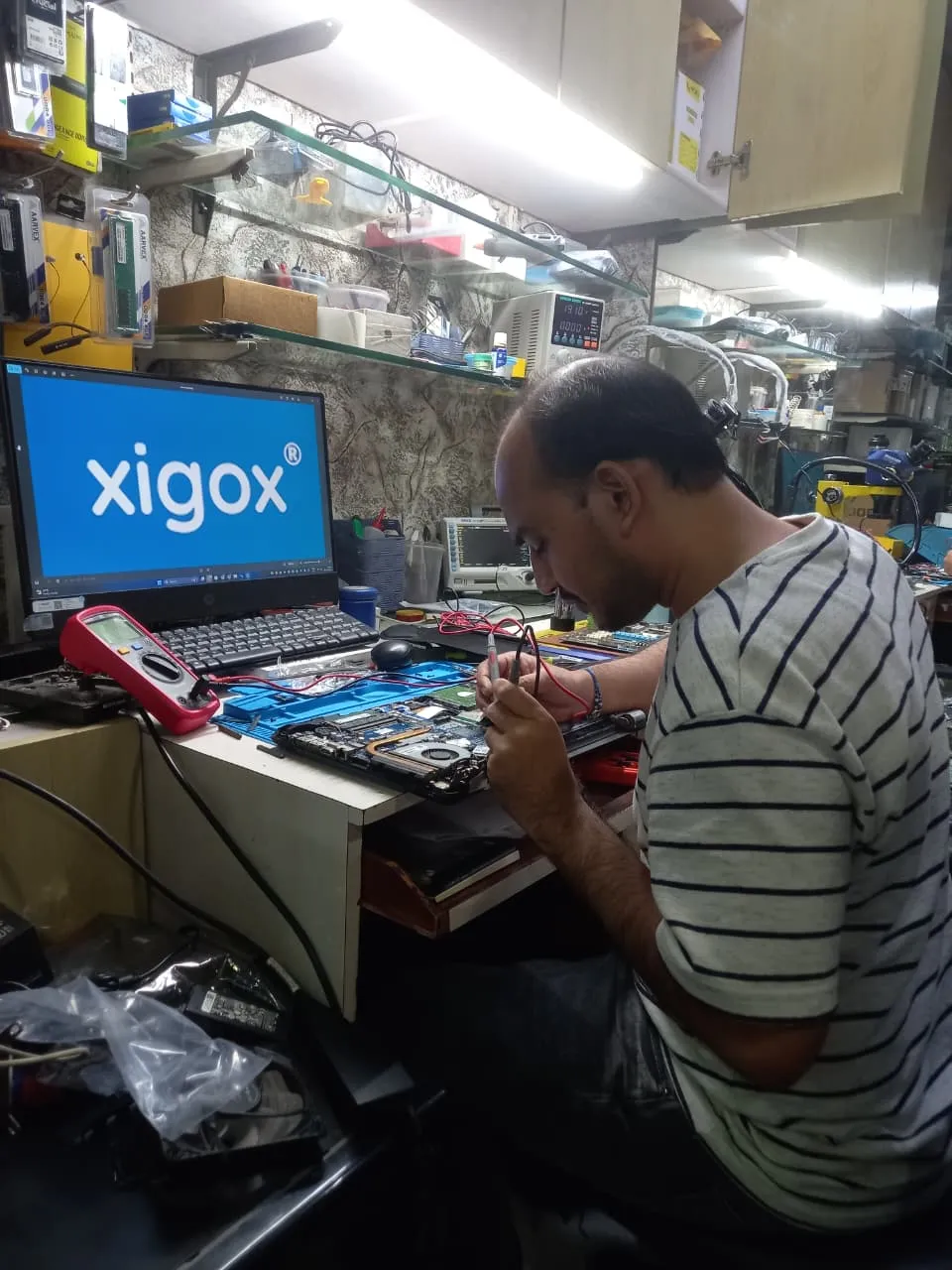
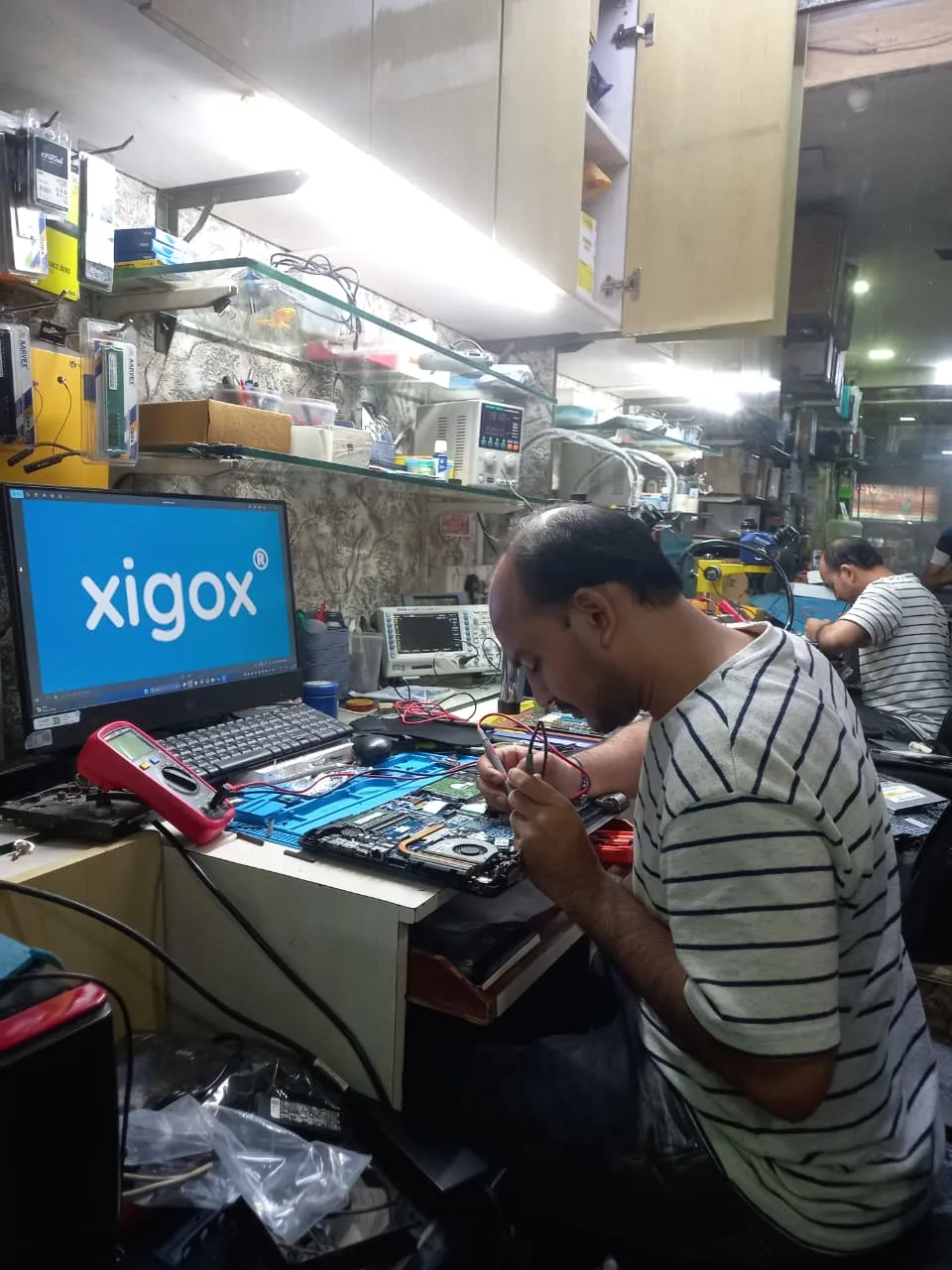
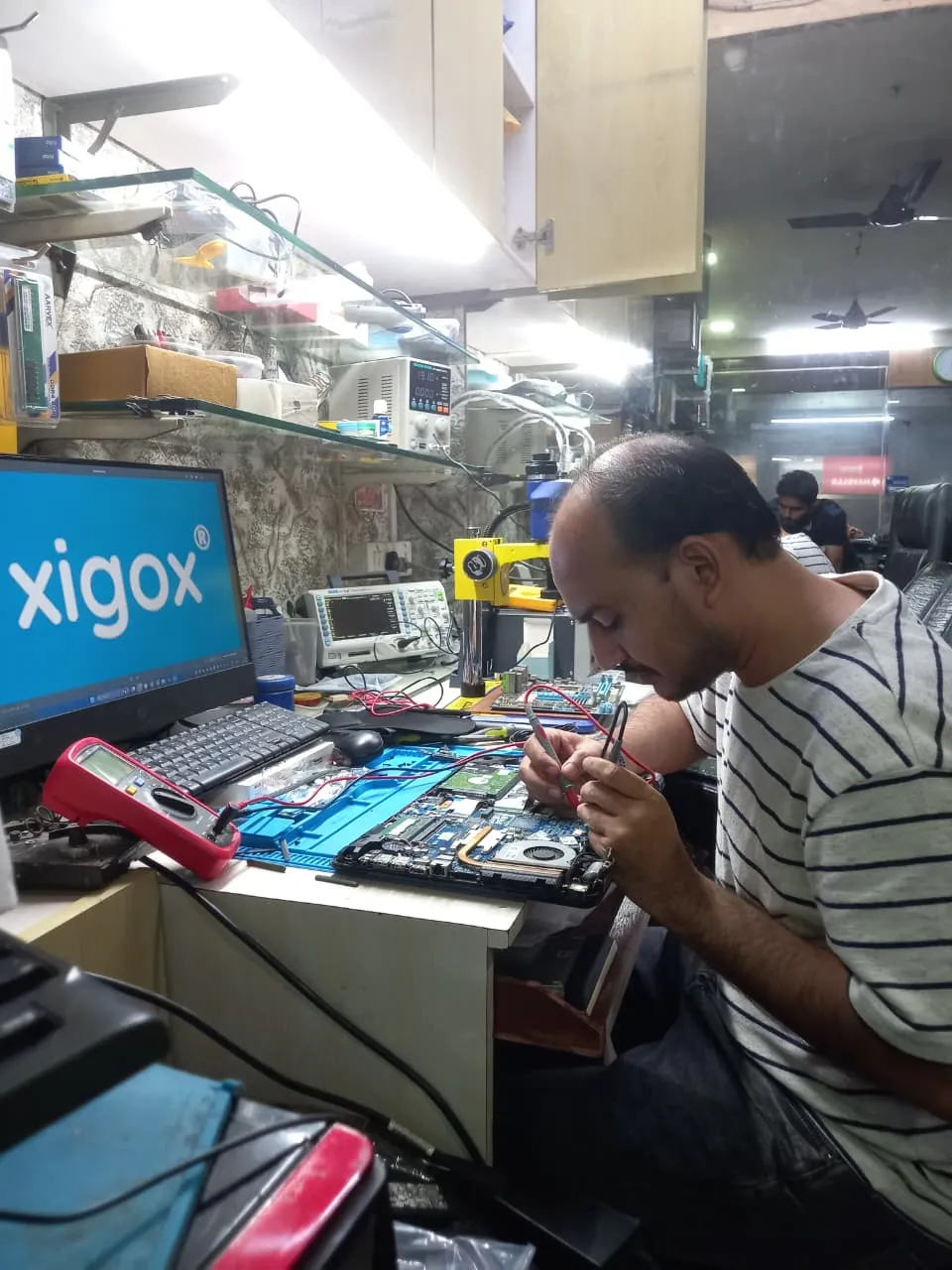
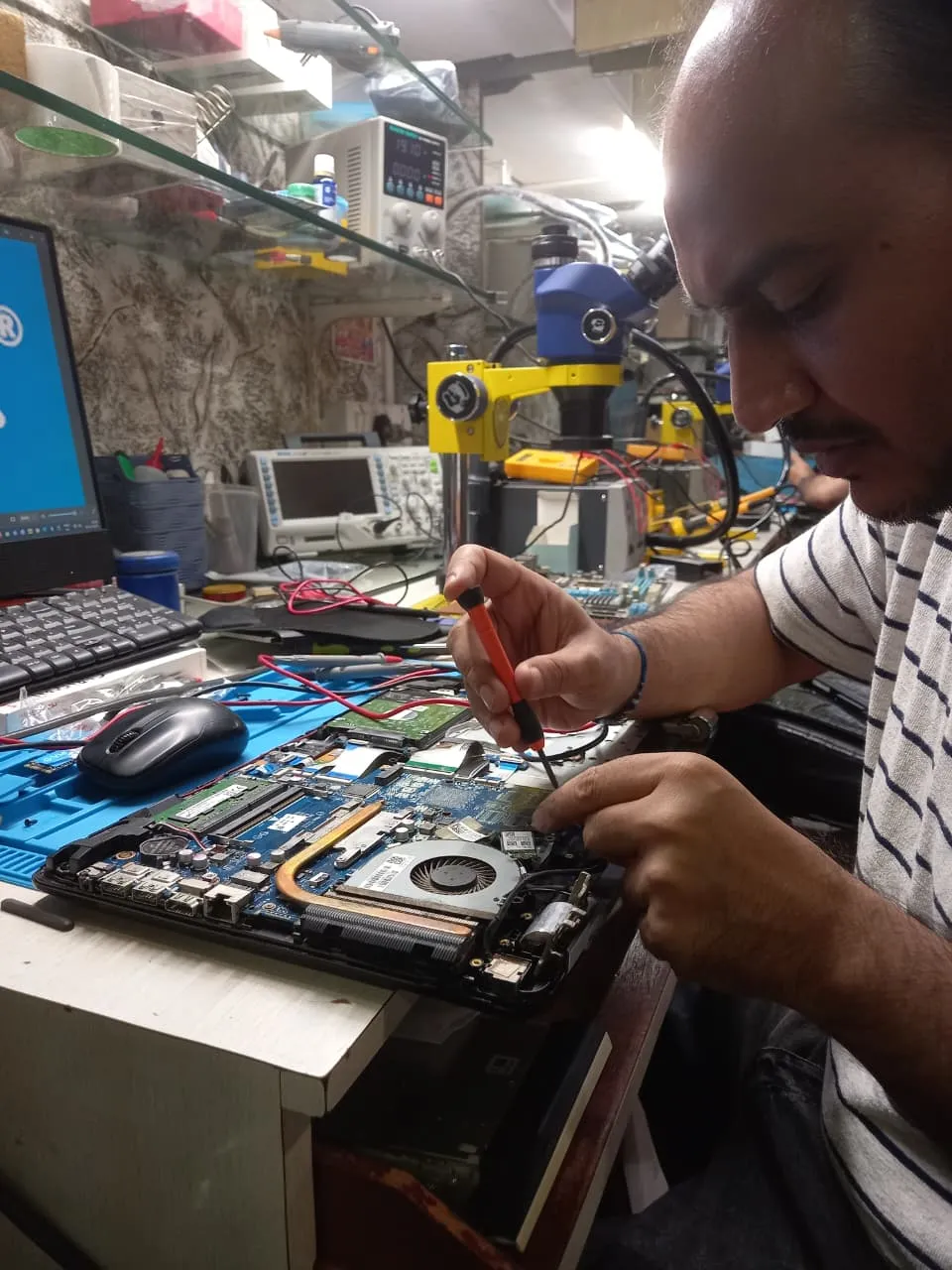
Technician inspecting a laptop motherboard under a microscope at the repair bench Technician testing a laptop mainboard with a multimeter beside a Xigox-branded monitor Technician brushing dust off an opened laptop motherboard with a cleaning brush Technician inspecting a laptop motherboard under a microscope at the repair bench
Xigox technicians at the repair bench.

Why Xigox?

Why Choose Xigox for iMac Overheating Fix?

Over 9,605+ reviewers across Mumbai trust Xigox for professional, transparent and affordable iMac Overheating Fix. Covering the entire Palghar district with same-day service.

Component-Level Capability

We repair at chip and board level where it is safe to do so, which is why iMac Overheating Fix here often costs a fraction of a full-module swap.

Experienced Repair Engineers

Every iMac Overheating Fix technician is trained in-house, and every job is tested before it goes back to you.

Genuine OEM Components

Only genuine or OEM-grade parts used for iMac Overheating Fix — zero aftermarket shortcuts, ever.

90-Day Repair Warranty

Your iMac Overheating Fix is covered by a written 90-day warranty. Same fault recurs? We fix it free.

Same-Day Turnaround

Most iMac Overheating Fix jobs finished in 2–4 hours. Doorstep service for part replacements; free pickup for lab repairs in Palghar Station.

Transparent Pricing

₹350 inspection fee (refunded if you proceed with repair). Exact written quote before we start. No surprise charges — ever.

Repairs Completed
1,00,305+
Since 2011
Average Rating
4.9 ★
9,605+ reviews
Repair Warranty
90 Days
Parts & labour
Avg Response
30 Min
For common issues
Pickup & Drop
Free
₹350 inspection fee
Est. Since
2011
15+ yrs in Palghar

Xigox vs Other iMac Overheating Fix Options in Palghar Station

What Xigox puts in writing, and what to ask any other shop or listing

FeatureXigoxOther shops & listings
Experienced Technicians YesVaries; ask who will work on the device
Transparent Pricing (₹350 Inspection) YesVaries; ask for a written quote first
90-Day Warranty YesVaries; ask for the warranty in writing
Free Pickup & Drop YesVaries; ask whether pickup is free
Genuine Parts OEM PartsVaries; ask which part will be fitted
Same-Day Service Most RepairsVaries; ask for a time in writing
ISO 9001 Certified YesVaries; ask for their certificate

Repair examples

Recently Repaired Laptops & Computers

View All Recent Repairs

Lenovo

IdeaCentre AIO 3 24

Fixed
Issue
Screen completely dark but faint image visible under flashlight. System running fine — audio and USB all working.
Solution
Diagnosed failed LED backlight driver board. Replaced driver IC and tested backlight uniformity across all zones. Full brightness restored.

Technician's note

Backlight driver MOSFET shorted due to power surge. Recommended surge protector for prevention.

Thane West 2 Hours
  • Lenovo
  • All-in-One
  • Backlight

Apple

iMac 27-inch (2019)

Fixed
Issue
iMac extremely slow — taking 5 minutes to boot. Fusion Drive HDD component failing with reallocated sectors.
Solution
Removed failing Fusion Drive. Installed 1TB NVMe SSD via PCIe adapter. Cloned macOS Ventura with all data intact. Applied fresh thermal past...

Technician's note

SMART data showed 847 reallocated sectors on MQ01ABD100 HDD. New SSD benchmarks 2,800 MB/s read. Boot time now 12 seconds.

Bandra West 3.5 Hours
  • iMac
  • SSD Upgrade
  • Fusion Drive

iMac

24 M2

Fixed
Issue
iMac shutting down randomly after 10-15 minutes of use. Sometimes not turning on at all.
Solution
Diagnosed intermittent power board failure. Replaced faulty voltage regulator components. iMac running stably.

Technician's note

Power fluctuations in the area caused regulator damage. Recommended UPS for protection.

Borivali East 3 Hours
  • Power
  • iMac
  • Shutdown

ASUS

Zen AiO 24 M5401

Fixed
Issue
AIO running extremely hot. Fan constantly at full speed. Performance throttling during normal use.
Solution
Disassembled AIO. Cleaned dust-clogged fan and heatsink. Applied premium thermal paste. Temps dropped 20\u00b0C.

Technician's note

AIO was 3 years old and never serviced. Recommended annual cleaning for slim AIO form factors.

Dadar West 1 Hour
  • Overheating
  • ASUS
  • AIO

iMac

24 M1

Fixed
Issue
Two USB-C ports stopped working completely. External monitor and drives not detected.
Solution
Identified damaged USB controller IC on logic board. Micro-soldered replacement IC. All ports functional.

Technician's note

USB-C controller required precision BGA rework. Saved customer from entire logic board replacement.

Malad West 5 Hours
  • Logic Board
  • iMac
  • USB-C

Lenovo

IdeaCentre AIO 3

Fixed
Issue
AIO freezing during multi-tasking with only 8GB RAM. Zoom + Chrome + Excel causing system hangs.
Solution
Upgraded to 16GB DDR4 RAM (2x8GB dual-channel). System runs all apps simultaneously without issues.

Technician's note

Lenovo AIO has easy-access RAM slots behind stand cover. Dual-channel provides significant bandwidth boost.

Goregaon West 30 Minutes
  • RAM
  • Lenovo
  • AIO

Customer reviews

What Customers Say About iMac Overheating Fix in Palghar Station

4.9/5 · 18 reviews shown

See all 9,605+ reviews

MSI PRO AP242 AIO — USB Port Fix

“Two USB ports on my MSI PRO AP242 AIO stopped working completely. Xigox Vile Parle traced the issue to a blown fuse on the I/O board and replaced it. All ports working perfectly now. Board-level diagnostics at their best.”
S Suresh Iyer Palghar Station · 8 Mar 2025 43

Acer Veriton Z AIO — Storage Speed Upgrade

“Upgraded my Acer Veriton Z AIO from HDD to NVMe SSD at Xigox Vile Parle. Delicate disassembly of the all-in-one chassis done expertly. Boot time dropped from three minutes to eight seconds. Incredible transformation for an easy upgrade.”
A Arjun Thakur Palghar Station · 6 Aug 2024 37

ASUS Vivo AiO V241 — Backlight Failure Fix

“Screen backlight on my ASUS Vivo AiO V241 failed leaving the display nearly invisible. Xigox Vile Parle replaced the LED backlight strip inside the display assembly without replacing the entire panel. Bright, even lighting restored. Cost-effective fix.”
R Rishi Khanna Palghar Station · 13 Oct 2025 2

Lenovo IdeaCentre AIO 3 — WiFi Fix

“WiFi on my Lenovo IdeaCentre AIO 3 was extremely unreliable and kept dropping during video calls. Xigox Vile Parle replaced the internal wireless card and antenna module. Strong, stable connection now in every room of my house.”
H Hrishikesh Lele Palghar Station · 5 Feb 2026 43

HP EliteOne 840 G9 AIO — Logic Board Fix

“My HP EliteOne 840 G9 AIO stopped powering on after a voltage fluctuation. Xigox Vile Parle did chip-level repair on the power regulation circuit instead of full board replacement. Saved me thousands. Working perfectly for two months now.”
A Amol Dhamane Palghar Station · 8 Mar 2025 8

Dell Inspiron 24 5420 AIO — Touchscreen Fix

“Touchscreen on my Dell Inspiron 24 5420 AIO had unresponsive areas across the bottom third. Xigox Vile Parle replaced the digitizer without removing the entire display panel. Full touch responsiveness restored. Impressive technical skill for integrated devices.”
T Tejal Sukthankar Palghar Station · 30 Aug 2025 22
Page 1 / 3

← Swipe or tap dots to browse →

Customer stories

Customer Stories

What customers say about their laptop and computer repairs

“iMac screen had horizontal lines across it. Xigox replaced the 4.5K Retina display panel. Colors and clarity are stunning again!”

iMac 24 M3

A Arun Kapoor Andheri
“AIO's touchscreen stopped responding. Xigox diagnosed a loose digitizer cable and reconnected it properly. Full touch functionality restored!”

Dell Inspiron 27 7720 AIO

L Lakshmi Sundaram Mulund
“My iMac was overheating and shutting down randomly. Xigox did a complete thermal repaste and cleaned the internal fans. Temperature dropped by 20°C and it runs silently now. Excellent work!”

Apple iMac 27-inch

S Sunil Kapoor Andheri
“AIO was restarting randomly. Xigox found overheating due to dust buildup, did deep cleaning and thermal paste replacement. Rock solid now!”

Acer Aspire C24

K Kavya Menon Vile Parle
“Samsung AIO had a virus that encrypted all files. Xigox removed the ransomware, decrypted the files, and installed proper security. All data recovered!”

Samsung All-in-One PRO

Y Yash Tripathi Thane
“Beautiful 34-inch AIO had a cracked screen. Heart-breaking! Xigox sourced and replaced the massive panel. Looks and works perfectly!”

HP Envy 34 AIO

S Sunil Verma Borivali

FAQ

Frequently Asked Questions — iMac Overheating Fix

Everything you need to know about iMac Overheating Fix in Palghar Station

10 questions answered

Yes — Xigox provides completely free doorstep pickup and delivery for iMac Overheating Fix across Palghar Station. An experienced technician collects your laptop or computer from your home or office, completes the repair at our workshop, and returns it — often the same day. Call or WhatsApp +91 74997 61196 to book. Our service covers the full 401404 postal area in Palghar Station.
Every iMac Overheating Fix at Xigox includes a 90-day warranty on the repaired component and all parts used. If the same issue recurs within 90 days, we fix it at zero cost. This warranty applies to all iMac Overheating Fix completed in Palghar Station and across Mumbai MMR. Our service covers the full 401404 postal area in Palghar Station.
We use OEM-quality or manufacturer-grade components for all iMac Overheating Fix work. Genuine-grade parts ensure your laptop or computer performs exactly as designed and your 90-day repair warranty stays valid. We never use substandard aftermarket parts without your prior consent. Customers across Palghar Station (401404) enjoy priority same-day scheduling.
Yes. All our technicians are trained professionals with extensive hands-on experience in iMac Overheating Fix. They receive regular technical training on the latest All_in_one models and repair methodologies, ensuring consistently high-quality results. Customers near Palghar Market Area in Palghar Station are covered by our free pickup.
Booking is simple: WhatsApp or call +91 74997 61196, describe your all-in-one PC issue, receive a free quote, and schedule a convenient pickup time in Palghar Station. We're available 9 AM–9 PM, 7 days a week — including weekends and public holidays. We've been serving Palghar district for over 15 years.
Yes! Xigox offers same-day iMac Overheating Fix for most common issues in Palghar Station. We pick up your all-in-one PC in the morning, repair it at our workshop, and deliver it back by evening. Same-day service applies to screen replacements, battery changes, software repairs, and more. Customers across Palghar Station (401404) enjoy priority same-day scheduling.
Absolutely. Data security is our top priority. Our technicians never access personal files during iMac Overheating Fix. We follow strict protocols to prevent data loss, and we'll always inform you before any procedure that could affect stored data. Your privacy is fully protected. Free pickup also available in Palghar Market, Halav Pol, Palghar and surrounding areas.
Xigox handles iMac Overheating Fix for all major brands in Palghar Station, including Apple, HP, Dell, Lenovo, Asus, Acer, MSI, Microsoft and Samsung — and many more. No brand or model is too complex — we repair them all. Trusted by customers throughout Palghar — rated 4.9★ across 9,605+ reviews.
Yes — ₹350 for the inspection in Palghar Station. Our technician diagnoses your all-in-one PC and gives you a clear written estimate; if you go ahead with the repair, that ₹350 is adjusted against the total cost, so the inspection itself doesn't add to the bill. If you decide not to proceed, the ₹350 still applies for the technician's time. Trusted by customers throughout Palghar — rated 4.9★ across 9,605+ reviews.
We accept all major payment methods for iMac Overheating Fix in Palghar Station: UPI (Google Pay, PhonePe, Paytm), debit/credit cards, net banking, and cash. Payment is collected after the repair is completed to your satisfaction — we never charge upfront without consent. Free pickup also available in Palghar Market, Halav Pol, Palghar and surrounding areas.

Still have questions?

Send us your question on WhatsApp or call — a technician will answer.

Explore more services

More Repair & Tech Services Near Palghar Station

Same technicians · Free pickup · 90-day warranty across all services.

Book a repair

Book iMac Overheating Fix — Free Pickup

Get your laptop or computer fixed today. Fill in 4 fields and we'll call within 1 hour.

Booking received

We'll call you within 1 hour to confirm your appointment and arrange doorstep pickup.

Inspection fee: ₹350

  • Credited to your total repair cost if you go ahead.
  • Still applies if the device can't be repaired or you decline the repair.

+91

Device type *

Inspection fee: ₹350

  • If you go ahead with the repair, the ₹350 is credited to your total repair cost.
  • If the device can't be repaired or you decide not to continue, the ₹350 inspection fee still applies.

Your details are used only to arrange this repair. By submitting, you agree to our Privacy Policy.

Get Your Laptop or Computer Fixed Today

iMac Overheating Fix in Palghar Station. Free pickup • 90-day warranty • Genuine parts

Open All Days · 9 AM – 9 PM · Reply within 15 minutes

Service area

iMac Overheating Fix in Palghar Station — Service Area & Coverage

Xigox provides imac overheating fix across Palghar Station (PIN 401404), in the Palghar district. Our doorstep pickup and on-site service cover the entire Palghar Station area and the neighbourhoods around it.

Localities we cover in Palghar Station: Palghar, Palghar Market. Wherever you are in Palghar Station, we can collect your device from your door and bring it back after the repair.

Our technicians regularly serve homes, societies and offices around Palghar Station, Palghar Market Area and Mahim Creek, and along Palghar Station Road, NH-48 and Manor Road. If you're near any of these landmarks, same-day pickup for imac overheating fix is almost always available.

iMac Overheating Fix near Palghar Station

We also serve these nearby areas — tap your locality for local imac overheating fix:

iMac Overheating Fix price in Palghar Station — know it before you book

  1. 1Pick your device & issue
  2. 2See the real price range
  3. 3Free doorstep pickup in Palghar Station

4.8 from 96 customer reviews for this service · upfront pricing · 90-day warranty

Before you book: have your device model and a quick description of the issue ready — it speeds up your quote.

Our head office: Virar West

~27.3 km from Palghar Station. With free doorstep pickup you don't need to travel — this is where the repair is done.

Call WhatsApp