



Mac-compatible RAM, tested before your Mac is returned

MacBook RAM Upgrade Service in Kanakia

Professional MacBook and Mac memory upgrade in Kanakia. We service MacBook Pro (2012–2015 upgradeable models), iMac (2012–2020 user-upgradeable), Mac Mini, and Mac Pro with genuine Apple-compatible RAM modules and expert installation.

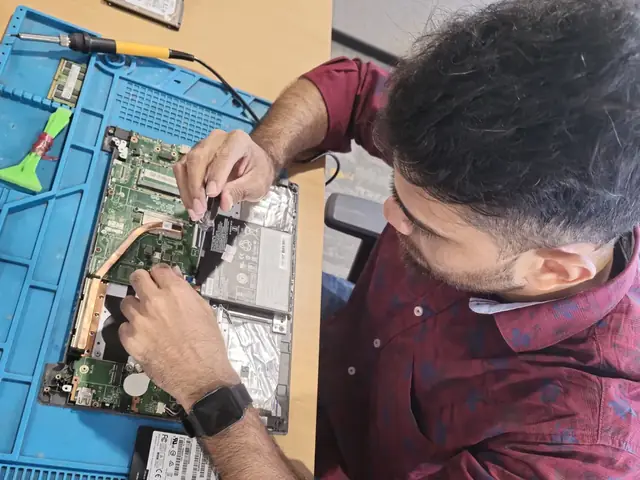
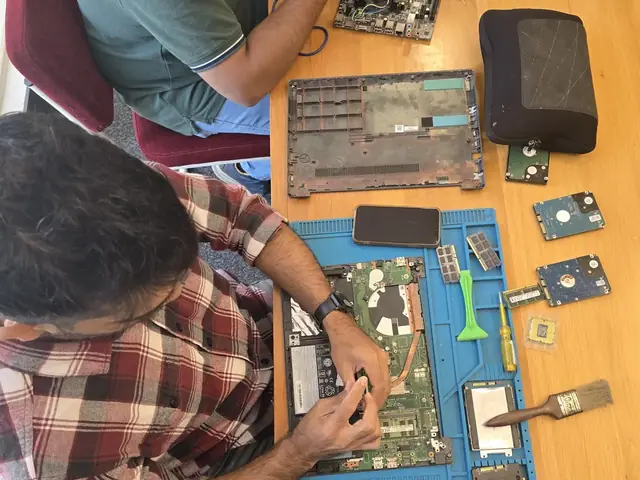
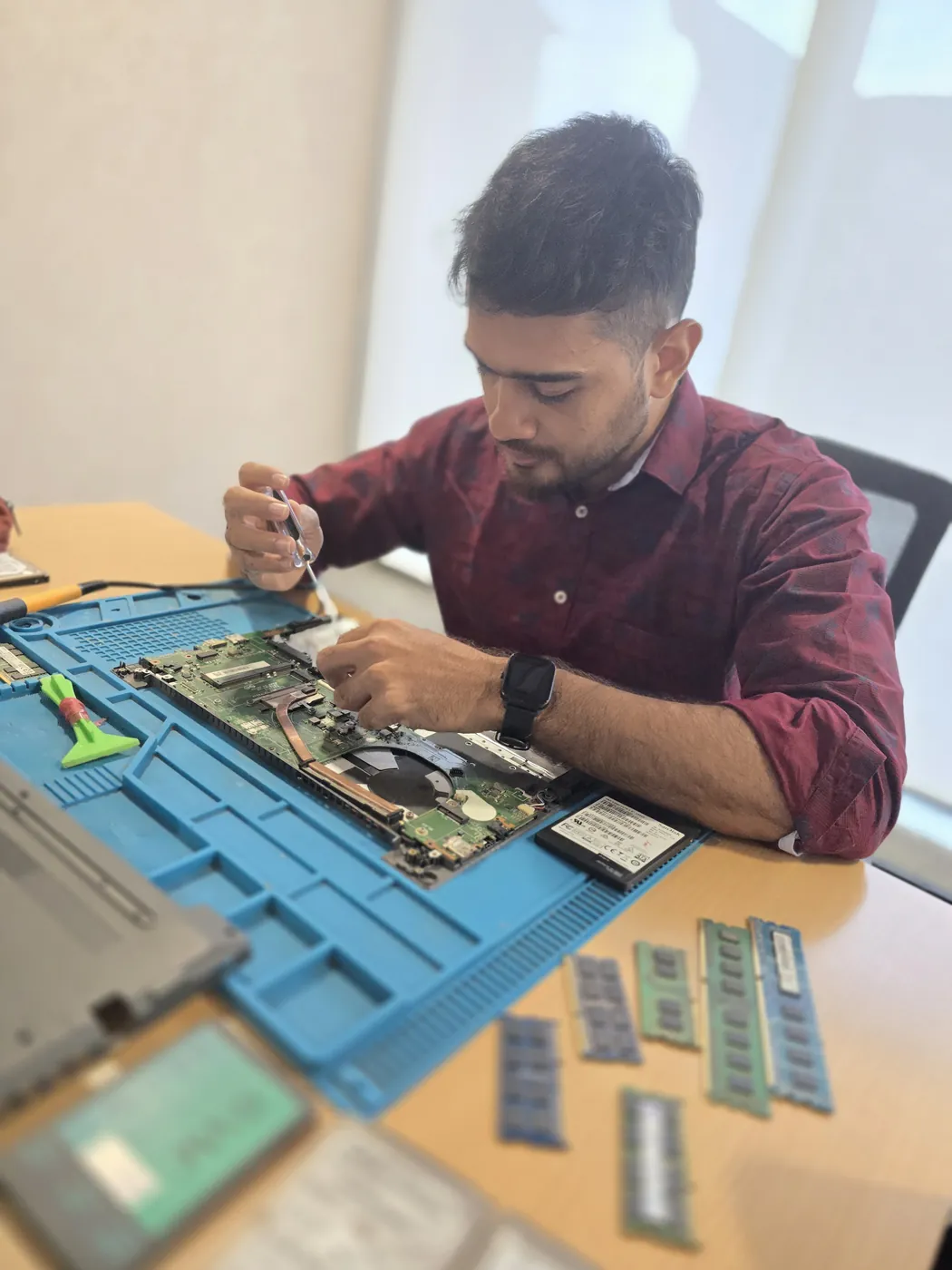
Technician working inside an opened laptop with RAM modules and an SSD laid out beside it Technician with a screwdriver over an opened laptop, RAM modules and hard drives on the repair mat
Xigox technicians at the repair bench

MacBook RAM Upgrade Service in Kanakia — What's Possible

Not all Macs are upgradeable. We give you honest answers — and professional upgrades where possible.

Honest Assessment First

We check your exact Mac model before you pay anything. If RAM is soldered (2016+ MacBook Pro), we tell you upfront — no false promises.

Mac-Compatible Memory

We use Apple-compatible modules tested for Mac compatibility: Crucial Mac-certified, OWC MemoryMaXX, and Kingston ValueRAM for Mac.

Safe Mac Disassembly

Macs require specialized pentalobe and torx screwdrivers, spudgers, and careful ribbon cable handling. Our techs are Mac hardware trained.

macOS Verification

After installation, we verify via About This Mac → Memory tab, run Apple Diagnostics (D on boot), and test with Geekbench for Mac.

MacBook RAM Upgrade Process in Kanakia

Mac-specific process — from model verification to Apple Diagnostics validation.

1

Mac Model Verification

We check your exact Mac identifier (About This Mac → Model). This determines if RAM is socketed (upgradeable) or soldered (not upgradeable).

2 min
2

Compatibility Matching

Mac models need specific DDR3/DDR3L/DDR4 speeds. We match the exact Apple-specified timing and voltage for stable operation.

5 min
3

Mac-Safe Installation

Pentalobe/torx disassembly, careful bottom panel removal, anti-static SODIMM installation, ribbon cable reconnection.

30–45 min
4

Apple Diagnostics Test

Run Apple Hardware Diagnostics (hold D on boot), verify "About This Mac" memory detection, Geekbench comparison.

15 min

Which Mac Models Can Be Upgraded? — Kanakia Guide

MacBook Pro 13" (2009–2012)
DDR3 1066/1333/1600MHz SODIMM · 2 slots · Max 16GB · Bottom panel screws
Upgradeable
MacBook Pro 15" (2009–2012)
DDR3 1066/1333/1600MHz SODIMM · 2 slots · Max 16GB · Easy bottom access
Upgradeable
MacBook Pro Retina (2012–2015)
RAM soldered to logic board. Not upgradeable after purchase. Diagnostics only.
Soldered
MacBook Pro (2016–Present)
All Touch Bar and M-series MacBook Pros have soldered RAM. Cannot be upgraded.
Soldered
MacBook Air (2010–2017)
MacBook Air RAM has been soldered since 2010. Not upgradeable on any Air model.
Soldered
MacBook (2006–2009 White/Black)
DDR2/DDR3 SODIMM · 2 slots · Max 4–6GB · Easy access via bottom cover
Upgradeable
iMac 27" (2012–2020)
4 DDR4 SODIMM slots behind rear access door. Max 128GB. Easy self-install or professional service.
User Slots
iMac 21.5" (2014–2019)
21.5" iMac RAM is soldered. Only the 27" model has user-accessible slots.
Soldered
iMac 24" M1/M2/M3 (2021+)
Apple Silicon uses unified memory — part of the SoC. Not upgradeable.
Unified
Mac Mini (2018/2020 Intel)
2 DDR4 SODIMM slots. Max 64GB. Requires careful disassembly — pro service recommended.
Upgradeable
Mac Mini M1/M2/M4 (2020+)
Apple Silicon with unified memory on the chip. Not upgradeable after purchase.
Unified
Mac Studio M1/M2 (2022+)
Unified memory architecture. Choose RAM at purchase — cannot upgrade later.
Unified

Brands

All Laptop Brands We Service in Kanakia

Apple and all other brands — RAM upgrade and complete repair service.

Prices

MacBook RAM Upgrade Prices in Kanakia

Apple-compatible modules + professional Mac installation.

Repair typeStarting priceMac Models
8GB RAM Upgrade₹4,999 - ₹7,999MacBook Pro 2009–2012, MacBook 2009
16GB RAM Upgrade₹8,999 - ₹13,999MacBook Pro Mid-2012

From our price list; the exact price depends on the model and the fault. ₹350 inspection fee, credited to the repair if you go ahead.

Reviews

What Customers Say About MacBook RAM Upgrade Service in Kanakia

Reviews from Kanakia customers who used our macbook ram upgrade service service

“Excellent Fujitsu Screen Replacement service for my Fujitsu laptop. Diagnosed quickly and used a proper replacement part.”
Karan Malhotra Andheri
“Excellent Samsung Battery Replacement service for my Samsung Galaxy Book4. Diagnosed quickly and used a proper replacement part.”
Karan Malhotra Andheri
“Excellent Fujitsu Battery Replacement service for my Fujitsu laptop. Diagnosed quickly and used a proper replacement part.”
Karan Malhotra Andheri
“Fujitsu OS Installation on my Fujitsu laptop was completed same day with fair, transparent pricing.”
Kabir Khanna Lower Parel
“Wasn't sure Xigox serviced my Fujitsu Motherboard Repair, but they were fully equipped for the Fujitsu laptop and fixed it fast.”
Simran Kaur Kandivali
“Booked Samsung RAM Upgrade for my Samsung Galaxy Book4 Pro online. Doorstep pickup and clear communication throughout.”
Vikram Oberoi Mulund

Customer stories

Customer Stories

What customers say about their laptop and computer repairs

“My Dell Inspiron screen went completely black after a fall. Xigox replaced the display panel in just 3 hours. Looks brand new! The technician was very careful with the laptop and even cleaned the inte...”

Dell Inspiron 15

V Vikram Desai Andheri
“Dropped my MacBook Air and the screen cracked. Xigox replaced the Retina display with genuine parts. Flawless display quality restored!”

MacBook Air M2

K Karan Oberoi Bandra
“Motherboard was dead — no power at all. Xigox did chip-level repair instead of replacing the whole board. Saved ₹8000. Running perfectly for 6 months now!”

Dell Inspiron 3511

P Pooja Tiwari Thane West
“WiFi kept disconnecting randomly. Xigox replaced the WiFi card and updated BIOS. Rock-solid connection now. Quick and affordable fix.”

Lenovo IdeaPad Slim 5

A Aditya Rane Bandra
“Battery was swollen and trackpad stopped clicking. Xigox replaced the battery safely. MacBook performance is back to day-one speed. Expert Apple technicians!”

MacBook Air M1

A Anil Chauhan Malad
“Charging port was loose and wouldn't charge. Xigox replaced the DC jack and power board. Charges perfectly now, even fixed a minor hinge issue for free!”

Acer Aspire 5

V Varun Nair Thane

MacBook RAM Upgrade Service in Kanakia — Complete Apple Memory Guide

If you own a Mac in Kanakia, you've probably wondered whether you can upgrade its RAM. The answer depends entirely on which Mac model you have — and Apple's hardware design choices have changed dramatically over the years. This guide covers every scenario, so you know exactly what's possible before you spend a rupee.

The Upgradeability Problem with Modern Macs

Starting with the MacBook Pro Retina (2012), Apple began soldering RAM directly onto the logic board to make laptops thinner. By 2016, every MacBook model had soldered RAM. With the M1/M2/M3 Apple Silicon chips (2020+), RAM became part of the processor chip itself ("unified memory"), making upgrades physically impossible. If you have a 2016 or newer MacBook, the RAM you chose at purchase is permanent.

Which Macs CAN Be Upgraded

The good news: several Mac models still in active use have user-replaceable RAM. MacBook Pro 13" and 15" from 2009 to mid-2012 (non-Retina) have a simple bottom panel with accessible SODIMM slots. The iMac 27" from 2012–2020 is the best — it has a dedicated RAM access door behind the screen that takes 2 minutes to open, with 4 SODIMM slots supporting up to 128GB. The Mac Mini 2018/2020 (Intel) also has upgradeable SODIMM slots, though disassembly is more involved.

Apple-Compatible Memory Modules

Macs are particular about RAM compatibility. While they use standard DDR3/DDR4 SODIMM form factors, the speed, voltage, and timing must match Apple's specifications exactly. We use Mac-compatible modules from Crucial, OWC (Other World Computing) and Kingston — brands specifically tested for Mac compatibility. Using generic PC RAM in a Mac can cause kernel panics, boot failure, or intermittent crashes.

Free Mac RAM Assessment in Kanakia

Not sure if your Mac can be upgraded? We offer a free compatibility check. Share your Mac model (Apple menu → About This Mac) and we'll tell you within minutes: can it be upgraded, what's the maximum capacity, what module is needed, and what it costs. No obligation. If your Mac has soldered RAM, we'll honestly recommend alternatives (like SSD upgrades or macOS optimization). Service covers all of Kanakia, 7 days a week.

MacBook RAM Upgrade — Kanakia, Mumbai

Mac-compatible modules. MacBook Pro, iMac, Mac Mini. Free upgradeability check. Pincode: 401107.

Check My Mac

FAQ

MacBook RAM Upgrade Service in Kanakia — Frequently Asked Questions

It depends on the model. MacBook Pro 2012 (non-Retina) and earlier: upgradeable. MacBook Pro 2012 Retina and all models 2013+: soldered RAM, not upgradeable. iMac 2012–2020 27": user-upgradeable. Mac Mini 2018+: upgradeable. We check your model free.
Upgradeable models: MacBook Pro 13" & 15" (Mid-2012 non-Retina), Mac Mini (2018, 2020, 2023), iMac 27" (2012–2020), Mac Pro (all years). NOT upgradeable: MacBook Air (all), MacBook Pro Retina (all), M1/M2/M3 MacBooks (unified memory).
MacBook Pro 2012 non-Retina: 8GB ₹2,500, 16GB ₹4,500. iMac 27": 16GB kit ₹4,000, 32GB kit ₹7,500, 64GB kit ₹14,000. Mac Mini 2018+: 16GB ₹4,500, 32GB ₹8,000. All prices include installation.
No. Apple Silicon MacBooks (M1, M2, M3, M4) use unified memory soldered to the chip package. It cannot be upgraded after purchase. If you need more RAM, you must buy a higher-spec model from Apple.
Not if you use the correct type. We only install Mac-compatible modules (same voltage, speed, CAS latency). Brands like Crucial, OWC, and Kingston make Mac-specific kits that are fully tested for macOS stability.

More Services in Kanakia

Areas, Roads & Landmarks We Cover in Kanakia

Free pickup & drop across all these neighbourhoods

Localities & neighbourhoods

  • Mira Road East
  • Poonam Sagar

Roads & highways

  • Kanakia Road
  • Mira Bhayander Road

Landmarks & famous places

  • Mira Road East Station

MacBook RAM Upgrade Service in Kanakia — Nearby Areas

We also serve these locations near Kanakia

Comparison

Xigox vs Local MacBook RAM Upgrade Service Shops

What you get with Xigox in Kanakia, side by side.

FeatureXigoxOther shops
Experienced Technicians Trained & VerifiedVaries; ask who will work on the device
Genuine / OEM Parts YesVaries; ask which part will be fitted
90-Day Warranty Written CertificateVaries; ask for the warranty in writing
Free Doorstep Pickup Kanakia — FreeVaries; ask whether pickup is free
Same-Day Service Kanakia — AvailableVaries; ask for a time in writing
₹350 Inspection (refunded if you proceed with repair) ₹350, credited to the repairVaries; ask what the diagnosis costs
Transparent Pricing Fixed Quote — No SurpriseVaries; ask for a written quote first
Live WhatsApp Updates Real-time Repair StatusVaries; ask how you will get updates

Xigox charges ₹350 for inspection — credited to your repair cost if you go ahead.

Guide

MacBook RAM Upgrade Service in Kanakia — Complete Guide

Avoid the directory hustle. Choose a direct service centre with Xigox. Apple display panels, keyboard membranes, and battery packs are not interchangeable with standard laptop parts — generic replacements cause functional issues. Xigox sources genuine-equivalent Apple components for MacBook RAM Upgrade Service in Kanakia: display panels matched to Apple specs, genuine Apple BMS-compatible batteries — ensuring full macOS compatibility after repair.

Top-Rated MacBook RAM Upgrade Service in Kanakia

There are many repair shops in Kanakia, however, Xigox stands out for this repair. We believe in complete transparency. Each repair begins with a thorough diagnostic inspection for ₹350, which is fully refunded if you proceed. No surprise fees — only expert repair in Kanakia.

Fixed-Quote Policy for MacBook RAM Upgrade Service

One of the most common complaints about repair shops in Kanakia is hidden charges after the job is done. Xigox operates differently. Prior to touching your MacBook, our technician provides a clear cost estimate covering parts and labour. There is zero ambiguity — the decision is entirely yours. The ₹350 diagnostic is credited 100% when you approve the repair.

Our MacBook RAM Upgrade Service Process Works

Getting your MacBook fixed in Kanakia is incredibly straightforward. Step 1, call or WhatsApp us at +91 74997 61196 to describe your issue. Next, our complimentary collection driver arrives at your Kanakia doorstep within 1–2 hours. The team then carry out a thorough diagnostic (₹350, credited toward your repair). Once you agree, this repair is executed with genuine parts — and your MacBook is returned to you. Most repairs done same day.

What Kanakia Customers Say About MacBook RAM Upgrade Service

Numbers speak louder. Xigox maintains a 4.9-star rating from 9,605+ customer reviews from customers across Mumbai MMR. Common praise includes: no surprise charges, fast turnaround, and genuine parts. What Kanakia customers value most: "Same-day fix with genuine parts and clear communication throughout." Become part of the growing community of satisfied Xigox customers in Kanakia.

Same-Day MacBook RAM Upgrade Service in Kanakia

We know you can't stay disconnected in Kanakia. We plan this repair for rapid turnaround. For most issues, our technicians finish the repair within hours. We arrange secure collection from your Kanakia home or office, execute the repair using precision tools, and deliver it back to you.

Rapid MacBook RAM Upgrade Service — Timeline

Curious how quickly Xigox can complete job in Kanakia? Here's our typical timeline: Step 1 — message us and our pickup technician arrives at your Kanakia address within 2 hours. Step 2 — our inspection identifies the exact fault. Next — you give the go-ahead via WhatsApp — completely your decision. Finally — this job is executed using genuine parts at our Virar West workshop, often same day. Then — we return it to you fully tested.

Trained Technicians for MacBook RAM Upgrade Service in Kanakia

Not everyone in Kanakia can handle complex this repair. Xigox's engineers possess years of experience specifically for MacBook hardware. Whether it's a minor fix or advanced component-level motherboard repair, we fix it properly right here for Kanakia clients.

Convenient Collection across Kanakia

Traveling across town in Kanakia is stressful. That's why Xigox has built a straightforward pickup and delivery network for this job. Just drop your pin, and our technician will pick up the MacBook from your home or office. After the job is completed, it is delivered back fully tested and sealed. Save your time without leaving your desk.

After-Repair Speed MacBook RAM Upgrade Service

Following a professional repair in Kanakia, you can expect significantly better performance: faster boot times, lower fan noise, full-day battery performance, or crisp, bright display — based on what was fixed. Xigox performs a benchmark at the end of every repair in Kanakia to document the improvement.

Warranty & After-Service for MacBook RAM Upgrade Service

All this job performed by Xigox in Kanakia comes with a written 90-day warranty covering parts and labour. Simply put, if the same issue recurs within 90 days, we redo it completely free. Xigox issues a printed warranty receipt every single time, so you know exactly what is covered.

Don't let a broken MacBook slow you down in Kanakia. Call Xigox today for your MacBook RAM Upgrade Service. Backed by our written parts and labour warranty and upfront pricing, you have nothing to lose. Book your doorstep technician in Kanakia online now.

MacBook RAM Upgrade Service in Kanakia

Free pickup · Same-day service for most repairs · 90-day warranty

Open every day, 9 AM – 9 PM · Serving Kanakia, Mumbai

Explore more services

More Repair & Tech Services Near Kanakia

Same technicians · Free pickup · 90-day warranty across all services.

Service area

MacBook RAM Upgrade Service in Kanakia — Service Area & Coverage

Xigox provides macbook ram upgrade service across Kanakia (PIN 401107), in the Thane district of Mumbai. Our doorstep pickup and on-site service cover the entire Kanakia area and the neighbourhoods around it.

Localities we cover in Kanakia: Mira Road East, Poonam Sagar. Wherever you are in Kanakia, we can collect your device from your door and bring it back after the repair.

Our technicians regularly serve homes, societies and offices around Mira Road East Station, and along Kanakia Road and Mira Bhayander Road. If you're near any of these landmarks, same-day pickup for macbook ram upgrade service is almost always available.

MacBook RAM Upgrade Service near Kanakia

We also serve these nearby areas — tap your locality for local macbook ram upgrade service:

MacBook RAM Upgrade Service price in Kanakia — know it before you book

  1. 1Pick your device & issue
  2. 2See the real price range
  3. 3Free doorstep pickup in Kanakia

4.9 from 9,605 customer reviews across all repairs · upfront pricing · 90-day warranty

Before you book: have your device model and a quick description of the issue ready — it speeds up your quote.

Not sure what's wrong?

Find Your Fix by Symptom

Tell us what your device is doing — we'll point you to the right repair, with real pricing and next steps.

See all repair problems we fix

Nearest branch: Mira Road East

~1.6 km from Kanakia. With free doorstep pickup you don't need to travel — this is our nearest branch.

Call WhatsApp