MSI · MAG Infinite S3 · Vikhroli

MSI MAG Infinite S3
Gaming Desktop Overheating Fix
in Vikhroli

Expert repair for your MSI MAG Infinite S3 in Vikhroli. Free doorstep pickup, OEM-quality parts & 90-day warranty.

✓ Free Doorstep Pickup ✓ Same-Day Repair ✓ 90-Day Warranty ✓ ISO 9001 Certified

Open every day, 9 AM – 9 PM

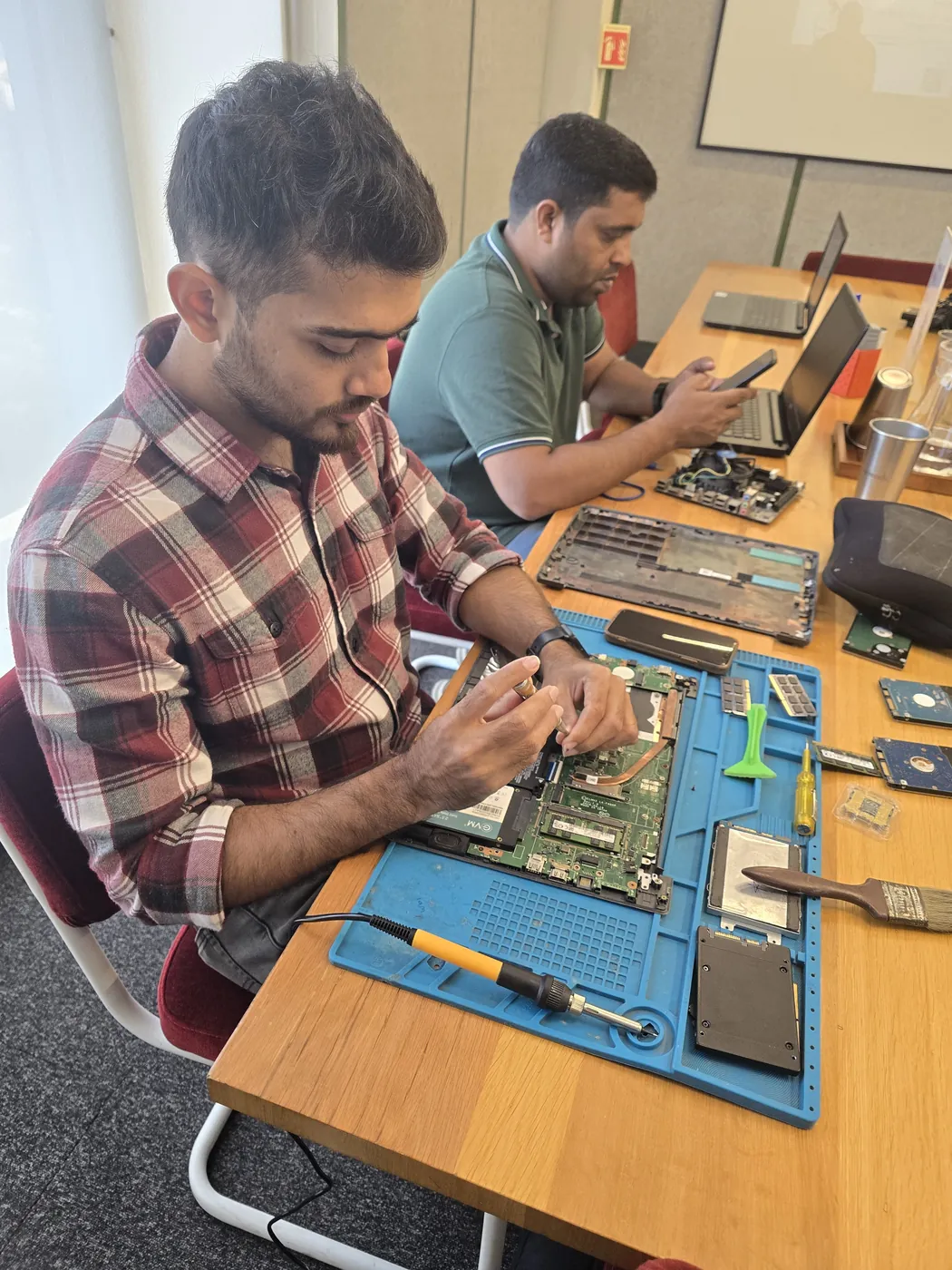
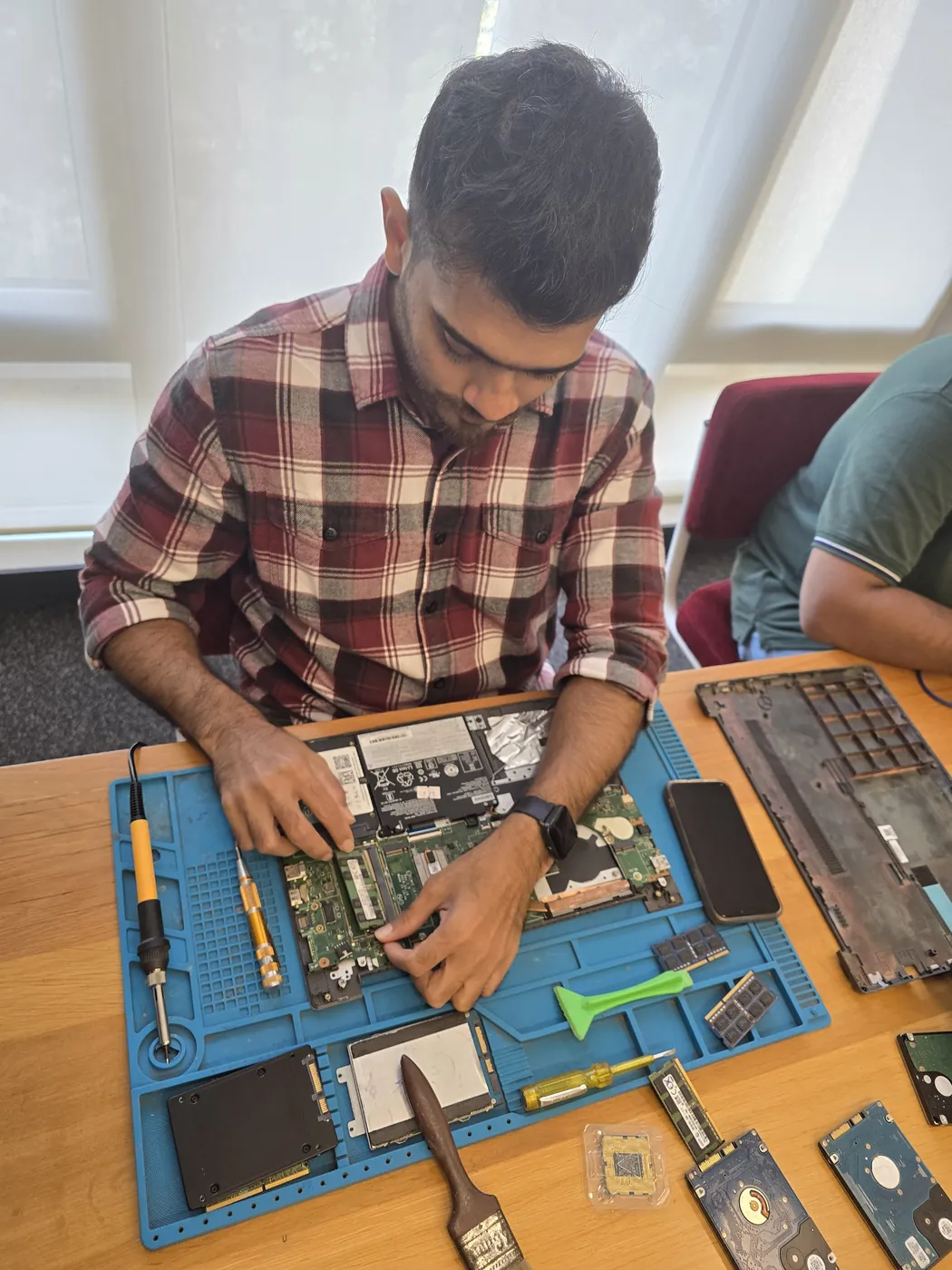
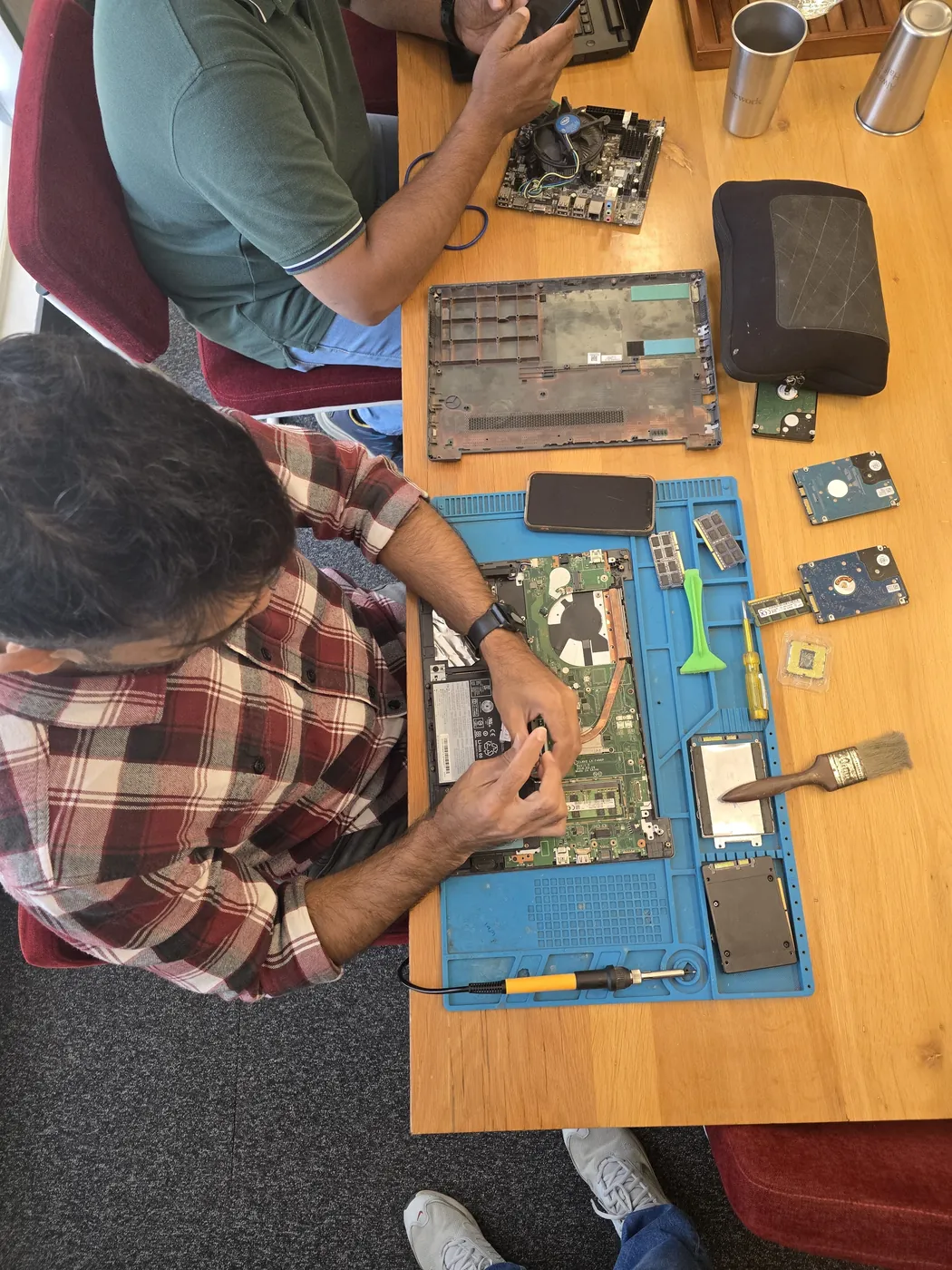
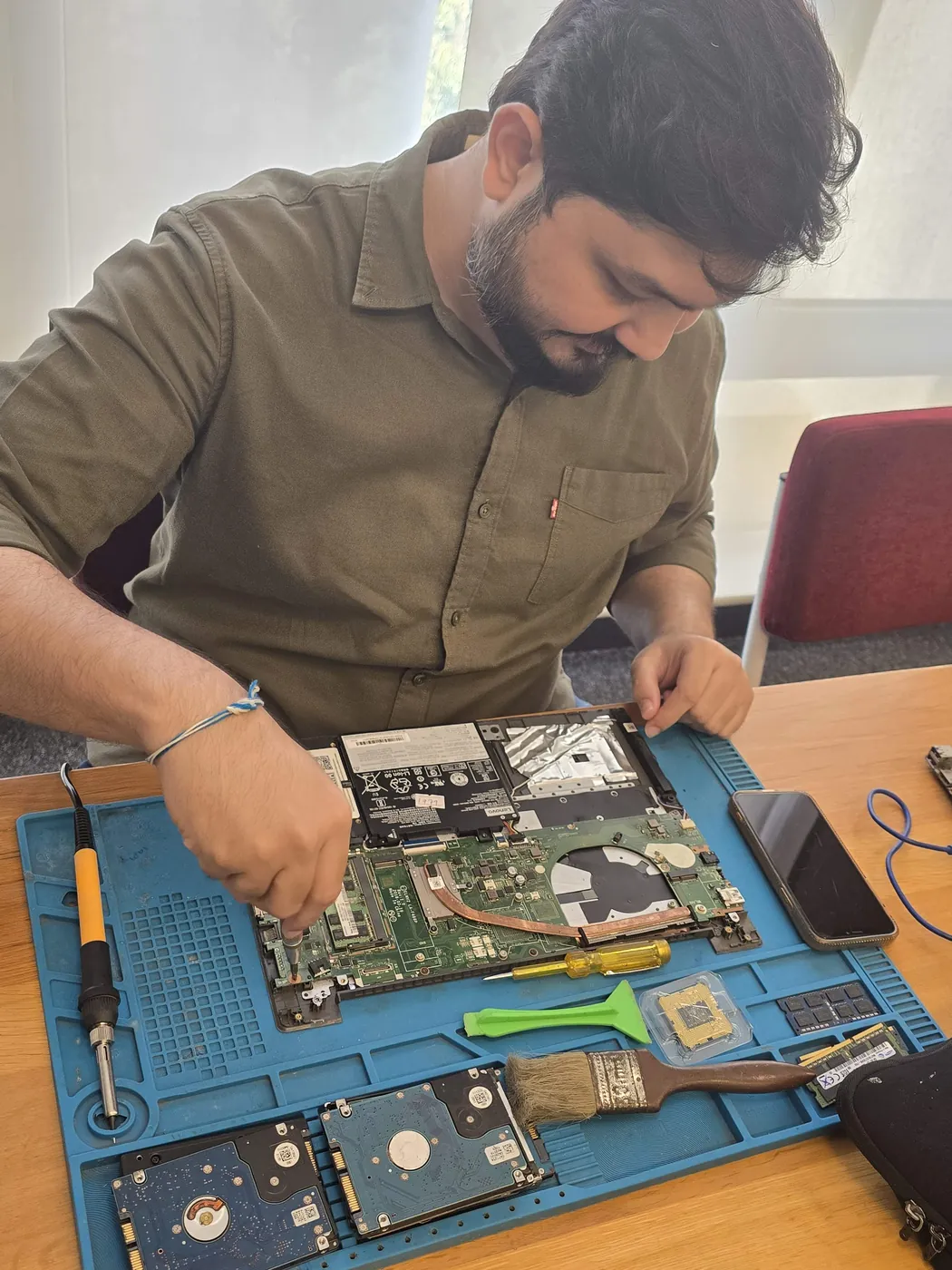
Technician brushing dust off an opened laptop motherboard with a cleaning brush Opened laptop on an anti-static mat with SSDs, a cleaning brush and pry tools laid out
Xigox technicians at the repair bench
Tejas Chudasama, Xigox Founder Janak Chudasama, Xigox CTO

Run by Tejas & Janak Chudasama since 2011

Xigox is a family-run, ISO 9001:2015-certified repair business, not a marketplace listing or a franchise. Every repair is backed by a written 90-day warranty and billed against GSTIN 27AJXPC8441R1Z7. Read our story

Why Us?

Why Choose Xigox for MSI Gaming Desktop Overheating Fix in Vikhroli?

With 1,00,082+ successful repairs and a 4.9-star rating, Xigox is an independent MSI repair specialist serving Vikhroli. Covering the entire Mumbai Suburban district with same-day service.

Component-Level Repairs

We repair MSI hardware at chip and board level where it's safe to do so — often a fraction of a full-module swap.

Experienced Technicians

Our engineers work on MSI hardware regularly. Every repair is tested before return.

Genuine & OEM-Grade Parts

We use genuine MSI parts wherever available; otherwise OEM-compatible components.

90-Day Parts Warranty

Every repair backed by a written 90-day warranty. Same fault recurs? We fix it free of charge.

Same-Day Turnaround

Most MSI Gaming Desktop Overheating Fix jobs in Vikhroli are completed same-day. Urgent service available for critical cases.

Full Transparency

We quote before starting work. No hidden fees. You pay exactly what you were quoted.

Repairs Completed
1,00,082+
Since 2011
Average Rating
4.9 ★
9,727+ reviews
Repair Warranty
90 Days
Parts & labour
Avg Response
30 Min
For common issues
Pickup & Drop
Free
₹350 inspection fee
Est. Since
2011
15+ yrs in Mumbai Suburban

Who repairs your device

Repaired in-house by Xigox technicians

Your MSI MAG Infinite S3 is handled by Xigox technicians from start to finish. It is never handed on to another shop. Work that needs the repair bench is done at our workshop in Virar West.

Board-level faults are traced with a microscope, a multimeter and a soldering station before any part is replaced, and parts are fitted only after you approve the quote.

We don't open your personal files during a repair. When a job needs access to your data, such as data recovery or a Windows reinstall, we ask you first.

  • Repaired in-house, not outsourced
  • Quote approved by you before work starts
  • Your files stay private
  • Microscope and board-level tools
  • Genuine or OEM-grade parts
  • 90-day warranty on repairs
Technician inspecting a laptop motherboard under a microscope at the repair bench Technician testing a laptop mainboard with a multimeter beside a Xigox-branded monitor Technician brushing dust off an opened laptop motherboard with a cleaning brush Technician inspecting a laptop motherboard under a microscope at the repair bench
Xigox technicians at the repair bench.
Our Process

How MSI MAG Infinite S3 Gaming Desktop Overheating Fix Works

From booking to delivery — here's exactly what happens at every step

Book Pickup

Call or WhatsApp +91 74997 61196. Tell us your MSI MAG Infinite S3 issue in Vikhroli and schedule a free doorstep pickup.

₹350 Inspection (refunded if you proceed with repair)

Our experienced technician inspects your MSI MAG Infinite S3 and provides a transparent written quote for Gaming Desktop Overheating Fix.

Expert Repair

Once approved, we perform Gaming Desktop Overheating Fix using OEM-quality parts. Most repairs are completed same-day.

Quality Check

Every MSI MAG Infinite S3 passes a multi-point QA test before delivery. Your 90-day warranty starts from this moment.

Free Delivery

We deliver your repaired MSI MAG Infinite S3 back to your Vikhroli address. Completely free, same day.

After-Service Care

Post-repair support via WhatsApp. If the issue recurs within 90 days, we fix it at zero cost.

Repair examples

Recently Repaired Desktops & Computers

View All Recent Repairs

Lenovo

ThinkCentre M70t

Fixed
Issue
PC randomly shutting down during heavy workloads. Sometimes fails to POST. Capacitor bulging visible.
Solution
Replaced 3 failed electrolytic capacitors with Japanese-grade caps. Reflowed solder joints around VRM area.

Technician's note

Component-level repair saved customer from motherboard replacement cost.

Thane West 3 Hours
  • Motherboard
  • Lenovo
  • Capacitor

HP

ProDesk 400 G9

Fixed
Issue
Office desktop extremely slow. Boot time over 3 minutes. Applications taking 30+ seconds to launch.
Solution
Upgraded from 1TB HDD to 512GB NVMe SSD. Cloned OS and data. Boot time reduced to 8 seconds.

Technician's note

Original HDD retained as secondary storage. Best ROI upgrade for any desktop.

Bandra East 2 Hours
  • SSD
  • HP
  • Desktop

Dell

OptiPlex 7010

Fixed
Issue
PC dead — no power, no LED indicators. Power supply fan not spinning at all.
Solution
Diagnosed failed 450W PSU. Replaced with compatible unit. All components powered on successfully.

Technician's note

PSU exceeded 5-year lifespan. Recommended surge protector for office fleet.

Andheri West 1 Hour
  • PSU
  • Dell
  • Desktop

Gaming

PC RTX 4080

Fixed
Issue
No display output, fans spinning. No boot sequence.
Solution
Diagnosed motherboard failure. Replaced with compatible board.
Goregaon West 4 Hours
  • Motherboard
  • Gaming
  • Display

HP

ProDesk 400 G7

Fixed
Issue
Desktop not powering on. Power button LED blinking 5 times — indicates motherboard failure per HP diagnostics.
Solution
Found 3 bulging capacitors near CPU VRM section. Replaced all faulty capacitors with same-spec rated components. Tested under load for stabi...

Technician's note

Capacitor failure likely caused by prolonged voltage fluctuation. Recommended UPS installation.

Malad West 3 Hours
  • HP
  • Motherboard
  • Capacitor

Custom

Build (AMD Ryzen 7)

Fixed
Issue
Client wanted to upgrade from GTX 1660 to RTX 4070. Existing 450W PSU insufficient for new GPU.
Solution
Installed Corsair RM750e PSU with proper cable management. Mounted RTX 4070 with support bracket. Updated BIOS and installed latest drivers....

Technician's note

Old PSU only had one 8-pin PCIe connector. New 750W provides clean, stable power for the RTX 4070.

Andheri East 2.5 Hours
  • Gaming PC
  • GPU Upgrade
  • PSU

Comparison

Xigox vs Other MSI MAG Infinite S3 Shops in Vikhroli

What you get with Xigox in Vikhroli, side by side.

FeatureXigoxOther shops
Experienced Technicians Trained & VerifiedVaries; ask who will work on the device
Genuine / OEM Parts OEM-Quality PartsVaries; ask which part will be fitted
90-Day Warranty Written CertificateVaries; ask for the warranty in writing
Diagnosis / Inspection ₹350, credited to the repairVaries; ask what the diagnosis costs
Same-Day Turnaround Vikhroli — Most RepairsVaries; ask for a time in writing
Free Doorstep Pickup Vikhroli — FreeVaries; ask whether pickup is free
Transparent Pricing Written Quote FirstVaries; ask for a written quote first
Live WhatsApp Updates Real-time Repair StatusVaries; ask how you will get updates

Xigox charges ₹350 for inspection — credited to your repair cost if you go ahead.

Customer reviews

What Customers Say About MSI MAG Infinite S3 Gaming Desktop Overheating Fix in Vikhroli

4.9/5 · 12 reviews shown

See all 9,727+ reviews

MSI MEG Trident X2 — SSD Speed Upgrade

“Upgraded my aging MSI MEG Trident X2 from HDD to NVMe SSD at Xigox Colaba. Boot time dropped from three minutes to eight seconds. Photoshop launches in three seconds. Feels like a brand-new machine. Best upgrade investment.”
M Manoj Bhalerao Haji Ali · 8 May 2025 21

MSI PRO DP180 — BSOD Fix

“My MSI PRO DP180 showed constant blue screen of death errors. Xigox Lower Parel ran extensive diagnostics and found a bad RAM module. Replaced it and updated all drivers. Rock-solid stability since the repair. Efficient diagnosis.”
V Vaishali Oak Vikhroli · 5 Jul 2025 32

MSI MAG Infinite S3 — Audio Fix

“Audio on my MSI MAG Infinite S3 was crackling and cutting out. Xigox Kandivali found a bad audio capacitor on the motherboard and replaced it. Crystal-clear sound now through both speakers and headphones. Precise component-level fix.”
S Swati Bhatt Wagle Estate · 28 Jun 2026 21

MSI PRO DP180 — PC Not Turning On Fix

“My MSI PRO DP180 went completely dead after a power surge. Xigox Versova replaced the blown PSU and repaired the front panel wiring. Also installed a surge protector. System boots perfectly with all data intact.”
C Chirag Doshi Panchpakhadi · 27 Aug 2025 17

MSI PRO DP180 — Memory Upgrade

“My MSI PRO DP180 struggled with just eight gigs of RAM. Xigox Borivali installed thirty-two gigs in dual-channel with XMP enabled. Run Photoshop, Chrome, and Slack simultaneously now without any slowdown. Huge improvement.”
T Tejas Bhat Wadi Bunder · 21 Apr 2024 14

MSI MEG Trident X2 — PC Not Turning On Fix

“My MSI MEG Trident X2 went completely dead after a power surge. Xigox Thane replaced the blown PSU and repaired the front panel wiring. Also installed a surge protector. System boots perfectly with all data intact.”
V Varsha Usgaonkar Vikhroli · 22 Oct 2025 22
Page 1 / 2

← Swipe or tap dots to browse →

Customer stories

Customer Stories

What customers say about their laptop and computer repairs

“Desktop was freezing randomly. Xigox diagnosed a failing HDD, replaced with SSD. Boot time went from 3 minutes to 15 seconds. Outstanding upgrade!”

HP ProDesk 600 G6

S Sudhir Pawar Navi Mumbai
“Graphics card died on our office desktop. Xigox sourced a compatible GPU and installed it same day. CAD software running smoothly again. Great service!”

Dell OptiPlex 7080

K Kavya Shetty Vashi
“RAM upgrade from 8GB to 32GB plus NVMe SSD. Xigox handled everything — cable management, BIOS update, Windows reinstall. PC is blazing fast now!”

Custom Gaming PC

P Pramod Jadhav Kharghar
“iMac screen had a crack — thought it was a write-off. Xigox repaired it for half the Apple Store price. Looks and works perfectly. Saved so much money!”

Apple iMac 2021

S Sunita Rathod Belapur
“PSU blew out with a bang. Xigox replaced the power supply unit within 3 hours. All data intact, no OS reinstall needed. Professional and fast!”

Lenovo ThinkCentre M90n

V Vilas Shinde Nerul
“Blue screen errors every hour. Xigox ran diagnostics — faulty RAM stick. Replaced under warranty, reinstalled Windows 11. No crashes in 2 months!”

Assembled Desktop i7

R Rashmi Deshpande Panvel

FAQ

FAQs — MSI MAG Infinite S3 Gaming Desktop Overheating Fix in Vikhroli

Everything you need to know before booking your repair

10 questions answered

Yes — Xigox provides completely free doorstep pickup and delivery for MSI MAG Infinite S3 Gaming Desktop Overheating Fix across Vikhroli. An experienced technician collects your laptop or computer from your home or office, completes the repair at our workshop, and returns it — often the same day. Call or WhatsApp +91 74997 61196 to book. Free pickup also available in Vikhroli East, Vikhroli West, Tagore Nagar and surrounding areas.
Every MSI MAG Infinite S3 Gaming Desktop Overheating Fix at Xigox includes a 90-day warranty on the repaired component and all parts used. If the same issue recurs within 90 days, we fix it at zero cost. This warranty applies to all MSI MAG Infinite S3 Gaming Desktop Overheating Fix completed in Vikhroli and across Mumbai MMR. Trusted by customers throughout Mumbai Suburban — rated 4.9★ across 9,727+ reviews.
We use OEM-quality or manufacturer-grade components for all MSI MAG Infinite S3 Gaming Desktop Overheating Fix work. Genuine-grade parts ensure your laptop or computer performs exactly as designed and your 90-day repair warranty stays valid. We never use substandard aftermarket parts without your prior consent. Our service covers the full 400083 postal area in Vikhroli.
Yes. All our technicians are trained professionals with extensive hands-on experience in MSI MAG Infinite S3 Gaming Desktop Overheating Fix. They receive regular technical training on the latest Computer models and repair methodologies, ensuring consistently high-quality results. Trusted by customers throughout Mumbai Suburban — rated 4.9★ across 9,727+ reviews.
Booking is simple: WhatsApp or call +91 74997 61196, describe your computer issue, receive a free quote, and schedule a convenient pickup time in Vikhroli. We're available 9 AM–9 PM, 7 days a week — including weekends and public holidays. Free pickup also available in Vikhroli East, Vikhroli West, Tagore Nagar and surrounding areas.
Yes! Xigox offers same-day MSI MAG Infinite S3 Gaming Desktop Overheating Fix for most common issues in Vikhroli. We pick up your computer in the morning, repair it at our workshop, and deliver it back by evening. Same-day service applies to screen replacements, battery changes, software repairs, and more. Customers near Kanjurmarg in Vikhroli are covered by our free pickup.
Absolutely. Data security is our top priority. Our technicians never access personal files during MSI MAG Infinite S3 Gaming Desktop Overheating Fix. We follow strict protocols to prevent data loss, and we'll always inform you before any procedure that could affect stored data. Your privacy is fully protected. Trusted by customers throughout Mumbai Suburban — rated 4.9★ across 9,727+ reviews.
Xigox handles MSI MAG Infinite S3 Gaming Desktop Overheating Fix for all major brands in Vikhroli, including Apple, HP, Dell, Lenovo, Asus, Acer, MSI, Intel and custom-built systems — and many more. No brand or model is too complex — we repair them all. Customers near Kanjurmarg in Vikhroli are covered by our free pickup.
Yes — ₹350 for the inspection in Vikhroli. Our technician diagnoses your computer and gives you a clear written estimate; if you go ahead with the repair, that ₹350 is adjusted against the total cost, so the inspection itself doesn't add to the bill. If you decide not to proceed, the ₹350 still applies for the technician's time. Free pickup also available in Vikhroli East, Vikhroli West, Tagore Nagar and surrounding areas.
We accept all major payment methods for MSI MAG Infinite S3 Gaming Desktop Overheating Fix in Vikhroli: UPI (Google Pay, PhonePe, Paytm), debit/credit cards, net banking, and cash. Payment is collected after the repair is completed to your satisfaction — we never charge upfront without consent. Trusted by customers throughout Mumbai Suburban — rated 4.9★ across 9,727+ reviews.

Still have questions?

Send us your question on WhatsApp or call — a technician will answer.

MSI MAG Infinite S3 Repair in Vikhroli — Xigox

If you are looking for MSI MAG Infinite S3 repair in Vikhroli that is not a brand service centre, this is it. Xigox has run an independent MSI bench since 2011, and our technicians work on MSI boards and firmware every day rather than treating them as an occasional job. More than 1,00,000 repairs and a 4.9-star average rating sit behind that.

We stock genuine MSI parts and OEM-compatible components for every common MSI MAG Infinite S3 fault — from screen replacements and battery swaps to logic board repairs and data recovery. Before any work begins, you receive a written cost estimate. Our ₹350 inspection fee is refunded if you proceed with the repair.

We actively serve the entire 400083 postal area within Mumbai Suburban district, ensuring same-day response for every repair request. ₹350 inspection fee (refunded if you proceed with repair). Located near Kanjurmarg, our service coverage extends across Vikhroli and all surrounding localities. In addition to Vikhroli, we also provide doorstep repairs and free pickup for lab work for customers in Vikhroli East, Vikhroli West, Tagore Nagar and other nearby areas.

How your MSI MAG Infinite S3 gets serviced depends on the fault. Part swaps happen on-site anywhere in Vikhroli; board-level work goes to the bench because it needs proper rework equipment. Either way collection and return are free, and you get progress updates rather than having to chase us.

We back MSI work with a 90-day parts-and-labour warranty in writing, not just a verbal promise. If your MSI MAG Infinite S3 does come back with the same fault, we cover it. You keep a direct WhatsApp line to the team that did the work.

Service Hours

Monday – Sunday · 9 AM – 9 PM

Open on all public holidays

Service Area

Vikhroli & surrounding Mumbai areas

Doorstep repairs + free pickup for lab work

Contact Us

+91 74997 61196

info@xigox.com

Our Guarantee

90-day warranty on all repairs

Free re-repair if same fault recurs

Gaming Desktop Overheating Fix for Other MSI Models

We repair all MSI models in Vikhroli

Gaming Desktop Overheating Fix for Other Brands in Vikhroli

We repair all major brands — same service, same quality, same warranty

Areas, Roads & Landmarks We Cover in Vikhroli

Free pickup & drop across all these neighbourhoods

Localities & neighbourhoods

  • Vikhroli West
  • Vikhroli East
  • Kannamwar Nagar
  • Tagore Nagar
  • Surya Nagar
  • Pirojshanagar
  • Kanjurmarg

Roads & highways

  • LBS Road
  • Eastern Express Highway

Landmarks & famous places

  • Godrej Garden Enclave
  • The Park Vikhroli
  • Godrej & Boyce

Not sure which repair you need? See all MSI MAG Infinite S3 repairs in Vikhroli

Gaming Desktop Overheating Fix Across Mumbai — All Locations

Explore more services

More Repair & Tech Services Near Vikhroli

Same technicians · Free pickup · 90-day warranty across all services.

ISO 9001:2015 Certified · 1,00,082+ Repairs · 4.9 ★ Rating

Ready to Fix Your
MSI MAG Infinite S3 Today?

₹350 inspection fee (refunded if you proceed with repair) · Same-day Gaming Desktop Overheating Fix · 90-day warranty

Serving Vikhroli and all of Mumbai MMR · Open 9 AM – 9 PM daily

How it's done

How We Perform Gaming Desktop Overheating Fix

What our technicians do, what it requires, and how to tell you need it.

1 How It's Performed

For this specific fault, we fully disassemble the cooling path, clean out accumulated dust from the fan blades and heatsink fins (the single biggest real cause of creeping temperatures), remove the old dried-out thermal paste completely from both the CPU/GPU die and the heatsink contact plate, and apply fresh paste before reassembly.

Typical time: 30–45 minutes

2 What This Requires

  • Full disassembly of the cooling path (not just an external vent blow-out), since dust builds up heaviest inside the heatsink fins where compressed air alone can't reach.
  • Complete removal of old, dried thermal paste before applying new paste — layering fresh paste over old residue defeats the purpose.
  • A before/after load-temperature comparison so you can see the actual improvement.

3 When You Need This

  • It's been 2+ years since the last internal cleaning — dust buildup is gradual and easy to not notice until it's already affecting performance.
  • The exhaust vent feels barely warm even when the fan is clearly running fast, suggesting a dust-blocked path rather than a working one.

The model

About the MSI MAG Infinite S3

Best for: mid-range desktop gaming on a moderate budget

The MSI MAG Infinite S3 is part of MSI's MAG desktop line — mid-tier gaming desktops balancing performance and value, positioned below the flagship MEG line.

Key features

  • Solid mid-tier gaming performance at a more accessible price than MEG.
  • Standard ATX-compatible internals for straightforward future upgrades.

MSI MAG Infinite S3 Gaming Desktop Overheating Fix in Vikhroli — Professional, Reliable, and Affordable

Skip the directories. Book direct for transparent pricing with Xigox. Thermal paste on your MSI starts degrading after 2–3 years — causing CPU temperatures to spike from a healthy 55–65°C to 90–100°C, triggering severe performance throttling. In Vikhroli, Xigox's MSI MAG Infinite S3 Gaming Desktop Overheating Fix applies premium compounds and clears years of dust from the cooling system to restore factory-level thermals.

Real Reviews for MSI MAG Infinite S3 Gaming Desktop Overheating Fix

Don't just take our word for it. Xigox has earned a 4.9-star rating from 9,727+ customer reviews from customers across Mumbai MMR. Customers frequently mention: accurate quotes, same-day completion, and OEM-grade replacements. What Vikhroli customers value most: "Fast, professional service with fair pricing." Join the growing community of happy Xigox customers in Vikhroli.

No Hidden Costs Policy for MSI MAG Infinite S3 Gaming Desktop Overheating Fix

One of the most common complaints about repair shops in Vikhroli is hidden charges after the job is done. Xigox operates differently. Prior to touching your MSI, our technician shares a written quote covering parts and labour. There is zero ambiguity — the decision is entirely yours. The ₹350 diagnostic is credited 100% when you proceed with this repair.

Safe & Secure MSI MAG Infinite S3 Gaming Desktop Overheating Fix

Your private information is fully protected during your job. Residents across Vikhroli rely on Xigox because we follow strict data privacy protocols. During the job, your photos, emails, and passwords are completely secure. In cases where OS reinstallation is required, we will always inform you first.

Free Logistics across Vikhroli

Traveling across town in Vikhroli is stressful. That's why Xigox has built a straightforward pickup and delivery network for this repair. Simply share your Vikhroli address, and our technician will pick up the MSI from your home or office. After the repair is completed, it is delivered back fully tested and sealed. Save your time without leaving your desk.

Same-Day MSI MAG Infinite S3 Gaming Desktop Overheating Fix — How It Works

Wondering how fast Xigox can complete job in Vikhroli? Our standard process: First — call or WhatsApp +91 74997 61196 and our pickup technician arrives at your Vikhroli address within 2 hours. Then — ₹350 diagnostic pinpoints the issue. Step 3 — you approve the quote via WhatsApp — zero pressure. Step 4 — this job is done using OEM-grade components by our engineers, usually within 2–4 hours. Step 5 — your MSI is delivered back to you with a quality report.

Authentic Components for MSI MAG Infinite S3 Gaming Desktop Overheating Fix

Reliability matters for this repair. Because of this, our team strictly use original-specification parts for your MSI. Instead of counterfeit components, we use trusted supply chains. This guarantees your repair will last, supported by our standard 90-day warranty.

The Best Choice for MSI MAG Infinite S3 Gaming Desktop Overheating Fix in Vikhroli

There are many repair shops in Vikhroli, however, Xigox stands out for this job. We believe in 100% upfront pricing. Each job begins with a thorough diagnostic inspection for ₹350, which is fully refunded if you proceed. No surprise fees — only expert job in Vikhroli.

All-Brand MSI MAG Infinite S3 Gaming Desktop Overheating Fix in Vikhroli

No matter the MSI you own, Xigox handles this repair. Our technicians are brand-agnostic experts: HP, Dell, Lenovo, Asus, Acer, MSI, Toshiba, Samsung and Apple MacBook. Each brand has quirks in their assembly that our team knows well. Model-specific experience cuts diagnostic time and improves first-time fix rates.

After-Repair Care for MSI MAG Infinite S3 Gaming Desktop Overheating Fix

Your job doesn't end when the MSI is returned. Our support line is available daily via call or message. If you notice anything unusual in the post-repair period, just reach out and we dispatch a technician immediately. This promise is why Vikhroli customers choose Xigox again and again.

Rigorous Testing after MSI MAG Infinite S3 Gaming Desktop Overheating Fix

Completing the repair is just the first step at Xigox. Before your MSI is returned in Vikhroli, it undergoes a comprehensive 20-point inspection. We verify that your repair was executed flawlessly, testing thermal performance. This attention to detail is why our return rate is so low across Vikhroli.

Stop letting your broken MSI disrupt your workflow in Vikhroli. Contact Xigox today for your MSI MAG Infinite S3 Gaming Desktop Overheating Fix. Backed by our written parts and labour warranty and transparent pricing, you have nothing to lose. Book your doorstep technician in Vikhroli via WhatsApp.

Service area

MSI MAG Infinite S3 Gaming Desktop Overheating Fix in Kannamwar Nagar — Service Area & Coverage

Xigox provides msi mag infinite s3 gaming desktop overheating fix across Kannamwar Nagar (PIN 400083), in the Mumbai Suburban district of Mumbai. Our doorstep pickup and on-site service cover the entire Kannamwar Nagar area and the neighbourhoods around it.

Localities we cover in Kannamwar Nagar: Vikhroli West, Vikhroli East, Tagore Nagar, Surya Nagar, Pirojshanagar, Kanjurmarg. Wherever you are in Kannamwar Nagar, we can collect your device from your door and bring it back after the repair.

Our technicians regularly serve homes, societies and offices around Godrej Garden Enclave, The Park Vikhroli and Godrej & Boyce, and along LBS Road and Eastern Express Highway. If you're near any of these landmarks, same-day pickup for msi mag infinite s3 gaming desktop overheating fix is almost always available.

MSI MAG Infinite S3 Gaming Desktop Overheating Fix near Kannamwar Nagar

We also serve these nearby areas — tap your locality for local msi mag infinite s3 gaming desktop overheating fix:

MSI MAG Infinite S3 Gaming Desktop Overheating Fix price in Vikhroli — know it before you book

  1. 1Pick your device & issue
  2. 2See the real price range
  3. 3Free doorstep pickup in Vikhroli

4.9 from 9,727 customer reviews across all repairs · upfront pricing · 90-day warranty

Before you book: have your device model and a quick description of the issue ready — it speeds up your quote.

Nearest branch: Vikhroli West

~2 km from Vikhroli. With free doorstep pickup you don't need to travel — this is our nearest branch.

Book a repair

MSI MAG Infinite S3 Gaming Desktop Overheating Fix — Book Now

Free pickup · Genuine parts · 90-day warranty

Booking received

We'll call you within 1 hour to confirm your appointment and arrange doorstep pickup.

Inspection fee: ₹350

  • Credited to your total repair cost if you go ahead.
  • Still applies if the device can't be repaired or you decline the repair.

+91

Device type *

Inspection fee: ₹350

  • If you go ahead with the repair, the ₹350 is credited to your total repair cost.
  • If the device can't be repaired or you decide not to continue, the ₹350 inspection fee still applies.

Your details are used only to arrange this repair. By submitting, you agree to our Privacy Policy.

Call WhatsApp