MSI Katana 15
Laptop SSD Installation Service
Near Me
Looking for Laptop SSD Installation Service for your MSI Katana 15 near you? Xigox provides free doorstep pickup within 2 hours — experienced technicians, OEM parts & 90-day warranty.
Open 9 AM – 9 PM · 7 days a week
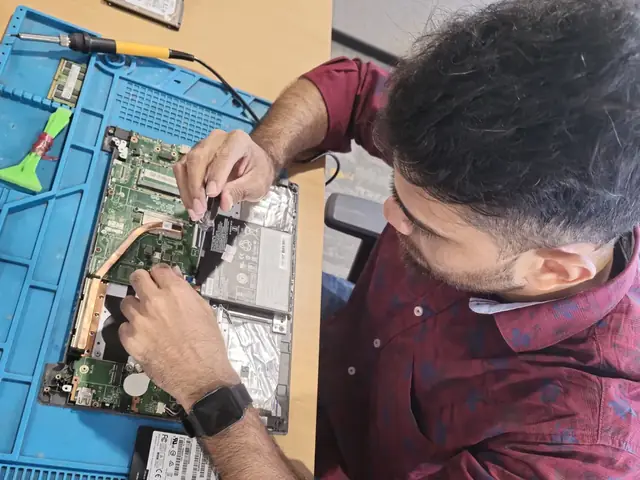
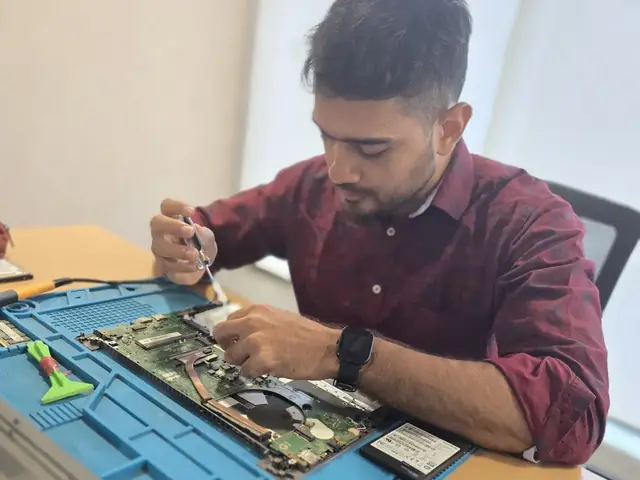
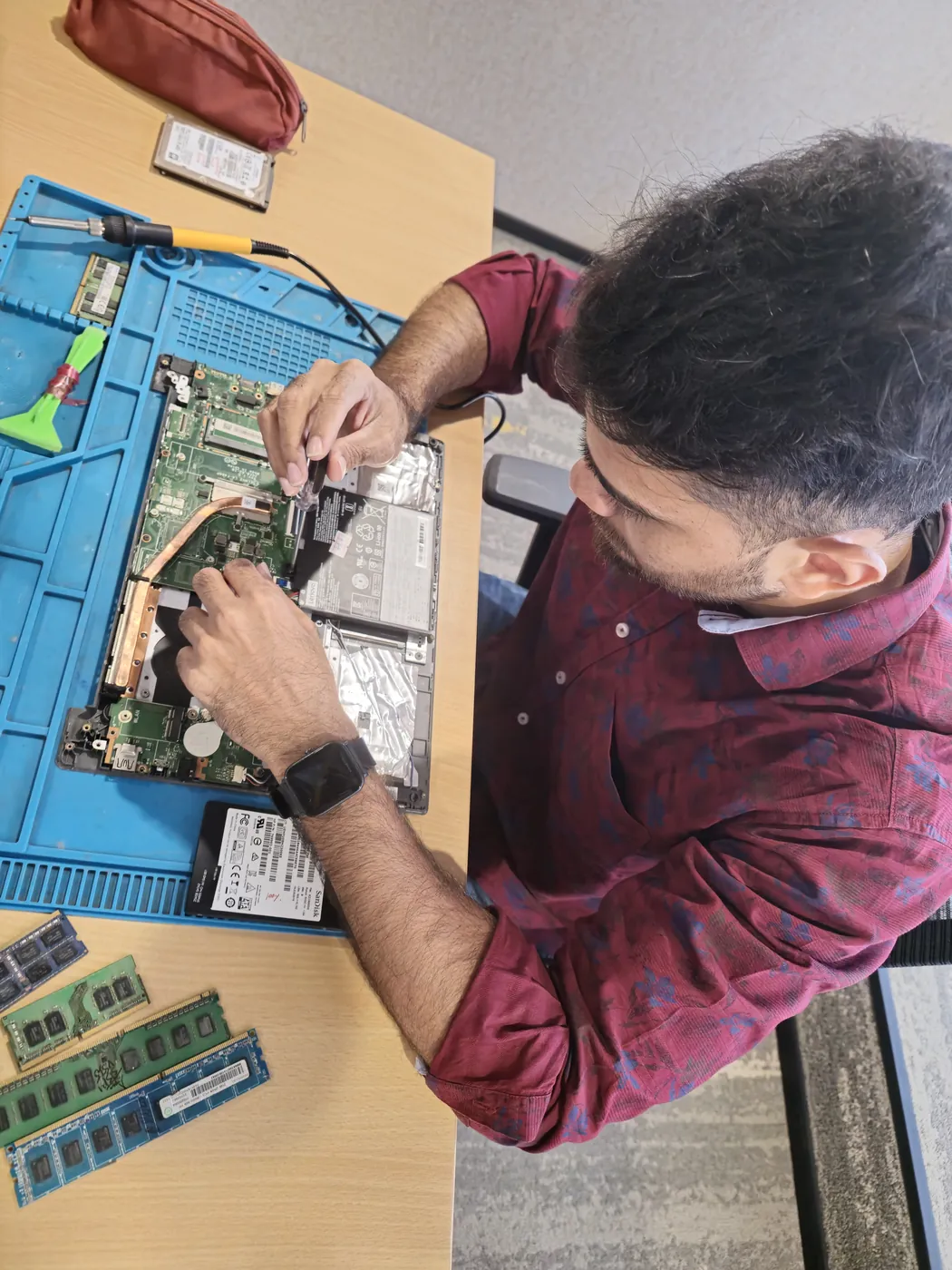
How MSI Katana 15 Laptop SSD Installation Service Works — Near You
From booking to delivery — simple, fast, transparent
Call or WhatsApp
Contact us — we'll confirm availability and give you a price estimate for your MSI Katana 15.
Free Doorstep Pickup
Our technician arrives at your location within 2 hours. No travel needed.
Expert Repair
Experienced team fixes your laptop or computer using OEM-quality parts. Most repairs done same-day.
Delivered Back
Laptop delivered to your doorstep, tested & quality-checked. 90-day warranty starts.
Customer reviews
What Customers Say About Laptop & Computer Repairs in Mumbai
4.9/5 · 9 reviews shown
← Swipe or tap dots to browse →
FAQ
FAQs — MSI Katana 15 Laptop SSD Installation Service Near Me
Quick answers about our doorstep repair service
10 questions answered
Still have questions?
Send us your question on WhatsApp or call — a technician will answer.
Watch & learn
See Our Repair Process in Action
Repair videos from our Virar West workshop

Inside Xigox — Computer & Laptop Repair Service Centre, Mumbai
A tour of our ISO 9001:2015 certified workshop — laptop, desktop and computer repairs with genuine-grade parts and a 90-day warranty.

Laptop & Computer Repair, Sales & Data Recovery — Xigox
How the Xigox team handles laptop and computer repair, sales, service and data recovery across Mumbai, Thane & Palghar.

Xigox Laptop & Computer Repair — Real Customer Experience
See how Xigox handles real customer repairs — fast diagnosis, transparent pricing and a 90-day warranty on every job.

Xigox Service Centre — Mumbai's Trusted Repair Experts
A closer look at the Xigox team, our tools, and the repair process behind 9,605+ customer reviews across Mumbai MMR.
MSI Katana 15 Laptop SSD Installation Service — All Locations
Choose your area for instant doorstep pickup
Other MSI Katana 15 Repair Services Near You
Explore all available repair options for your MSI Katana 15
Explore more services
More Repair & Tech Services Near Mumbai
Same technicians · Free pickup · 90-day warranty across all services.
Need MSI Katana 15
Laptop SSD Installation Service Near You?
Free doorstep pickup within 2 hours · Same-day repair · 90-day warranty · All of Mumbai MMR
How it's done
How We Perform Laptop SSD Installation Service
What our technicians do, what it requires, and how to tell you need it.
1 How It's Performed
For a clean installation or setup, we first check the drive's own health data (SMART attributes, reallocated sector count) to confirm whether it's actually failing versus just full, then clone your existing drive sector-by-sector onto the new one wherever possible so your OS, apps, and files carry over without a fresh install.
Typical time: 30–60 minutes (longer if cloning existing data)
2 What This Requires
- Enough free space on the new drive to hold a full clone of the old one (a straightforward constraint that's easy to miscalculate when "upgrading" to a smaller, faster drive instead of a larger one).
3 When You Need This
- The system is noticeably slow to boot or open files, especially on an older HDD-based laptop — this is usually the single biggest real-world speed upgrade available.
- Clicking, grinding, or repetitive noises from a mechanical hard drive — this is often an early failure warning, not normal operation.
- Frequent "disk read error" or file-corruption messages.
The model
About the MSI Katana 15
The MSI Katana 15 is part of MSI's Katana line — mid-tier gaming laptops offering a dedicated GPU and high-refresh display at a more accessible price than MSI's flagship Raider/Titan lines.
Key features
- Dedicated gaming GPU standard, at a price point below MSI's flagship gaming lines.
- High-refresh display on most configurations.
- MSI Center software for performance/thermal tuning.
MSI Katana models we commonly repair
- MSI Katana 15
- MSI Katana 17
- MSI Katana GF66
- MSI Katana GF76
MSI Katana 15 Laptop SSD Installation Service in Mumbai — Professional, Reliable, and Affordable
Skip the directories. Book direct for transparent pricing with Xigox. The single most impactful MSI Katana 15 upgrade is replacing an aging hard drive with an NVMe SSD. In Mumbai, Xigox performs MSI Katana 15 Laptop SSD Installation Service with zero data loss: we clone your existing drive so you reboot to a perfectly configured system. Boot times drop from 60–90 seconds to 8–12 seconds after MSI Katana 15 Laptop SSD Installation Service.
Business & Corporate MSI Katana 15 Laptop SSD Installation Service in Mumbai
Businesses across Mumbai trust our repair to keep operations running. We offer bulk repair contracts, same-day priority service, and a single point of contact. From a small team or an entire floor, Xigox manages the repair for your Mumbai workspace with GST invoices and complete service reports.
Speed Boosts alongside MSI Katana 15 Laptop SSD Installation Service
While your MSI Katana 15 is opened for this issue in Mumbai, why not take the opportunity to boost its performance. Many of our customers request thermal repasting during the same visit. This proactive approach reduces future repair costs and can make an old laptop feel brand new. Ask our technician about optimization packages when you book your issue.
Post-Repair Support for MSI Katana 15 Laptop SSD Installation Service
Each repair performed by Xigox in Mumbai comes with a comprehensive 90-day warranty covering parts and labour. Simply put, if the same issue recurs within 90 days, we redo it completely free. Xigox issues a printed warranty receipt every single time, so you know exactly what is covered.
After-Repair Care for MSI Katana 15 Laptop SSD Installation Service
Your issue doesn't end when the MSI Katana 15 is returned. Our support line is available daily via call or message. If you notice anything unusual in the post-repair period, just reach out and we dispatch a technician immediately. This promise is why Mumbai customers choose Xigox again and again.
What Changes After MSI Katana 15 Laptop SSD Installation Service
After a successful the repair in Mumbai, most customers notice immediate performance improvements: quicker application loading, cooler operating temperatures, restored battery life, or a perfect display — depending on the specific repair. Xigox runs diagnostic tests before and after the repair in Mumbai to confirm the improvement.
Urgent MSI Katana 15 Laptop SSD Installation Service Now
Is your deadline today? Xigox offers emergency this issue in Mumbai for time-sensitive situations. From a presentation tomorrow and your MSI Katana 15 just crashed, our emergency service moves your MSI Katana 15 to the front of the line, so most repairs can be finished the same business day. Emergency this issue can be arranged including weekends in Mumbai. Just say 'priority' when calling and our team will fast-track your issue immediately.
OEM-Grade Solutions for MSI Katana 15 Laptop SSD Installation Service
Quality matters for the repair. Because of this, our team strictly use genuine parts for your MSI Katana 15. Instead of unbranded components, we use trusted supply chains. This is how we help your repair stay durable, supported by our standard 90-day warranty.
Our MSI Katana 15 Laptop SSD Installation Service Process Works
Arranging this issue in Mumbai is incredibly simple. Step 1, call or WhatsApp us at +91 74997 61196 to describe your issue. Next, our complimentary collection driver arrives at your Mumbai doorstep within 1–2 hours. The team then carry out a thorough diagnostic (₹350, credited toward your repair). Once you agree, this issue is executed with genuine parts — and your MSI Katana 15 is returned to you. Most repairs done same day.
Privacy Protection for MSI Katana 15 Laptop SSD Installation Service
Your personal data is our top priority during your repair. Customers throughout Mumbai trust us because we never access personal files. Throughout the repair, your confidential files remain untouched. If a software reset is necessary, we consult you beforehand.
Transparent Pricing Policy for MSI Katana 15 Laptop SSD Installation Service
The biggest frustration about repair shops in Mumbai is surprise bills after the job is done. We've built our entire model around transparency. Before any work begins, our technician shares a written quote that covers everything. You see the exact cost — approve it or decline, no pressure. Our ₹350 inspection fee is fully refunded when you proceed with this issue.
Make the smart choice for your MSI Katana 15 in Mumbai. Xigox: real technical skill, genuine components, no hidden costs, doorstep service — all confirmed in writing. Thousands of Mumbai customers already have: call +91 74997 61196 for fast, affordable MSI Katana 15 Laptop SSD Installation Service in Mumbai.
MSI Katana 15 Laptop SSD Installation Service price in Mumbai — know it before you book
- 1Pick your device & issue
- 2See the real price range
- 3Free doorstep pickup in Mumbai
4.9 from 9,605 customer reviews across all repairs · upfront pricing · 90-day warranty
Before you book: have your device model and a quick description of the issue ready — it speeds up your quote.
Not sure what's wrong?
Find Your Fix by Symptom
Tell us what your device is doing — we'll point you to the right repair, with real pricing and next steps.
Book a repair
MSI Katana 15 Laptop SSD Installation Service — Book Now
Free doorstep pickup · Genuine parts · 90-day warranty
Booking received
We'll call you within 1 hour to confirm your appointment and arrange doorstep pickup.
Inspection fee: ₹350
- Credited to your total repair cost if you go ahead.
- Still applies if the device can't be repaired or you decline the repair.
Device type *
Inspection fee: ₹350
- If you go ahead with the repair, the ₹350 is credited to your total repair cost.
- If the device can't be repaired or you decide not to continue, the ₹350 inspection fee still applies.
Your details are used only to arrange this repair. By submitting, you agree to our Privacy Policy.