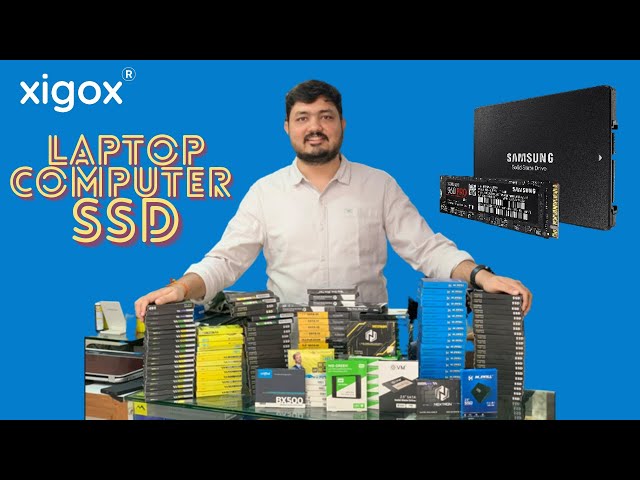
A good computer shop diagnoses before it sells you a part, tells you in writing what is covered and for how long, and checks that what you are buying will work with your machine. Before you buy or hand over a computer in Mumbai, check ten things: the diagnosis, the warranty, the invoice, compatibility, the part grade, a test in front of you, the return terms, your data, the price and how easy the shop is to reach afterwards.
"Computer shop near me" covers very different businesses. One sells boxed parts across a counter. Another assembles desktops, fits upgrades or repairs what is broken. Many do a bit of each, and the right one depends on what you came for. This guide helps you judge a shop in a few minutes, and shows what to ask for each common purchase.
What a computer shop should be able to do
Four jobs make up most of the work, and a shop may offer only some of them.
- Selling parts and accessories. RAM, SSDs, power supplies, chargers, batteries, keyboards, cables and peripherals.
- Fitting upgrades. Adding memory or storage, replacing a hard disk with an SSD, or changing a graphics card.
- Building or assembling a PC. Choosing compatible parts and putting them together.
- Repairing what is broken. Finding the fault in a laptop or desktop and fixing it.
A shop that does all four can usually advise you better, because it sees what fails in practice. But whatever a shop sells, ask whether it will tell you to repair when repair is the better answer. Our guide on whether an old PC is worth repairing gives you a way to check its advice.
Ten checks before you buy or hand over a computer
- Is the fault diagnosed before a part is sold? Replacing parts by guesswork costs more than testing. A shop should be able to say how it found the fault.
- Is the warranty in writing? Ask for the period, what it covers and what voids it, on both the part and the work.
- Will you get a GST invoice? You need it for the warranty and, for a business, for your accounts.
- Has compatibility been checked? Memory type, SSD size and slot, power supply wattage and a graphics card's length and power connectors all have to match your machine.
- Is the part grade stated? New, original, compatible and refurbished parts are priced differently and should be labelled as such.
- Can it be tested in front of you? A part tested in front of you is a part you can later show worked.
- What are the return and exchange terms? Find out before you pay, not after.
- What happens to your data? Ask whether the drive will be touched and take a backup first. Our backup guide shows how.
- Is the price clear? A public price list and a written quote are a better sign than a figure said aloud.
- Can you reach the shop afterwards? Check the address, the opening hours and a phone or WhatsApp number that gets answered.
What to ask for each common purchase
| You want | Ask the shop |
|---|---|
| More memory | Which type does my machine use (DDR4 or DDR5), how many slots are free and what is the most it supports? See DDR4 and DDR5 explained |
| A faster drive | Which size and slot fits (2.5-inch SATA, M.2 SATA or M.2 NVMe)? Will my files be copied over or is it a fresh install? See SSD or hard disk for a desktop |
| A power supply | What wattage does my build need, and which connectors does it have? See choosing a power supply |
| A graphics card | Will it fit the case, and can my power supply feed it? Compare the card's length and power connectors with your case and power supply, and see our graphics card problems guide for what a struggling card looks like |
| A custom PC | Can I see the full parts list with model numbers and the warranty on each part? |
| A laptop battery, screen or keyboard | Which exact model is it for? Give the model number from the label under the laptop |
If you are buying a refurbished machine
Refurbished machines can be good value, and they can also hide problems. Ask what was replaced, what the battery health is and what warranty applies, and ask for the specification in writing. Our guides on refurbished desktops and refurbished laptops give a checklist for each.
Parts you bring yourself
Some people buy a part online and ask a shop to fit it. Policies vary, and a shop may decline to warrant work on a part it did not supply, because it cannot vouch for where the part came from. Ask before you buy, and keep the invoice for the part.
How Xigox works as a computer shop
We handle laptop and computer repair, upgrades and replacement parts from one team. Repairs are done at our workshop in Virar West, which is also the Head Office, and the work carries a 90-day warranty. Pickup and drop are free in our service areas, and we collect within 2 hours of a booking. We publish our price list, give a written quote before any work and charge ₹350 for an inspection, which is credited to the bill if you go ahead.
Our branches are open Monday to Sunday, 9 AM to 9 PM. The number for all of them is +91 74997 61196, and you should call or message before you visit a branch. The workshop at Virar West is the walk-in address. For parts, upgrades and refurbished machines start with computer shop near me, and for a fault start with computer repair near me. The pages on memory upgrades, SSD upgrades and gaming PC builds explain each job.
Frequently asked questions
Is a computer shop the same as a computer repair shop?
Not necessarily. A computer shop may mainly sell parts and machines, and a repair shop mainly fixes them. Many do both. Ask which one is their main work, because the strongest skills usually follow it.
Can I bring my own part to be fitted?
Ask first. Some shops fit it and some will not warrant the work. Whichever it is, get the policy in writing.
How do I know a part will fit my computer?
Give the shop your exact model, or open the specification label under the laptop or on the side of the desktop case. A reliable shop will check it against the part before you pay.
Do I have to visit the shop?
Not at Xigox. You can book by call or WhatsApp and we collect and return the machine. Call a branch first if you do want to visit it.