Brother · HL-B2080DW · Masjid

Brother HL-B2080DW
Wi-Fi Printer Not Connecting
in Masjid

Expert diagnosis and repair for Wi-Fi Printer Not Connecting on your Brother HL-B2080DW in Masjid. Free doorstep pickup, genuine parts & 90-day warranty.

✓ ₹350 Inspection (refunded if you proceed with repair) ✓ Free Doorstep Pickup ✓ Same-Day Repair ✓ 90-Day Warranty

Open 9 AM – 9 PM · 7 days · ₹350 inspection fee (refunded if you proceed with repair)

Symptom Checker

Does Your Brother HL-B2080DW Show These Signs?

Common indicators of Wi-Fi Printer Not Connecting on Brother HL-B2080DW. Recognise 2 or more? Your laptop or computer needs professional attention.

Laptop clearly shows signs of Wi-Fi Printer Not Connecting

Normal laptop performance significantly impacted

Issue worsening with continued use over time

Standard troubleshooting has not resolved it

Laptop unreliable for daily work or personal use

Risk of further hardware damage if left unrepaired

Don't Ignore Wi-Fi Printer Not Connecting

Unresolved hardware problems worsen over time and can cause secondary damage — increasing repair cost significantly.

Book Inspection (₹350)

Brother HL-B2080DW Wi-Fi Printer Not Connecting in Masjid — Comprehensive Guide

Why waste time on aggregators? Get direct service without middleman markup with Xigox. Printer repair requires different diagnostic skills — diagnosing whether it's a drum, cartridge, or mechanical fault requires specific training. Xigox's printer technicians are specialists in inkjet and laser technology: inkjet head servicing, laser component overhaul. Most Wi-Fi Printer Not Connecting jobs are completed same-day.

Fixed-Quote Policy for Wi-Fi Printer Not Connecting

One of the most common complaints about repair shops in Masjid is hidden charges after the job is done. Xigox operates differently. Before any work begins, our technician sends a WhatsApp quote covering parts and labour. There is zero ambiguity — the decision is entirely yours. The ₹350 diagnostic is credited 100% when you approve the repair.

Same-Day Wi-Fi Printer Not Connecting in Masjid

We know you can't stay disconnected in Masjid. We plan this issue for rapid turnaround. For most issues, our technicians finish the issue within hours. We arrange secure collection from your Masjid home or office, perform the issue using precision tools, and deliver it back to you.

How the Wi-Fi Printer Not Connecting Process Step by Step

Arranging the repair in Masjid is designed to be straightforward. First, message us at +91 74997 61196 sharing your issue. Then, our free pickup technician arrives at your Masjid address within the same day. Our engineers then perform a detailed diagnostic (₹350, refunded if you proceed). After your approval, the repair is completed with OEM-grade parts — and your Brother HL-B2080DW is delivered back to you. Total turnaround: 24-48 hours.

Masjid Customer Support for Wi-Fi Printer Not Connecting

Xigox's responsibility extends beyond the repair itself. Our support line is available daily via call or message. If you notice anything unusual in the post-repair period, just reach out and we dispatch a technician immediately. This promise is why Masjid customers choose Xigox again and again.

Office Wi-Fi Printer Not Connecting in Masjid

Businesses across Masjid trust our repair to minimise downtime. We offer annual maintenance plans, priority turnaround, and a single point of contact. From a small team or an entire floor, Xigox manages the repair for your Masjid workspace with GST invoices and complete service reports.

Convenient Collection across Masjid

Navigating traffic in Masjid can be a nightmare. To solve this, Xigox offers a no-hassle doorstep logistics service for this issue. Just drop your pin, and our secure courier will collect your Brother HL-B2080DW directly from you. Once the issue is finished, we safely return it in protective packaging. Enjoy total convenience without leaving your desk.

Real Reviews for Wi-Fi Printer Not Connecting

Numbers speak louder. Xigox maintains a 4.9-star rating from 9,605+ customer reviews from customers across Mumbai MMR. Common praise includes: no surprise charges, fast turnaround, and genuine parts. What Masjid customers value most: "Fast, professional service with fair pricing." Become part of the growing community of satisfied Xigox customers in Masjid.

Budget-Friendly Wi-Fi Printer Not Connecting in Masjid

Expert issue shouldn't break the bank in Masjid. Because we repair at the component level, we typically save customers 30% to 50% versus authorized brand service centres. You receive identical stellar quality for your Brother HL-B2080DW, but at a much fairer price. Get your free quote for this issue in Masjid now.

Data Security During Wi-Fi Printer Not Connecting

Your personal data is our top priority during your repair. Customers throughout Masjid trust us because we never access personal files. Throughout the repair, your confidential files remain untouched. If a software reset is necessary, we consult you beforehand.

Genuine Parts for Wi-Fi Printer Not Connecting

Reliability matters for this issue. That's why our technicians exclusively use original-specification parts for your Brother HL-B2080DW. Rather than counterfeit components, we source from established suppliers. This helps your issue last, backed by our written 90-day warranty.

Genuine parts and a clear bill in Masjid. Xigox combines experienced engineers, OEM-grade spares, upfront pricing, and a real warranty on every Wi-Fi Printer Not Connecting. Book your Wi-Fi Printer Not Connecting today — call or WhatsApp +91 74997 61196 for same-day service in Masjid.
Root Cause Analysis

What Causes Wi-Fi Printer Not Connecting on Brother HL-B2080DW?

Understanding the root cause helps our engineers perform a precise, lasting repair — not just a temporary patch.

Physical Damage

Accidental drops, pressure or impact causing mechanical damage to internal components.

Liquid Exposure

Water, beverages or humidity causing short circuits or corrosion on circuit boards.

Normal Wear & Tear

Components degrade naturally with regular use — batteries, connectors and hinges are most affected.

Manufacturing Defect

Factory faults that surface after the warranty period in certain production batches.

Cost Estimate

Repair Cost for Brother HL-B2080DW Wi-Fi Printer Not Connecting

Transparent pricing · ₹350 inspection fee (refunded if you proceed with repair) first · Pay only after approval

Repair TypeEstimated CostWarranty
Printer Basic Service ₹499 - ₹899 90 Days
Printer Setup & Network ₹499 - ₹999 90 Days
Printer Hardware Repair ₹1,199 - ₹2,299 90 Days
Printer Complete Overhaul ₹2,399 - ₹4,499 90 Days

Inspection fee ₹350 — refunded if you proceed with repair. No work starts without your approval.

Get Exact Quote

Why Us?

Why Choose Xigox for Brother Wi-Fi Printer Not Connecting in Masjid?

With 1,00,488+ successful repairs and a 4.9-star rating, Xigox is an independent Brother repair specialist serving Masjid. Serving all addresses in the 400003 postal zone.

Free Pickup & Drop

Collection and return anywhere in Masjid at no charge for lab-based Brother work — we don't bill for convenience.

Transparent Pricing

₹350 inspection fee (refunded if you proceed). Written quote before any Brother Wi-Fi Printer Not Connecting work begins.

No Fix, No Repair Fee

If we cannot resolve your Brother Wi-Fi Printer Not Connecting issue, you pay nothing beyond the inspection fee.

Component-Level Repairs

We repair Brother hardware at chip and board level where it's safe to do so — often a fraction of a full-module swap.

Experienced Technicians

Our engineers work on Brother hardware regularly. Every repair is tested before return.

Genuine & OEM-Grade Parts

We use genuine Brother parts wherever available; otherwise OEM-compatible components.

Repairs Completed
1,00,488+
Since 2011
Average Rating
4.9 ★
9,605+ reviews
Repair Warranty
90 Days
Parts & labour
Avg Response
30 Min
For common issues
Pickup & Drop
Free
₹350 inspection fee
Est. Since
2011
15+ yrs in Mumbai City

Who repairs your device

Repaired in-house by Xigox technicians

Your Brother HL-B2080DW is handled by Xigox technicians from start to finish. It is never handed on to another shop. Work that needs the repair bench is done at our workshop in Virar West.

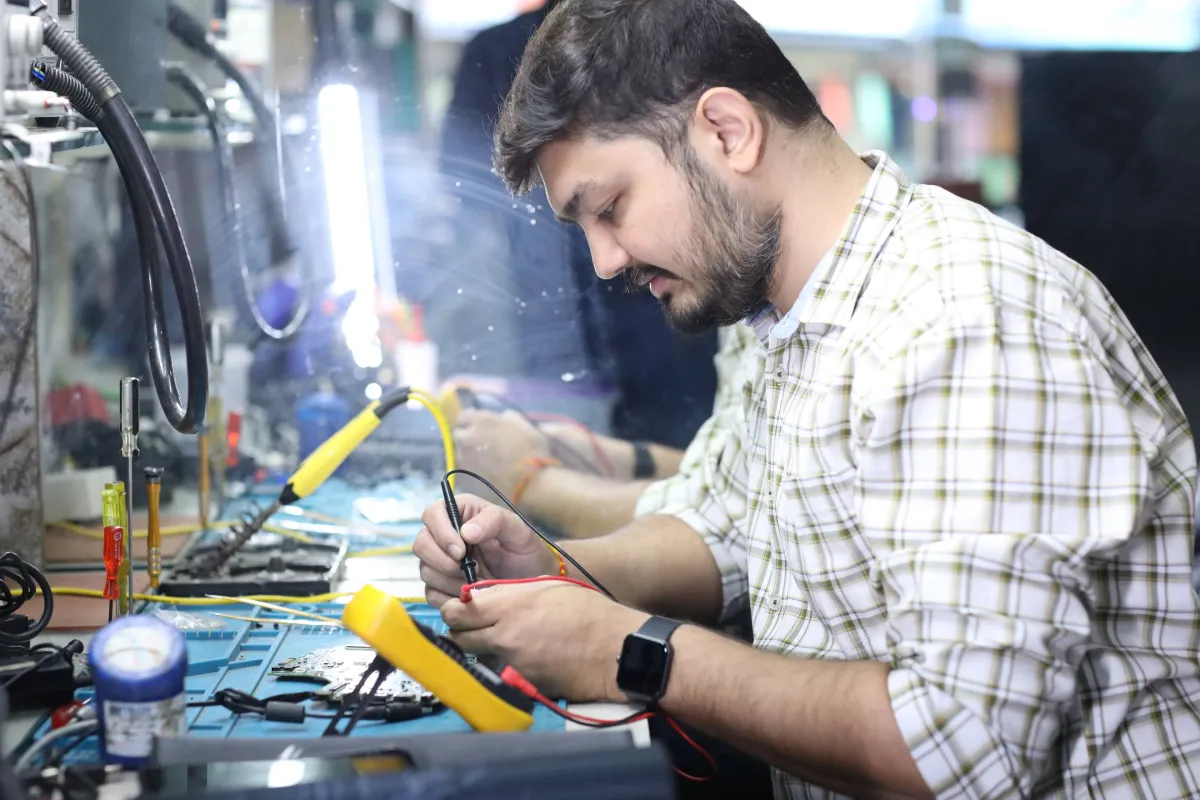
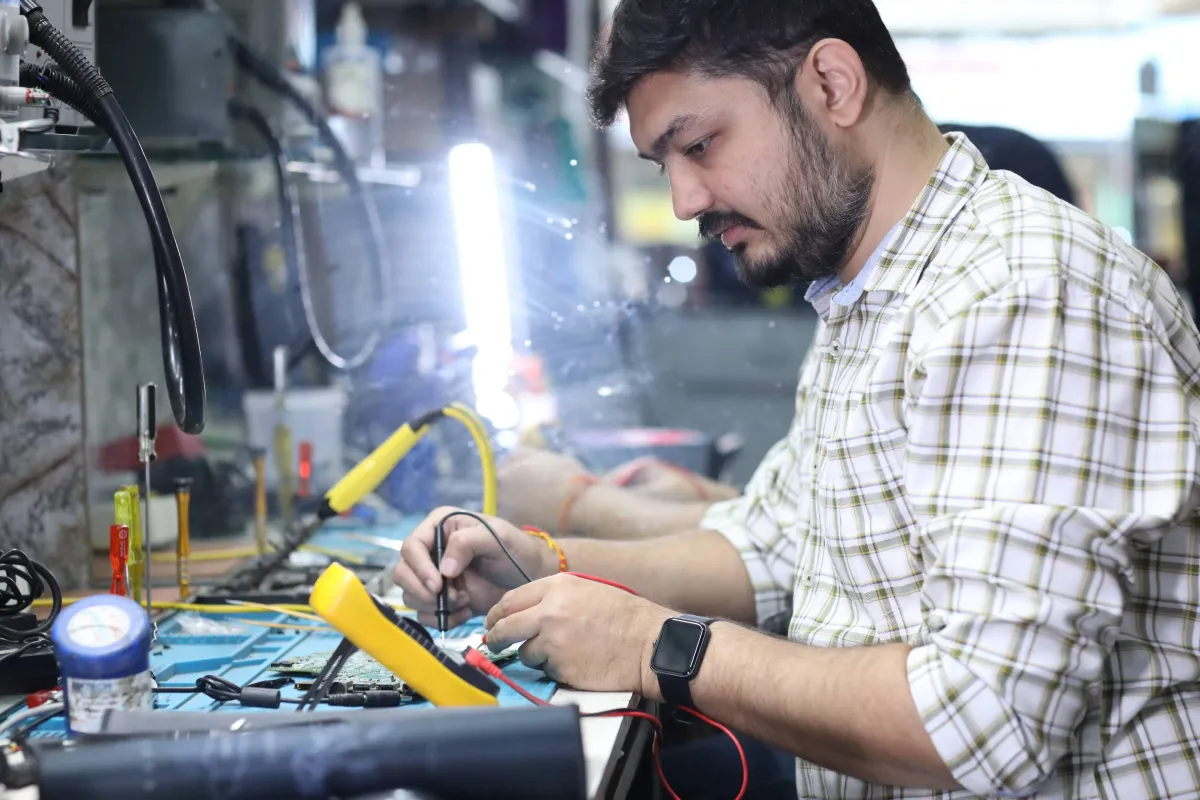
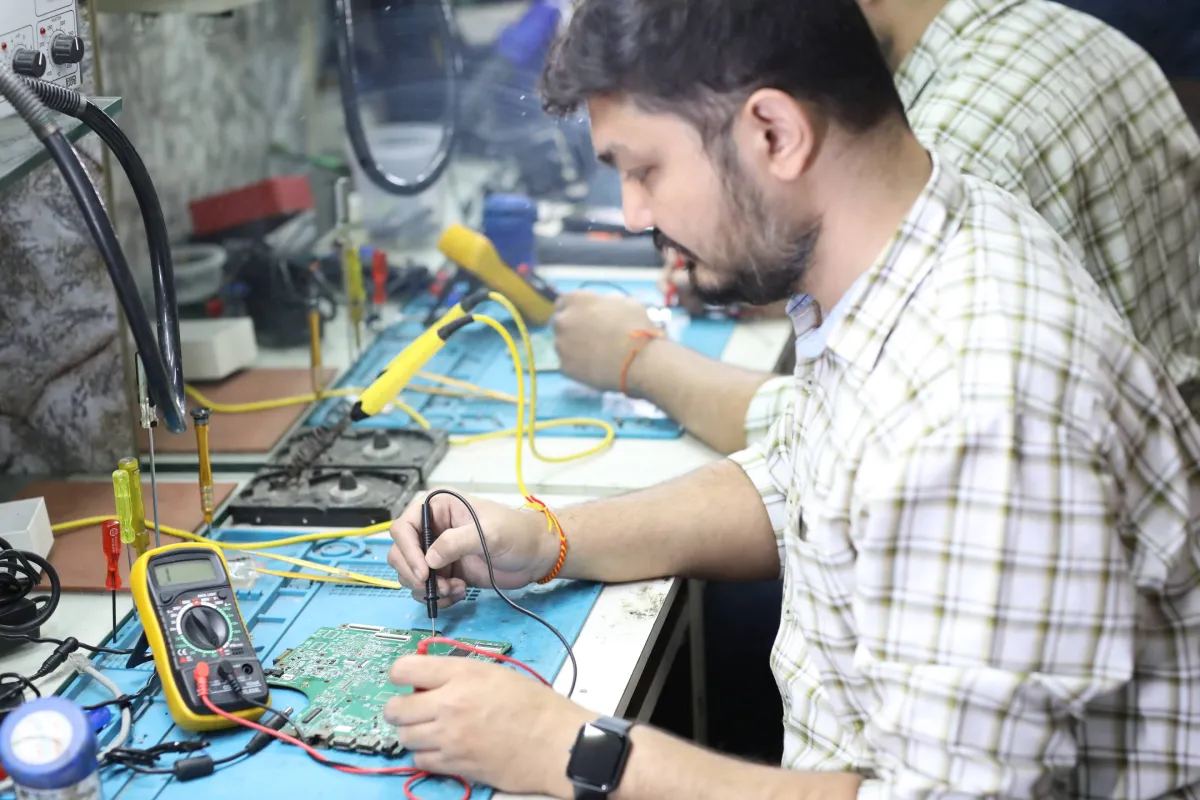
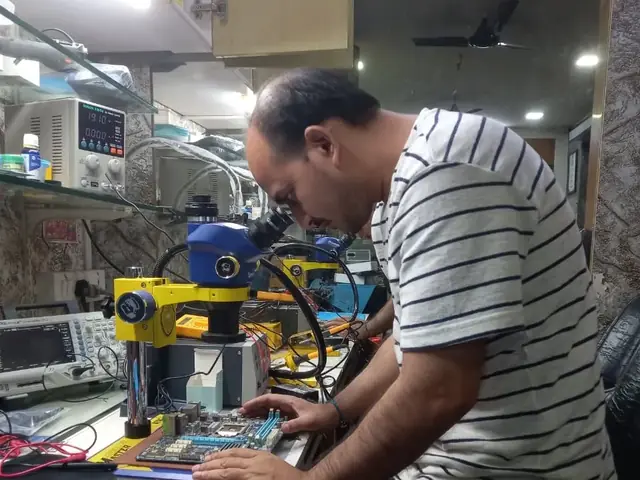
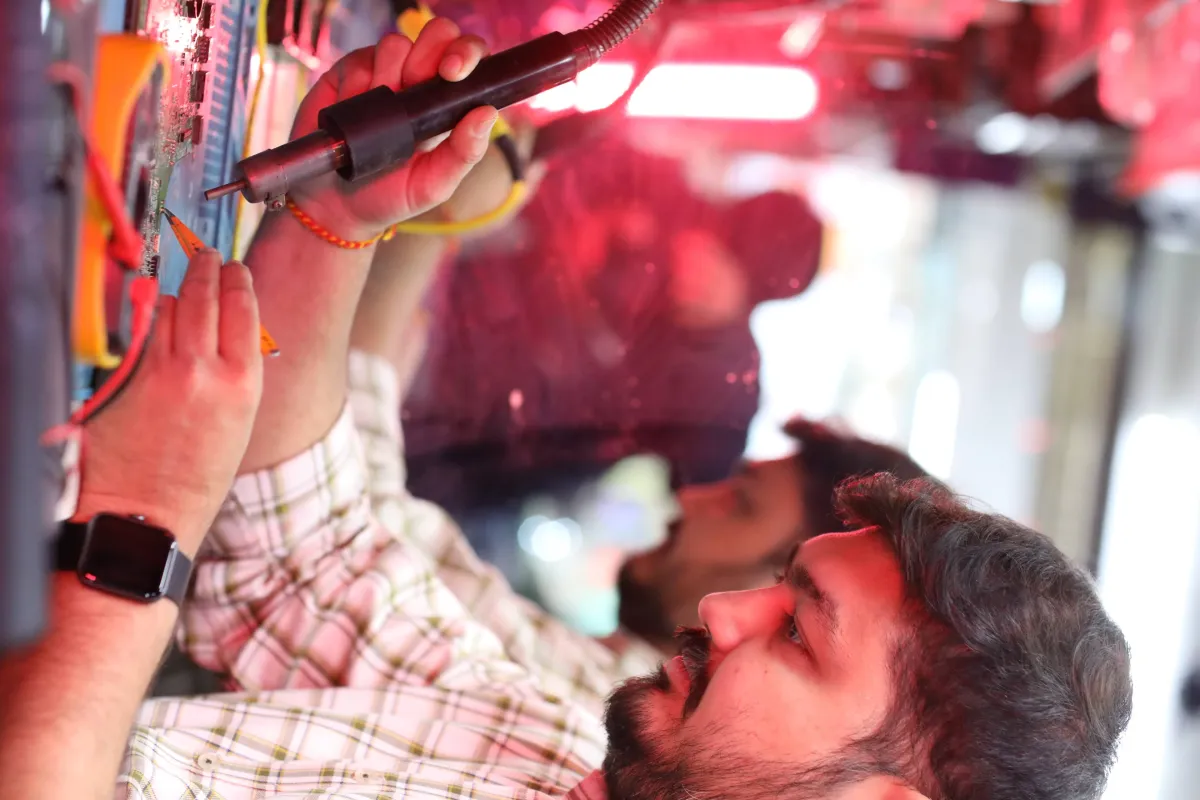
Board-level faults are traced with a microscope, a multimeter and a soldering station before any part is replaced, and parts are fitted only after you approve the quote.

We don't open your personal files during a repair. When a job needs access to your data, such as data recovery or a Windows reinstall, we ask you first.

  • Repaired in-house, not outsourced
  • Quote approved by you before work starts
  • Your files stay private
  • Microscope and board-level tools
  • Genuine or OEM-grade parts
  • 90-day warranty on repairs
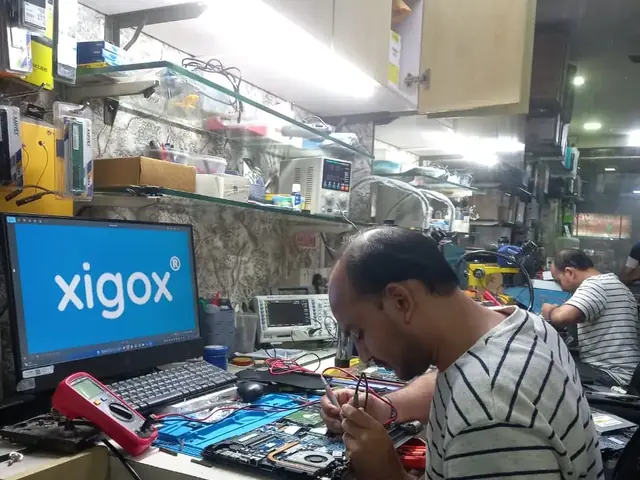
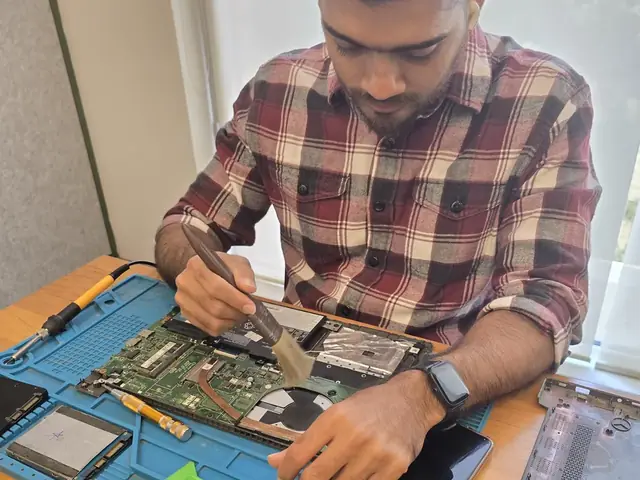
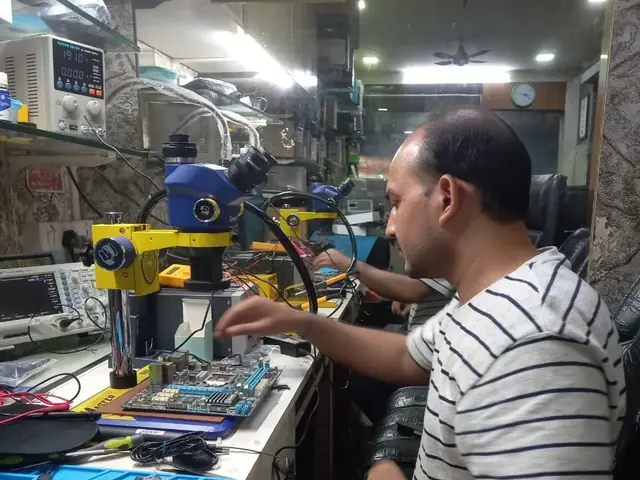
Technician inspecting a laptop motherboard under a microscope at the repair bench Technician testing a laptop mainboard with a multimeter beside a Xigox-branded monitor Technician brushing dust off an opened laptop motherboard with a cleaning brush Technician inspecting a laptop motherboard under a microscope at the repair bench
Xigox technicians at the repair bench.
Our Process

How We Fix Brother HL-B2080DW Wi-Fi Printer Not Connecting

A transparent, step-by-step process from booking to delivery — nothing hidden

Describe Your Issue

Call or WhatsApp +91 74997 61196. Tell us about the Wi-Fi Printer Not Connecting on your Brother HL-B2080DW in Masjid — no technical jargon required.

Free Doorstep Pickup

We dispatch an experienced technician to your Masjid address. Free pickup — no travel, no hassle, no waiting at a service centre.

Expert Diagnosis

Your Brother HL-B2080DW is inspected by a specialist. We identify the root cause of the Wi-Fi Printer Not Connecting and provide a written quote — zero obligation.

Approved Repair

Once you approve the quote, we fix the Wi-Fi Printer Not Connecting using OEM-grade parts. No work starts without your explicit consent.

Multi-Point QA Check

Every repaired Brother HL-B2080DW passes a rigorous multi-point quality assurance checklist. We verify the Wi-Fi Printer Not Connecting is fully and permanently resolved.

Delivery + 90-Day Warranty

Your Brother HL-B2080DW is returned to your Masjid address with a written 90-day warranty certificate. Same fault recurs? Fixed free.

Repair examples

Recently Repaired Printers

View All Recent Repairs

Samsung

Xpress M2835DW

Fixed
Issue
Vertical black lines appearing on every printed page. Print quality deteriorating with ghost images visible.
Solution
Replaced worn imaging drum unit. Cleaned corona wire and transfer roller. Ran diagnostic print to confirm clean output.

Technician's note

Drum surface had scratches causing line defects. Drum at 150%% of rated life — impressive longevity.

Thane West 1.5 Hours
  • Samsung
  • Laser
  • Drum Replacement

HP

LaserJet M428fdw

Fixed
Issue
Scanner producing black lines across scanned documents. ADF feeding but scanner output corrupted.
Solution
Replaced cracked ADF scanner glass strip. Cleaned flatbed scanner glass and calibration strip. Tested scan-to-email and copy functions.

Technician's note

Hairline crack in CIS scanner glass invisible to naked eye but caused consistent vertical line artifact.

Vikhroli East 1.5 Hours
  • HP
  • MFP
  • Scanner

Epson

L805

Fixed
Issue
Photo prints showing incorrect colors — skin tones appearing greenish. Color banding visible in gradient areas.
Solution
Performed nozzle check and deep cleaning. Ran ICM color profile calibration. Aligned print head for optimal dot placement.

Technician's note

Light cyan channel was partially blocked. After 3 cleaning cycles and manual alignment, color accuracy restored to factory spec.

Dadar West 2.5 Hours
  • Epson
  • Photo Printer
  • Color Calibration

Canon

imageCLASS LBP226dw

Fixed
Issue
Printer showing "Toner Low" despite new toner cartridge installed. Print density extremely light.
Solution
Cleaned toner level sensor window inside printer. Reset toner counter. Replaced faulty toner sensor board.

Technician's note

Toner dust had coated the optical sensor, giving false low readings. Sensor board had corroded connector pin.

Goregaon East 2 Hours
  • Canon
  • Laser
  • Toner Sensor

Brother

DCP-T820DW

Fixed
Issue
Ink tank printer showing "Unable to Clean" error. Black ink not printing at all despite full tank. Head cleaning cycles ineffective.
Solution
Disassembled print head assembly. Ultrasonic cleaned clogged nozzles. Replaced ink dampers and purged air from ink lines.

Technician's note

Ink had dried in dampers due to 3 months of non-use. Advised customer to print test page weekly to prevent recurrence.

Borivali East 3 Hours
  • Ink Tank
  • Brother
  • Print Head

HP

DeskJet 2723

Fixed
Issue
Showing "Cartridge Problem" error after installing new cartridges. Printer refusing to print. Orange error light blinking.
Solution
Cleaned cartridge contacts with isopropyl alcohol. Reseated cartridges with proper alignment. Updated printer firmware to recognize new cart...

Technician's note

Oxidation on carriage contacts was causing intermittent connection. Genuine HP cartridges verified.

Powai 30 Minutes
  • HP
  • Cartridge
  • DeskJet

Comparison

Xigox vs Other Brother HL-B2080DW Shops in Masjid

What you get with Xigox in Masjid, side by side.

FeatureXigoxOther shops
Experienced Technicians Trained & VerifiedVaries; ask who will work on the device
Genuine / OEM Parts OEM-Quality PartsVaries; ask which part will be fitted
90-Day Warranty Written CertificateVaries; ask for the warranty in writing
Diagnosis / Inspection ₹350, credited to the repairVaries; ask what the diagnosis costs
Same-Day Turnaround Masjid — Most RepairsVaries; ask for a time in writing
Free Doorstep Pickup Masjid — FreeVaries; ask whether pickup is free
Transparent Pricing Written Quote FirstVaries; ask for a written quote first
Live WhatsApp Updates Real-time Repair StatusVaries; ask how you will get updates

Xigox charges ₹350 for inspection — credited to your repair cost if you go ahead.

Customer reviews

What Customers Say About Brother HL-B2080DW Wi-Fi Printer Not Connecting in Masjid

4.9/5 · 12 reviews shown

See all 9,605+ reviews

Brother DCP-T420W — Blank Pages Fix

“Our Brother DCP-T420W was feeding paper but printing blank pages only. Xigox Churchgate diagnosed a disconnected print head cable and reseated it properly. Full printing restored immediately. Quick diagnosis saved our deadline.”
A Ashish Shetty Churchgate · 5 Nov 2025 31

Brother DCP-T420W — New Printer Setup

“Needed our new Brother DCP-T420W connected to twelve office computers. Xigox Bhayandar configured network printing, scan-to-email, and installed drivers on every machine. Double-sided defaults set up too. Smooth and professional setup.”
S Shweta Sathe Bhayandar · 15 May 2024 40

Brother DCP-T720DW — General Printer Repair

“Our office Brother DCP-T720DW was producing faded prints with streaks. Xigox Kurla technician replaced the worn rollers and fuser element. Print quality is now factory-perfect. Sharp text and vibrant colours. Excellent on-site service.”
G Gaurav Mishra Kurla · 23 Jul 2025 18

Brother DCP-T720DW — Printer Not Responding Fix

“Our Brother DCP-T720DW showed online but refused to print anything. Xigox Powai found a corrupted spooler and faulty communication board. Fixed both and updated firmware. Prints instantly now at full rated speed.”
A Anuja Gokhale Masjid · 9 Aug 2024 25

Brother DCP-T220 — Printer Noise Fix

“Our Brother DCP-T220 started making a grinding noise during printing. Xigox Sion found a worn gear in the paper feed mechanism and replaced it. Printer operates quietly and smoothly again. Quick, affordable fix.”
A Alka Marathe Masjid · 5 Jan 2025 28

Brother MFC-L2701DW — Printer Not Responding Fix

“Our Brother MFC-L2701DW showed online but refused to print anything. Xigox Vasai found a corrupted spooler and faulty communication board. Fixed both and updated firmware. Prints instantly now at full rated speed.”
T Tejas Bhat Pydhonie · 18 Feb 2026 34
Page 1 / 2

← Swipe or tap dots to browse →

FAQ

FAQs — Brother HL-B2080DW Wi-Fi Printer Not Connecting in Masjid

Everything you need to know before booking a diagnosis

10 questions answered

We use OEM or OEM-grade components and tell you which one your quote covers before work starts. We do not fit unbranded aftermarket parts or recycled pulls sold as new — part quality is the single biggest factor in whether a printer repair lasts, so it is not somewhere we cut cost. Trusted by customers throughout Mumbai City — rated 4.9★ across 9,605+ reviews.
That is what the ₹350 inspection is for. Symptoms overlap constantly — the same visible behaviour can come from three different components. We test rather than guess, then show you what we found before quoting. If the actual fault turns out to be something cheaper, the quote reflects that. We also serve Dongri, Chinch Bunder, Dockyard Road, so you can recommend us to neighbours too.
Usually not for long. Left alone, most faults of this kind put stress on neighbouring components and turn a contained repair into a board-level one. If you cannot bring it in immediately, tell us the symptoms on WhatsApp and we will tell you honestly whether it can wait a few days or should be powered down now. Free pickup also available in Dongri, Chinch Bunder, Dockyard Road and surrounding areas.
Yes — Xigox specialises in Brother HL-B2080DW Wi-Fi Printer Not Connecting across Masjid. Our experienced technicians diagnose and fix the problem efficiently, using OEM-quality parts and backed by a 90-day warranty. Free doorstep pickup is available in Masjid — call or WhatsApp +91 74997 61196. Customers near Carnac Bunder in Masjid are covered by our free pickup.
Most Brother HL-B2080DW Wi-Fi Printer Not Connecting issues in Masjid are resolved the same day — typically within 2–4 hours of pickup. We provide an accurate time estimate during the ₹350 inspection (refunded if you proceed with repair) so you're never left guessing. Customers across Masjid (400003) enjoy priority same-day scheduling.
Common causes of Brother HL-B2080DW Wi-Fi Printer Not Connecting include physical impact, wear and tear, manufacturing defects, water damage, overheating, or software conflicts. Xigox technicians perform a thorough diagnosis to identify the root cause and fix it permanently rather than applying a temporary patch. Customers across Masjid (400003) enjoy priority same-day scheduling.
Every repair at Xigox — including Brother HL-B2080DW Wi-Fi Printer Not Connecting fixes — is covered by a 90-day warranty. If the same problem recurs within 90 days, we repair it free of charge. Our warranty is provided in writing and applies to all repairs across Masjid and Mumbai MMR. Customers near Carnac Bunder in Masjid are covered by our free pickup.
The cost to fix Brother HL-B2080DW Wi-Fi Printer Not Connecting in Masjid varies by printer model and severity. Xigox charges ₹350 for inspection — refunded if you proceed with the repair. A transparent written quote before any work begins. You're never charged until you approve the repair — no hidden fees, ever. We've been serving Mumbai City district for over 15 years.
Xigox repairs Brother HL-B2080DW Wi-Fi Printer Not Connecting on HP, Canon, Epson, Brother, Samsung, Ricoh and Kyocera, and more. Our engineers are trained on brand-specific procedures and we stock genuine-grade parts for the most common models, so most repairs in Masjid are completed the same day. Customers near Carnac Bunder in Masjid are covered by our free pickup.
It depends on the age and value of the printer. As a rule, if the repair costs less than a third of a comparable replacement and the rest of the hardware is healthy, repairing is worth it. After the inspection we tell you the honest repair cost and what a replacement would run, so the comparison is yours to make — we do not push a repair that is not worth doing. Our service covers the full 400003 postal area in Masjid.

Still have questions?

Send us your question on WhatsApp or call — a technician will answer.

Brother HL-B2080DW Repair in Masjid — Xigox

Xigox is Masjid's leading independent specialist for Brother HL-B2080DW repair. Our engineers are not generalists — they undergo dedicated training on Brother hardware, firmware and diagnostics. Since 2011, we have completed over 1,00,000+ repairs across all Brother product lines, earning a 4.9-star average customer rating.

Parts for Brother HL-B2080DW models are held in stock rather than ordered after you book, so most repairs are not waiting on a supplier. Screens, batteries, keyboards, charging boards and flex cables are all OEM-grade. You approve a written estimate first, and the ₹350 inspection is credited back against the repair.

We actively serve the entire 400003 postal area within Mumbai City district, ensuring same-day response for every repair request. ₹350 inspection fee (refunded if you proceed with repair). Located near Carnac Bunder, our service coverage extends across Masjid and all surrounding localities. In addition to Masjid, we also provide doorstep repairs and free pickup for lab work for customers in Dongri, Chinch Bunder, Dockyard Road and other nearby areas.

Straightforward Brother jobs — battery, keyboard, screen, SSD or RAM — are done at your address in Masjid. Anything needing the microscope and hot-air station comes back to the lab, with free pickup and drop either way. We confirm within 15 minutes of booking and tell you honestly whether it is a same-day fix.

Your Brother HL-B2080DW leaves with a written 90-day warranty covering both parts and labour. Same fault back inside that window and we redo it free — no argument, no diagnostic fee. WhatsApp support stays open afterwards for any question about the repair.

Service Hours

Monday – Sunday · 9 AM – 9 PM

Open on all public holidays

Service Area

Masjid & surrounding Mumbai areas

Doorstep repairs + free pickup for lab work

Contact Us

+91 74997 61196

info@xigox.com

Our Guarantee

90-day warranty on all repairs

Free re-repair if same fault recurs

Wi-Fi Printer Not Connecting Repair for Other Brother Models

We diagnose and fix Wi-Fi Printer Not Connecting on all Brother models in Masjid

Wi-Fi Printer Not Connecting on Other Brands in Masjid

We fix Wi-Fi Printer Not Connecting on all major printer brands — same quality, same warranty

Areas, Roads & Landmarks We Cover in Masjid

Free pickup & drop across all these neighbourhoods

Localities & neighbourhoods

  • Masjid Bunder
  • Byculla
  • Fort

Roads & highways

  • P D Mello Road
  • Carnac Road
  • Nagdevi Street

Landmarks & famous places

  • Masjid Station
  • Carnac Bunder
  • Crawford Market (nearby)

Wi-Fi Printer Not Connecting Repair Across Mumbai — All Locations

Explore more services

More Repair & Tech Services Near Masjid

Same technicians · Free pickup · 90-day warranty across all services.

₹350 Inspection (refunded if you proceed with repair) · 1,00,000+ Repairs · 4.9 ★ · 90-Day Warranty

Ready to Fix Your
Brother HL-B2080DW?

₹350 Inspection (refunded if you proceed with repair) · Expert repair for Wi-Fi Printer Not Connecting · 90-day warranty

Serving Masjid and all of Mumbai MMR · Open 9 AM – 9 PM daily

The model

About the Brother HL-B2080DW

Best for: straightforward, dedicated document printing

The Brother HL-B2080DW is part of Brother's HL series — Brother's dedicated (print-only) laser printer line, built for straightforward, reliable document printing.

Key features

  • Print-only (no scan/copy) — a simpler, more focused device than Brother's multifunction lines.
  • Toner-based laser printing for low per-page document cost.

Service area

Brother HL-B2080DW Wi-Fi Printer Not Connecting Repair in Masjid — Service Area & Coverage

Xigox provides brother hl-b2080dw wi-fi printer not connecting repair across Masjid (PIN 400003), in the Mumbai City district of Mumbai. Our doorstep pickup and on-site service cover the entire Masjid area and the neighbourhoods around it.

Localities we cover in Masjid: Masjid Bunder, Byculla, Fort. Wherever you are in Masjid, we can collect your device from your door and bring it back after the repair.

Our technicians regularly serve homes, societies and offices around Masjid Station, Carnac Bunder and Crawford Market (nearby), and along P D Mello Road, Carnac Road and Nagdevi Street. If you're near any of these landmarks, same-day pickup for brother hl-b2080dw wi-fi printer not connecting repair is almost always available.

Brother HL-B2080DW Wi-Fi Printer Not Connecting Repair near Masjid

We also serve these nearby areas — tap your locality for local brother hl-b2080dw wi-fi printer not connecting repair:

Brother HL-B2080DW Wi-Fi Printer Not Connecting Repair price in Masjid — know it before you book

  1. 1Pick your device & issue
  2. 2See the real price range
  3. 3Free doorstep pickup in Masjid

4.9 from 9,605 customer reviews across all repairs · upfront pricing · 90-day warranty

Before you book: have your device model and a quick description of the issue ready — it speeds up your quote.

Not sure what's wrong?

Find Your Fix by Symptom

Tell us what your device is doing — we'll point you to the right repair, with real pricing and next steps.

See all repair problems we fix

Nearest branch: Worli

About 6.6 km from Masjid in a straight line. With free doorstep pickup you don't need to travel — call or WhatsApp before you visit.

Book a repair

Fix Wi-Fi Printer Not Connecting on Brother HL-B2080DW — Book Now

₹350 inspection fee refunded if you proceed with repair · 90-day warranty

Booking received

We'll call you within 1 hour to confirm your appointment and arrange doorstep pickup.

Inspection fee: ₹350

  • Credited to your total repair cost if you go ahead.
  • Still applies if the device can't be repaired or you decline the repair.

+91

Device type *

Inspection fee: ₹350

  • If you go ahead with the repair, the ₹350 is credited to your total repair cost.
  • If the device can't be repaired or you decide not to continue, the ₹350 inspection fee still applies.

Your details are used only to arrange this repair. By submitting, you agree to our Privacy Policy.

Call WhatsApp