Dell · Computer Monitor Flickering · Sativali

Dell Computer
Monitor Flickering
in Sativali

Expert diagnosis & repair for Computer Monitor Flickering on your Dell device in Sativali. Free doorstep pickup, genuine parts & 90-day warranty.

✓ ₹350 Inspection (refunded if you proceed with repair) ✓ Free Doorstep Pickup ✓ Same-Day Repair ✓ 90-Day Warranty ✓ All Dell Models

Open 9 AM – 9 PM · 7 days · ₹350 inspection fee (refunded if you proceed with repair)

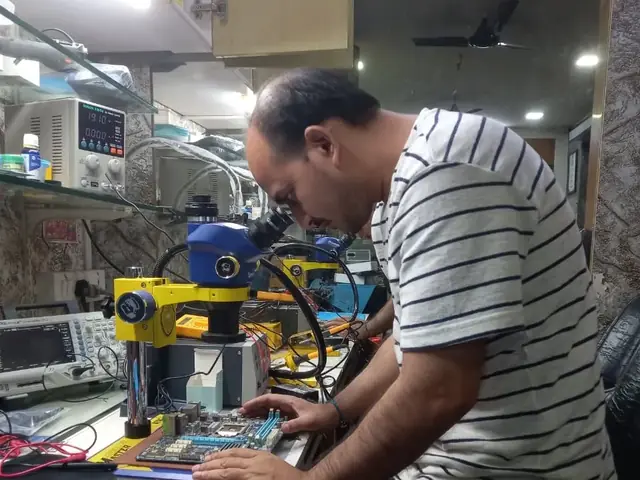
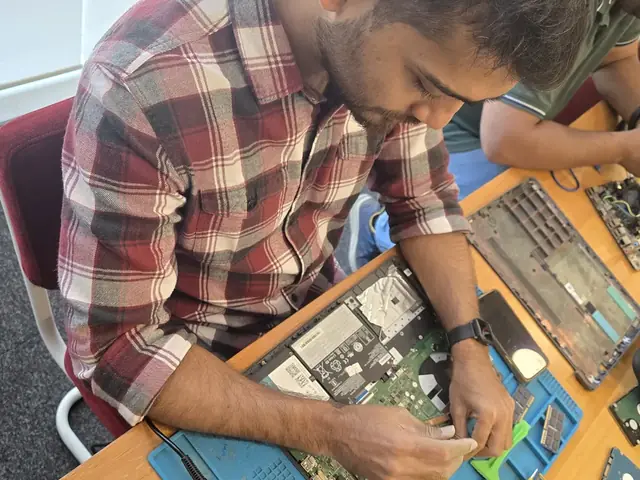
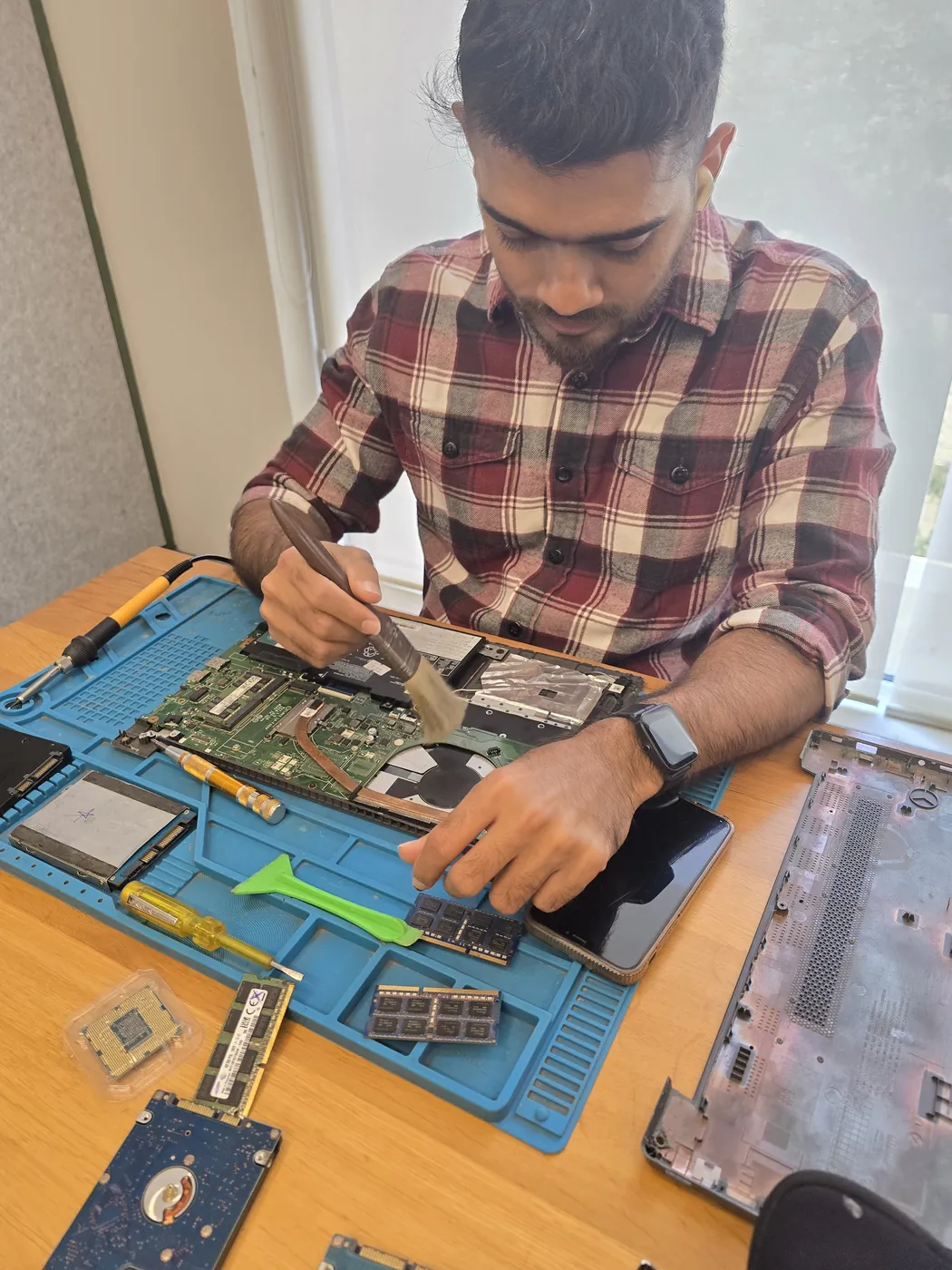
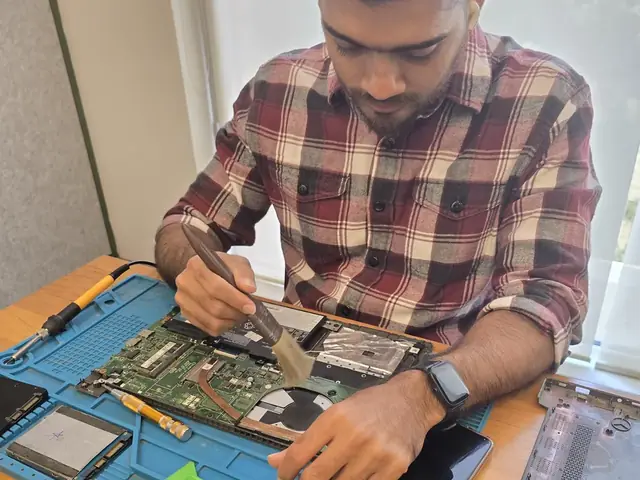
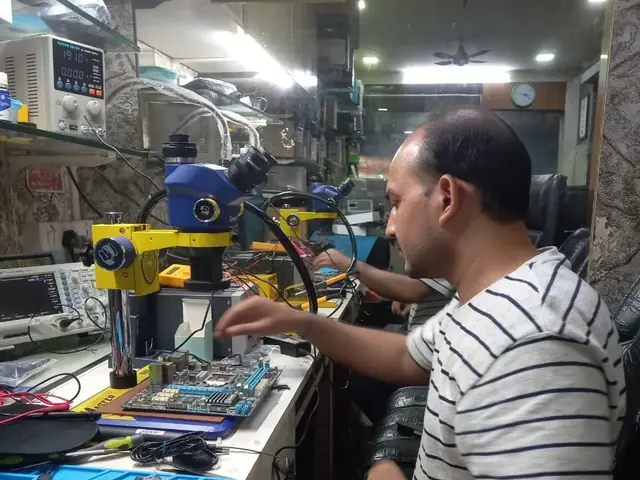
Technician inspecting a laptop motherboard under a microscope at the repair bench Top-down view of a technician servicing a laptop beside an SSD and a cleaning brush
Xigox technicians at the repair bench
Symptom Checker

Is Your Dell Device Showing These Signs?

Common symptoms of Computer Monitor Flickering on Dell devices. Recognise 2 or more? Book a ₹350 inspection (refunded if you proceed with repair) now.

Laptop clearly shows signs of Computer Monitor Flickering

Normal laptop performance significantly impacted

Issue worsening progressively with continued use

Standard user troubleshooting has not resolved it

Laptop has become unreliable for daily work

Risk of further hardware damage if left unaddressed

Don't Delay — Computer Monitor Flickering Gets Worse Over Time

Unaddressed hardware issues worsen and can lead to secondary damage, escalating repair costs significantly.

Book Inspection (₹350)
Root Cause Analysis

Why Does Computer Monitor Flickering Happen on Dell Devices?

Knowing the root cause ensures a precise repair — not just a temporary fix.

Physical Damage

Accidental drops, pressure or impact causing mechanical damage to internal components.

Liquid Exposure

Water, beverages or humidity causing short circuits or corrosion on circuit boards.

Normal Wear & Tear

Components degrade naturally with regular use — batteries, connectors and hinges most affected.

Manufacturing Defect

Factory faults that surface after the warranty period in certain production batches.

Cost Estimate

Dell Computer Monitor Flickering Repair Cost in Sativali

Transparent pricing · ₹350 inspection fee (refunded if you proceed with repair) first · Pay only after approval

Repair TypeEstimated CostWarranty
Diagnosis & Basic Repair ₹499 - ₹999 90 Days
Diagnosis & Basic Fix ₹499 - ₹999 90 Days
Standard Component Repair ₹999 - ₹2,499 90 Days
Standard Repair ₹999 - ₹2,499 90 Days

Final cost confirmed after ₹350 inspection (refunded if you proceed with repair). Work starts only with your approval.

Get Exact Quote

Why Us?

Why Choose Xigox for Dell Computer Monitor Flickering in Sativali?

With 1,00,488+ successful repairs and a 4.9-star rating, Xigox is an independent Dell repair specialist serving Sativali. Covering the entire Palghar district with same-day service.

Same-Day Turnaround

Most Dell Computer Monitor Flickering jobs in Sativali are completed same-day. Urgent service available for critical cases.

Full Transparency

We quote before starting work. No hidden fees. You pay exactly what you were quoted.

Lifetime Post-Repair Support

Free WhatsApp support for any questions about your Dell Computer Monitor Flickering after repair — always.

Free Pickup & Drop

Collection and return anywhere in Sativali at no charge for lab-based Dell work — we don't bill for convenience.

Transparent Pricing

₹350 inspection fee (refunded if you proceed). Written quote before any Dell Computer Monitor Flickering work begins.

No Fix, No Repair Fee

If we cannot resolve your Dell Computer Monitor Flickering issue, you pay nothing beyond the inspection fee.

Repairs Completed
1,00,488+
Since 2011
Average Rating
4.9 ★
9,605+ reviews
Repair Warranty
90 Days
Parts & labour
Avg Response
30 Min
For common issues
Pickup & Drop
Free
₹350 inspection fee
Est. Since
2011
15+ yrs in Palghar

Who repairs your device

Repaired in-house by Xigox technicians

Your Dell is handled by Xigox technicians from start to finish. It is never handed on to another shop. Work that needs the repair bench is done at our workshop in Virar West.

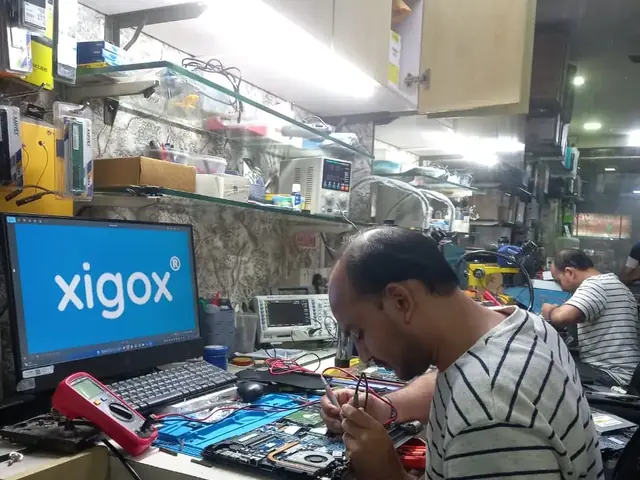
Board-level faults are traced with a microscope, a multimeter and a soldering station before any part is replaced, and parts are fitted only after you approve the quote.

We don't open your personal files during a repair. When a job needs access to your data, such as data recovery or a Windows reinstall, we ask you first.

  • Repaired in-house, not outsourced
  • Quote approved by you before work starts
  • Your files stay private
  • Microscope and board-level tools
  • Genuine or OEM-grade parts
  • 90-day warranty on repairs
Technician inspecting a laptop motherboard under a microscope at the repair bench Technician testing a laptop mainboard with a multimeter beside a Xigox-branded monitor Technician brushing dust off an opened laptop motherboard with a cleaning brush Technician inspecting a laptop motherboard under a microscope at the repair bench
Xigox technicians at the repair bench.
Our Process

How We Fix Dell Computer Monitor Flickering

Step-by-step from booking to delivery — complete transparency, no surprises

Tell Us the Problem

Call, WhatsApp or book online. Tell us about the Computer Monitor Flickering on your Dell desktop computer in Sativali. No technical expertise needed.

Free Pickup & Drop

We pick up your Dell desktop computer from your Sativali address at no transport cost. Bring it to us or we come to you.

₹350 Inspection

A Dell specialist examines your desktop computer and identifies the exact root cause of the Computer Monitor Flickering. Full written report provided — ₹350 fee refunded if you proceed with repair.

Transparent Quote

We share a detailed repair quote. Work begins only after your explicit approval — no hidden charges, no surprises.

Professional Repair

Our engineers fix the Computer Monitor Flickering using OEM-grade Dell parts. A multi-point quality checklist is completed before your desktop computer is returned.

90-Day Warranty + Delivery

Your Dell desktop computer is returned to your Sativali address with a written 90-day warranty. Same fault recurs? We fix it free of charge.

Customer reviews

What Customers Say About Dell Computer Monitor Flickering in Sativali

4.9/5 · 12 reviews shown

See all 9,605+ reviews

Dell Inspiron Desktop — PC Not Turning On Fix

“My Dell Inspiron Desktop went completely dead after a power surge. Xigox Mira Road replaced the blown PSU and repaired the front panel wiring. Also installed a surge protector. System boots perfectly with all data intact.”
R Renuka Shahane Pokharan Road · 30 Aug 2025 29

Dell Precision 3660 — General Desktop Repair

“My Dell Precision 3660 had random crashes and blue screens for weeks. Xigox Juhu found a failing PSU and bad RAM stick. Replaced both and the system has been rock-solid for over a month now. Thorough and professional.”
G Gaurav Mishra Juhu · 11 Jan 2025 7

Dell Inspiron Desktop — Memory Upgrade

“My Dell Inspiron Desktop struggled with just eight gigs of RAM. Xigox Malad installed thirty-two gigs in dual-channel with XMP enabled. Run Photoshop, Chrome, and Slack simultaneously now without any slowdown. Huge improvement.”
H Harsh Agarwal Malad · 26 Jul 2025 36

Dell Inspiron Desktop — BSOD Fix

“My Dell Inspiron Desktop showed constant blue screen of death errors. Xigox Goregaon ran extensive diagnostics and found a bad RAM module. Replaced it and updated all drivers. Rock-solid stability since the repair. Efficient diagnosis.”
P Preeti Joglekar Sativali · 8 Jul 2024 15

Dell Precision 3660 — Memory Upgrade

“My Dell Precision 3660 struggled with just eight gigs of RAM. Xigox Malad installed thirty-two gigs in dual-channel with XMP enabled. Run Photoshop, Chrome, and Slack simultaneously now without any slowdown. Huge improvement.”
A Anuja Gokhale Sativali · 9 Apr 2024 6

Dell OptiPlex 7010 — Memory Upgrade

“My Dell OptiPlex 7010 struggled with just eight gigs of RAM. Xigox Vasai installed thirty-two gigs in dual-channel with XMP enabled. Run Photoshop, Chrome, and Slack simultaneously now without any slowdown. Huge improvement.”
A Archana Nipunge Teen Hath Naka · 30 Jul 2025 15
Page 1 / 2

← Swipe or tap dots to browse →

Repair examples

Recently Repaired Desktops & Computers

View All Recent Repairs

Dell

OptiPlex 7010

Fixed
Issue
PC dead — no power, no LED indicators. Power supply fan not spinning at all.
Solution
Diagnosed failed 450W PSU. Replaced with compatible unit. All components powered on successfully.

Technician's note

PSU exceeded 5-year lifespan. Recommended surge protector for office fleet.

Andheri West 1 Hour
  • PSU
  • Dell
  • Desktop

HP

ProDesk 400 G7

Fixed
Issue
Desktop not powering on. Power button LED blinking 5 times — indicates motherboard failure per HP diagnostics.
Solution
Found 3 bulging capacitors near CPU VRM section. Replaced all faulty capacitors with same-spec rated components. Tested under load for stabi...

Technician's note

Capacitor failure likely caused by prolonged voltage fluctuation. Recommended UPS installation.

Malad West 3 Hours
  • HP
  • Motherboard
  • Capacitor

ASUS

ROG Strix GT35

Fixed
Issue
GPU displaying visual artifacts during gaming. Screen flickering and colored pixels during 3D rendering.
Solution
Replaced dried thermal paste on GPU die. Repaired micro-solder joint on VRAM chip. Artifacts completely eliminated.

Technician's note

Thermal paste had completely dried out. Applied premium thermal compound rated for 8+ years.

Powai 2 Hours
  • GPU
  • ASUS
  • Thermal

Gaming

PC RTX 4080

Fixed
Issue
No display output, fans spinning. No boot sequence.
Solution
Diagnosed motherboard failure. Replaced with compatible board.
Goregaon West 4 Hours
  • Motherboard
  • Gaming
  • Display

Custom

Build (AMD Ryzen 7)

Fixed
Issue
Client wanted to upgrade from GTX 1660 to RTX 4070. Existing 450W PSU insufficient for new GPU.
Solution
Installed Corsair RM750e PSU with proper cable management. Mounted RTX 4070 with support bracket. Updated BIOS and installed latest drivers....

Technician's note

Old PSU only had one 8-pin PCIe connector. New 750W provides clean, stable power for the RTX 4070.

Andheri East 2.5 Hours
  • Gaming PC
  • GPU Upgrade
  • PSU

Lenovo

ThinkCentre M70t

Fixed
Issue
PC randomly shutting down during heavy workloads. Sometimes fails to POST. Capacitor bulging visible.
Solution
Replaced 3 failed electrolytic capacitors with Japanese-grade caps. Reflowed solder joints around VRM area.

Technician's note

Component-level repair saved customer from motherboard replacement cost.

Thane West 3 Hours
  • Motherboard
  • Lenovo
  • Capacitor

FAQ

FAQs — Dell Computer Monitor Flickering in Sativali

Everything you need to know before booking your inspection

10 questions answered

You bring it straight back. The same fault inside 90 days is covered under warranty — no second inspection fee, no diagnostic charge, no argument. The cover is there in writing so you do not have to just take our word for it. Free pickup also available in Evershine City, Vasai East, Ambadi Road and surrounding areas.
We use OEM or OEM-grade components and tell you which one your quote covers before work starts. We do not fit unbranded aftermarket parts or recycled pulls sold as new — part quality is the single biggest factor in whether a computer repair lasts, so it is not somewhere we cut cost. Free pickup also available in Evershine City, Vasai East, Ambadi Road and surrounding areas.
That is what the ₹350 inspection is for. Symptoms overlap constantly — the same visible behaviour can come from three different components. We test rather than guess, then show you what we found before quoting. If the actual fault turns out to be something cheaper, the quote reflects that. Free pickup also available in Evershine City, Vasai East, Ambadi Road and surrounding areas.
Usually not for long. Left alone, most faults of this kind put stress on neighbouring components and turn a contained repair into a board-level one. If you cannot bring it in immediately, tell us the symptoms on WhatsApp and we will tell you honestly whether it can wait a few days or should be powered down now. Free pickup also available in Evershine City, Vasai East, Ambadi Road and surrounding areas.
Yes — Xigox specialises in Dell Computer Monitor Flickering across Sativali. Our experienced technicians diagnose and fix the problem efficiently, using OEM-quality parts and backed by a 90-day warranty. Free doorstep pickup is available in Sativali — call or WhatsApp +91 74997 61196. We've been serving Palghar district for over 15 years.
Most Dell Computer Monitor Flickering issues in Sativali are resolved the same day — typically within 2–4 hours of pickup. We provide an accurate time estimate during the ₹350 inspection (refunded if you proceed with repair) so you're never left guessing. Trusted by customers throughout Palghar — rated 4.9★ across 9,605+ reviews.
Common causes of Dell Computer Monitor Flickering include physical impact, wear and tear, manufacturing defects, water damage, overheating, or software conflicts. Xigox technicians perform a thorough diagnosis to identify the root cause and fix it permanently rather than applying a temporary patch. We also serve Evershine City, Vasai East, Ambadi Road, so you can recommend us to neighbours too.
Every repair at Xigox — including Dell Computer Monitor Flickering fixes — is covered by a 90-day warranty. If the same problem recurs within 90 days, we repair it free of charge. Our warranty is provided in writing and applies to all repairs across Sativali and Mumbai MMR. Trusted by customers throughout Palghar — rated 4.9★ across 9,605+ reviews.
The cost to fix Dell Computer Monitor Flickering in Sativali varies by computer model and severity. Xigox charges ₹350 for inspection — refunded if you proceed with the repair. A transparent written quote before any work begins. You're never charged until you approve the repair — no hidden fees, ever. Our service covers the full 401208 postal area in Sativali.
Xigox repairs Dell Computer Monitor Flickering on Apple, HP, Dell, Lenovo, Asus, Acer, MSI, Intel and custom-built systems, and more. Our engineers are trained on brand-specific procedures and we stock genuine-grade parts for the most common models, so most repairs in Sativali are completed the same day. Customers across Sativali (401208) enjoy priority same-day scheduling.

Still have questions?

Send us your question on WhatsApp or call — a technician will answer.

Dell Computer Repair in Sativali — Xigox

Xigox is Sativali's leading independent specialist for Dell Computer repair. Our engineers are not generalists — they undergo dedicated training on Dell hardware, firmware and diagnostics. Since 2011, we have completed over 1,00,000+ repairs across all Dell product lines, earning a 4.9-star average customer rating.

We stock genuine Dell parts and OEM-compatible components for every common Computer fault — from screen replacements and battery swaps to logic board repairs and data recovery. Before any work begins, you receive a written cost estimate. Our ₹350 inspection fee is refunded if you proceed with the repair.

We actively serve the entire 401208 postal area within Palghar district, ensuring same-day response for every repair request. ₹350 inspection fee (refunded if you proceed with repair). Located near Sativali Village, our service coverage extends across Sativali and all surrounding localities. In addition to Sativali, we also provide doorstep repairs and free pickup for lab work for customers in Evershine City, Vasai East, Ambadi Road and other nearby areas.

How your Dell Computer gets serviced depends on the fault. Part swaps happen on-site anywhere in Sativali; board-level work goes to the bench because it needs proper rework equipment. Either way collection and return are free, and you get progress updates rather than having to chase us.

Your Dell Computer leaves with a written 90-day warranty covering both parts and labour. Same fault back inside that window and we redo it free — no argument, no diagnostic fee. WhatsApp support stays open afterwards for any question about the repair.

Service Hours

Monday – Sunday · 9 AM – 9 PM

Open on all public holidays

Service Area

Sativali & surrounding Mumbai areas

Doorstep repairs + free pickup for lab work

Contact Us

+91 74997 61196

info@xigox.com

Our Guarantee

90-day warranty on all repairs

Free re-repair if same fault recurs

Product lines

Dell Series We Cover for Computer Monitor Flickering repair in Sativali

Xigox keeps Dell parts and service documentation for 7 Dell series, so Computer Monitor Flickering repair on a Alienware, Inspiron, Latitude and OptiPlex machine is handled by someone who has seen that chassis before. We regularly take in Alienware, Inspiron, Latitude and OptiPlex, along with Precision, Vostro and XPS units for Computer Monitor Flickering repair in Sativali. Specific Dell models on our current service list include Dell Inspiron Desktop, Dell OptiPlex 7010, Dell Precision 3660 and Dell Vostro 3910. If your Dell model is not listed, it is almost certainly still covered — send us the model number on the base sticker and we will confirm parts availability before you book.

  • Alienware
  • Inspiron
  • Latitude
  • OptiPlex
  • Precision
  • Vostro
  • XPS

Dell XPS

The Dell XPS 8960 is Dell's premium consumer desktop tower, offering stronger components and build quality than Inspiron desktops while remaining more accessible than the Precision workstation line.

Dell XPS 8960

Dell Inspiron

The Dell Inspiron Desktop is Dell's mainstream consumer desktop tower — everyday home computing with straightforward, accessible internals for upgrades and repairs.

Dell Inspiron Desktop

Dell OptiPlex

The Dell OptiPlex 7010 is Dell's business desktop line — small-form-factor and tower options built for corporate deployment, with an emphasis on manageability, security features, and long-term part availability.

Dell OptiPlex 7010

Computer Monitor Flickering Repair for All Dell Models in Sativali

Select your specific Dell model for a more targeted diagnosis page

Computer Monitor Flickering Repair for Other Brands in Sativali

We fix Computer Monitor Flickering across all major laptop and computer brands with the same quality and warranty

Areas, Roads & Landmarks We Cover in Sativali

Free pickup & drop across all these neighbourhoods

Localities & neighbourhoods

  • Sativali
  • Vasai East
  • Nalasopara

Roads & highways

  • Sativali Road
  • Vasai-Nalasopara Road
  • SH-43

Landmarks & famous places

  • Sativali Village
  • Sativali Church
  • Vasai East Station (nearby)

Dell Computer Monitor Flickering Repair — All Locations

Explore more services

More Repair & Tech Services Near Sativali

Same technicians · Free pickup · 90-day warranty across all services.

₹350 Inspection (refunded if you proceed with repair) · 1,00,000+ Repairs · 4.9 ★ · 90-Day Warranty

Fix Your Dell Device's
Computer Monitor Flickering Today

₹350 Inspection (refunded if you proceed with repair) · Expert repair for Computer Monitor Flickering · 90-day warranty

Serving Sativali and all of Mumbai MMR · Open 9 AM – 9 PM daily

Comparison

Xigox vs Other Dell Computer Monitor Flickering Shops in Sativali

What you get with Xigox in Sativali, side by side.

FeatureXigoxOther shops
Experienced Technicians Trained & VerifiedVaries; ask who will work on the device
Genuine / OEM Parts OEM-Quality PartsVaries; ask which part will be fitted
90-Day Warranty Written CertificateVaries; ask for the warranty in writing
Diagnosis / Inspection ₹350, credited to the repairVaries; ask what the diagnosis costs
Same-Day Turnaround Sativali — Most RepairsVaries; ask for a time in writing
Free Doorstep Pickup Sativali — FreeVaries; ask whether pickup is free
Transparent Pricing Written Quote FirstVaries; ask for a written quote first
Live WhatsApp Updates Real-time Repair StatusVaries; ask how you will get updates

Xigox charges ₹350 for inspection — credited to your repair cost if you go ahead.

Dell Computer Monitor Flickering Repair in Sativali — Professional, Reliable, and Affordable

Avoid the directory hustle. Choose a direct service centre with Xigox. Office desktops and workstations in Sativali need fast turnaround on Dell Computer Monitor Flickering Repair. Xigox offers annual maintenance contracts for 5–500 units in Sativali: proactive servicing, 4-hour SLA response, and full repair documentation with corporate billing.

Express Dell Computer Monitor Flickering Repair — What to Expect

Curious how quickly Xigox can complete issue in Sativali? Here's our typical timeline: Step 1 — message us and our pickup technician reaches you within 2 hours. Step 2 — our inspection identifies the exact fault. Next — you give the go-ahead via WhatsApp — completely your decision. Finally — this issue is executed using genuine parts at our Virar West workshop, often same day. Then — your Dell is delivered back to your Sativali address fully tested.

Affordable Dell Computer Monitor Flickering Repair in Sativali

Premium repair shouldn't break the bank in Sativali. Because we repair at the component level, we typically save customers 30% to 50% versus authorized brand service centres. You receive identical stellar quality for your Dell, but at a much fairer price. Get your free quote for the repair in Sativali now.

Business & Corporate Dell Computer Monitor Flickering Repair in Sativali

Businesses across Sativali trust our issue to minimise downtime. We offer annual maintenance plans, priority turnaround, and a single point of contact. From a small team or an entire floor, Xigox manages this issue for your Sativali workspace with GST invoices and complete service reports.

Urgent Dell Computer Monitor Flickering Repair Available

Can't wait 48 hours? Xigox offers rush the repair in Sativali for urgent situations. From an important client meeting and your Dell just crashed, our emergency service moves your Dell to the front of the line, so most repairs can be finished the same business day. Emergency the repair can be arranged including weekends in Sativali. Just say 'priority' when calling and our team will fast-track your repair immediately.

Why Choose Xigox for Dell Computer Monitor Flickering Repair in Sativali

You have options in Sativali, but Xigox is the preferred choice for this issue. Our core values include complete transparency. Every issue starts with a detailed hardware check costing just ₹350, refunded if you proceed. No hidden charges — just professional issue in Sativali.

Our Dell Computer Monitor Flickering Repair Process Step by Step

Getting your Dell fixed in Sativali is incredibly hassle-free. Step 1, call or WhatsApp us at +91 74997 61196 to describe your issue. Next, our complimentary collection driver arrives at your Sativali doorstep within 1–2 hours. The team then carry out a thorough diagnostic (₹350, credited toward your repair). Once you agree, the repair is executed with genuine parts — and your Dell is returned to you. Most repairs done same day.

OEM-Grade Solutions for Dell Computer Monitor Flickering Repair

Quality matters for this issue. Because of this, our team strictly use genuine parts for your Dell. Instead of unbranded components, we use trusted supply chains. This is how we help your issue stay durable, supported by our standard 90-day warranty.

Sativali Customer Support for Dell Computer Monitor Flickering Repair

Xigox's responsibility extends beyond the repair itself. Our support line is available daily via call or message. If you notice anything unusual in the post-repair period, just reach out and we dispatch a technician immediately. This promise is why Sativali customers choose Xigox again and again.

Post-Repair Support for Dell Computer Monitor Flickering Repair

Each issue performed by Xigox in Sativali comes with a comprehensive 90-day warranty covering parts and labour. Simply put, if the same issue recurs within 90 days, we redo it completely free. Xigox issues a printed warranty receipt every single time, so you know exactly what is covered.

Experienced Technicians for Dell Computer Monitor Flickering Repair in Sativali

Not everyone in Sativali can handle complex the repair. Xigox's engineers undergo rigorous training specifically for Dell hardware. Whether it's a minor fix or advanced component-level motherboard repair, we fix it properly right here for Sativali clients.

Countless happy customers across Mumbai, Thane and Palghar confirm our expertise. We're the reliable choice for Dell Computer Monitor Flickering Repair in Sativali. Every repair comes with a written warranty, genuine parts, and full honesty. Request your quote — WhatsApp us today.

Service area

Dell Computer Monitor Flickering Repair in Sativali — Service Area & Coverage

Xigox provides dell computer monitor flickering repair across Sativali (PIN 401208), in the Palghar district of Vasai. Our doorstep pickup and on-site service cover the entire Sativali area and the neighbourhoods around it.

Localities we cover in Sativali: Vasai East, Nalasopara. Wherever you are in Sativali, we can collect your device from your door and bring it back after the repair.

Our technicians regularly serve homes, societies and offices around Sativali Village, Sativali Church and Vasai East Station (nearby), and along Sativali Road, Vasai-Nalasopara Road and SH-43. If you're near any of these landmarks, same-day pickup for dell computer monitor flickering repair is almost always available.

Dell Computer Monitor Flickering Repair near Sativali

We also serve these nearby areas — tap your locality for local dell computer monitor flickering repair:

Dell Computer Monitor Flickering Repair price in Sativali — know it before you book

  1. 1Pick your device & issue
  2. 2See the real price range
  3. 3Free doorstep pickup in Sativali

4.9 from 9,605 customer reviews across all repairs · upfront pricing · 90-day warranty

Before you book: have your device model and a quick description of the issue ready — it speeds up your quote.

Our head office: Virar West

About 8.3 km from Sativali in a straight line. With free doorstep pickup you don't need to travel — this is where the repair is done.

Book a repair

Dell Computer Monitor Flickering Repair — Book Now

Free pickup · Genuine parts · 90-day warranty

Booking received

We'll call you within 1 hour to confirm your appointment and arrange doorstep pickup.

Inspection fee: ₹350

  • Credited to your total repair cost if you go ahead.
  • Still applies if the device can't be repaired or you decline the repair.

+91

Device type *

Inspection fee: ₹350

  • If you go ahead with the repair, the ₹350 is credited to your total repair cost.
  • If the device can't be repaired or you decide not to continue, the ₹350 inspection fee still applies.

Your details are used only to arrange this repair. By submitting, you agree to our Privacy Policy.

Call WhatsApp