Dell · OptiPlex 7010 · Sakinaka

Dell OptiPlex 7010
Malware Removal
in Sakinaka

Expert repair for your Dell OptiPlex 7010 in Sakinaka. Free doorstep pickup, OEM-quality parts & 90-day warranty.

✓ Free Doorstep Pickup ✓ Same-Day Repair ✓ 90-Day Warranty ✓ ISO 9001 Certified

Open every day, 9 AM – 9 PM

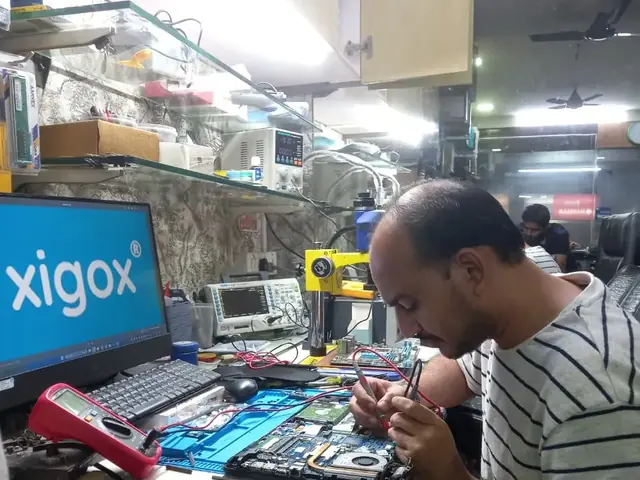
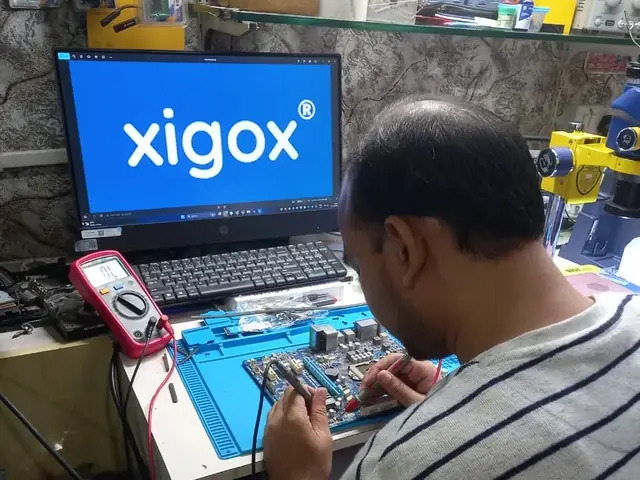
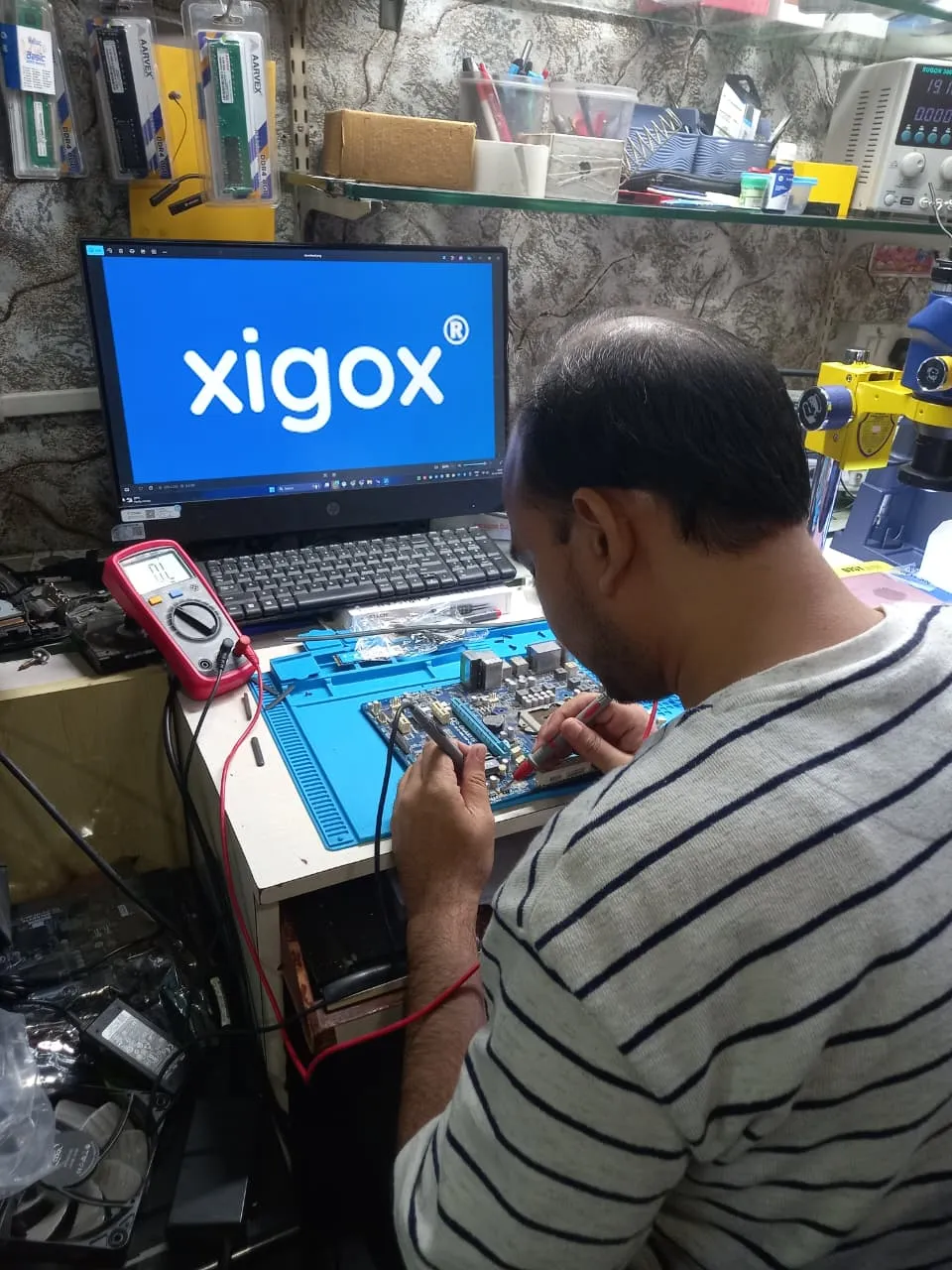
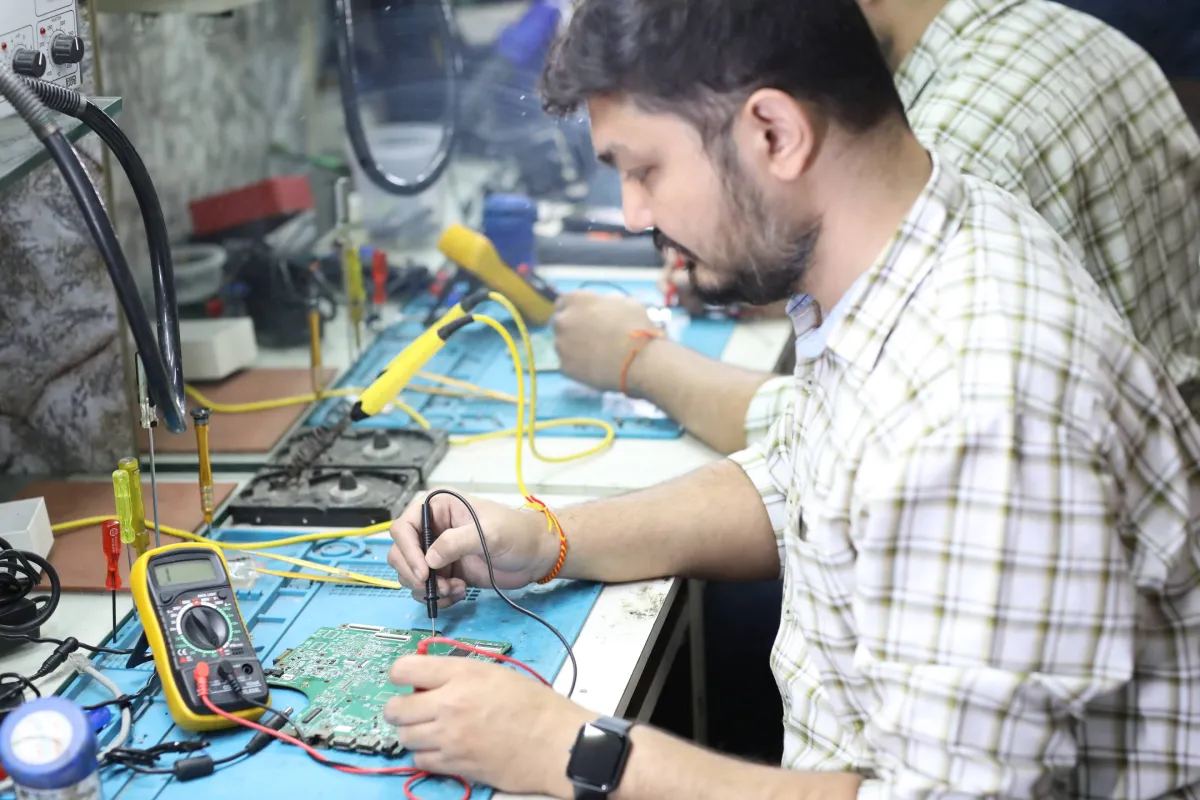
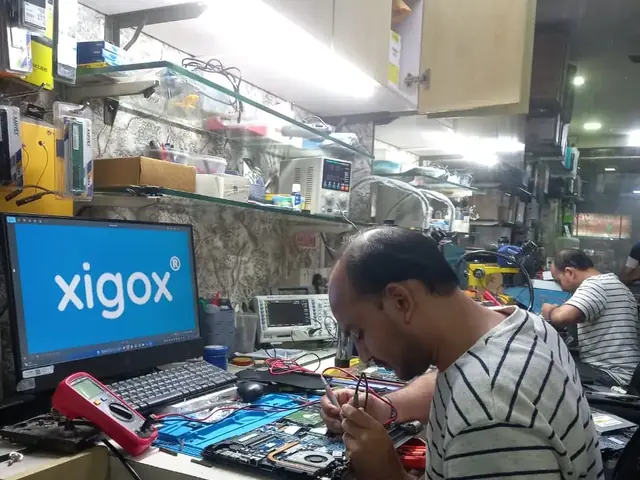
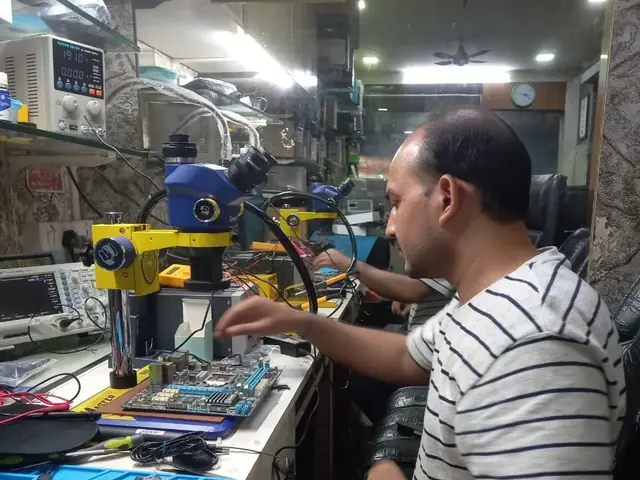
Technician testing a laptop mainboard with a multimeter beside a Xigox-branded monitor Technician probing a computer motherboard with a multimeter and soldering iron
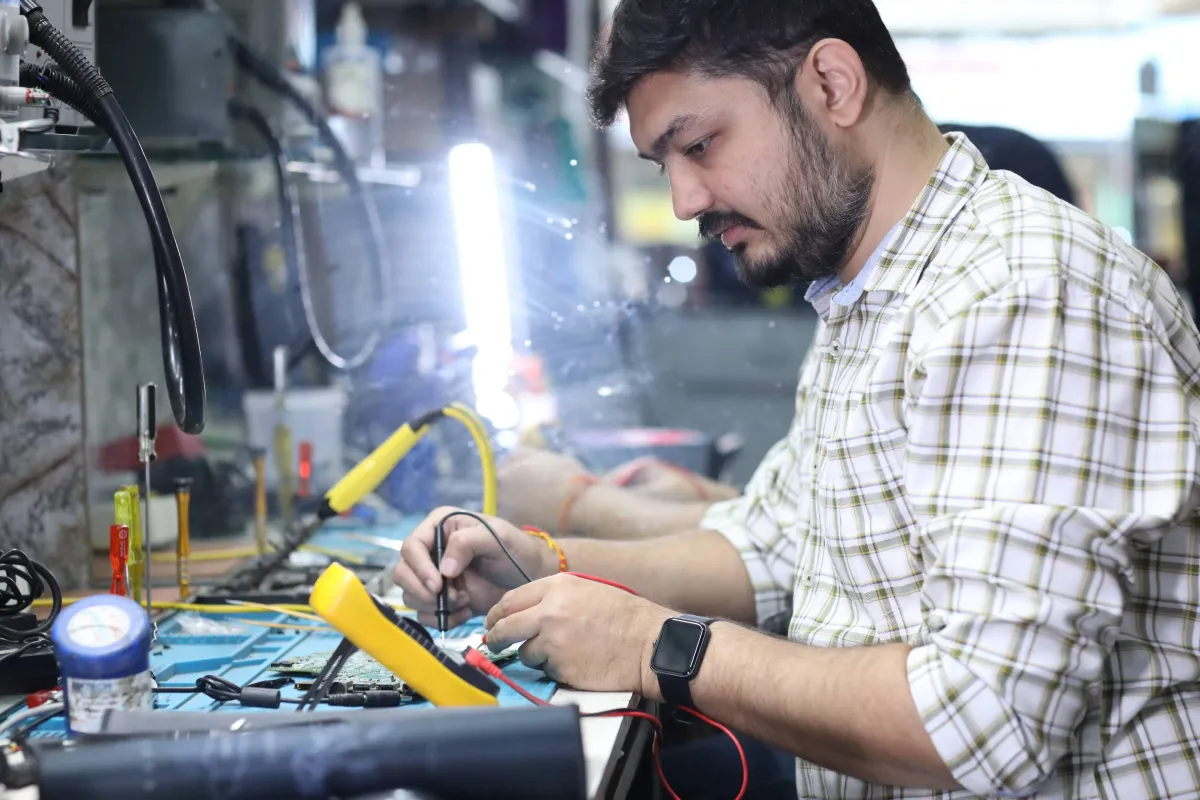
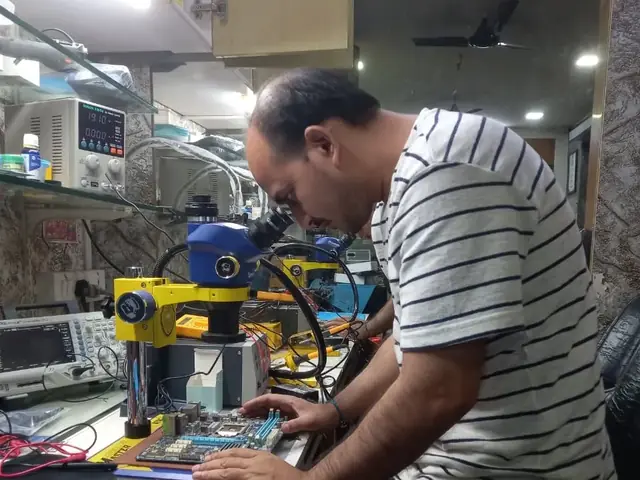
Xigox technicians at the repair bench
Tejas Chudasama, Xigox Founder Janak Chudasama, Xigox CTO

Run by Tejas & Janak Chudasama since 2011

Xigox is a family-run, ISO 9001:2015-certified repair business, not a marketplace listing or a franchise. Every repair is backed by a written 90-day warranty and billed against GSTIN 27AJXPC8441R1Z7. Read our story

Repair Pricing

Dell OptiPlex 7010 Malware Removal — Price List

Transparent pricing · ₹350 inspection (refunded if you proceed with repair) · No hidden charges · Pay only after approval

Issue / ComponentRepair PriceWarranty
Basic Virus Cleanup ₹549 - ₹999 90 Days
Advanced Malware Removal ₹1,099 - ₹2,099 90 Days
Complete Security Package ₹1,699 - ₹3,199 90 Days
Business Security Setup ₹4,299 - ₹7,999 90 Days

Prices may vary by exact condition. Final quote given after ₹350 inspection (refunded if you proceed with repair).

Get Exact Quote

Why Us?

Why Choose Xigox for Dell Malware Removal in Sakinaka?

With 1,00,475+ successful repairs and a 4.9-star rating, Xigox is an independent Dell repair specialist serving Sakinaka. Covering the entire Mumbai Suburban district with same-day service.

Genuine & OEM-Grade Parts

We use genuine Dell parts wherever available; otherwise OEM-compatible components.

90-Day Parts Warranty

Every repair backed by a written 90-day warranty. Same fault recurs? We fix it free of charge.

Same-Day Turnaround

Most Dell Malware Removal jobs in Sakinaka are completed same-day. Urgent service available for critical cases.

Full Transparency

We quote before starting work. No hidden fees. You pay exactly what you were quoted.

Lifetime Post-Repair Support

Free WhatsApp support for any questions about your Dell OptiPlex 7010 Malware Removal after repair — always.

Free Pickup & Drop

Collection and return anywhere in Sakinaka at no charge for lab-based Dell work — we don't bill for convenience.

Repairs Completed
1,00,475+
Since 2011
Average Rating
4.9 ★
9,605+ reviews
Repair Warranty
90 Days
Parts & labour
Avg Response
30 Min
For common issues
Pickup & Drop
Free
₹350 inspection fee
Est. Since
2011
15+ yrs in Mumbai Suburban

Who repairs your device

Repaired in-house by Xigox technicians

Your Dell OptiPlex 7010 is handled by Xigox technicians from start to finish. It is never handed on to another shop. Work that needs the repair bench is done at our workshop in Virar West.

Board-level faults are traced with a microscope, a multimeter and a soldering station before any part is replaced, and parts are fitted only after you approve the quote.

We don't open your personal files during a repair. When a job needs access to your data, such as data recovery or a Windows reinstall, we ask you first.

  • Repaired in-house, not outsourced
  • Quote approved by you before work starts
  • Your files stay private
  • Microscope and board-level tools
  • Genuine or OEM-grade parts
  • 90-day warranty on repairs
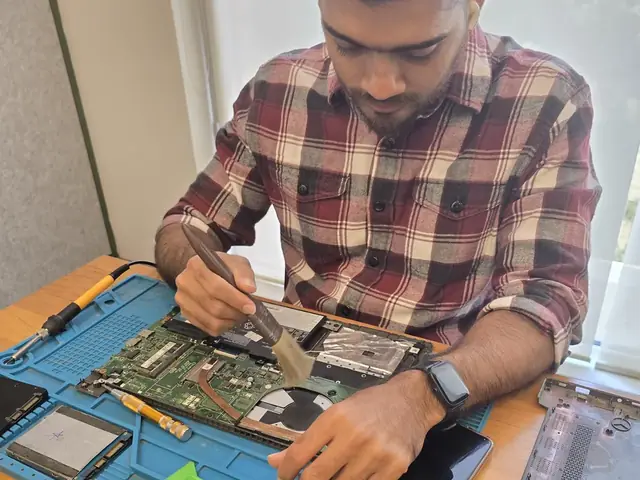
Technician inspecting a laptop motherboard under a microscope at the repair bench Technician testing a laptop mainboard with a multimeter beside a Xigox-branded monitor Technician brushing dust off an opened laptop motherboard with a cleaning brush Technician inspecting a laptop motherboard under a microscope at the repair bench
Xigox technicians at the repair bench.
Our Process

How Dell OptiPlex 7010 Malware Removal Works

From booking to delivery — here's exactly what happens at every step

Book Pickup

Call or WhatsApp +91 74997 61196. Tell us your Dell OptiPlex 7010 issue in Sakinaka and schedule a free doorstep pickup.

₹350 Inspection (refunded if you proceed with repair)

Our experienced technician inspects your Dell OptiPlex 7010 and provides a transparent written quote for Malware Removal.

Expert Repair

Once approved, we perform Malware Removal using OEM-quality parts. Most repairs are completed same-day.

Quality Check

Every Dell OptiPlex 7010 passes a multi-point QA test before delivery. Your 90-day warranty starts from this moment.

Free Delivery

We deliver your repaired Dell OptiPlex 7010 back to your Sakinaka address. Completely free, same day.

After-Service Care

Post-repair support via WhatsApp. If the issue recurs within 90 days, we fix it at zero cost.

Repair examples

Recently Repaired Desktops & Computers

View All Recent Repairs

Mac

Mini M2

Fixed
Issue
Mac Mini came with 256GB SSD — constantly full. macOS throwing "disk almost full" warnings daily.
Solution
Upgraded internal SSD to 1TB. Migrated all data and macOS with Apple's migration tools. Apple Silicon boot verified.

Technician's note

M2 Mac Mini SSD upgrade requires specific NVMe controller compatibility. Used validated module.

Borivali West 2 Hours
  • SSD
  • Mac Mini
  • Apple

Custom

Gaming PC

Fixed
Issue
Customer purchased individual components online. Needed professional assembly, BIOS config, and OS installation.
Solution
Assembled all components with cable management. Configured BIOS, enabled XMP for RAM. Installed Windows 11 with all drivers and gaming softw...

Technician's note

Build: Ryzen 7 7800X3D, RTX 4070 Super, 32GB DDR5, 1TB NVMe. Stress tested for stability.

Goregaon West 4 Hours
  • Custom Build
  • Gaming
  • Assembly

ASUS

ROG Strix GT35

Fixed
Issue
GPU displaying visual artifacts during gaming. Screen flickering and colored pixels during 3D rendering.
Solution
Replaced dried thermal paste on GPU die. Repaired micro-solder joint on VRAM chip. Artifacts completely eliminated.

Technician's note

Thermal paste had completely dried out. Applied premium thermal compound rated for 8+ years.

Powai 2 Hours
  • GPU
  • ASUS
  • Thermal

Dell

OptiPlex 7010

Fixed
Issue
PC dead — no power, no LED indicators. Power supply fan not spinning at all.
Solution
Diagnosed failed 450W PSU. Replaced with compatible unit. All components powered on successfully.

Technician's note

PSU exceeded 5-year lifespan. Recommended surge protector for office fleet.

Andheri West 1 Hour
  • PSU
  • Dell
  • Desktop

HP

ProDesk 400 G7

Fixed
Issue
Desktop not powering on. Power button LED blinking 5 times — indicates motherboard failure per HP diagnostics.
Solution
Found 3 bulging capacitors near CPU VRM section. Replaced all faulty capacitors with same-spec rated components. Tested under load for stabi...

Technician's note

Capacitor failure likely caused by prolonged voltage fluctuation. Recommended UPS installation.

Malad West 3 Hours
  • HP
  • Motherboard
  • Capacitor

Custom

Build (AMD Ryzen 7)

Fixed
Issue
Client wanted to upgrade from GTX 1660 to RTX 4070. Existing 450W PSU insufficient for new GPU.
Solution
Installed Corsair RM750e PSU with proper cable management. Mounted RTX 4070 with support bracket. Updated BIOS and installed latest drivers....

Technician's note

Old PSU only had one 8-pin PCIe connector. New 750W provides clean, stable power for the RTX 4070.

Andheri East 2.5 Hours
  • Gaming PC
  • GPU Upgrade
  • PSU

Comparison

Xigox vs Other Dell OptiPlex 7010 Shops in Sakinaka

What you get with Xigox in Sakinaka, side by side.

FeatureXigoxOther shops
Experienced Technicians Trained & VerifiedVaries; ask who will work on the device
Genuine / OEM Parts OEM-Quality PartsVaries; ask which part will be fitted
90-Day Warranty Written CertificateVaries; ask for the warranty in writing
Diagnosis / Inspection ₹350, credited to the repairVaries; ask what the diagnosis costs
Same-Day Turnaround Sakinaka — Most RepairsVaries; ask for a time in writing
Free Doorstep Pickup Sakinaka — FreeVaries; ask whether pickup is free
Transparent Pricing Written Quote FirstVaries; ask for a written quote first
Live WhatsApp Updates Real-time Repair StatusVaries; ask how you will get updates

Xigox charges ₹350 for inspection — credited to your repair cost if you go ahead.

Customer reviews

What Customers Say About Dell OptiPlex 7010 Malware Removal in Sakinaka

4.9/5 · 12 reviews shown

See all 9,605+ reviews

Dell XPS 8960 — BSOD Fix

“My Dell XPS 8960 showed constant blue screen of death errors. Xigox Dadar ran extensive diagnostics and found a bad RAM module. Replaced it and updated all drivers. Rock-solid stability since the repair. Efficient diagnosis.”
V Vaishali Oak Saat Rasta · 18 Nov 2024 39

Dell Inspiron Desktop — PC Not Turning On Fix

“My Dell Inspiron Desktop went completely dead after a power surge. Xigox Mira Road replaced the blown PSU and repaired the front panel wiring. Also installed a surge protector. System boots perfectly with all data intact.”
R Renuka Shahane Pokharan Road · 30 Aug 2025 29

Dell Vostro 3910 — SSD Speed Upgrade

“Upgraded my aging Dell Vostro 3910 from HDD to NVMe SSD at Xigox Andheri. Boot time dropped from three minutes to eight seconds. Photoshop launches in three seconds. Feels like a brand-new machine. Best upgrade investment.”
S Sanjay Deshmukh Palghar · 6 Mar 2024 9

Dell OptiPlex 7010 — General Desktop Repair

“My Dell OptiPlex 7010 had random crashes and blue screens for weeks. Xigox Juhu found a failing PSU and bad RAM stick. Replaced both and the system has been rock-solid for over a month now. Thorough and professional.”
M Mukta Barve Shivaji Park · 3 May 2026 31

Dell OptiPlex 7010 — SSD Speed Upgrade

“Upgraded my aging Dell OptiPlex 7010 from HDD to NVMe SSD at Xigox Mira Road. Boot time dropped from three minutes to eight seconds. Photoshop launches in three seconds. Feels like a brand-new machine. Best upgrade investment.”
V Vijay Apte Sakinaka · 27 Jun 2025 2

Dell Vostro 3910 — Power Supply Fix

“My Dell Vostro 3910 shut down during gaming sessions. Xigox Santacruz diagnosed PSU voltage drops under load. Replaced with eighty-plus gold rated unit and routed cables neatly. Zero shutdowns since then. Professional work.”
S Smita Patil Santacruz · 13 Dec 2024 31
Page 1 / 2

← Swipe or tap dots to browse →

Customer stories

Customer Stories

What customers say about their laptop and computer repairs

“Desktop was freezing randomly. Xigox diagnosed a failing HDD, replaced with SSD. Boot time went from 3 minutes to 15 seconds. Outstanding upgrade!”

HP ProDesk 600 G6

S Sudhir Pawar Navi Mumbai
“Graphics card died on our office desktop. Xigox sourced a compatible GPU and installed it same day. CAD software running smoothly again. Great service!”

Dell OptiPlex 7080

K Kavya Shetty Vashi
“RAM upgrade from 8GB to 32GB plus NVMe SSD. Xigox handled everything — cable management, BIOS update, Windows reinstall. PC is blazing fast now!”

Custom Gaming PC

P Pramod Jadhav Kharghar
“iMac screen had a crack — thought it was a write-off. Xigox repaired it for half the Apple Store price. Looks and works perfectly. Saved so much money!”

Apple iMac 2021

S Sunita Rathod Belapur
“PSU blew out with a bang. Xigox replaced the power supply unit within 3 hours. All data intact, no OS reinstall needed. Professional and fast!”

Lenovo ThinkCentre M90n

V Vilas Shinde Nerul
“Blue screen errors every hour. Xigox ran diagnostics — faulty RAM stick. Replaced under warranty, reinstalled Windows 11. No crashes in 2 months!”

Assembled Desktop i7

R Rashmi Deshpande Panvel

FAQ

FAQs — Dell OptiPlex 7010 Malware Removal in Sakinaka

Everything you need to know before booking your repair

10 questions answered

Basic cleanup 1-2 hours. Advanced malware removal 3-6 hours. We ensure complete removal with multiple scans.
Yes — out-of-warranty computers are most of what we handle in Sakinaka. Once the manufacturer warranty lapses, authorised centres often quote near-replacement prices for a single component. We repair at component level where it is safe to do so, which is usually a fraction of that cost, and back it with our own 90-day warranty. Our service covers the full 400072 postal area in Sakinaka.
You pay nothing beyond the ₹350 inspection. If we cannot resolve the fault, we explain exactly what we found, return your computer in the condition we received it, and — where the economics do not justify a repair — tell you so plainly rather than selling you work that is not worth doing. Free pickup also available in Andheri Kurla Road, Chandivali, Ghatkopar West and surrounding areas.
For software faults, setup, upgrades and diagnostics we can work on-site anywhere in Sakinaka. Component-level work — board repair, screen bonding, liquid-damage recovery — needs workshop equipment, so we collect the computer, repair it, and return it. Both options are free of travel charges. We've been serving Mumbai Suburban district for over 15 years.
We send live updates over WhatsApp at each stage: collection, diagnosis, quote approval, repair completion, and dispatch. You can reply to that thread at any point to reach the technician handling your computer rather than a general helpline. Customers across Sakinaka (400072) enjoy priority same-day scheduling.
Back up documents, photos and anything stored only on that computer before any repair — with us or anyone else. Most Dell OptiPlex 7010 Malware Removal work does not touch your data, but board-level faults and storage failures can be unpredictable. Tell us in advance if the drive holds irreplaceable data and we will treat recovery as the first priority. Customers near Andheri Kurla Road in Sakinaka are covered by our free pickup.
Our rule of thumb: if the repair costs more than roughly half of a comparable replacement and the computer is more than five years old, replacement is usually the better call. We tell you which side of that line you are on during the inspection in Sakinaka, even when the answer means we do not get the job. Trusted by customers throughout Mumbai Suburban — rated 4.9★ across 9,605+ reviews.
Yes — Xigox operates 9 AM to 9 PM, seven days a week in Sakinaka, including Sundays and public holidays. Weekend pickups are often the most convenient option for people who cannot be at home on a working day. We also serve Andheri Kurla Road, Chandivali, Ghatkopar West, so you can recommend us to neighbours too.
Yes, on request. Any component we remove during Dell OptiPlex 7010 Malware Removal is yours, and we will hand it back with the repaired computer so you can see exactly what was changed. Just mention it when you approve the quote. Our service covers the full 400072 postal area in Sakinaka.
The cost of Dell OptiPlex 7010 Malware Removal in Sakinaka depends on your laptop or computer model and the extent of damage. Xigox charges ₹350 for inspection — refunded if you proceed with the repair — you'll receive a transparent, written quote with no hidden charges. Most standard Dell OptiPlex 7010 Malware Removal jobs start from ₹499. Call or WhatsApp +91 74997 61196 for an instant estimate. Customers across Sakinaka (400072) enjoy priority same-day scheduling.

Still have questions?

Send us your question on WhatsApp or call — a technician will answer.

Dell OptiPlex 7010 Repair in Sakinaka — Xigox

Xigox is Sakinaka's leading independent specialist for Dell OptiPlex 7010 repair. Our engineers are not generalists — they undergo dedicated training on Dell hardware, firmware and diagnostics. Since 2011, we have completed over 1,00,000+ repairs across all Dell product lines, earning a 4.9-star average customer rating.

Parts for Dell OptiPlex 7010 models are held in stock rather than ordered after you book, so most repairs are not waiting on a supplier. Screens, batteries, keyboards, charging boards and flex cables are all OEM-grade. You approve a written estimate first, and the ₹350 inspection is credited back against the repair.

We actively serve the entire 400072 postal area within Mumbai Suburban district, ensuring same-day response for every repair request. ₹350 inspection fee (refunded if you proceed with repair). Located near Andheri Kurla Road, our service coverage extends across Sakinaka and all surrounding localities. In addition to Sakinaka, we also provide doorstep repairs and free pickup for lab work for customers in Andheri Kurla Road, Chandivali, Ghatkopar West and other nearby areas.

Doorstep part replacement (battery, keyboard, screen, SSD, RAM) is available across Sakinaka. For chip-level and motherboard repairs, we provide free pickup and drop — confirming within 15 minutes of your booking. Most common faults are resolved same-day. For complex repairs, we provide a realistic timeline and keep you updated throughout.

Your Dell OptiPlex 7010 leaves with a written 90-day warranty covering both parts and labour. Same fault back inside that window and we redo it free — no argument, no diagnostic fee. WhatsApp support stays open afterwards for any question about the repair.

Service Hours

Monday – Sunday · 9 AM – 9 PM

Open on all public holidays

Service Area

Sakinaka & surrounding Mumbai areas

Doorstep repairs + free pickup for lab work

Contact Us

+91 74997 61196

info@xigox.com

Our Guarantee

90-day warranty on all repairs

Free re-repair if same fault recurs

Malware Removal for Other Dell Models

We repair all Dell models in Sakinaka

Malware Removal for Other Brands in Sakinaka

We repair all major brands — same service, same quality, same warranty

Areas, Roads & Landmarks We Cover in Sakinaka

Free pickup & drop across all these neighbourhoods

Localities & neighbourhoods

  • Sakinaka
  • Andheri East
  • Marol

Roads & highways

  • Andheri Kurla Road
  • JVLR
  • Western Express Highway

Landmarks & famous places

  • Saki Naka Junction
  • Sakinaka Metro Station
  • Andheri East Station (nearby)

Not sure which repair you need? See all Dell OptiPlex 7010 repairs in Sakinaka

Malware Removal Across Mumbai — All Locations

Explore more services

More Repair & Tech Services Near Sakinaka

Same technicians · Free pickup · 90-day warranty across all services.

ISO 9001:2015 Certified · 1,00,475+ Repairs · 4.9 ★ Rating

Ready to Fix Your
Dell OptiPlex 7010 Today?

₹350 inspection fee (refunded if you proceed with repair) · Same-day Malware Removal · 90-day warranty

Serving Sakinaka and all of Mumbai MMR · Open 9 AM – 9 PM daily

How it's done

How We Perform Malware Removal

What our technicians do, what it requires, and how to tell you need it.

1 How It's Performed

For a clean removal job, our technicians identify how the infection likely got in (a malicious download, infected USB drive, phishing link) alongside removing it, since fixing the entry point matters as much as removing the current infection to prevent an immediate repeat.

Typical time: 45–90 minutes

2 What This Requires

  • Isolating the affected device from your network during cleanup, to avoid the infection spreading to other devices in the meantime.
  • More than one scanning engine, since no single antivirus catches everything — especially newer or targeted malware.
  • A manual check of startup items and browser extensions, which automated scans sometimes miss entirely.

3 When You Need This

  • You clicked a suspicious link or downloaded a file from an untrusted source and want a check before continuing to use the device normally.
  • Ransomware-style messages demanding payment have appeared — in this case, stop using the device and contact us before trying anything yourself.

The model

About the Dell OptiPlex 7010

Best for: corporate office deployment and IT-managed fleets

The Dell OptiPlex 7010 is Dell's business desktop line — small-form-factor and tower options built for corporate deployment, with an emphasis on manageability, security features, and long-term part availability.

Key features

  • Small-form-factor and micro options available alongside standard towers, for space-constrained office desks.
  • Vpro/manageability features on business-tier configurations, supporting remote IT administration.
  • Long product-support lifecycle — exact-match replacement parts tend to stay available longer than on consumer desktops.

Dell OptiPlex 7010 Malware Removal in Sakinaka — Professional, Reliable, and Affordable

Don't waste time on booking portals. Reach the engineers directly with Xigox. Windows licensing faults after a motherboard repair or hardware change in Sakinaka can lock you out of your own system. Xigox's software engineers restore genuine Windows activation correctly — without purchasing a new key in most cases. Dell OptiPlex 7010 Malware Removal in Sakinaka always uses only legitimate licensed methods.

Authentic Components for Dell OptiPlex 7010 Malware Removal

Longevity matters for the repair. Because of this, our team strictly use OEM-grade parts for your Dell. Instead of grey-market components, we use trusted supply chains. This is how we help your repair stay durable, supported by our standard 90-day warranty.

Virus, OS Crash & Software with Dell OptiPlex 7010 Malware Removal in Sakinaka

Not all this issue issues are hardware-related. Our team are equally skilled at diagnosing and fixing OS issues as hardware repair. Common software causes include: a corrupted Windows or macOS installation, a malware infection, blue screens, or boot sector errors. We reinstall and configure macOS cleanly and quickly, preserving your data wherever possible.

Choosing Xigox for Dell OptiPlex 7010 Malware Removal in Sakinaka

You have options in Sakinaka, but Xigox is the preferred choice for the repair. Our core values include complete transparency. Every repair starts with a detailed hardware check costing just ₹350, refunded if you proceed. No hidden charges — just professional repair in Sakinaka.

Same-Day Dell OptiPlex 7010 Malware Removal — How It Works

Wondering how fast Xigox can complete issue in Sakinaka? Our standard process: First — call or WhatsApp +91 74997 61196 and our pickup technician arrives at your Sakinaka address within 2 hours. Then — ₹350 diagnostic pinpoints the issue. Step 3 — you approve the quote via WhatsApp — zero pressure. Step 4 — this issue is done using OEM-grade components by our engineers, usually within 2–4 hours. Step 5 — we return it to you with a quality report.

Enterprise Dell OptiPlex 7010 Malware Removal in Sakinaka

Businesses across Sakinaka trust our repair to keep operations running. We offer bulk repair contracts, same-day priority service, and a single point of contact. From a small team or an entire floor, Xigox manages the repair for your Sakinaka workspace with GST invoices and complete service reports.

Expert Technicians for Dell OptiPlex 7010 Malware Removal in Sakinaka

Not everyone in Sakinaka can handle complex this issue. Xigox's engineers possess years of experience specifically for Dell hardware. Whether it's a minor fix or advanced component-level motherboard repair, we fix it properly right here for Sakinaka clients.

Written Warranty Protection for Dell OptiPlex 7010 Malware Removal

Each repair performed by Xigox in Sakinaka comes with a comprehensive 90-day warranty covering parts and labour. Simply put, if the same issue recurs within 90 days, we redo it completely free. Xigox issues a printed warranty receipt every single time, so you know exactly what is covered.

Rigorous Testing after Dell OptiPlex 7010 Malware Removal

Fixing the immediate problem is only half the job at Xigox. Before your Dell is returned in Sakinaka, it must pass a rigorous full-system quality check. Our team ensures that the issue was successful, checking port functionality. This level of testing is the reason for our 4.9★ rating across Sakinaka.

Same-Day Rush Dell OptiPlex 7010 Malware Removal Now

Need your Dell fixed urgently? We provide priority the repair in Sakinaka for critical situations. Whether you have an exam deadline and your Dell just stopped working, our priority service puts your Dell at the front of the queue, so most repairs can be finished the same business day. Priority repairs are available 7 days a week in Sakinaka. Simply mention 'URGENT' when booking and we'll prioritise your repair immediately.

No-Obligation Testing in Sakinaka

Uncertain about the issue with your Dell? Prior to starting any issue, Xigox performs a thorough diagnostic check. The ₹350 inspection fee, it is 100% refunded if you proceed with the repair. Our local experts will show you the broken part in plain English so you can make an informed decision.

Stop letting your broken Dell disrupt your workflow in Sakinaka. Contact Xigox right now to schedule your Dell OptiPlex 7010 Malware Removal. With our 90-day warranty and transparent pricing, you have nothing to lose. Schedule your free pickup in Sakinaka via WhatsApp.

Service area

Dell OptiPlex 7010 Malware Removal in Sakinaka — Service Area & Coverage

Xigox provides dell optiplex 7010 malware removal across Sakinaka (PIN 400072), in the Mumbai Suburban district of Mumbai. Our doorstep pickup and on-site service cover the entire Sakinaka area and the neighbourhoods around it.

Localities we cover in Sakinaka: Andheri East, Marol. Wherever you are in Sakinaka, we can collect your device from your door and bring it back after the repair.

Our technicians regularly serve homes, societies and offices around Saki Naka Junction, Sakinaka Metro Station and Andheri East Station (nearby), and along Andheri Kurla Road, JVLR and Western Express Highway. If you're near any of these landmarks, same-day pickup for dell optiplex 7010 malware removal is almost always available.

Dell OptiPlex 7010 Malware Removal near Sakinaka

We also serve these nearby areas — tap your locality for local dell optiplex 7010 malware removal:

Dell OptiPlex 7010 Malware Removal price in Sakinaka — know it before you book

  1. 1Pick your device & issue
  2. 2See the real price range
  3. 3Free doorstep pickup in Sakinaka

4.9 from 9,605 customer reviews across all repairs · upfront pricing · 90-day warranty

Before you book: have your device model and a quick description of the issue ready — it speeds up your quote.

Nearest branch: Andheri East

About 2.3 km from Sakinaka in a straight line. With free doorstep pickup you don't need to travel — call or WhatsApp before you visit.

Book a repair

Dell OptiPlex 7010 Malware Removal — Book Now

Free pickup · Genuine parts · 90-day warranty

Booking received

We'll call you within 1 hour to confirm your appointment and arrange doorstep pickup.

Inspection fee: ₹350

  • Credited to your total repair cost if you go ahead.
  • Still applies if the device can't be repaired or you decline the repair.

+91

Device type *

Inspection fee: ₹350

  • If you go ahead with the repair, the ₹350 is credited to your total repair cost.
  • If the device can't be repaired or you decide not to continue, the ₹350 inspection fee still applies.

Your details are used only to arrange this repair. By submitting, you agree to our Privacy Policy.

Call WhatsApp