Dell · Computer Workstation SSD Upgrade · Kanakia

Dell
Computer Workstation SSD Upgrade
in Kanakia

Professional Computer Workstation SSD Upgrade for your Dell laptop or computer in Kanakia. Experienced technicians, OEM-grade parts & 90-day warranty.

✓ Experienced Technicians ✓ Free Doorstep Pickup ✓ Same-Day Service ✓ 90-Day Warranty ✓ OEM Quality Parts

Open 9 AM – 9 PM · 7 days · Free pickup from Kanakia & nearby areas

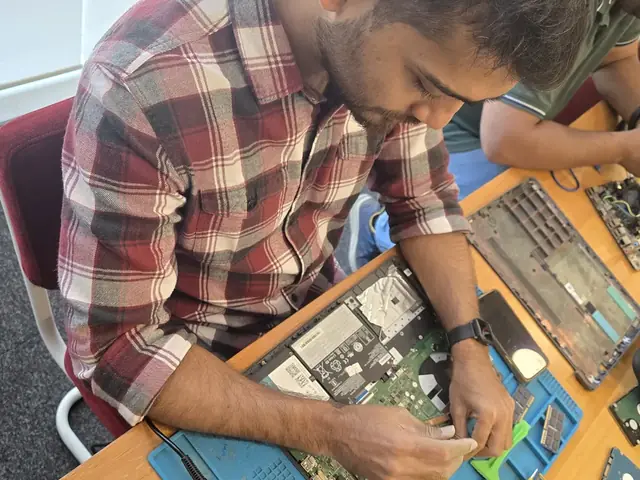
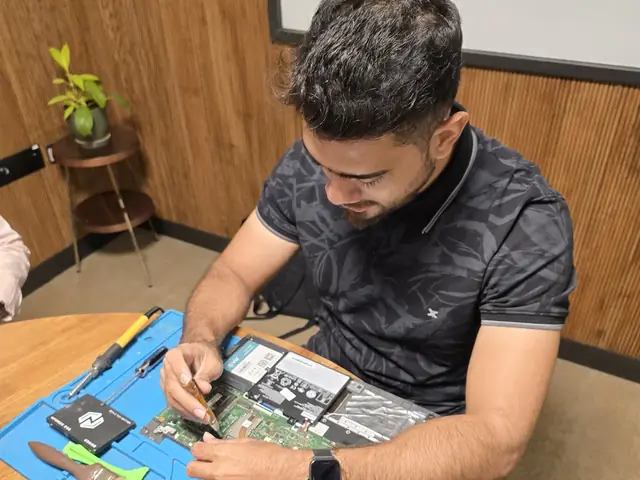
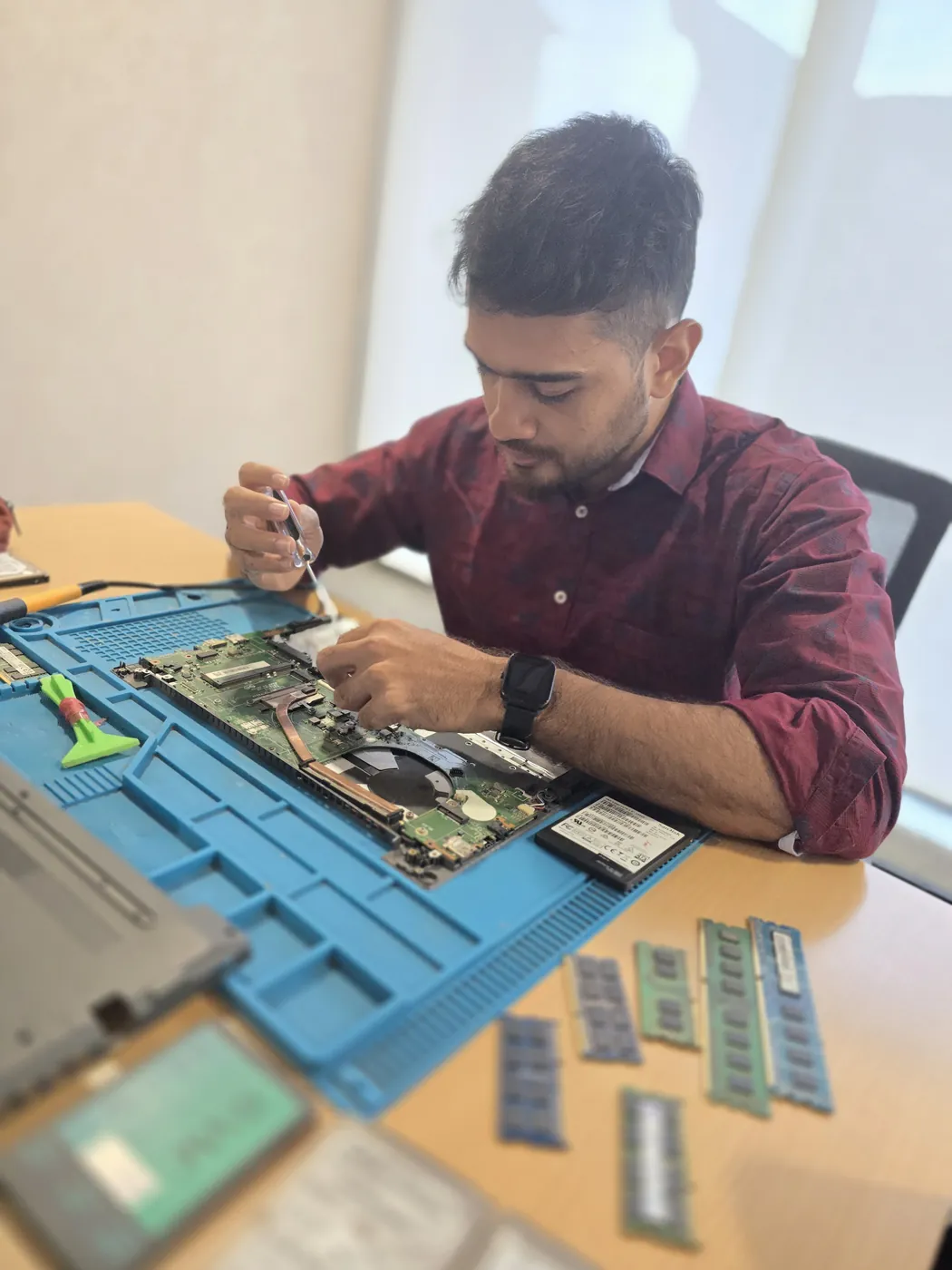
Top-down view of a technician servicing a laptop beside an SSD and a cleaning brush Technician working on an opened laptop with SSDs and tools laid out on an anti-static repair mat
Xigox technicians at the repair bench
What's Included

What Our Dell Computer Workstation SSD Upgrade Covers

Everything included in your Dell Computer Workstation SSD Upgrade service at Xigox Kanakia

Verified Speed Boost

Benchmark tests confirm performance improvements after SSD/RAM upgrade on your Dell laptop.

Data Migration Included

All your existing data is safely cloned and transferred to the new SSD — no reinstallation needed.

90-Day Upgrade Warranty

90-day warranty on all hardware upgrades. New component failure covered completely.

OS Compatibility Check

Windows, macOS or Linux compatibility verified post-upgrade. Drivers installed if needed.

Same-Day Service

Most Dell SSD/RAM upgrades completed the same day — typically 1–2 hours.

Performance Report

Before/after performance comparison provided so you can see the real-world improvement.

All Work Backed by 90-Day Warranty

Free re-repair within 90 days if the same issue recurs. No questions asked.

Book This Service
Why It Matters

Why Professional Dell Computer Workstation SSD Upgrade Makes a Difference

Understand why expert service protects your Dell laptop or computer and extends its lifespan

5–10× Faster Speeds

Upgrading from HDD to NVMe SSD delivers 5–10× faster boot times, app launches and file transfers.

Improved Battery Life

SSDs consume significantly less power than HDDs, giving your Dell Computer longer battery life.

No Moving Parts

Unlike HDDs, SSDs have no moving parts — they're shock-resistant and far less likely to fail.

Extend Product Lifespan

An SSD upgrade can give an old Dell Computer 3–5 more years of productive use.

Service Pricing

Dell Computer Workstation SSD Upgrade Cost in Kanakia

Transparent pricing · No hidden fees · Pay only after service is complete

ServiceEstimated CostWarranty
256GB SSD Upgrade ₹3,499 - ₹4,999 90 Days
512GB SSD Upgrade ₹4,999 - ₹7,499 90 Days
1TB SSD Upgrade ₹8,499 - ₹12,999 90 Days
2TB SSD Upgrade ₹15,999 - ₹22,999 90 Days

Final quote provided after free laptop or computer inspection. Work starts only with your approval.

Get Exact Quote

Why Us?

Why Choose Xigox for Dell Computer Workstation SSD Upgrade in Kanakia?

With 1,00,214+ successful repairs and a 4.9-star rating, Xigox is an independent Dell repair specialist serving Kanakia. Conveniently located near Mira Bhayander Road.

Transparent Pricing

₹350 inspection fee (refunded if you proceed). Written quote before any Dell Computer Workstation SSD Upgrade work begins.

No Fix, No Repair Fee

If we cannot resolve your Dell Computer Workstation SSD Upgrade issue, you pay nothing beyond the inspection fee.

Component-Level Repairs

We repair Dell hardware at chip and board level where it's safe to do so — often a fraction of a full-module swap.

Experienced Technicians

Our engineers work on Dell hardware regularly. Every repair is tested before return.

Genuine & OEM-Grade Parts

We use genuine Dell parts wherever available; otherwise OEM-compatible components.

90-Day Parts Warranty

Every repair backed by a written 90-day warranty. Same fault recurs? We fix it free of charge.

Repairs Completed
1,00,214+
Since 2011
Average Rating
4.9 ★
9,605+ reviews
Repair Warranty
90 Days
Parts & labour
Avg Response
30 Min
For common issues
Pickup & Drop
Free
₹350 inspection fee
Est. Since
2011
15+ yrs in Thane

Who repairs your device

Repaired in-house by Xigox technicians

Your Dell is handled by Xigox technicians from start to finish. It is never handed on to another shop. Work that needs the repair bench is done at our workshop in Virar West.

Board-level faults are traced with a microscope, a multimeter and a soldering station before any part is replaced, and parts are fitted only after you approve the quote.

We don't open your personal files during a repair. When a job needs access to your data, such as data recovery or a Windows reinstall, we ask you first.

  • Repaired in-house, not outsourced
  • Quote approved by you before work starts
  • Your files stay private
  • Microscope and board-level tools
  • Genuine or OEM-grade parts
  • 90-day warranty on repairs
Technician inspecting a laptop motherboard under a microscope at the repair bench Technician testing a laptop mainboard with a multimeter beside a Xigox-branded monitor Technician brushing dust off an opened laptop motherboard with a cleaning brush Technician inspecting a laptop motherboard under a microscope at the repair bench
Xigox technicians at the repair bench.
Service Process

How We Deliver Dell Computer Workstation SSD Upgrade

From booking to delivery — transparent, efficient, and professional every step of the way

Book Service

Call, WhatsApp or book online. Tell us you need Computer Workstation SSD Upgrade for your Dell laptop or computer in Kanakia. We'll confirm within minutes.

Free Doorstep Pickup

An experienced technician picks up your Dell laptop or computer from your Kanakia address at no cost. No travel required.

₹350 Inspection (refunded if you proceed with repair)

Your Dell laptop or computer is assessed by a specialist trained on Dell hardware. Full written inspection report — ₹350 fee refunded if you proceed with repair.

Transparent Quote

We provide a detailed repair quote for Computer Workstation SSD Upgrade. Work only starts after your explicit written approval — no hidden charges ever.

Expert Repair

Our Dell specialists perform Computer Workstation SSD Upgrade using OEM-grade parts and professional-grade tools. multi-point quality check included.

90-Day Warranty + Delivery

Your Dell laptop or computer is returned to your Kanakia address with a written 90-day warranty. If the same issue recurs, we fix it free.

Customer reviews

What Customers Say About Dell Computer Workstation SSD Upgrade in Kanakia

4.9/5 · 12 reviews shown

See all 9,605+ reviews

Dell Inspiron Desktop — Audio Fix

“Audio on my Dell Inspiron Desktop was crackling and cutting out. Xigox Goregaon found a bad audio capacitor on the motherboard and replaced it. Crystal-clear sound now through both speakers and headphones. Precise component-level fix.”
I Ishita Saxena Goregaon · 13 Mar 2024 42

Dell Precision 3660 — General Desktop Repair

“My Dell Precision 3660 had random crashes and blue screens for weeks. Xigox Juhu found a failing PSU and bad RAM stick. Replaced both and the system has been rock-solid for over a month now. Thorough and professional.”
G Gaurav Mishra Juhu · 11 Jan 2025 7

Dell XPS 8960 — OS Installation

“Windows on my Dell XPS 8960 was corrupted beyond repair. Xigox Bandra performed a clean installation, migrated all my files, reinstalled essential software, and configured drivers. Boots fast and runs perfectly now.”
D Divya Reddy Bandra · 24 Aug 2024 33

Dell XPS 8960 — Power Supply Fix

“My Dell XPS 8960 shut down during gaming sessions. Xigox Bandra diagnosed PSU voltage drops under load. Replaced with eighty-plus gold rated unit and routed cables neatly. Zero shutdowns since then. Professional work.”
R Ramya Krishnan Boisar · 16 Sep 2025 18

Dell XPS 8960 — PC Not Turning On Fix

“My Dell XPS 8960 went completely dead after a power surge. Xigox Kurla replaced the blown PSU and repaired the front panel wiring. Also installed a surge protector. System boots perfectly with all data intact.”
V Varsha Usgaonkar Kanakia · 1 Nov 2024 24

Dell Precision 3660 — Boot Issues Fix

“My Dell Precision 3660 stopped booting into Windows showing disk errors. Xigox Juhu diagnosed a failing SSD, cloned all data to a new drive, and restored full boot functionality. All programs and settings preserved perfectly.”
A Ajay Mhatre Kanakia · 5 Nov 2025 31
Page 1 / 2

← Swipe or tap dots to browse →

Repair examples

Recently Repaired Desktops & Computers

View All Recent Repairs

ASUS

ROG Strix GT35

Fixed
Issue
GPU displaying visual artifacts during gaming. Screen flickering and colored pixels during 3D rendering.
Solution
Replaced dried thermal paste on GPU die. Repaired micro-solder joint on VRAM chip. Artifacts completely eliminated.

Technician's note

Thermal paste had completely dried out. Applied premium thermal compound rated for 8+ years.

Powai 2 Hours
  • GPU
  • ASUS
  • Thermal

Dell

OptiPlex 7010

Fixed
Issue
PC dead — no power, no LED indicators. Power supply fan not spinning at all.
Solution
Diagnosed failed 450W PSU. Replaced with compatible unit. All components powered on successfully.

Technician's note

PSU exceeded 5-year lifespan. Recommended surge protector for office fleet.

Andheri West 1 Hour
  • PSU
  • Dell
  • Desktop

HP

EliteDesk 800 G9

Fixed
Issue
PC freezing during multitasking with Chrome, Excel, and Tally running simultaneously. Only 8GB RAM installed.
Solution
Upgraded to 32GB DDR4 RAM (2x16GB). Configured dual-channel. All applications running smoothly simultaneously.

Technician's note

Accounting firm with heavy Tally usage. 32GB is optimal for their workflow.

Dadar West 30 Minutes
  • RAM
  • HP
  • Upgrade

Mac

Mini M2

Fixed
Issue
Mac Mini came with 256GB SSD — constantly full. macOS throwing "disk almost full" warnings daily.
Solution
Upgraded internal SSD to 1TB. Migrated all data and macOS with Apple's migration tools. Apple Silicon boot verified.

Technician's note

M2 Mac Mini SSD upgrade requires specific NVMe controller compatibility. Used validated module.

Borivali West 2 Hours
  • SSD
  • Mac Mini
  • Apple

Gaming

PC RTX 4080

Fixed
Issue
No display output, fans spinning. No boot sequence.
Solution
Diagnosed motherboard failure. Replaced with compatible board.
Goregaon West 4 Hours
  • Motherboard
  • Gaming
  • Display

HP

ProDesk 400 G7

Fixed
Issue
Desktop not powering on. Power button LED blinking 5 times — indicates motherboard failure per HP diagnostics.
Solution
Found 3 bulging capacitors near CPU VRM section. Replaced all faulty capacitors with same-spec rated components. Tested under load for stabi...

Technician's note

Capacitor failure likely caused by prolonged voltage fluctuation. Recommended UPS installation.

Malad West 3 Hours
  • HP
  • Motherboard
  • Capacitor

FAQ

FAQs — Dell Computer Workstation SSD Upgrade in Kanakia

Everything you need to know before booking your service

10 questions answered

Physical installation takes 30-60 minutes. OS migration adds 1-3 hours. Same-day service available.
Yes. All our technicians are trained professionals with extensive hands-on experience in Dell Computer Workstation SSD Upgrade. They receive regular technical training on the latest Computer models and repair methodologies, ensuring consistently high-quality results. Customers across Kanakia (401107) enjoy priority same-day scheduling.
Booking is simple: WhatsApp or call +91 74997 61196, describe your computer issue, receive a free quote, and schedule a convenient pickup time in Kanakia. We're available 9 AM–9 PM, 7 days a week — including weekends and public holidays. We also serve Hatkesh Society, Kashimira, Mira Bhayandar, so you can recommend us to neighbours too.
Yes! Xigox offers same-day Dell Computer Workstation SSD Upgrade for most common issues in Kanakia. We pick up your computer in the morning, repair it at our workshop, and deliver it back by evening. Same-day service applies to screen replacements, battery changes, software repairs, and more. Our service covers the full 401107 postal area in Kanakia.
Absolutely. Data security is our top priority. Our technicians never access personal files during Dell Computer Workstation SSD Upgrade. We follow strict protocols to prevent data loss, and we'll always inform you before any procedure that could affect stored data. Your privacy is fully protected. Trusted by customers throughout Thane — rated 4.9★ across 9,605+ reviews.
Xigox handles Dell Computer Workstation SSD Upgrade for all major brands in Kanakia, including Apple, HP, Dell, Lenovo, Asus, Acer, MSI, Intel and custom-built systems — and many more. No brand or model is too complex — we repair them all. Free pickup also available in Hatkesh Society, Kashimira, Mira Bhayandar and surrounding areas.
Yes — ₹350 for the inspection in Kanakia. Our technician diagnoses your computer and gives you a clear written estimate; if you go ahead with the repair, that ₹350 is adjusted against the total cost, so the inspection itself doesn't add to the bill. If you decide not to proceed, the ₹350 still applies for the technician's time. Free pickup also available in Hatkesh Society, Kashimira, Mira Bhayandar and surrounding areas.
We accept all major payment methods for Dell Computer Workstation SSD Upgrade in Kanakia: UPI (Google Pay, PhonePe, Paytm), debit/credit cards, net banking, and cash. Payment is collected after the repair is completed to your satisfaction — we never charge upfront without consent. Free pickup also available in Hatkesh Society, Kashimira, Mira Bhayandar and surrounding areas.
Yes — out-of-warranty computers are most of what we handle in Kanakia. Once the manufacturer warranty lapses, authorised centres often quote near-replacement prices for a single component. We repair at component level where it is safe to do so, which is usually a fraction of that cost, and back it with our own 90-day warranty. Trusted by customers throughout Thane — rated 4.9★ across 9,605+ reviews.
You pay nothing beyond the ₹350 inspection. If we cannot resolve the fault, we explain exactly what we found, return your computer in the condition we received it, and — where the economics do not justify a repair — tell you so plainly rather than selling you work that is not worth doing. We also serve Hatkesh Society, Kashimira, Mira Bhayandar, so you can recommend us to neighbours too.

Still have questions?

Send us your question on WhatsApp or call — a technician will answer.

Dell Computer Repair in Kanakia — Xigox

Xigox is Kanakia's leading independent specialist for Dell Computer repair. Our engineers are not generalists — they undergo dedicated training on Dell hardware, firmware and diagnostics. Since 2011, we have completed over 1,00,000+ repairs across all Dell product lines, earning a 4.9-star average customer rating.

We stock genuine Dell parts and OEM-compatible components for every common Computer fault — from screen replacements and battery swaps to logic board repairs and data recovery. Before any work begins, you receive a written cost estimate. Our ₹350 inspection fee is refunded if you proceed with the repair.

We actively serve the entire 401107 postal area within Thane district, ensuring same-day response for every repair request. ₹350 inspection fee (refunded if you proceed with repair). Located near Mira Bhayander Road, our service coverage extends across Kanakia and all surrounding localities. In addition to Kanakia, we also provide doorstep repairs and free pickup for lab work for customers in Hatkesh Society, Kashimira, Mira Bhayandar and other nearby areas.

Doorstep part replacement (battery, keyboard, screen, SSD, RAM) is available across Kanakia. For chip-level and motherboard repairs, we provide free pickup and drop — confirming within 15 minutes of your booking. Most common faults are resolved same-day. For complex repairs, we provide a realistic timeline and keep you updated throughout.

Your Dell Computer leaves with a written 90-day warranty covering both parts and labour. Same fault back inside that window and we redo it free — no argument, no diagnostic fee. WhatsApp support stays open afterwards for any question about the repair.

Service Hours

Monday – Sunday · 9 AM – 9 PM

Open on all public holidays

Service Area

Kanakia & surrounding Mumbai areas

Doorstep repairs + free pickup for lab work

Contact Us

+91 74997 61196

info@xigox.com

Our Guarantee

90-day warranty on all repairs

Free re-repair if same fault recurs

Product lines

Dell Series We Cover for Computer Workstation SSD Upgrade in Kanakia

Our bench covers 7 distinct Dell series. That matters for Computer Workstation SSD Upgrade, because a Alienware and a Inspiron are stripped down very differently. We regularly take in Alienware, Inspiron, Latitude and OptiPlex, along with Precision, Vostro and XPS units for Computer Workstation SSD Upgrade in Kanakia. Specific Dell models on our current service list include Dell Inspiron Desktop, Dell OptiPlex 7010, Dell Precision 3660 and Dell Vostro 3910. If your Dell model is not listed, it is almost certainly still covered — send us the model number on the base sticker and we will confirm parts availability before you book.

  • Alienware
  • Inspiron
  • Latitude
  • OptiPlex
  • Precision
  • Vostro
  • XPS

Dell Vostro

The Dell Vostro 3910 is Dell's small-business laptop/desktop line — positioned between the consumer Inspiron and the enterprise Latitude/OptiPlex lines, aimed at small businesses that want manageability without full enterprise IT overhead.

Dell Vostro 3910

Dell XPS

The Dell XPS 8960 is Dell's premium consumer desktop tower, offering stronger components and build quality than Inspiron desktops while remaining more accessible than the Precision workstation line.

Dell XPS 8960

Dell Inspiron

The Dell Inspiron Desktop is Dell's mainstream consumer desktop tower — everyday home computing with straightforward, accessible internals for upgrades and repairs.

Dell Inspiron Desktop

Computer Workstation SSD Upgrade for All Dell Models in Kanakia

Select your Dell model for model-specific service details and pricing

Computer Workstation SSD Upgrade for Other Brands in Kanakia

We provide Computer Workstation SSD Upgrade across all major laptop and computer brands

Explore more services

More Repair & Tech Services Near Kanakia

Same technicians · Free pickup · 90-day warranty across all services.

Free Pickup · ₹350 Inspection, Credited · 90-Day Warranty · 4.9 ★

Book Dell
Computer Workstation SSD Upgrade Today

Free doorstep pickup · Expert Computer Workstation SSD Upgrade · 90-day warranty

Serving Kanakia and all of Mumbai MMR · Open 9 AM – 9 PM daily

Comparison

Xigox vs Other Dell Computer Workstation SSD Upgrade Shops in Kanakia

What you get with Xigox in Kanakia, side by side.

FeatureXigoxOther shops
Experienced Technicians Trained & VerifiedVaries; ask who will work on the device
Genuine / OEM Parts OEM-Quality PartsVaries; ask which part will be fitted
90-Day Warranty Written CertificateVaries; ask for the warranty in writing
Diagnosis / Inspection ₹350, credited to the repairVaries; ask what the diagnosis costs
Same-Day Turnaround Kanakia — Most RepairsVaries; ask for a time in writing
Free Doorstep Pickup Kanakia — FreeVaries; ask whether pickup is free
Transparent Pricing Written Quote FirstVaries; ask for a written quote first
Live WhatsApp Updates Real-time Repair StatusVaries; ask how you will get updates

Xigox charges ₹350 for inspection — credited to your repair cost if you go ahead.

How it's done

How We Perform Computer Workstation SSD Upgrade

What our technicians do, what it requires, and how to tell you need it.

1 How It's Performed

When you want more capacity or speed rather than just a fix, we first check the drive's own health data (SMART attributes, reallocated sector count) to confirm whether it's actually failing versus just full, then clone your existing drive sector-by-sector onto the new one wherever possible so your OS, apps, and files carry over without a fresh install.

Typical time: 30–60 minutes (longer if cloning existing data)

2 What This Requires

  • A drive matched to your model's physical form factor and interface (SATA, NVMe, specific M.2 key type) — not every SSD fits every laptop's M.2 slot.
  • A full backup of your existing data before the swap begins, as a safety net independent of the cloning process itself.
  • A SMART health check on the new drive after fitting, to catch a defective unit before it's your daily driver.

3 When You Need This

  • The system is noticeably slow to boot or open files, especially on an older HDD-based laptop — this is usually the single biggest real-world speed upgrade available.
  • Clicking, grinding, or repetitive noises from a mechanical hard drive — this is often an early failure warning, not normal operation.
  • Frequent "disk read error" or file-corruption messages.

Dell Computer Workstation SSD Upgrade in Kanakia — Professional, Reliable, and Affordable

Skip the directories. Book direct for transparent pricing with Xigox. The single most impactful Dell upgrade is replacing an aging hard drive with an NVMe SSD. In Kanakia, Xigox performs Dell Computer Workstation SSD Upgrade with zero data loss: we clone your existing drive so you reboot to a perfectly configured system. Boot times drop from 60–90 seconds to 8–12 seconds after Dell Computer Workstation SSD Upgrade.

OEM-Grade Solutions for Dell Computer Workstation SSD Upgrade

Quality matters for the repair. Because of this, our team strictly use genuine parts for your Dell. Instead of unbranded components, we use trusted supply chains. This is how we help your repair stay durable, supported by our standard 90-day warranty.

Post-Repair Support for Dell Computer Workstation SSD Upgrade

All this issue completed by Xigox in Kanakia comes with a written three-month warranty on parts and labour. That means, if anything goes wrong within 3 months, we fix it at zero extra cost. You get a written warranty card with every issue, so the terms are clear.

Speed Boosts alongside Dell Computer Workstation SSD Upgrade

While your Dell is opened for the repair in Kanakia, it's the perfect time to consider an upgrade. A large number of clients choose to add a faster SSD during the same visit. Bundling these services saves you money on labour and extends its life by years. Inquire today about performance upgrades when you book your repair.

Real Reviews for Dell Computer Workstation SSD Upgrade

Don't just take our word for it. Xigox has earned a 4.9-star rating from 9,605+ customer reviews from customers across Mumbai MMR. Customers frequently mention: honest pricing, same-day completion, and OEM-grade replacements. What Kanakia customers value most: "Same-day fix with genuine parts and clear communication throughout." Join the growing community of happy Xigox customers in Kanakia.

Experienced Technicians for Dell Computer Workstation SSD Upgrade in Kanakia

Not all shops in Kanakia has the skills for complex the repair. Our technicians possess years of experience dealing with Dell hardware. From basic part swaps to complex micro-soldering, we handle it all right here for Kanakia clients.

Common Signs: Time for Dell Computer Workstation SSD Upgrade

How do you know you need this issue on your Dell? Look for: random crashes, overheating, slow performance, grinding or clicking, rapid battery loss, or screen glitches. If you notice any of these in Kanakia, act quickly — waiting often makes the problem worse. Our team can assess your Dell quickly and advise on the best this issue.

Post-Repair Quality Check after Dell Computer Workstation SSD Upgrade

Completing the repair is just the first step at Xigox. Prior to delivery in Kanakia, it undergoes a rigorous full-system inspection. We verify that your repair was executed flawlessly, testing screen calibration. This attention to detail is why our return rate is so low across Kanakia.

What Changes After Dell Computer Workstation SSD Upgrade

Following a professional issue in Kanakia, you can expect significantly better performance: faster boot times, lower fan noise, full-day battery performance, or crisp, bright display — based on what was fixed. Xigox performs a benchmark at the end of every issue in Kanakia to document the improvement.

Why Choose Us for Dell Computer Workstation SSD Upgrade in Kanakia

You have options in Kanakia, but Xigox is the preferred choice for the repair. Our core values include 100% upfront pricing. Every repair starts with a detailed hardware check costing just ₹350, refunded if you proceed. No hidden charges — just professional repair in Kanakia.

Xigox Service Promise for Dell Computer Workstation SSD Upgrade

Xigox's responsibility extends beyond the repair itself. Our support line is available daily via call or message. If you notice anything unusual in the post-repair period, just reach out and we dispatch a technician immediately. This promise is why Kanakia customers choose Xigox again and again.

Genuine parts and a clear bill in Kanakia. Xigox combines experienced engineers, OEM-grade spares, upfront pricing, and a real warranty on every Dell Computer Workstation SSD Upgrade. Book your Dell Computer Workstation SSD Upgrade today — call or WhatsApp +91 74997 61196 for same-day service in Kanakia.

Service area

Dell Computer Workstation SSD Upgrade in Kanakia — Service Area & Coverage

Xigox provides dell computer workstation ssd upgrade across Kanakia (PIN 401107), in the Thane district of Mumbai. Our doorstep pickup and on-site service cover the entire Kanakia area and the neighbourhoods around it.

Localities we cover in Kanakia: Mira Road East, Poonam Sagar. Wherever you are in Kanakia, we can collect your device from your door and bring it back after the repair.

Our technicians regularly serve homes, societies and offices around Mira Road East Station, and along Kanakia Road and Mira Bhayander Road. If you're near any of these landmarks, same-day pickup for dell computer workstation ssd upgrade is almost always available.

Dell Computer Workstation SSD Upgrade near Kanakia

We also serve these nearby areas — tap your locality for local dell computer workstation ssd upgrade:

Dell Computer Workstation SSD Upgrade price in Kanakia — know it before you book

  1. 1Pick your device & issue
  2. 2See the real price range
  3. 3Free doorstep pickup in Kanakia

4.9 from 9,605 customer reviews across all repairs · upfront pricing · 90-day warranty

Before you book: have your device model and a quick description of the issue ready — it speeds up your quote.

Nearest branch: Mira Road East

~1.6 km from Kanakia. With free doorstep pickup you don't need to travel — this is our nearest branch.

Book a repair

Dell Computer Workstation SSD Upgrade — Book Now

Free pickup · Genuine parts · 90-day warranty

Booking received

We'll call you within 1 hour to confirm your appointment and arrange doorstep pickup.

Inspection fee: ₹350

  • Credited to your total repair cost if you go ahead.
  • Still applies if the device can't be repaired or you decline the repair.

+91

Device type *

Inspection fee: ₹350

  • If you go ahead with the repair, the ₹350 is credited to your total repair cost.
  • If the device can't be repaired or you decide not to continue, the ₹350 inspection fee still applies.

Your details are used only to arrange this repair. By submitting, you agree to our Privacy Policy.

Call WhatsApp