Gaming
PC RTX 4080
- Issue
- No display output, fans spinning. No boot sequence.
- Solution
- Diagnosed motherboard failure. Replaced with compatible board.
Goregaon West
4 Hours
- Motherboard
- Gaming
- Display
 Dell · Computer Workstation SSD Upgrade · Wadala Road
Professional Computer Workstation SSD Upgrade for your Dell laptop or computer in Wadala Road. Experienced technicians, OEM-grade parts & 90-day warranty.
Open 9 AM – 9 PM · 7 days · Free pickup from Wadala Road & nearby areas
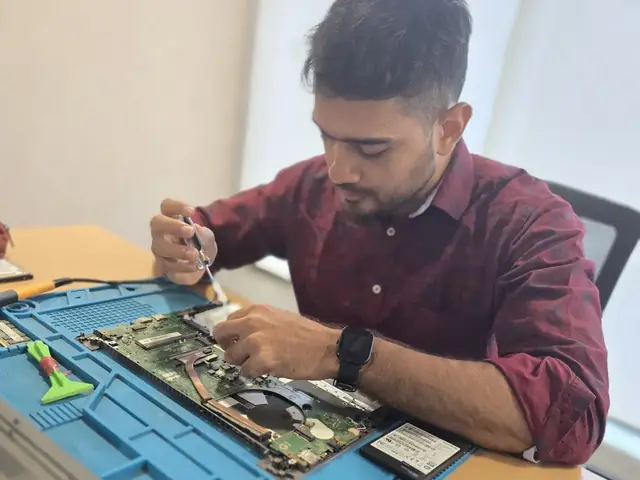
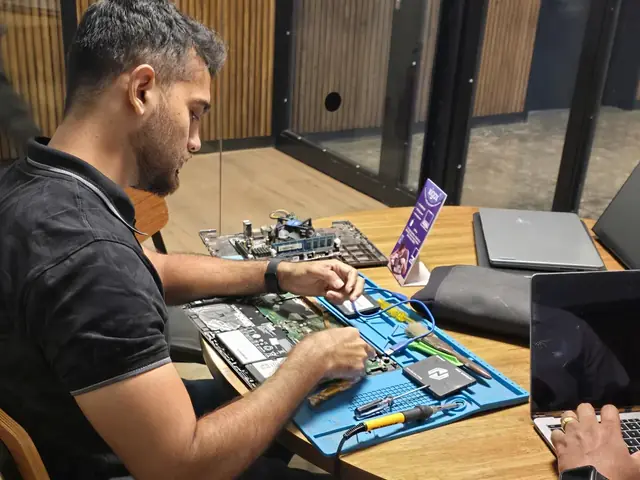
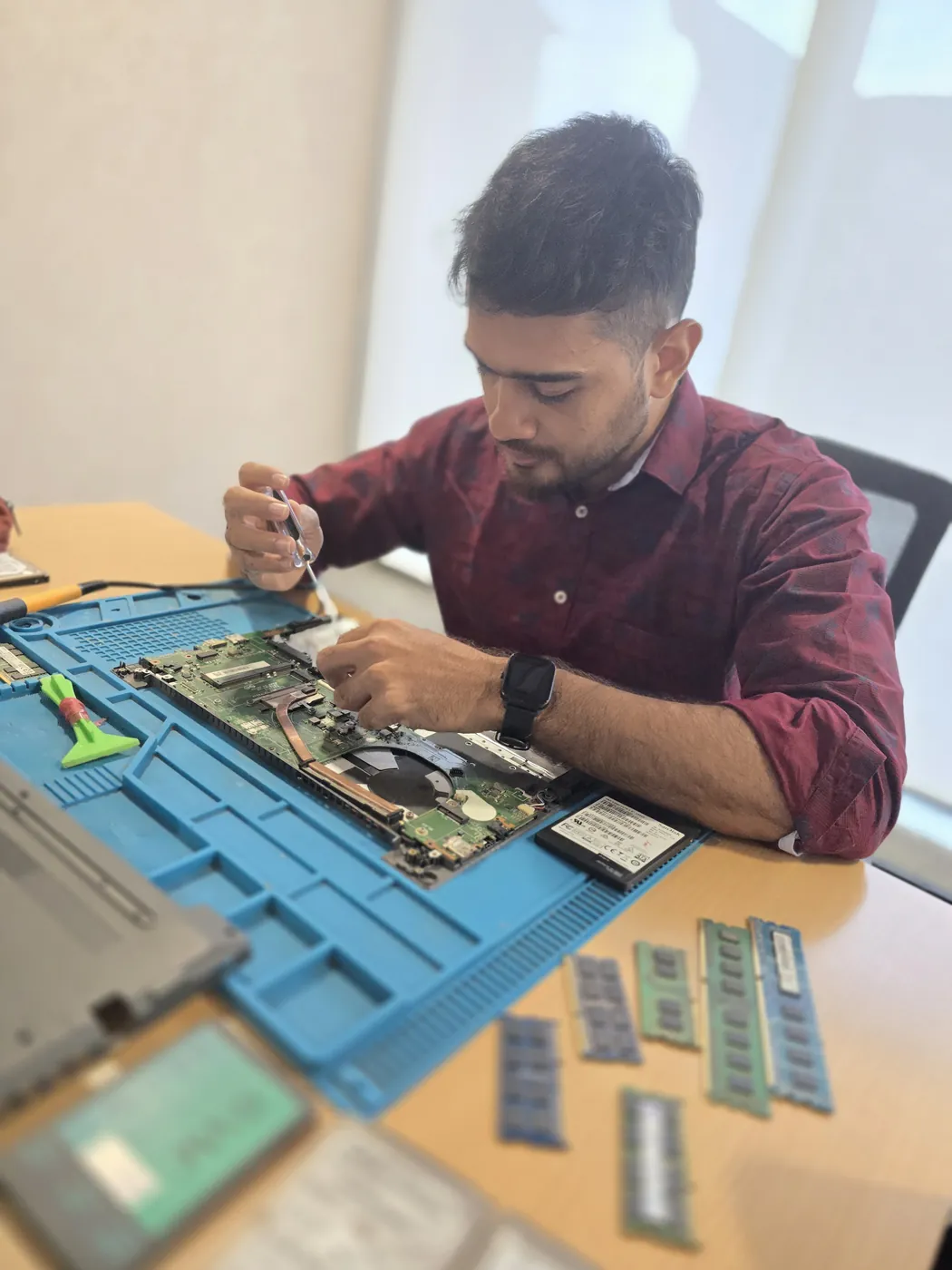
Everything included in your Dell Computer Workstation SSD Upgrade service at Xigox Wadala Road
Verified Speed Boost
Benchmark tests confirm performance improvements after SSD/RAM upgrade on your Dell laptop.
Data Migration Included
All your existing data is safely cloned and transferred to the new SSD — no reinstallation needed.
90-Day Upgrade Warranty
90-day warranty on all hardware upgrades. New component failure covered completely.
OS Compatibility Check
Windows, macOS or Linux compatibility verified post-upgrade. Drivers installed if needed.
Same-Day Service
Most Dell SSD/RAM upgrades completed the same day — typically 1–2 hours.
Performance Report
Before/after performance comparison provided so you can see the real-world improvement.
All Work Backed by 90-Day Warranty
Free re-repair within 90 days if the same issue recurs. No questions asked.
Understand why expert service protects your Dell laptop or computer and extends its lifespan
Upgrading from HDD to NVMe SSD delivers 5–10× faster boot times, app launches and file transfers.
SSDs consume significantly less power than HDDs, giving your Dell Computer longer battery life.
Unlike HDDs, SSDs have no moving parts — they're shock-resistant and far less likely to fail.
An SSD upgrade can give an old Dell Computer 3–5 more years of productive use.
Transparent pricing · No hidden fees · Pay only after service is complete
| Service | Estimated Cost | Warranty |
|---|---|---|
| 256GB SSD Upgrade | ₹3,499 - ₹4,999 | 90 Days |
| 512GB SSD Upgrade | ₹4,999 - ₹7,499 | 90 Days |
| 1TB SSD Upgrade | ₹8,499 - ₹12,999 | 90 Days |
| 2TB SSD Upgrade | ₹15,999 - ₹22,999 | 90 Days |
Final quote provided after free laptop or computer inspection. Work starts only with your approval.
Get Exact QuoteWhy Us?
With 1,00,329+ successful repairs and a 4.9-star rating, Xigox is an independent Dell repair specialist serving Wadala Road. Serving all addresses in the 400031 postal zone.
We quote before starting work. No hidden fees. You pay exactly what you were quoted.
Free WhatsApp support for any questions about your Dell Computer Workstation SSD Upgrade after repair — always.
Collection and return anywhere in Wadala Road at no charge for lab-based Dell work — we don't bill for convenience.
₹350 inspection fee (refunded if you proceed). Written quote before any Dell Computer Workstation SSD Upgrade work begins.
If we cannot resolve your Dell Computer Workstation SSD Upgrade issue, you pay nothing beyond the inspection fee.
We repair Dell hardware at chip and board level where it's safe to do so — often a fraction of a full-module swap.
Who repairs your device
Your Dell is handled by Xigox technicians from start to finish. It is never handed on to another shop. Work that needs the repair bench is done at our workshop in Virar West.
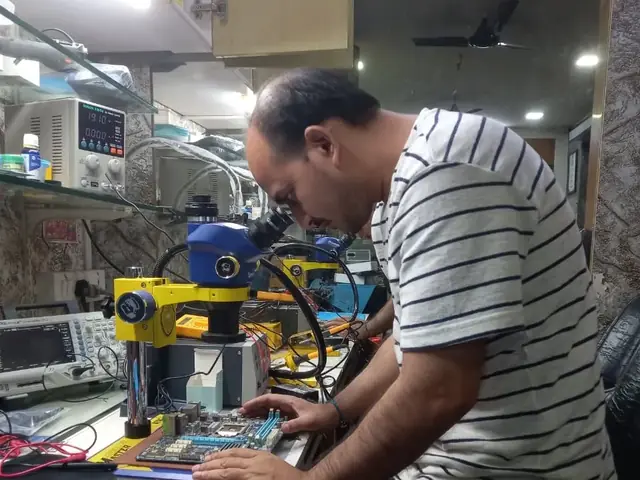
Board-level faults are traced with a microscope, a multimeter and a soldering station before any part is replaced, and parts are fitted only after you approve the quote.
We don't open your personal files during a repair. When a job needs access to your data, such as data recovery or a Windows reinstall, we ask you first.
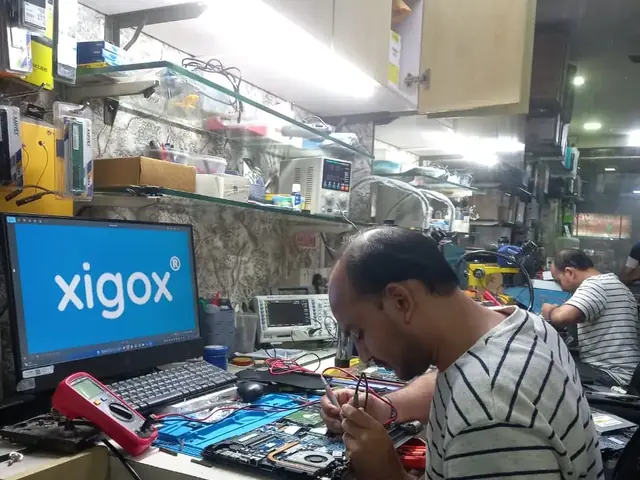
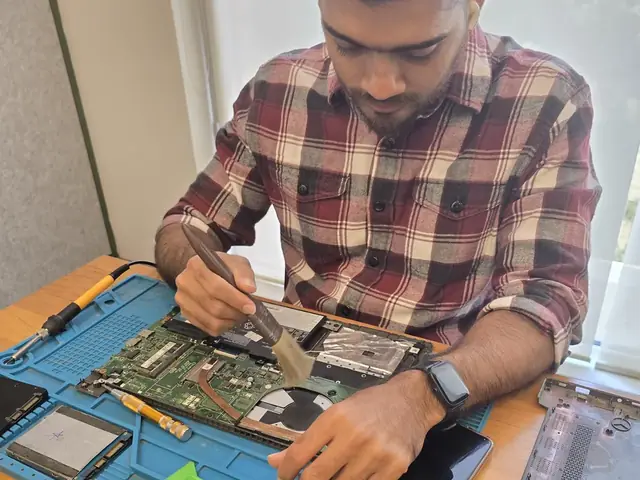
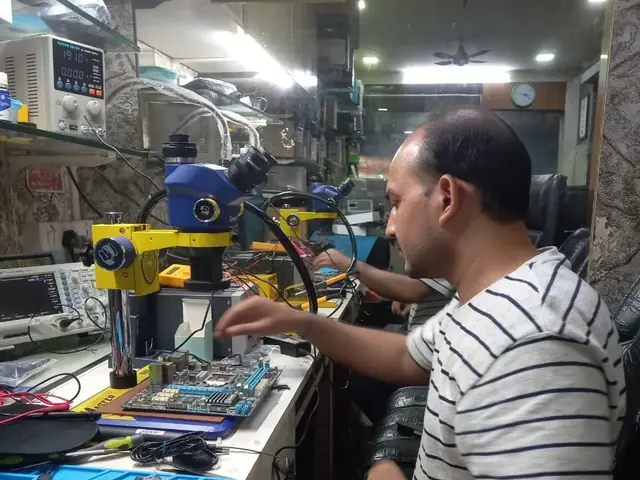
From booking to delivery — transparent, efficient, and professional every step of the way
Call, WhatsApp or book online. Tell us you need Computer Workstation SSD Upgrade for your Dell laptop or computer in Wadala Road. We'll confirm within minutes.
An experienced technician picks up your Dell laptop or computer from your Wadala Road address at no cost. No travel required.
Your Dell laptop or computer is assessed by a specialist trained on Dell hardware. Full written inspection report — ₹350 fee refunded if you proceed with repair.
We provide a detailed repair quote for Computer Workstation SSD Upgrade. Work only starts after your explicit written approval — no hidden charges ever.
Our Dell specialists perform Computer Workstation SSD Upgrade using OEM-grade parts and professional-grade tools. multi-point quality check included.
Your Dell laptop or computer is returned to your Wadala Road address with a written 90-day warranty. If the same issue recurs, we fix it free.
Customer reviews
4.9/5 · 12 reviews shown
← Swipe or tap dots to browse →
Repair examples
Gaming
PC RTX 4080
Custom
Build (AMD Ryzen 7)
Technician's note
Old PSU only had one 8-pin PCIe connector. New 750W provides clean, stable power for the RTX 4070.
HP
ProDesk 400 G7
Technician's note
Capacitor failure likely caused by prolonged voltage fluctuation. Recommended UPS installation.
Lenovo
ThinkCentre M70t
Technician's note
Component-level repair saved customer from motherboard replacement cost.
Dell
OptiPlex 7010
Technician's note
PSU exceeded 5-year lifespan. Recommended surge protector for office fleet.
Custom
Gaming PC
Technician's note
Build: Ryzen 7 7800X3D, RTX 4070 Super, 32GB DDR5, 1TB NVMe. Stress tested for stability.
Watch & learn
Repair videos from our Virar West workshop

How the Xigox team handles laptop and computer repair, sales, service and data recovery across Mumbai, Thane & Palghar.

See how Xigox handles real customer repairs — fast diagnosis, transparent pricing and a 90-day warranty on every job.

A closer look at the Xigox team, our tools, and the repair process behind 9,605+ customer reviews across Mumbai MMR.

A tour of our ISO 9001:2015 certified workshop — laptop, desktop and computer repairs with genuine-grade parts and a 90-day warranty.
FAQ
Everything you need to know before booking your service
10 questions answered
Send us your question on WhatsApp or call — a technician will answer.
Xigox is Wadala Road's leading independent specialist for Dell Computer repair. Our engineers are not generalists — they undergo dedicated training on Dell hardware, firmware and diagnostics. Since 2011, we have completed over 1,00,000+ repairs across all Dell product lines, earning a 4.9-star average customer rating.
Every Dell component we fit is OEM-grade and batch-tested before it goes into your Computer — no aftermarket substitutes, no recycled pulls sold as new. You see the part cost and the labour cost separately on the estimate before we start, and the ₹350 inspection comes off the bill if you go ahead.
We actively serve the entire 400031 postal area within Mumbai Suburban district, ensuring same-day response for every repair request. ₹350 inspection fee (refunded if you proceed with repair). Located near Bhakti Park, our service coverage extends across Wadala Road and all surrounding localities. In addition to Wadala Road, we also provide doorstep repairs and free pickup for lab work for customers in Antop Hill, Wadala, King Circle and other nearby areas.
Straightforward Dell jobs — battery, keyboard, screen, SSD or RAM — are done at your address in Wadala Road. Anything needing the microscope and hot-air station comes back to the lab, with free pickup and drop either way. We confirm within 15 minutes of booking and tell you honestly whether it is a same-day fix.
Your Dell Computer leaves with a written 90-day warranty covering both parts and labour. Same fault back inside that window and we redo it free — no argument, no diagnostic fee. WhatsApp support stays open afterwards for any question about the repair.
Service Hours
Monday – Sunday · 9 AM – 9 PM
Open on all public holidays
Service Area
Wadala Road & surrounding Mumbai areas
Doorstep repairs + free pickup for lab work
Our Guarantee
90-day warranty on all repairs
Free re-repair if same fault recurs
Product lines
Our bench covers 7 distinct Dell series. That matters for Computer Workstation SSD Upgrade, because a Alienware and a Inspiron are stripped down very differently. We regularly take in Alienware, Inspiron, Latitude and OptiPlex, along with Precision, Vostro and XPS units for Computer Workstation SSD Upgrade in Wadala Road. Specific Dell models on our current service list include Dell Inspiron Desktop, Dell OptiPlex 7010, Dell Precision 3660 and Dell Vostro 3910. If your Dell model is not listed, it is almost certainly still covered — send us the model number on the base sticker and we will confirm parts availability before you book.
The Dell Precision 3660 is Dell's workstation line — ISV-certified (for software like AutoCAD, SolidWorks) with ECC memory options and professional-grade GPUs, built for engineering, architecture, and data-science workloads.
Worth knowing for this repair: ECC memory support on many configurations, reducing the risk of data corruption under sustained heavy computation.
The Dell Vostro 3910 is Dell's small-business laptop/desktop line — positioned between the consumer Inspiron and the enterprise Latitude/OptiPlex lines, aimed at small businesses that want manageability without full enterprise IT overhead.
The Dell XPS 8960 is Dell's premium consumer desktop tower, offering stronger components and build quality than Inspiron desktops while remaining more accessible than the Precision workstation line.
Guides
Written by the Xigox workshop team — diagnostics, cost breakdowns and step-by-step fixes you can read before you book.
Expert guide on whether your old PC is worth repairing. Covers cost comparisons, upgrade options, and a clear...
10 min read Computer TipsEverything you need to know about computer and laptop lifespan. Average life expectancy by type, signs your co...
10 min read Repair Cost GuidesIndicative 2026 desktop repair prices for Mumbai: RAM, SSD, hard drive, power supply and motherboard ranges, w...
7 min read UpgradesCheck whether your laptop or PC has a free RAM slot, match DDR3, DDR4 or DDR5, fit the module safely and fix p...
6 min readSelect your Dell model for model-specific service details and pricing
Complete range of Dell repair and upgrade services at Xigox
Not sure if it's a Computer Workstation SSD Upgrade issue? Check these common Dell problems
Free pickup & drop across all these neighbourhoods
Free doorstep pickup available in all these areas
Explore more services
Same technicians · Free pickup · 90-day warranty across all services.
Free doorstep pickup · Expert Computer Workstation SSD Upgrade · 90-day warranty
Serving Wadala Road and all of Mumbai MMR · Open 9 AM – 9 PM daily
Comparison
What you get with Xigox in Wadala Road, side by side.
| Feature | Xigox | Other shops |
|---|---|---|
| Experienced Technicians | Trained & Verified | Varies; ask who will work on the device |
| Genuine / OEM Parts | OEM-Quality Parts | Varies; ask which part will be fitted |
| 90-Day Warranty | Written Certificate | Varies; ask for the warranty in writing |
| Diagnosis / Inspection | ₹350, credited to the repair | Varies; ask what the diagnosis costs |
| Same-Day Turnaround | Wadala Road — Most Repairs | Varies; ask for a time in writing |
| Free Doorstep Pickup | Wadala Road — Free | Varies; ask whether pickup is free |
| Transparent Pricing | Written Quote First | Varies; ask for a written quote first |
| Live WhatsApp Updates | Real-time Repair Status | Varies; ask how you will get updates |
Xigox charges ₹350 for inspection — credited to your repair cost if you go ahead.
How it's done
What our technicians do, what it requires, and how to tell you need it.
When you want more capacity or speed rather than just a fix, we first check the drive's own health data (SMART attributes, reallocated sector count) to confirm whether it's actually failing versus just full, then clone your existing drive sector-by-sector onto the new one wherever possible so your OS, apps, and files carry over without a fresh install.
Typical time: 30–60 minutes (longer if cloning existing data)
Tired of middlemen? Work with the actual repair team — Xigox. SSD type matters more than many customers realise: a PCIe 4.0 NVMe runs 5× faster than a SATA SSD. In Wadala Road, Xigox matches the storage tier to your Dell's PCIe support: the right upgrade for your specific model. Dell Computer Workstation SSD Upgrade in Wadala Road includes a CrystalDiskMark benchmark to verify the full performance gain.
Wondering how fast Xigox can complete job in Wadala Road? Our standard process: First — call or WhatsApp +91 74997 61196 and our pickup technician reaches you within 2 hours. Then — ₹350 diagnostic pinpoints the issue. Step 3 — you approve the quote via WhatsApp — zero pressure. Step 4 — this job is done using OEM-grade components by our engineers, usually within 2–4 hours. Step 5 — we return it to your Wadala Road address with a quality report.
Numbers speak louder. Xigox maintains a 4.9-star rating from 9,605+ customer reviews from customers across Mumbai MMR. Common praise includes: accurate quotes, fast turnaround, and genuine parts. What Wadala Road customers value most: "Fast, professional service with fair pricing." Become part of the growing community of satisfied Xigox customers in Wadala Road.
Customers from Wadala Road with free pickup and drop. Every job gets a written quote before any work, genuine parts and a 90-day warranty, for a single Dell or a whole office. By trusting us for this job in Wadala Road, your device is repaired at our Virar West workshop and returned tested.
Need your Dell fixed urgently? We provide priority this repair in Wadala Road for critical situations. Whether you have an exam deadline and your Dell just stopped working, our priority service puts your Dell at the front of the queue, so most repairs can be finished the same business day. Emergency this repair are available 7 days a week in Wadala Road. Simply mention 'URGENT' when booking and we'll prioritise your repair immediately.
The biggest frustration about repair shops in Wadala Road is surprise bills after the job is done. We've built our entire model around transparency. Prior to touching your Dell, our technician provides a clear cost estimate that covers everything. You see the exact cost — approve it or decline, no pressure. Our ₹350 inspection fee is fully refunded when you proceed with this job.
Not sure what's wrong with your Dell? Before you commit to any repair, Xigox conducts a comprehensive hardware inspection. While we charge a nominal ₹350, this amount is fully refunded when you approve the quote. Our local experts will explain the exact fault clearly so you can make an informed decision.
We know you can't stay disconnected in Wadala Road. We plan this job for maximum convenience. For most issues, our technicians finish the job within hours. We arrange secure collection from your Wadala Road home or office, perform the job using precision tools, and deliver it back to you.
When should you consider it's time for this repair on your Dell? Watch for: random crashes, excessive heat, lagging response, strange noises, battery draining fast, or screen glitches. Experiencing even one of these in Wadala Road, don't ignore them — delaying often increases repair costs. Xigox technicians can diagnose your Dell within the hour and advise on the right this repair.
Getting your Dell fixed in Wadala Road is incredibly straightforward. Step 1, call or WhatsApp us at +91 74997 61196 to describe your issue. Next, our complimentary collection driver arrives at your Wadala Road doorstep within 1–2 hours. The team then carry out a thorough diagnostic (₹350, credited toward your repair). Once you agree, this job is executed with genuine parts — and your Dell is returned to you. Most repairs done same day.
While your Dell is opened for this repair in Wadala Road, it's the perfect time to consider an upgrade. A large number of clients choose to add thermal repasting during the same visit. Bundling these services saves you money on labour and extends its life by years. Inquire today about performance upgrades when you book your repair.
Get it fixed properly in Wadala Road. We bring together trained specialists, genuine components, transparent ₹350 diagnostics, and a written 90-day warranty on every Dell Computer Workstation SSD Upgrade. Join the thousands in Wadala Road who trust us — call or WhatsApp +91 74997 61196 for doorstep convenience in Wadala Road.
Service area
Xigox provides dell computer workstation ssd upgrade across Wadala Road (PIN 400031), in the Mumbai Suburban district of Mumbai. Our doorstep pickup and on-site service cover the entire Wadala Road area and the neighbourhoods around it.
Localities we cover in Wadala Road: Wadala East, Dadar, Sion. Wherever you are in Wadala Road, we can collect your device from your door and bring it back after the repair.
Our technicians regularly serve homes, societies and offices around Wadala Road Station, Bhakti Park and Antop Hill (nearby), and along Wadala Road, Eastern Freeway and Sion Panvel Highway. If you're near any of these landmarks, same-day pickup for dell computer workstation ssd upgrade is almost always available.
We also serve these nearby areas — tap your locality for local dell computer workstation ssd upgrade:
4.9 from 9,605 customer reviews across all repairs · upfront pricing · 90-day warranty
Before you book: have your device model and a quick description of the issue ready — it speeds up your quote.
Not sure what's wrong?
Tell us what your device is doing — we'll point you to the right repair, with real pricing and next steps.
Nearest branch: Worli, Dadar
~4 km from Wadala Road. With free doorstep pickup you don't need to travel — this is our nearest branch.
Book a repair
Free pickup · Genuine parts · 90-day warranty
We'll call you within 1 hour to confirm your appointment and arrange doorstep pickup.
Inspection fee: ₹350
Device type *
Inspection fee: ₹350
Your details are used only to arrange this repair. By submitting, you agree to our Privacy Policy.
 Acer
 Apple
 ASUS
 HP
 Intel
 Lenovo
 MSI
 Samsung