Same-Day Service Available in BKC

Dell Latitude SSD Upgrade in BKC

Laptop Repair Service

Expert Dell Latitude SSD Upgrade in BKC by experienced technicians. Genuine parts, transparent pricing, 90-day warranty — no hidden charges.

Dell Latitude SSD Upgrade in BKC, in short: diagnosis is ₹350, credited to the repair. Most repairs are finished the same day; board-level work takes 2–5 days. Free pickup within 2 hours in BKC and across Mumbai, Thane and Palghar. Simple replacements at your door; board-level and body repairs at our Virar West workshop after free pickup. Every repair carries a 90-day written warranty.

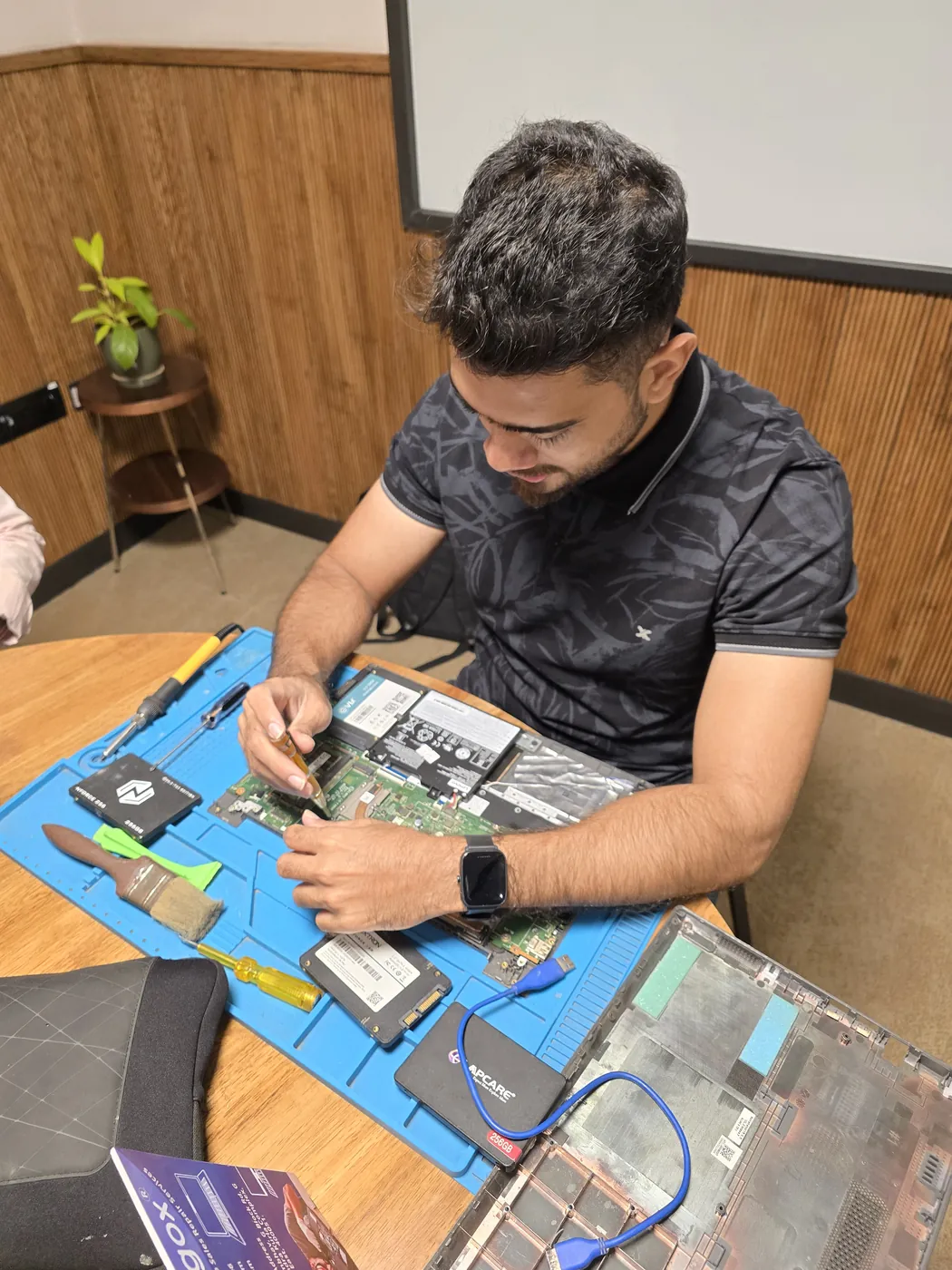
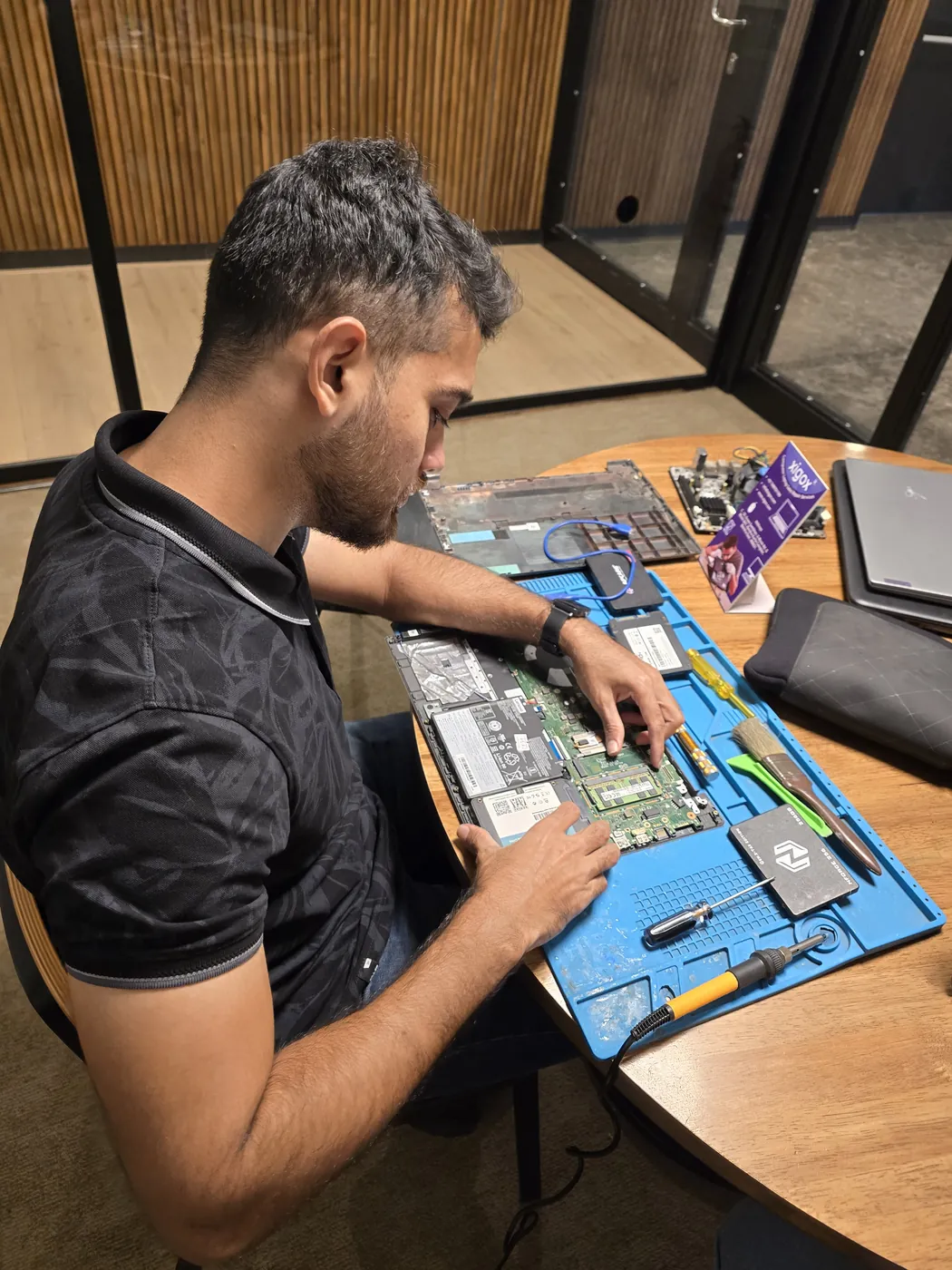
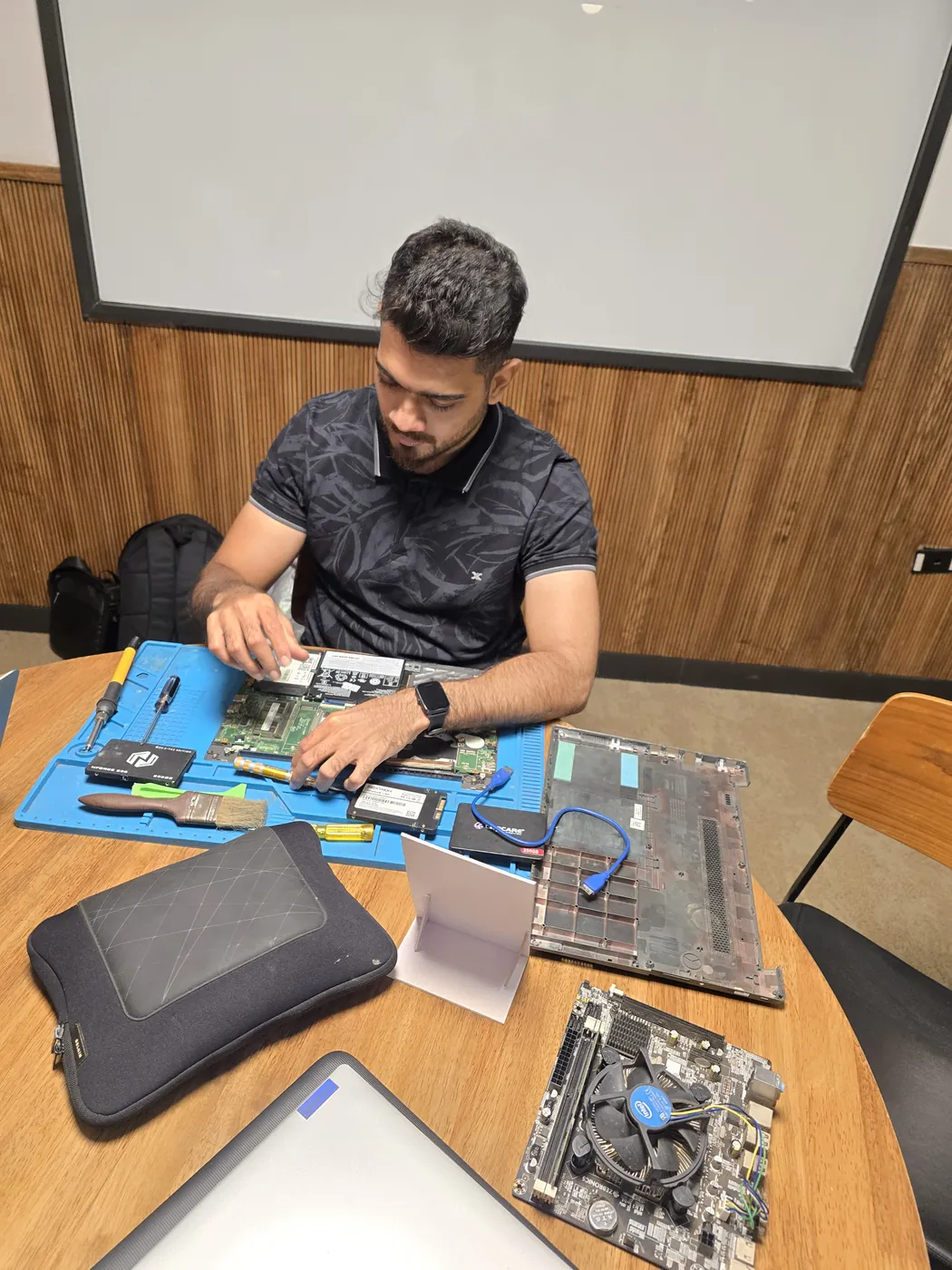
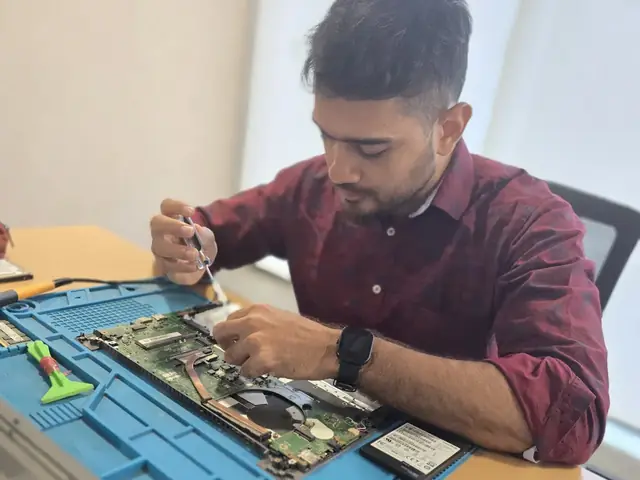
Technician working inside an opened laptop with RAM modules and an SSD laid out beside it Technician working inside an opened laptop with RAM modules and an SSD laid out beside it
Xigox technicians at the repair bench

Quick facts

Typical price

₹2,499–₹8,500+

Turnaround

1–2 hours

Warranty

90-day warranty

Professional Dell Latitude SSD Upgrade in BKC

Tired of middlemen? Work with the actual repair team — Xigox. SSD type matters more than many customers realise: a PCIe 4.0 NVMe runs 5× faster than a SATA SSD. In BKC, Xigox matches the storage tier to your laptop's PCIe support: the right upgrade for your specific model. Dell Latitude SSD Upgrade in BKC includes a CrystalDiskMark benchmark to verify the full performance gain.

Real Reviews for Dell Latitude SSD Upgrade

Don't just take our word for it. Xigox has earned a 4.9-star rating from 9,727+ customer reviews from customers across Mumbai MMR. Customers frequently mention: no surprise charges, same-day completion, and OEM-grade replacements. What BKC customers value most: "Same-day fix with genuine parts and clear communication throughout." Join the growing community of happy Xigox customers in BKC.

How the Dell Latitude SSD Upgrade Process Step by Step

Getting your laptop fixed in BKC is designed to be hassle-free. First, message us at +91 74997 61196 sharing your issue. Then, our free pickup technician arrives at your BKC address within the same day. Our engineers then perform a detailed diagnostic (₹350, refunded if you proceed). After your approval, this repair is completed with OEM-grade parts — and your laptop is delivered back to you. Total turnaround: 24-48 hours.

Transparent Inspection in BKC

Uncertain about the issue with your laptop? Prior to starting any job, Xigox performs a thorough diagnostic check. The ₹350 inspection fee, it is 100% refunded if you proceed with the repair. Our technicians in BKC will show you the broken part in plain English so you can make an informed decision.

Rapid Dell Latitude SSD Upgrade — Timeline

Curious how quickly Xigox can complete repair in BKC? Here's our typical timeline: Step 1 — message us and our pickup technician arrives at your BKC address within 2 hours. Step 2 — our inspection identifies the exact fault. Next — you give the go-ahead via WhatsApp — completely your decision. Finally — this repair is executed using genuine parts at our Virar West workshop, often same day. Then — your laptop is delivered back to you fully tested.

Same-Day Dell Latitude SSD Upgrade in BKC

We know you can't stay disconnected in BKC. We plan this job for rapid turnaround. For most issues, our technicians finish the job within hours. We arrange secure collection from your BKC home or office, perform the job using precision tools, and deliver it back to you.

Red Flags: When You Need Dell Latitude SSD Upgrade

When should you consider it's time for this repair on your laptop? Watch for: unexpected shutdowns, excessive heat, lagging response, strange noises, battery draining fast, or display issues. Experiencing even one of these in BKC, don't ignore them — delaying often increases repair costs. Xigox technicians can diagnose your laptop within the hour and advise on the right this repair.

Top-Rated Dell Latitude SSD Upgrade in BKC

There are many repair shops in BKC, however, Xigox stands out for this job. We believe in complete transparency. Each job begins with a thorough diagnostic inspection for ₹350, which is fully refunded if you proceed. No surprise fees — only expert job in BKC.

Fixed-Quote Policy for Dell Latitude SSD Upgrade

One of the most common complaints about repair shops in BKC is hidden charges after the job is done. Xigox operates differently. Before any work begins, our technician provides a clear cost estimate covering parts and labour. There is zero ambiguity — the decision is entirely yours. The ₹350 diagnostic is credited 100% when you proceed with this repair.

Pickup & Drop Across BKC

Customers from BKC with free pickup and drop. Every job gets a written quote before any work, genuine parts and a 90-day warranty, for a single laptop or a whole office. By trusting us for this job in BKC, your device is repaired at our Virar West workshop and returned tested.

Data Security During Dell Latitude SSD Upgrade

Your personal data is our top priority during your repair. Customers throughout BKC trust us because we never access personal files. Throughout the repair, your confidential files remain untouched. If a software reset is necessary, we consult you beforehand.

Give your laptop the care it deserves in BKC. Xigox: proven expertise, OEM-grade parts, fully transparent pricing, free pickup and delivery — all backed by a written 90-day warranty. Thousands of BKC customers already have: message us on +91 74997 61196 for reliable Dell Latitude SSD Upgrade in BKC.
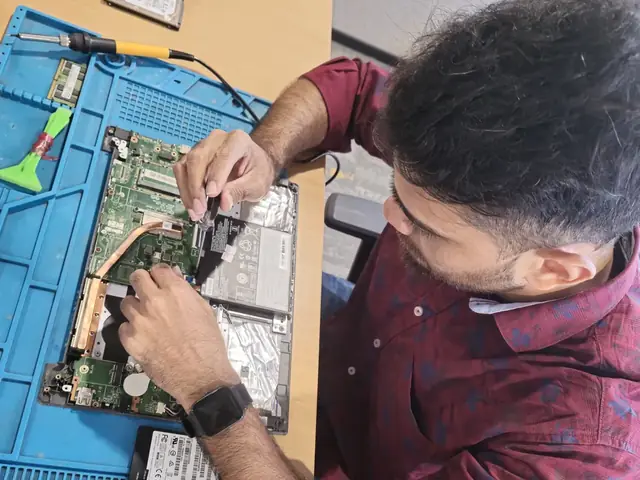
· Verified by Xigox experienced technicians

Dell Latitude SSD Upgrade — Pricing

Transparent pricing. ₹350 inspection fee (refunded if you proceed with repair). Exact quote before work starts. No hidden charges.

Diagnosis
₹350

Credited to the repair when you go ahead; no charge for the quote itself.

Written quote
Before any work

Part and labour listed; nothing is replaced until you approve it.

Warranty
90 days

In writing, on parts and labour, for the repair we did.

See the full price list

* Final price confirmed after the ₹350 inspection, which is credited to the repair if you go ahead. Call +91 74997 61196 for a specific quote.

Our process

How BKC Customers Get Dell Latitude SSD Upgrade Done

Serving BKC and Bandra East, Kherwadi, Kurla West with a repair process designed for zero hassle and maximum transparency.

  1. Step 1Step 1: Get In Touch with Our Team Free

    Get In Touch with Our Team

    Call, WhatsApp, or fill out our online form. Share your product type (laptop, desktop, all-in-one PC, printer) and the issue you're experiencing. We respond within minutes with repair availability.

  2. Step 2Step 2: Doorstep Service or Free Pickup

    Doorstep Service or Free Pickup

    For part replacements (battery, keyboard, screen, SSD, RAM), our technician visits your BKC doorstep. For chip-level and body repairs, free pickup and drop from your BKC address. Safe handling and padded transport guaranteed. We cover the entire 400051 postal area with priority pickup scheduling.

  3. Step 3Step 3: Transparent Diagnosis & Quote

    Transparent Diagnosis & Quote

    Our experienced engineer diagnoses your laptop or computer at our lab. ₹350 inspection fee applies (fully refunded if you proceed with the repair). You receive a clear, itemised written quote before any repair work begins. No surprises, no hidden fees. Our 4.9★ rating across 9,727+ reviews reflects our commitment to thorough quality assurance.

  4. Step 4Step 4: Professional Repair with Genuine Parts

    Professional Repair with Genuine Parts

    Using OEM-grade components and manufacturer-approved techniques, our technicians repair your laptop or computer to factory-level quality. Most common repairs are completed the same day.

  5. Step 5Step 5: Free Delivery + 90-Day Warranty

    Free Delivery + 90-Day Warranty

    Your repaired laptop or computer is delivered back to your BKC doorstep at zero cost. Every repair includes a 90-day written warranty covering parts and labour. Same-day delivery extends to Bandra East and Kherwadi and surrounding localities.

Don't wait — book your repair from BKC today. Doorstep service for part replacements, free pickup for lab repairs. Same-day service available.

How it's done

How We Perform Dell Latitude SSD Upgrade

What our technicians do, what it requires, and how to tell you need it.

1 How It's Performed

When you want more capacity or speed rather than just a fix, our technicians fit the replacement drive, migrate your data via direct cloning (or a fresh OS install plus manual file restore if cloning isn't viable), and verify the new drive boots cleanly and passes a read/write health check before handover.

Typical time: 30–60 minutes (longer if cloning existing data)

2 What This Requires

  • A drive matched to your model's physical form factor and interface (SATA, NVMe, specific M.2 key type) — not every SSD fits every laptop's M.2 slot.
  • A full backup of your existing data before the swap begins, as a safety net independent of the cloning process itself.
  • A SMART health check on the new drive after fitting, to catch a defective unit before it's your daily driver.

3 When You Need This

  • You're running low on storage space regularly and want more capacity rather than just a repair.
  • The drive has already shown SMART warnings or the system has started taking noticeably longer to wake from sleep.

Who repairs your device

Repaired in-house by Xigox technicians

Dell Latitude SSD Upgrade is handled by Xigox technicians from start to finish, never handed on to another shop. Work that needs the repair bench is done at our workshop in Virar West.

Board-level faults are traced with a microscope, a multimeter and a soldering station before any part is replaced, and parts are fitted only after you approve the quote.

We don't open your personal files during a repair. When a job needs access to your data, such as data recovery or a Windows reinstall, we ask you first.

  • Repaired in-house, not outsourced
  • Quote approved by you before work starts
  • Your files stay private
  • Microscope and board-level tools
  • Genuine or OEM-grade parts
  • 90-day warranty on repairs
Technician inspecting a laptop motherboard under a microscope at the repair bench Technician testing a laptop mainboard with a multimeter beside a Xigox-branded monitor Technician brushing dust off an opened laptop motherboard with a cleaning brush Technician inspecting a laptop motherboard under a microscope at the repair bench
Xigox technicians at the repair bench.

Why Xigox?

Why Choose Xigox for Dell Latitude SSD Upgrade?

Over 9,727+ reviewers across Mumbai trust Xigox for professional, transparent and affordable Dell Latitude SSD Upgrade. Serving all addresses in the 400051 postal zone.

Post-Repair WhatsApp Support

WhatsApp support after every Dell Latitude SSD Upgrade job. We answer laptop and computer questions — always free.

Free Pickup & Delivery

Collection and return anywhere in BKC at no charge. Doorstep Dell Latitude SSD Upgrade costs the same as bringing it to us — we do not bill convenience.

No Fix, No Repair Fee

If we cannot resolve your Dell Latitude SSD Upgrade issue you pay nothing beyond the inspection, and the device comes back exactly as we received it.

Open 7 Days, 9 AM–9 PM

Including Sundays and public holidays. Weekend and evening slots in BKC are usually the easiest to book.

Live Status on WhatsApp

Updates at collection, diagnosis, quote, completion and dispatch — and you reply straight to the technician handling your Dell Latitude SSD Upgrade, not a helpline.

Your Data Stays Private

Technicians do not browse personal files during Dell Latitude SSD Upgrade. If a procedure could touch stored data we tell you before, not after.

Repairs Completed
1,00,082+
Since 2011
Average Rating
4.9 ★
9,727+ reviews
Repair Warranty
90 Days
Parts & labour
Avg Response
30 Min
For common issues
Pickup & Drop
Free
₹350 inspection fee
Est. Since
2011
15+ yrs in Mumbai Suburban

Xigox vs Other Dell Latitude SSD Upgrade Options in BKC

What Xigox puts in writing, and what to ask any other shop or listing

FeatureXigoxOther shops & listings
Experienced Technicians YesVaries; ask who will work on the device
Transparent Pricing (₹350 Inspection) YesVaries; ask for a written quote first
90-Day Warranty YesVaries; ask for the warranty in writing
Free Pickup & Drop YesVaries; ask whether pickup is free
Genuine Parts OEM PartsVaries; ask which part will be fitted
Same-Day Service Most RepairsVaries; ask for a time in writing
ISO 9001 Certified YesVaries; ask for their certificate

Repair examples

Recently Repaired Laptops & Computers

View All Recent Repairs

HP

Pavilion x360

Fixed
Issue
Right hinge broken, screen wobbling. Back panel cracked near hinge mount.
Solution
Replaced both hinges with reinforced metal hinges. Repaired back panel crack with epoxy bonding.

Technician's note

Common issue in x360 convertible models. Both hinges replaced for balanced tension.

Goregaon West 2 Hours
  • Hinge
  • HP
  • Convertible

ASUS

VivoBook 15

Fixed
Issue
Laptop dead — no power, no charging LED. Other repair shops quoted motherboard replacement.
Solution
Diagnosed failed power IC using multimeter. Replaced IC at chip level. Laptop boots and charges normally.

Technician's note

Power surge damaged the charging IC. Recommended using a surge protector.

Powai 4 Hours
  • Motherboard
  • ASUS
  • Chip-Level

Lenovo

ThinkPad E14

Fixed
Issue
Multiple keys not responding after tea spill. Keyboard backlight also stopped working.
Solution
Replaced full keyboard module with backlit variant. Cleaned internal membrane and tested all keys.

Technician's note

Tea had corroded the membrane. Internal components were safe from further damage.

Thane West 1.5 Hours
  • Keyboard
  • Lenovo
  • Spill

Dell

Latitude 5430

Fixed
Issue
Battery draining from 100% to 0% in 45 minutes. Dell diagnostics showing battery wear 85%.
Solution
Replaced battery with genuine Dell cell. Calibrated battery controller. Restored to 7+ hours backup.

Technician's note

Corporate laptop with heavy daily use. Battery had exceeded 800 charge cycles.

Borivali West 45 Minutes
  • Battery
  • Dell
  • Corporate

Acer

Aspire 5 A515

Fixed
Issue
Laptop extremely slow with original 1TB HDD. Boot time over 3 minutes.
Solution
Upgraded to 512GB NVMe SSD. Cloned all data. Installed fresh Windows 11 with drivers. Boot time reduced to 8 seconds.

Technician's note

HDD was healthy — kept as secondary storage. Massive performance improvement.

Dadar West 2 Hours
  • SSD
  • Acer
  • Upgrade

MacBook

Air M2

Fixed
Issue
Water spilled on keyboard. Laptop dead, no response to charger. Corrosion visible on logic board.
Solution
Ultrasonic cleaning of logic board. Replaced 2 corroded ICs and damaged keyboard flex cable. Full functionality restored.

Technician's note

Water had not reached SSD — all data intact. Board-level repair saved customer from logic board replacement.

Malad West 6 Hours
  • Water Damage
  • MacBook
  • Board Repair

Customer reviews

What Customers Say About Dell Latitude SSD Upgrade in BKC

4.9/5 · 18 reviews shown

See all 9,727+ reviews

Dell Vostro 3520 — Battery Fix

“Battery on my Dell Vostro 3520 barely lasted thirty minutes. Xigox Virar installed a BIS-certified replacement with six-month warranty. Now getting seven-plus hours of backup. Quick turnaround and genuine parts — exactly what I needed.”
A Alka Marathe BKC · 20 Sep 2024 2

Dell XPS 13 9340 — Fan Noise Fix

“My Dell XPS 13 9340 fan was unbearably loud during video calls. Xigox Virar replaced the worn-out bearing fan with a genuine part and applied fresh thermal paste. Whisper quiet now even under load. Very satisfied.”
S Siddesh Pai BKC · 23 Mar 2024 14

Dell Latitude 5540 — WiFi Issue Fix

“WiFi on my Dell Latitude 5540 kept dropping every few minutes. Xigox Virar replaced the faulty wireless card and updated drivers. Rock-solid connection now even from two rooms away. Fast diagnosis and fair price.”
P Pushkar Shinde BKC · 10 Jun 2026 40

Dell Alienware m16 — Charging Issue Fix

“My Dell Alienware m16 stopped charging completely. Xigox Virar found a burnt charging IC and did component-level repair. Saved me from buying a new laptop. Charging works perfectly now with original adapter.”
M Madhuri Gaikwad BKC · 2 Mar 2025 22

Dell Latitude 5540 — Liquid Damage Fix

“Spilled coffee on my Dell Latitude 5540 and it went dead. Xigox Malad did ultrasonic cleaning, replaced three damaged ICs, and my laptop came back to life with all data intact. Truly miraculous board-level expertise.”
H Harsh Agarwal BKC · 2 Jul 2025 33

Dell Latitude 5540 — Fan Noise Fix

“My Dell Latitude 5540 fan was unbearably loud during video calls. Xigox Vashi replaced the worn-out bearing fan with a genuine part and applied fresh thermal paste. Whisper quiet now even under load. Very satisfied.”
G Gaurang Vaidya Juhu Vile Parle · 20 Jan 2026 8
Page 1 / 3

← Swipe or tap dots to browse →

Customer stories

Customer Stories

What customers say about their laptop and computer repairs

“Laptop screen shattered after a fall. Xigox replaced it with an original panel — display looks brand new. Finished in 4 hours, same day. Highly recommend!”

HP Pavilion 15 eg2000

R Ravi Shankar Andheri West
“Keyboard stopped working completely — spilled juice on it. Xigox cleaned and replaced the keyboard. Professional job, data safe, warranty given. Superb!”

Lenovo IdeaPad Slim 3

M Meenakshi Nair Dadar
“Laptop was overheating and shutting down every 20 minutes. Xigox cleaned the fan, replaced thermal paste. Now it runs cool and silent. ₹499 well spent!”

ASUS VivoBook 14

S Saurabh Joshi Borivali
“Motherboard was dead — no power at all. Xigox did chip-level repair instead of replacing the whole board. Saved ₹8000. Running perfectly for 6 months now!”

Dell Inspiron 3511

P Pooja Tiwari Thane West
“Battery was swollen and trackpad stopped clicking. Xigox replaced the battery safely. MacBook performance is back to day-one speed. Expert Apple technicians!”

MacBook Air M1

A Anil Chauhan Malad
“Charging port was loose and not connecting. Xigox repaired the port in 2 hours. No data loss, 90-day warranty. Office productivity restored immediately!”

HP EliteBook 840 G8

N Nandini Kulkarni Kandivali

FAQ

Frequently Asked Questions — Dell Latitude SSD Upgrade

Everything you need to know about Dell Latitude SSD Upgrade in BKC

10 questions answered

Booking is simple: WhatsApp or call +91 74997 61196, describe your laptop issue, receive a free quote, and schedule a convenient pickup time in BKC. We're available 9 AM–9 PM, 7 days a week — including weekends and public holidays. Our service covers the full 400051 postal area in BKC.
Yes! Xigox offers same-day Dell Latitude SSD Upgrade for most common issues in BKC. We pick up your laptop in the morning, repair it at our workshop, and deliver it back by evening. Same-day service applies to screen replacements, battery changes, software repairs, and more. We also serve Bandra East, Kherwadi, Kurla West, so you can recommend us to neighbours too.
Absolutely. Data security is our top priority. Our technicians never access personal files during Dell Latitude SSD Upgrade. We follow strict protocols to prevent data loss, and we'll always inform you before any procedure that could affect stored data. Your privacy is fully protected. Free pickup also available in Bandra East, Kherwadi, Kurla West and surrounding areas.
Xigox handles Dell Latitude SSD Upgrade for all major brands in BKC, including Apple, Dell, HP, Lenovo, Asus, Acer, MSI, Microsoft, Samsung and Toshiba — and many more. No brand or model is too complex — we repair them all. Customers across BKC (400051) enjoy priority same-day scheduling.
Yes — ₹350 for the inspection in BKC. Our technician diagnoses your laptop and gives you a clear written estimate; if you go ahead with the repair, that ₹350 is adjusted against the total cost, so the inspection itself doesn't add to the bill. If you decide not to proceed, the ₹350 still applies for the technician's time. Customers near Kurla in BKC are covered by our free pickup.
We accept all major payment methods for Dell Latitude SSD Upgrade in BKC: UPI (Google Pay, PhonePe, Paytm), debit/credit cards, net banking, and cash. Payment is collected after the repair is completed to your satisfaction — we never charge upfront without consent. Trusted by customers throughout Mumbai Suburban — rated 4.9★ across 9,727+ reviews.
Yes — out-of-warranty laptops are most of what we handle in BKC. Once the manufacturer warranty lapses, authorised centres often quote near-replacement prices for a single component. We repair at component level where it is safe to do so, which is usually a fraction of that cost, and back it with our own 90-day warranty. We've been serving Mumbai Suburban district for over 15 years.
You pay nothing beyond the ₹350 inspection. If we cannot resolve the fault, we explain exactly what we found, return your laptop in the condition we received it, and — where the economics do not justify a repair — tell you so plainly rather than selling you work that is not worth doing. We also serve Bandra East, Kherwadi, Kurla West, so you can recommend us to neighbours too.
For software faults, setup, upgrades and diagnostics we can work on-site anywhere in BKC. Component-level work — board repair, screen bonding, liquid-damage recovery — needs workshop equipment, so we collect the laptop, repair it, and return it. Both options are free of travel charges. Trusted by customers throughout Mumbai Suburban — rated 4.9★ across 9,727+ reviews.
We send live updates over WhatsApp at each stage: collection, diagnosis, quote approval, repair completion, and dispatch. You can reply to that thread at any point to reach the technician handling your laptop rather than a general helpline. We also serve Bandra East, Kherwadi, Kurla West, so you can recommend us to neighbours too.

Still have questions?

Send us your question on WhatsApp or call — a technician will answer.

Explore more services

More Repair & Tech Services Near BKC

Same technicians · Free pickup · 90-day warranty across all services.

Book a repair

Book Dell Latitude SSD Upgrade — Free Pickup

Get your laptop or computer fixed today. Fill in 4 fields and we'll call within 1 hour.

Booking received

We'll call you within 1 hour to confirm your appointment and arrange doorstep pickup.

Inspection fee: ₹350

  • Credited to your total repair cost if you go ahead.
  • Still applies if the device can't be repaired or you decline the repair.

+91

Device type *

Inspection fee: ₹350

  • If you go ahead with the repair, the ₹350 is credited to your total repair cost.
  • If the device can't be repaired or you decide not to continue, the ₹350 inspection fee still applies.

Your details are used only to arrange this repair. By submitting, you agree to our Privacy Policy.

Get Your Laptop or Computer Fixed Today

Dell Latitude SSD Upgrade in BKC. Free pickup • 90-day warranty • Genuine parts

Open All Days · 9 AM – 9 PM · Reply within 15 minutes

Service area

Dell Latitude SSD Upgrade in BKC — Service Area & Coverage

Xigox provides dell latitude ssd upgrade across BKC (PIN 400051), in the Mumbai Suburban district of Mumbai. Our doorstep pickup and on-site service cover the entire BKC area and the neighbourhoods around it.

Localities we cover in BKC: Bandra East, Kurla, Kalina. Wherever you are in BKC, we can collect your device from your door and bring it back after the repair.

Our technicians regularly serve homes, societies and offices around Bandra Kurla Complex, MMRDA Grounds, Diamond Bourse, National Stock Exchange, American Consulate and Platina & Maker Maxity, and along Western Express Highway. If you're near any of these landmarks, same-day pickup for dell latitude ssd upgrade is almost always available.

Dell Latitude SSD Upgrade near BKC

We also serve these nearby areas — tap your locality for local dell latitude ssd upgrade:

Dell Latitude SSD Upgrade price in BKC — know it before you book

  1. 1Pick your device & issue
  2. 2See the real price range
  3. 3Free doorstep pickup in BKC

4.9 from 9,727 customer reviews across all repairs · upfront pricing · 90-day warranty

Before you book: have your device model and a quick description of the issue ready — it speeds up your quote.

Nearest branch: BKC

~2.2 km from BKC. With free doorstep pickup you don't need to travel — this is our nearest branch.

Call WhatsApp