Same-Day Service Available in Colaba

Desktop SSD Upgrade in Colaba

Professional Desktop SSD Upgrade in Colaba. NVMe and SATA SSDs for all devices. Upgrade from slow HDD to blazing-fast SSD with OS migration and data transfer included. Same-day installation with 90-day warranty.

Desktop SSD Upgrade in Colaba, in short: diagnosis is ₹350, credited to the repair. Most repairs are finished the same day; board-level work takes 2–5 days. Free pickup within 2 hours in Colaba and across Mumbai, Thane and Palghar. Simple replacements at your door; board-level and body repairs at our Virar West workshop after free pickup. Every repair carries a 90-day written warranty.

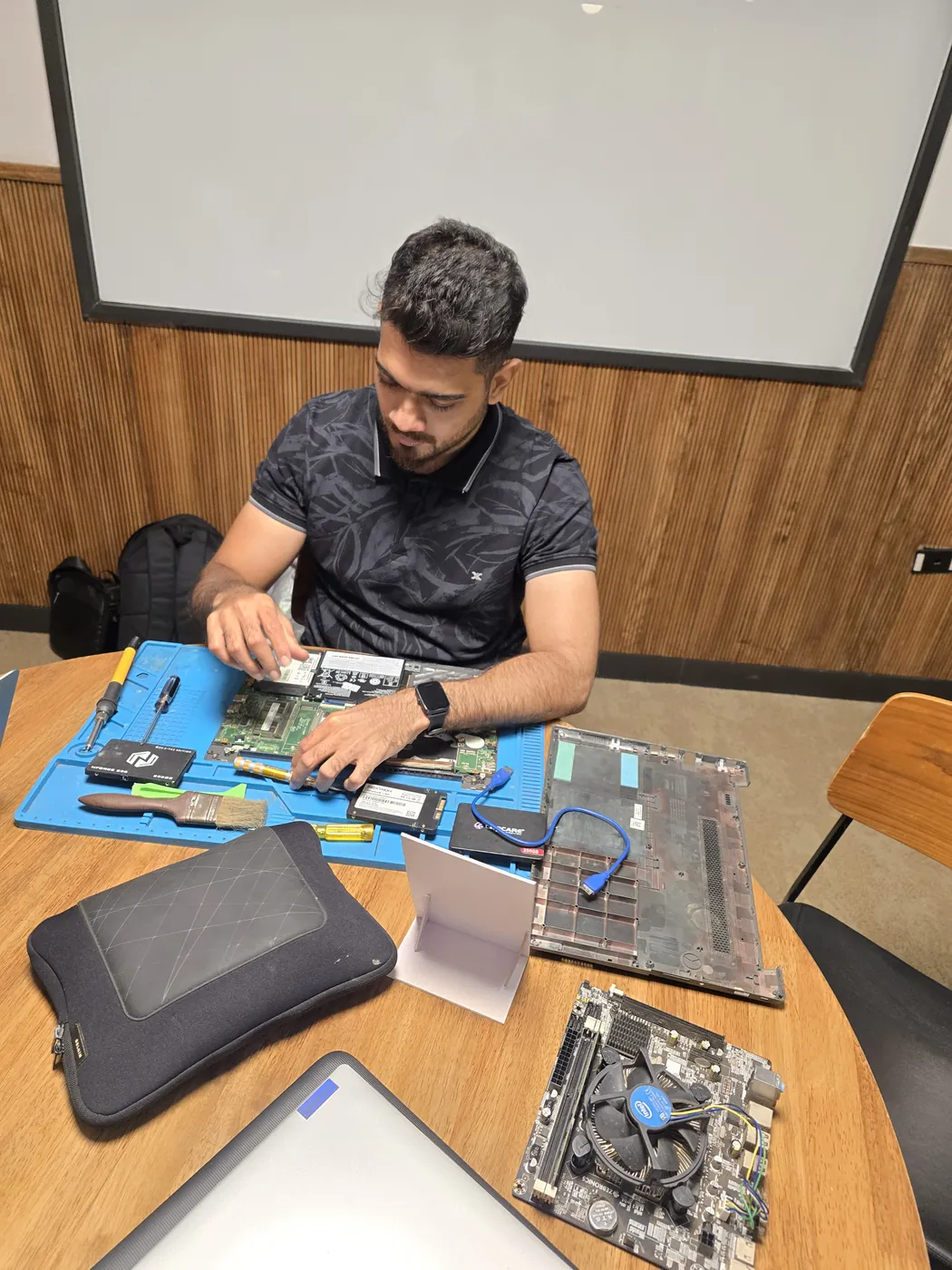
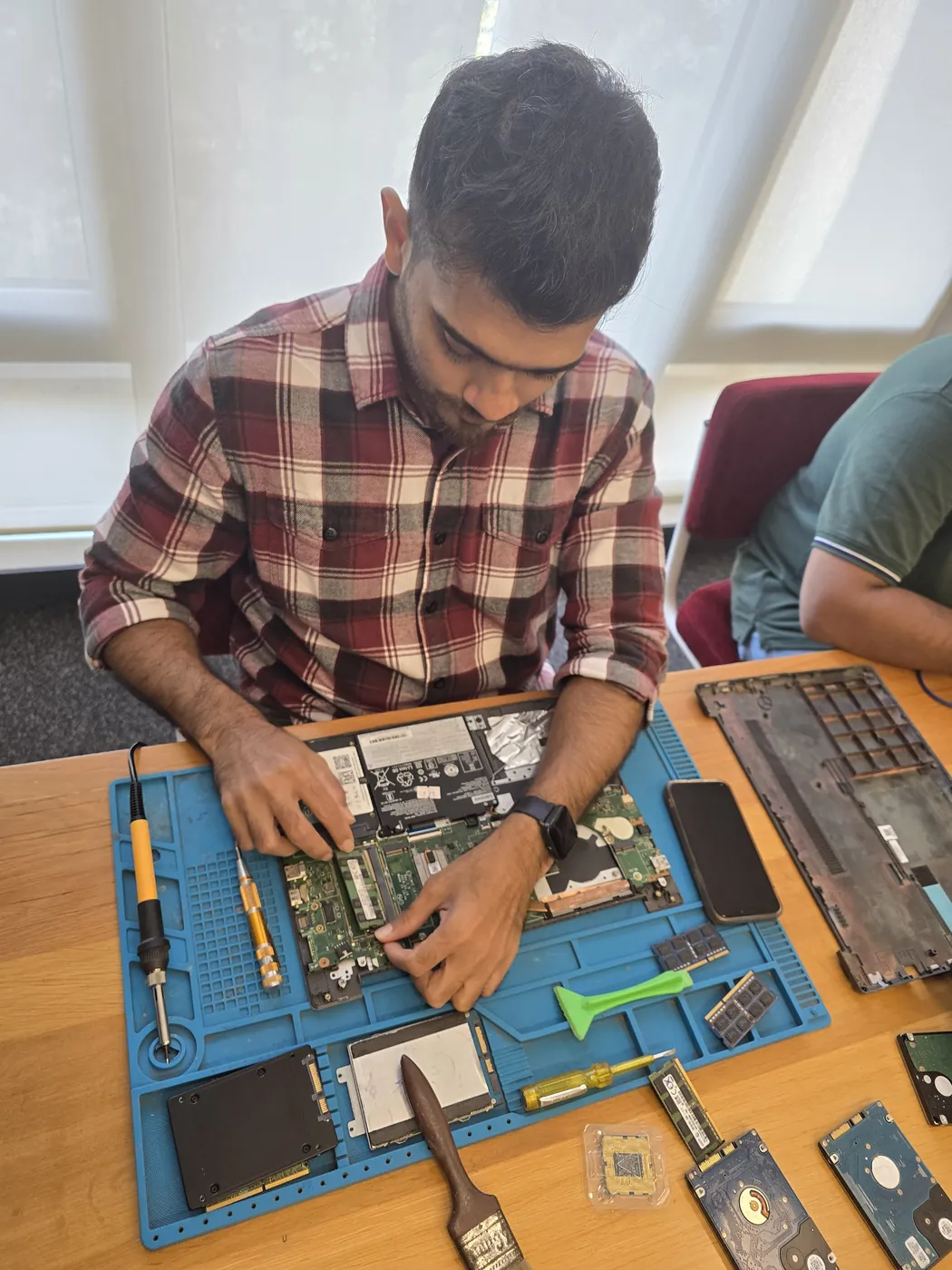
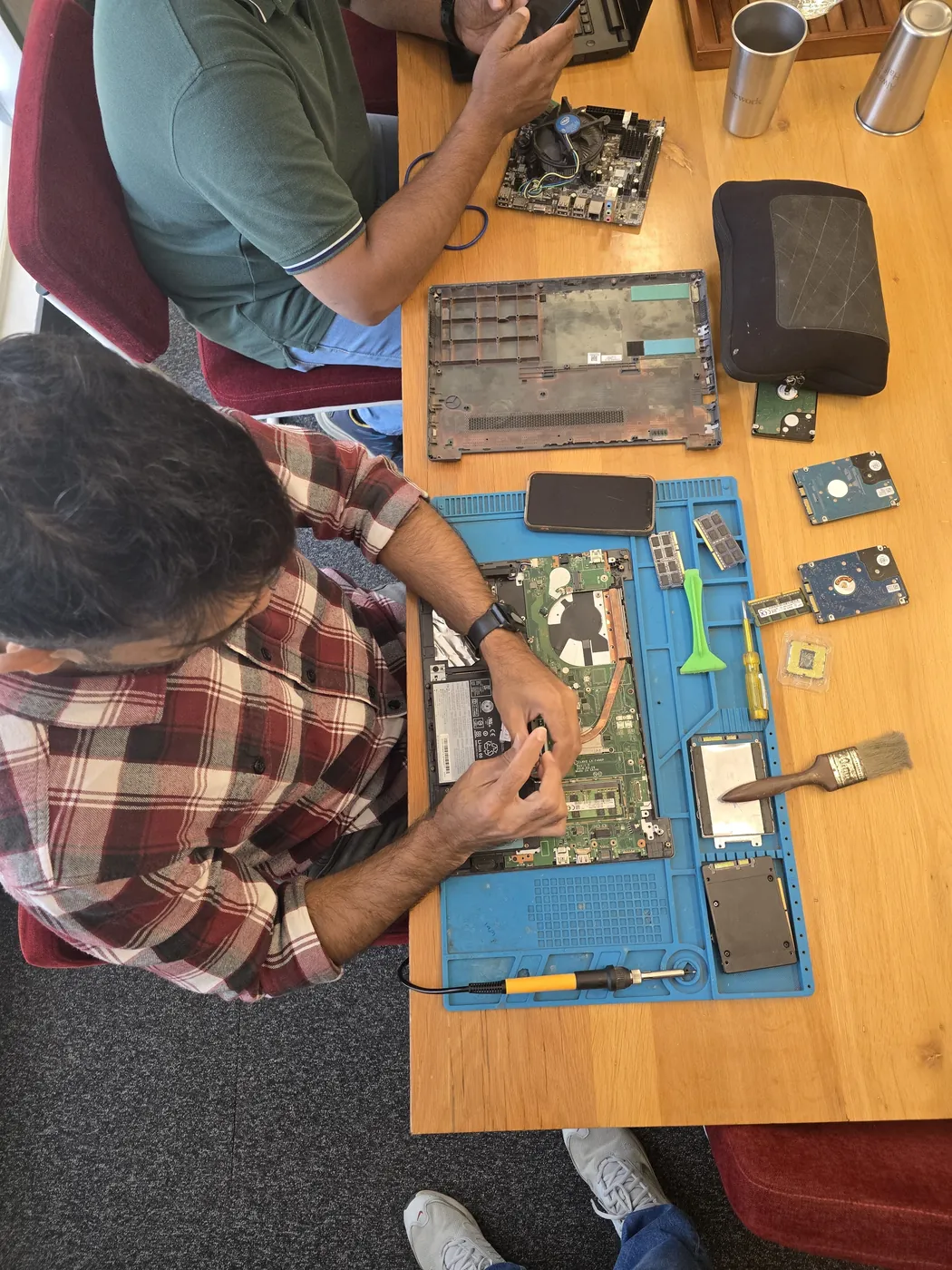
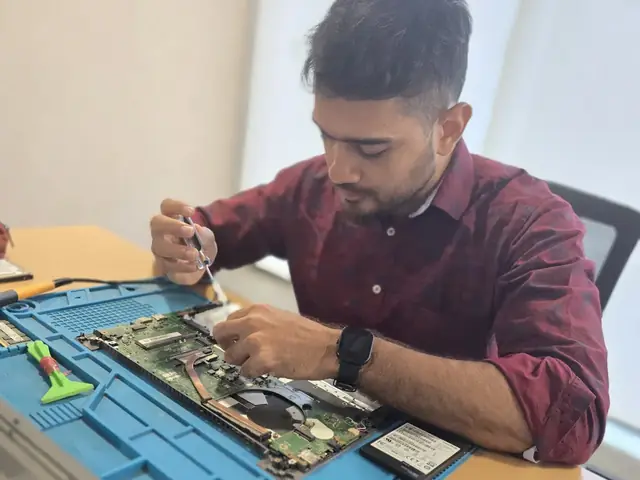
Technician working inside an opened laptop with RAM modules and an SSD laid out beside it Technician working inside an opened laptop with RAM modules and an SSD laid out beside it
Xigox technicians at the repair bench

Quick facts

Typical price

₹2,499–₹8,500+

Turnaround

1–2 hours

Warranty

90-day warranty

Professional Desktop SSD Upgrade in Colaba

Tired of middlemen? Work with the actual repair team — Xigox. Choosing the right SSD for Desktop SSD Upgrade makes a real difference: SATA and NVMe offer very different real-world performance. In Colaba, Xigox selects the best SSD for your motherboard's interface: NVMe Gen 3 vs Gen 4, SATA SSD vs HDD replacement. Desktop SSD Upgrade in Colaba includes a before-and-after speed test to confirm rated throughput.

Expert Technicians for Desktop SSD Upgrade in Colaba

Not all shops in Colaba has the skills for complex this issue. Our technicians work on desktop PC hardware every day dealing with desktop PC hardware. From basic part swaps to complex micro-soldering, we handle it all right here for Colaba clients.

Post-Repair Performance Desktop SSD Upgrade

Following a professional repair in Colaba, you can expect significantly better performance: faster boot times, lower fan noise, full-day battery performance, or crisp, bright display — based on what was fixed. Xigox performs a benchmark at the end of every repair in Colaba to document the improvement.

What Colaba Customers Say About Desktop SSD Upgrade

Numbers speak louder. Xigox maintains a 4.9-star rating from 9,727+ customer reviews from customers across Mumbai MMR. Common praise includes: no surprise charges, fast turnaround, and genuine parts. What Colaba customers value most: "Fast, professional service with fair pricing." Become part of the growing community of satisfied Xigox customers in Colaba.

Rigorous Testing after Desktop SSD Upgrade

Fixing the immediate problem is only half the job at Xigox. Before your desktop PC is returned in Colaba, it must pass a comprehensive multi-point quality check. Our team ensures that the repair was successful, checking wi-fi connectivity. This level of testing is the reason for our 4.9★ rating across Colaba.

Warning Signals: When You Need Desktop SSD Upgrade

When should you consider it's time for this issue on your desktop PC? Watch for: unexpected shutdowns, excessive heat, lagging response, strange noises, battery draining fast, or display issues. Experiencing even one of these in Colaba, don't ignore them — delaying often increases repair costs. Xigox technicians can diagnose your desktop PC within the hour and advise on the right this issue.

No-Obligation Testing in Colaba

Uncertain about the issue with your desktop PC? Prior to starting any repair, Xigox performs a thorough diagnostic check. The ₹350 inspection fee, it is 100% refunded if you proceed with the repair. Our local experts will show you the broken part in plain English so you can make an informed decision.

Authentic Components for Desktop SSD Upgrade

Longevity matters for this issue. Because of this, our team strictly use OEM-grade parts for your desktop PC. Instead of grey-market components, we use trusted supply chains. This is how we help your issue stay durable, supported by our standard 90-day warranty.

Cost-Effective Desktop SSD Upgrade in Colaba

High-quality repair shouldn't break the bank in Colaba. Because we repair at the component level, we typically save customers 30% to 50% versus authorized brand service centres. You receive identical stellar quality for your desktop PC, but at a much fairer price. Get your free quote for the repair in Colaba now.

Safe & Secure Desktop SSD Upgrade

Your personal data is our top priority during your issue. Customers throughout Colaba trust us because we never access personal files. Throughout the issue, your confidential files remain untouched. If a software reset is necessary, we consult you beforehand.

All-Brand Desktop SSD Upgrade in Colaba

Your desktop PC model never limits what we can fix. Xigox engineers are trained across all major brands: HP, Dell, Lenovo, Asus, Acer, MSI, Intel and custom-built systems. Different manufacturers have unique design choices we account for in every repair. This depth of brand knowledge reduces repair time and lowers the chance of secondary damage.

Stop letting your broken desktop PC disrupt your workflow in Colaba. Contact Xigox right now to schedule your Desktop SSD Upgrade. With our 90-day warranty and transparent pricing, you have nothing to lose. Schedule your free pickup in Colaba via WhatsApp.
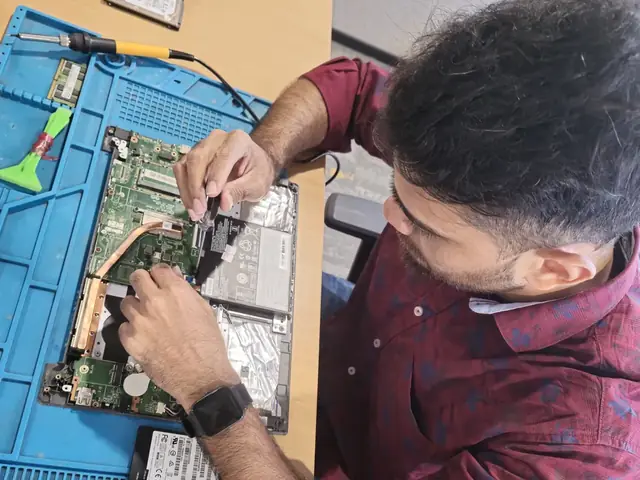
· Verified by Xigox experienced technicians

Desktop SSD Upgrade — Pricing

Transparent pricing. ₹350 inspection fee (refunded if you proceed with repair). Exact quote before work starts. No hidden charges.

Diagnosis
₹350

Credited to the repair when you go ahead; no charge for the quote itself.

Written quote
Before any work

Part and labour listed; nothing is replaced until you approve it.

Warranty
90 days

In writing, on parts and labour, for the repair we did.

See the full price list

* Final price confirmed after the ₹350 inspection, which is credited to the repair if you go ahead. Call +91 74997 61196 for a specific quote.

Our process

How Colaba Customers Get Desktop SSD Upgrade Done

Our Desktop SSD Upgrade process in Colaba is designed for speed, safety, and total transparency.

  1. Step 1Step 1: Get In Touch with Our Team Free

    Get In Touch with Our Team

    Call, WhatsApp, or fill out our online form. Share your product type (laptop, desktop, all-in-one PC, printer) and the issue you're experiencing. We respond within minutes with repair availability.

  2. Step 2Step 2: Doorstep Service or Free Pickup

    Doorstep Service or Free Pickup

    For part replacements (battery, keyboard, screen, SSD, RAM), our technician visits your Colaba doorstep. For chip-level and body repairs, free pickup and drop from your Colaba address. Safe handling and padded transport. Customers near Cuffe Parade get free pickup within 2 hours of booking.

  3. Step 3Step 3: Transparent Diagnosis & Quote

    Transparent Diagnosis & Quote

    Our experienced engineer diagnoses your laptop or computer at our lab. ₹350 inspection fee applies (fully refunded if you proceed with the repair). You receive a clear, itemised written quote before any repair work begins. No surprises, no hidden fees. Our 4.9★ rating across 9,727+ reviews reflects our commitment to thorough quality assurance.

  4. Step 4Step 4: Professional Repair with Genuine Parts

    Professional Repair with Genuine Parts

    Using OEM-grade components and manufacturer-approved techniques, our technicians repair your laptop or computer to factory-level quality. Most common repairs are completed the same day.

  5. Step 5Step 5: Free Delivery + 90-Day Warranty

    Free Delivery + 90-Day Warranty

    Your repaired laptop or computer is delivered back to your Colaba doorstep at zero cost. Every repair includes a 90-day written warranty covering parts and labour. Same-day delivery extends to Cuffe Parade and Navy Nagar and surrounding localities.

Ready to start? Call or WhatsApp now for a ₹350 inspection (refunded if you proceed with repair) and same-day service from Colaba.

How it's done

How We Perform Desktop SSD Upgrade

What our technicians do, what it requires, and how to tell you need it.

1 How It's Performed

When you want more capacity or speed rather than just a fix, our technicians fit the replacement drive, migrate your data via direct cloning (or a fresh OS install plus manual file restore if cloning isn't viable), and verify the new drive boots cleanly and passes a read/write health check before handover.

Typical time: 30–60 minutes (longer if cloning existing data)

2 What This Requires

  • Enough free space on the new drive to hold a full clone of the old one (a straightforward constraint that's easy to miscalculate when "upgrading" to a smaller, faster drive instead of a larger one).

3 When You Need This

  • The system is noticeably slow to boot or open files, especially on an older HDD-based laptop — this is usually the single biggest real-world speed upgrade available.
  • Clicking, grinding, or repetitive noises from a mechanical hard drive — this is often an early failure warning, not normal operation.
  • Frequent "disk read error" or file-corruption messages.

Who repairs your device

Repaired in-house by Xigox technicians

Desktop SSD Upgrade is handled by Xigox technicians from start to finish, never handed on to another shop. Work that needs the repair bench is done at our workshop in Virar West.

Board-level faults are traced with a microscope, a multimeter and a soldering station before any part is replaced, and parts are fitted only after you approve the quote.

We don't open your personal files during a repair. When a job needs access to your data, such as data recovery or a Windows reinstall, we ask you first.

  • Repaired in-house, not outsourced
  • Quote approved by you before work starts
  • Your files stay private
  • Microscope and board-level tools
  • Genuine or OEM-grade parts
  • 90-day warranty on repairs
Technician inspecting a laptop motherboard under a microscope at the repair bench Technician testing a laptop mainboard with a multimeter beside a Xigox-branded monitor Technician brushing dust off an opened laptop motherboard with a cleaning brush Technician inspecting a laptop motherboard under a microscope at the repair bench
Xigox technicians at the repair bench.

Why Xigox?

Why Choose Xigox for Desktop SSD Upgrade?

Over 9,727+ reviewers across Mumbai trust Xigox for professional, transparent and affordable Desktop SSD Upgrade. Serving all addresses in the 400005 postal zone.

Live Status on WhatsApp

Updates at collection, diagnosis, quote, completion and dispatch — and you reply straight to the technician handling your Desktop SSD Upgrade, not a helpline.

Your Data Stays Private

Technicians do not browse personal files during Desktop SSD Upgrade. If a procedure could touch stored data we tell you before, not after.

Component-Level Capability

We repair at chip and board level where it is safe to do so, which is why Desktop SSD Upgrade here often costs a fraction of a full-module swap.

Experienced Repair Engineers

Every Desktop SSD Upgrade technician is trained in-house, and every job is tested before it goes back to you.

Genuine OEM Components

Only genuine or OEM-grade parts used for Desktop SSD Upgrade — zero aftermarket shortcuts, ever.

90-Day Repair Warranty

Your Desktop SSD Upgrade is covered by a written 90-day warranty. Same fault recurs? We fix it free.

Repairs Completed
1,00,156+
Since 2011
Average Rating
4.9 ★
9,727+ reviews
Repair Warranty
90 Days
Parts & labour
Avg Response
30 Min
For common issues
Pickup & Drop
Free
₹350 inspection fee
Est. Since
2011
15+ yrs in Mumbai City

Xigox vs Other Desktop SSD Upgrade Options in Colaba

What Xigox puts in writing, and what to ask any other shop or listing

FeatureXigoxOther shops & listings
Experienced Technicians YesVaries; ask who will work on the device
Transparent Pricing (₹350 Inspection) YesVaries; ask for a written quote first
90-Day Warranty YesVaries; ask for the warranty in writing
Free Pickup & Drop YesVaries; ask whether pickup is free
Genuine Parts OEM PartsVaries; ask which part will be fitted
Same-Day Service Most RepairsVaries; ask for a time in writing
ISO 9001 Certified YesVaries; ask for their certificate

Repair examples

Recently Repaired Desktops & Computers

View All Recent Repairs

Custom

Build (AMD Ryzen 7)

Fixed
Issue
Client wanted to upgrade from GTX 1660 to RTX 4070. Existing 450W PSU insufficient for new GPU.
Solution
Installed Corsair RM750e PSU with proper cable management. Mounted RTX 4070 with support bracket. Updated BIOS and installed latest drivers....

Technician's note

Old PSU only had one 8-pin PCIe connector. New 750W provides clean, stable power for the RTX 4070.

Andheri East 2.5 Hours
  • Gaming PC
  • GPU Upgrade
  • PSU

Dell

OptiPlex 7010

Fixed
Issue
PC dead — no power, no LED indicators. Power supply fan not spinning at all.
Solution
Diagnosed failed 450W PSU. Replaced with compatible unit. All components powered on successfully.

Technician's note

PSU exceeded 5-year lifespan. Recommended surge protector for office fleet.

Andheri West 1 Hour
  • PSU
  • Dell
  • Desktop

ASUS

ROG Strix GT35

Fixed
Issue
GPU displaying visual artifacts during gaming. Screen flickering and colored pixels during 3D rendering.
Solution
Replaced dried thermal paste on GPU die. Repaired micro-solder joint on VRAM chip. Artifacts completely eliminated.

Technician's note

Thermal paste had completely dried out. Applied premium thermal compound rated for 8+ years.

Powai 2 Hours
  • GPU
  • ASUS
  • Thermal

Custom

Gaming PC

Fixed
Issue
Customer purchased individual components online. Needed professional assembly, BIOS config, and OS installation.
Solution
Assembled all components with cable management. Configured BIOS, enabled XMP for RAM. Installed Windows 11 with all drivers and gaming softw...

Technician's note

Build: Ryzen 7 7800X3D, RTX 4070 Super, 32GB DDR5, 1TB NVMe. Stress tested for stability.

Goregaon West 4 Hours
  • Custom Build
  • Gaming
  • Assembly

Gaming

PC RTX 4080

Fixed
Issue
No display output, fans spinning. No boot sequence.
Solution
Diagnosed motherboard failure. Replaced with compatible board.
Goregaon West 4 Hours
  • Motherboard
  • Gaming
  • Display

Lenovo

ThinkCentre M70t

Fixed
Issue
PC randomly shutting down during heavy workloads. Sometimes fails to POST. Capacitor bulging visible.
Solution
Replaced 3 failed electrolytic capacitors with Japanese-grade caps. Reflowed solder joints around VRM area.

Technician's note

Component-level repair saved customer from motherboard replacement cost.

Thane West 3 Hours
  • Motherboard
  • Lenovo
  • Capacitor

Customer reviews

What Customers Say About Desktop SSD Upgrade in Colaba

4.9/5 · 18 reviews shown

See all 9,727+ reviews

Custom Office PC — Virus Removal

“My Custom Office PC was infected with ransomware and running extremely slow. Xigox Colaba cleaned all malware, restored encrypted files from shadow copies, and installed proper antivirus. System is clean and fast again.”
M Mukta Barve Colaba · 8 Aug 2025 24

HP Z2 Tower G9 — Boot Issues Fix

“My HP Z2 Tower G9 stopped booting into Windows showing disk errors. Xigox Colaba diagnosed a failing SSD, cloned all data to a new drive, and restored full boot functionality. All programs and settings preserved perfectly.”
A Ajay Mhatre Colaba · 18 May 2024 38

Mac Studio M2 Max — SSD Speed Upgrade

“Upgraded my aging Mac Studio M2 Max from HDD to NVMe SSD at Xigox Colaba. Boot time dropped from three minutes to eight seconds. Photoshop launches in three seconds. Feels like a brand-new machine. Best upgrade investment.”
K Kunal Shah Colaba · 7 Aug 2024 23

MSI MEG Trident X2 — Boot Issues Fix

“My MSI MEG Trident X2 stopped booting into Windows showing disk errors. Xigox Colaba diagnosed a failing SSD, cloned all data to a new drive, and restored full boot functionality. All programs and settings preserved perfectly.”
U Urmila Kanekar Colaba · 13 Jan 2025 6

Acer Veriton M4690G — SSD Speed Upgrade

“Upgraded my aging Acer Veriton M4690G from HDD to NVMe SSD at Xigox Colaba. Boot time dropped from three minutes to eight seconds. Photoshop launches in three seconds. Feels like a brand-new machine. Best upgrade investment.”
B Bhagyashree Milind Colaba · 12 Jun 2024 16

HP EliteDesk 800 G9 — Memory Upgrade

“My HP EliteDesk 800 G9 struggled with just eight gigs of RAM. Xigox Colaba installed thirty-two gigs in dual-channel with XMP enabled. Run Photoshop, Chrome, and Slack simultaneously now without any slowdown. Huge improvement.”
A Ashish Shetty Colaba · 13 Jun 2026 8
Page 1 / 3

← Swipe or tap dots to browse →

Customer stories

Customer Stories

What customers say about their laptop and computer repairs

“Mac Pro had RAM module failure causing kernel panics. Xigox identified and replaced the faulty module. Zero crashes since — saved lakhs in replacement cost!”

Mac Pro M2 Ultra

A Arpita Sinha Andheri
“Desktop wouldn't turn on after a power surge. Xigox replaced the power supply unit and tested all components. Saved the whole system!”

HP ProDesk 400 G9

J Jyoti Nair Malad
“Multiple USB ports stopped working on our office desktop. Xigox repaired the USB controller on the motherboard. All ports functional now!”

HP EliteDesk 800 G9

S Smita Kulkarni Powai
“Old HCL office PC was extremely slow with Windows 10. Xigox upgraded to SSD, added RAM, and did a clean OS install. Runs great now for basic office work!”

HCL Desktop PC

M Mohan Pillai Goregaon
“Work PC needed an upgrade for video editing. Xigox added 64GB RAM, a 2TB NVMe SSD, and optimized the system. Render times cut in half!”

Custom Workstation PC

V Vikrant Singh Dadar
“Hard drive failure with 5 years of accounting data. Xigox recovered 98% of the data and upgraded to a 1TB SSD. Incredible data recovery!”

Dell Vostro 3910

N Namita Desai Bandra

FAQ

Frequently Asked Questions — Desktop SSD Upgrade

Everything you need to know about Desktop SSD Upgrade in Colaba

10 questions answered

For software faults, setup, upgrades and diagnostics we can work on-site anywhere in Colaba. Component-level work — board repair, screen bonding, liquid-damage recovery — needs workshop equipment, so we collect the computer, repair it, and return it. Both options are free of travel charges. Our service covers the full 400005 postal area in Colaba.
We send live updates over WhatsApp at each stage: collection, diagnosis, quote approval, repair completion, and dispatch. You can reply to that thread at any point to reach the technician handling your computer rather than a general helpline. Customers across Colaba (400005) enjoy priority same-day scheduling.
Back up documents, photos and anything stored only on that computer before any repair — with us or anyone else. Most Desktop SSD Upgrade work does not touch your data, but board-level faults and storage failures can be unpredictable. Tell us in advance if the drive holds irreplaceable data and we will treat recovery as the first priority. Customers across Colaba (400005) enjoy priority same-day scheduling.
Our rule of thumb: if the repair costs more than roughly half of a comparable replacement and the computer is more than five years old, replacement is usually the better call. We tell you which side of that line you are on during the inspection in Colaba, even when the answer means we do not get the job. Our service covers the full 400005 postal area in Colaba.
Yes — Xigox operates 9 AM to 9 PM, seven days a week in Colaba, including Sundays and public holidays. Weekend pickups are often the most convenient option for people who cannot be at home on a working day. We've been serving Mumbai City district for over 15 years.
Yes, on request. Any component we remove during Desktop SSD Upgrade is yours, and we will hand it back with the repaired computer so you can see exactly what was changed. Just mention it when you approve the quote. Customers near Gateway of India in Colaba are covered by our free pickup.
The cost of Desktop SSD Upgrade in Colaba depends on your laptop or computer model and the extent of damage. Xigox charges ₹350 for inspection — refunded if you proceed with the repair — you'll receive a transparent, written quote with no hidden charges. Most standard Desktop SSD Upgrade jobs start from ₹499. Call or WhatsApp +91 74997 61196 for an instant estimate. We also serve Cuffe Parade, Navy Nagar, Colaba Causeway, so you can recommend us to neighbours too.
Most Desktop SSD Upgrade jobs in Colaba are completed the same day — usually within 2–4 hours of pickup. Complex repairs such as motherboard replacement or liquid-damage recovery may take 1–2 days. We'll give you an accurate time estimate during the inspection. Our service covers the full 400005 postal area in Colaba.
Yes — Xigox provides completely free doorstep pickup and delivery for Desktop SSD Upgrade across Colaba. An experienced technician collects your laptop or computer from your home or office, completes the repair at our workshop, and returns it — often the same day. Call or WhatsApp +91 74997 61196 to book. Trusted by customers throughout Mumbai City — rated 4.9★ across 9,727+ reviews.
Every Desktop SSD Upgrade at Xigox includes a 90-day warranty on the repaired component and all parts used. If the same issue recurs within 90 days, we fix it at zero cost. This warranty applies to all Desktop SSD Upgrade completed in Colaba and across Mumbai MMR. Our service covers the full 400005 postal area in Colaba.

Still have questions?

Send us your question on WhatsApp or call — a technician will answer.

Explore more services

More Repair & Tech Services Near Colaba

Same technicians · Free pickup · 90-day warranty across all services.

Book a repair

Book Desktop SSD Upgrade — Free Pickup

Get your laptop or computer fixed today. Fill in 4 fields and we'll call within 1 hour.

Booking received

We'll call you within 1 hour to confirm your appointment and arrange doorstep pickup.

Inspection fee: ₹350

  • Credited to your total repair cost if you go ahead.
  • Still applies if the device can't be repaired or you decline the repair.

+91

Device type *

Inspection fee: ₹350

  • If you go ahead with the repair, the ₹350 is credited to your total repair cost.
  • If the device can't be repaired or you decide not to continue, the ₹350 inspection fee still applies.

Your details are used only to arrange this repair. By submitting, you agree to our Privacy Policy.

Get Your Laptop or Computer Fixed Today

Desktop SSD Upgrade in Colaba. Free pickup • 90-day warranty • Genuine parts

Open All Days · 9 AM – 9 PM · Reply within 15 minutes

Desktop PC specifics

What Desktop SSD Upgrade Means on a Desktop PC

Tower desktops have the most internal space of anything we service, which makes diagnosis straightforward — parts are standard, accessible and individually replaceable.

Why it happens on tower and cabinet desktop owners

  • Failing or underrated power supply on an ageing tower
  • Dust blanketing the CPU cooler and case intake filters
  • Bulging motherboard capacitors after years of mains fluctuation
  • Front-panel power switch or header failure

What our Desktop PC technician checks

  • PSU rail testing under load with a bench tester
  • Motherboard capacitor and VRM inspection
  • Case airflow path and filter condition
  • POST diagnostics with known-good RAM and GPU

Desktop PC hardware we work on

  • ATX and micro-ATX motherboards
  • Modular and non-modular ATX power supplies
  • Tower CPU coolers and case fan arrays
  • Full-size PCIe graphics cards
  • 3.5" HDD bays and 2.5" SSD mounts

Models we see most often

  • HP ProDesk and EliteDesk towers
  • Dell OptiPlex and Vostro desktops
  • Lenovo ThinkCentre towers
  • Acer Veriton

Tower parts are standard and widely stocked, so a desktop repair rarely waits on part sourcing — most are finished the same day.

Do I need to bring the monitor, keyboard and mouse?

Just the cabinet is enough for most faults. If the complaint is display-related we may ask for the monitor and its cable so we can reproduce it exactly.

Service area

Desktop SSD Upgrade in Colaba — Service Area & Coverage

Xigox provides desktop ssd upgrade across Colaba (PIN 400005), in the Mumbai City district of Mumbai. Our doorstep pickup and on-site service cover the entire Colaba area and the neighbourhoods around it.

Localities we cover in Colaba: Cuffe Parade, Navy Nagar, BEST Nagar. Wherever you are in Colaba, we can collect your device from your door and bring it back after the repair.

Our technicians regularly serve homes, societies and offices around Gateway of India, Taj Mahal Palace Hotel, Sassoon Dock, Afghan Church and Radio Club, and along Colaba Causeway and Shahid Bhagat Singh Road. If you're near any of these landmarks, same-day pickup for desktop ssd upgrade is almost always available.

Desktop SSD Upgrade near Colaba

We also serve these nearby areas — tap your locality for local desktop ssd upgrade:

Desktop SSD Upgrade price in Colaba — know it before you book

  1. 1Pick your device & issue
  2. 2See the real price range
  3. 3Free doorstep pickup in Colaba

4.9 from 9,727 customer reviews across all repairs · upfront pricing · 90-day warranty

Before you book: have your device model and a quick description of the issue ready — it speeds up your quote.

Nearest branch: Worli, Dadar

~11.7 km from Colaba. With free doorstep pickup you don't need to travel — this is our nearest branch.

Call WhatsApp