Gaming
PC RTX 4080
- Issue
- No display output, fans spinning. No boot sequence.
- Solution
- Diagnosed motherboard failure. Replaced with compatible board.
Goregaon West
4 Hours
- Motherboard
- Gaming
- Display
Professional Desktop SSD Upgrade in Dongri. NVMe and SATA SSDs for all devices. Upgrade from slow HDD to blazing-fast SSD with OS migration and data transfer included. Same-day installation with 90-day warranty.
Desktop SSD Upgrade in Dongri, in short: diagnosis is ₹350, credited to the repair. Most repairs are finished the same day; board-level work takes 2–5 days. Free pickup within 2 hours in Dongri and across Mumbai, Thane and Palghar. Simple replacements at your door; board-level and body repairs at our Virar West workshop after free pickup. Every repair carries a 90-day written warranty.
Typical price
₹2,499–₹8,500+
Turnaround
1–2 hours
Warranty
90-day warranty
Skip the directories. Book direct for transparent pricing with Xigox. The single most impactful desktop PC upgrade is replacing an aging hard drive with an NVMe SSD. In Dongri, Xigox performs Desktop SSD Upgrade with zero data loss: we clone your existing drive so you reboot to a perfectly configured system. Boot times drop from 60–90 seconds to 8–12 seconds after Desktop SSD Upgrade.
While your desktop PC is opened for this issue in Dongri, it's the perfect time to consider an upgrade. A large number of clients choose to add more RAM during the same visit. Bundling these services saves you money on labour and extends its life by years. Inquire today about performance upgrades when you book your issue.
Uncertain about the issue with your desktop PC? Prior to starting any repair, Xigox performs a thorough diagnostic check. The ₹350 inspection fee, it is 100% refunded if you proceed with the repair. Our local experts will show you the broken part in plain English so you can make an informed decision.
Longevity matters for this issue. Because of this, our team strictly use OEM-grade parts for your desktop PC. Instead of grey-market components, we use trusted supply chains. This is how we help your issue stay durable, supported by our standard 90-day warranty.
How do you know you need the repair on your desktop PC? Look for: unexpected shutdowns, overheating, slow performance, grinding or clicking, rapid battery loss, or display issues. If you notice any of these in Dongri, act quickly — waiting often makes the problem worse. Our team can assess your desktop PC quickly and advise on the best the repair.
Numbers speak louder. Xigox maintains a 4.9-star rating from 9,605+ customer reviews from customers across Mumbai MMR. Common praise includes: no surprise charges, fast turnaround, and genuine parts. What Dongri customers value most: "Fast, professional service with fair pricing." Become part of the growing community of satisfied Xigox customers in Dongri.
Getting your desktop PC fixed in Dongri is incredibly hassle-free. Step 1, call or WhatsApp us at +91 74997 61196 to describe your issue. Next, our complimentary collection driver arrives at your Dongri doorstep within 1–2 hours. The team then carry out a thorough diagnostic (₹350, credited toward your repair). Once you agree, the repair is executed with genuine parts — and your desktop PC is returned to you. Most repairs done same day.
Businesses across Dongri trust our issue to keep operations running. We offer bulk repair contracts, same-day priority service, and a single point of contact. From a small team or an entire floor, Xigox manages this issue for your Dongri workspace with GST invoices and complete service reports.
Fixing the immediate problem is only half the job at Xigox. Before your desktop PC is returned in Dongri, it must pass a strict multi-point quality check. Our team ensures that the repair was successful, checking wi-fi connectivity. This level of testing is the reason for our 4.9★ rating across Dongri.
Is your deadline today? We provide emergency this issue in Dongri for time-sensitive situations. Whether you have a presentation tomorrow and your desktop PC just stopped working, our priority service puts your desktop PC at the front of the queue, so most repairs can be finished the same business day. Priority repairs are available 7 days a week in Dongri. Simply mention 'URGENT' when booking and we'll prioritise your issue immediately.
We know you can't stay disconnected in Dongri. We plan the repair for speed and efficiency. For most issues, our technicians finish the repair within hours. We arrange secure collection from your Dongri home or office, perform the repair using precision tools, and deliver it back to you.
Your desktop PC is an investment — protect it with a dependable Desktop SSD Upgrade team. Xigox looks after customers across Mumbai, Thane and Palghar with honest quotes. Need a quick fix? Reach us at +91 74997 61196 for instant Desktop SSD Upgrade in Dongri.
· Verified by Xigox experienced technicians
Transparent pricing. ₹350 inspection fee (refunded if you proceed with repair). Exact quote before work starts. No hidden charges.
Credited to the repair when you go ahead; no charge for the quote itself.
Part and labour listed; nothing is replaced until you approve it.
In writing, on parts and labour, for the repair we did.
* Final price confirmed after the ₹350 inspection, which is credited to the repair if you go ahead. Call +91 74997 61196 for a specific quote.
Our process
Thousands of Dongri customers trust this process. No shop visits, no hidden fees, no data risk.
Step 1Step 1: Get In Touch with Our Team Free
Call, WhatsApp, or fill out our online form. Share your product type (laptop, desktop, all-in-one PC, printer) and the issue you're experiencing. We respond within minutes with repair availability.
Step 2Step 2: Doorstep Service or Free Pickup
For part replacements (battery, keyboard, screen, SSD, RAM), our technician visits your Dongri doorstep. For chip-level and body repairs, free pickup and drop from your Dongri address. Safe handling and padded transport. Pickup also available for Masjid, Chinch Bunder and all nearby areas.
Step 3Step 3: Transparent Diagnosis & Quote
Our experienced engineer diagnoses your laptop or computer at our lab. ₹350 inspection fee applies (fully refunded if you proceed with the repair). You receive a clear, itemised written quote before any repair work begins. No surprises, no hidden fees. Our 4.9★ rating across 9,605+ reviews reflects our commitment to thorough quality assurance.
Step 4Step 4: Professional Repair with Genuine Parts
Using OEM-grade components and manufacturer-approved techniques, our technicians repair your laptop or computer to factory-level quality. Most common repairs are completed the same day.
Step 5Step 5: Free Delivery + 90-Day Warranty
Your repaired laptop or computer is delivered back to your Dongri doorstep at zero cost. Every repair includes a 90-day written warranty covering parts and labour. Same-day delivery extends to Masjid and Chinch Bunder and surrounding localities.
Don't wait — book your repair from Dongri today. Doorstep service for part replacements, free pickup for lab repairs. Same-day service available.
How it's done
What our technicians do, what it requires, and how to tell you need it.
When you want more capacity or speed rather than just a fix, our technicians fit the replacement drive, migrate your data via direct cloning (or a fresh OS install plus manual file restore if cloning isn't viable), and verify the new drive boots cleanly and passes a read/write health check before handover.
Typical time: 30–60 minutes (longer if cloning existing data)
Who repairs your device
Desktop SSD Upgrade is handled by Xigox technicians from start to finish, never handed on to another shop. Work that needs the repair bench is done at our workshop in Virar West.
Board-level faults are traced with a microscope, a multimeter and a soldering station before any part is replaced, and parts are fitted only after you approve the quote.
We don't open your personal files during a repair. When a job needs access to your data, such as data recovery or a Windows reinstall, we ask you first.




Photos
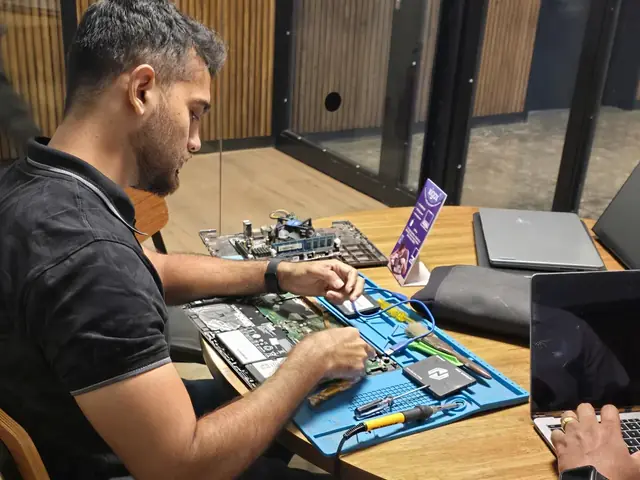
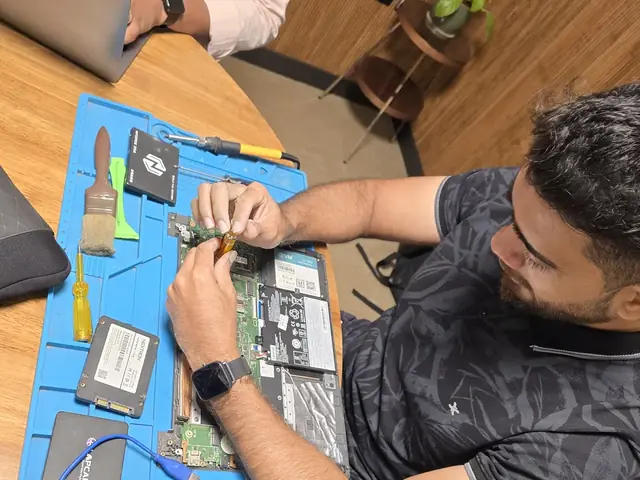
Photographs of Xigox technicians working on opened laptops and boards. They show how the work is done, not the results on any particular customer's device.
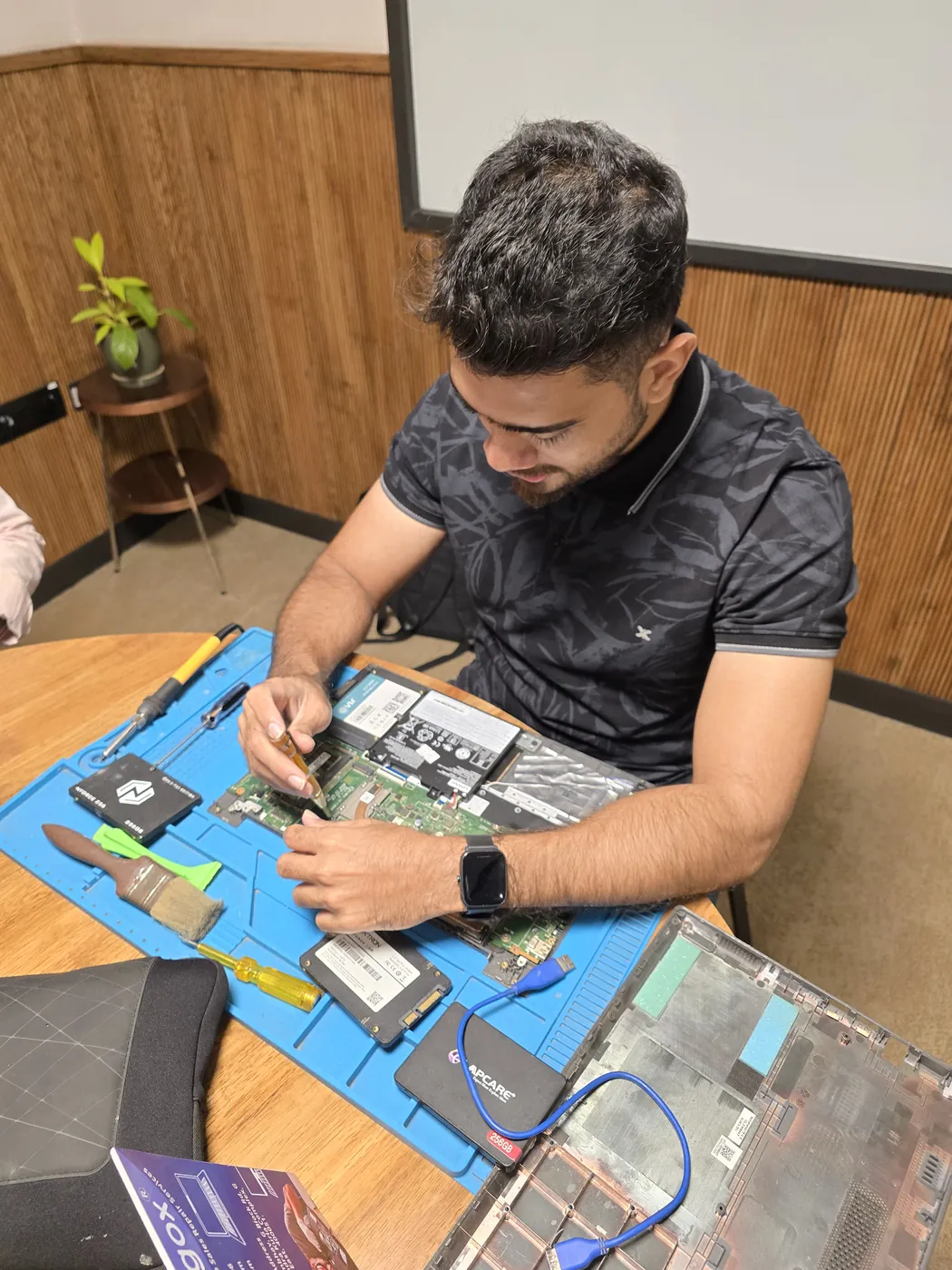
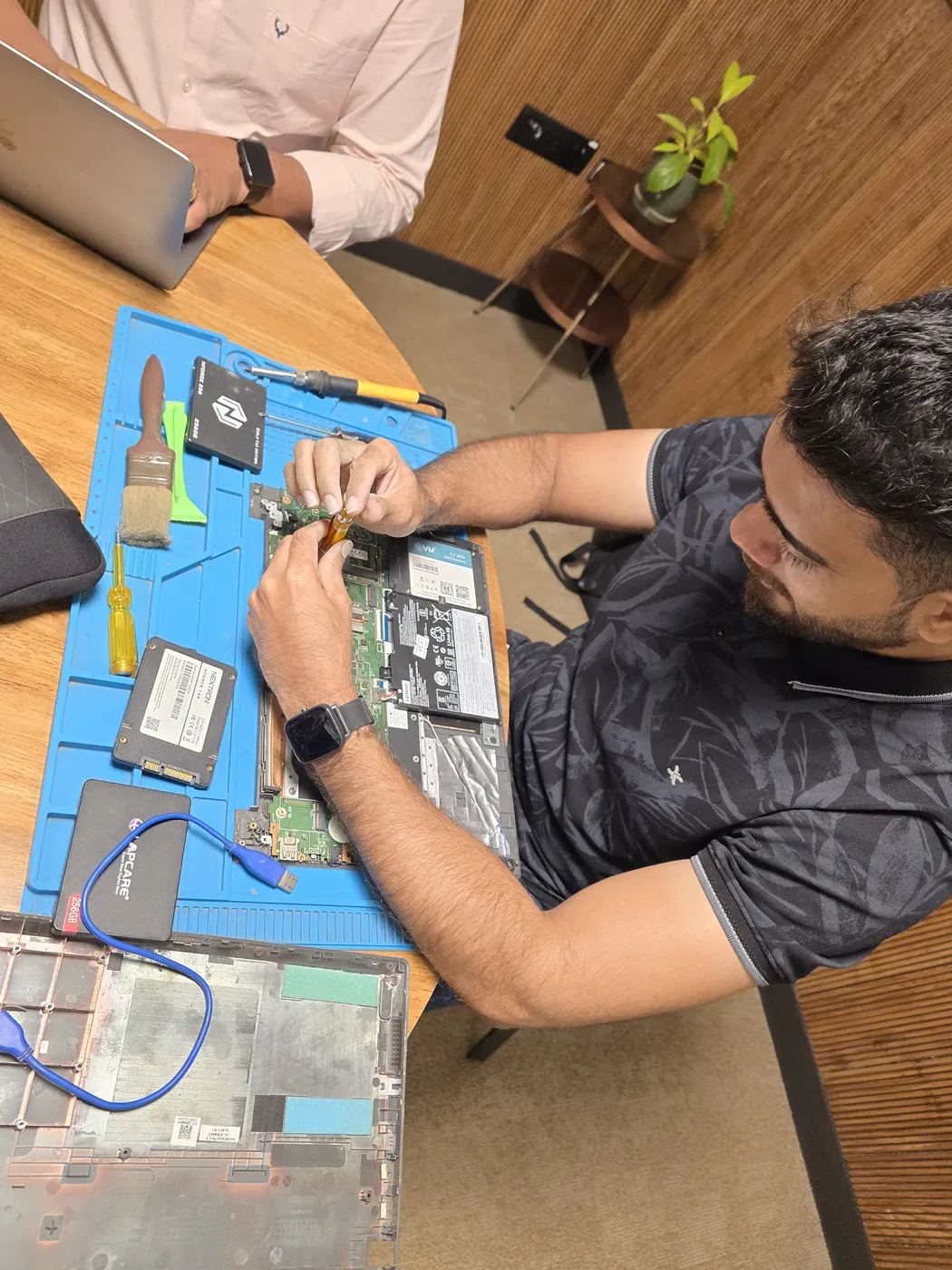
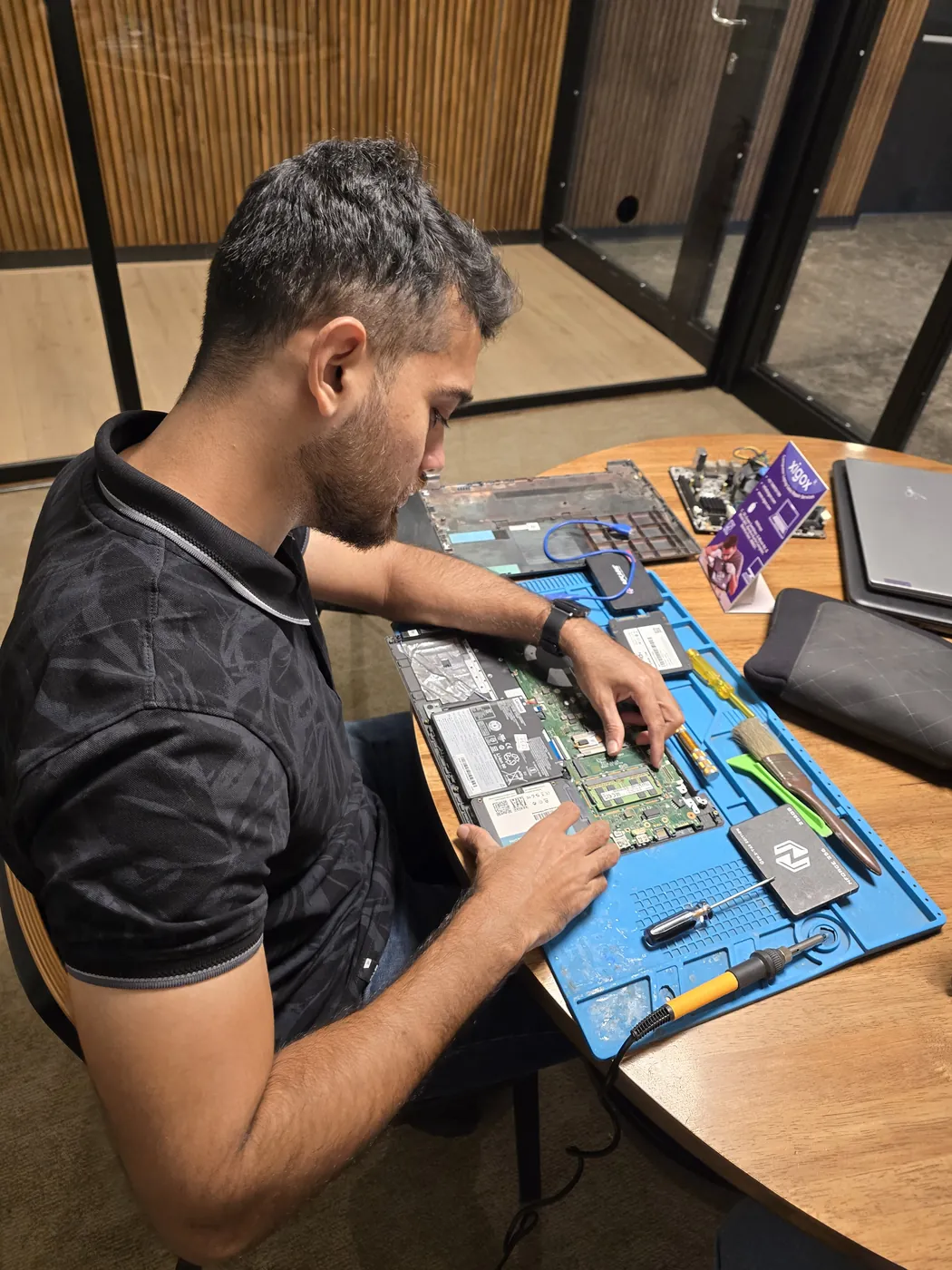
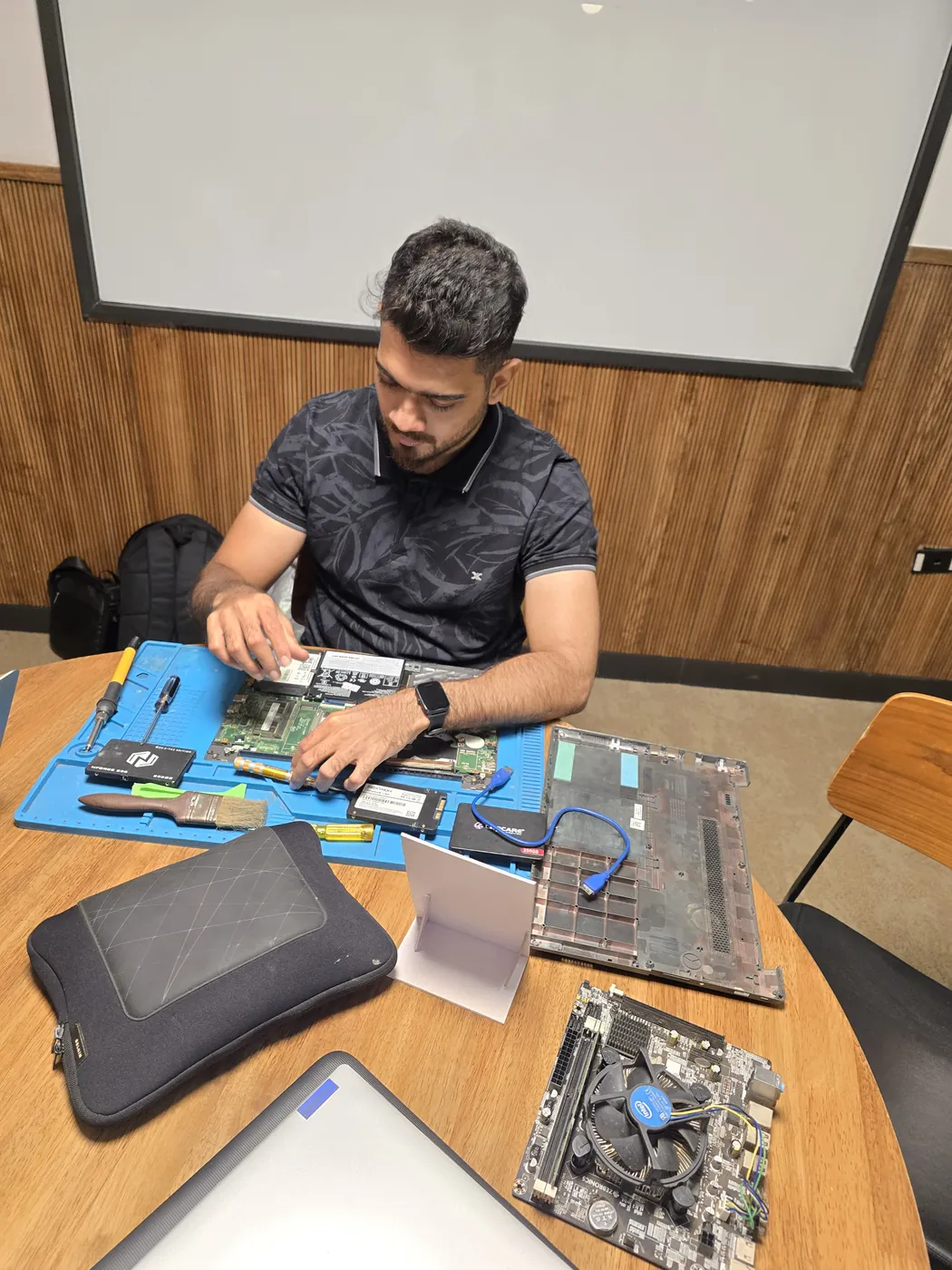
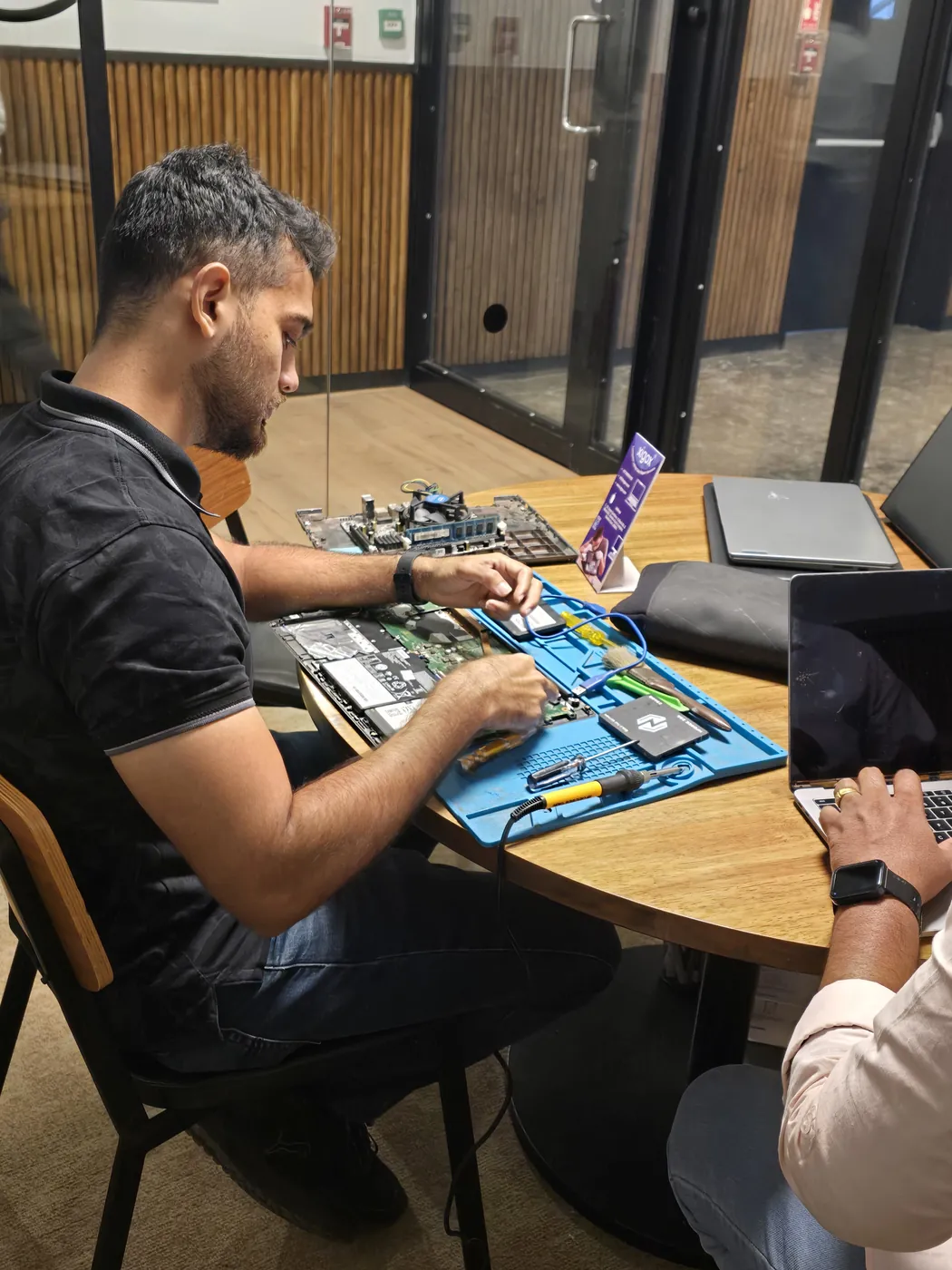
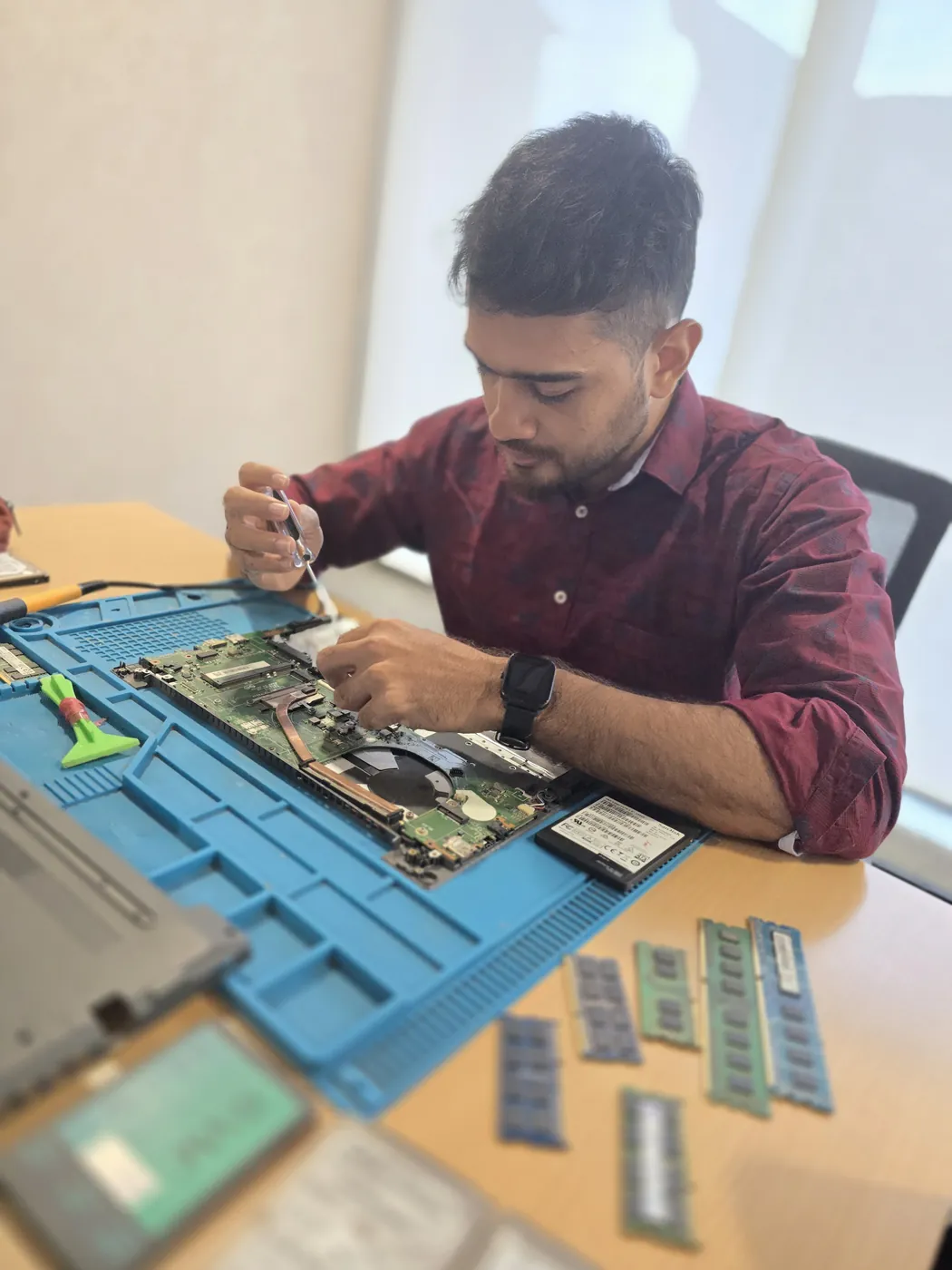
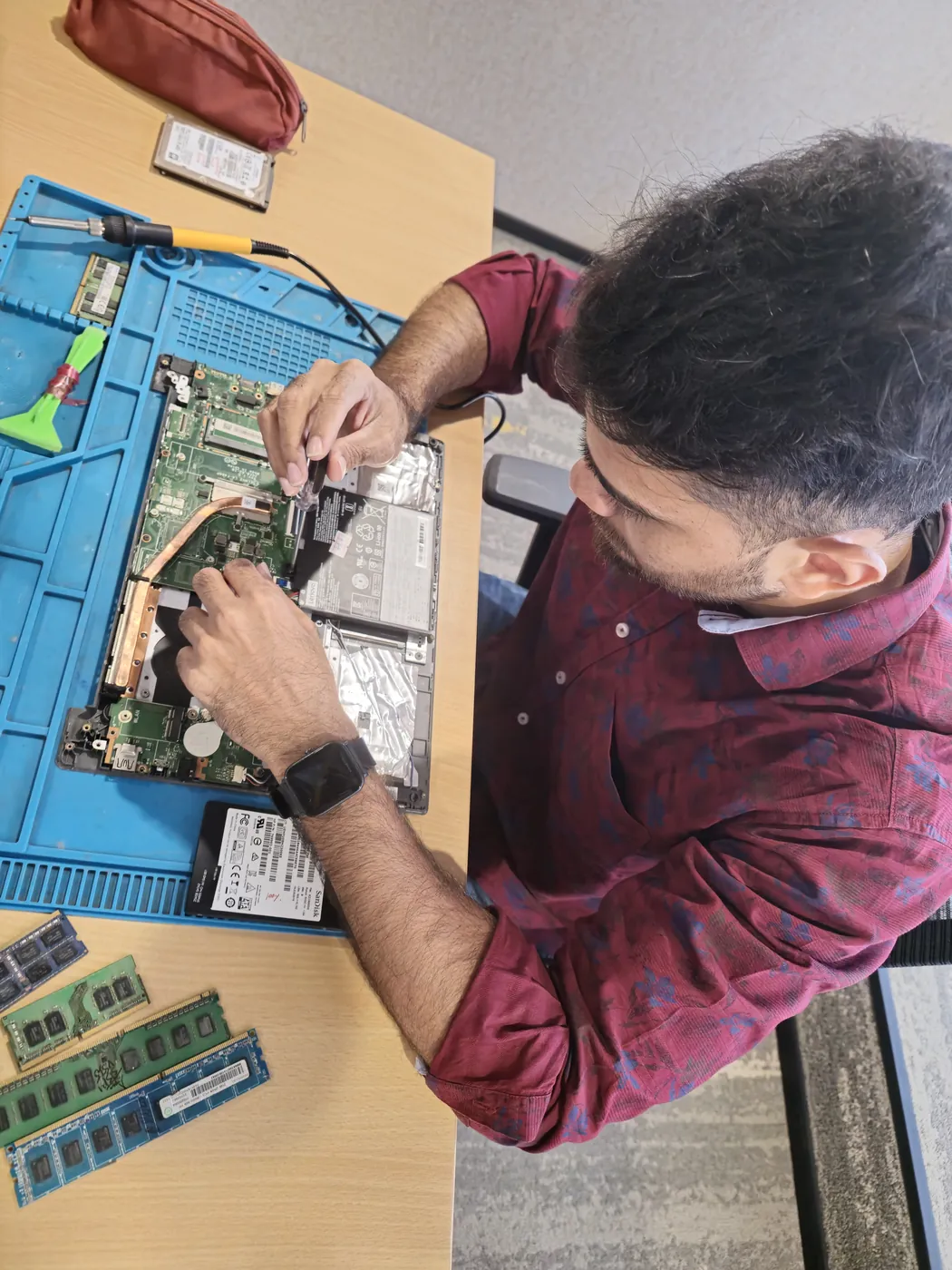
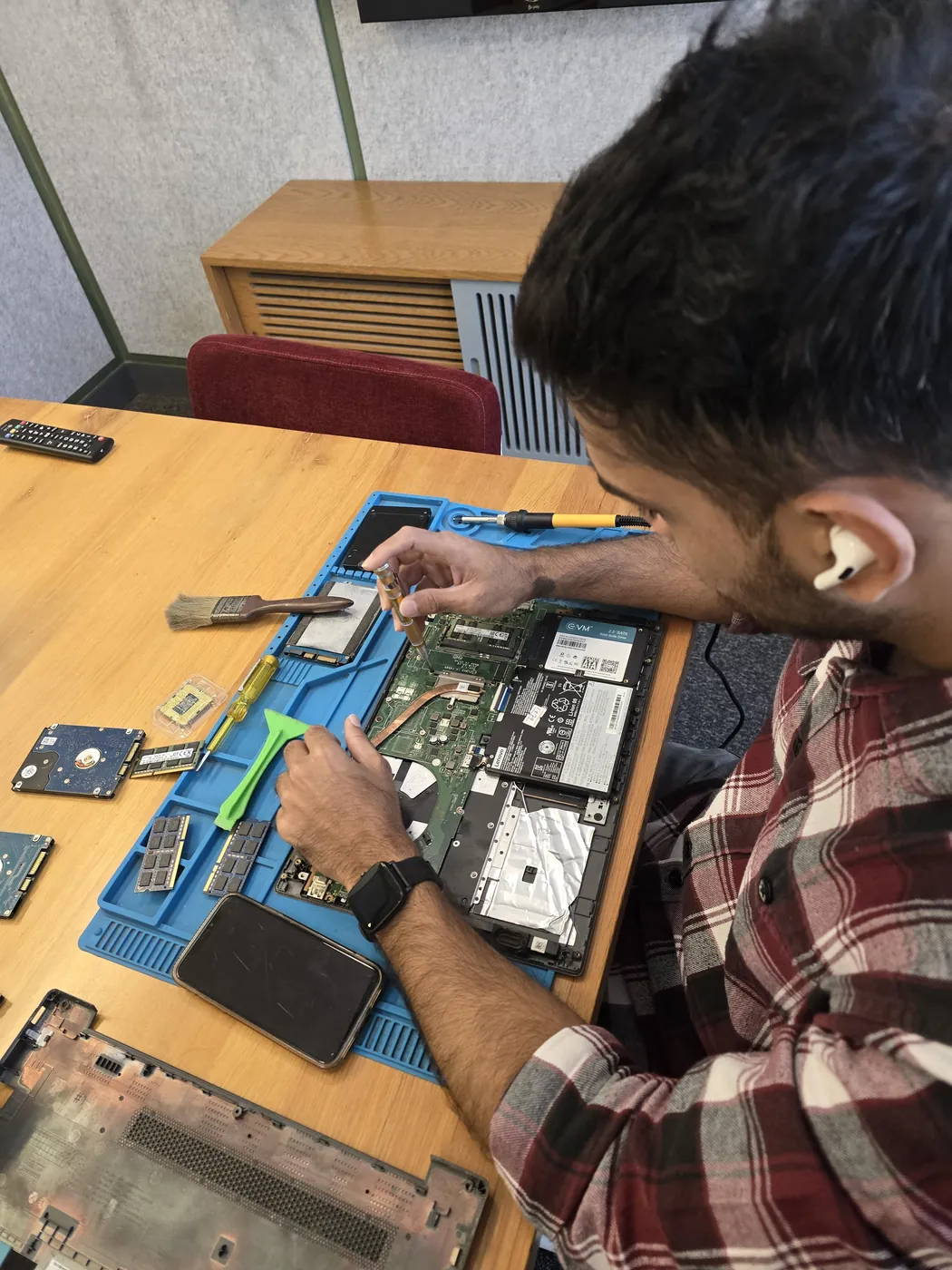
All photos are real photographs of the Xigox team at work.
Why Xigox?
Over 9,605+ reviewers across Mumbai trust Xigox for professional, transparent and affordable Desktop SSD Upgrade. Conveniently located near Clare Road.
Updates at collection, diagnosis, quote, completion and dispatch — and you reply straight to the technician handling your Desktop SSD Upgrade, not a helpline.
Technicians do not browse personal files during Desktop SSD Upgrade. If a procedure could touch stored data we tell you before, not after.
We repair at chip and board level where it is safe to do so, which is why Desktop SSD Upgrade here often costs a fraction of a full-module swap.
Every Desktop SSD Upgrade technician is trained in-house, and every job is tested before it goes back to you.
Only genuine or OEM-grade parts used for Desktop SSD Upgrade — zero aftermarket shortcuts, ever.
Your Desktop SSD Upgrade is covered by a written 90-day warranty. Same fault recurs? We fix it free.
What Xigox puts in writing, and what to ask any other shop or listing
| Feature | Xigox | Other shops & listings |
|---|---|---|
| Experienced Technicians | Yes | Varies; ask who will work on the device |
| Transparent Pricing (₹350 Inspection) | Yes | Varies; ask for a written quote first |
| 90-Day Warranty | Yes | Varies; ask for the warranty in writing |
| Free Pickup & Drop | Yes | Varies; ask whether pickup is free |
| Genuine Parts | OEM Parts | Varies; ask which part will be fitted |
| Same-Day Service | Most Repairs | Varies; ask for a time in writing |
| ISO 9001 Certified | Yes | Varies; ask for their certificate |
Repair examples
Gaming
PC RTX 4080
Custom
Build (AMD Ryzen 7)
Technician's note
Old PSU only had one 8-pin PCIe connector. New 750W provides clean, stable power for the RTX 4070.
Dell
OptiPlex 7010
Technician's note
PSU exceeded 5-year lifespan. Recommended surge protector for office fleet.
HP
EliteDesk 800 G9
Technician's note
Accounting firm with heavy Tally usage. 32GB is optimal for their workflow.
Mac
Mini M2
Technician's note
M2 Mac Mini SSD upgrade requires specific NVMe controller compatibility. Used validated module.
Dell
Vostro 3910
Technician's note
Infection via phishing email attachment. Trained customer on email safety and suspicious link identification.
Customer reviews
4.9/5 · 18 reviews shown
← Swipe or tap dots to browse →
Customer stories
What customers say about their laptop and computer repairs
“Workstation was blue-screening during 3D rendering. Xigox found faulty RAM modules and replaced them. Zero crashes since then.”
Dell Precision 3660
“Desktop was freezing randomly. Xigox diagnosed a failing HDD, replaced with SSD. Boot time went from 3 minutes to 15 seconds. Outstanding upgrade!”
HP ProDesk 600 G6
“PC was running extremely slow. Xigox upgraded RAM to 16GB and added an NVMe SSD. Boot time went from 3 minutes to 12 seconds!”
HP Pavilion Desktop TP01
“Blue screen errors every hour. Xigox ran diagnostics — faulty RAM stick. Replaced under warranty, reinstalled Windows 11. No crashes in 2 months!”
Assembled Desktop i7
“Mac Studio's Thunderbolt ports stopped working. Xigox did chip-level repair on the Thunderbolt controller. All ports working perfectly!”
Mac Studio M2 Max
“Small office server had RAID array failure. Xigox rebuilt the RAID, recovered all data from the degraded array, and replaced the failed drive. Business saved!”
Dell PowerEdge T150
Watch & learn
Repair videos from our Virar West workshop
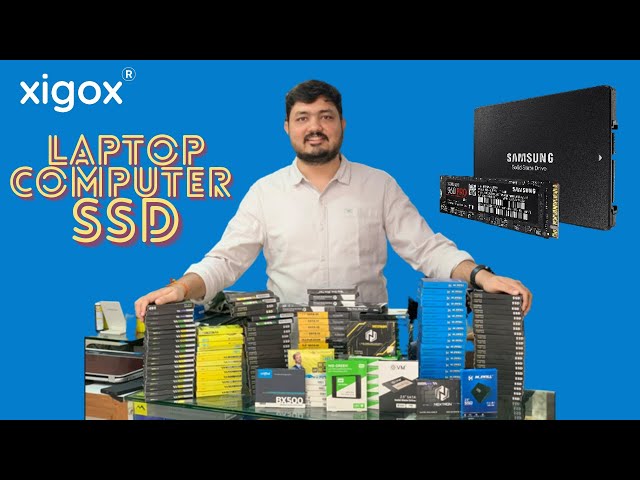
A closer look at the Xigox team, our tools, and the repair process behind 9,605+ customer reviews across Mumbai MMR.

A tour of our ISO 9001:2015 certified workshop — laptop, desktop and computer repairs with genuine-grade parts and a 90-day warranty.

How the Xigox team handles laptop and computer repair, sales, service and data recovery across Mumbai, Thane & Palghar.

See how Xigox handles real customer repairs — fast diagnosis, transparent pricing and a 90-day warranty on every job.
FAQ
Everything you need to know about Desktop SSD Upgrade in Dongri
10 questions answered
Send us your question on WhatsApp or call — a technician will answer.
Expert repair solutions available at your doorstep
Explore more services
Same technicians · Free pickup · 90-day warranty across all services.
Available across Mumbai, Thane & Palghar
Book a repair
Get your laptop or computer fixed today. Fill in 4 fields and we'll call within 1 hour.
We'll call you within 1 hour to confirm your appointment and arrange doorstep pickup.
Inspection fee: ₹350
Device type *
Inspection fee: ₹350
Your details are used only to arrange this repair. By submitting, you agree to our Privacy Policy.
Desktop SSD Upgrade in Dongri. Free pickup • 90-day warranty • Genuine parts
Open All Days · 9 AM – 9 PM · Reply within 15 minutes
Desktop PC specifics
Tower desktops have the most internal space of anything we service, which makes diagnosis straightforward — parts are standard, accessible and individually replaceable.
Tower parts are standard and widely stocked, so a desktop repair rarely waits on part sourcing — most are finished the same day.
Just the cabinet is enough for most faults. If the complaint is display-related we may ask for the monitor and its cable so we can reproduce it exactly.
Guides
Written by the Xigox workshop team — diagnostics, cost breakdowns and step-by-step fixes you can read before you book.
Expert guide on whether your old PC is worth repairing. Covers cost comparisons, upgrade options, and a clear...
10 min read Computer TipsEverything you need to know about computer and laptop lifespan. Average life expectancy by type, signs your co...
10 min read Repair Cost GuidesIndicative 2026 desktop repair prices for Mumbai: RAM, SSD, hard drive, power supply and motherboard ranges, w...
7 min read Computer GuidePlan a desktop storage upgrade properly: which SSD format your motherboard takes, how lane sharing works, what...
6 min readService area
Xigox provides desktop ssd upgrade across Dongri (PIN 400009), in the Mumbai City district of Mumbai. Our doorstep pickup and on-site service cover the entire Dongri area and the neighbourhoods around it.
Localities we cover in Dongri: Byculla. Wherever you are in Dongri, we can collect your device from your door and bring it back after the repair.
Our technicians regularly serve homes, societies and offices around Dongri Police Station, Bhendi Bazaar Market and Byculla Station (nearby), and along Mohammad Ali Road, Clare Road and Pakmodia Street. If you're near any of these landmarks, same-day pickup for desktop ssd upgrade is almost always available.
We also serve these nearby areas — tap your locality for local desktop ssd upgrade:
4.9 from 9,605 customer reviews across all repairs · upfront pricing · 90-day warranty
Before you book: have your device model and a quick description of the issue ready — it speeds up your quote.
Not sure what's wrong?
Tell us what your device is doing — we'll point you to the right repair, with real pricing and next steps.
Nearest branch: Worli, Dadar
~6.6 km from Dongri. With free doorstep pickup you don't need to travel — this is our nearest branch.