Epson
EcoTank L3250
- Issue
- Cannot connect to Wi-Fi. Mobile printing not working.
- Solution
- Reset network settings. Configured Wi-Fi Direct and router. Set up Print apps.
Lower Parel
1 Hours
- Wireless
- Epson
- Wi-Fi
 Kyocera · Printer Duplex Jam · Khar
Expert diagnosis & repair for Printer Duplex Jam on your Kyocera device in Khar. Free doorstep pickup, genuine parts & 90-day warranty.
Open 9 AM – 9 PM · 7 days · ₹350 inspection fee (refunded if you proceed with repair)
Common symptoms of Printer Duplex Jam on Kyocera devices. Recognise 2 or more? Book a ₹350 inspection (refunded if you proceed with repair) now.
Laptop clearly shows signs of Printer Duplex Jam
Normal laptop performance significantly impacted
Issue worsening progressively with continued use
Standard user troubleshooting has not resolved it
Laptop has become unreliable for daily work
Risk of further hardware damage if left unaddressed
Don't Delay — Printer Duplex Jam Gets Worse Over Time
Unaddressed hardware issues worsen and can lead to secondary damage, escalating repair costs significantly.
Knowing the root cause ensures a precise repair — not just a temporary fix.
Accidental drops, pressure or impact causing mechanical damage to internal components.
Water, beverages or humidity causing short circuits or corrosion on circuit boards.
Components degrade naturally with regular use — batteries, connectors and hinges most affected.
Factory faults that surface after the warranty period in certain production batches.
Transparent pricing · ₹350 inspection fee (refunded if you proceed with repair) first · Pay only after approval
| Repair Type | Estimated Cost | Warranty |
|---|---|---|
| Paper Tray Sensor Fix | ₹649 - ₹1,399 | 90 Days |
| Paper Jam Clearing | ₹699 - ₹1,499 | 90 Days |
| Roller Cleaning / Replacement | ₹699 - ₹1,499 | 90 Days |
Final cost confirmed after ₹350 inspection (refunded if you proceed with repair). Work starts only with your approval.
Get Exact QuoteWhy Us?
With 1,00,464+ successful repairs and a 4.9-star rating, Xigox is an independent Kyocera repair specialist serving Khar. Serving all addresses in the 400052 postal zone.
Every repair backed by a written 90-day warranty. Same fault recurs? We fix it free of charge.
Most Kyocera Printer Duplex Jam jobs in Khar are completed same-day. Urgent service available for critical cases.
We quote before starting work. No hidden fees. You pay exactly what you were quoted.
Free WhatsApp support for any questions about your Kyocera Printer Duplex Jam after repair — always.
Collection and return anywhere in Khar at no charge for lab-based Kyocera work — we don't bill for convenience.
₹350 inspection fee (refunded if you proceed). Written quote before any Kyocera Printer Duplex Jam work begins.
Who repairs your device
Your Kyocera is handled by Xigox technicians from start to finish. It is never handed on to another shop. Work that needs the repair bench is done at our workshop in Virar West.
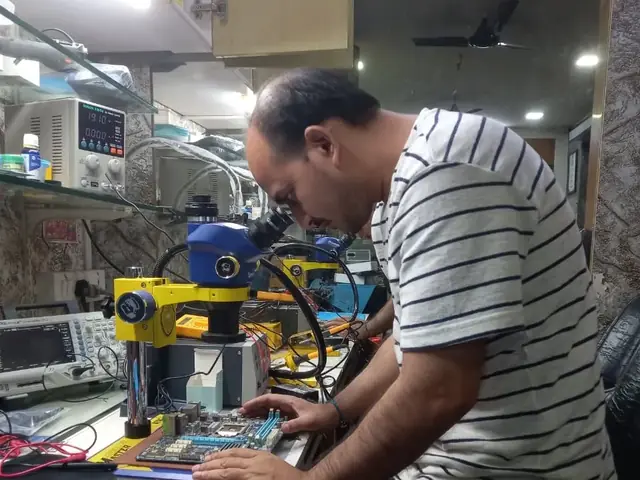
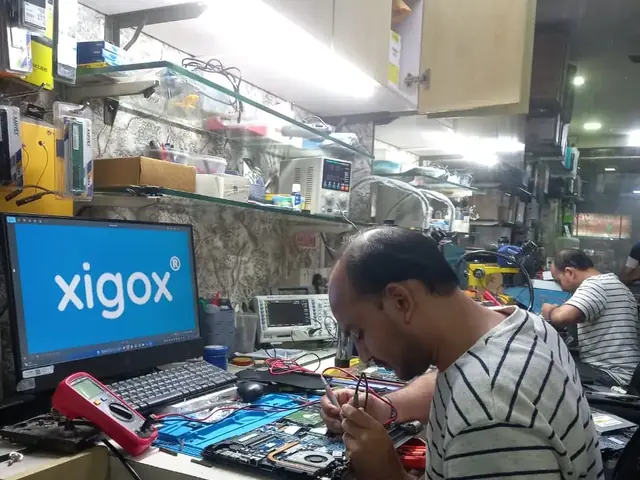
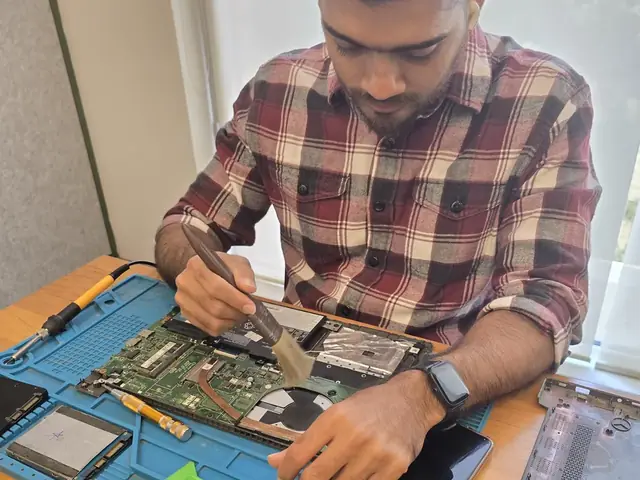
Board-level faults are traced with a microscope, a multimeter and a soldering station before any part is replaced, and parts are fitted only after you approve the quote.
We don't open your personal files during a repair. When a job needs access to your data, such as data recovery or a Windows reinstall, we ask you first.
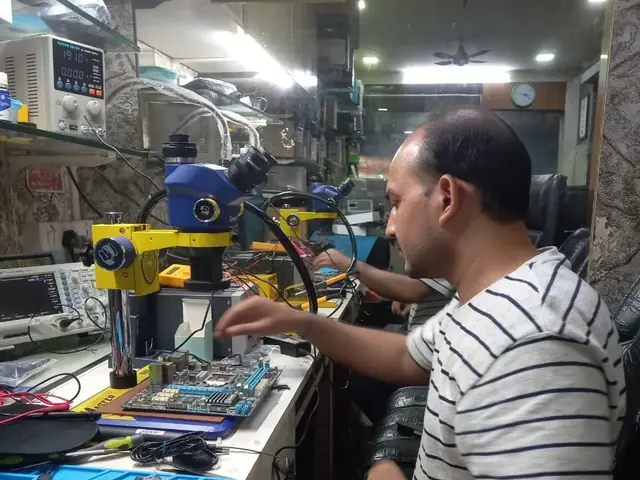
Step-by-step from booking to delivery — complete transparency, no surprises
Call, WhatsApp or book online. Tell us about the Printer Duplex Jam on your Kyocera printer in Khar. No technical expertise needed.
We pick up your Kyocera printer from your Khar address at no transport cost. Bring it to us or we come to you.
A Kyocera specialist examines your printer and identifies the exact root cause of the Printer Duplex Jam. Full written report provided — ₹350 fee refunded if you proceed with repair.
We share a detailed repair quote. Work begins only after your explicit approval — no hidden charges, no surprises.
Our engineers fix the Printer Duplex Jam using OEM-grade Kyocera parts. A multi-point quality checklist is completed before your printer is returned.
Your Kyocera printer is returned to your Khar address with a written 90-day warranty. Same fault recurs? We fix it free of charge.
Customer reviews
4.9/5 · 7 reviews shown
← Swipe or tap dots to browse →
Repair examples
Epson
EcoTank L3250
Canon
PIXMA G620
Brother
DCP-T820DW
Technician's note
Ink had dried in dampers due to 3 months of non-use. Advised customer to print test page weekly to prevent recurrence.
HP
LaserJet M428fdw
Technician's note
Hairline crack in CIS scanner glass invisible to naked eye but caused consistent vertical line artifact.
HP
LaserJet Pro M404dn
Technician's note
Fuser exceeded rated page count of 100K. Recommended replacement every 80K pages for consistent output.
Canon
PIXMA G3010
Technician's note
Pickup rollers had glazed surface from high humidity. Used genuine Canon rollers for best grip.
Watch & learn
Repair videos from our Virar West workshop

How the Xigox team handles laptop and computer repair, sales, service and data recovery across Mumbai, Thane & Palghar.
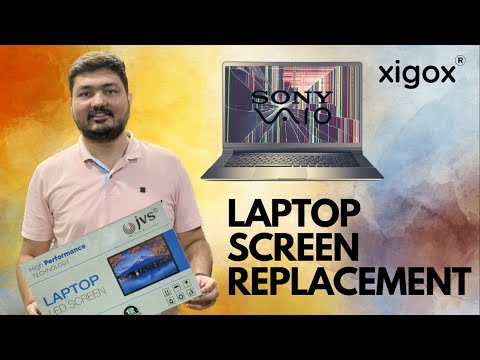
See how Xigox handles real customer repairs — fast diagnosis, transparent pricing and a 90-day warranty on every job.
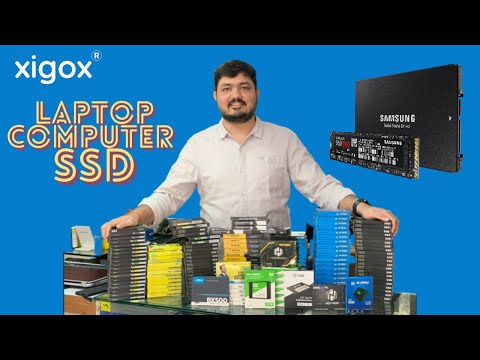
A closer look at the Xigox team, our tools, and the repair process behind 9,605+ customer reviews across Mumbai MMR.

A tour of our ISO 9001:2015 certified workshop — laptop, desktop and computer repairs with genuine-grade parts and a 90-day warranty.
FAQ
Everything you need to know before booking your inspection
10 questions answered
Send us your question on WhatsApp or call — a technician will answer.
If you are looking for Kyocera Printer repair in Khar that is not a brand service centre, this is it. Xigox has run an independent Kyocera bench since 2011, and our technicians work on Kyocera boards and firmware every day rather than treating them as an occasional job. More than 1,00,000 repairs and a 4.9-star average rating sit behind that.
Every Kyocera component we fit is OEM-grade and batch-tested before it goes into your Printer — no aftermarket substitutes, no recycled pulls sold as new. You see the part cost and the labour cost separately on the estimate before we start, and the ₹350 inspection comes off the bill if you go ahead.
We actively serve the entire 400052 postal area within Mumbai Suburban district, ensuring same-day response for every repair request. ₹350 inspection fee (refunded if you proceed with repair). Located near Khar West, our service coverage extends across Khar and all surrounding localities. In addition to Khar, we also provide doorstep repairs and free pickup for lab work for customers in Khar Road, Khar East, Khar West and other nearby areas.
Straightforward Kyocera jobs — battery, keyboard, screen, SSD or RAM — are done at your address in Khar. Anything needing the microscope and hot-air station comes back to the lab, with free pickup and drop either way. We confirm within 15 minutes of booking and tell you honestly whether it is a same-day fix.
Every Kyocera repair at Xigox is covered by a 90-day warranty on all parts and labour. If the same fault recurs within the warranty period, we fix it at no charge. Our after-repair WhatsApp support means we are always available to answer questions about your Kyocera Printer.
Service Hours
Monday – Sunday · 9 AM – 9 PM
Open on all public holidays
Service Area
Khar & surrounding Mumbai areas
Doorstep repairs + free pickup for lab work
Our Guarantee
90-day warranty on all repairs
Free re-repair if same fault recurs
Product lines
Kyocera does not build one printer — it builds 2 separate series, and Printer Duplex Jam repair is a different job on each. Xigox services ECOSYS and TASKalfa and the rest of the Kyocera range. We regularly take in ECOSYS and TASKalfa units for Printer Duplex Jam repair in Khar. Specific Kyocera models on our current service list include Kyocera ECOSYS M2040dn, Kyocera ECOSYS P2040dn and Kyocera TASKalfa 2321. If your Kyocera model is not listed, it is almost certainly still covered — send us the model number on the base sticker and we will confirm parts availability before you book.
The Kyocera ECOSYS is part of Kyocera's ECOSYS line — Kyocera's laser printer series, known for a long-life drum design that reduces the frequency of consumable replacement compared to typical laser printers.
Worth knowing for this repair: Toner-based laser printing for low per-page document cost.
The Kyocera TASKalfa 2321 is part of Kyocera's TASKalfa line — Kyocera's higher-volume multifunction printer/copier series for busier office environments.
Guides
Written by the Xigox workshop team — diagnostics, cost breakdowns and step-by-step fixes you can read before you book.
A printer that prints fine but won't scan is failing in a separate driver system entirely; here's how to tell...
3 min read Printer TroubleshootingFaded or streaky color prints usually trace back to a low cartridge or a clogged print head, the built-in nozz...
3 min read Printer TroubleshootingToner that smears when touched usually points to a worn fuser unit, a cracked cartridge seal, or paper that is...
3 min read Printer TroubleshootingCartridge not recognized errors are usually solved by removing protective tape or cleaning the gold contacts,...
3 min readSelect your specific Kyocera model for a more targeted diagnosis page
All common Kyocera hardware and software issues resolved with 90-day warranty
All Kyocera repair and upgrade services available at Xigox Khar
Free pickup & drop across all these neighbourhoods
Free doorstep service available in all these nearby areas
Explore more services
Same technicians · Free pickup · 90-day warranty across all services.
₹350 Inspection (refunded if you proceed with repair) · Expert repair for Printer Duplex Jam · 90-day warranty
Serving Khar and all of Mumbai MMR · Open 9 AM – 9 PM daily
Comparison
What you get with Xigox in Khar, side by side.
| Feature | Xigox | Other shops |
|---|---|---|
| Experienced Technicians | Trained & Verified | Varies; ask who will work on the device |
| Genuine / OEM Parts | OEM-Quality Parts | Varies; ask which part will be fitted |
| 90-Day Warranty | Written Certificate | Varies; ask for the warranty in writing |
| Diagnosis / Inspection | ₹350, credited to the repair | Varies; ask what the diagnosis costs |
| Same-Day Turnaround | Khar — Most Repairs | Varies; ask for a time in writing |
| Free Doorstep Pickup | Khar — Free | Varies; ask whether pickup is free |
| Transparent Pricing | Written Quote First | Varies; ask for a written quote first |
| Live WhatsApp Updates | Real-time Repair Status | Varies; ask how you will get updates |
Xigox charges ₹350 for inspection — credited to your repair cost if you go ahead.
Skip the directories. Book direct for transparent pricing with Xigox. Print quality issues — faded output, ink smears, or offline status cost Khar businesses hours of lost productivity. The Xigox team provides Kyocera Printer Duplex Jam Repair for HP, Canon, Epson, and Brother: cartridge system servicing, laser component overhaul, paper feed roller replacement, and network printing configuration.
Not everyone in Khar can handle complex this job. Xigox's engineers possess years of experience specifically for Kyocera hardware. Whether it's a minor fix or advanced component-level motherboard repair, we fix it properly right here for Khar clients.
Your personal data is our top priority during your repair. Customers throughout Khar trust us because we never access personal files. Throughout the repair, your confidential files remain untouched. If a software reset is necessary, we consult you beforehand.
Printer problems are surprisingly common and disruptive. Xigox handles HP, Canon, Epson, and Brother printers: inkjet clogging and print head cleaning, drum unit replacement. Common issues we resolve same-day: Wi-Fi connectivity. Corporate print fleets in Khar benefit from AMC plans covering all Kyocera units.
Traveling across town in Khar takes hours. That's why Xigox has built a straightforward pickup and delivery network for this repair. Simply share your Khar address, and our technician will pick up the Kyocera from your home or office. After the repair is completed, it is delivered back fully tested and sealed. Save your time without leaving your desk.
Is your deadline today? Xigox offers emergency this job in Khar for time-sensitive situations. From a presentation tomorrow and your Kyocera just crashed, our emergency service moves your Kyocera to the front of the line, so most repairs can be finished the same business day. Emergency this job can be arranged including weekends in Khar. Just say 'priority' when calling and our team will fast-track your job immediately.
You have options in Khar, but Xigox is the preferred choice for this repair. Our core values include total honesty. Every repair starts with a detailed hardware check costing just ₹350, refunded if you proceed. No hidden charges — just professional repair in Khar.
Arranging this job in Khar is incredibly simple. Step 1, call or WhatsApp us at +91 74997 61196 to describe your issue. Next, our complimentary collection driver arrives at your Khar doorstep within 1–2 hours. The team then carry out a thorough diagnostic (₹350, credited toward your repair). Once you agree, this job is executed with genuine parts — and your Kyocera is returned to you. Most repairs done same day.
Expert repair doesn't have to be expensive in Khar. By optimizing our repair processes, we offer savings of up to half the cost compared to official repair outlets. You get the same OEM components for your Kyocera, without the massive markup. Request a price estimate for this repair in Khar today.
Fixing the immediate problem is only half the job at Xigox. Prior to delivery in Khar, it must pass a rigorous full-system quality check. Our team ensures that the job was successful, checking port functionality. This level of testing is the reason for our 4.9★ rating across Khar.
We repair devices for homes, offices and colleges across Khar book us with free pickup and drop. You get a written quote before any work, OEM-grade parts and a 90-day warranty, for a single Kyocera or a whole office. When you choose Xigox for this repair in Khar, you get the same service and warranty as every other customer.
Time is money in Khar. That's why Xigox built a hassle-free repair experience you can rely on. No surprise charges — just genuine Kyocera Printer Duplex Jam Repair at a fair price. WhatsApp +91 74997 61196 to book your free Khar pickup.
Service area
Xigox provides kyocera printer duplex jam repair across Khar (PIN 400052), in the Mumbai Suburban district of Mumbai. Our doorstep pickup and on-site service cover the entire Khar area and the neighbourhoods around it.
Localities we cover in Khar: Khar West, Khar East, Khar Danda, Bandra, Santacruz. Wherever you are in Khar, we can collect your device from your door and bring it back after the repair.
Our technicians regularly serve homes, societies and offices around Khar Gymkhana and South Indian Association, and along Linking Road, S.V. Road, 14th Road and 16th Road. If you're near any of these landmarks, same-day pickup for kyocera printer duplex jam repair is almost always available.
We also serve these nearby areas — tap your locality for local kyocera printer duplex jam repair:
4.9 from 9,605 customer reviews across all repairs · upfront pricing · 90-day warranty
Before you book: have your device model and a quick description of the issue ready — it speeds up your quote.
Not sure what's wrong?
Tell us what your device is doing — we'll point you to the right repair, with real pricing and next steps.
Nearest branch: BKC
About 3 km from Khar in a straight line. With free doorstep pickup you don't need to travel — call or WhatsApp before you visit.
Book a repair
Free pickup · Genuine parts · 90-day warranty
We'll call you within 1 hour to confirm your appointment and arrange doorstep pickup.
Inspection fee: ₹350
Device type *
Inspection fee: ₹350
Your details are used only to arrange this repair. By submitting, you agree to our Privacy Policy.
 Brother
 Canon
 Epson
 HP
 Ricoh
 Samsung