Kyocera · ECOSYS M2040dn · Colaba

Kyocera ECOSYS M2040dn
Printer Wireless Setup
in Colaba

Expert repair for your Kyocera ECOSYS M2040dn in Colaba. Free doorstep pickup, OEM-quality parts & 90-day warranty.

✓ Free Doorstep Pickup ✓ Same-Day Repair ✓ 90-Day Warranty ✓ ISO 9001 Certified

Open every day, 9 AM – 9 PM

Tejas Chudasama, Xigox Founder Janak Chudasama, Xigox CTO

Run by Tejas & Janak Chudasama since 2011

Xigox is a family-run, ISO 9001:2015-certified repair business, not a marketplace listing or a franchise. Every repair is backed by a written 90-day warranty and billed against GSTIN 27AJXPC8441R1Z7. Read our story

Repair Pricing

Kyocera ECOSYS M2040dn Printer Wireless Setup — Price List

Transparent pricing · ₹350 inspection (refunded if you proceed with repair) · No hidden charges · Pay only after approval

Issue / ComponentRepair PriceWarranty
Wi-Fi Direct Setup ₹499 - ₹999 90 Days
Router-Based Wi-Fi Config ₹499 - ₹999 90 Days
Multi-Device Wireless Setup ₹699 - ₹1,199 90 Days

Prices may vary by exact condition. Final quote given after ₹350 inspection (refunded if you proceed with repair).

Get Exact Quote

Why Us?

Why Choose Xigox for Kyocera Printer Wireless Setup in Colaba?

With 1,00,266+ successful repairs and a 4.9-star rating, Xigox is an independent Kyocera repair specialist serving Colaba. Serving all addresses in the 400005 postal zone.

Transparent Pricing

₹350 inspection fee (refunded if you proceed). Written quote before any Kyocera Printer Wireless Setup work begins.

No Fix, No Repair Fee

If we cannot resolve your Kyocera Printer Wireless Setup issue, you pay nothing beyond the inspection fee.

Component-Level Repairs

We repair Kyocera hardware at chip and board level where it's safe to do so — often a fraction of a full-module swap.

Experienced Technicians

Our engineers work on Kyocera hardware regularly. Every repair is tested before return.

Genuine & OEM-Grade Parts

We use genuine Kyocera parts wherever available; otherwise OEM-compatible components.

90-Day Parts Warranty

Every repair backed by a written 90-day warranty. Same fault recurs? We fix it free of charge.

Repairs Completed
1,00,266+
Since 2011
Average Rating
4.9 ★
9,605+ reviews
Repair Warranty
90 Days
Parts & labour
Avg Response
30 Min
For common issues
Pickup & Drop
Free
₹350 inspection fee
Est. Since
2011
15+ yrs in Mumbai City

Who repairs your device

Repaired in-house by Xigox technicians

Your Kyocera ECOSYS M2040dn is handled by Xigox technicians from start to finish. It is never handed on to another shop. Work that needs the repair bench is done at our workshop in Virar West.

Board-level faults are traced with a microscope, a multimeter and a soldering station before any part is replaced, and parts are fitted only after you approve the quote.

We don't open your personal files during a repair. When a job needs access to your data, such as data recovery or a Windows reinstall, we ask you first.

  • Repaired in-house, not outsourced
  • Quote approved by you before work starts
  • Your files stay private
  • Microscope and board-level tools
  • Genuine or OEM-grade parts
  • 90-day warranty on repairs
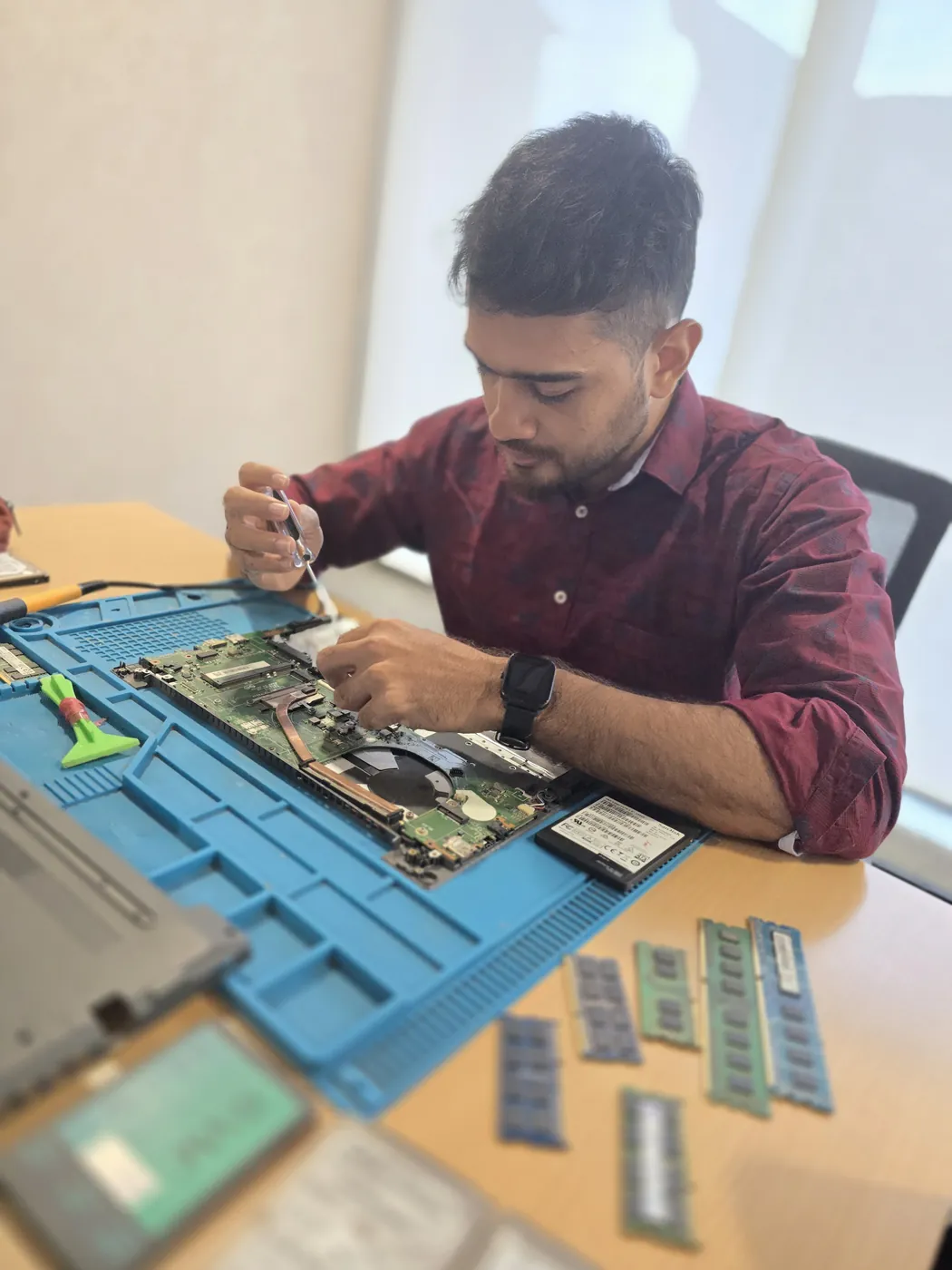
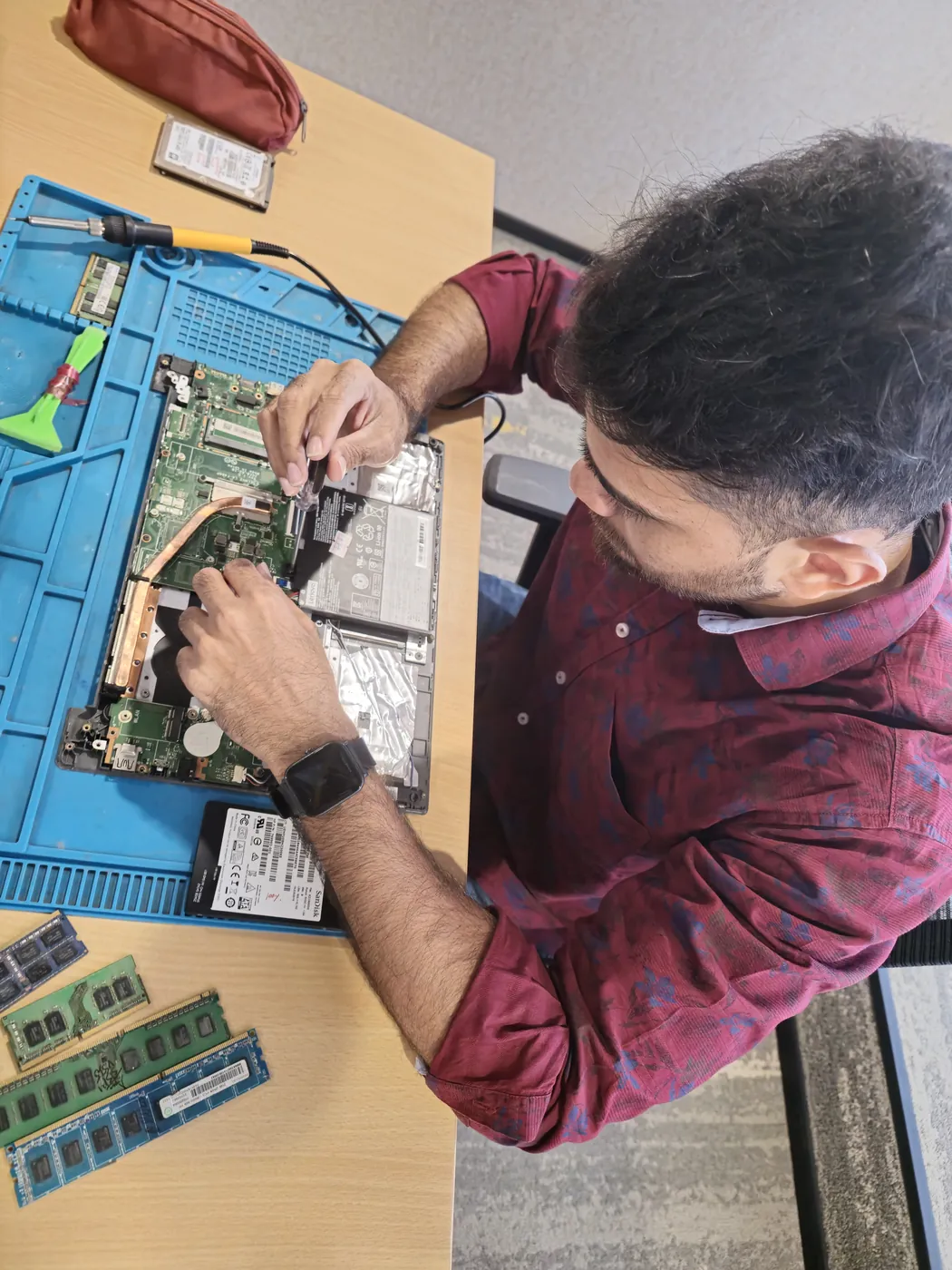
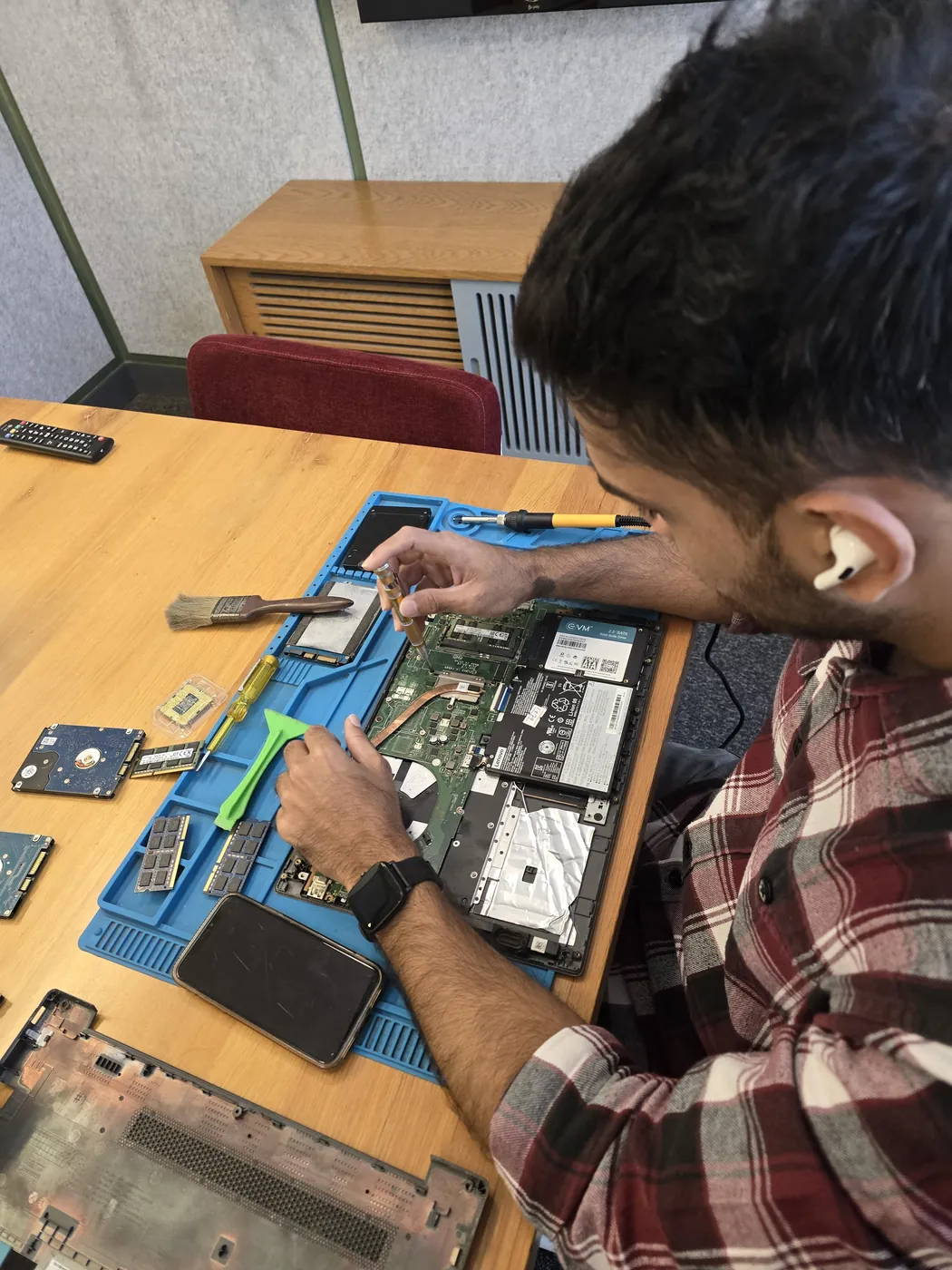
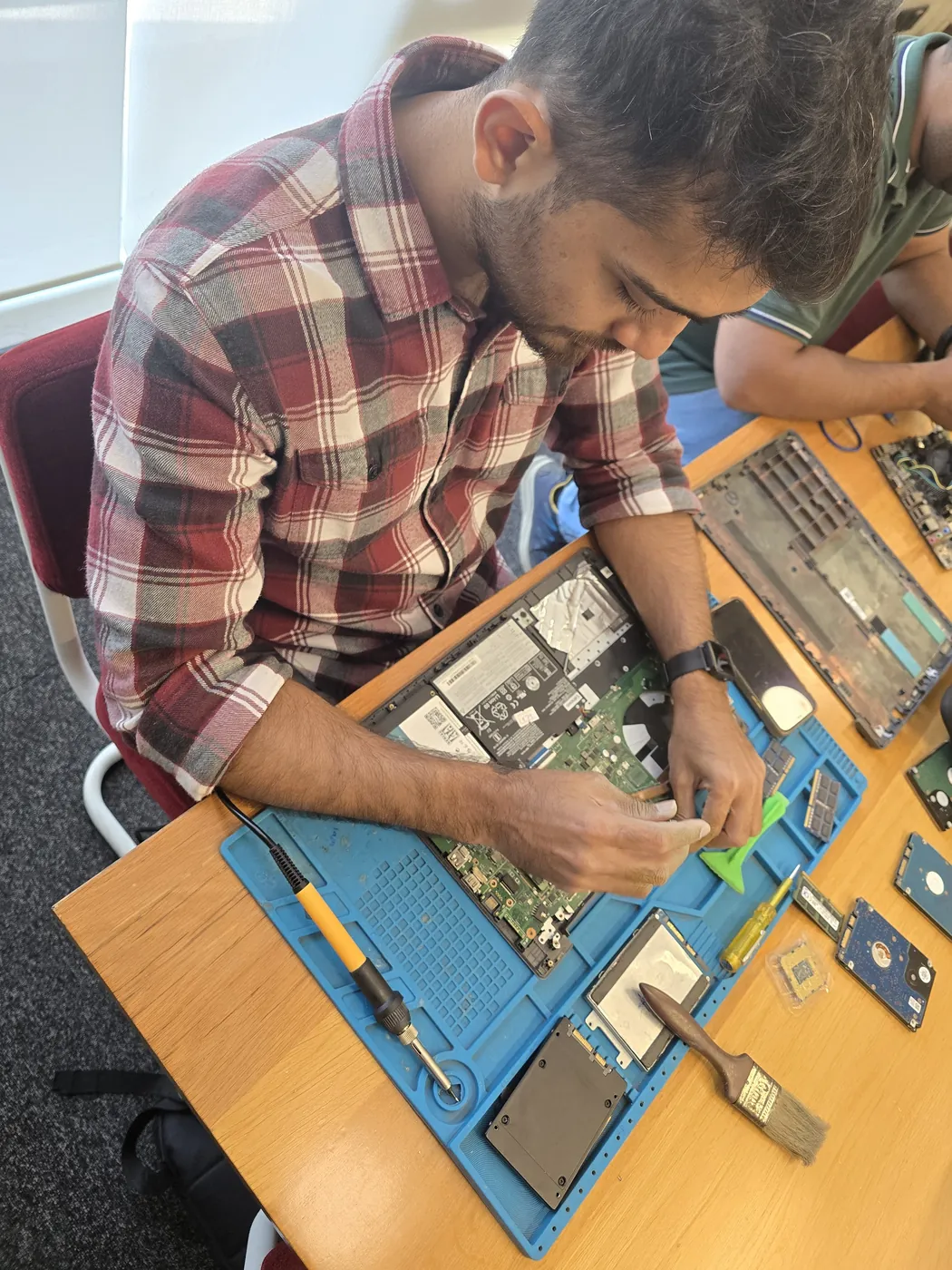
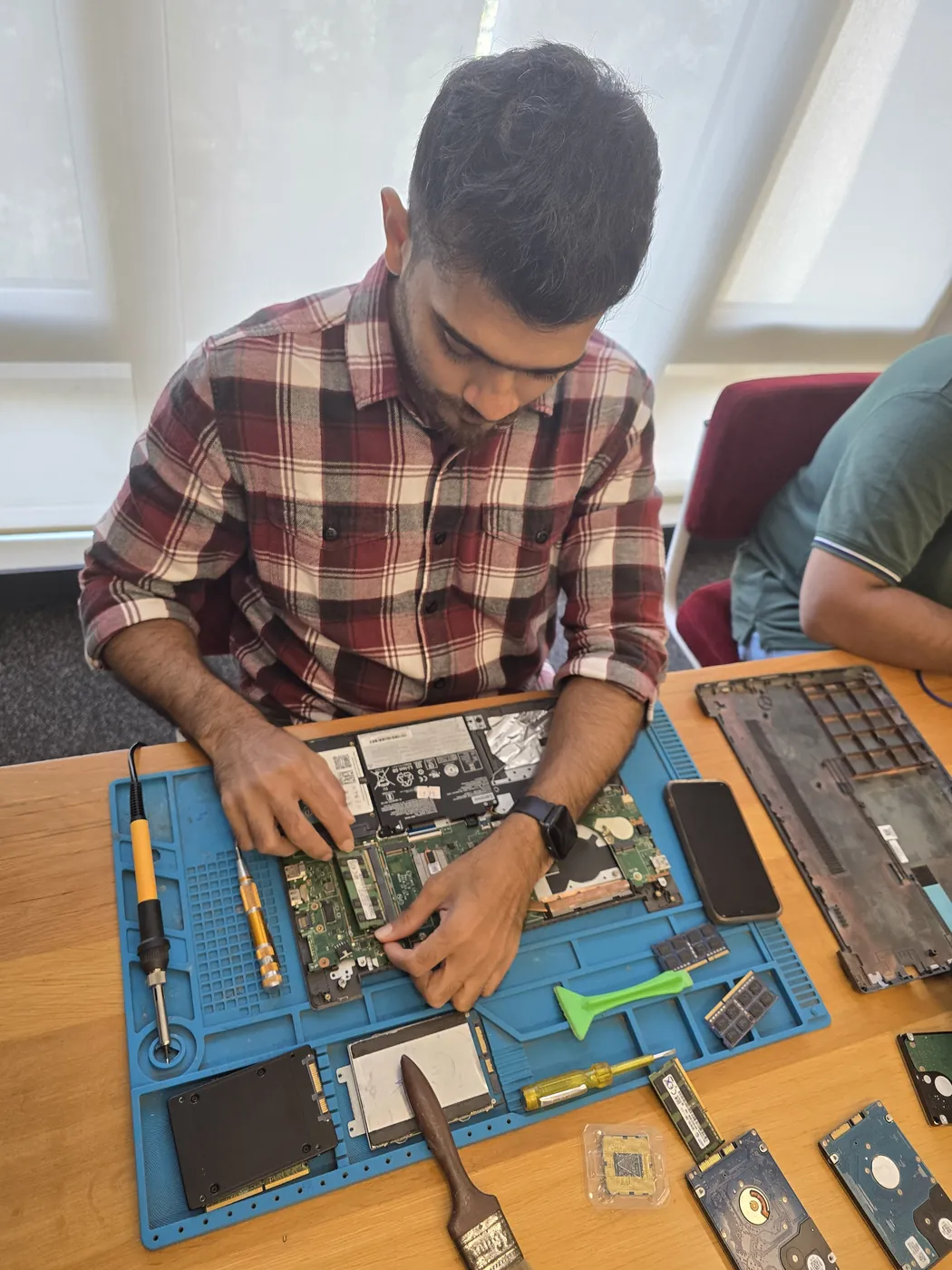
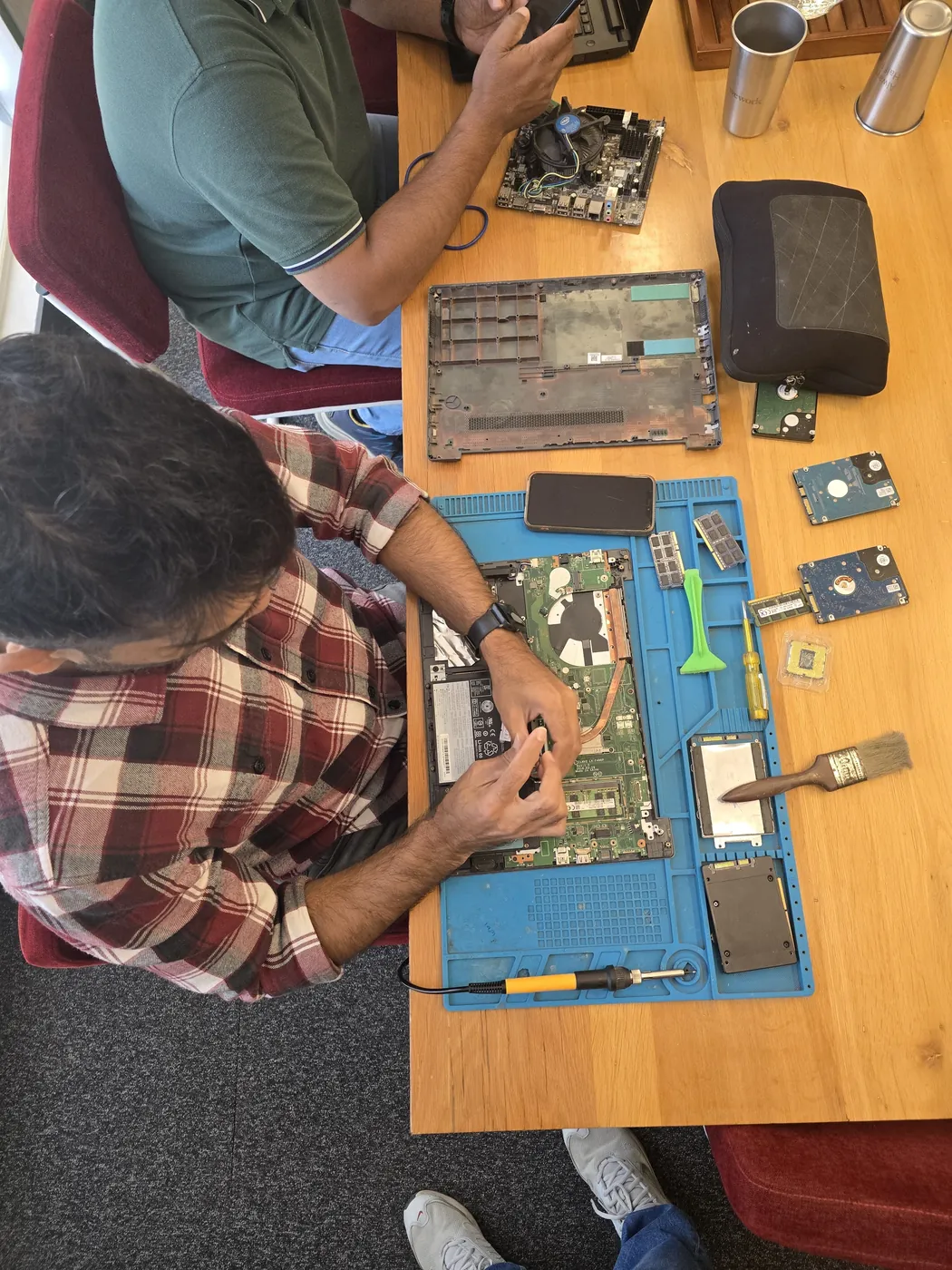
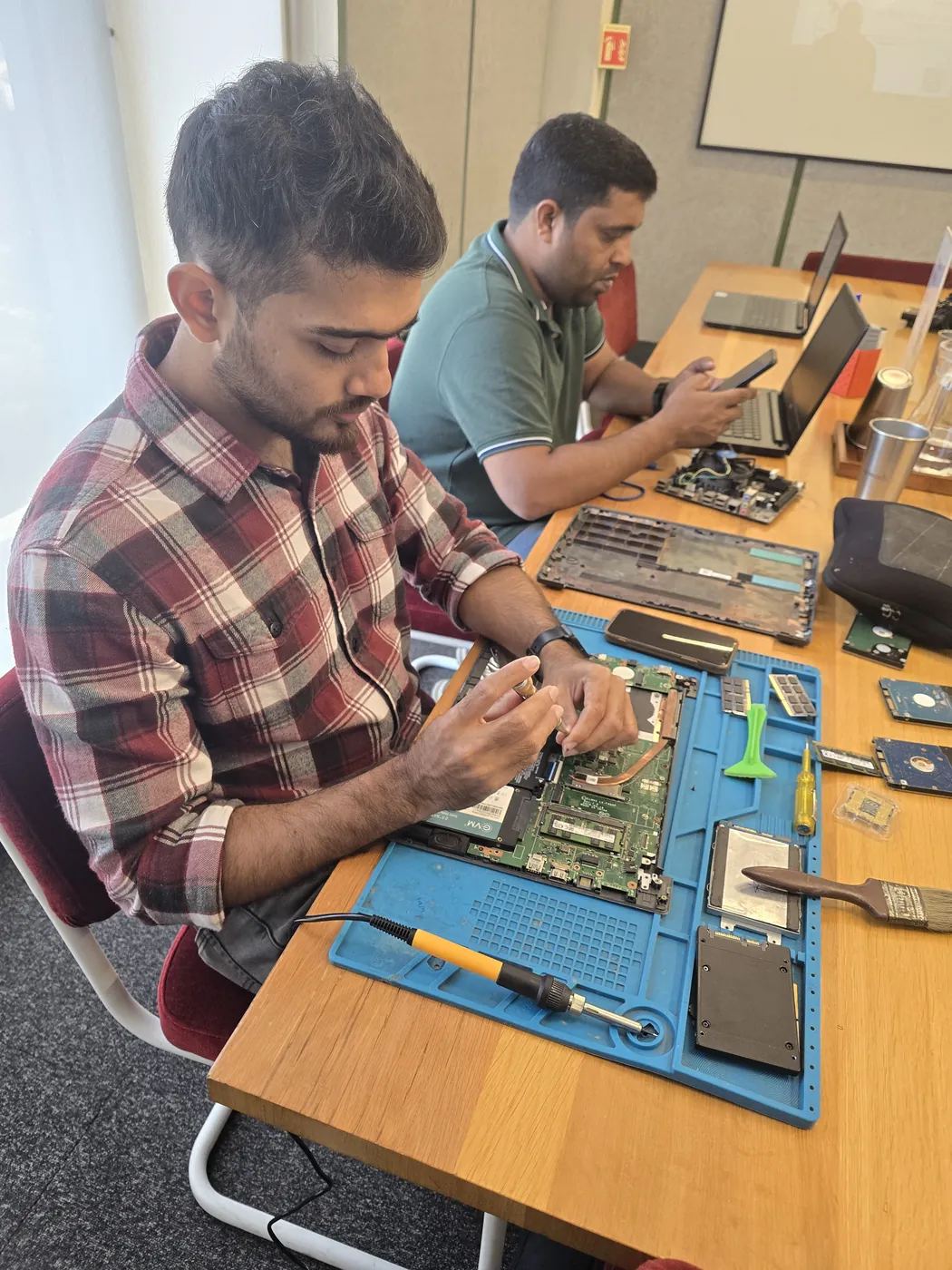
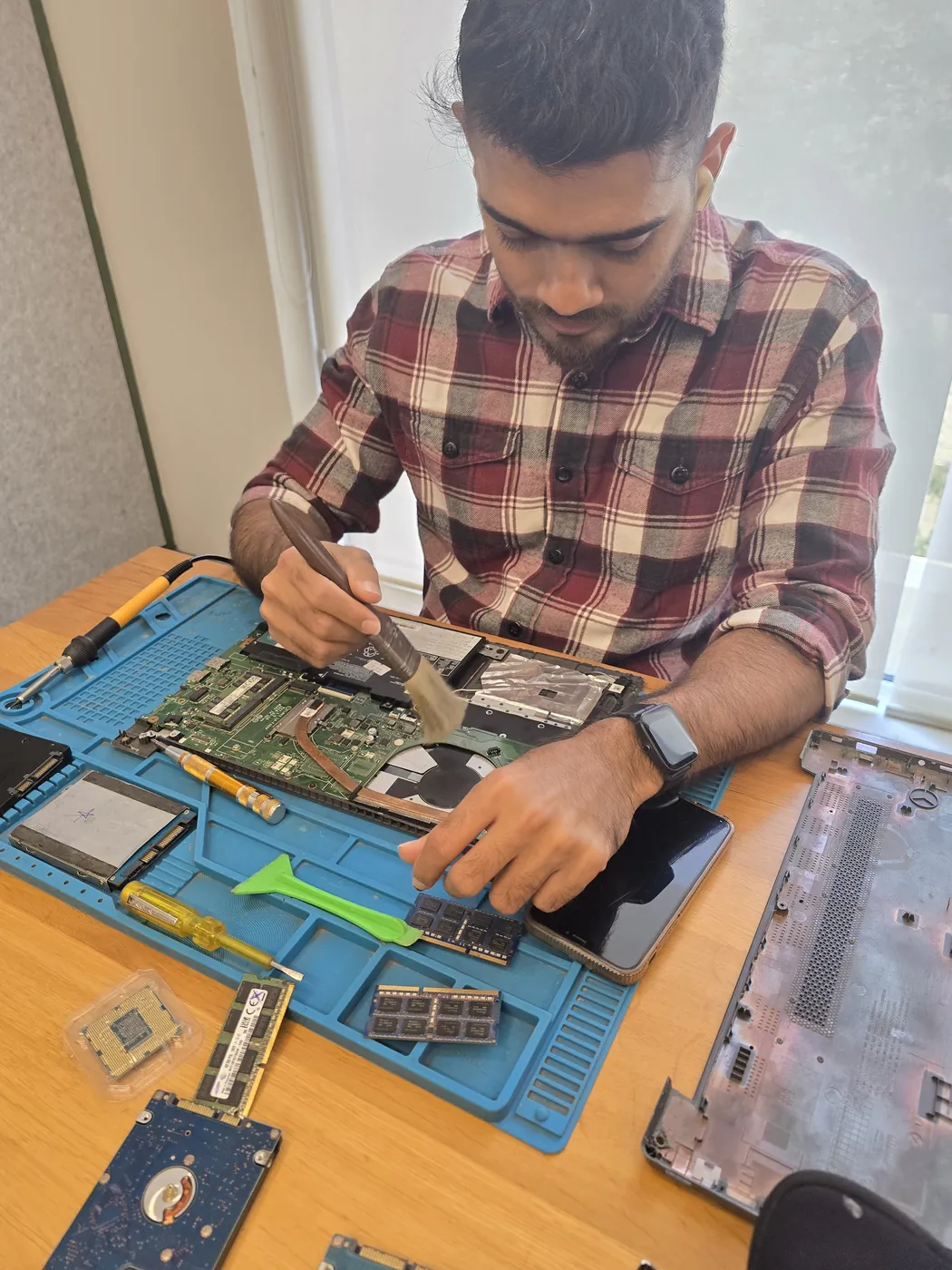
Technician inspecting a laptop motherboard under a microscope at the repair bench Technician testing a laptop mainboard with a multimeter beside a Xigox-branded monitor Technician brushing dust off an opened laptop motherboard with a cleaning brush Technician inspecting a laptop motherboard under a microscope at the repair bench
Xigox technicians at the repair bench.
Our Process

How Kyocera ECOSYS M2040dn Printer Wireless Setup Works

From booking to delivery — here's exactly what happens at every step

Book Pickup

Call or WhatsApp +91 74997 61196. Tell us your Kyocera ECOSYS M2040dn issue in Colaba and schedule a free doorstep pickup.

₹350 Inspection (refunded if you proceed with repair)

Our experienced technician inspects your Kyocera ECOSYS M2040dn and provides a transparent written quote for Printer Wireless Setup.

Expert Repair

Once approved, we perform Printer Wireless Setup using OEM-quality parts. Most repairs are completed same-day.

Quality Check

Every Kyocera ECOSYS M2040dn passes a multi-point QA test before delivery. Your 90-day warranty starts from this moment.

Free Delivery

We deliver your repaired Kyocera ECOSYS M2040dn back to your Colaba address. Completely free, same day.

After-Service Care

Post-repair support via WhatsApp. If the issue recurs within 90 days, we fix it at zero cost.

Repair examples

Recently Repaired Printers

View All Recent Repairs

Canon

imageCLASS LBP226dw

Fixed
Issue
Printer showing "Toner Low" despite new toner cartridge installed. Print density extremely light.
Solution
Cleaned toner level sensor window inside printer. Reset toner counter. Replaced faulty toner sensor board.

Technician's note

Toner dust had coated the optical sensor, giving false low readings. Sensor board had corroded connector pin.

Goregaon East 2 Hours
  • Canon
  • Laser
  • Toner Sensor

HP

LaserJet Pro M404dn

Fixed
Issue
Printer producing wrinkled, smeared pages with toner marks on backside. Fuser roller showing visible wear.
Solution
Replaced faulty fuser assembly with OEM part. Cleaned paper path rollers. Printed 50-page test run with zero defects.

Technician's note

Fuser exceeded rated page count of 100K. Recommended replacement every 80K pages for consistent output.

Andheri West 2 Hours
  • Laser Printer
  • HP
  • Fuser Repair

Canon

PIXMA G3010

Fixed
Issue
Paper jamming every 3-4 pages. Multiple sheets feeding simultaneously. Grinding noise during paper pickup.
Solution
Replaced worn paper pickup rollers and separation pad. Cleaned dust from feed mechanism. Calibrated paper tray alignment.

Technician's note

Pickup rollers had glazed surface from high humidity. Used genuine Canon rollers for best grip.

Malad West 1.5 Hours
  • Canon
  • Paper Jam
  • Roller Replacement

HP

LaserJet M428fdw

Fixed
Issue
Scanner producing black lines across scanned documents. ADF feeding but scanner output corrupted.
Solution
Replaced cracked ADF scanner glass strip. Cleaned flatbed scanner glass and calibration strip. Tested scan-to-email and copy functions.

Technician's note

Hairline crack in CIS scanner glass invisible to naked eye but caused consistent vertical line artifact.

Vikhroli East 1.5 Hours
  • HP
  • MFP
  • Scanner

Epson

L805

Fixed
Issue
Photo prints showing incorrect colors — skin tones appearing greenish. Color banding visible in gradient areas.
Solution
Performed nozzle check and deep cleaning. Ran ICM color profile calibration. Aligned print head for optimal dot placement.

Technician's note

Light cyan channel was partially blocked. After 3 cleaning cycles and manual alignment, color accuracy restored to factory spec.

Dadar West 2.5 Hours
  • Epson
  • Photo Printer
  • Color Calibration

Epson

L3252

Fixed
Issue
Printer not connecting to Wi-Fi network. Wi-Fi Direct not functioning. Mobile printing completely non-operational.
Solution
Updated printer firmware to latest version. Reset network settings and reconfigured Wi-Fi with WPA3 protocol. Tested wireless printing from...

Technician's note

Old firmware had known Wi-Fi bug. Post-update, connection stable at 5GHz band.

Bandra West 45 Minutes
  • Epson
  • Wi-Fi
  • Wireless Printing

Comparison

Xigox vs Other Kyocera ECOSYS M2040dn Shops in Colaba

What you get with Xigox in Colaba, side by side.

FeatureXigoxOther shops
Experienced Technicians Trained & VerifiedVaries; ask who will work on the device
Genuine / OEM Parts OEM-Quality PartsVaries; ask which part will be fitted
90-Day Warranty Written CertificateVaries; ask for the warranty in writing
Diagnosis / Inspection ₹350, credited to the repairVaries; ask what the diagnosis costs
Same-Day Turnaround Colaba — Most RepairsVaries; ask for a time in writing
Free Doorstep Pickup Colaba — FreeVaries; ask whether pickup is free
Transparent Pricing Written Quote FirstVaries; ask for a written quote first
Live WhatsApp Updates Real-time Repair StatusVaries; ask how you will get updates

Xigox charges ₹350 for inspection — credited to your repair cost if you go ahead.

Customer reviews

What Customers Say About Laptop & Computer Repairs in Colaba

4.9/5 · 12 reviews shown

See all 9,605+ reviews

Brother DCP-T420W — General Printer Repair

“Our office Brother DCP-T420W was producing faded prints with streaks. Xigox Powai technician replaced the worn rollers and fuser element. Print quality is now factory-perfect. Sharp text and vibrant colours. Excellent on-site service.”
M Manish Kapoor Colaba · 7 Jul 2024 43

Brother HL-L2321D — Colour Mismatch Fix

“Colours on our Brother HL-L2321D were completely off — reds looked orange and blues looked purple. Xigox Khar recalibrated the colour profiles and replaced a worn imaging drum. Prints match on-screen colours perfectly now.”
S Simran Kaul Balkum · 9 Apr 2024 11

Kyocera ECOSYS M2040dn — Printer Repair

“Kyocera ECOSYS M2040dn printer was repaired quickly with clean print output and stable performance after service.”
V Customer 2 Andheri · 16 May 2026 4

Kyocera ECOSYS M2040dn — Printer Repair

“Excellent same-day repair for Kyocera ECOSYS M2040dn printer. Print quality is now clean and sharp.”
A Aarav Mehta Andheri · 7 Dec 2025 13

Brother DCP-T720DW — Cartridge Issue Fix

“Our Brother DCP-T720DW kept showing cartridge-not-detected error despite new cartridges. Xigox Churchgate cleaned the chip contacts and realigned the cartridge cradle. All colours detected perfectly now. Saved us buying replacements again.”
G Gaurav Mishra Manpada · 13 Feb 2026 33

HP Smart Tank 515 — Wireless Printer Setup

“Could not connect my HP Smart Tank 515 to Wi-Fi for weeks. The technician configured everything — now all family devices can print wirelessly. Amazing!”

Xigox reply: Thank you for your kind review! We are glad our printer service met your expectations.

A Aditya Joshi Colaba · 31 Dec 2025 6
Page 1 / 2

← Swipe or tap dots to browse →

Customer stories

Customer Stories

What customers say about their laptop and computer repairs

“Printer was showing paper jam but tray was empty. Xigox found a broken roller and replaced it. Prints 50 pages without a jam now. Excellent repair!”

HP LaserJet M428fdw

R Ramesh Hegde Santacruz
“Colour prints were streaky and faded. Xigox cleaned the print heads, calibrated the nozzles. Prints are sharp and vibrant again. Professional job!”

Epson EcoTank L15160

A Archana Kamath Mira Road
“Office printer was giving E04 error. Xigox replaced the drum unit and fuser. Printer back in service same day. AMC plan also taken — good value!”

Canon imageRUNNER 2204N

G Girish Patil Bhayandar
“Printer stopped powering on after a power surge. Xigox replaced the fuse and power board. Printing again at full speed. Saved buying a new printer!”

Brother HL-L2321D

U Usha Menon Vasai
“Our office MFP was printing with ghosting and faded text. Xigox replaced the drum unit and calibrated the toner density. Print quality is back to factory fresh. They even cleaned the scanner glass!”

HP LaserJet M428fdw

H Harsh Jain Goregaon
“My Epson ink tank printer was leaking ink internally. Xigox disassembled it completely, cleaned the waste ink pads, and replaced damaged tubes. Saved me from buying a new printer. Very skilled technic...”

Epson L3250

S Sneha Kadam Andheri

FAQ

FAQs — Kyocera ECOSYS M2040dn Printer Wireless Setup in Colaba

Everything you need to know before booking your repair

10 questions answered

Basic printer service takes 1-2 hours. Hardware repairs may take 2-4 hours. We offer doorstep service for convenience.
The cost of Kyocera ECOSYS M2040dn Printer Wireless Setup in Colaba depends on your laptop or computer model and the extent of damage. Xigox charges ₹350 for inspection — refunded if you proceed with the repair — you'll receive a transparent, written quote with no hidden charges. Most standard Kyocera ECOSYS M2040dn Printer Wireless Setup jobs start from ₹499. Call or WhatsApp +91 74997 61196 for an instant estimate. We also serve Cuffe Parade, Navy Nagar, Colaba Causeway, so you can recommend us to neighbours too.
Most Kyocera ECOSYS M2040dn Printer Wireless Setup jobs in Colaba are completed the same day — usually within 2–4 hours of pickup. Complex repairs such as motherboard replacement or liquid-damage recovery may take 1–2 days. We'll give you an accurate time estimate during the inspection. Our service covers the full 400005 postal area in Colaba.
Yes — Xigox provides completely free doorstep pickup and delivery for Kyocera ECOSYS M2040dn Printer Wireless Setup across Colaba. An experienced technician collects your laptop or computer from your home or office, completes the repair at our workshop, and returns it — often the same day. Call or WhatsApp +91 74997 61196 to book. Trusted by customers throughout Mumbai City — rated 4.9★ across 9,605+ reviews.
Every Kyocera ECOSYS M2040dn Printer Wireless Setup at Xigox includes a 90-day warranty on the repaired component and all parts used. If the same issue recurs within 90 days, we fix it at zero cost. This warranty applies to all Kyocera ECOSYS M2040dn Printer Wireless Setup completed in Colaba and across Mumbai MMR. Our service covers the full 400005 postal area in Colaba.
We use OEM-quality or manufacturer-grade components for all Kyocera ECOSYS M2040dn Printer Wireless Setup work. Genuine-grade parts ensure your laptop or computer performs exactly as designed and your 90-day repair warranty stays valid. We never use substandard aftermarket parts without your prior consent. We also serve Cuffe Parade, Navy Nagar, Colaba Causeway, so you can recommend us to neighbours too.
Yes. All our technicians are trained professionals with extensive hands-on experience in Kyocera ECOSYS M2040dn Printer Wireless Setup. They receive regular technical training on the latest Printer models and repair methodologies, ensuring consistently high-quality results. Our service covers the full 400005 postal area in Colaba.
Booking is simple: WhatsApp or call +91 74997 61196, describe your printer issue, receive a free quote, and schedule a convenient pickup time in Colaba. We're available 9 AM–9 PM, 7 days a week — including weekends and public holidays. Trusted by customers throughout Mumbai City — rated 4.9★ across 9,605+ reviews.
Yes! Xigox offers same-day Kyocera ECOSYS M2040dn Printer Wireless Setup for most common issues in Colaba. We pick up your printer in the morning, repair it at our workshop, and deliver it back by evening. Same-day service applies to screen replacements, battery changes, software repairs, and more. Customers near Shahid Bhagat Singh Road in Colaba are covered by our free pickup.
Absolutely. Data security is our top priority. Our technicians never access personal files during Kyocera ECOSYS M2040dn Printer Wireless Setup. We follow strict protocols to prevent data loss, and we'll always inform you before any procedure that could affect stored data. Your privacy is fully protected. Customers near Shahid Bhagat Singh Road in Colaba are covered by our free pickup.

Still have questions?

Send us your question on WhatsApp or call — a technician will answer.

Kyocera ECOSYS M2040dn Repair in Colaba — Xigox

If you are looking for Kyocera ECOSYS M2040dn repair in Colaba that is not a brand service centre, this is it. Xigox has run an independent Kyocera bench since 2011, and our technicians work on Kyocera boards and firmware every day rather than treating them as an occasional job. More than 1,00,000 repairs and a 4.9-star average rating sit behind that.

Parts for Kyocera ECOSYS M2040dn models are held in stock rather than ordered after you book, so most repairs are not waiting on a supplier. Screens, batteries, keyboards, charging boards and flex cables are all OEM-grade. You approve a written estimate first, and the ₹350 inspection is credited back against the repair.

We actively serve the entire 400005 postal area within Mumbai City district, ensuring same-day response for every repair request. ₹350 inspection fee (refunded if you proceed with repair). Located near Shahid Bhagat Singh Road, our service coverage extends across Colaba and all surrounding localities. In addition to Colaba, we also provide doorstep repairs and free pickup for lab work for customers in Cuffe Parade, Navy Nagar, Colaba Causeway and other nearby areas.

Doorstep part replacement (battery, keyboard, screen, SSD, RAM) is available across Colaba. For chip-level and motherboard repairs, we provide free pickup and drop — confirming within 15 minutes of your booking. Most common faults are resolved same-day. For complex repairs, we provide a realistic timeline and keep you updated throughout.

Your Kyocera ECOSYS M2040dn leaves with a written 90-day warranty covering both parts and labour. Same fault back inside that window and we redo it free — no argument, no diagnostic fee. WhatsApp support stays open afterwards for any question about the repair.
Service Hours

Monday – Sunday · 9 AM – 9 PM

Open on all public holidays

Service Area

Colaba & surrounding Mumbai areas

Doorstep repairs + free pickup for lab work

Contact Us

+91 74997 61196

info@xigox.com

Our Guarantee

90-day warranty on all repairs

Free re-repair if same fault recurs

Printer Wireless Setup for Other Kyocera Models

We repair all Kyocera models in Colaba

Printer Wireless Setup for Other Brands in Colaba

We repair all major brands — same service, same quality, same warranty

Areas, Roads & Landmarks We Cover in Colaba

Free pickup & drop across all these neighbourhoods

Localities & neighbourhoods

  • Cuffe Parade
  • Navy Nagar
  • BEST Nagar

Roads & highways

  • Colaba Causeway
  • Shahid Bhagat Singh Road

Landmarks & famous places

  • Gateway of India
  • Taj Mahal Palace Hotel
  • Sassoon Dock
  • Afghan Church
  • Radio Club

Not sure which repair you need? See all Kyocera ECOSYS M2040dn repairs in Colaba

Printer Wireless Setup Across Mumbai — All Locations

Explore more services

More Repair & Tech Services Near Colaba

Same technicians · Free pickup · 90-day warranty across all services.

ISO 9001:2015 Certified · 1,00,266+ Repairs · 4.9 ★ Rating

Ready to Fix Your
Kyocera ECOSYS M2040dn Today?

₹350 inspection fee (refunded if you proceed with repair) · Same-day Printer Wireless Setup · 90-day warranty

Serving Colaba and all of Mumbai MMR · Open 9 AM – 9 PM daily

How it's done

How We Perform Printer Wireless Setup

What our technicians do, what it requires, and how to tell you need it.

1 How It's Performed

For a clean installation or setup, our technicians configure the printer or device's wireless settings from scratch (rather than just retrying a half-working existing setup), install the matching driver on each device that needs it, and confirm the connection survives a router restart.

Typical time: 20–40 minutes

2 What This Requires

  • Your network's WiFi credentials, or a direct Ethernet connection if WiFi isn't in use.
  • Confirmation of how many devices need to connect, since each one needs its own driver installed even once the printer/device itself is online.

3 When You Need This

  • Setting up a new device for the first time.
  • An existing connection keeps dropping or needs to be re-paired after every router restart.
  • You've moved to a new network (new home/office, new router) and need the device reconnected.

The model

About the Kyocera ECOSYS M2040dn

Best for: offices wanting lower long-term consumable-replacement frequency

The Kyocera ECOSYS M2040dn is part of Kyocera's ECOSYS line — Kyocera's laser printer series, known for a long-life drum design that reduces the frequency of consumable replacement compared to typical laser printers.

Key features

  • Long-life drum unit design — a genuine Kyocera differentiator, reducing how often major consumables need replacing.
  • Toner-based laser printing for low per-page document cost.

Kyocera ECOSYS M2040dn Printer Wireless Setup in Colaba — Professional, Reliable, and Affordable

Skip the directories. Book direct for transparent pricing with Xigox. Print quality issues — faded output, ink smears, or offline status cost Colaba businesses hours of lost productivity. The Xigox team provides Kyocera ECOSYS M2040dn Printer Wireless Setup for HP, Canon, Epson, and Brother: cartridge system servicing, laser component overhaul, paper feed roller replacement, and network printing configuration.

Trained Technicians for Kyocera ECOSYS M2040dn Printer Wireless Setup in Colaba

Not everyone in Colaba can handle complex this repair. Xigox's engineers possess years of experience specifically for Kyocera hardware. Whether it's a minor fix or advanced component-level motherboard repair, we fix it properly right here for Colaba clients.

Warranty & After-Service for Kyocera ECOSYS M2040dn Printer Wireless Setup

Each job performed by Xigox in Colaba comes with a comprehensive 90-day warranty covering parts and labour. Simply put, if the same issue recurs within 90 days, we redo it completely free. Xigox issues a printed warranty receipt every single time, so you know exactly what is covered.

Genuine Parts for Kyocera ECOSYS M2040dn Printer Wireless Setup

Quality matters for this repair. That's why our technicians exclusively use genuine parts for your Kyocera. Rather than unbranded components, we source from established suppliers. This helps your repair last, backed by our written 90-day warranty.

Emergency Kyocera ECOSYS M2040dn Printer Wireless Setup Available

Need your Kyocera fixed urgently? We provide priority this job in Colaba for critical situations. Whether you have an exam deadline and your Kyocera just stopped working, our priority service puts your Kyocera at the front of the queue, so most repairs can be finished the same business day. Priority repairs are available 7 days a week in Colaba. Simply mention 'URGENT' when booking and we'll prioritise your job immediately.

Office Kyocera ECOSYS M2040dn Printer Wireless Setup in Colaba

Xigox isn't just for individuals Colaba rely on our repair to minimise downtime. Our corporate solutions include annual maintenance plans, priority turnaround, and dedicated account managers. Whether you have 5 laptops or 500, Xigox handles this repair for your Colaba office with corporate billing and detailed repair documentation.

All-Brand Kyocera ECOSYS M2040dn Printer Wireless Setup in Colaba

Your Kyocera model doesn't limit what we can fix. Our technicians are brand-agnostic experts: HP, Dell, Lenovo, Asus, Acer, MSI, Toshiba, Samsung and Apple MacBook. Each brand has quirks in their assembly that our team knows well. Model-specific experience cuts diagnostic time and improves first-time fix rates.

Multi-Point Inspection after Kyocera ECOSYS M2040dn Printer Wireless Setup

Fixing the immediate problem is only half the job at Xigox. Prior to delivery in Colaba, it must pass a strict multi-point quality check. Our team ensures that the repair was successful, checking port functionality. This level of testing is the reason for our 4.9★ rating across Colaba.

Data Security During Kyocera ECOSYS M2040dn Printer Wireless Setup

Your personal data is our top priority during your job. Customers throughout Colaba trust us because we never access personal files. Throughout the job, your confidential files remain untouched. If a software reset is necessary, we consult you beforehand.

Real Reviews for Kyocera ECOSYS M2040dn Printer Wireless Setup

Don't just take our word for it. Xigox has earned a 4.9-star rating from 9,605+ customer reviews from customers across Mumbai MMR. Customers frequently mention: honest pricing, same-day completion, and OEM-grade replacements. What Colaba customers value most: "Excellent this repair, done same day with genuine parts." Join the growing community of happy Xigox customers in Colaba.

Fixed-Quote Policy for Kyocera ECOSYS M2040dn Printer Wireless Setup

One of the most common complaints about repair shops in Colaba is hidden charges after the job is done. Xigox operates differently. Prior to touching your Kyocera, our technician sends a WhatsApp quote covering parts and labour. There is zero ambiguity — the decision is entirely yours. The ₹350 diagnostic is credited 100% when you approve the repair.

Your Kyocera is an investment — keep it running with a trusted Kyocera ECOSYS M2040dn Printer Wireless Setup service. Xigox serves homes and offices across the region with transparent billing. Ready to get started? WhatsApp us at +91 74997 61196 for priority Kyocera ECOSYS M2040dn Printer Wireless Setup in Colaba.

Service area

Kyocera ECOSYS M2040dn Printer Wireless Setup in Taj Mahal Palace Hotel — Service Area & Coverage

Xigox provides kyocera ecosys m2040dn printer wireless setup across Taj Mahal Palace Hotel (PIN 400005), in the Mumbai City district of Mumbai. Our doorstep pickup and on-site service cover the entire Taj Mahal Palace Hotel area and the neighbourhoods around it.

Localities we cover in Taj Mahal Palace Hotel: Cuffe Parade, Navy Nagar, BEST Nagar. Wherever you are in Taj Mahal Palace Hotel, we can collect your device from your door and bring it back after the repair.

Our technicians regularly serve homes, societies and offices around Gateway of India, Taj Mahal Palace Hotel, Sassoon Dock, Afghan Church and Radio Club, and along Colaba Causeway and Shahid Bhagat Singh Road. If you're near any of these landmarks, same-day pickup for kyocera ecosys m2040dn printer wireless setup is almost always available.

Kyocera ECOSYS M2040dn Printer Wireless Setup near Taj Mahal Palace Hotel

We also serve these nearby areas — tap your locality for local kyocera ecosys m2040dn printer wireless setup:

Kyocera ECOSYS M2040dn Printer Wireless Setup price in Colaba — know it before you book

  1. 1Pick your device & issue
  2. 2See the real price range
  3. 3Free doorstep pickup in Colaba

4.9 from 73 customer reviews for this service · upfront pricing · 90-day warranty

Before you book: have your device model and a quick description of the issue ready — it speeds up your quote.

Not sure what's wrong?

Find Your Fix by Symptom

Tell us what your device is doing — we'll point you to the right repair, with real pricing and next steps.

See all repair problems we fix

Nearest branch: Worli, Dadar

~11.7 km from Colaba. With free doorstep pickup you don't need to travel — this is our nearest branch.

Book a repair

Kyocera ECOSYS M2040dn Printer Wireless Setup — Book Now

Free pickup · Genuine parts · 90-day warranty

Booking received

We'll call you within 1 hour to confirm your appointment and arrange doorstep pickup.

Inspection fee: ₹350

  • Credited to your total repair cost if you go ahead.
  • Still applies if the device can't be repaired or you decline the repair.

+91

Device type *

Inspection fee: ₹350

  • If you go ahead with the repair, the ₹350 is credited to your total repair cost.
  • If the device can't be repaired or you decide not to continue, the ₹350 inspection fee still applies.

Your details are used only to arrange this repair. By submitting, you agree to our Privacy Policy.

Call WhatsApp