Lenovo IdeaCentre 5
Gaming Desktop Overheating Fix
Near Me
Looking for Gaming Desktop Overheating Fix for your Lenovo IdeaCentre 5 near you? Xigox provides free doorstep pickup within 2 hours — experienced technicians, OEM parts & 90-day warranty.
Open 9 AM – 9 PM · 7 days a week
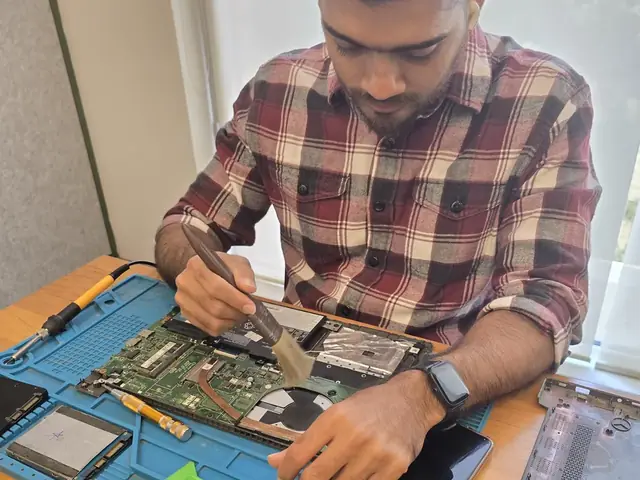
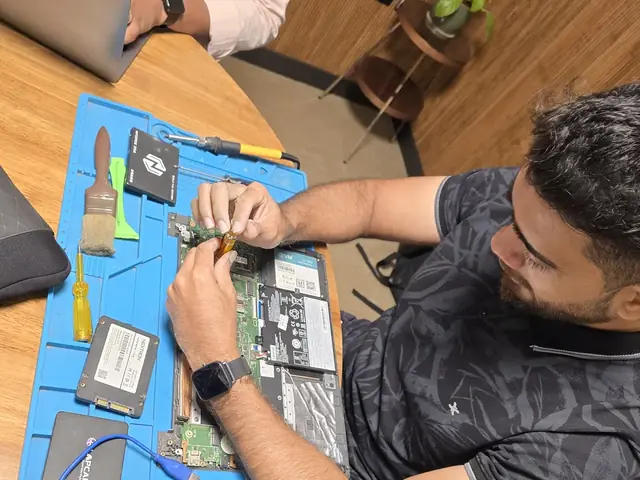
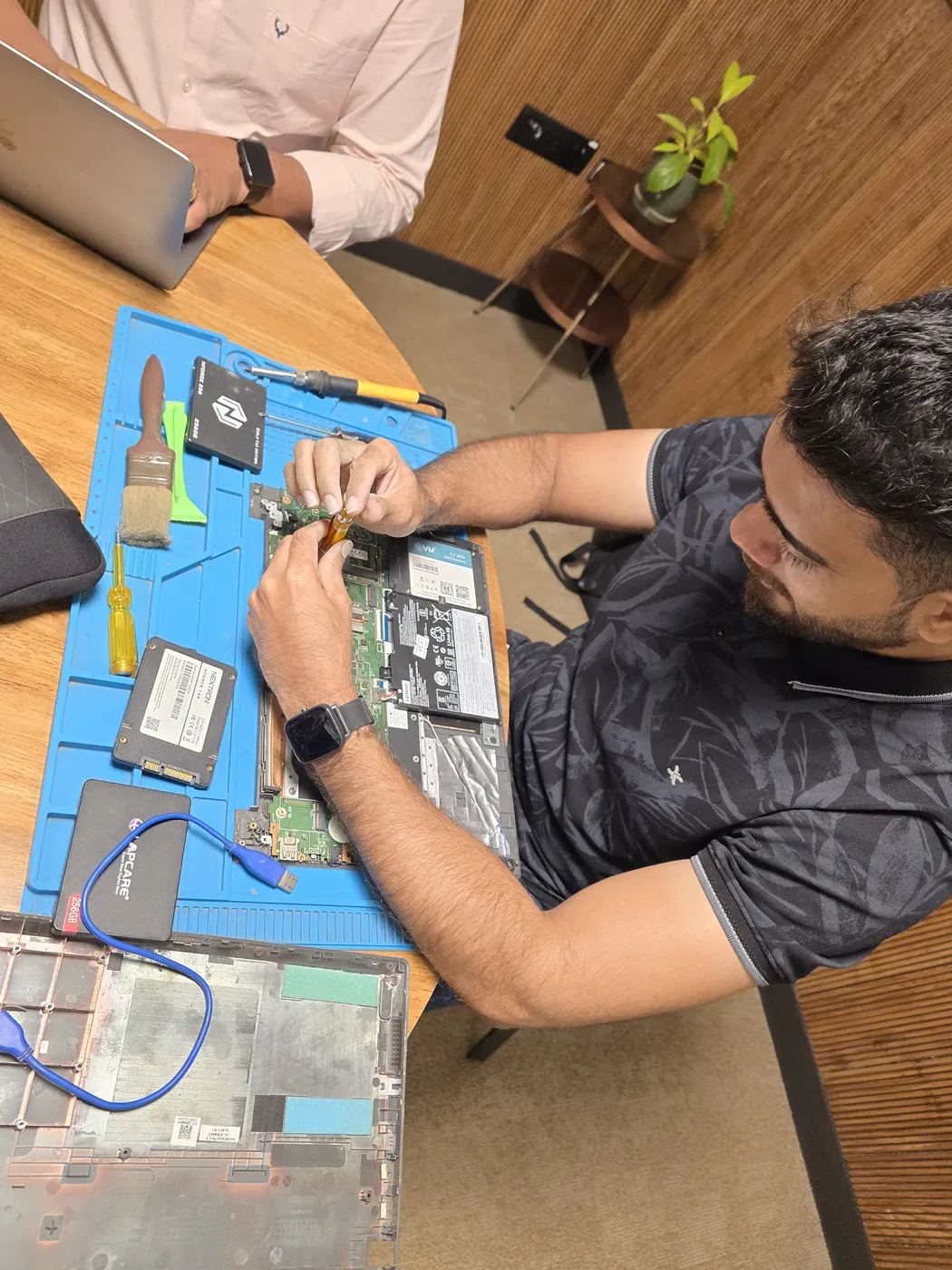
How Lenovo IdeaCentre 5 Gaming Desktop Overheating Fix Works — Near You
From booking to delivery — simple, fast, transparent
Call or WhatsApp
Contact us — we'll confirm availability and give you a price estimate for your Lenovo IdeaCentre 5.
Free Doorstep Pickup
Our technician arrives at your location within 2 hours. No travel needed.
Expert Repair
Experienced team fixes your laptop or computer using OEM-quality parts. Most repairs done same-day.
Delivered Back
Laptop delivered to your doorstep, tested & quality-checked. 90-day warranty starts.
Customer reviews
What Customers Say About Laptop & Computer Repairs in Mumbai
4.9/5 · 11 reviews shown
← Swipe or tap dots to browse →
FAQ
FAQs — Lenovo IdeaCentre 5 Gaming Desktop Overheating Fix Near Me
Quick answers about our doorstep repair service
10 questions answered
Still have questions?
Send us your question on WhatsApp or call — a technician will answer.
Watch & learn
See Our Repair Process in Action
Repair videos from our Virar West workshop

Xigox Laptop & Computer Repair — Real Customer Experience
See how Xigox handles real customer repairs — fast diagnosis, transparent pricing and a 90-day warranty on every job.

Xigox Service Centre — Mumbai's Trusted Repair Experts
A closer look at the Xigox team, our tools, and the repair process behind 9,605+ customer reviews across Mumbai MMR.

Inside Xigox — Computer & Laptop Repair Service Centre, Mumbai
A tour of our ISO 9001:2015 certified workshop — laptop, desktop and computer repairs with genuine-grade parts and a 90-day warranty.

Laptop & Computer Repair, Sales & Data Recovery — Xigox
How the Xigox team handles laptop and computer repair, sales, service and data recovery across Mumbai, Thane & Palghar.
Lenovo IdeaCentre 5 Gaming Desktop Overheating Fix — All Locations
Choose your area for instant doorstep pickup
Other Lenovo IdeaCentre 5 Repair Services Near You
Explore all available repair options for your Lenovo IdeaCentre 5
Explore more services
More Repair & Tech Services Near Mumbai
Same technicians · Free pickup · 90-day warranty across all services.
Need Lenovo IdeaCentre 5
Gaming Desktop Overheating Fix Near You?
Free doorstep pickup within 2 hours · Same-day repair · 90-day warranty · All of Mumbai MMR
How it's done
How We Perform Gaming Desktop Overheating Fix
What our technicians do, what it requires, and how to tell you need it.
1 How It's Performed
For this specific fault, we fully disassemble the cooling path, clean out accumulated dust from the fan blades and heatsink fins (the single biggest real cause of creeping temperatures), remove the old dried-out thermal paste completely from both the CPU/GPU die and the heatsink contact plate, and apply fresh paste before reassembly.
Typical time: 30–45 minutes
2 What This Requires
- Full disassembly of the cooling path (not just an external vent blow-out), since dust builds up heaviest inside the heatsink fins where compressed air alone can't reach.
- Complete removal of old, dried thermal paste before applying new paste — layering fresh paste over old residue defeats the purpose.
- A before/after load-temperature comparison so you can see the actual improvement.
3 When You Need This
- It's been 2+ years since the last internal cleaning — dust buildup is gradual and easy to not notice until it's already affecting performance.
- The exhaust vent feels barely warm even when the fan is clearly running fast, suggesting a dust-blocked path rather than a working one.
The model
About the Lenovo IdeaCentre 5
The Lenovo IdeaCentre 5 is Lenovo's mainstream consumer desktop tower — everyday home computing, Lenovo's answer to Dell Inspiron Desktop and HP Slim Desktop.
Key features
- Compact-to-mid-size tower options for everyday use.
- Generally accessible internals for upgrades on most generations.
- Mainstream component tiers suited to everyday computing rather than heavy workloads.
Lenovo IdeaCentre 5 Gaming Desktop Overheating Fix in Mumbai — Professional, Reliable, and Affordable
Why waste time on aggregators? Get direct service without middleman markup with Xigox. If your Lenovo IdeaCentre 5 fans run at maximum speed constantly in Mumbai, the thermal paste has almost certainly dried out and cracked. Our technicians carefully disassemble your Lenovo IdeaCentre 5, deep-clean the cooling path, and apply premium-grade thermal compound — reducing CPU temps by 15–30°C. That's the standard Xigox holds for Lenovo IdeaCentre 5 Gaming Desktop Overheating Fix in Mumbai — free doorstep pickup, a transparent quote in writing, genuine-grade parts, and a 90-day warranty once the Lenovo IdeaCentre 5 Gaming Desktop Overheating Fix is complete.
Free Logistics across Mumbai
Navigating traffic in Mumbai is stressful. To solve this, Xigox offers a no-hassle doorstep logistics service for this repair. Just drop your pin, and our secure courier will collect your Lenovo IdeaCentre 5 directly from you. Once the repair is finished, we safely return it in protective packaging. Enjoy total convenience without leaving your desk.
Same-Day Lenovo IdeaCentre 5 Gaming Desktop Overheating Fix — How It Works
Curious how quickly Xigox can complete job in Mumbai? Here's our typical timeline: Step 1 — message us and our pickup technician reaches you within 2 hours. Step 2 — our inspection identifies the exact fault. Next — you give the go-ahead via WhatsApp — completely your decision. Finally — this job is executed using genuine parts at our Virar West workshop, often same day. Then — we return it to your Mumbai address fully tested.
Our Lenovo IdeaCentre 5 Gaming Desktop Overheating Fix Process in Mumbai
Getting your Lenovo IdeaCentre 5 fixed in Mumbai is incredibly simple. Step 1, call or WhatsApp us at +91 74997 61196 to describe your issue. Next, our complimentary collection driver arrives at your Mumbai doorstep within 1–2 hours. The team then carry out a thorough diagnostic (₹350, credited toward your repair). Once you agree, this repair is executed with genuine parts — and your Lenovo IdeaCentre 5 is returned to you. Most repairs done same day.
No Hidden Costs Policy for Lenovo IdeaCentre 5 Gaming Desktop Overheating Fix
One of the most common complaints about repair shops in Mumbai is hidden charges after the job is done. Xigox operates differently. Prior to touching your Lenovo IdeaCentre 5, our technician provides a clear cost estimate covering parts and labour. There is zero ambiguity — the decision is entirely yours. The ₹350 diagnostic is credited 100% when you approve the repair.
Fast & Easy Lenovo IdeaCentre 5 Gaming Desktop Overheating Fix in Mumbai
We know you can't stay disconnected in Mumbai. We plan this repair for speed and efficiency. For most issues, our technicians finish the repair within hours. We arrange secure collection from your Mumbai home or office, execute the repair using precision tools, and deliver it back to you.
Xigox Service Promise for Lenovo IdeaCentre 5 Gaming Desktop Overheating Fix
Xigox's responsibility extends beyond the repair itself. The Xigox after-service team remains reachable 7 days a week, 9 AM–9 PM via WhatsApp or phone. Should any concern arise within 90 days of your job, simply contact us and a technician is dispatched at no cost. This commitment is why residents in Mumbai return to Xigox.
The Best Choice for Lenovo IdeaCentre 5 Gaming Desktop Overheating Fix in Mumbai
There are many repair shops in Mumbai, however, Xigox stands out for this repair. We believe in 100% upfront pricing. Each repair begins with a thorough diagnostic inspection for ₹350, which is fully refunded if you proceed. No surprise fees — only expert repair in Mumbai.
Any Lenovo IdeaCentre 5, Any Brand in Mumbai
Your Lenovo IdeaCentre 5 model doesn't limit what we can fix. Our technicians are brand-agnostic experts: HP, Dell, Lenovo, Asus, Acer, MSI, Toshiba, Samsung and Apple MacBook. Each brand has quirks in their assembly that our team knows well. Model-specific experience cuts diagnostic time and improves first-time fix rates.
What Mumbai Customers Say About Lenovo IdeaCentre 5 Gaming Desktop Overheating Fix
Don't just take our word for it. Xigox has earned a 4.9-star rating from 9,605+ customer reviews from customers across Mumbai MMR. Customers frequently mention: no surprise charges, same-day completion, and OEM-grade replacements. What Mumbai customers value most: "Same-day fix with genuine parts and clear communication throughout." Join the growing community of happy Xigox customers in Mumbai.
Safe & Secure Lenovo IdeaCentre 5 Gaming Desktop Overheating Fix
Your personal data is our top priority during your job. Customers throughout Mumbai trust us because we never access personal files. Throughout the job, your confidential files remain untouched. If a software reset is necessary, we consult you beforehand.
Thousands of returning customers across Mumbai, Thane and Palghar can't be wrong. Xigox is your trusted partner for Lenovo IdeaCentre 5 Gaming Desktop Overheating Fix in Mumbai. Each service comes with a 90-day warranty, OEM-grade parts, and complete transparency. Get your quote — call +91 74997 61196.
Lenovo IdeaCentre 5 Gaming Desktop Overheating Fix price in Mumbai — know it before you book
- 1Pick your device & issue
- 2See the real price range
- 3Free doorstep pickup in Mumbai
4.9 from 9,605 customer reviews across all repairs · upfront pricing · 90-day warranty
Before you book: have your device model and a quick description of the issue ready — it speeds up your quote.
Not sure what's wrong?
Find Your Fix by Symptom
Tell us what your device is doing — we'll point you to the right repair, with real pricing and next steps.
Book a repair
Lenovo IdeaCentre 5 Gaming Desktop Overheating Fix — Book Now
Free doorstep pickup · Genuine parts · 90-day warranty
Booking received
We'll call you within 1 hour to confirm your appointment and arrange doorstep pickup.
Inspection fee: ₹350
- Credited to your total repair cost if you go ahead.
- Still applies if the device can't be repaired or you decline the repair.
Device type *
Inspection fee: ₹350
- If you go ahead with the repair, the ₹350 is credited to your total repair cost.
- If the device can't be repaired or you decide not to continue, the ₹350 inspection fee still applies.
Your details are used only to arrange this repair. By submitting, you agree to our Privacy Policy.