HP
Pavilion Gaming
- Issue
- Blue screen errors, random crashes during gaming.
- Solution
- Diagnosed RAM failure. Replaced faulty memory modules.
Borivali West
1 Hours
- RAM
- HP
- Gaming
Experiencing Laptop Fan Making Noise on your MacBook in Bhayandar? Get an expert diagnosis and same-day repair with a 90-day warranty.
Open 9 AM – 9 PM · 7 days · ₹350 inspection fee (refunded if you proceed with repair)
Common indicators of Laptop Fan Making Noise on a MacBook. Recognise 2 or more? It needs professional attention — ignoring it risks secondary damage.
MacBook clearly showing signs of Laptop Fan Making Noise
Normal performance significantly impacted
Issue worsening progressively with continued use
Standard troubleshooting steps have not helped
MacBook unreliable for daily work or personal use
Risk of further hardware damage if left unrepaired
Apple Diagnostics and full board voltage-rail read
Thermal imaging of the heat pipe and fan assembly
Corrosion inspection under the keyboard membrane
Battery cycle count and health via system report
Don't Wait — Laptop Fan Making Noise Worsens Over Time
Unresolved Laptop Fan Making Noise on a MacBook can cause cascading hardware failures that significantly increase the final repair cost.
Identifying the root cause allows our engineers to deliver a precise, long-lasting repair — not a temporary patch that fails again within weeks.
Thermal paste degradation on tightly packed M-series and Intel boards
Blocked rear-vent airflow under the hinge
Liquid ingress through the keyboard into the logic board
Swollen battery pressing on the trackpad and top case
Accidental drops, pressure or impact causing mechanical damage to internal components.
Water, beverages or humidity causing short circuits or corrosion on the Laptop circuit board.
Components degrade naturally with regular use — batteries, connectors and hinges are most affected.
Factory faults that surface after the warranty period in certain Laptop production batches.
MacBook Laptop Fan Making Noise in Bhayandar can stem from multiple simultaneous causes. Without a thorough inspection, a repair technician risks addressing only the visible symptom while leaving the underlying issue intact. Xigox technicians perform a full multi-point hardware and software inspection before recommending any repair — ensuring the exact root cause is fixed, not masked.
Transparent pricing · ₹350 inspection (refunded if you proceed with repair) · Pay only after your approval
| Repair Type | Estimated Cost | Warranty |
|---|---|---|
| Diagnosis & Basic Repair | ₹499 - ₹999 | 90 Days |
| Fan Cleaning & Lubrication | ₹549 - ₹999 | 90 Days |
| Fan Cleaning & Lubrication | ₹549 - ₹999 | 90 Days |
| Fan Cleaning & Lubrication | ₹549 - ₹999 | 90 Days |
| Fan Cleaning & Lubrication | ₹549 - ₹999 | 90 Days |
| Fan Cleaning & Lubrication | ₹549 - ₹999 | 90 Days |
Inspection fee ₹350 — refunded if you proceed with repair. No work starts without your approval.
Get Exact QuotePhotos
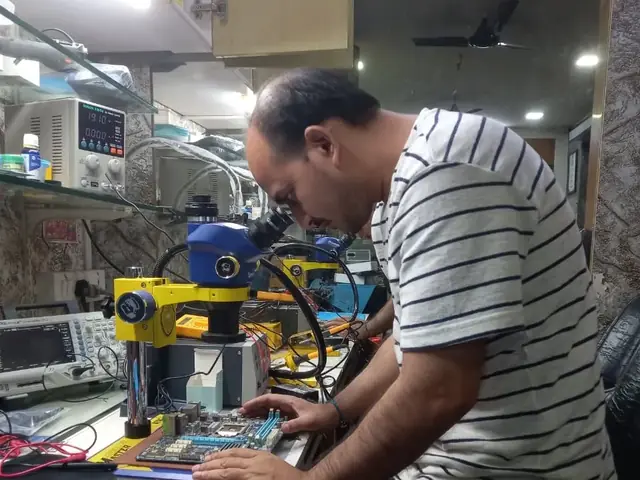
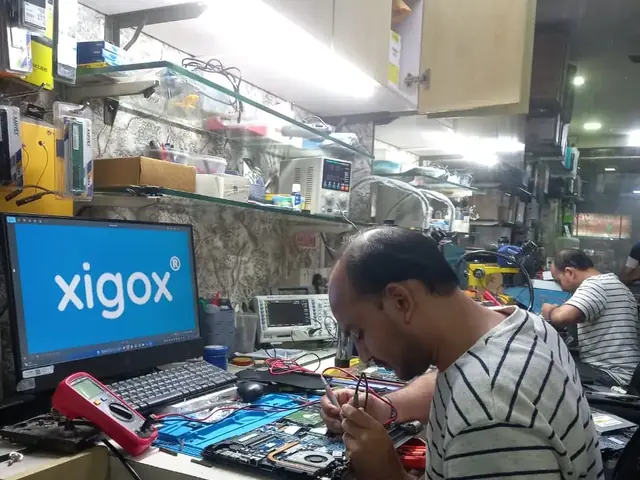
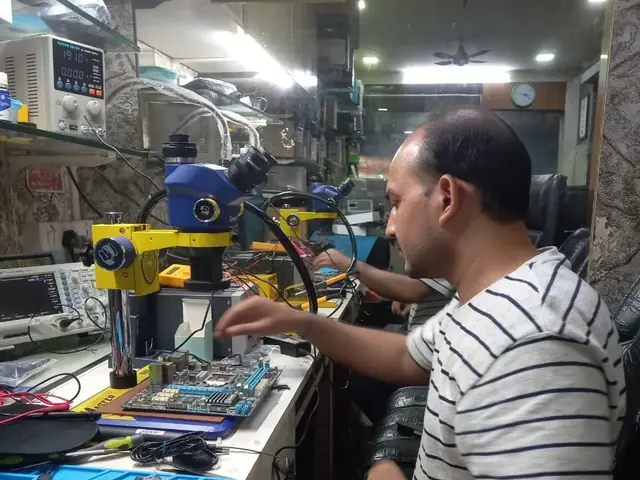
Photographs of Xigox technicians working on opened laptops and boards. They show how the work is done, not the results on any particular customer's device.
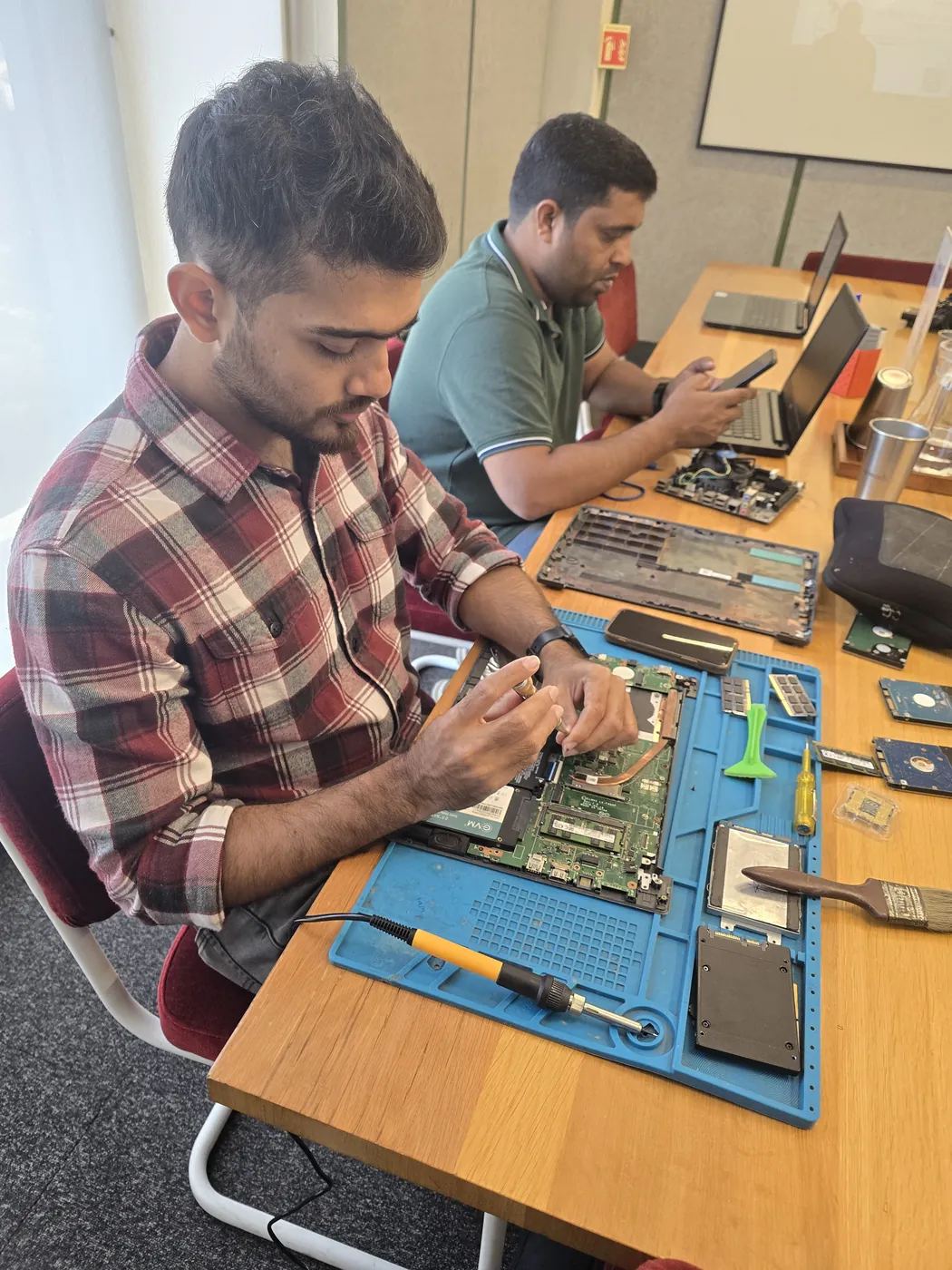
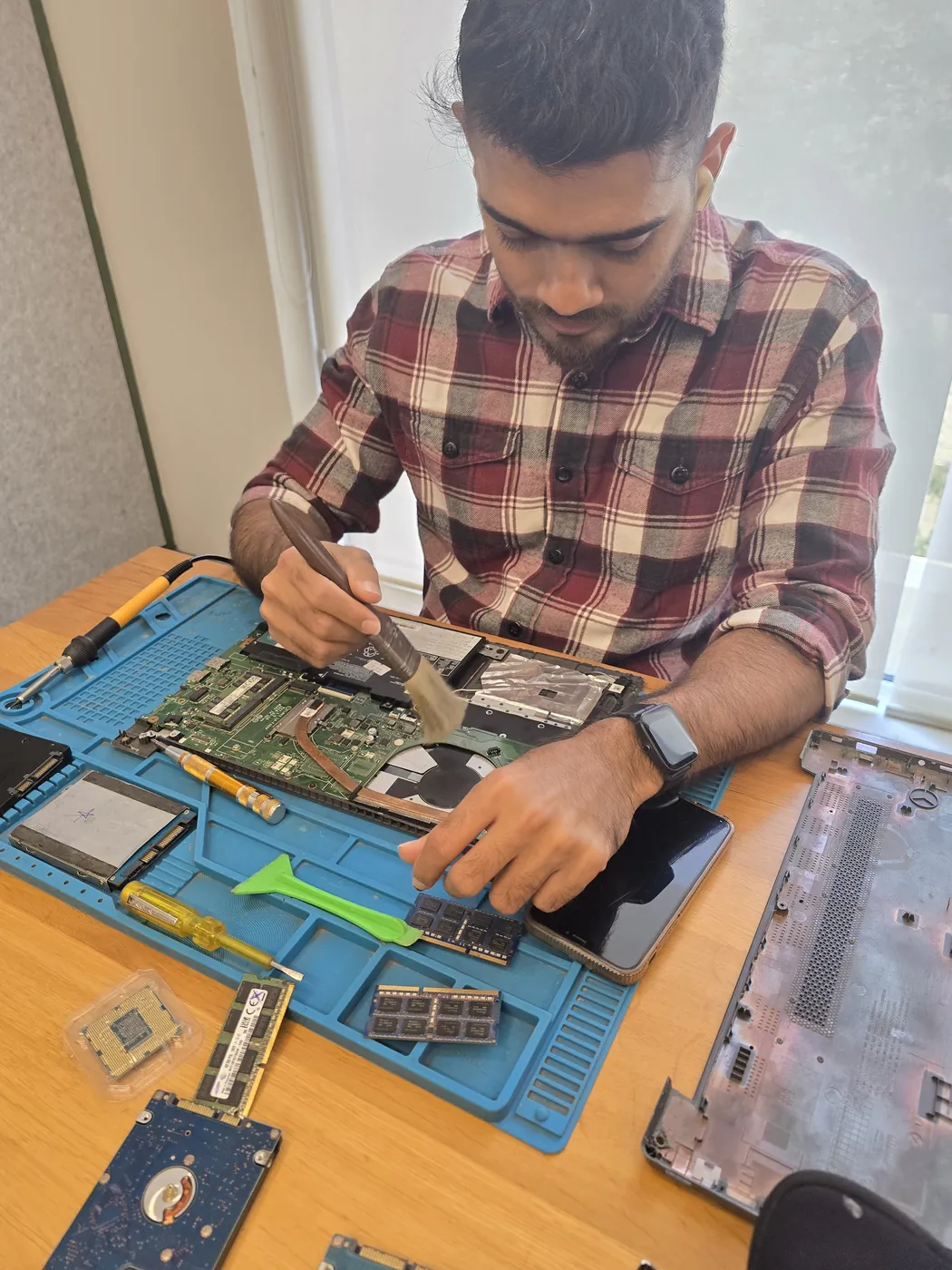
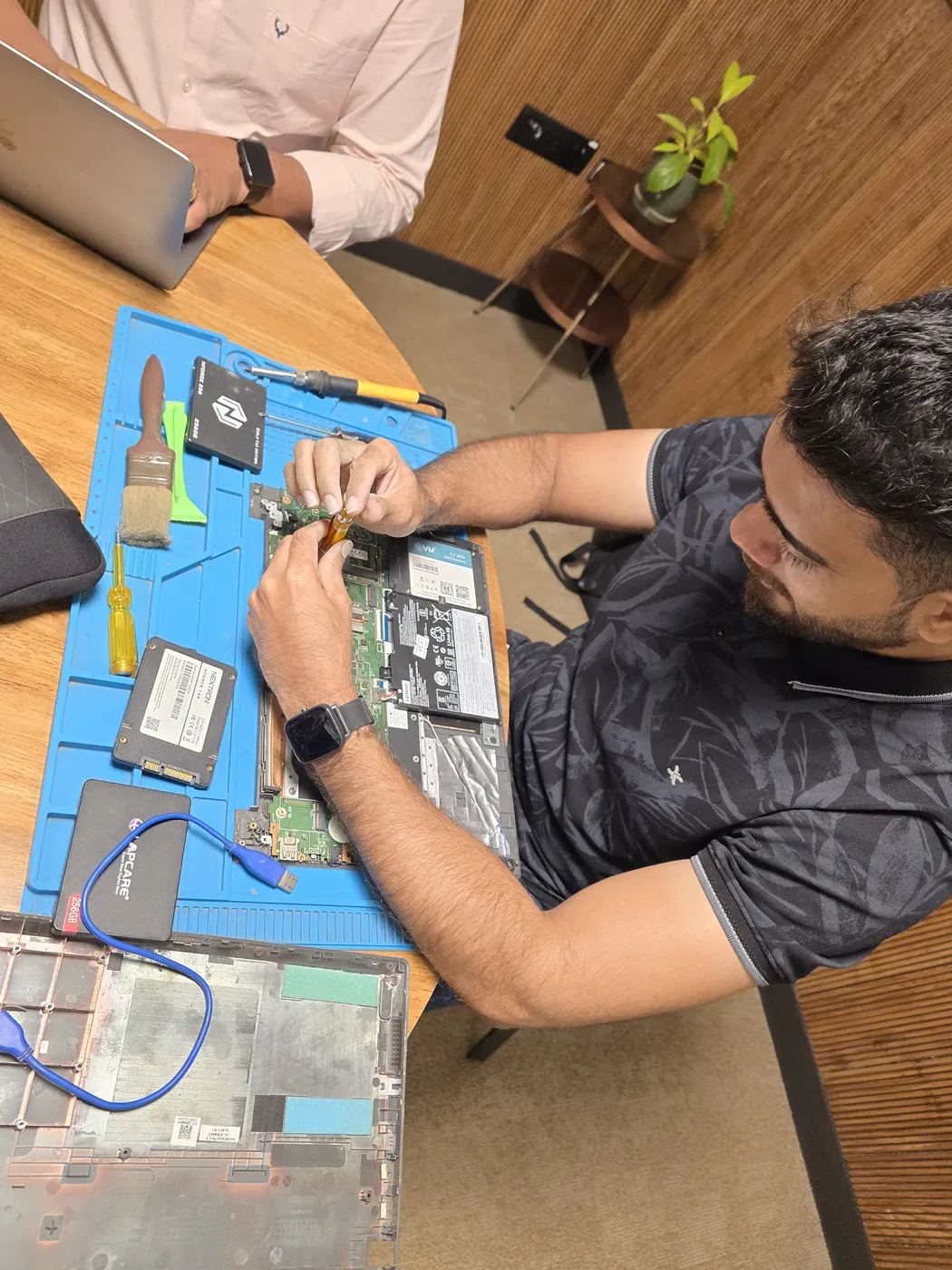
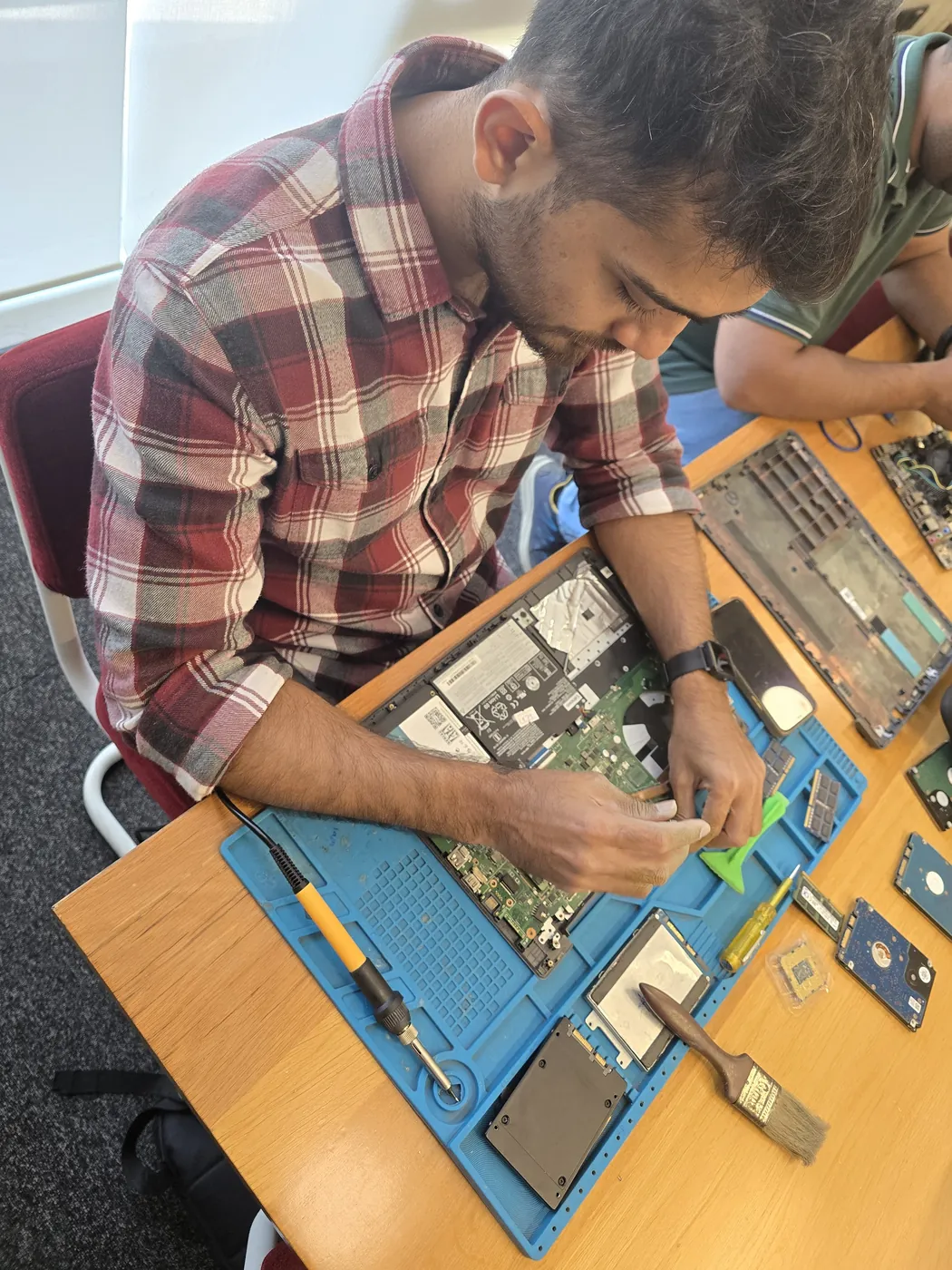
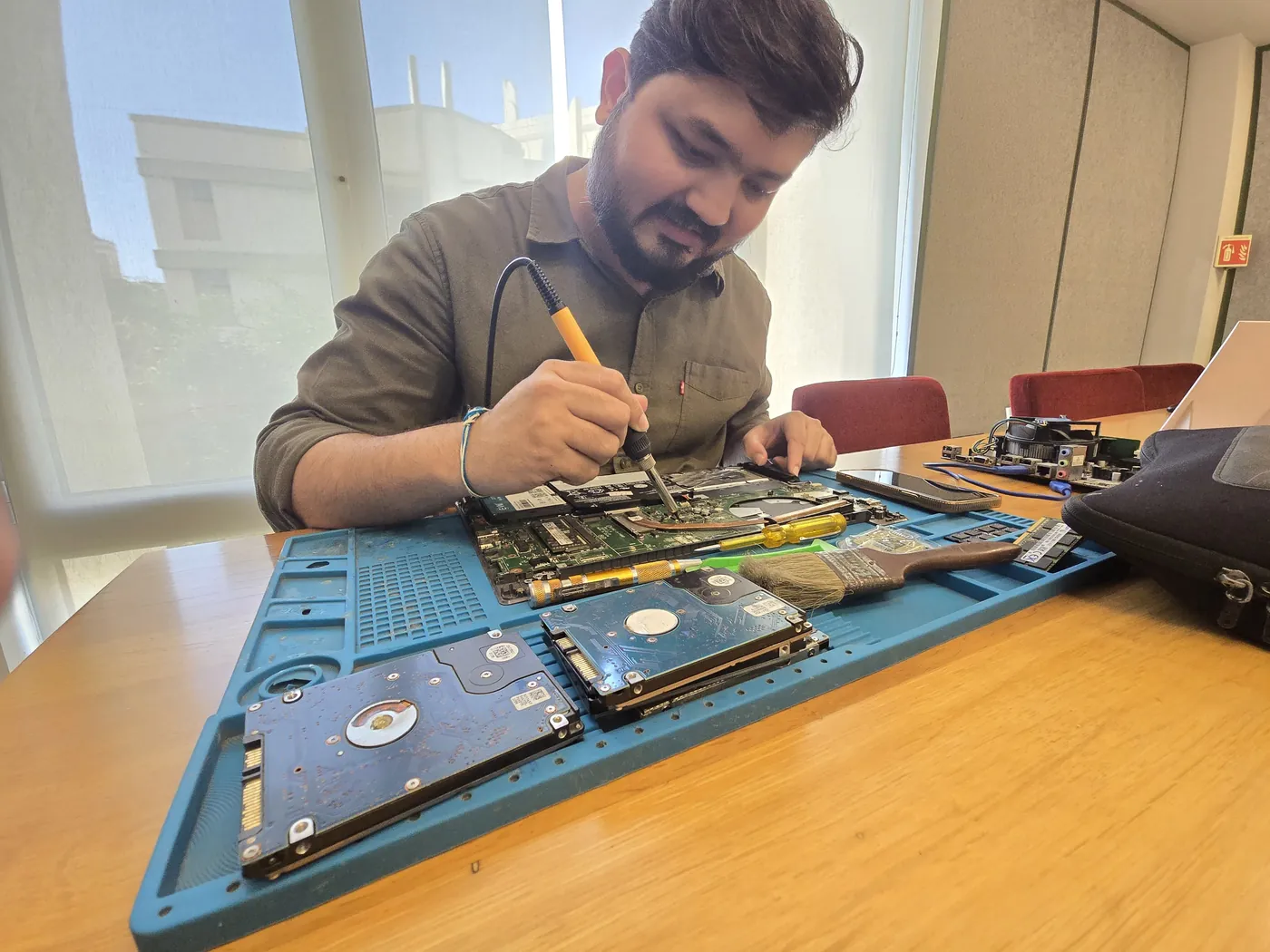
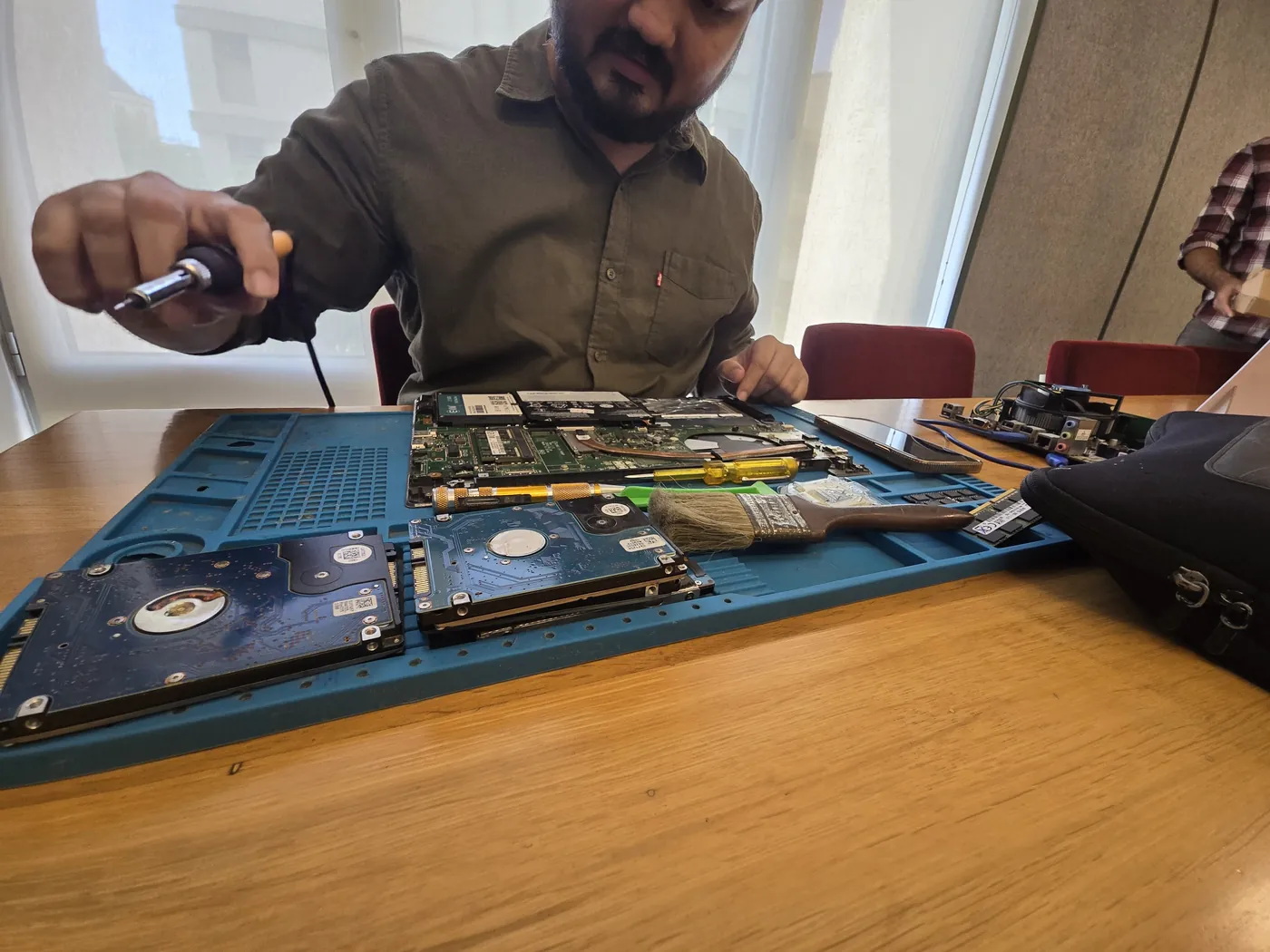


All photos are real photographs of the Xigox team at work.
Why Xigox?
Over 9,605+ reviewers across Mumbai trust Xigox for professional, transparent and affordable MacBook Laptop Fan Making Noise. Conveniently located near Subhash Road.
Including Sundays and public holidays. Weekend and evening slots in Bhayandar are usually the easiest to book.
Updates at collection, diagnosis, quote, completion and dispatch — and you reply straight to the technician handling your MacBook Laptop Fan Making Noise, not a helpline.
Technicians do not browse personal files during MacBook Laptop Fan Making Noise. If a procedure could touch stored data we tell you before, not after.
We repair at chip and board level where it is safe to do so, which is why MacBook Laptop Fan Making Noise here often costs a fraction of a full-module swap.
Every MacBook Laptop Fan Making Noise technician is trained in-house, and every job is tested before it goes back to you.
Only genuine or OEM-grade parts used for MacBook Laptop Fan Making Noise — zero aftermarket shortcuts, ever.
Who repairs your device
Laptop Fan Making Noise jobs are diagnosed and fixed by Xigox technicians, never handed on to another shop. Work that needs the repair bench is done at our workshop in Virar West.
Board-level faults are traced with a microscope, a multimeter and a soldering station before any part is replaced, and parts are fitted only after you approve the quote.
We don't open your personal files during a repair. When a job needs access to your data, such as data recovery or a Windows reinstall, we ask you first.
A transparent, step-by-step process from first contact to warranty-backed delivery
Call or WhatsApp +91 74997 61196. Tell us about the Laptop Fan Making Noise on your MacBook in Bhayandar — no technical jargon needed.
We dispatch an experienced technician to your Bhayandar address. Pickup is completely free — no travel, no waiting at a service centre.
Your MacBook is inspected by a specialist. We identify the root cause of Laptop Fan Making Noise and provide a transparent written quote — zero obligation.
Once you approve the quote, we fix Laptop Fan Making Noise using OEM-grade parts. No work starts without your explicit consent.
Every repaired MacBook passes a rigorous multi-point QA checklist. We verify Laptop Fan Making Noise is fully and permanently resolved before handover.
Your MacBook is returned to your Bhayandar address with a written 90-day warranty certificate. Same fault recurs? Fixed free.
Repair examples
HP
Pavilion Gaming
Acer
Aspire 5 A515
Technician's note
HDD was healthy — kept as secondary storage. Massive performance improvement.
Dell
Inspiron 15 5520
Technician's note
Used original Dell panel. Customer advised to use a laptop sleeve for protection.
Dell
Latitude 5430
Technician's note
Corporate laptop with heavy daily use. Battery had exceeded 800 charge cycles.
Lenovo
ThinkPad E14
Technician's note
Tea had corroded the membrane. Internal components were safe from further damage.
MacBook
Air M2
Technician's note
Water had not reached SSD — all data intact. Board-level repair saved customer from logic board replacement.
MacBook specifics
MacBooks are sealed, glued and board-integrated, so almost nothing is a plug-in swap. Repairs are component-level work on the logic board, not module replacement.
Because storage is soldered on T2 and Apple Silicon boards, we take a full image before any board work so nothing is lost if the SSD controller is affected.
We use OEM-grade and original-pull Apple components, and we tell you which one your quote covers before any work starts. Board-level repair keeps costs well below Apple's whole-unit replacement price.
Guides
Written by the Xigox workshop team — diagnostics, cost breakdowns and step-by-step fixes you can read before you book.
Complete Infinix laptop spare parts and repair price list for Mumbai 2026. Covers screen, motherboard, keyboar...
3 min read Repair ServicesXigox offers doorstep laptop repair across Mumbai, Thane and Palghar. A experienced technician visits your home...
3 min read Repair ServicesLaptop deep cleaning in Mumbai costs ₹399–₹999. It removes dust, replaces thermal paste, and can lower tempera...
3 min read Buy & SellWhat decides the offer for a used laptop, how Windows 11 eligibility affects value, how to wipe it safely and...
3 min readComparison
What you get with Xigox in Bhayandar, side by side.
| Feature | Xigox | Other shops |
|---|---|---|
| Experienced Technicians | Trained & Verified | Varies; ask who will work on the device |
| Genuine / OEM Parts | OEM-Quality Parts | Varies; ask which part will be fitted |
| 90-Day Warranty | Written Certificate | Varies; ask for the warranty in writing |
| Diagnosis / Inspection | ₹350, credited to the repair | Varies; ask what the diagnosis costs |
| Same-Day Turnaround | Bhayandar — Most Repairs | Varies; ask for a time in writing |
| Free Doorstep Pickup | Bhayandar — Free | Varies; ask whether pickup is free |
| Transparent Pricing | Written Quote First | Varies; ask for a written quote first |
| Live WhatsApp Updates | Real-time Repair Status | Varies; ask how you will get updates |
Xigox charges ₹350 for inspection — credited to your repair cost if you go ahead.
Customer reviews
4.9/5 · 9 reviews shown
← Swipe or tap dots to browse →
Watch & learn
Watch our diagnostic and repair process step by step

See how Xigox handles real customer repairs — fast diagnosis, transparent pricing and a 90-day warranty on every job.

A closer look at the Xigox team, our tools, and the repair process behind 9,605+ customer reviews across Mumbai MMR.

A tour of our ISO 9001:2015 certified workshop — laptop, desktop and computer repairs with genuine-grade parts and a 90-day warranty.

How the Xigox team handles laptop and computer repair, sales, service and data recovery across Mumbai, Thane & Palghar.
FAQ
Everything you need to know before booking
10 questions answered
Send us your question on WhatsApp or call — a technician will answer.
Facing Laptop Fan Making Noise on your MacBook in Bhayandar? Xigox provides professional MacBook Laptop Fan Making Noise repair in Bhayandar using genuine OEM-grade parts, with fully transparent pricing and a 90-day warranty on all work. Our technicians are trained on all major MacBook brands and have completed over 1,00,368 successful repairs since 2011.
Laptop Fan Making Noise on a MacBook rarely resolves itself and typically worsens with continued use. At Xigox, we perform a thorough ₹350 inspection (refunded if you proceed with repair) to identify the exact root cause before recommending any repair. You receive a clear written quote — zero obligation to proceed. Most MacBook Laptop Fan Making Noise repairs in Bhayandar are completed same-day within 2–4 hours.
Whether your MacBook is showing early signs or a severe manifestation of Laptop Fan Making Noise, our team provides fast, reliable solutions. Call, WhatsApp or book online — we respond within 15 minutes.
At Xigox, a well-reviewed choice for MacBook Laptop Fan Making Noise in Bhayandar. For more than ten years, we have delivered expert and transparent laptop and computer repair services across the entire Mumbai region — with more than 1,00,368 repairs completed to date.
Our Bhayandar-area technicians take care of the complete spectrum of MacBook Laptop Fan Making Noise needs — from everyday glitches to board-level faults including screen damage, failing batteries, motherboard issues, water damage, keyboard issues, storage upgrades and data recovery. Every repair is performed by a trained engineer using OEM-grade parts, with a 90-day warranty on all work.
We actively serve the entire 401101 postal area within Thane district, ensuring same-day response for every repair request. ₹350 inspection fee (refunded if you proceed with repair). Located near Subhash Road, our service coverage extends across Bhayandar and all surrounding localities. In addition to Bhayandar, we also provide doorstep repairs and free pickup for lab work for customers in Bhayandar West, Maxus Mall, Golden Nest and other nearby areas.
For part replacements (battery, keyboard, screen, SSD, RAM) — our technician visits you directly in Bhayandar. For complex board-level work, we provide free pickup and delivery anywhere in Bhayandar. Reach out via phone, WhatsApp or the booking form — our team usually replies in minutes.
Honest pricing is fundamental to how Xigox operates in Bhayandar. Our ₹350 inspection fee pays for a full diagnostic and is fully refunded if you proceed with the repair. You receive a complete written quote before any work begins. Our MacBook Laptop Fan Making Noise prices come from our published price list — with no hidden fees, ever.
Service Hours
Monday – Sunday · 9 AM – 9 PM
Open on all public holidays
Service Area
Bhayandar & surrounding Mumbai areas
Doorstep repairs + free pickup for lab work
Our Guarantee
90-day warranty on all repairs
Free re-repair if same fault recurs
Xigox resolves all common MacBook hardware and software issues in Bhayandar
Xigox fixes Laptop Fan Making Noise on laptops, desktops, all-in-ones, MacBooks and printers
Free pickup & drop across all these neighbourhoods
Free doorstep service in all these nearby areas
Our process
Rated 4.9★ by 9,605+ customers — our MacBook Laptop Fan Making Noise process in Bhayandar is built for speed, safety, and total convenience.
Step 1Step 1: Share Your MacBook Model & Issue Free
Call, WhatsApp, or book online. Tell our team your MacBook model (Air, Pro 13"/14"/16", iMac, Mac Mini) and the problem — cracked Retina screen, dead battery, keyboard failure, logic board fault, overheating, or macOS crash. We confirm repair capability and respond within minutes. Pickup also available for Bhayandar West, Maxus Mall and all nearby areas.
Step 2Step 2: Free Pickup — Apple-Safe Packaging
Our pickup agent arrives at your Bhayandar address with anti-static, padded MacBook packaging. No preparation needed. For minor software or keyboard issues, our technician visits your doorstep directly. Walk-in appointments are also available at our Virar West workshop. Customers near Navghar Road get free pickup within 2 hours of booking.
Step 3Step 3: Apple-Specialist Diagnosis
Our Mac-specialist engineers run Apple Diagnostics, check battery cycle health, inspect display colour accuracy (Retina / True Tone), test keyboard and trackpad response, and scan all USB-C, MagSafe, and Thunderbolt ports. ₹350 inspection fee applies (fully refunded if you proceed with repair). Written quote before any work begins. Our 4.9★ rating across 9,605+ reviews reflects our commitment to thorough quality assurance.
Step 4Step 4: MacBook Repair with OEM-Grade Apple Parts
We repair MacBook screens (Retina, Liquid Retina XDR), replace batteries, fix butterfly/scissor/Magic keyboards, repair logic boards at component level, and resolve liquid damage — using original-quality Apple-compatible parts. Most repairs completed same day or within 24 hours for complex logic board work. Pickup also available for Bhayandar West, Maxus Mall and all nearby areas.
Step 5Step 5: macOS Verification & Free Delivery with Warranty
After repair, every MacBook passes a macOS system check — boot time, battery calibration, display brightness/colour profile test, all keys and ports verified. Free delivery to your Bhayandar address. Every MacBook repair includes a 90-day written warranty covering parts and labour. Trusted by customers across Thane district — 4.9★ rated.
Don't wait — book your repair from Bhayandar today. Doorstep service for part replacements, free pickup for lab repairs. Same-day service available.
Explore more services
Same technicians · Free pickup · 90-day warranty across all services.
Expert Laptop Fan Making Noise repair · ₹350 inspection (refunded if you proceed with repair) · 90-day warranty
Serving Bhayandar and all of Mumbai MMR · Open 9 AM – 9 PM daily
Why waste time on aggregators? Get direct service without middleman markup with Xigox. A MacBook with keyboard or battery issues in Bhayandar isn't something every repair shop can fix. Apple's T2 chip requires specific diagnostic firmware. Xigox's Apple technicians use Apple-specific tools: the full Apple toolset. That's the standard Xigox holds for MacBook Laptop Fan Making Noise in Bhayandar — free doorstep pickup, a transparent quote in writing, genuine-grade parts, and a 90-day warranty once the MacBook Laptop Fan Making Noise is complete.
Uncertain about the issue with your MacBook? Prior to starting any job, Xigox performs a thorough diagnostic check. The ₹350 inspection fee, it is 100% refunded if you proceed with the repair. Our technicians in Bhayandar will show you the broken part in plain English so you can make an informed decision.
No matter the MacBook you own, Xigox handles this repair. Our technicians are brand-agnostic experts: MacBook Air, MacBook Pro, iMac, Mac mini and Mac Studio. Each brand has quirks in their assembly that our team knows well. Model-specific experience cuts diagnostic time and improves first-time fix rates.
Don't just take our word for it. Xigox has earned a 4.9-star rating from 9,605+ customer reviews from customers across Mumbai MMR. Customers frequently mention: no surprise charges, same-day completion, and OEM-grade replacements. What Bhayandar customers value most: "Same-day fix with genuine parts and clear communication throughout." Join the growing community of happy Xigox customers in Bhayandar.
A common question is whether an extended warranty applies to this repair. Xigox supports insurance claims and can provide the itemised bill your insurer needs — including parts cost, labour cost, and fault description. When manufacturer warranty has expired, our repair is almost always usually cheaper compared to the official service centre.
Arranging this job in Bhayandar is incredibly straightforward. Step 1, call or WhatsApp us at +91 74997 61196 to describe your issue. Next, our complimentary collection driver arrives at your Bhayandar doorstep within 1–2 hours. The team then carry out a thorough diagnostic (₹350, credited toward your repair). Once you agree, this job is executed with genuine parts — and your MacBook is returned to you. Most repairs done same day.
Businesses across Bhayandar trust our repair to maintain productivity. We offer AMC agreements, a priority response queue, and a single point of contact. From a small team or an entire floor, Xigox manages this repair for your Bhayandar workspace with GST invoices and complete service reports.
Wondering how fast Xigox can complete job in Bhayandar? Our standard process: First — call or WhatsApp +91 74997 61196 and our pickup technician reaches you within 2 hours. Then — ₹350 diagnostic pinpoints the issue. Step 3 — you approve the quote via WhatsApp — zero pressure. Step 4 — this job is done using OEM-grade components by our engineers, usually within 2–4 hours. Step 5 — your MacBook is delivered back to your Bhayandar address with a quality report.
Completing the repair is just the first step at Xigox. Before your MacBook is returned in Bhayandar, it undergoes a rigorous full-system inspection. We verify that your repair was executed flawlessly, testing screen calibration. This attention to detail is why our return rate is so low across Bhayandar.
Reliability matters for this job. That's why our technicians exclusively use original-specification parts for your MacBook. Rather than counterfeit components, we source from established suppliers. This helps your job last, backed by our written 90-day warranty.
Not all shops in Bhayandar has the skills for complex this repair. Our technicians work on MacBook hardware every day dealing with MacBook hardware. From basic part swaps to complex micro-soldering, we handle it all right here for Bhayandar clients.
Get it fixed properly in Bhayandar. We bring together trained specialists, genuine components, transparent ₹350 diagnostics, and a written 90-day warranty on every MacBook Laptop Fan Making Noise. Join the thousands in Bhayandar who trust us — call or WhatsApp +91 74997 61196 for doorstep convenience in Bhayandar.
Service area
Xigox provides macbook laptop fan making noise repair across Bhayandar (PIN 401101), in the Thane district of Mumbai. Our doorstep pickup and on-site service cover the entire Bhayandar area and the neighbourhoods around it.
Localities we cover in Bhayandar: Bhayandar West, Bhayandar East, Uttan, Mira Road, Golden Nest, Penkar Pada. Wherever you are in Bhayandar, we can collect your device from your door and bring it back after the repair.
Our technicians regularly serve homes, societies and offices around Maxus Mall and Bhayandar Station, and along Navghar Road and Subhash Road. If you're near any of these landmarks, same-day pickup for macbook laptop fan making noise repair is almost always available.
We also serve these nearby areas — tap your locality for local macbook laptop fan making noise repair:
4.9 from 9,605 customer reviews across all repairs · upfront pricing · 90-day warranty
Before you book: have your device model and a quick description of the issue ready — it speeds up your quote.
Not sure what's wrong?
Tell us what your device is doing — we'll point you to the right repair, with real pricing and next steps.
Nearest branch: Mira Road East
About 2.1 km from Bhayandar in a straight line. With free doorstep pickup you don't need to travel — call or WhatsApp before you visit.
Book a repair
₹350 inspection fee refunded if you proceed with repair · 90-day warranty
We'll call you within 1 hour to confirm your appointment and arrange doorstep pickup.
Inspection fee: ₹350
Device type *
Inspection fee: ₹350
Your details are used only to arrange this repair. By submitting, you agree to our Privacy Policy.