MSI · All-in-One Touchscreen Not Working · Shanti Nagar

MSI All-in-One PC
Touchscreen Not Working
in Shanti Nagar

Expert diagnosis & repair for All-in-One Touchscreen Not Working on your MSI device in Shanti Nagar. Free doorstep pickup, genuine parts & 90-day warranty.

✓ ₹350 Inspection (refunded if you proceed with repair) ✓ Free Doorstep Pickup ✓ Same-Day Repair ✓ 90-Day Warranty ✓ All MSI Models

Open 9 AM – 9 PM · 7 days · ₹350 inspection fee (refunded if you proceed with repair)

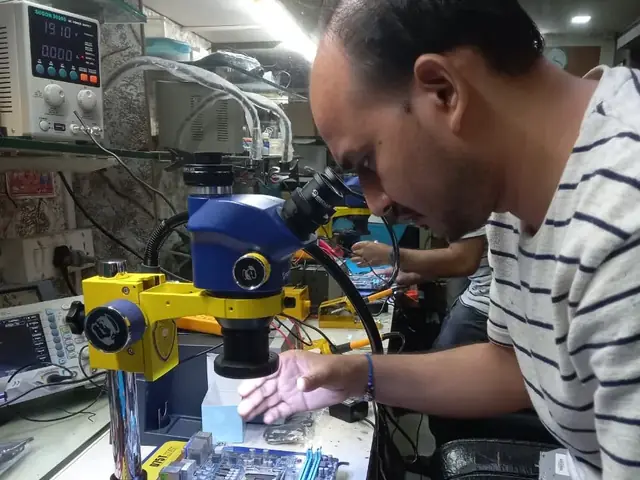
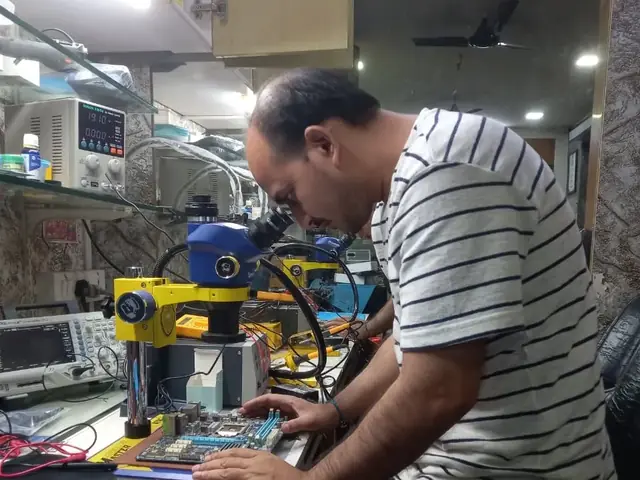
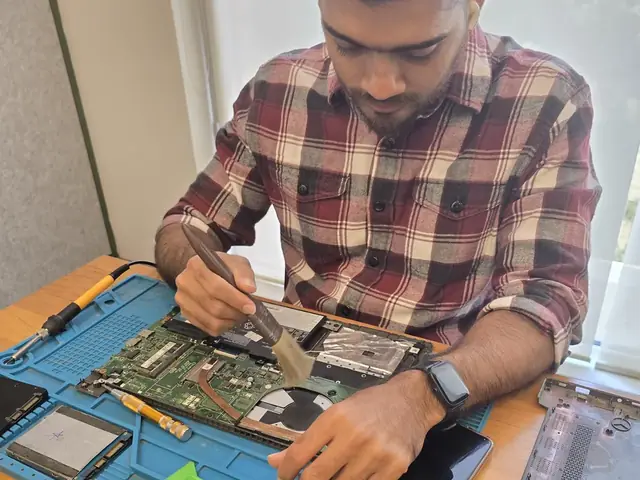
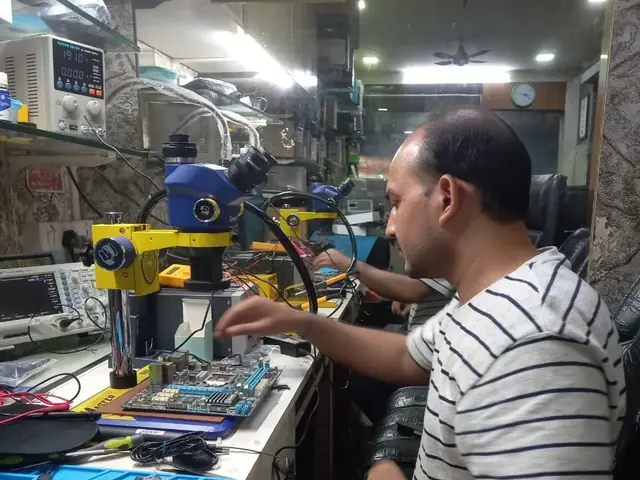
Technician inspecting a laptop motherboard under a microscope at the repair bench Technician inspecting a laptop motherboard under a microscope at the repair bench
Xigox technicians at the repair bench
Symptom Checker

Is Your MSI Device Showing These Signs?

Common symptoms of All-in-One Touchscreen Not Working on MSI devices. Recognise 2 or more? Book a ₹350 inspection (refunded if you proceed with repair) now.

Screen cracked, shattered or deeply scratched

Display flickering, showing lines, or goes blank

Touch response inaccurate or completely unresponsive

Dead pixels, discolouration or screen burn-in visible

Screen only functions at certain tilt angles

Display panel physically separated from the chassis

Don't Delay — All-in-One Touchscreen Not Working Gets Worse Over Time

Unaddressed hardware issues worsen and can lead to secondary damage, escalating repair costs significantly.

Book Inspection (₹350)
Root Cause Analysis

Why Does All-in-One Touchscreen Not Working Happen on MSI Devices?

Knowing the root cause ensures a precise repair — not just a temporary fix.

Physical Impact

Accidental drops, pressure or blunt force fracturing the display panel or digitiser layer.

Electrical Surge

Power spikes or incompatible chargers damaging the backlight driver or display IC.

Thermal Stress

Extreme temperature cycles causing LCD delamination or pixel degradation over time.

Manufacturing Defect

Factory-level quality issues in the display module, more common in older models.

What Will It Cost to Fix?

Repair cost for MSI All-in-One Touchscreen Not Working in Shanti Nagar depends on model and severity. We provide a free written estimate — no obligation.

Why Us?

Why Choose Xigox for MSI All-in-One PC Touchscreen Not Working in Shanti Nagar?

With 1,00,540+ successful repairs and a 4.9-star rating, Xigox is an independent MSI repair specialist serving Shanti Nagar. Conveniently located near Mira Road Station.

Free Pickup & Drop

Collection and return anywhere in Shanti Nagar at no charge for lab-based MSI work — we don't bill for convenience.

Transparent Pricing

₹350 inspection fee (refunded if you proceed). Written quote before any MSI All-in-One PC Touchscreen Not Working work begins.

No Fix, No Repair Fee

If we cannot resolve your MSI All-in-One PC Touchscreen Not Working issue, you pay nothing beyond the inspection fee.

Component-Level Repairs

We repair MSI hardware at chip and board level where it's safe to do so — often a fraction of a full-module swap.

Experienced Technicians

Our engineers work on MSI hardware regularly. Every repair is tested before return.

Genuine & OEM-Grade Parts

We use genuine MSI parts wherever available; otherwise OEM-compatible components.

Repairs Completed
1,00,540+
Since 2011
Average Rating
4.9 ★
9,605+ reviews
Repair Warranty
90 Days
Parts & labour
Avg Response
30 Min
For common issues
Pickup & Drop
Free
₹350 inspection fee
Est. Since
2011
15+ yrs in Thane

Who repairs your device

Repaired in-house by Xigox technicians

Your MSI is handled by Xigox technicians from start to finish. It is never handed on to another shop. Work that needs the repair bench is done at our workshop in Virar West.

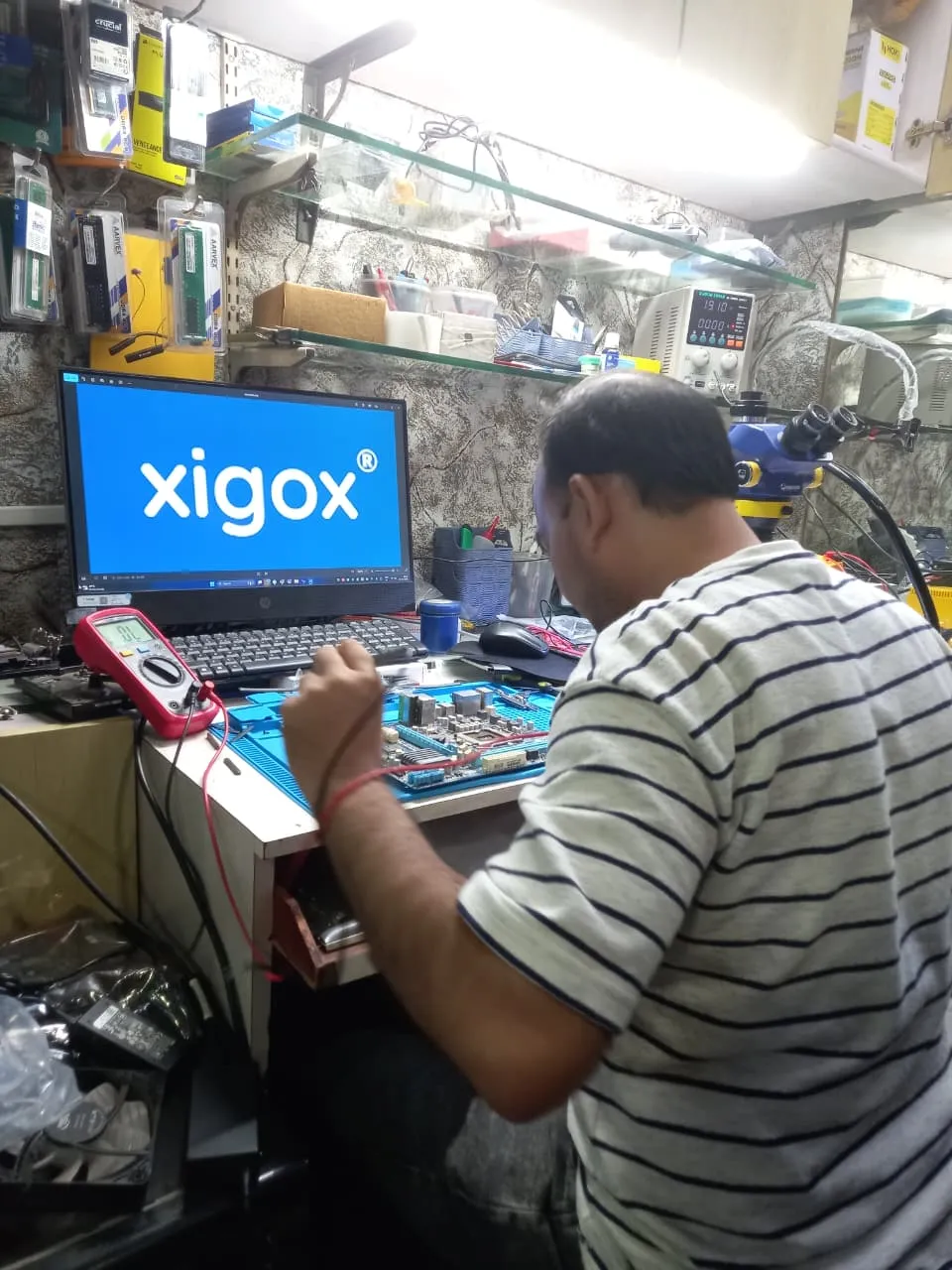
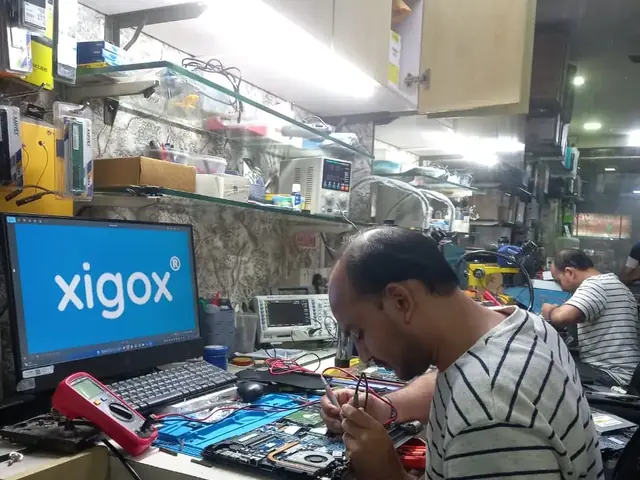
Board-level faults are traced with a microscope, a multimeter and a soldering station before any part is replaced, and parts are fitted only after you approve the quote.

We don't open your personal files during a repair. When a job needs access to your data, such as data recovery or a Windows reinstall, we ask you first.

  • Repaired in-house, not outsourced
  • Quote approved by you before work starts
  • Your files stay private
  • Microscope and board-level tools
  • Genuine or OEM-grade parts
  • 90-day warranty on repairs
Technician inspecting a laptop motherboard under a microscope at the repair bench Technician testing a laptop mainboard with a multimeter beside a Xigox-branded monitor Technician brushing dust off an opened laptop motherboard with a cleaning brush Technician inspecting a laptop motherboard under a microscope at the repair bench
Xigox technicians at the repair bench.
Our Process

How We Fix MSI All-in-One Touchscreen Not Working

Step-by-step from booking to delivery — complete transparency, no surprises

Tell Us the Problem

Call, WhatsApp or book online. Tell us about the All-in-One Touchscreen Not Working on your MSI all-in-one PC in Shanti Nagar. No technical expertise needed.

Free Pickup & Drop

We pick up your MSI all-in-one PC from your Shanti Nagar address at no transport cost. Bring it to us or we come to you.

₹350 Inspection

A MSI specialist examines your all-in-one PC and identifies the exact root cause of the All-in-One Touchscreen Not Working. Full written report provided — ₹350 fee refunded if you proceed with repair.

Transparent Quote

We share a detailed repair quote. Work begins only after your explicit approval — no hidden charges, no surprises.

Professional Repair

Our engineers fix the All-in-One Touchscreen Not Working using OEM-grade MSI parts. A multi-point quality checklist is completed before your all-in-one PC is returned.

90-Day Warranty + Delivery

Your MSI all-in-one PC is returned to your Shanti Nagar address with a written 90-day warranty. Same fault recurs? We fix it free of charge.

Customer reviews

What Customers Say About MSI All-in-One Touchscreen Not Working in Shanti Nagar

4.9/5 · 12 reviews shown

See all 9,605+ reviews

MSI Modern AM242 AIO — Display Fix

“Display on my MSI Modern AM242 AIO developed a large dark spot covering a quarter of the screen. Xigox Santacruz carefully replaced the integrated IPS panel and calibrated colours professionally. Flawless display with uniform brightness now.”
U Umesh Kamat Boisar East · 13 Jul 2024 27

MSI PRO AP242 AIO — Logic Board Fix

“My MSI PRO AP242 AIO stopped powering on after a voltage fluctuation. Xigox Thane did chip-level repair on the power regulation circuit instead of full board replacement. Saved me thousands. Working perfectly for two months now.”
P Prarthana Behere Boisar West · 16 Nov 2025 4

MSI Modern AM242 AIO — Fan Noise Fix

“Fans on my MSI Modern AM242 AIO were running at maximum speed constantly creating unbearable noise. Xigox Bhayandar replaced the internal fan assembly and cleaned all heatsinks. Whisper-quiet operation restored even during intensive tasks.”
K Kavita Desai Manor Road Palghar · 12 Jul 2025 37

MSI Modern AM242 AIO — Overheating Fix

“My MSI Modern AM242 AIO was overheating badly in the compact chassis causing random shutdowns. Xigox Dadar cleaned all dust, replaced thermal compound, and improved internal airflow. Runs cool and stable now even under heavy load.”
J Jayant Yadav Atgaon · 6 Dec 2024 9

MSI Modern AM242 AIO — Webcam Fix

“Built-in webcam on my MSI Modern AM242 AIO showed only a black screen during meetings. Xigox Goregaon replaced the tiny camera module inside the bezel without damaging the screen. Clear video quality restored. Delicate, precise work.”
S Shreyas Talpade Vangaon · 23 Apr 2025 29

MSI PRO AP242 AIO — Logic Board Fix

“My MSI PRO AP242 AIO stopped powering on after a voltage fluctuation. Xigox Borivali did chip-level repair on the power regulation circuit instead of full board replacement. Saved me thousands. Working perfectly for two months now.”
D Deepak Singh Bordi · 7 Apr 2026 39
Page 1 / 2

← Swipe or tap dots to browse →

Repair examples

Recently Repaired All-in-One PCs

View All Recent Repairs

Lenovo

IdeaCentre AIO 3 24

Fixed
Issue
Screen completely dark but faint image visible under flashlight. System running fine — audio and USB all working.
Solution
Diagnosed failed LED backlight driver board. Replaced driver IC and tested backlight uniformity across all zones. Full brightness restored.

Technician's note

Backlight driver MOSFET shorted due to power surge. Recommended surge protector for prevention.

Thane West 2 Hours
  • Lenovo
  • All-in-One
  • Backlight

ASUS

Zen AiO 24 M5401

Fixed
Issue
AIO running extremely hot. Fan constantly at full speed. Performance throttling during normal use.
Solution
Disassembled AIO. Cleaned dust-clogged fan and heatsink. Applied premium thermal paste. Temps dropped 20\u00b0C.

Technician's note

AIO was 3 years old and never serviced. Recommended annual cleaning for slim AIO form factors.

Dadar West 1 Hour
  • Overheating
  • ASUS
  • AIO

HP

Pavilion 24-ca AIO

Fixed
Issue
All-in-One painfully slow with original 1TB HDD. Boot time over 3 minutes. Apps freezing constantly.
Solution
Installed 512GB NVMe SSD. Cloned OS and data from old HDD. Boot time reduced to 9 seconds.

Technician's note

HP AIO has accessible M.2 slot behind rear panel. HDD kept as secondary storage.

Bandra East 1.5 Hours
  • SSD
  • HP
  • AIO

iMac

27 5K 2020

Fixed
Issue
iMac 27 came with 256GB SSD — always full. Customer needs 1TB for video editing projects.
Solution
Removed display, upgraded SSD to 1TB NVMe. Migrated macOS and all data. Resealed display with new adhesive.

Technician's note

iMac 27-inch is the last model with user-upgradable RAM. SSD requires display removal.

Thane West 3 Hours
  • SSD
  • iMac 27
  • Storage

Apple

iMac 27-inch (2019)

Fixed
Issue
iMac extremely slow — taking 5 minutes to boot. Fusion Drive HDD component failing with reallocated sectors.
Solution
Removed failing Fusion Drive. Installed 1TB NVMe SSD via PCIe adapter. Cloned macOS Ventura with all data intact. Applied fresh thermal past...

Technician's note

SMART data showed 847 reallocated sectors on MQ01ABD100 HDD. New SSD benchmarks 2,800 MB/s read. Boot time now 12 seconds.

Bandra West 3.5 Hours
  • iMac
  • SSD Upgrade
  • Fusion Drive

iMac

24-inch M1

Fixed
Issue
Startup disk full, running very slow. Kernel panics.
Solution
Upgraded SSD to 1TB. Migrated data. Optimized macOS.
Dadar West 3 Hours
  • Storage
  • iMac
  • Upgrade

FAQ

FAQs — MSI All-in-One Touchscreen Not Working in Shanti Nagar

Everything you need to know before booking your inspection

10 questions answered

Yes — Xigox specialises in MSI All-in-One Touchscreen Not Working across Shanti Nagar. Our experienced technicians diagnose and fix the problem efficiently, using OEM-quality parts and backed by a 90-day warranty. Free doorstep pickup is available in Shanti Nagar — call or WhatsApp +91 74997 61196. Trusted by customers throughout Thane — rated 4.9★ across 9,605+ reviews.
Most MSI All-in-One Touchscreen Not Working issues in Shanti Nagar are resolved the same day — typically within 2–4 hours of pickup. We provide an accurate time estimate during the ₹350 inspection (refunded if you proceed with repair) so you're never left guessing. We've been serving Thane district for over 15 years.
Common causes of MSI All-in-One Touchscreen Not Working include physical impact, wear and tear, manufacturing defects, water damage, overheating, or software conflicts. Xigox technicians perform a thorough diagnosis to identify the root cause and fix it permanently rather than applying a temporary patch. We also serve Naya Nagar, Mira Bhayandar, Hatkesh Society, so you can recommend us to neighbours too.
Every repair at Xigox — including MSI All-in-One Touchscreen Not Working fixes — is covered by a 90-day warranty. If the same problem recurs within 90 days, we repair it free of charge. Our warranty is provided in writing and applies to all repairs across Shanti Nagar and Mumbai MMR. Customers near Mira Road Station in Shanti Nagar are covered by our free pickup.
The cost to fix MSI All-in-One Touchscreen Not Working in Shanti Nagar varies by all-in-one PC model and severity. Xigox charges ₹350 for inspection — refunded if you proceed with the repair. A transparent written quote before any work begins. You're never charged until you approve the repair — no hidden fees, ever. We also serve Naya Nagar, Mira Bhayandar, Hatkesh Society, so you can recommend us to neighbours too.
Xigox repairs MSI All-in-One Touchscreen Not Working on Apple, HP, Dell, Lenovo, Asus, Acer, MSI, Microsoft and Samsung, and more. Our engineers are trained on brand-specific procedures and we stock genuine-grade parts for the most common models, so most repairs in Shanti Nagar are completed the same day. Customers across Shanti Nagar (401107) enjoy priority same-day scheduling.
It depends on the age and value of the all-in-one PC. As a rule, if the repair costs less than a third of a comparable replacement and the rest of the hardware is healthy, repairing is worth it. After the inspection we tell you the honest repair cost and what a replacement would run, so the comparison is yours to make — we do not push a repair that is not worth doing. Customers near Mira Road Station in Shanti Nagar are covered by our free pickup.
No. For any all-in-one PC that still powers on we take a full backup before touching the hardware, and for units that do not, we attempt recovery before repair. Your data is never accessed beyond what the repair requires, and nothing is copied off-site. Our service covers the full 401107 postal area in Shanti Nagar.
For part replacements our technician works at your address in Shanti Nagar. MSI All-in-One Touchscreen Not Working that traces back to the board needs microscope and hot-air rework, so that job comes to the lab — with free pickup and drop either way. We tell you which category yours is before you commit. Free pickup also available in Naya Nagar, Mira Bhayandar, Hatkesh Society and surrounding areas.
You bring it straight back. The same fault inside 90 days is covered under warranty — no second inspection fee, no diagnostic charge, no argument. The cover is there in writing so you do not have to just take our word for it. Customers near Mira Road Station in Shanti Nagar are covered by our free pickup.

Still have questions?

Send us your question on WhatsApp or call — a technician will answer.

MSI All-in-One PC Repair in Shanti Nagar — Xigox

Xigox is Shanti Nagar's leading independent specialist for MSI All-in-One PC repair. Our engineers are not generalists — they undergo dedicated training on MSI hardware, firmware and diagnostics. Since 2011, we have completed over 1,00,000+ repairs across all MSI product lines, earning a 4.9-star average customer rating.

Every MSI component we fit is OEM-grade and batch-tested before it goes into your All-in-One PC — no aftermarket substitutes, no recycled pulls sold as new. You see the part cost and the labour cost separately on the estimate before we start, and the ₹350 inspection comes off the bill if you go ahead.

We actively serve the entire 401107 postal area within Thane district, ensuring same-day response for every repair request. ₹350 inspection fee (refunded if you proceed with repair). Located near Mira Road Station, our service coverage extends across Shanti Nagar and all surrounding localities. In addition to Shanti Nagar, we also provide doorstep repairs and free pickup for lab work for customers in Naya Nagar, Mira Bhayandar, Hatkesh Society and other nearby areas.

Doorstep part replacement (battery, keyboard, screen, SSD, RAM) is available across Shanti Nagar. For chip-level and motherboard repairs, we provide free pickup and drop — confirming within 15 minutes of your booking. Most common faults are resolved same-day. For complex repairs, we provide a realistic timeline and keep you updated throughout.

Every MSI repair at Xigox is covered by a 90-day warranty on all parts and labour. If the same fault recurs within the warranty period, we fix it at no charge. Our after-repair WhatsApp support means we are always available to answer questions about your MSI All-in-One PC.

Service Hours

Monday – Sunday · 9 AM – 9 PM

Open on all public holidays

Service Area

Shanti Nagar & surrounding Mumbai areas

Doorstep repairs + free pickup for lab work

Contact Us

+91 74997 61196

info@xigox.com

Our Guarantee

90-day warranty on all repairs

Free re-repair if same fault recurs

Product lines

MSI Series We Cover for All-in-One Touchscreen Not Working repair in Shanti Nagar

Our bench covers 9 distinct MSI series. That matters for All-in-One Touchscreen Not Working repair, because a Creator and a GF are stripped down very differently. We regularly take in Creator, GF, Katana and MAG, along with MEG, Modern, Prestige and Raider units for All-in-One Touchscreen Not Working repair in Shanti Nagar. Specific MSI models on our current service list include MSI Modern AM242 AIO and MSI PRO AP242 AIO. If your MSI model is not listed, it is almost certainly still covered — send us the model number on the base sticker and we will confirm parts availability before you book.

  • Creator
  • GF
  • Katana
  • MAG
  • MEG
  • Modern
  • Prestige
  • Raider
  • Stealth

MSI Modern

The MSI Modern AM242 AIO is part of MSI's Modern all-in-one line — mainstream home/office AIOs with a clean, minimal design aesthetic.

MSI Modern AM242 AIO

MSI PRO AP242 AIO

The MSI PRO AP242 AIO is part of MSI's PRO all-in-one line — business and productivity-focused AIOs built for office use rather than gaming.

MSI PRO AP242 AIO

All-in-One Touchscreen Not Working Repair for All MSI Models in Shanti Nagar

Select your specific MSI model for a more targeted diagnosis page

All-in-One Touchscreen Not Working Repair for Other Brands in Shanti Nagar

We fix All-in-One Touchscreen Not Working across all major laptop and computer brands with the same quality and warranty

Areas, Roads & Landmarks We Cover in Shanti Nagar

Free pickup & drop across all these neighbourhoods

Localities & neighbourhoods

  • Shanti Nagar
  • Mira Road East
  • Kashimira

Roads & highways

  • Shanti Nagar Road
  • LT Road
  • Mira Bhayander Road

Landmarks & famous places

  • Mira Road Station
  • Jangid Complex
  • Shri Ganesh Temple Mira Road

MSI All-in-One Touchscreen Not Working Repair — All Locations

Explore more services

More Repair & Tech Services Near Shanti Nagar

Same technicians · Free pickup · 90-day warranty across all services.

₹350 Inspection (refunded if you proceed with repair) · 1,00,000+ Repairs · 4.9 ★ · 90-Day Warranty

Fix Your MSI Device's
All-in-One Touchscreen Not Working Today

₹350 Inspection (refunded if you proceed with repair) · Expert repair for All-in-One Touchscreen Not Working · 90-day warranty

Serving Shanti Nagar and all of Mumbai MMR · Open 9 AM – 9 PM daily

Comparison

Xigox vs Other MSI All-in-One Touchscreen Not Working Shops in Shanti Nagar

What you get with Xigox in Shanti Nagar, side by side.

FeatureXigoxOther shops
Experienced Technicians Trained & VerifiedVaries; ask who will work on the device
Genuine / OEM Parts OEM-Quality PartsVaries; ask which part will be fitted
90-Day Warranty Written CertificateVaries; ask for the warranty in writing
Diagnosis / Inspection ₹350, credited to the repairVaries; ask what the diagnosis costs
Same-Day Turnaround Shanti Nagar — Most RepairsVaries; ask for a time in writing
Free Doorstep Pickup Shanti Nagar — FreeVaries; ask whether pickup is free
Transparent Pricing Written Quote FirstVaries; ask for a written quote first
Live WhatsApp Updates Real-time Repair StatusVaries; ask how you will get updates

Xigox charges ₹350 for inspection — credited to your repair cost if you go ahead.

MSI All-in-One Touchscreen Not Working Repair in Shanti Nagar — Professional, Reliable, and Affordable

Don't waste time on booking portals. Reach the engineers directly with Xigox. Laptop screen repairs are our most-requested service in Shanti Nagar — our technicians complete over 50 panel replacements monthly for MSI owners across Mumbai. From a IPS bleed zone, Xigox diagnoses the root cause before ordering any part — MSI All-in-One Touchscreen Not Working Repair in Shanti Nagar is priced transparently from the first minute.

Free Logistics across Shanti Nagar

Navigating traffic in Shanti Nagar is stressful. To solve this, Xigox offers a no-hassle doorstep logistics service for this repair. Just drop your pin, and our secure courier will collect your MSI directly from you. Once the repair is finished, we safely return it in protective packaging. Enjoy total convenience without leaving your desk.

Written Warranty Protection for MSI All-in-One Touchscreen Not Working Repair

Every job performed by Xigox in Shanti Nagar comes with a documented 90-day warranty covering parts and labour. Simply put, if the same issue recurs within 90 days, we redo it completely free. Xigox issues a printed warranty receipt every single time, so you know exactly what is covered.

Choosing Xigox for MSI All-in-One Touchscreen Not Working Repair in Shanti Nagar

There are many repair shops in Shanti Nagar, however, Xigox stands out for this repair. We believe in complete transparency. Each repair begins with a thorough diagnostic inspection for ₹350, which is fully refunded if you proceed. No surprise fees — only expert repair in Shanti Nagar.

Same-Day MSI All-in-One Touchscreen Not Working Repair — How It Works

Curious how quickly Xigox can complete job in Shanti Nagar? Here's our typical timeline: Step 1 — message us and our pickup technician reaches you within 2 hours. Step 2 — our inspection identifies the exact fault. Next — you give the go-ahead via WhatsApp — completely your decision. Finally — this job is executed using genuine parts at our Virar West workshop, often same day. Then — we return it to your Shanti Nagar address fully tested.

Our MSI All-in-One Touchscreen Not Working Repair Process in Shanti Nagar

Getting your MSI fixed in Shanti Nagar is incredibly straightforward. Step 1, call or WhatsApp us at +91 74997 61196 to describe your issue. Next, our complimentary collection driver arrives at your Shanti Nagar doorstep within 1–2 hours. The team then carry out a thorough diagnostic (₹350, credited toward your repair). Once you agree, this repair is executed with genuine parts — and your MSI is returned to you. Most repairs done same day.

What Shanti Nagar Customers Say About MSI All-in-One Touchscreen Not Working Repair

Numbers speak louder. Xigox maintains a 4.9-star rating from 9,605+ customer reviews from customers across Mumbai MMR. Common praise includes: no surprise charges, fast turnaround, and genuine parts. What Shanti Nagar customers value most: "Same-day fix with genuine parts and clear communication throughout." Become part of the growing community of satisfied Xigox customers in Shanti Nagar.

Safe & Secure MSI All-in-One Touchscreen Not Working Repair

Your private information is fully protected during your repair. Residents across Shanti Nagar rely on Xigox because we follow strict data privacy protocols. During the repair, your photos, emails, and passwords are completely secure. In cases where OS reinstallation is required, we will always inform you first.

Premium Protection MSI All-in-One Touchscreen Not Working Repair Options

Many Shanti Nagar customers wonder whether an extended warranty applies to this job. Xigox supports insurance claims and can provide the itemised bill your insurer needs — including parts cost, labour cost, and fault description. When manufacturer warranty has expired, third-party job is typically usually cheaper compared to the official service centre.

Fast & Easy MSI All-in-One Touchscreen Not Working Repair in Shanti Nagar

We know you can't stay disconnected in Shanti Nagar. We plan this repair for maximum convenience. For most issues, our technicians finish the repair within hours. We arrange secure collection from your Shanti Nagar home or office, execute the repair using precision tools, and deliver it back to you.

Any MSI, Any Brand in Shanti Nagar

Your MSI model doesn't limit what we can fix. Our technicians are brand-agnostic experts: HP, Dell, Lenovo, Asus, Acer, MSI, Toshiba, Samsung and Apple MacBook. Each brand has quirks in their assembly that our team knows well. Model-specific experience cuts diagnostic time and improves first-time fix rates.

Stop letting your broken MSI disrupt your workflow in Shanti Nagar. Contact Xigox today for your MSI All-in-One Touchscreen Not Working Repair. Backed by our written parts and labour warranty and transparent pricing, you have nothing to lose. Book your doorstep technician in Shanti Nagar via WhatsApp.

Service area

MSI All-in-One Touchscreen Not Working Repair in Shanti Nagar — Service Area & Coverage

Xigox provides msi all-in-one touchscreen not working repair across Shanti Nagar (PIN 401107), in the Thane district of Mira Road. Our doorstep pickup and on-site service cover the entire Shanti Nagar area and the neighbourhoods around it.

Localities we cover in Shanti Nagar: Mira Road East, Kashimira. Wherever you are in Shanti Nagar, we can collect your device from your door and bring it back after the repair.

Our technicians regularly serve homes, societies and offices around Mira Road Station, Jangid Complex and Shri Ganesh Temple Mira Road, and along Shanti Nagar Road, LT Road and Mira Bhayander Road. If you're near any of these landmarks, same-day pickup for msi all-in-one touchscreen not working repair is almost always available.

MSI All-in-One Touchscreen Not Working Repair near Shanti Nagar

We also serve these nearby areas — tap your locality for local msi all-in-one touchscreen not working repair:

MSI All-in-One Touchscreen Not Working Repair price in Shanti Nagar — know it before you book

  1. 1Pick your device & issue
  2. 2See the real price range
  3. 3Free doorstep pickup in Shanti Nagar

4.9 from 9,605 customer reviews across all repairs · upfront pricing · 90-day warranty

Before you book: have your device model and a quick description of the issue ready — it speeds up your quote.

Nearest branch: Mira Road East

About 1.4 km from Shanti Nagar in a straight line. With free doorstep pickup you don't need to travel — call or WhatsApp before you visit.

Book a repair

MSI All-in-One Touchscreen Not Working Repair — Book Now

Free pickup · Genuine parts · 90-day warranty

Booking received

We'll call you within 1 hour to confirm your appointment and arrange doorstep pickup.

Inspection fee: ₹350

  • Credited to your total repair cost if you go ahead.
  • Still applies if the device can't be repaired or you decline the repair.

+91

Device type *

Inspection fee: ₹350

  • If you go ahead with the repair, the ₹350 is credited to your total repair cost.
  • If the device can't be repaired or you decide not to continue, the ₹350 inspection fee still applies.

Your details are used only to arrange this repair. By submitting, you agree to our Privacy Policy.

Call WhatsApp