Samsung Desktop DM500TFA
Computer Workstation SSD Upgrade
Near Me
Looking for Computer Workstation SSD Upgrade for your Samsung Desktop DM500TFA near you? Xigox provides free doorstep pickup within 2 hours — experienced technicians, OEM parts & 90-day warranty.
Open 9 AM – 9 PM · 7 days a week
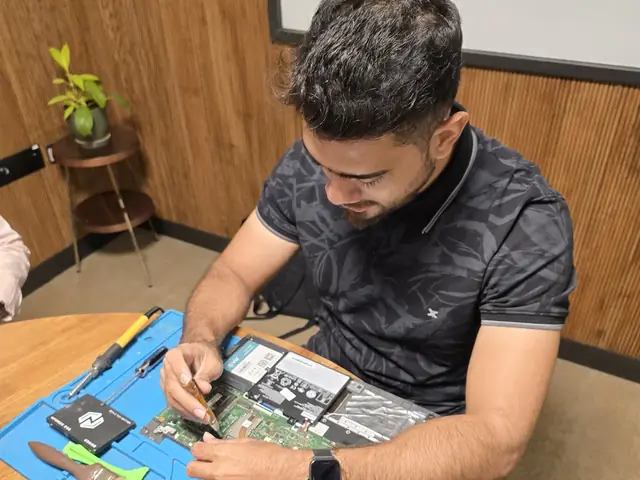
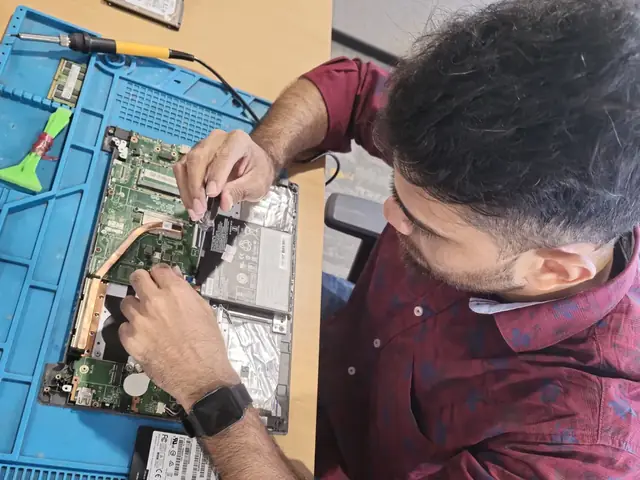
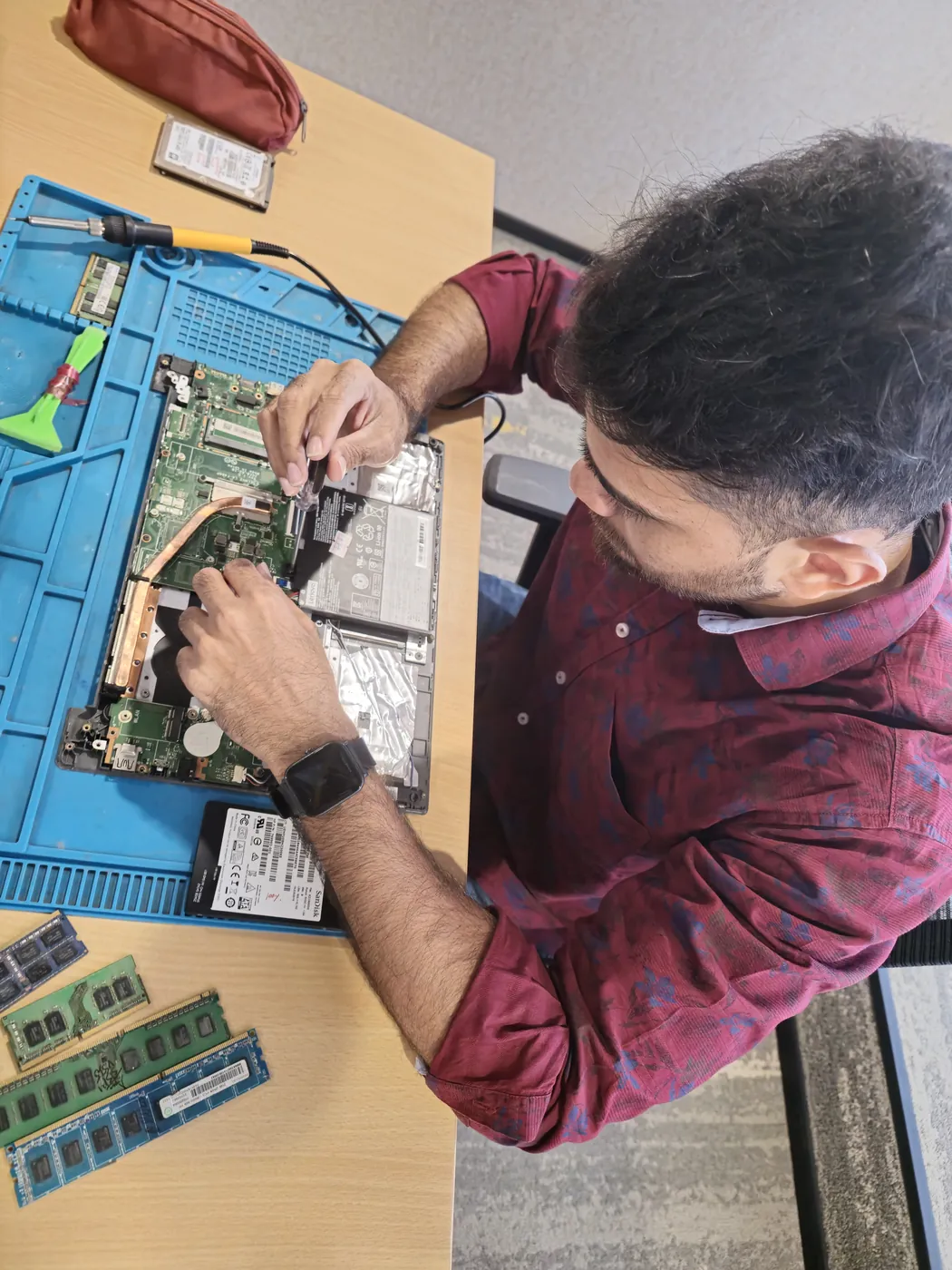
How Samsung Desktop DM500TFA Computer Workstation SSD Upgrade Works — Near You
From booking to delivery — simple, fast, transparent
Call or WhatsApp
Contact us — we'll confirm availability and give you a price estimate for your Samsung Desktop DM500TFA.
Free Doorstep Pickup
Our technician arrives at your location within 2 hours. No travel needed.
Expert Repair
Experienced team fixes your laptop or computer using OEM-quality parts. Most repairs done same-day.
Delivered Back
Laptop delivered to your doorstep, tested & quality-checked. 90-day warranty starts.
Samsung Desktop DM500TFA Computer Workstation SSD Upgrade — Price List
Transparent pricing · No hidden charges · Pay only after approval
| Issue / Component | Repair Price | Warranty |
|---|---|---|
| 256GB SSD Upgrade | ₹3,499 - ₹4,999 | 90 Days |
| 512GB SSD Upgrade | ₹4,999 - ₹7,499 | 90 Days |
| 1TB SSD Upgrade | ₹8,499 - ₹12,999 | 90 Days |
| 2TB SSD Upgrade | ₹15,999 - ₹22,999 | 90 Days |
Customer reviews
What Customers Say About Laptop & Computer Repairs in Mumbai
4.9/5 · 10 reviews shown
← Swipe or tap dots to browse →
FAQ
FAQs — Samsung Desktop DM500TFA Computer Workstation SSD Upgrade Near Me
Quick answers about our doorstep repair service
10 questions answered
Still have questions?
Send us your question on WhatsApp or call — a technician will answer.
Watch & learn
See Our Repair Process in Action
Repair videos from our Virar West workshop
Xigox Laptop & Computer Repair — Real Customer Experience
See how Xigox handles real customer repairs — fast diagnosis, transparent pricing and a 90-day warranty on every job.

Xigox Service Centre — Mumbai's Trusted Repair Experts
A closer look at the Xigox team, our tools, and the repair process behind 9,605+ customer reviews across Mumbai MMR.

Inside Xigox — Computer & Laptop Repair Service Centre, Mumbai
A tour of our ISO 9001:2015 certified workshop — laptop, desktop and computer repairs with genuine-grade parts and a 90-day warranty.

Laptop & Computer Repair, Sales & Data Recovery — Xigox
How the Xigox team handles laptop and computer repair, sales, service and data recovery across Mumbai, Thane & Palghar.
Samsung Desktop DM500TFA Computer Workstation SSD Upgrade — All Locations
Choose your area for instant doorstep pickup
Other Samsung Desktop DM500TFA Repair Services Near You
Explore all available repair options for your Samsung Desktop DM500TFA
Explore more services
More Repair & Tech Services Near Mumbai
Same technicians · Free pickup · 90-day warranty across all services.
Need Samsung Desktop DM500TFA
Computer Workstation SSD Upgrade Near You?
Free doorstep pickup within 2 hours · Same-day repair · 90-day warranty · All of Mumbai MMR
How it's done
How We Perform Computer Workstation SSD Upgrade
What our technicians do, what it requires, and how to tell you need it.
1 How It's Performed
When you want more capacity or speed rather than just a fix, we first check the drive's own health data (SMART attributes, reallocated sector count) to confirm whether it's actually failing versus just full, then clone your existing drive sector-by-sector onto the new one wherever possible so your OS, apps, and files carry over without a fresh install.
Typical time: 30–60 minutes (longer if cloning existing data)
2 What This Requires
- A drive matched to your model's physical form factor and interface (SATA, NVMe, specific M.2 key type) — not every SSD fits every laptop's M.2 slot.
- A full backup of your existing data before the swap begins, as a safety net independent of the cloning process itself.
- A SMART health check on the new drive after fitting, to catch a defective unit before it's your daily driver.
3 When You Need This
- The system is noticeably slow to boot or open files, especially on an older HDD-based laptop — this is usually the single biggest real-world speed upgrade available.
- Clicking, grinding, or repetitive noises from a mechanical hard drive — this is often an early failure warning, not normal operation.
- Frequent "disk read error" or file-corruption messages.
The model
About the Samsung Desktop DM500TFA
The Samsung Desktop DM500TFA is one of Samsung's desktop tower computers, built for everyday home or office computing.
Key features
- Mainstream component tiers suited to everyday use.
- Standard tower form factor with broadly available replacement parts.
Samsung Desktop DM500TFA Computer Workstation SSD Upgrade in Mumbai — Professional, Reliable, and Affordable
Avoid the directory hustle. Choose a direct service centre with Xigox. A Samsung Desktop DM500TFA that's 4–5 years old isn't necessarily obsolete — the right component swap can extend its productive life by 3–5 years. Xigox Mumbai offers personalised upgrade consultation: we benchmark your current Samsung Desktop DM500TFA and recommend the upgrade with the best ROI for your budget. Most upgrades completed same-day in Mumbai including all data transfer.
Authentic Components for Samsung Desktop DM500TFA Computer Workstation SSD Upgrade
Longevity matters for this issue. Because of this, our team strictly use OEM-grade parts for your Samsung Desktop DM500TFA. Instead of grey-market components, we use trusted supply chains. This is how we help your issue stay durable, supported by our standard 90-day warranty.
Free Logistics across Mumbai
Navigating traffic in Mumbai can be a nightmare. To solve this, Xigox offers a no-hassle doorstep logistics service for the repair. Just drop your pin, and our secure courier will collect your Samsung Desktop DM500TFA directly from you. Once the repair is finished, we safely return it in protective packaging. Enjoy total convenience without leaving your desk.
Enterprise Samsung Desktop DM500TFA Computer Workstation SSD Upgrade in Mumbai
Businesses across Mumbai trust our issue to maintain productivity. We offer AMC agreements, a priority response queue, and a single point of contact. From a small team or an entire floor, Xigox manages this issue for your Mumbai workspace with GST invoices and complete service reports.
Xigox Service Promise for Samsung Desktop DM500TFA Computer Workstation SSD Upgrade
Xigox's responsibility extends beyond the repair itself. Our support line is available daily via call or message. If you notice anything unusual in the post-repair period, just reach out and we dispatch a technician immediately. This promise is why Mumbai customers choose Xigox again and again.
No Hidden Costs Policy for Samsung Desktop DM500TFA Computer Workstation SSD Upgrade
One of the most common complaints about repair shops in Mumbai is hidden charges after the job is done. Xigox operates differently. Before any work begins, our technician shares a written quote covering parts and labour. There is zero ambiguity — the decision is entirely yours. The ₹350 diagnostic is credited 100% when you approve the repair.
The Best Choice for Samsung Desktop DM500TFA Computer Workstation SSD Upgrade in Mumbai
There are many repair shops in Mumbai, however, Xigox stands out for the repair. We believe in complete transparency. Each repair begins with a thorough diagnostic inspection for ₹350, which is fully refunded if you proceed. No surprise fees — only expert repair in Mumbai.
Same-Day Rush Samsung Desktop DM500TFA Computer Workstation SSD Upgrade in Mumbai
Can't wait 48 hours? We provide emergency this issue in Mumbai for time-sensitive situations. Whether you have a presentation tomorrow and your Samsung Desktop DM500TFA just stopped working, our priority service puts your Samsung Desktop DM500TFA at the front of the queue, so most repairs can be finished the same business day. Priority repairs are available 7 days a week in Mumbai. Simply mention 'URGENT' when booking and we'll prioritise your issue immediately.
Safe & Secure Samsung Desktop DM500TFA Computer Workstation SSD Upgrade
Your private information is fully protected during your repair. Residents across Mumbai rely on Xigox because we follow strict data privacy protocols. During the repair, your photos, emails, and passwords are completely secure. In cases where OS reinstallation is required, we will always inform you first.
Expert Technicians for Samsung Desktop DM500TFA Computer Workstation SSD Upgrade in Mumbai
Not all shops in Mumbai has the skills for complex this issue. Our technicians work on Samsung Desktop DM500TFA hardware every day dealing with Samsung Desktop DM500TFA hardware. From basic part swaps to complex micro-soldering, we handle it all right here for Mumbai clients.
Cost-Effective Samsung Desktop DM500TFA Computer Workstation SSD Upgrade in Mumbai
Expert repair shouldn't break the bank in Mumbai. Because we repair at the component level, we typically save customers 30% to 50% versus authorized brand service centres. You receive identical stellar quality for your Samsung Desktop DM500TFA, but at a much fairer price. Get your free quote for the repair in Mumbai now.
Time is money in Mumbai. This is why we offer a fast, transparent, doorstep Samsung Desktop DM500TFA Computer Workstation SSD Upgrade that just works. No travelling across Mumbai — only honest, warranty-backed repairs. Call +91 74997 61196 to arrange same-day Samsung Desktop DM500TFA Computer Workstation SSD Upgrade.
Samsung Desktop DM500TFA Computer Workstation SSD Upgrade price in Mumbai — know it before you book
- 1Pick your device & issue
- 2See the real price range
- 3Free doorstep pickup in Mumbai
4.9 from 9,605 customer reviews across all repairs · upfront pricing · 90-day warranty
Before you book: have your device model and a quick description of the issue ready — it speeds up your quote.
Not sure what's wrong?
Find Your Fix by Symptom
Tell us what your device is doing — we'll point you to the right repair, with real pricing and next steps.
Book a repair
Samsung Desktop DM500TFA Computer Workstation SSD Upgrade — Book Now
Free doorstep pickup · Genuine parts · 90-day warranty
Booking received
We'll call you within 1 hour to confirm your appointment and arrange doorstep pickup.
Inspection fee: ₹350
- Credited to your total repair cost if you go ahead.
- Still applies if the device can't be repaired or you decline the repair.
Device type *
Inspection fee: ₹350
- If you go ahead with the repair, the ₹350 is credited to your total repair cost.
- If the device can't be repaired or you decide not to continue, the ₹350 inspection fee still applies.
Your details are used only to arrange this repair. By submitting, you agree to our Privacy Policy.