Same-Day Service Available in Wada

Kyocera Not Printing Fix in Wada

Printer Service

Troubleshoot and fix "Kyocera printer not printing" issues — driver problems, offline status, print queue errors, connectivity issues, and spooler service fixes. Same-day diagnosis and fix. Serving Wada and surrounding areas with doorstep pickup and same-day service.

Kyocera Not Printing Fix in Wada, in short: diagnosis is ₹350, credited to the repair. Most repairs are finished the same day; board-level work takes 2–5 days. Free pickup within 2 hours in Wada and across Mumbai, Thane and Palghar. Simple replacements at your door; board-level and body repairs at our Virar West workshop after free pickup. Every repair carries a 90-day written warranty.

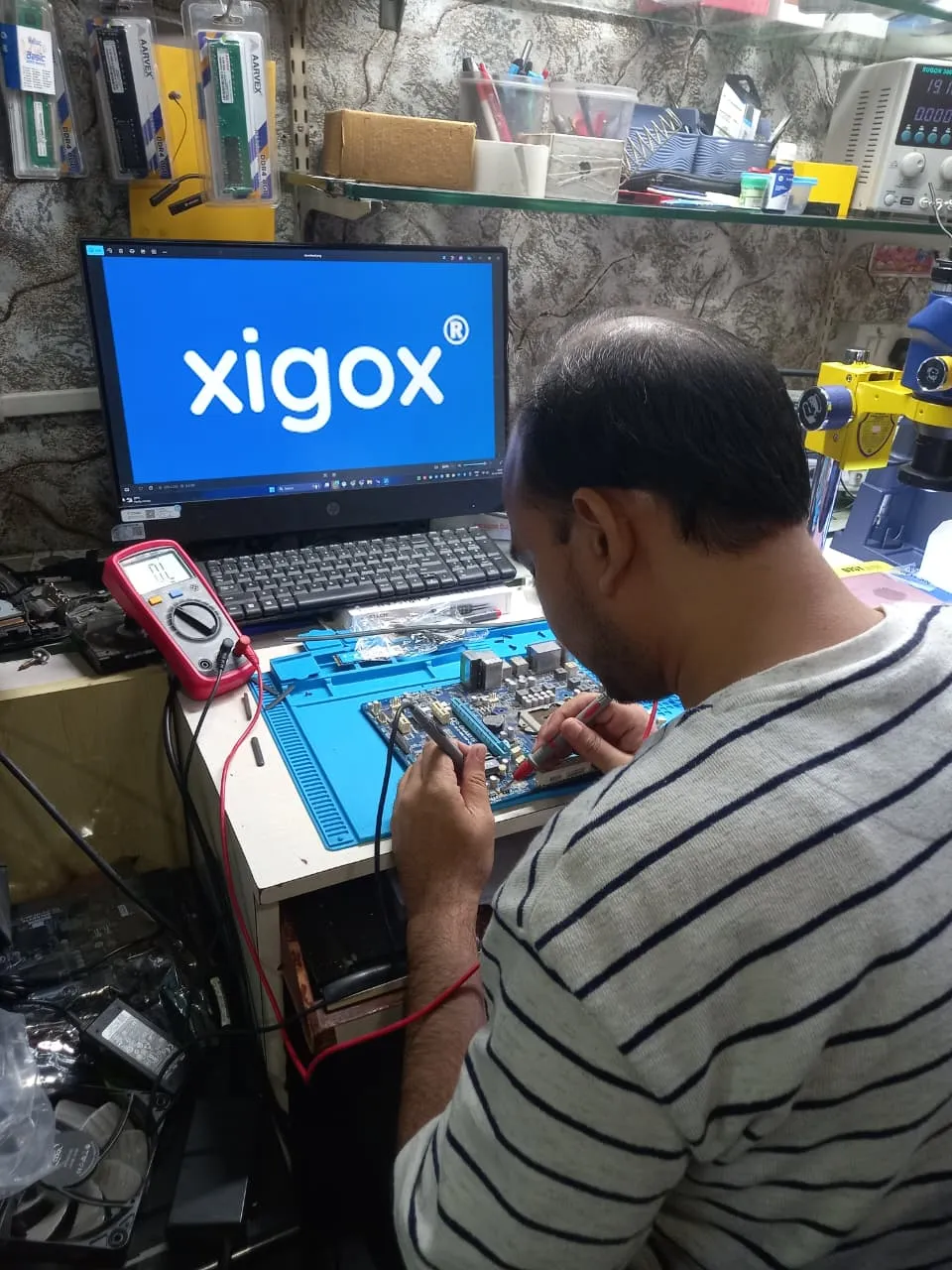
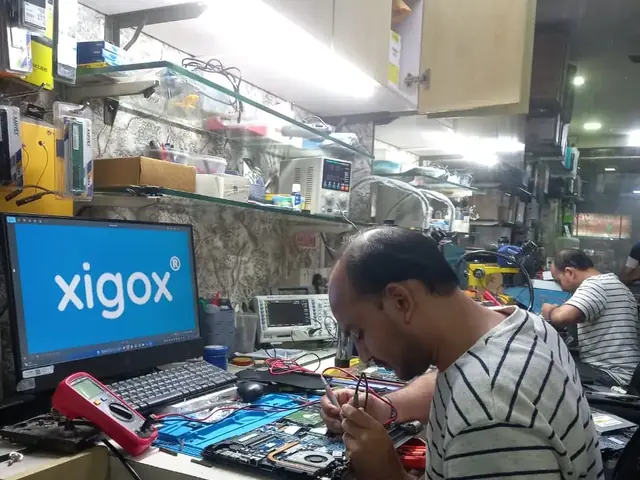
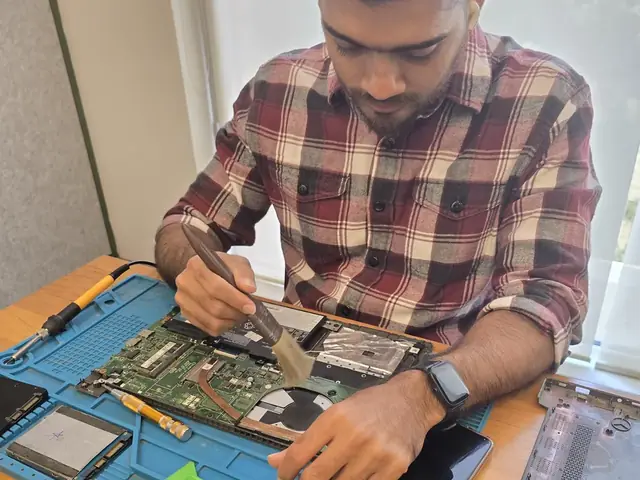
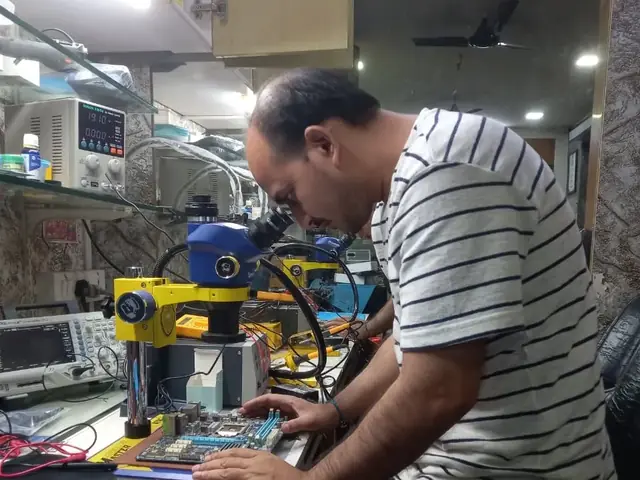
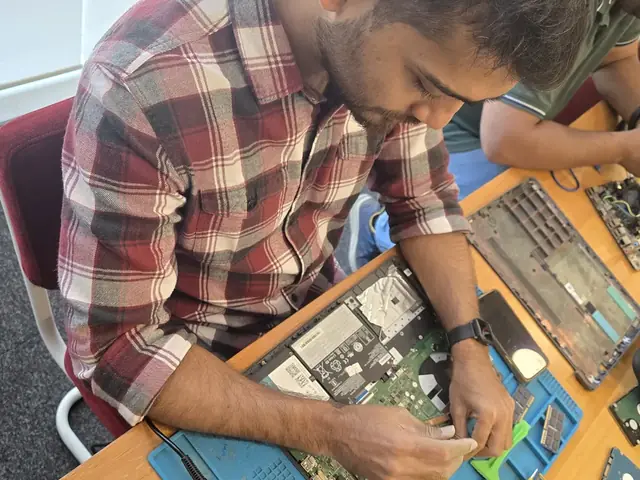
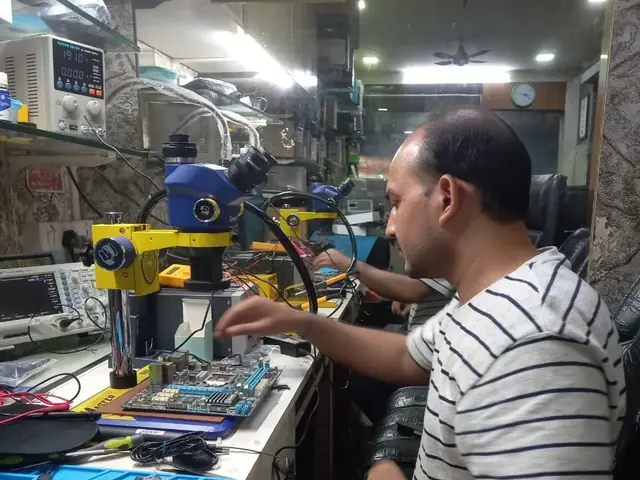
Technician inspecting a laptop motherboard under a microscope at the repair bench Top-down view of a technician servicing a laptop beside an SSD and a cleaning brush
Xigox technicians at the repair bench

Quick facts

Price

Quoted after the ₹350 inspection

Turnaround

Same day for most repairs

Warranty

90-day warranty

Professional Kyocera Not Printing Fix in Wada

Don't waste time on booking portals. Reach the engineers directly with Xigox. Inkjet print head clogs in Wada are the most common cause for poor print quality — and most are fixable without head replacement. Xigox's printer team uses ultrasonic cleaning and manufacturer purge utilities to restore nozzle flow for all major inkjet brands. Typical nozzle cleaning in Wada costs under ₹1,000.

Emergency Kyocera Not Printing Fix Now

Need your printer fixed urgently? Xigox offers priority this repair in Wada for critical situations. From an exam deadline and your printer just crashed, our emergency service moves your printer to the front of the line, so most repairs can be finished the same business day. Priority repairs can be arranged including weekends in Wada. Just say 'priority' when calling and our team will fast-track your repair immediately.

Fixed-Quote Policy for Kyocera Not Printing Fix

One of the most common complaints about repair shops in Wada is hidden charges after the job is done. Xigox operates differently. Prior to touching your printer, our technician provides a clear cost estimate covering parts and labour. There is zero ambiguity — the decision is entirely yours. The ₹350 diagnostic is credited 100% when you approve the repair.

What Wada Customers Say About Kyocera Not Printing Fix

Don't just take our word for it. Xigox has earned a 4.9-star rating from 9,605+ customer reviews from customers across Mumbai MMR. Customers frequently mention: honest pricing, same-day completion, and OEM-grade replacements. What Wada customers value most: "Excellent this repair, done same day with genuine parts." Join the growing community of happy Xigox customers in Wada.

Office Kyocera Not Printing Fix in Wada

Businesses across Wada trust our job to maintain productivity. We offer AMC agreements, a priority response queue, and a single point of contact. From a small team or an entire floor, Xigox manages this job for your Wada workspace with GST invoices and complete service reports.

Data Security During Kyocera Not Printing Fix

Your private information is fully protected during your repair. Residents across Wada rely on Xigox because we follow strict data privacy protocols. During the repair, your photos, emails, and passwords are completely secure. In cases where OS reinstallation is required, we will always inform you first.

Insurance & Out-of-Warranty Kyocera Not Printing Fix Options

Many Wada customers wonder whether an extended warranty applies to this job. Xigox supports insurance claims and can provide the itemised bill your insurer needs — including parts cost, labour cost, and fault description. When manufacturer warranty has expired, third-party job is typically usually cheaper compared to the official service centre.

Genuine Parts for Kyocera Not Printing Fix

Reliability matters for this repair. That's why our technicians exclusively use original-specification parts for your printer. Rather than counterfeit components, we source from established suppliers. This helps your repair last, backed by our written 90-day warranty.

Inkjet & Laser Kyocera Not Printing Fix in Wada

This job issues cost Wada businesses hours of lost productivity. Xigox handles all major printer brands: paper feed jams and roller wear, fuser assembly repair. Most printer faults fixed: print head clogs. Offices with multiple printers can sign up for annual maintenance contracts covering all printer units.

Transparent Inspection in Wada

Uncertain about the issue with your printer? Prior to starting any repair, Xigox performs a thorough diagnostic check. The ₹350 inspection fee, it is 100% refunded if you proceed with the repair. Our local experts will show you the broken part in plain English so you can make an informed decision.

Same-Day Kyocera Not Printing Fix in Wada

We know your time is valuable in Wada. Xigox plans this job for maximum convenience. In 90% of cases, our technicians complete the job on the same day. Our team offers free doorstep pickup from your Wada address, execute the repair at our workshop, and return it to you.

Give your printer the care it deserves in Wada. Xigox: proven expertise, OEM-grade parts, fully transparent pricing, free pickup and delivery — all backed by a written 90-day warranty. Your neighbours already trust us: message us on +91 74997 61196 for reliable Kyocera Not Printing Fix in Wada.
· Verified by Xigox experienced technicians

Kyocera Not Printing Fix — Pricing

Transparent pricing. ₹350 inspection fee (refunded if you proceed with repair). Exact quote before work starts. No hidden charges.

Diagnosis
₹350

Credited to the repair when you go ahead; no charge for the quote itself.

Written quote
Before any work

Part and labour listed; nothing is replaced until you approve it.

Warranty
90 days

In writing, on parts and labour, for the repair we did.

See the full price list

Printer repair cost guide

* Final price confirmed after the ₹350 inspection, which is credited to the repair if you go ahead. Call +91 74997 61196 for a specific quote.

Our process

Kyocera Not Printing Fix in Wada — How It Works

Serving Wada and Saphale Market, Saphale Station, Kudan with a repair process designed for zero hassle and maximum transparency.

  1. Step 1Step 1: Tell Us Your Printer Issue Free

    Tell Us Your Printer Issue

    Call, WhatsApp, or fill out our online form. Share your printer brand (HP, Canon, Epson, Brother, Kyocera, Ricoh) and the issue — not printing, paper jam, streaks, poor print quality, connectivity problems, or error codes. We respond within minutes with availability.

  2. Step 2Step 2: Doorstep Technician or Free Pickup

    Doorstep Technician or Free Pickup

    For cartridge replacements, ink refills, WiFi printer setup, and minor software fixes, our technician visits your Wada doorstep. For mainboard repairs, printhead replacement, drum unit service, and deep cleaning, we offer free pickup and drop from your Wada address. Safe handling. We cover the entire 421303 postal area with priority pickup scheduling.

  3. Step 3Step 3: Printer Diagnosis & Transparent Quote

    Printer Diagnosis & Transparent Quote

    Our experienced printer engineer runs a complete diagnostic — print quality test, nozzle alignment check, roller inspection, and connectivity scan. ₹350 inspection fee applies (fully refunded if you proceed with the repair). You receive a clear, itemised written quote before any work begins. Our 4.9★ rating across 9,605+ reviews reflects our commitment to thorough quality assurance.

  4. Step 4Step 4: Expert Repair with Genuine Printer Parts

    Expert Repair with Genuine Printer Parts

    Using OEM-grade cartridges, genuine printheads, quality rollers, drum units, and manufacturer-approved techniques, our technicians restore your printer to factory output quality. Most repairs — paper jams, print quality, WiFi connectivity — are resolved the same day.

  5. Step 5Step 5: Test Prints & Free Delivery with 90-Day Warranty

    Test Prints & Free Delivery with 90-Day Warranty

    Before return, we run multiple test prints — nozzle check, colour calibration page, alignment test, and quality verification. Your repaired printer is delivered back to your Wada doorstep at zero cost. Every repair includes a 90-day written warranty covering parts and labour. Same-day delivery extends to Saphale Market and Saphale Station and surrounding localities.

Don't wait — book your repair from Wada today. Doorstep service for part replacements, free pickup for lab repairs. Same-day service available.

How it's done

How We Perform Kyocera Not Printing Fix

What our technicians do, what it requires, and how to tell you need it.

1 How It's Performed

When this exact symptom shows up, we isolate whether the fault is the printer, the connection (USB/WiFi), or the computer's driver/queue first — each has a different fix — by testing the printer directly against a different device before concluding where the fault actually sits.

Typical time: 20–40 minutes

2 What This Requires

  • Testing the printer against a second device, to separate a printer-side fault from a computer-side driver or queue issue.
  • The correct, current driver package for your exact printer model and OS version.

3 When You Need This

  • The printer shows as "offline" in your computer's settings even though it's powered on.
  • Print jobs sit in the queue indefinitely without printing or erroring out.
  • The printer isn't detected on the network/WiFi at all, or was detected once and has since disappeared.

Who repairs your device

Repaired in-house by Xigox technicians

Kyocera Not Printing Fix is handled by Xigox technicians from start to finish, never handed on to another shop. Work that needs the repair bench is done at our workshop in Virar West.

Board-level faults are traced with a microscope, a multimeter and a soldering station before any part is replaced, and parts are fitted only after you approve the quote.

We don't open your personal files during a repair. When a job needs access to your data, such as data recovery or a Windows reinstall, we ask you first.

  • Repaired in-house, not outsourced
  • Quote approved by you before work starts
  • Your files stay private
  • Microscope and board-level tools
  • Genuine or OEM-grade parts
  • 90-day warranty on repairs
Technician inspecting a laptop motherboard under a microscope at the repair bench Technician testing a laptop mainboard with a multimeter beside a Xigox-branded monitor Technician brushing dust off an opened laptop motherboard with a cleaning brush Technician inspecting a laptop motherboard under a microscope at the repair bench
Xigox technicians at the repair bench.

Why Xigox?

Why Choose Xigox for Kyocera Not Printing Fix?

Over 9,605+ reviewers across Mumbai trust Xigox for professional, transparent and affordable Kyocera Not Printing Fix. Conveniently located near Wada Village.

Experienced Repair Engineers

Every Kyocera Not Printing Fix technician is trained in-house, and every job is tested before it goes back to you.

Genuine OEM Components

Only genuine or OEM-grade parts used for Kyocera Not Printing Fix — zero aftermarket shortcuts, ever.

90-Day Repair Warranty

Your Kyocera Not Printing Fix is covered by a written 90-day warranty. Same fault recurs? We fix it free.

Same-Day Turnaround

Most Kyocera Not Printing Fix jobs finished in 2–4 hours. Doorstep service for part replacements; free pickup for lab repairs in Wada.

Transparent Pricing

₹350 inspection fee (refunded if you proceed with repair). Exact written quote before we start. No surprise charges — ever.

Post-Repair WhatsApp Support

WhatsApp support after every Kyocera Not Printing Fix job. We answer laptop and computer questions — always free.

Repairs Completed
1,00,475+
Since 2011
Average Rating
4.9 ★
9,605+ reviews
Repair Warranty
90 Days
Parts & labour
Avg Response
30 Min
For common issues
Pickup & Drop
Free
₹350 inspection fee
Est. Since
2011
15+ yrs in Palghar

Xigox vs Other Kyocera Not Printing Fix Options in Wada

What Xigox puts in writing, and what to ask any other shop or listing

FeatureXigoxOther shops & listings
Experienced Technicians YesVaries; ask who will work on the device
Transparent Pricing (₹350 Inspection) YesVaries; ask for a written quote first
90-Day Warranty YesVaries; ask for the warranty in writing
Free Pickup & Drop YesVaries; ask whether pickup is free
Genuine Parts OEM PartsVaries; ask which part will be fitted
Same-Day Service Most RepairsVaries; ask for a time in writing
ISO 9001 Certified YesVaries; ask for their certificate

Repair examples

Recently Repaired Laptops & Computers

View All Recent Repairs

HP

LaserJet M428fdw

Fixed
Issue
Scanner producing black lines across scanned documents. ADF feeding but scanner output corrupted.
Solution
Replaced cracked ADF scanner glass strip. Cleaned flatbed scanner glass and calibration strip. Tested scan-to-email and copy functions.

Technician's note

Hairline crack in CIS scanner glass invisible to naked eye but caused consistent vertical line artifact.

Vikhroli East 1.5 Hours
  • HP
  • MFP
  • Scanner

Epson

L805

Fixed
Issue
Photo prints showing incorrect colors — skin tones appearing greenish. Color banding visible in gradient areas.
Solution
Performed nozzle check and deep cleaning. Ran ICM color profile calibration. Aligned print head for optimal dot placement.

Technician's note

Light cyan channel was partially blocked. After 3 cleaning cycles and manual alignment, color accuracy restored to factory spec.

Dadar West 2.5 Hours
  • Epson
  • Photo Printer
  • Color Calibration

Canon

imageCLASS LBP226dw

Fixed
Issue
Printer showing "Toner Low" despite new toner cartridge installed. Print density extremely light.
Solution
Cleaned toner level sensor window inside printer. Reset toner counter. Replaced faulty toner sensor board.

Technician's note

Toner dust had coated the optical sensor, giving false low readings. Sensor board had corroded connector pin.

Goregaon East 2 Hours
  • Canon
  • Laser
  • Toner Sensor

Samsung

Xpress M2835DW

Fixed
Issue
Vertical black lines appearing on every printed page. Print quality deteriorating with ghost images visible.
Solution
Replaced worn imaging drum unit. Cleaned corona wire and transfer roller. Ran diagnostic print to confirm clean output.

Technician's note

Drum surface had scratches causing line defects. Drum at 150%% of rated life — impressive longevity.

Thane West 1.5 Hours
  • Samsung
  • Laser
  • Drum Replacement

HP

DeskJet 2723

Fixed
Issue
Showing "Cartridge Problem" error after installing new cartridges. Printer refusing to print. Orange error light blinking.
Solution
Cleaned cartridge contacts with isopropyl alcohol. Reseated cartridges with proper alignment. Updated printer firmware to recognize new cart...

Technician's note

Oxidation on carriage contacts was causing intermittent connection. Genuine HP cartridges verified.

Powai 30 Minutes
  • HP
  • Cartridge
  • DeskJet

Epson

L3252

Fixed
Issue
Printer not connecting to Wi-Fi network. Wi-Fi Direct not functioning. Mobile printing completely non-operational.
Solution
Updated printer firmware to latest version. Reset network settings and reconfigured Wi-Fi with WPA3 protocol. Tested wireless printing from...

Technician's note

Old firmware had known Wi-Fi bug. Post-update, connection stable at 5GHz band.

Bandra West 45 Minutes
  • Epson
  • Wi-Fi
  • Wireless Printing

Customer reviews

What Customers Say About Kyocera Not Printing Fix in Wada

4.9/5 · 18 reviews shown

See all 9,605+ reviews

Kyocera TASKalfa 2321 — Printer Repair

“Technician fixed Kyocera TASKalfa 2321 quickly and explained preventive maintenance clearly.”
I Ishaan Shah Andheri · 7 May 2025 14

Kyocera ECOSYS P2040dn — Printer Repair

“Technician fixed Kyocera ECOSYS P2040dn quickly and explained preventive maintenance clearly.”
A Anaya Kulkarni Andheri · 18 Nov 2024 9

Kyocera ECOSYS M2040dn — Printer Repair

“Technician fixed Kyocera ECOSYS M2040dn quickly and explained preventive maintenance clearly.”
I Ishaan Shah Andheri · 20 Mar 2026 4

Epson EcoTank ET-2800 — Colour Mismatch Fix

“Colours on our Epson EcoTank ET-2800 were completely off — reds looked orange and blues looked purple. Xigox Chembur recalibrated the colour profiles and replaced a worn imaging drum. Prints match on-screen colours perfectly now.”
P Pushkar Shinde Gholvad · 14 Sep 2025 8

Brother DCP-T720DW — Printer Noise Fix

“Our Brother DCP-T720DW started making a grinding noise during printing. Xigox Goregaon found a worn gear in the paper feed mechanism and replaced it. Printer operates quietly and smoothly again. Quick, affordable fix.”
P Pooja Nair Dadar East · 25 Sep 2024 4

Brother MFC-L2701DW — Duplex Jam Fix

“Automatic double-sided printing on our Brother MFC-L2701DW caused jams every single time. Xigox Lower Parel replaced the duplex feed rollers and adjusted paper path sensors. Flawless duplex printing now. Saves us paper and time.”
M Meera Pillai Wada · 28 Mar 2024 27
Page 1 / 3

← Swipe or tap dots to browse →

Customer stories

Customer Stories

What customers say about their laptop and computer repairs

“ADF was pulling pages crooked and paper jams were constant. Xigox replaced the ADF roller kit and separator pad. Now it feeds 50-page documents smoothly. Our office workflow is back to normal!”

HP OfficeJet Pro 9015e

N Nikhil Pawar Thane
“Samsung laser printer had faded prints despite new toner. Xigox cleaned the transfer roller and corona wire. Dark, crisp prints again!”

Samsung Xpress M2835DW

R Rajan Sharma Airoli
“My Epson ink tank printer was leaking ink internally. Xigox disassembled it completely, cleaned the waste ink pads, and replaced damaged tubes. Saved me from buying a new printer. Very skilled technic...”

Epson L3250

S Sneha Kadam Andheri
“Printer stopped powering on after a power surge. Xigox replaced the fuse and power board. Printing again at full speed. Saved buying a new printer!”

Brother HL-L2321D

U Usha Menon Vasai
“Needed my Canon photo printer calibrated for accurate skin tones in portrait prints. Xigox did ICC profiling and head alignment. The color accuracy is now studio-grade. Impressive technical knowledge!”

Canon PIXMA G620

G Gauri Iyer Bandra
“Epson was showing 'pad ink full' error. Xigox replaced the waste ink pads and reset the counter. Like having a brand new printer!”

Epson EcoTank L3250

A Anand Kulkarni Vashi

FAQ

Frequently Asked Questions — Kyocera Not Printing Fix

Everything you need to know about Kyocera Not Printing Fix in Wada

10 questions answered

Absolutely. Data security is our top priority. Our technicians never access personal files during Kyocera Not Printing Fix. We follow strict protocols to prevent data loss, and we'll always inform you before any procedure that could affect stored data. Your privacy is fully protected. Customers near Wada Village in Wada are covered by our free pickup.
Xigox handles Kyocera Not Printing Fix for all major brands in Wada, including HP, Canon, Epson, Brother, Samsung, Ricoh and Kyocera — and many more. No brand or model is too complex — we repair them all. We've been serving Palghar district for over 15 years.
Yes — ₹350 for the inspection in Wada. Our technician diagnoses your printer and gives you a clear written estimate; if you go ahead with the repair, that ₹350 is adjusted against the total cost, so the inspection itself doesn't add to the bill. If you decide not to proceed, the ₹350 still applies for the technician's time. Trusted by customers throughout Palghar — rated 4.9★ across 9,605+ reviews.
We accept all major payment methods for Kyocera Not Printing Fix in Wada: UPI (Google Pay, PhonePe, Paytm), debit/credit cards, net banking, and cash. Payment is collected after the repair is completed to your satisfaction — we never charge upfront without consent. Customers across Wada (421303) enjoy priority same-day scheduling.
Yes — out-of-warranty printers are most of what we handle in Wada. Once the manufacturer warranty lapses, authorised centres often quote near-replacement prices for a single component. We repair at component level where it is safe to do so, which is usually a fraction of that cost, and back it with our own 90-day warranty. Trusted by customers throughout Palghar — rated 4.9★ across 9,605+ reviews.
You pay nothing beyond the ₹350 inspection. If we cannot resolve the fault, we explain exactly what we found, return your printer in the condition we received it, and — where the economics do not justify a repair — tell you so plainly rather than selling you work that is not worth doing. We also serve Saphale Market, Saphale Station, Kudan, so you can recommend us to neighbours too.
For software faults, setup, upgrades and diagnostics we can work on-site anywhere in Wada. Component-level work — board repair, screen bonding, liquid-damage recovery — needs workshop equipment, so we collect the printer, repair it, and return it. Both options are free of travel charges. Trusted by customers throughout Palghar — rated 4.9★ across 9,605+ reviews.
We send live updates over WhatsApp at each stage: collection, diagnosis, quote approval, repair completion, and dispatch. You can reply to that thread at any point to reach the technician handling your printer rather than a general helpline. Our service covers the full 421303 postal area in Wada.
Back up documents, photos and anything stored only on that printer before any repair — with us or anyone else. Most Kyocera Not Printing Fix work does not touch your data, but board-level faults and storage failures can be unpredictable. Tell us in advance if the drive holds irreplaceable data and we will treat recovery as the first priority. Free pickup also available in Saphale Market, Saphale Station, Kudan and surrounding areas.
Our rule of thumb: if the repair costs more than roughly half of a comparable replacement and the printer is more than five years old, replacement is usually the better call. We tell you which side of that line you are on during the inspection in Wada, even when the answer means we do not get the job. Trusted by customers throughout Palghar — rated 4.9★ across 9,605+ reviews.

Still have questions?

Send us your question on WhatsApp or call — a technician will answer.

Explore more services

More Repair & Tech Services Near Wada

Same technicians · Free pickup · 90-day warranty across all services.

Book a repair

Book Kyocera Not Printing Fix — Free Pickup

Get your laptop or computer fixed today. Fill in 4 fields and we'll call within 1 hour.

Booking received

We'll call you within 1 hour to confirm your appointment and arrange doorstep pickup.

Inspection fee: ₹350

  • Credited to your total repair cost if you go ahead.
  • Still applies if the device can't be repaired or you decline the repair.

+91

Device type *

Inspection fee: ₹350

  • If you go ahead with the repair, the ₹350 is credited to your total repair cost.
  • If the device can't be repaired or you decide not to continue, the ₹350 inspection fee still applies.

Your details are used only to arrange this repair. By submitting, you agree to our Privacy Policy.

Get Your Laptop or Computer Fixed Today

Kyocera Not Printing Fix in Wada. Free pickup • 90-day warranty • Genuine parts
Open All Days · 9 AM – 9 PM · Reply within 15 minutes

Service area

Kyocera Not Printing Fix in Wada — Service Area & Coverage

Xigox provides kyocera not printing fix across Wada (PIN 421303), in the Palghar district of Wada. Our doorstep pickup and on-site service cover the entire Wada area and the neighbourhoods around it.

Localities we cover in Wada: Palghar. Wherever you are in Wada, we can collect your device from your door and bring it back after the repair.

Our technicians regularly serve homes, societies and offices around Wada Fort, Wada Market and Wada Village, and along Wada Road, Manor Road and NH-848. If you're near any of these landmarks, same-day pickup for kyocera not printing fix is almost always available.

Kyocera Not Printing Fix price in Wada — know it before you book

  1. 1Pick your device & issue
  2. 2See the real price range
  3. 3Free doorstep pickup in Wada

4.9 from 9,605 customer reviews across all repairs · upfront pricing · 90-day warranty

Before you book: have your device model and a quick description of the issue ready — it speeds up your quote.

Our head office: Virar West

About 42 km from Wada in a straight line. With free doorstep pickup you don't need to travel — this is where the repair is done.

Call WhatsApp