

Mac-compatible RAM, tested before your Mac is returned

MacBook RAM Upgrade Service in Nagpada

Professional MacBook and Mac memory upgrade in Nagpada. We service MacBook Pro (2012–2015 upgradeable models), iMac (2012–2020 user-upgradeable), Mac Mini, and Mac Pro with genuine Apple-compatible RAM modules and expert installation.

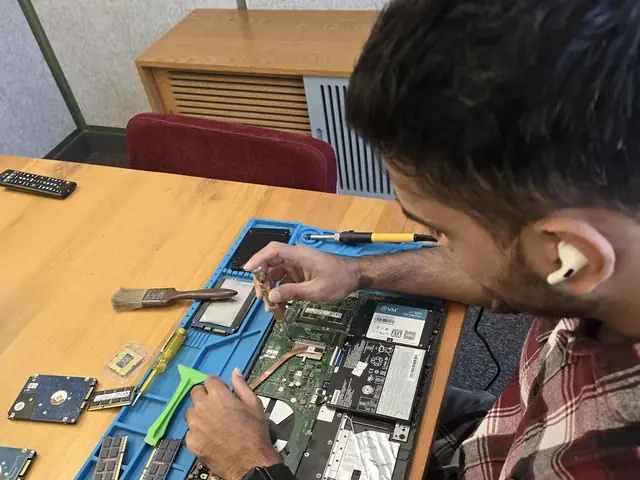
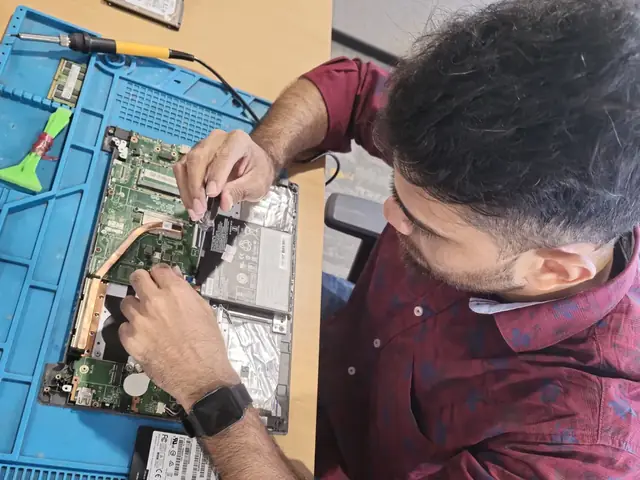
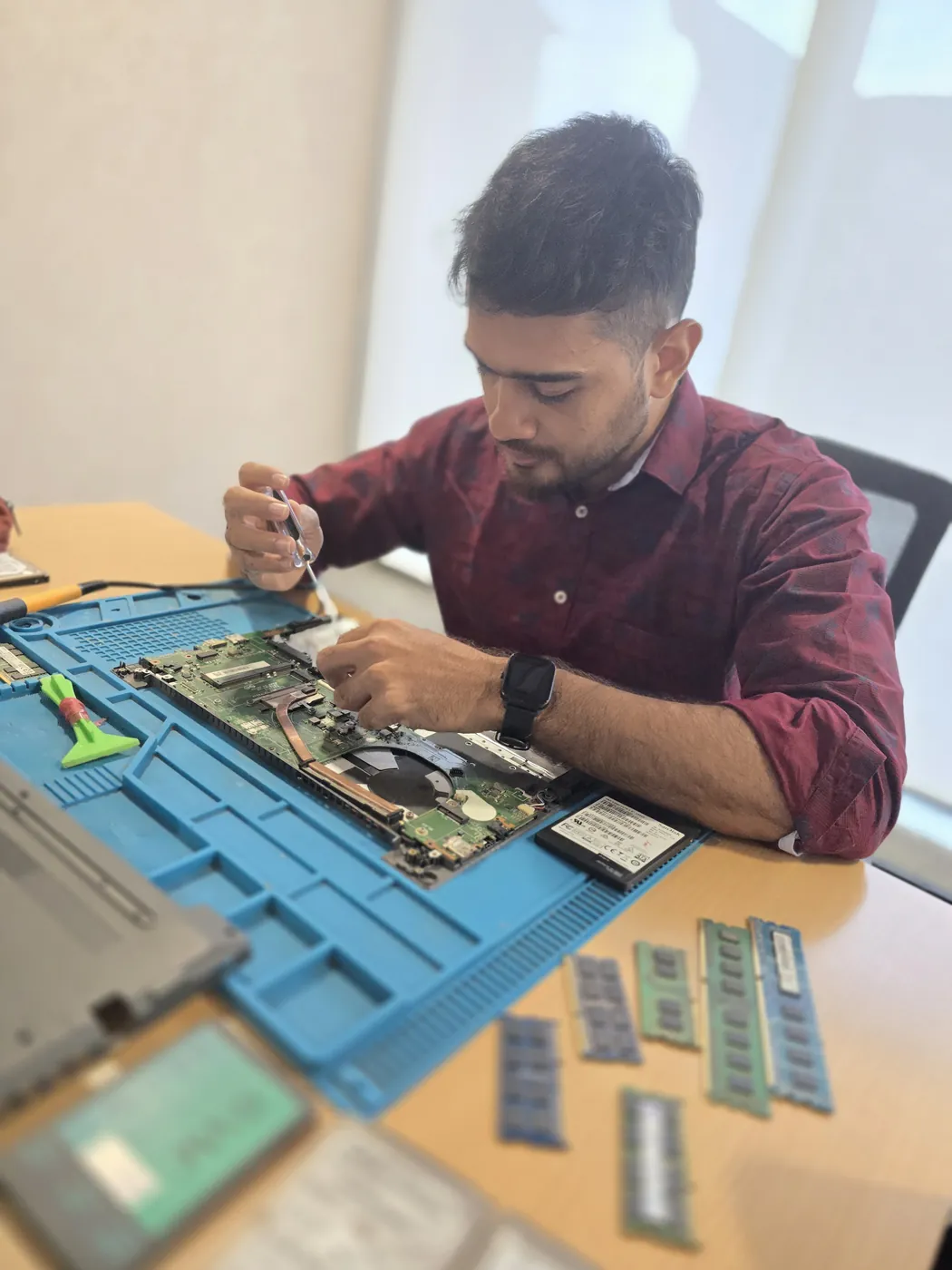
Technician with a screwdriver over an opened laptop, RAM modules and hard drives on the repair mat Technician working inside an opened laptop with RAM modules and an SSD laid out beside it
Xigox technicians at the repair bench

Nearest Xigox to Nagpada

Xigox Worli branch · about 5.2 km

1st floor, Vasvani Chambers, 264-265, Dr Annie Besant Rd, Municipal Colony, Worli Shivaji Nagar, Worli, Mumbai, Maharashtra 400030

  • Open every day · 9 AM – 9 PM
  • Free pickup from Nagpada within 2 hours

Call or WhatsApp before you visit, or ask for a free pickup. Distances are straight lines from Nagpada.

MacBook RAM Upgrade Service in Nagpada — What's Possible

Not all Macs are upgradeable. We give you honest answers — and professional upgrades where possible.

Honest Assessment First

We check your exact Mac model before you pay anything. If RAM is soldered (2016+ MacBook Pro), we tell you upfront — no false promises.

Mac-Compatible Memory

We use Apple-compatible modules tested for Mac compatibility: Crucial Mac-certified, OWC MemoryMaXX, and Kingston ValueRAM for Mac.

Safe Mac Disassembly

Macs require specialized pentalobe and torx screwdrivers, spudgers, and careful ribbon cable handling. Our techs are Mac hardware trained.

macOS Verification

After installation, we verify via About This Mac → Memory tab, run Apple Diagnostics (D on boot), and test with Geekbench for Mac.

MacBook RAM Upgrade Process in Nagpada

Mac-specific process — from model verification to Apple Diagnostics validation.

1

Mac Model Verification

We check your exact Mac identifier (About This Mac → Model). This determines if RAM is socketed (upgradeable) or soldered (not upgradeable).

2 min
2

Compatibility Matching

Mac models need specific DDR3/DDR3L/DDR4 speeds. We match the exact Apple-specified timing and voltage for stable operation.

5 min
3

Mac-Safe Installation

Pentalobe/torx disassembly, careful bottom panel removal, anti-static SODIMM installation, ribbon cable reconnection.

30–45 min
4

Apple Diagnostics Test

Run Apple Hardware Diagnostics (hold D on boot), verify "About This Mac" memory detection, Geekbench comparison.

15 min

Which Mac Models Can Be Upgraded? — Nagpada Guide

MacBook Pro 13" (2009–2012)
DDR3 1066/1333/1600MHz SODIMM · 2 slots · Max 16GB · Bottom panel screws
Upgradeable
MacBook Pro 15" (2009–2012)
DDR3 1066/1333/1600MHz SODIMM · 2 slots · Max 16GB · Easy bottom access
Upgradeable
MacBook Pro Retina (2012–2015)
RAM soldered to logic board. Not upgradeable after purchase. Diagnostics only.
Soldered
MacBook Pro (2016–Present)
All Touch Bar and M-series MacBook Pros have soldered RAM. Cannot be upgraded.
Soldered
MacBook Air (2010–2017)
MacBook Air RAM has been soldered since 2010. Not upgradeable on any Air model.
Soldered
MacBook (2006–2009 White/Black)
DDR2/DDR3 SODIMM · 2 slots · Max 4–6GB · Easy access via bottom cover
Upgradeable
iMac 27" (2012–2020)
4 DDR4 SODIMM slots behind rear access door. Max 128GB. Easy self-install or professional service.
User Slots
iMac 21.5" (2014–2019)
21.5" iMac RAM is soldered. Only the 27" model has user-accessible slots.
Soldered
iMac 24" M1/M2/M3 (2021+)
Apple Silicon uses unified memory — part of the SoC. Not upgradeable.
Unified
Mac Mini (2018/2020 Intel)
2 DDR4 SODIMM slots. Max 64GB. Requires careful disassembly — pro service recommended.
Upgradeable
Mac Mini M1/M2/M4 (2020+)
Apple Silicon with unified memory on the chip. Not upgradeable after purchase.
Unified
Mac Studio M1/M2 (2022+)
Unified memory architecture. Choose RAM at purchase — cannot upgrade later.
Unified

Brands

All Laptop Brands We Service in Nagpada

Apple and all other brands — RAM upgrade and complete repair service.

Prices

MacBook RAM Upgrade Prices in Nagpada

Apple-compatible modules + professional Mac installation.

Repair typeStarting priceMac Models
8GB RAM Upgrade₹4,999 - ₹7,999MacBook Pro 2009–2012, MacBook 2009
16GB RAM Upgrade₹8,999 - ₹13,999MacBook Pro Mid-2012

From our price list; the exact price depends on the model and the fault. ₹350 inspection fee, credited to the repair if you go ahead.

Reviews

What Customers Say About MacBook RAM Upgrade Service in Nagpada

Reviews from Nagpada customers who used our macbook ram upgrade service service

“Fujitsu SSD Upgrade on my Fujitsu laptop was completed same day with fair, transparent pricing.”
Sanjana Rao Bandra
“Samsung Virus Removal on my Samsung Galaxy Book4 Pro was completed same day with fair, transparent pricing.”
Sanjana Rao Bandra
“Booked Fujitsu RAM Upgrade for my Fujitsu laptop online. Doorstep pickup and clear communication throughout.”
Vikram Oberoi Mulund
“Samsung Charging Port Repair on my Samsung Galaxy Book4 Pro was completed same day with fair, transparent pricing.”
Sanjana Rao Bandra
“Excellent Fujitsu Battery Replacement service for my Fujitsu laptop. Diagnosed quickly and used a proper replacement part.”
Karan Malhotra Andheri
“Excellent Samsung Battery Replacement service for my Samsung Galaxy Book4. Diagnosed quickly and used a proper replacement part.”
Karan Malhotra Andheri

Customer stories

Customer Stories

What customers say about their laptop and computer repairs

“Keyboard stopped working completely — spilled juice on it. Xigox cleaned and replaced the keyboard. Professional job, data safe, warranty given. Superb!”

Lenovo IdeaPad Slim 3

M Meenakshi Nair Dadar
“My ProBook wouldn't boot — stuck on a blue screen. Xigox diagnosed a faulty SSD, cloned my data to a new NVMe drive, and it boots in 10 seconds now.”

HP ProBook 450 G10

R Rajan Bhatia Kandivali
“My work laptop's keyboard stopped responding. Xigox replaced it same day so I didn't miss any deadlines. Professional service and genuine Dell parts used.”

Dell Latitude 5540

S Shruti Pandey Borivali
“Laptop was extremely slow. Xigox upgraded RAM from 8GB to 16GB and replaced HDD with SSD. It's like a brand new machine — boots in seconds!”

ASUS VivoBook 15

R Rohit Shetty Mulund
“Battery was swollen and trackpad stopped clicking. Xigox replaced the battery safely. MacBook performance is back to day-one speed. Expert Apple technicians!”

MacBook Air M1

A Anil Chauhan Malad
“Battery was draining in 30 minutes. Xigox sourced an original Dell battery and replaced it quickly. Now I get 8+ hours of backup again. Highly recommended!”

Dell XPS 15

N Nikhil Jain Vashi

MacBook RAM Upgrade Service in Nagpada — Complete Apple Memory Guide

If you own a Mac in Nagpada, you've probably wondered whether you can upgrade its RAM. The answer depends entirely on which Mac model you have — and Apple's hardware design choices have changed dramatically over the years. This guide covers every scenario, so you know exactly what's possible before you spend a rupee.

The Upgradeability Problem with Modern Macs

Starting with the MacBook Pro Retina (2012), Apple began soldering RAM directly onto the logic board to make laptops thinner. By 2016, every MacBook model had soldered RAM. With the M1/M2/M3 Apple Silicon chips (2020+), RAM became part of the processor chip itself ("unified memory"), making upgrades physically impossible. If you have a 2016 or newer MacBook, the RAM you chose at purchase is permanent.

Which Macs CAN Be Upgraded

The good news: several Mac models still in active use have user-replaceable RAM. MacBook Pro 13" and 15" from 2009 to mid-2012 (non-Retina) have a simple bottom panel with accessible SODIMM slots. The iMac 27" from 2012–2020 is the best — it has a dedicated RAM access door behind the screen that takes 2 minutes to open, with 4 SODIMM slots supporting up to 128GB. The Mac Mini 2018/2020 (Intel) also has upgradeable SODIMM slots, though disassembly is more involved.

Apple-Compatible Memory Modules

Macs are particular about RAM compatibility. While they use standard DDR3/DDR4 SODIMM form factors, the speed, voltage, and timing must match Apple's specifications exactly. We use Mac-compatible modules from Crucial, OWC (Other World Computing) and Kingston — brands specifically tested for Mac compatibility. Using generic PC RAM in a Mac can cause kernel panics, boot failure, or intermittent crashes.

Free Mac RAM Assessment in Nagpada

Not sure if your Mac can be upgraded? We offer a free compatibility check. Share your Mac model (Apple menu → About This Mac) and we'll tell you within minutes: can it be upgraded, what's the maximum capacity, what module is needed, and what it costs. No obligation. If your Mac has soldered RAM, we'll honestly recommend alternatives (like SSD upgrades or macOS optimization). Service covers all of Nagpada, 7 days a week.

MacBook RAM Upgrade — Nagpada, Mumbai

Mac-compatible modules. MacBook Pro, iMac, Mac Mini. Free upgradeability check. Pincode: 400008.

Check My Mac

FAQ

MacBook RAM Upgrade Service in Nagpada — Frequently Asked Questions

It depends on the model. MacBook Pro 2012 (non-Retina) and earlier: upgradeable. MacBook Pro 2012 Retina and all models 2013+: soldered RAM, not upgradeable. iMac 2012–2020 27": user-upgradeable. Mac Mini 2018+: upgradeable. We check your model free.
Upgradeable models: MacBook Pro 13" & 15" (Mid-2012 non-Retina), Mac Mini (2018, 2020, 2023), iMac 27" (2012–2020), Mac Pro (all years). NOT upgradeable: MacBook Air (all), MacBook Pro Retina (all), M1/M2/M3 MacBooks (unified memory).
MacBook Pro 2012 non-Retina: 8GB ₹2,500, 16GB ₹4,500. iMac 27": 16GB kit ₹4,000, 32GB kit ₹7,500, 64GB kit ₹14,000. Mac Mini 2018+: 16GB ₹4,500, 32GB ₹8,000. All prices include installation.
No. Apple Silicon MacBooks (M1, M2, M3, M4) use unified memory soldered to the chip package. It cannot be upgraded after purchase. If you need more RAM, you must buy a higher-spec model from Apple.
Not if you use the correct type. We only install Mac-compatible modules (same voltage, speed, CAS latency). Brands like Crucial, OWC, and Kingston make Mac-specific kits that are fully tested for macOS stability.

More Services in Nagpada

Areas, Roads & Landmarks We Cover in Nagpada

Free pickup & drop across all these neighbourhoods

Localities & neighbourhoods

  • Nagpada
  • Byculla

Roads & highways

  • Nagpada Road
  • Mohammad Ali Road
  • Agripada Road

Landmarks & famous places

  • Nagpada Police Headquarters
  • Nagpada Market
  • Byculla Station (nearby)

MacBook RAM Upgrade Service in Nagpada — Nearby Areas

We also serve these locations near Nagpada

Comparison

Xigox vs Local MacBook RAM Upgrade Service Shops

What you get with Xigox in Nagpada, side by side.

FeatureXigoxOther shops
Experienced Technicians Trained & VerifiedVaries; ask who will work on the device
Genuine / OEM Parts YesVaries; ask which part will be fitted
90-Day Warranty Written CertificateVaries; ask for the warranty in writing
Free Doorstep Pickup Nagpada — FreeVaries; ask whether pickup is free
Same-Day Service Nagpada — AvailableVaries; ask for a time in writing
₹350 Inspection (refunded if you proceed with repair) ₹350, credited to the repairVaries; ask what the diagnosis costs
Transparent Pricing Fixed Quote — No SurpriseVaries; ask for a written quote first
Live WhatsApp Updates Real-time Repair StatusVaries; ask how you will get updates

Xigox charges ₹350 for inspection — credited to your repair cost if you go ahead.

Guide

MacBook RAM Upgrade Service in Nagpada — Complete Guide

Why waste time on aggregators? Get direct service without middleman markup with Xigox. An Apple Silicon Mac with a display fault in Nagpada requires specific Apple engineering knowledge. The Apple Silicon architecture limits what third-party tools can access. Xigox's Apple technicians have Mac-specialist expertise: Apple Configurator 2, and True Tone calibration. When it's MacBook RAM Upgrade Service you need in Nagpada, Xigox applies this same standard: a written quote before any work begins, genuine-grade parts, and a 90-day warranty covering the finished MacBook RAM Upgrade Service — parts and labour both.

Upfront Diagnosis in Nagpada

Not sure what's wrong with your MacBook? Before you commit to any repair, Xigox conducts a comprehensive hardware inspection. While we charge a nominal ₹350, this amount is fully refunded when you approve the quote. Our local experts will explain the exact fault clearly so you can make an informed decision.

Urgent MacBook RAM Upgrade Service in Nagpada

Need your MacBook fixed urgently? Xigox offers priority this issue in Nagpada for critical situations. From an exam deadline and your MacBook just crashed, our emergency service moves your MacBook to the front of the line, so most repairs can be finished the same business day. Emergency this issue can be arranged including weekends in Nagpada. Just say 'priority' when calling and our team will fast-track your issue immediately.

Express MacBook RAM Upgrade Service — What to Expect

Curious how quickly Xigox can complete repair in Nagpada? Here's our typical timeline: Step 1 — message us and our pickup technician arrives at your Nagpada address within 2 hours. Step 2 — our inspection identifies the exact fault. Next — you give the go-ahead via WhatsApp — completely your decision. Finally — the repair is executed using genuine parts at our Virar West workshop, often same day. Then — we return it to you fully tested.

Xigox Service Promise for MacBook RAM Upgrade Service

Your issue doesn't end when the MacBook is returned. Our support line is available daily via call or message. If you notice anything unusual in the post-repair period, just reach out and we dispatch a technician immediately. This promise is why Nagpada customers choose Xigox again and again.

Post-Repair Support for MacBook RAM Upgrade Service

All the repair performed by Xigox in Nagpada comes with a written 90-day warranty covering parts and labour. Simply put, if the same issue recurs within 90 days, we redo it completely free. Xigox issues a printed warranty receipt every single time, so you know exactly what is covered.

Real Reviews for MacBook RAM Upgrade Service

Don't just take our word for it. Xigox has earned a 4.9-star rating from 9,605+ customer reviews from customers across Mumbai MMR. Customers frequently mention: accurate quotes, same-day completion, and OEM-grade replacements. What Nagpada customers value most: "Excellent this issue, done same day with genuine parts." Join the growing community of happy Xigox customers in Nagpada.

Post-Repair Quality Check after MacBook RAM Upgrade Service

Completing the repair is just the first step at Xigox. Before your MacBook is returned in Nagpada, it undergoes a rigorous full-system inspection. We verify that your repair was executed flawlessly, testing screen calibration. This attention to detail is why our return rate is so low across Nagpada.

Affordable MacBook RAM Upgrade Service in Nagpada

Premium issue shouldn't break the bank in Nagpada. Because we repair at the component level, we typically save customers 30% to 50% versus authorized brand service centres. You receive identical stellar quality for your MacBook, but at a much fairer price. Get your free quote for this issue in Nagpada now.

Serving Nagpada Homes & Offices

We repair devices for homes, offices and colleges across Nagpada book us with free pickup and drop. You get a written quote before any work, OEM-grade parts and a 90-day warranty, for a single MacBook or a whole office. When you choose Xigox for the repair in Nagpada, you get the same service and warranty as every other customer.

What Changes After MacBook RAM Upgrade Service

Following a professional issue in Nagpada, you can expect significantly better performance: faster boot times, lower fan noise, full-day battery performance, or crisp, bright display — based on what was fixed. Xigox performs a benchmark at the end of every issue in Nagpada to document the improvement.

Countless happy customers across Mumbai, Thane and Palghar confirm our expertise. We're the reliable choice for MacBook RAM Upgrade Service in Nagpada. Every repair comes with a written warranty, genuine parts, and full honesty. Request your quote — WhatsApp us today.

MacBook RAM Upgrade Service in Nagpada

Free pickup · Same-day service for most repairs · 90-day warranty

Open every day, 9 AM – 9 PM · Serving Nagpada, Mumbai

Explore more services

More Repair & Tech Services Near Nagpada

Same technicians · Free pickup · 90-day warranty across all services.

Service area

MacBook RAM Upgrade Service in Nagpada — Service Area & Coverage

Xigox provides macbook ram upgrade service across Nagpada (PIN 400008), in the Mumbai City district of Mumbai. Our doorstep pickup and on-site service cover the entire Nagpada area and the neighbourhoods around it.

Localities we cover in Nagpada: Byculla. Wherever you are in Nagpada, we can collect your device from your door and bring it back after the repair.

Our technicians regularly serve homes, societies and offices around Nagpada Police Headquarters, Nagpada Market and Byculla Station (nearby), and along Nagpada Road, Mohammad Ali Road and Agripada Road. If you're near any of these landmarks, same-day pickup for macbook ram upgrade service is almost always available.

MacBook RAM Upgrade Service near Nagpada

We also serve these nearby areas — tap your locality for local macbook ram upgrade service:

MacBook RAM Upgrade Service price in Nagpada — know it before you book

  1. 1Pick your device & issue
  2. 2See the real price range
  3. 3Free doorstep pickup in Nagpada

4.9 from 9,605 customer reviews across all repairs · upfront pricing · 90-day warranty

Before you book: have your device model and a quick description of the issue ready — it speeds up your quote.

Not sure what's wrong?

Find Your Fix by Symptom

Tell us what your device is doing — we'll point you to the right repair, with real pricing and next steps.

See all repair problems we fix

Nearest branch: Worli

About 5.2 km from Nagpada in a straight line. With free doorstep pickup you don't need to travel — call or WhatsApp before you visit.

Call WhatsApp