Epson
EcoTank L3250
- Issue
- Cannot connect to Wi-Fi. Mobile printing not working.
- Solution
- Reset network settings. Configured Wi-Fi Direct and router. Set up Print apps.
Lower Parel
1 Hours
- Wireless
- Epson
- Wi-Fi
Experiencing Wi-Fi Printer Not Connecting on your Printer in Fort? Get an expert diagnosis and same-day repair with a 90-day warranty.
Open 9 AM – 9 PM · 7 days · ₹350 inspection fee (refunded if you proceed with repair)
Common indicators of Wi-Fi Printer Not Connecting on a Printer. Recognise 2 or more? It needs professional attention — ignoring it risks secondary damage.
Cannot connect to any Wi-Fi network
Extremely slow or unstable internet speeds
Frequent disconnections even when near the router
Network adapter not detected by the operating system
Bluetooth fails to detect or pair with other peripherals
Requires frequent restarts to restore connectivity
Full paper path inspection and roller condition
Nozzle check and ultrasonic head cleaning where needed
Fuser and drum wear measurement on laser units
Driver, spooler and network configuration test
Don't Wait — Wi-Fi Printer Not Connecting Worsens Over Time
Unresolved Wi-Fi Printer Not Connecting on a Printer can cause cascading hardware failures that significantly increase the final repair cost.
Identifying the root cause allows our engineers to deliver a precise, long-lasting repair — not a temporary patch that fails again within weeks.
Worn pickup rollers losing grip on the paper stack
Dried ink blocking print head nozzles after idle periods
Fuser wear causing toner not to bond to the page
Driver or spooler faults after an OS update
Paper feed rollers wear out over time, causing jams, multi-feeds, and skewed output.
Ink dries in printhead nozzles during idle periods, blocking ink flow and causing streaks.
Faulty cartridge chip or firmware lock preventing the Printer from detecting installed cartridge.
Corrupted printer drivers or stuck print spooler causing 'not printing' or queue errors.
Wi-Fi Printer Not Connecting in Fort can stem from multiple simultaneous causes. Without a thorough inspection, a repair technician risks addressing only the visible symptom while leaving the underlying issue intact. Xigox technicians perform a full 12-point hardware and software inspection before recommending any repair — ensuring the exact root cause is fixed, not masked.
Transparent pricing · ₹350 inspection (refunded if you proceed with repair) · Pay only after your approval
| Repair Type | Estimated Cost | Warranty |
|---|---|---|
| Printer Basic Service | ₹499 - ₹899 | 90 Days |
| Printer Setup & Network | ₹499 - ₹999 | 90 Days |
| Printer Hardware Repair | ₹1,199 - ₹2,299 | 90 Days |
| Printer Complete Overhaul | ₹2,399 - ₹4,499 | 90 Days |
Inspection fee ₹350 — refunded if you proceed with repair. No work starts without your approval.
Get Exact QuotePhotos
Photographs of Xigox technicians working on opened laptops and boards. They show how the work is done, not the results on any particular customer's device.

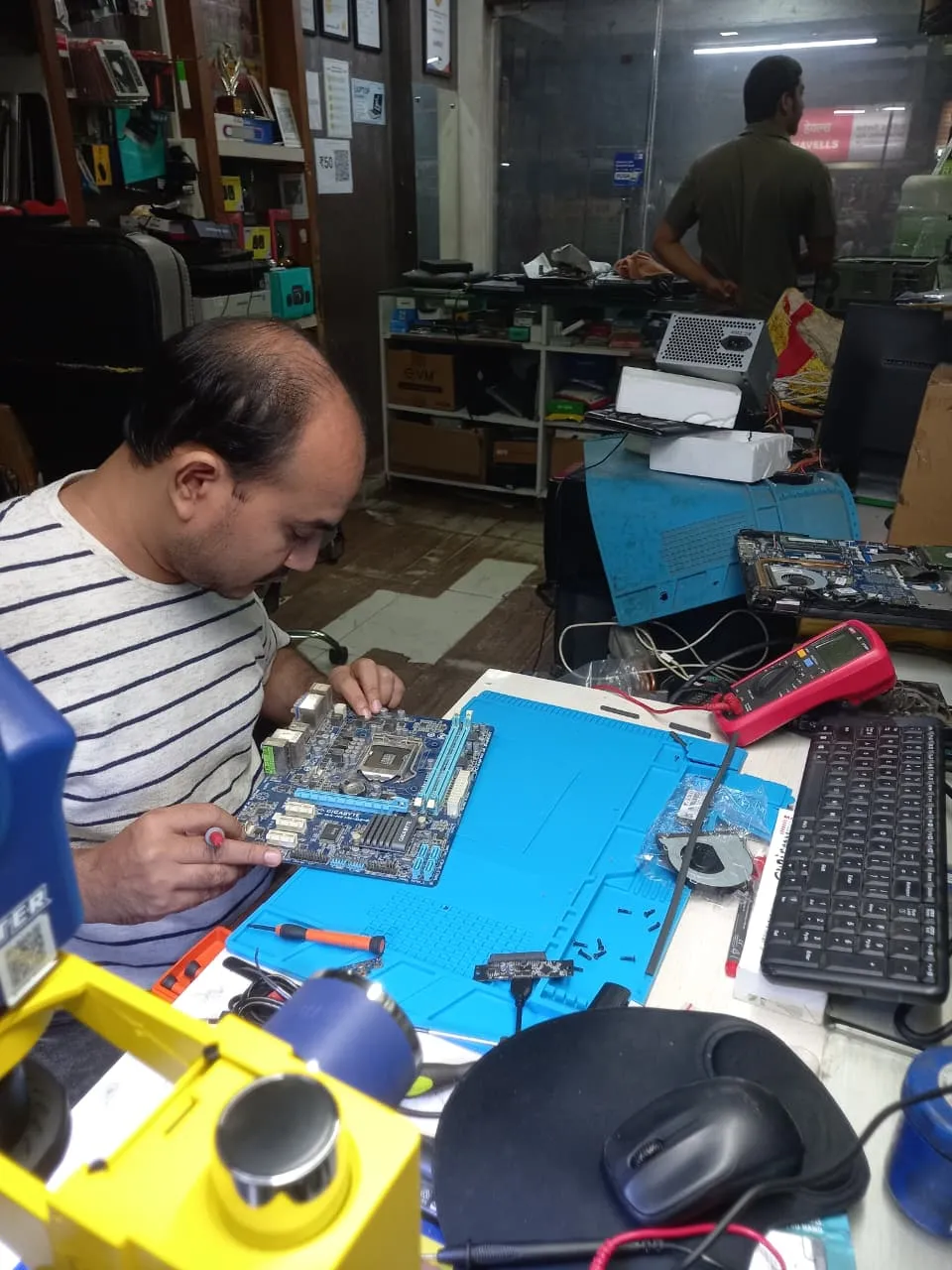
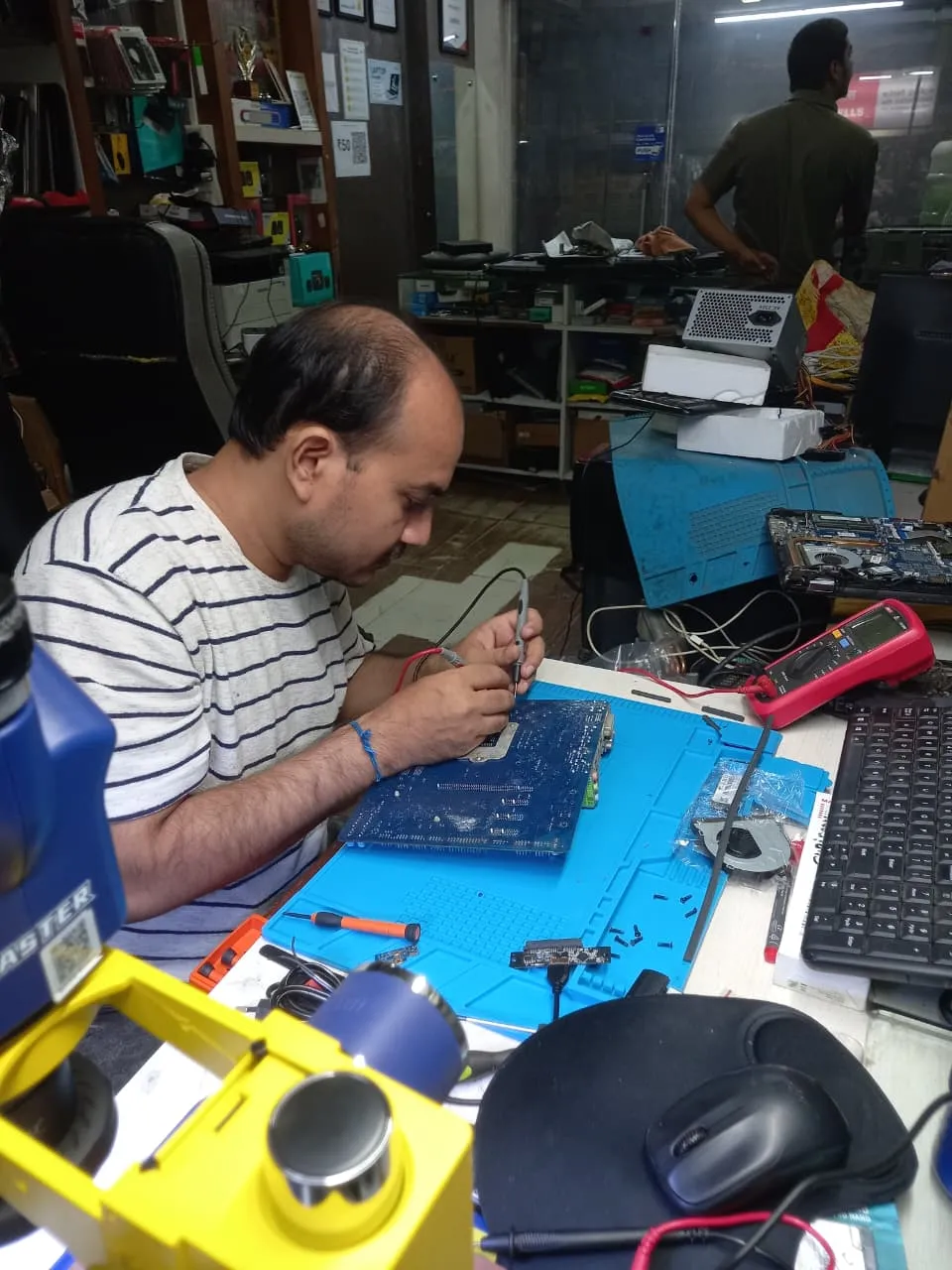
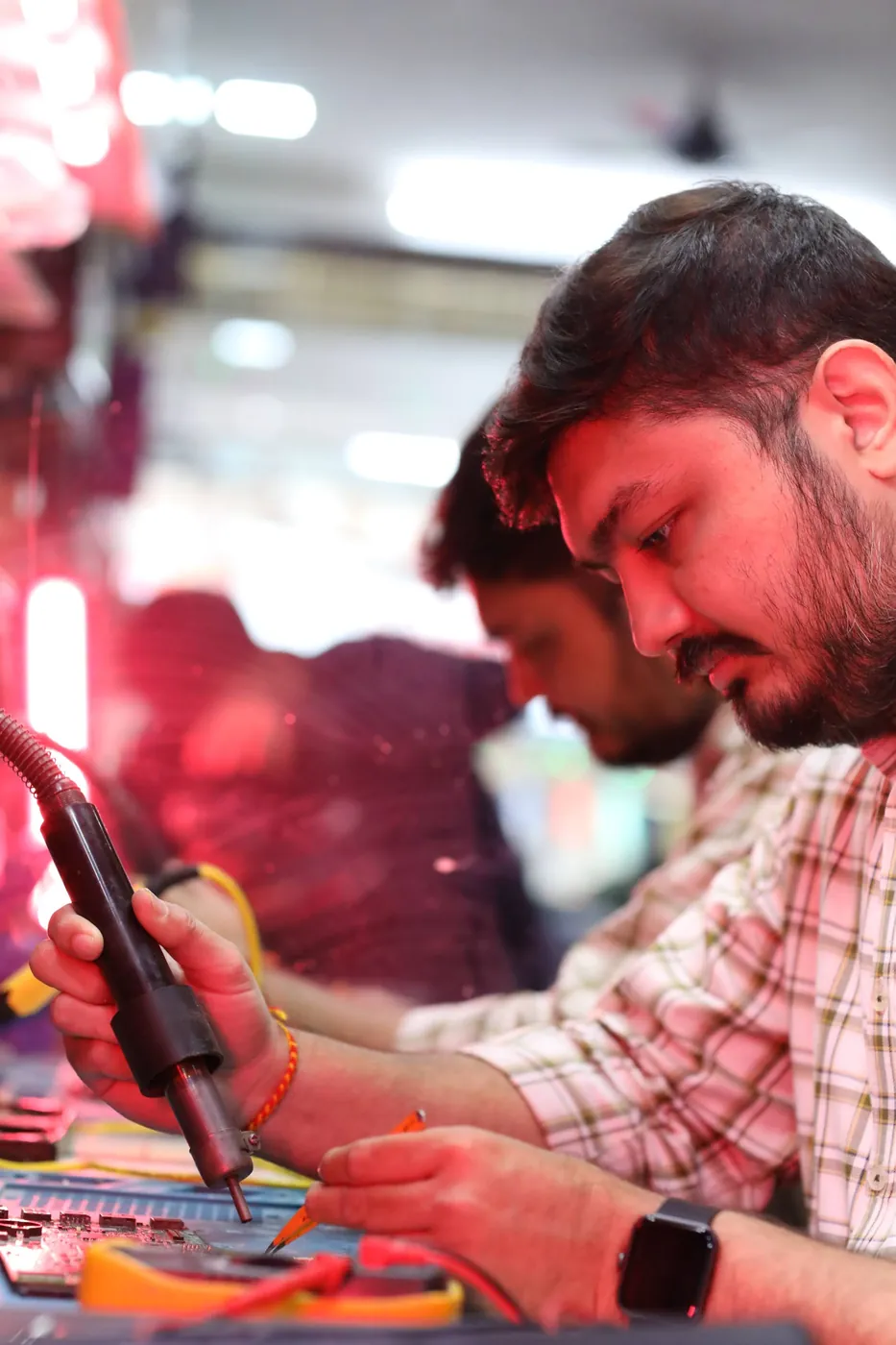
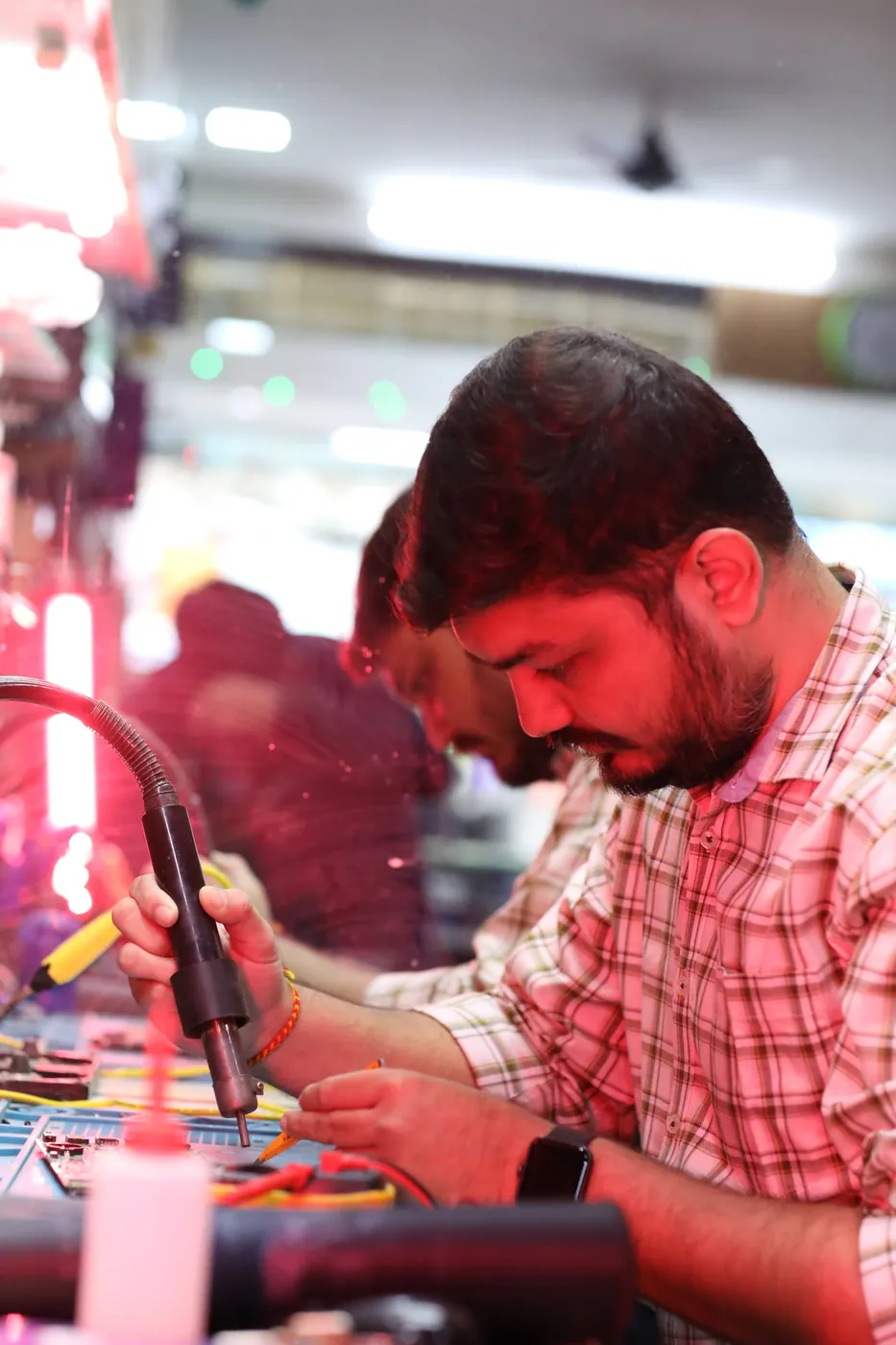
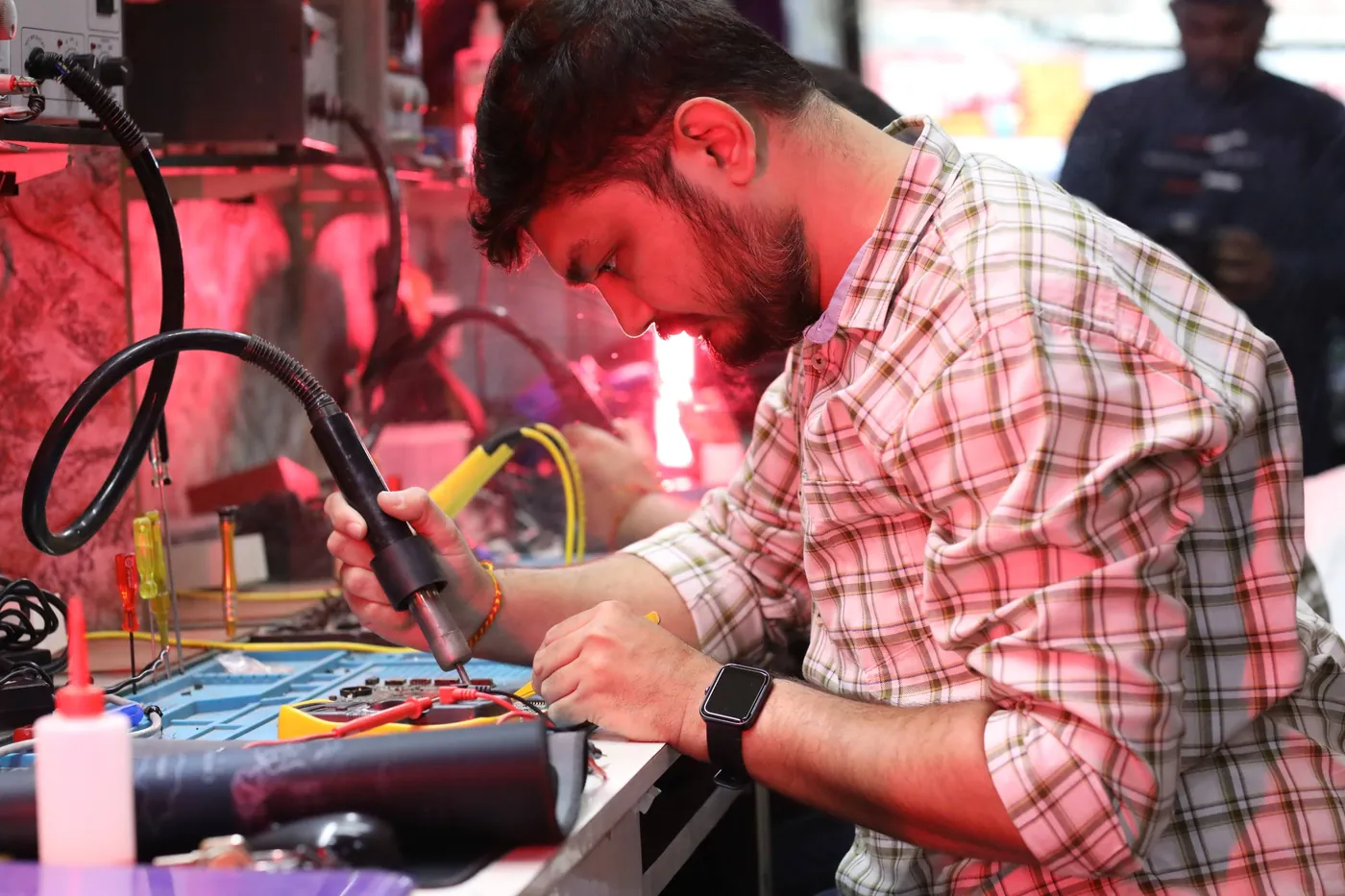
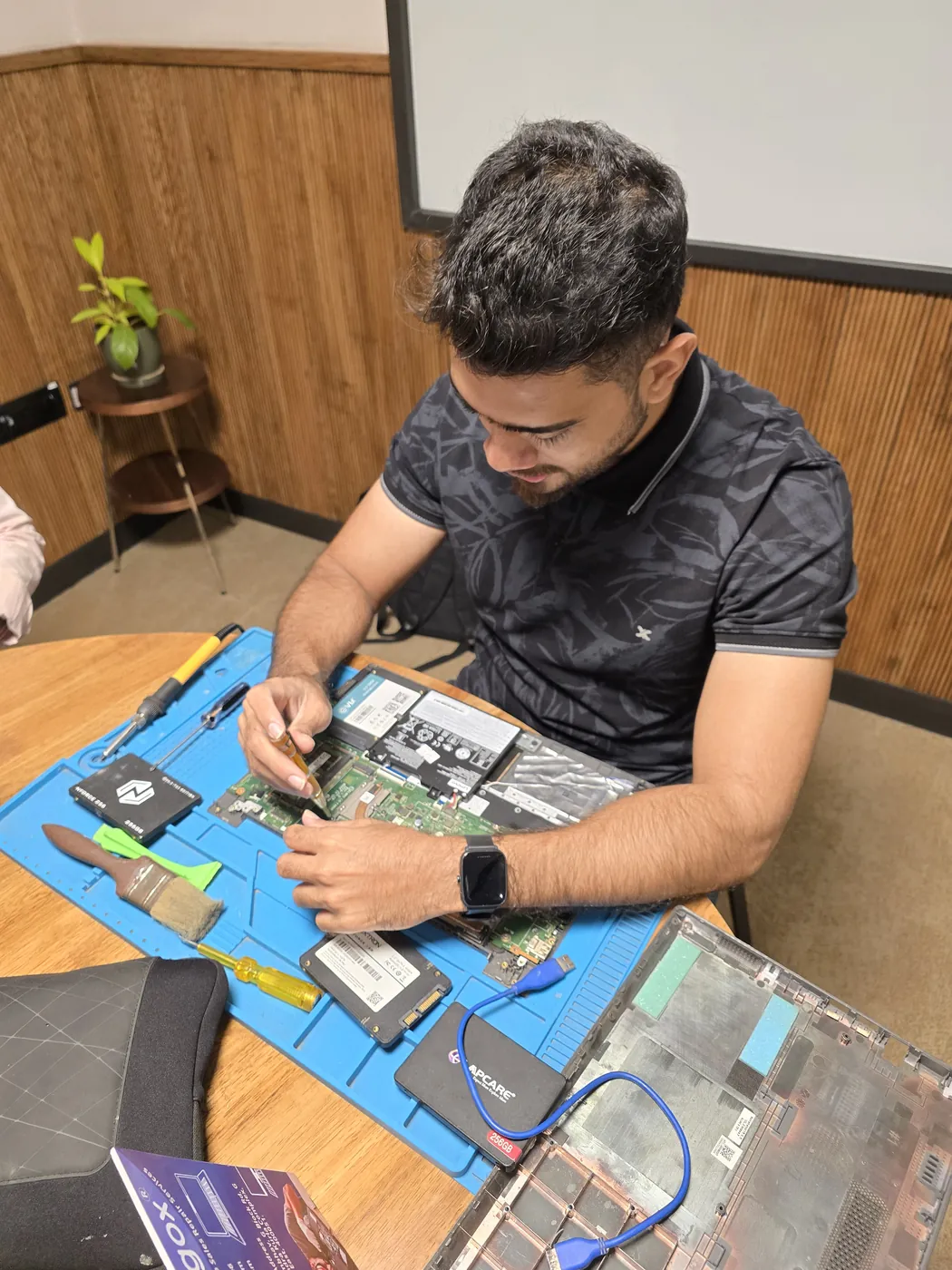

All photos are real photographs of the Xigox team at work.
Why Xigox?
Over 9,727+ reviewers across Mumbai trust Xigox for professional, transparent and affordable Wi-Fi Printer Not Connecting. Serving all addresses in the 400001 postal zone.
Most Wi-Fi Printer Not Connecting jobs finished in 2–4 hours. Doorstep service for part replacements; free pickup for lab repairs in Fort.
₹350 inspection fee (refunded if you proceed with repair). Exact written quote before we start. No surprise charges — ever.
WhatsApp support after every Wi-Fi Printer Not Connecting job. We answer laptop and computer questions — always free.
Collection and return anywhere in Fort at no charge. Doorstep Wi-Fi Printer Not Connecting costs the same as bringing it to us — we do not bill convenience.
If we cannot resolve your Wi-Fi Printer Not Connecting issue you pay nothing beyond the inspection, and the device comes back exactly as we received it.
Including Sundays and public holidays. Weekend and evening slots in Fort are usually the easiest to book.
Who repairs your device
Wi-Fi Printer Not Connecting jobs are diagnosed and fixed by Xigox technicians, never handed on to another shop. Work that needs the repair bench is done at our workshop in Virar West.
Board-level faults are traced with a microscope, a multimeter and a soldering station before any part is replaced, and parts are fitted only after you approve the quote.
We don't open your personal files during a repair. When a job needs access to your data, such as data recovery or a Windows reinstall, we ask you first.




A transparent, step-by-step process from first contact to warranty-backed delivery
Call or WhatsApp +91 74997 61196. Tell us about the Wi-Fi Printer Not Connecting on your Printer in Fort — no technical jargon needed.
We dispatch an experienced technician to your Fort address. Pickup is completely free — no travel, no waiting at a service centre.
Your Printer is inspected by a specialist. We identify the root cause of Wi-Fi Printer Not Connecting and provide a transparent written quote — zero obligation.
Once you approve the quote, we fix Wi-Fi Printer Not Connecting using OEM-grade parts. No work starts without your explicit consent.
Every repaired Printer passes a rigorous 12-point QA checklist. We verify Wi-Fi Printer Not Connecting is fully and permanently resolved before handover.
Your Printer is returned to your Fort address with a written 90-day warranty certificate. Same fault recurs? Fixed free.
Repair examples
Epson
EcoTank L3250
Canon
PIXMA G620
HP
LaserJet M428fdw
Technician's note
Hairline crack in CIS scanner glass invisible to naked eye but caused consistent vertical line artifact.
Epson
L805
Technician's note
Light cyan channel was partially blocked. After 3 cleaning cycles and manual alignment, color accuracy restored to factory spec.
Canon
imageCLASS LBP226dw
Technician's note
Toner dust had coated the optical sensor, giving false low readings. Sensor board had corroded connector pin.
Samsung
Xpress M2835DW
Technician's note
Drum surface had scratches causing line defects. Drum at 150%% of rated life — impressive longevity.
Printer specifics
Printers are mechanical devices as much as electronic ones, so most faults trace back to rollers, print heads or the paper path rather than the mainboard.
For office printers we also quote an annual maintenance contract, because scheduled roller and head servicing costs far less than emergency call-outs.
If the print head or fuser is healthy, yes — rollers and pickup assemblies are inexpensive. We tell you the replacement cost alongside the repair cost so the comparison is honest.
Guides
Written by the Xigox workshop team — diagnostics, cost breakdowns and step-by-step fixes you can read before you book.
Clinic laser printers near Breach Candy need faster, more careful repair than home printers since a faded pres...
4 min read Printer RepairOffice multifunction printers near Churchgate fail faster from daily multi-user volume; here's how to diagnose...
4 min read Printer TroubleshootingEpson error codes split into four types: blinking-light hardware faults, false paper jams, scanner lock issues...
5 min read Printer TroubleshootingCanon error codes like 5B00 and B200 point to specific, well-documented causes, not a generic fault; here's wh...
4 min readComparison
What you get with Xigox in Fort, side by side.
| Feature | Xigox | Other shops |
|---|---|---|
| Experienced Technicians | Trained & Verified | Varies; ask who will work on the device |
| Genuine / OEM Parts | OEM-Quality Parts | Varies; ask which part will be fitted |
| 90-Day Warranty | Written Certificate | Varies; ask for the warranty in writing |
| Diagnosis / Inspection | ₹350, credited to the repair | Varies; ask what the diagnosis costs |
| Same-Day Turnaround | Fort — Most Repairs | Varies; ask for a time in writing |
| Free Doorstep Pickup | Fort — Free | Varies; ask whether pickup is free |
| Transparent Pricing | Written Quote First | Varies; ask for a written quote first |
| Live WhatsApp Updates | Real-time Repair Status | Varies; ask how you will get updates |
Xigox charges ₹350 for inspection — credited to your repair cost if you go ahead.
Customer reviews
4.9/5 · 6 reviews shown
Watch & learn
Watch our diagnostic and repair process step by step

See how Xigox handles real customer repairs — fast diagnosis, transparent pricing and a 90-day warranty on every job.

A closer look at the Xigox team, our tools, and the repair process behind 9,727+ customer reviews across Mumbai MMR.

A tour of our ISO 9001:2015 certified workshop — laptop, desktop and computer repairs with genuine-grade parts and a 90-day warranty.

How the Xigox team handles laptop and computer repair, sales, service and data recovery across Mumbai, Thane & Palghar.
FAQ
Everything you need to know before booking
10 questions answered
Send us your question on WhatsApp or call — a technician will answer.
Facing Wi-Fi Printer Not Connecting on your Printer in Fort? Xigox provides professional Wi-Fi Printer Not Connecting repair in Fort using genuine OEM-grade parts, with fully transparent pricing and a 90-day warranty on all work. Our technicians are trained on all major Printer brands and have completed over 1,00,096 successful repairs since 2011.
Wi-Fi Printer Not Connecting on a Printer rarely resolves itself and typically worsens with continued use. At Xigox, we perform a thorough ₹350 inspection (refunded if you proceed with repair) to identify the exact root cause before recommending any repair. You receive a clear written quote — zero obligation to proceed. Most Wi-Fi Printer Not Connecting repairs in Fort are completed same-day within 2–4 hours.
Whether your Printer is showing early signs or a severe manifestation of Wi-Fi Printer Not Connecting, our team provides fast, reliable solutions. Call, WhatsApp or book online — we respond within 15 minutes.
Xigox is a trusted destination for Wi-Fi Printer Not Connecting in Fort. Since 2011, we have offered honest, transparent and affordable laptop and computer repair services across Mumbai, Thane and Palghar — with a repair record of over 1,00,096 jobs completed to date.
Our Fort-area service team cover the entire scope of Wi-Fi Printer Not Connecting needs — spanning simple fixes and advanced repairs including screen damage, failing batteries, motherboard issues, water damage, keyboard issues, storage upgrades and data recovery. Every repair is carried out by a trained engineer using OEM-grade parts, with a 90-day warranty on all work.
We actively serve the entire 400001 postal area within Mumbai City district, ensuring same-day response for every repair request. ₹350 inspection fee (refunded if you proceed with repair). Located near DN Road, our service coverage extends across Fort and all surrounding localities. In addition to Fort, we also provide doorstep repairs and free pickup for lab work for customers in Kabutar Khana, Mantralaya, Flora Fountain and other nearby areas.
For part replacements (battery, keyboard, screen, SSD, RAM) — our technician reaches your address in Fort. For complex board-level work, we provide free pickup and delivery anywhere in Fort. Get in touch via phone, WhatsApp or the booking form — our team answers fast.
No-surprise billing is core to how Xigox operates in Fort. Our ₹350 inspection fee pays for a full diagnostic and is fully refunded if you proceed with the repair. You receive a complete written quote before any work begins. Our Wi-Fi Printer Not Connecting prices come from our published price list — with no hidden fees, ever.
Service Hours
Monday – Sunday · 9 AM – 9 PM
Open on all public holidays
Service Area
Fort & surrounding Mumbai areas
Doorstep repairs + free pickup for lab work
Our Guarantee
90-day warranty on all repairs
Free re-repair if same fault recurs
Xigox resolves all common Printer hardware and software issues in Fort
Free pickup & drop across all these neighbourhoods
Free doorstep service in all these nearby areas
Our process
Our Wi-Fi Printer Not Connecting process in Fort is designed for speed, safety, and total transparency.
Step 1Step 1: Tell Us Your Printer Issue Free
Call, WhatsApp, or fill out our online form. Share your printer brand (HP, Canon, Epson, Brother, Kyocera, Ricoh) and the issue — not printing, paper jam, streaks, poor print quality, connectivity problems, or error codes. We respond within minutes with availability.
Step 2Step 2: Doorstep Technician or Free Pickup
For cartridge replacements, ink refills, WiFi printer setup, and minor software fixes, our technician visits your Fort doorstep. For mainboard repairs, printhead replacement, drum unit service, and deep cleaning, we offer free pickup and drop from your Fort address. Safe handling guaranteed. We cover the entire 400001 postal area with priority pickup scheduling.
Step 3Step 3: Printer Diagnosis & Transparent Quote
Our experienced printer engineer runs a complete diagnostic — print quality test, nozzle alignment check, roller inspection, and connectivity scan. ₹350 inspection fee applies (fully refunded if you proceed with the repair). You receive a clear, itemised written quote before any work begins. Our 4.9★ rating across 9,727+ reviews reflects our commitment to thorough quality assurance.
Step 4Step 4: Expert Repair with Genuine Printer Parts
Using OEM-grade cartridges, genuine printheads, quality rollers, drum units, and manufacturer-approved techniques, our technicians restore your printer to factory output quality. Most repairs — paper jams, print quality, WiFi connectivity — are resolved the same day.
Step 5Step 5: Test Prints & Free Delivery with 90-Day Warranty
Before return, we run multiple test prints — nozzle check, colour calibration page, alignment test, and quality verification. Your repaired printer is delivered back to your Fort doorstep at zero cost. Every repair includes a 90-day written warranty covering parts and labour. Same-day delivery extends to Kabutar Khana and Mantralaya and surrounding localities.
Don't wait — book your repair from Fort today. Doorstep service for part replacements, free pickup for lab repairs. Same-day service available.
Explore more services
Same technicians · Free pickup · 90-day warranty across all services.
Expert Wi-Fi Printer Not Connecting repair · ₹350 inspection (refunded if you proceed with repair) · 90-day warranty
Serving Fort and all of Mumbai MMR · Open 9 AM – 9 PM daily
Tired of middlemen? Work with the actual repair team — Xigox. Laser printing issues — streaks, ghosting, or toner not fusing require targeted fault isolation: exactly which component has failed?. Xigox engineers never replace all laser consumables speculatively — saving businesses ₹3,000–₹8,000 in unnecessary parts. Wi-Fi Printer Not Connecting in Fort includes a print quality verification before handover.
One of the most common complaints about repair shops in Fort is hidden charges after the job is done. Xigox operates differently. Prior to touching your printer, our technician sends a WhatsApp quote covering parts and labour. There is zero ambiguity — the decision is entirely yours. The ₹350 diagnostic is credited 100% when you approve the repair.
Arranging this issue in Fort is incredibly hassle-free. Step 1, call or WhatsApp us at +91 74997 61196 to describe your issue. Next, our complimentary collection driver arrives at your Fort doorstep within 1–2 hours. The team then carry out a thorough diagnostic (₹350, credited toward your repair). Once you agree, this issue is executed with genuine parts — and your printer is returned to you. Most repairs done same day.
You have options in Fort, but Xigox is the preferred choice for the repair. Our core values include total honesty. Every repair starts with a detailed hardware check costing just ₹350, refunded if you proceed. No hidden charges — just professional repair in Fort.
Need your printer fixed urgently? Xigox offers priority this issue in Fort for critical situations. From an exam deadline and your printer just crashed, our emergency service ensures your printer is repaired within the same business day. Emergency this issue can be arranged including weekends in Fort. Just say 'priority' when calling and our team will fast-track your issue immediately.
Your personal data is our top priority during your repair. Customers throughout Fort trust us because we never access personal files. Throughout the repair, your confidential files remain untouched. If a software reset is necessary, we consult you beforehand.
Uncertain about the issue with your printer? Prior to starting any issue, Xigox performs a thorough diagnostic check. The ₹350 inspection fee, it is 100% refunded if you proceed with the repair. Our local experts will show you the broken part in plain English so you can make an informed decision.
Numbers speak louder. Xigox maintains a 4.9-star rating from 9,727+ customer reviews from customers across Mumbai MMR. Common praise includes: no surprise charges, fast turnaround, and genuine parts. What Fort customers value most: "Fast, professional service with fair pricing." Become part of the growing community of satisfied Xigox customers in Fort.
Each issue completed by Xigox in Fort comes with a comprehensive three-month warranty on parts and labour. That means, if anything goes wrong within 3 months, we fix it at zero extra cost. You get a written warranty card with every issue, so the terms are clear.
We repair devices for homes, offices and colleges across Fort book us with free pickup and drop. You get a written quote before any work, OEM-grade parts and a 90-day warranty, for a single printer or a whole office. When you choose Xigox for the repair in Fort, you get the same service and warranty as every other customer.
Wondering how fast Xigox can complete issue in Fort? Our standard process: First — call or WhatsApp +91 74997 61196 and our pickup technician arrives at your Fort address within 2 hours. Then — ₹350 diagnostic pinpoints the issue. Step 3 — you approve the quote via WhatsApp — zero pressure. Step 4 — this issue is done using OEM-grade components by our engineers, usually within 2–4 hours. Step 5 — your printer is delivered back to you with a quality report.
Technology keeps your life running — protect it with a dependable Wi-Fi Printer Not Connecting team. Xigox looks after customers across Mumbai, Thane and Palghar with transparent billing. Need a quick fix? WhatsApp us at +91 74997 61196 for priority Wi-Fi Printer Not Connecting in Fort.
Service area
Xigox provides wi-fi printer not connecting repair across Fort, in the Mumbai City district of Mumbai. Our doorstep pickup and on-site service cover the entire Fort area and the neighbourhoods around it.
Localities we cover in Fort: Ballard Estate, CST, Churchgate. Wherever you are in Fort, we can collect your device from your door and bring it back after the repair.
Our technicians regularly serve homes, societies and offices around Chhatrapati Shivaji Maharaj Terminus, Bombay Stock Exchange and Horniman Circle Garden, and along MG Road (Fort), DN Road and Horniman Circle Road. If you're near any of these landmarks, same-day pickup for wi-fi printer not connecting repair is almost always available.
We also serve these nearby areas — tap your locality for local wi-fi printer not connecting repair:
4.9 from 9,727 customer reviews across all repairs · upfront pricing · 90-day warranty
Before you book: have your device model and a quick description of the issue ready — it speeds up your quote.
Not sure what's wrong?
Tell us what your device is doing — we'll point you to the right repair, with real pricing and next steps.
Nearest branch: Worli, Dadar
~8.7 km from Fort. With free doorstep pickup you don't need to travel — this is our nearest branch.
Book a repair
₹350 inspection fee refunded if you proceed with repair · 90-day warranty
We'll call you within 1 hour to confirm your appointment and arrange doorstep pickup.
Inspection fee: ₹350
Device type *
Inspection fee: ₹350
Your details are used only to arrange this repair. By submitting, you agree to our Privacy Policy.