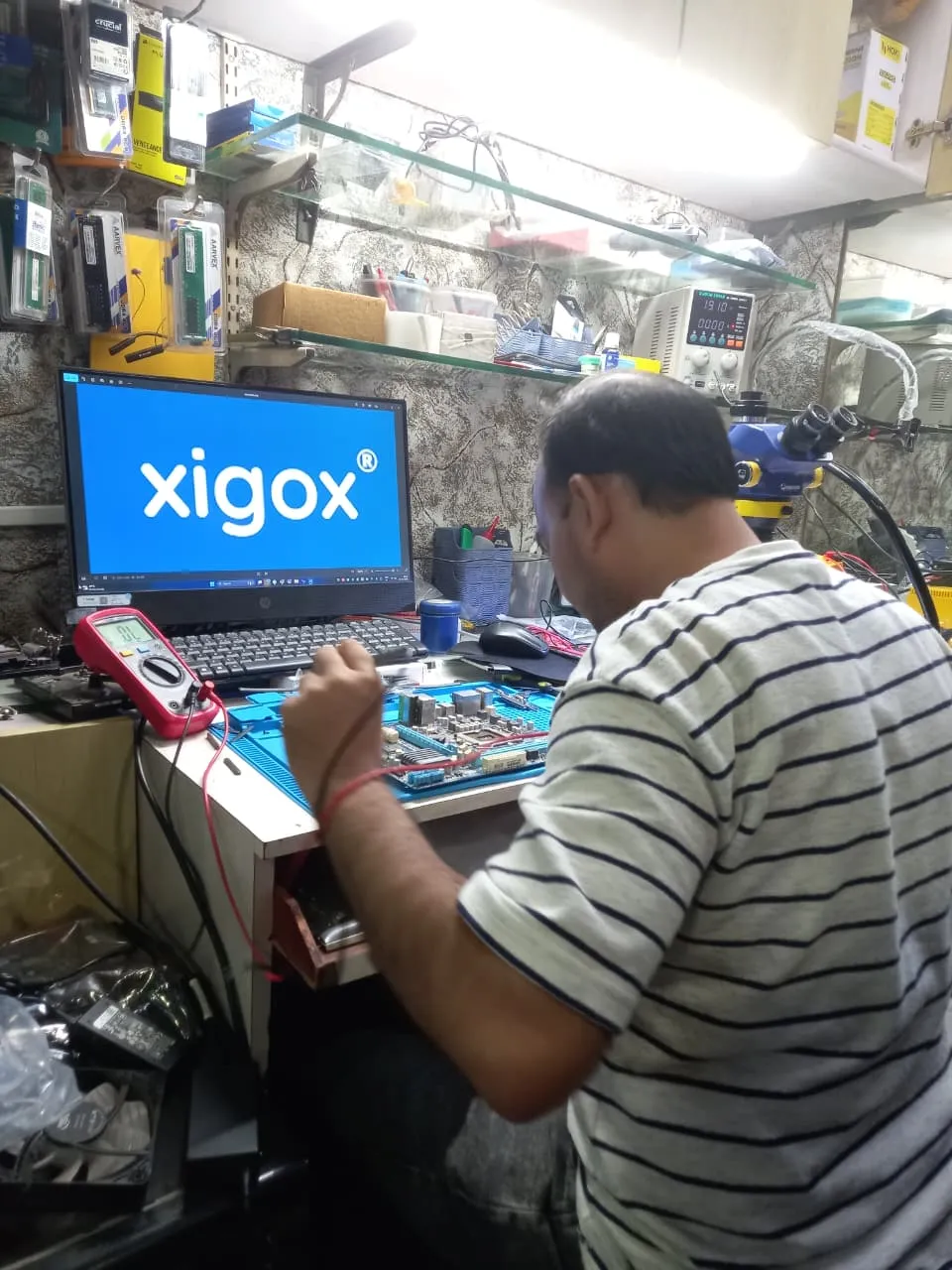
Gaming
PC RTX 4080
- Issue
- No display output, fans spinning. No boot sequence.
- Solution
- Diagnosed motherboard failure. Replaced with compatible board.
Goregaon West
4 Hours
- Motherboard
- Gaming
- Display
 HP · Computer Keyboard/Mouse Not Working · Kanakia
Expert diagnosis & repair for Computer Keyboard/Mouse Not Working on your HP device in Kanakia. Free doorstep pickup, genuine parts & 90-day warranty.
Open 9 AM – 9 PM · 7 days · ₹350 inspection fee (refunded if you proceed with repair)
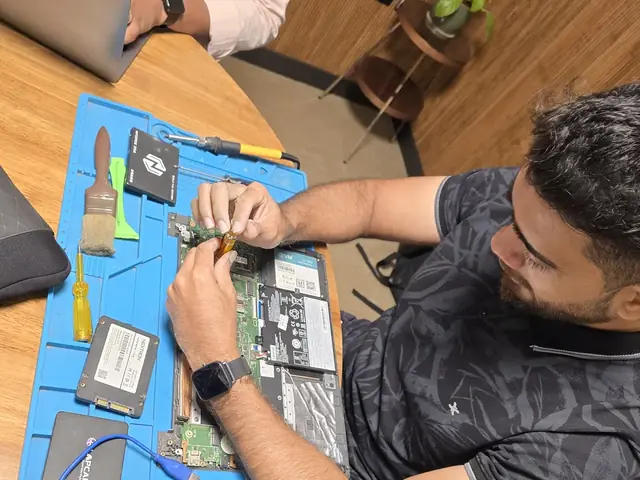
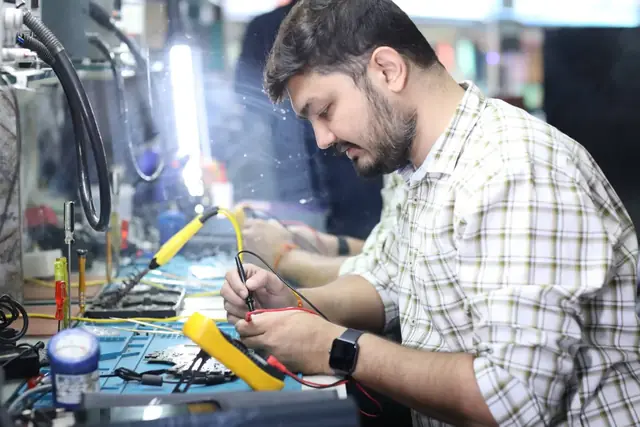
Common symptoms of Computer Keyboard/Mouse Not Working on HP devices. Recognise 2 or more? Book a ₹350 inspection (refunded if you proceed with repair) now.
Some keys stuck, unresponsive or auto-repeating
Keys output wrong characters or double-type
Keyboard affected by liquid spill damage
Keycaps broken, popped off or missing entirely
Keyboard backlight not working or flickering
Built-in trackpad unresponsive or erratic
Don't Delay — Computer Keyboard/Mouse Not Working Gets Worse Over Time
Unaddressed hardware issues worsen and can lead to secondary damage, escalating repair costs significantly.
Knowing the root cause ensures a precise repair — not just a temporary fix.
Accidental drops, pressure or impact causing mechanical damage to internal components.
Water, beverages or humidity causing short circuits or corrosion on circuit boards.
Components degrade naturally with regular use — batteries, connectors and hinges most affected.
Factory faults that surface after the warranty period in certain production batches.
Transparent pricing · ₹350 inspection fee (refunded if you proceed with repair) first · Pay only after approval
| Repair Type | Estimated Cost | Warranty |
|---|---|---|
| Laptop & Computer External Keyboard Setup — Basic fix | ₹450 | 90 Days |
| Laptop & Computer External Keyboard Setup — Standard fix | ₹699 | 90 Days |
| Laptop & Computer External Keyboard Setup — Advanced fix | ₹999 | 90 Days |
| Laptop & Computer External Keyboard Setup — Complex case | ₹1,499 | 90 Days |
| Laptop & Computer Keyboard Liquid Damage — Basic fix | ₹1,499 | 90 Days |
| Computer Keyboard Replacement — Basic fix | ₹1,799 | 90 Days |
Final cost confirmed after ₹350 inspection (refunded if you proceed with repair). Work starts only with your approval.
Get Exact QuoteWhy Us?
With 1,00,464+ successful repairs and a 4.9-star rating, Xigox is an independent HP repair specialist serving Kanakia. Conveniently located near Mira Bhayander Road.
Our engineers work on HP hardware regularly. Every repair is tested before return.
We use genuine HP parts wherever available; otherwise OEM-compatible components.
Every repair backed by a written 90-day warranty. Same fault recurs? We fix it free of charge.
Most HP Computer Keyboard/Mouse Not Working jobs in Kanakia are completed same-day. Urgent service available for critical cases.
We quote before starting work. No hidden fees. You pay exactly what you were quoted.
Free WhatsApp support for any questions about your HP Computer Keyboard/Mouse Not Working after repair — always.
Who repairs your device
Your HP is handled by Xigox technicians from start to finish. It is never handed on to another shop. Work that needs the repair bench is done at our workshop in Virar West.
Board-level faults are traced with a microscope, a multimeter and a soldering station before any part is replaced, and parts are fitted only after you approve the quote.
We don't open your personal files during a repair. When a job needs access to your data, such as data recovery or a Windows reinstall, we ask you first.
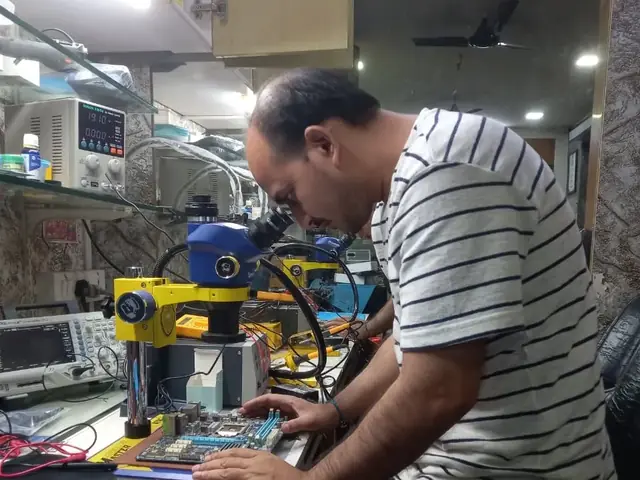
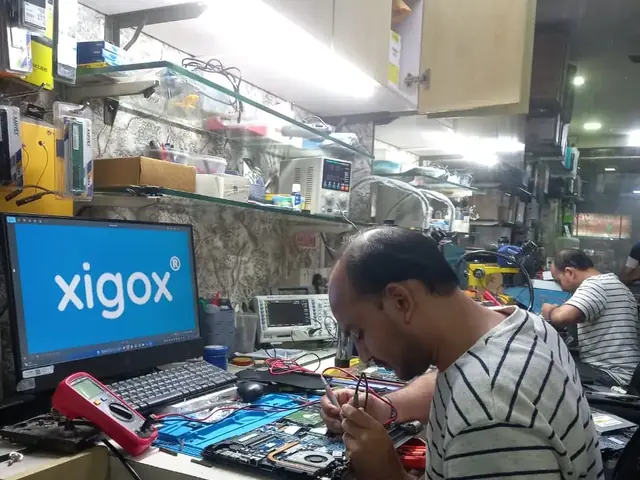
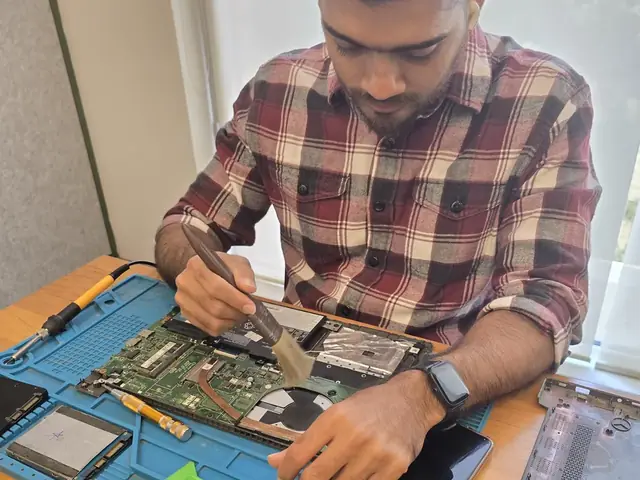
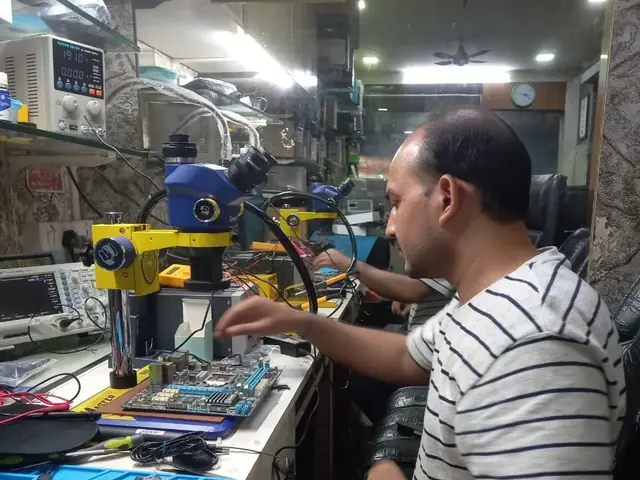
Step-by-step from booking to delivery — complete transparency, no surprises
Call, WhatsApp or book online. Tell us about the Computer Keyboard/Mouse Not Working on your HP desktop computer in Kanakia. No technical expertise needed.
We pick up your HP desktop computer from your Kanakia address at no transport cost. Bring it to us or we come to you.
A HP specialist examines your desktop computer and identifies the exact root cause of the Computer Keyboard/Mouse Not Working. Full written report provided — ₹350 fee refunded if you proceed with repair.
We share a detailed repair quote. Work begins only after your explicit approval — no hidden charges, no surprises.
Our engineers fix the Computer Keyboard/Mouse Not Working using OEM-grade HP parts. A multi-point quality checklist is completed before your desktop computer is returned.
Your HP desktop computer is returned to your Kanakia address with a written 90-day warranty. Same fault recurs? We fix it free of charge.
Customer reviews
4.9/5 · 12 reviews shown
← Swipe or tap dots to browse →
Repair examples
Gaming
PC RTX 4080
Dell
OptiPlex 7010
Technician's note
PSU exceeded 5-year lifespan. Recommended surge protector for office fleet.
Custom
Gaming PC
Technician's note
Build: Ryzen 7 7800X3D, RTX 4070 Super, 32GB DDR5, 1TB NVMe. Stress tested for stability.
Lenovo
ThinkCentre M70t
Technician's note
Component-level repair saved customer from motherboard replacement cost.
HP
ProDesk 400 G9
Technician's note
Original HDD retained as secondary storage. Best ROI upgrade for any desktop.
ASUS
ROG Strix GT35
Technician's note
Thermal paste had completely dried out. Applied premium thermal compound rated for 8+ years.
Watch & learn
Repair videos from our Virar West workshop

How the Xigox team handles laptop and computer repair, sales, service and data recovery across Mumbai, Thane & Palghar.
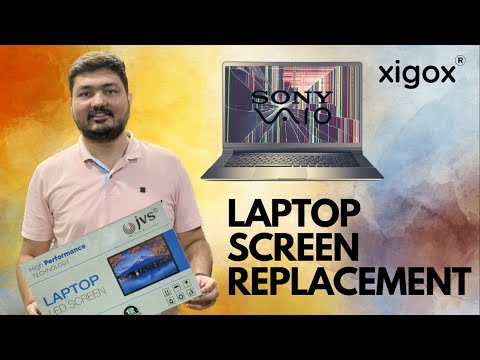
See how Xigox handles real customer repairs — fast diagnosis, transparent pricing and a 90-day warranty on every job.
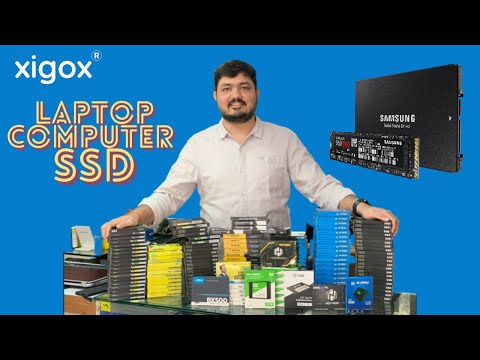
A closer look at the Xigox team, our tools, and the repair process behind 9,605+ customer reviews across Mumbai MMR.

A tour of our ISO 9001:2015 certified workshop — laptop, desktop and computer repairs with genuine-grade parts and a 90-day warranty.
FAQ
Everything you need to know before booking your inspection
10 questions answered
Send us your question on WhatsApp or call — a technician will answer.
Most Kanakia repair shops handle HP the same way they handle every other make. We do not. Our HP technicians are trained specifically on HP Computer architecture — schematics, boardview files and firmware behaviour — which is why our first-time fix rate on HP work is so much higher than a general shop's.
Every HP component we fit is OEM-grade and batch-tested before it goes into your Computer — no aftermarket substitutes, no recycled pulls sold as new. You see the part cost and the labour cost separately on the estimate before we start, and the ₹350 inspection comes off the bill if you go ahead.
We actively serve the entire 401107 postal area within Thane district, ensuring same-day response for every repair request. ₹350 inspection fee (refunded if you proceed with repair). Located near Mira Bhayander Road, our service coverage extends across Kanakia and all surrounding localities. In addition to Kanakia, we also provide doorstep repairs and free pickup for lab work for customers in Hatkesh Society, Kashimira, Mira Bhayandar and other nearby areas.
Straightforward HP jobs — battery, keyboard, screen, SSD or RAM — are done at your address in Kanakia. Anything needing the microscope and hot-air station comes back to the lab, with free pickup and drop either way. We confirm within 15 minutes of booking and tell you honestly whether it is a same-day fix.
Every HP repair at Xigox is covered by a 90-day warranty on all parts and labour. If the same fault recurs within the warranty period, we fix it at no charge. Our after-repair WhatsApp support means we are always available to answer questions about your HP Computer.
Service Hours
Monday – Sunday · 9 AM – 9 PM
Open on all public holidays
Service Area
Kanakia & surrounding Mumbai areas
Doorstep repairs + free pickup for lab work
Our Guarantee
90-day warranty on all repairs
Free re-repair if same fault recurs
Product lines
Xigox keeps HP parts and service documentation for 17 HP series, so Computer Keyboard/Mouse Not Working repair on a Compaq, DeskJet, EliteBook and EliteDesk machine is handled by someone who has seen that chassis before. We regularly take in Compaq, DeskJet, EliteBook and EliteDesk, along with EliteOne, Envy, LaserJet and Neverstop units for Computer Keyboard/Mouse Not Working repair in Kanakia. Specific HP models on our current service list include HP EliteDesk 800 G9, HP OMEN 40L, HP ProDesk 400 G9 and HP Slim Desktop S01. If your HP model is not listed, it is almost certainly still covered — send us the model number on the base sticker and we will confirm parts availability before you book.
The HP Slim Desktop S01 is HP's compact consumer desktop tower — a smaller-footprint alternative to full-size towers for everyday home computing.
The HP EliteDesk 800 G9 is HP's business desktop line — small-form-factor and tower options for corporate deployment, competing directly with Dell OptiPlex and Lenovo ThinkCentre.
The HP OMEN 40L is HP's dedicated gaming line (laptop and desktop) — high-refresh displays, dedicated gaming GPUs, and HP's gaming-focused cooling and software (Omen Gaming Hub).
Guides
Written by the Xigox workshop team — diagnostics, cost breakdowns and step-by-step fixes you can read before you book.
Slow WiFi is rarely fixed by guessing. Run a five-minute wired test, then work through signal, channel, laptop...
7 min read Computer GuideA desktop that will not start can be a dead socket, a tripped breaker, a failed PSU or a motherboard fault. Fo...
7 min read Computer GuideA desktop that beeps but will not boot is reporting a fault. Learn why beep codes vary by BIOS vendor, what co...
7 min read Gaming TipsA gaming PC that won't boot fails at power, POST, display or Windows. Match your symptom to the stage, then ru...
6 min readSelect your specific HP model for a more targeted diagnosis page
All common HP hardware and software issues resolved with 90-day warranty
All HP repair and upgrade services available at Xigox Kanakia
Free pickup & drop across all these neighbourhoods
Free doorstep service available in all these nearby areas
Explore more services
Same technicians · Free pickup · 90-day warranty across all services.
₹350 Inspection (refunded if you proceed with repair) · Expert repair for Computer Keyboard/Mouse Not Working · 90-day warranty
Serving Kanakia and all of Mumbai MMR · Open 9 AM – 9 PM daily
Comparison
What you get with Xigox in Kanakia, side by side.
| Feature | Xigox | Other shops |
|---|---|---|
| Experienced Technicians | Trained & Verified | Varies; ask who will work on the device |
| Genuine / OEM Parts | OEM-Quality Parts | Varies; ask which part will be fitted |
| 90-Day Warranty | Written Certificate | Varies; ask for the warranty in writing |
| Diagnosis / Inspection | ₹350, credited to the repair | Varies; ask what the diagnosis costs |
| Same-Day Turnaround | Kanakia — Most Repairs | Varies; ask for a time in writing |
| Free Doorstep Pickup | Kanakia — Free | Varies; ask whether pickup is free |
| Transparent Pricing | Written Quote First | Varies; ask for a written quote first |
| Live WhatsApp Updates | Real-time Repair Status | Varies; ask how you will get updates |
Xigox charges ₹350 for inspection — credited to your repair cost if you go ahead.
Avoid the directory hustle. Choose a direct service centre with Xigox. A broken hinge, stiff lid connector, or trackpad registering phantom clicks on your HP needs careful disassembly to fix correctly. Xigox engineers use the correct spanner sets and hinge-replacement kits, ensure no secondary damage, and validate every key and trackpad gesture before delivery. When it's HP Computer Keyboard/Mouse Not Working Repair you need in Kanakia, Xigox applies this same standard: a written quote before any work begins, genuine-grade parts, and a 90-day warranty covering the finished HP Computer Keyboard/Mouse Not Working Repair — parts and labour both.
Your personal data is our top priority during your repair. Customers throughout Kanakia trust us because we never access personal files. Throughout the repair, your confidential files remain untouched. If a software reset is necessary, we consult you beforehand.
Xigox's responsibility extends beyond the repair itself. Our support line is available daily via call or message. If you notice anything unusual in the post-repair period, just reach out and we dispatch a technician immediately. This promise is why Kanakia customers choose Xigox again and again.
Curious how quickly Xigox can complete repair in Kanakia? Here's our typical timeline: Step 1 — message us and our pickup technician arrives at your Kanakia address within 2 hours. Step 2 — our inspection identifies the exact fault. Next — you give the go-ahead via WhatsApp — completely your decision. Finally — the repair is executed using genuine parts at our Virar West workshop, often same day. Then — your HP is delivered back to you fully tested.
Following a professional issue in Kanakia, you can expect significantly better performance: faster boot times, lower fan noise, full-day battery performance, or crisp, bright display — based on what was fixed. Xigox performs a benchmark at the end of every issue in Kanakia to document the improvement.
Businesses across Kanakia trust our repair to keep operations running. We offer bulk repair contracts, same-day priority service, and a single point of contact. From a small team or an entire floor, Xigox manages the repair for your Kanakia workspace with GST invoices and complete service reports.
Customers from Kanakia with free pickup and drop. Every job gets a written quote before any work, genuine parts and a 90-day warranty, for a single HP or a whole office. By trusting us for this issue in Kanakia, your device is repaired at our Virar West workshop and returned tested.
Dropped water on your HP? Liquid damage ranks among the top causes for emergency repair in Kanakia. The most important step: keep the HP powered off! Contact Xigox right away. Our repair bench is equipped with advanced drying tools to clean the motherboard at the component level. Our success rate is among the highest in the industry. For customers in Kanakia, Xigox follows this exact process from start to finish — free pickup, a transparent written quote, genuine-grade parts, and a 90-day warranty on the completed repair.
There are many repair shops in Kanakia, however, Xigox stands out for this repair. We believe in total honesty. Each repair begins with a thorough diagnostic inspection for ₹350, which is fully refunded if you proceed. No surprise fees — only expert repair in Kanakia.
One of the most common complaints about repair shops in Kanakia is hidden charges after the job is done. Xigox operates differently. Before any work begins, our technician sends a WhatsApp quote covering parts and labour. There is zero ambiguity — the decision is entirely yours. The ₹350 diagnostic is credited 100% when you approve the repair.
No matter the HP you own, Xigox handles this repair. Xigox engineers are trained across all major brands: HP, Dell, Lenovo, Asus, Acer, MSI, Toshiba, Samsung and Apple MacBook. Different manufacturers have unique design choices we account for in every repair. This depth of brand knowledge reduces repair time and lowers the chance of secondary damage.
Stop letting your broken HP disrupt your workflow in Kanakia. Contact Xigox right now to schedule your HP Computer Keyboard/Mouse Not Working Repair. With our 90-day warranty and transparent pricing, you have nothing to lose. Schedule your free pickup in Kanakia via WhatsApp.
Service area
Xigox provides hp computer keyboard/mouse not working repair across Kanakia (PIN 401107), in the Thane district of Mumbai. Our doorstep pickup and on-site service cover the entire Kanakia area and the neighbourhoods around it.
Localities we cover in Kanakia: Mira Road East, Poonam Sagar. Wherever you are in Kanakia, we can collect your device from your door and bring it back after the repair.
Our technicians regularly serve homes, societies and offices around Mira Road East Station, and along Kanakia Road and Mira Bhayander Road. If you're near any of these landmarks, same-day pickup for hp computer keyboard/mouse not working repair is almost always available.
We also serve these nearby areas — tap your locality for local hp computer keyboard/mouse not working repair:
4.9 from 9,605 customer reviews across all repairs · upfront pricing · 90-day warranty
Before you book: have your device model and a quick description of the issue ready — it speeds up your quote.
Not sure what's wrong?
Tell us what your device is doing — we'll point you to the right repair, with real pricing and next steps.
Nearest branch: Mira Road East
About 1.6 km from Kanakia in a straight line. With free doorstep pickup you don't need to travel — call or WhatsApp before you visit.
Book a repair
Free pickup · Genuine parts · 90-day warranty
We'll call you within 1 hour to confirm your appointment and arrange doorstep pickup.
Inspection fee: ₹350
Device type *
Inspection fee: ₹350
Your details are used only to arrange this repair. By submitting, you agree to our Privacy Policy.
 Acer
 Apple
 ASUS
 Dell
 Intel
 Lenovo
 MSI
 Samsung