Printer Not Printing Fix in Oshiwara
Printer Won't Print? We Fix Driver, Queue & Hardware Issues
Printer Not Printing Fix in Oshiwara, in short: diagnosis is ₹350, credited to the repair. Most repairs are finished the same day; board-level work takes 2–5 days. Free pickup within 2 hours in Oshiwara and across Mumbai, Thane and Palghar. Simple replacements at your door; board-level and body repairs at our Virar West workshop after free pickup. Every repair carries a 90-day written warranty.
Nearest Xigox to Oshiwara
Xigox Andheri West branch · about 2.4 km
345, Swami Vivekanand Rd, opp. BMC market, Navneeth Colony, Andheri West, Mumbai, Maharashtra 400058
- Open every day · 9 AM – 9 PM
- Free pickup from Oshiwara within 2 hours
- ₹350 inspection, credited if you repair · 90-day warranty
Call or WhatsApp before you visit, or ask for a free pickup. Distances are straight lines from Oshiwara.
Common Not Printing Fix Problems in Oshiwara
Experiencing any of these issues? Our expert technicians diagnose and fix them all.
What's Included in Printer Not Printing Fix
Printer Not Printing Fix Pricing in Oshiwara
All prices subject to ₹350 inspection fee — refunded if you proceed with repair. No hidden charges.
How We Handle Not Printing Fix in Oshiwara
Describe the Problem
When did it stop? Any error messages? Recent changes? Quick phone/WhatsApp assessment.
Remote or Doorstep
Software issues can be fixed remotely. Hardware issues: free pickup in Oshiwara.
Systematic Diagnosis
We test connectivity, drivers, spooler, queue, cartridges, and printhead — methodically.
Printing Restored
Root cause fixed, test pages confirmed from all devices. 90-day warranty provided.
Printer Brands We Repair in Oshiwara
Trained and experienced technicians for all major printer brands





Customer reviews
What Customers Say About Printer Not Printing Fix in Oshiwara
4.9/5 · 6 reviews shown
Customer stories
Customer Stories
What customers say about their laptop and computer repairs
“Printer was showing paper jam but tray was empty. Xigox found a broken roller and replaced it. Prints 50 pages without a jam now. Excellent repair!”
HP LaserJet M428fdw
“Colour prints were streaky and faded. Xigox cleaned the print heads, calibrated the nozzles. Prints are sharp and vibrant again. Professional job!”
Epson EcoTank L15160
“Office printer was giving E04 error. Xigox replaced the drum unit and fuser. Printer back in service same day. AMC plan also taken — good value!”
Canon imageRUNNER 2204N
“Printer stopped powering on after a power surge. Xigox replaced the fuse and power board. Printing again at full speed. Saved buying a new printer!”
Brother HL-L2321D
“Our office MFP was printing with ghosting and faded text. Xigox replaced the drum unit and calibrated the toner density. Print quality is back to factory fresh. They even cleaned the scanner glass!”
HP LaserJet M428fdw
“My Epson ink tank printer was leaking ink internally. Xigox disassembled it completely, cleaned the waste ink pads, and replaced damaged tubes. Saved me from buying a new printer. Very skilled technic...”
Epson L3250
Not Printing Fix FAQs — Oshiwara
1 Why does my printer say "ready" but not print?
2 Can you fix this remotely?
3 My printer stopped after a Windows update — what happened?
4 How much does "printer not printing" fix cost?
5 My printer says ready but nothing comes out — where do I start?
6 Why does the printer work from one computer but not another?
7 It prints blank pages — is that the same problem?
8 Could a Windows update have broken my printing?
9 Does the error code on the display help?
10 Will I lose my print settings when this is fixed?
Watch & learn
See Our Repair Process in Action
Repair videos from our Virar West workshop

Inside Xigox — Computer & Laptop Repair Service Centre, Mumbai
A tour of our ISO 9001:2015 certified workshop — laptop, desktop and computer repairs with genuine-grade parts and a 90-day warranty.

Laptop & Computer Repair, Sales & Data Recovery — Xigox
How the Xigox team handles laptop and computer repair, sales, service and data recovery across Mumbai, Thane & Palghar.
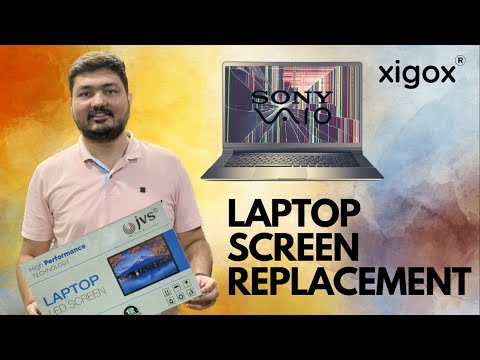
Xigox Laptop & Computer Repair — Real Customer Experience
See how Xigox handles real customer repairs — fast diagnosis, transparent pricing and a 90-day warranty on every job.
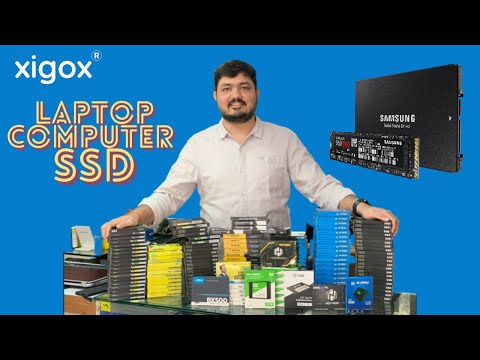
Xigox Service Centre — Mumbai's Trusted Repair Experts
A closer look at the Xigox team, our tools, and the repair process behind 9,605+ customer reviews across Mumbai MMR.
FAQ
Frequently Asked Questions
10 questions answered
Still have questions?
Send us your question on WhatsApp or call — a technician will answer.
Xigox vs. Other Printer Repair Shops in Oshiwara
1,00,438+ repairs completed. See why customers choose Xigox over local alternatives.
| Feature | Xigox ✓ | Other shops |
|---|---|---|
| Genuine / OEM-Grade Parts | Always | Varies; ask which part will be fitted |
| Written Warranty | 90 Days | Varies; ask for the warranty in writing |
| Free Pickup in Oshiwara | Doorstep | Varies; ask whether pickup is free |
| Inspection Fee | ₹350 (refunded if you proceed) | Varies; ask what the diagnosis costs |
| Transparent Written Quote | Before repair | Varies; ask for a written quote first |
| Experienced Technicians | Trained In-House | Varies; ask who will work on the device |
| Post-Repair Print Test | Multi-page test print | Varies; ask how the repair is tested |
| Toner/Ink Waste Disposal | Handled responsibly | Varies; ask how old parts are disposed of |
| Customer Support After Repair | 7 days | Varies; ask what support you get afterwards |
Why Xigox?
Why Choose Xigox for Printer Not Printing Fix in Oshiwara?
Over 9,605+ reviewers across Mumbai trust Xigox for professional, transparent and affordable Printer Not Printing Fix. Conveniently located near New Link Road.
Component-Level Capability
We repair at chip and board level where it is safe to do so, which is why Printer Not Printing Fix here often costs a fraction of a full-module swap.
Experienced Repair Engineers
Every Printer Not Printing Fix technician is trained in-house, and every job is tested before it goes back to you.
Genuine OEM Components
Only genuine or OEM-grade parts used for Printer Not Printing Fix — zero aftermarket shortcuts, ever.
90-Day Repair Warranty
Your Printer Not Printing Fix is covered by a written 90-day warranty. Same fault recurs? We fix it free.
Same-Day Turnaround
Most Printer Not Printing Fix jobs finished in 2–4 hours. Doorstep service for part replacements; free pickup for lab repairs in Oshiwara.
Transparent Pricing
₹350 inspection fee (refunded if you proceed with repair). Exact written quote before we start. No surprise charges — ever.
- Repairs Completed
- 1,00,438+
- Since 2011
- Average Rating
- 4.9 ★
- 9,605+ reviews
- Repair Warranty
- 90 Days
- Parts & labour
- Avg Response
- 30 Min
- For common issues
- Pickup & Drop
- Free
- ₹350 inspection fee
- Est. Since
- 2011
- 15+ yrs in Mumbai Suburban
Printer Not Printing Fix in Oshiwara — Xigox
At Xigox, a well-reviewed choice for Printer Not Printing Fix in Oshiwara. For more than ten years, we have delivered expert and transparent laptop and computer repair services across the entire Mumbai region — with more than 1,00,438 repairs completed to date.
Our Oshiwara-area technicians take care of the complete spectrum of Printer Not Printing Fix needs — from everyday glitches to board-level faults including screen damage, failing batteries, motherboard issues, water damage, keyboard issues, storage upgrades and data recovery. Every repair is performed by a trained engineer using OEM-grade parts, with a 90-day warranty on all work.
We actively serve the entire 400053 postal area within Mumbai Suburban district, ensuring same-day response for every repair request. ₹350 inspection fee (refunded if you proceed with repair). Located near New Link Road, our service coverage extends across Oshiwara and all surrounding localities. In addition to Oshiwara, we also provide doorstep repairs and free pickup for lab work for customers in Lokhandwala, Gamdevi, Lokhandwala Back Road and other nearby areas.
For part replacements (battery, keyboard, screen, SSD, RAM) — our technician visits you directly in Oshiwara. For complex board-level work, we provide free pickup and delivery anywhere in Oshiwara. Reach out via phone, WhatsApp or the booking form — our team usually replies in minutes.
Honest pricing is fundamental to how Xigox operates in Oshiwara. Our ₹350 inspection fee pays for a full diagnostic and is fully refunded if you proceed with the repair. You receive a complete written quote before any work begins. Our Printer Not Printing Fix prices come from our published price list — with no hidden fees, ever.
Service Hours
Monday – Sunday · 9 AM – 9 PM
Open on all public holidays
Service Area
Oshiwara & surrounding Mumbai areas
Doorstep repairs + free pickup for lab work
Our Guarantee
90-day warranty on all repairs
Free re-repair if same fault recurs
Printer Not Printing Fix in Oshiwara — What You Need to Know
Whether it's an inkjet losing colour, a laser printer smudging every page, or a Wi-Fi printer that vanishes from the network — the fault is almost always diagnosable and fixable. Here's how we approach the most common printer service requests in Oshiwara.
Inkjet Printers — Clogs, Streaks & Carriage Faults
Inkjet printers are precision machines — the printhead fires ink droplets measured in picolitres through nozzles thinner than a human hair. When those nozzles dry or clog (after a period of inactivity, or after a low-quality ink refill), the result is banding, missing colours, or completely blank output. Automated cleaning cycles waste expensive ink without fixing deep clogs. Our manual and ultrasonic printhead cleaning process removes dried ink at the microscopic level, restoring full nozzle coverage. For Canon G-series and Epson EcoTank models — which have built-in, non-removable printheads — early cleaning is especially critical: a permanently damaged printhead on these models requires a ₹3,000–₹8,000 replacement.
Laser Printers — Fuser, Drum & Toner Issues
Laser printers work by fusing toner powder to paper using heat. The fuser unit — a heated roller assembly — wears out after roughly 50,000–80,000 pages, causing smudging (toner not fusing), curled paper, or wrinkled prints. Drum units wear separately and cause ghosting, grey backgrounds, or horizontal lines. A faulty transfer roller is another common culprit for faded or patchy prints. Rather than recommending a full printer replacement, our approach is component-specific: we identify exactly which part has reached end-of-life, source a quality replacement, and test with 100+ pages before returning the printer. Fuser replacement typically costs ₹2,499–₹4,999 — significantly less than a new office-grade laser printer.
Paper Jams — Root Cause vs. Quick Clear
Most paper jams are not random. A printer that jams once is a coincidence. A printer that jams regularly on the same page count or same paper type has a mechanical root cause — most commonly worn feed rollers that have lost their grip. Pulling jammed paper out forcefully often tears the sheet and leaves fragments near sensors, triggering a persistent "jam detected" error even after the paper is cleared. Our paper jam service includes safe fragment extraction, full paper path inspection, roller condition assessment, and replacement if worn. A ₹499–₹999 roller service prevents months of jamming frustration.
When to Repair vs. When to Replace
A good rule of thumb: if the repair cost is under 50% of the printer's current replacement value, repair is almost always worth it — especially for laser printers (which are built for longevity) and high-capacity inkjets like the Epson EcoTank and Canon MegaTank series. We diagnose honestly: if your printer's mainboard has failed and the repair would exceed ₹3,000 on a ₹4,000 printer, we'll tell you plainly and recommend a replacement. Our ₹350 inspection fee is refunded if you decide to proceed with a repair — so there's no cost to getting a professional second opinion before committing to a new printer.
Other Printer Services in Oshiwara
Not Printing Fix Service in Oshiwara, Mumbai
Xigox provides professional Not Printing Fix in Oshiwara, Mumbai. Our experienced technicians serve Oshiwara and all surrounding areas with free doorstep pickup and delivery — no need to visit any service centre.
Areas, Roads & Landmarks We Cover in Oshiwara
Free pickup & drop across all these neighbourhoods
Localities & neighbourhoods
- Andheri West
- Jogeshwari West
- Lokhandwala
- Oshiwara Junction
Roads & highways
- New Link Road
Landmarks & famous places
- Oshiwara River
- Fun Republic
Not Printing Fix Near Oshiwara
Printer Not Printing Fix — All Service Areas
Xigox serves 50+ locations across Mumbai MMR
Explore more services
More Repair & Tech Services Near Oshiwara
Same technicians · Free pickup · 90-day warranty across all services.
Book a repair
Printer Not Printing Fix — Free Pickup
Tell us your issue. We'll call within 1 hour to confirm pickup and give a cost estimate.
Booking received
We'll call you within 1 hour to confirm your appointment and arrange doorstep pickup.
Inspection fee: ₹350
- Credited to your total repair cost if you go ahead.
- Still applies if the device can't be repaired or you decline the repair.
Device type *
Inspection fee: ₹350
- If you go ahead with the repair, the ₹350 is credited to your total repair cost.
- If the device can't be repaired or you decide not to continue, the ₹350 inspection fee still applies.
Your details are used only to arrange this repair. By submitting, you agree to our Privacy Policy.
Need Not Printing Fix in Oshiwara?
₹350 inspection fee (refunded if you proceed with repair), 90-day warranty, doorstep pickup & delivery. Call now or WhatsApp — we respond in under 2 minutes.
Guides
Repair Guides & Troubleshooting Articles for Oshiwara Customers
Written by the Xigox workshop team — diagnostics, cost breakdowns and step-by-step fixes you can read before you book.
Printer Not Printing? 9 Causes & Fixes for HP, Epson, Canon (2026)
A printer that won't print has 9 possible causes — most are free software fixes. This guide covers all of them...
5 min read Printer TroubleshootingDouble-Sided (Duplex) Printing Not Working — Fix Guide
Duplex printing fails due to driver settings, incompatible paper weight, or a worn duplex unit, here's how to...
4 min read Printer GuideHow to Fix Printer Printing Blank Pages — Inkjet & Laser Printers
Why inkjet and laser printers print blank pages: leftover tape or seals, empty or misreporting cartridges, dri...
7 min read Printer TipsFaded or Streaky Printing? Fix Your Print Quality
Read the pattern on a faded or streaky print to find the cause, then follow separate inkjet and laser fixes co...
6 min readHow it's done
How We Perform Printer Not Printing Fix
What our technicians do, what it requires, and how to tell you need it.
1 How It's Performed
For this specific fault, our technicians clear any stuck print jobs from the queue, reinstall the correct driver for your exact model, and reconfirm the printer's network/USB connection from scratch rather than just restarting it and hoping the issue clears itself.
Typical time: 20–40 minutes
2 What This Requires
- A clear print queue — a single stuck job can block every subsequent print attempt until it's manually cleared.
3 When You Need This
- The printer shows as "offline" in your computer's settings even though it's powered on.
- Print jobs sit in the queue indefinitely without printing or erroring out.
- The printer isn't detected on the network/WiFi at all, or was detected once and has since disappeared.
Printer Not Printing Fix in Oshiwara — Professional, Reliable, and Affordable
Don't waste time on booking portals. Reach the engineers directly with Xigox. Print nozzle blockages are the #1 reason for blank lines, colour gaps, and faded output — and new heads are rarely needed. Xigox's printer team uses professional cleaning equipment to clear blockages for HP Deskjet, Canon PIXMA, Epson EcoTank, and Brother. Most Printer Not Printing Fix jobs in Oshiwara restores full print quality without parts cost.
Serving Oshiwara Homes & Offices
We repair devices for homes, offices and colleges across Oshiwara book us with free pickup and drop. You get a written quote before any work, OEM-grade parts and a 90-day warranty, for a single printer or a whole office. When you choose Xigox for this issue in Oshiwara, you get the same service and warranty as every other customer.
Doorstep Pickup & Drop across Oshiwara
Navigating traffic in Oshiwara takes hours. To solve this, Xigox offers a no-hassle doorstep logistics service for the repair. Just drop your pin, and our secure courier will collect your printer directly from you. Once the repair is finished, we safely return it in protective packaging. Enjoy total convenience without leaving your desk.
How the Printer Not Printing Fix Process Step by Step
Getting your printer fixed in Oshiwara is designed to be hassle-free. First, message us at +91 74997 61196 sharing your issue. Then, our free pickup technician arrives at your Oshiwara address within the same day. Our engineers then perform a detailed diagnostic (₹350, refunded if you proceed). After your approval, this issue is completed with OEM-grade parts — and your printer is delivered back to you. Total turnaround: 24-48 hours.
Urgent Printer Not Printing Fix Available
Can't wait 48 hours? Xigox offers rush the repair in Oshiwara for urgent situations. From an important client meeting and your printer just crashed, our emergency service moves your printer to the front of the line, so most repairs can be finished the same business day. Emergency the repair can be arranged including weekends in Oshiwara. Just say 'priority' when calling and our team will fast-track your repair immediately.
Why Choose Us for Printer Not Printing Fix in Oshiwara
You have options in Oshiwara, but Xigox is the preferred choice for this issue. Our core values include complete transparency. Every issue starts with a detailed hardware check costing just ₹350, refunded if you proceed. No hidden charges — just professional issue in Oshiwara.
What Oshiwara Customers Say About Printer Not Printing Fix
Don't just take our word for it. Xigox has earned a 4.9-star rating from 9,605+ customer reviews from customers across Mumbai MMR. Customers frequently mention: accurate quotes, same-day completion, and OEM-grade replacements. What Oshiwara customers value most: "Excellent the repair, done same day with genuine parts." Join the growing community of happy Xigox customers in Oshiwara.
Oshiwara Customer Support for Printer Not Printing Fix
Xigox's responsibility extends beyond the repair itself. The Xigox after-service team remains reachable 7 days a week, 9 AM–9 PM via WhatsApp or phone. Should any concern arise within 90 days of your issue, simply contact us and a technician is dispatched at no cost. This commitment is why residents in Oshiwara return to Xigox.
OEM-Grade Solutions for Printer Not Printing Fix
Reliability matters for the repair. That's why our technicians exclusively use original-specification parts for your printer. Rather than counterfeit components, we source from established suppliers. This helps your repair last, backed by our written 90-day warranty.
Privacy Protection for Printer Not Printing Fix
Your personal data is our top priority during your issue. Customers throughout Oshiwara trust us because we never access personal files. Throughout the issue, your confidential files remain untouched. If a software reset is necessary, we consult you beforehand.
Express Printer Not Printing Fix — What to Expect
Wondering how fast Xigox can complete repair in Oshiwara? Our standard process: First — call or WhatsApp +91 74997 61196 and our pickup technician arrives at your Oshiwara address within 2 hours. Then — ₹350 diagnostic pinpoints the issue. Step 3 — you approve the quote via WhatsApp — zero pressure. Step 4 — the repair is done using OEM-grade components by our engineers, usually within 2–4 hours. Step 5 — your printer is delivered back to you with a quality report.
Make the smart choice for your printer in Oshiwara. Xigox: real technical skill, genuine components, no hidden costs, doorstep service — all confirmed in writing. Thousands of Oshiwara customers already have: call +91 74997 61196 for fast, affordable Printer Not Printing Fix in Oshiwara.
Service area
Printer Not Printing Fix in Oshiwara — Service Area & Coverage
Xigox provides printer not printing fix across Oshiwara (PIN 400053), in the Mumbai Suburban district of Mumbai. Our doorstep pickup and on-site service cover the entire Oshiwara area and the neighbourhoods around it.
Localities we cover in Oshiwara: Andheri West, Jogeshwari West, Lokhandwala, Oshiwara Junction. Wherever you are in Oshiwara, we can collect your device from your door and bring it back after the repair.
Our technicians regularly serve homes, societies and offices around Oshiwara River and Fun Republic, and along New Link Road. If you're near any of these landmarks, same-day pickup for printer not printing fix is almost always available.
Printer Not Printing Fix near Oshiwara
We also serve these nearby areas — tap your locality for local printer not printing fix:
Printer Not Printing Fix price in Oshiwara — know it before you book
- 1Pick your device & issue
- 2See the real price range
- 3Free doorstep pickup in Oshiwara
4.9 from 9,605 customer reviews across all repairs · upfront pricing · 90-day warranty
Before you book: have your device model and a quick description of the issue ready — it speeds up your quote.
Not sure what's wrong?
Find Your Fix by Symptom
Tell us what your device is doing — we'll point you to the right repair, with real pricing and next steps.
Nearest branch: Andheri West
About 2.4 km from Oshiwara in a straight line. With free doorstep pickup you don't need to travel — call or WhatsApp before you visit.