Canon
PIXMA G620
- Issue
- Color prints showing streaks, missing cyan. Nozzle blocked.
- Solution
- Deep chemical cleaning of print head. Restored all color channels.
Bandra East
1 Hours
- Inkjet
- Canon
- Head Clean
 Kyocera · Printer Wireless Setup · Thane
Professional Printer Wireless Setup for your Kyocera laptop or computer in Thane. Experienced technicians, OEM-grade parts & 90-day warranty.
Open 9 AM – 9 PM · 7 days · Free pickup from Thane & nearby areas
Everything included in your Kyocera Printer Wireless Setup service at Xigox Thane
Experienced Technicians
Our engineers are specifically trained on Kyocera hardware for precise, model-accurate repairs.
OEM-Grade Parts
We use genuine or grade-A compatible Kyocera components — no cheap, unreliable substitutes.
90-Day Warranty
Every Kyocera Printer Wireless Setup job comes with a full 90-day written warranty.
₹350 Inspection (refunded if you proceed with repair)
We inspect your Kyocera laptop for ₹350 before any work begins — fee refunded if you proceed with the repair.
Free Doorstep Pickup
Free laptop pickup and delivery within your area. No need to visit a service centre.
Fast Turnaround
Most Kyocera Printer Wireless Setup repairs are completed same-day or within 24 hours.
All Work Backed by 90-Day Warranty
Free re-repair within 90 days if the same issue recurs. No questions asked.
Understand why expert service protects your Kyocera laptop or computer and extends its lifespan
Professional Printer Wireless Setup restores your Kyocera Printer to its intended performance level.
Addressing repair needs early prevents minor issues from escalating into major hardware failures.
Repair is significantly cheaper than replacement. We maximise your Kyocera laptop's useful lifespan.
Our technicians are trained specifically on Kyocera hardware quirks, ensuring precise and lasting repairs.
Transparent pricing · No hidden fees · Pay only after service is complete
| Service | Estimated Cost | Warranty |
|---|---|---|
| Wi-Fi Direct Setup | ₹499 - ₹999 | 90 Days |
| Router-Based Wi-Fi Config | ₹499 - ₹999 | 90 Days |
| Multi-Device Wireless Setup | ₹699 - ₹1,199 | 90 Days |
Final quote provided after free laptop or computer inspection. Work starts only with your approval.
Get Exact QuoteWhy Us?
With 1,00,464+ successful repairs and a 4.9-star rating, Xigox is an independent Kyocera repair specialist serving Thane. Conveniently located near Vartak Nagar.
We repair Kyocera hardware at chip and board level where it's safe to do so — often a fraction of a full-module swap.
Our engineers work on Kyocera hardware regularly. Every repair is tested before return.
We use genuine Kyocera parts wherever available; otherwise OEM-compatible components.
Every repair backed by a written 90-day warranty. Same fault recurs? We fix it free of charge.
Most Kyocera Printer Wireless Setup jobs in Thane are completed same-day. Urgent service available for critical cases.
We quote before starting work. No hidden fees. You pay exactly what you were quoted.
Who repairs your device
Your Kyocera is handled by Xigox technicians from start to finish. It is never handed on to another shop. Work that needs the repair bench is done at our workshop in Virar West.
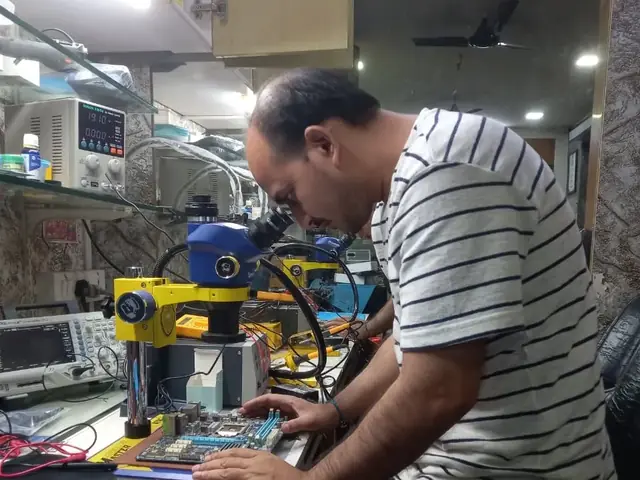
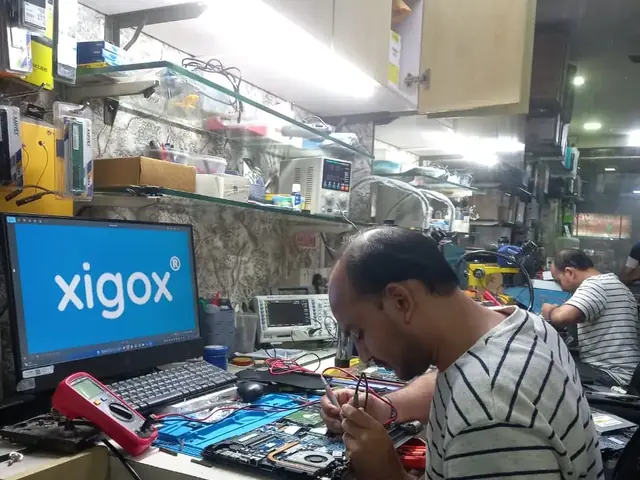
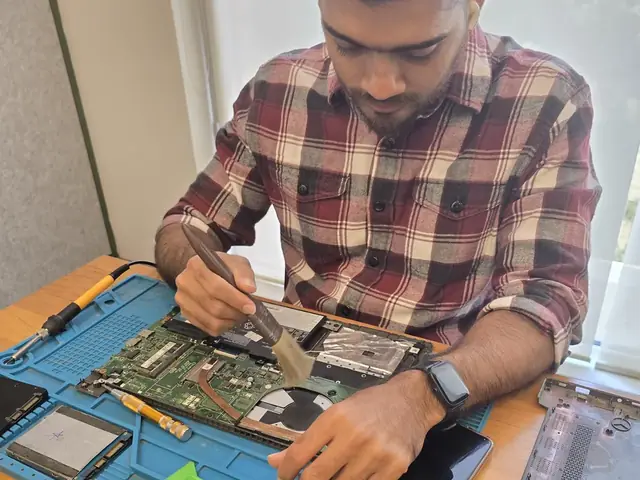
Board-level faults are traced with a microscope, a multimeter and a soldering station before any part is replaced, and parts are fitted only after you approve the quote.
We don't open your personal files during a repair. When a job needs access to your data, such as data recovery or a Windows reinstall, we ask you first.
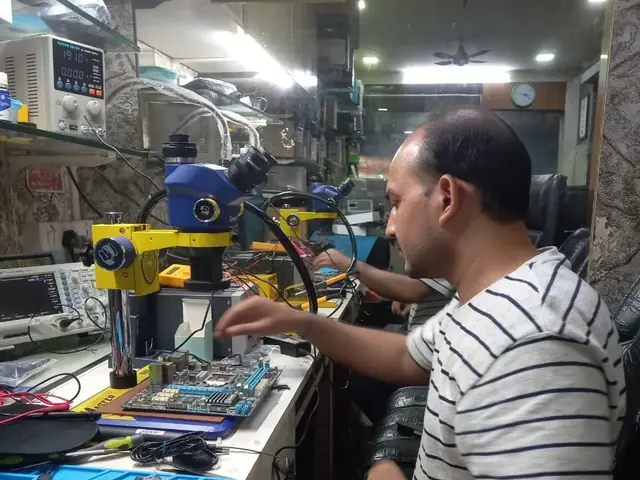
From booking to delivery — transparent, efficient, and professional every step of the way
Call, WhatsApp or book online. Tell us you need Printer Wireless Setup for your Kyocera laptop or computer in Thane. We'll confirm within minutes.
An experienced technician picks up your Kyocera laptop or computer from your Thane address at no cost. No travel required.
Your Kyocera laptop or computer is assessed by a specialist trained on Kyocera hardware. Full written inspection report — ₹350 fee refunded if you proceed with repair.
We provide a detailed repair quote for Printer Wireless Setup. Work only starts after your explicit written approval — no hidden charges ever.
Our Kyocera specialists perform Printer Wireless Setup using OEM-grade parts and professional-grade tools. multi-point quality check included.
Your Kyocera laptop or computer is returned to your Thane address with a written 90-day warranty. If the same issue recurs, we fix it free.
Customer reviews
4.9/5 · 8 reviews shown
← Swipe or tap dots to browse →
Repair examples
Canon
PIXMA G620
Epson
L805
Technician's note
Light cyan channel was partially blocked. After 3 cleaning cycles and manual alignment, color accuracy restored to factory spec.
Brother
DCP-T820DW
Technician's note
Ink had dried in dampers due to 3 months of non-use. Advised customer to print test page weekly to prevent recurrence.
Canon
imageCLASS LBP226dw
Technician's note
Toner dust had coated the optical sensor, giving false low readings. Sensor board had corroded connector pin.
Samsung
Xpress M2835DW
Technician's note
Drum surface had scratches causing line defects. Drum at 150%% of rated life — impressive longevity.
Canon
PIXMA G3010
Technician's note
Pickup rollers had glazed surface from high humidity. Used genuine Canon rollers for best grip.
Watch & learn
Repair videos from our Virar West workshop
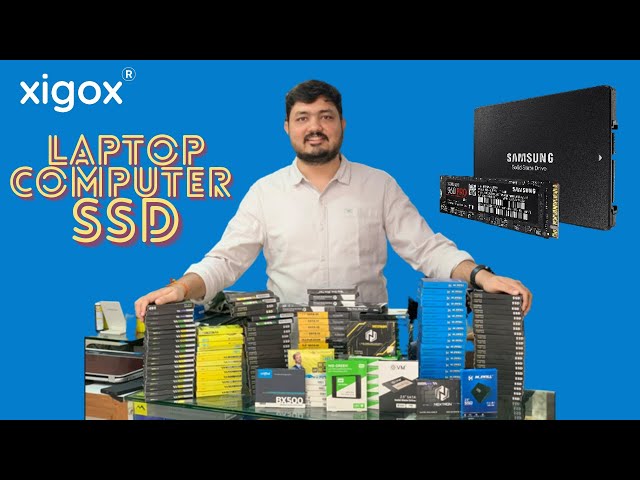
A closer look at the Xigox team, our tools, and the repair process behind 9,605+ customer reviews across Mumbai MMR.

A tour of our ISO 9001:2015 certified workshop — laptop, desktop and computer repairs with genuine-grade parts and a 90-day warranty.

How the Xigox team handles laptop and computer repair, sales, service and data recovery across Mumbai, Thane & Palghar.
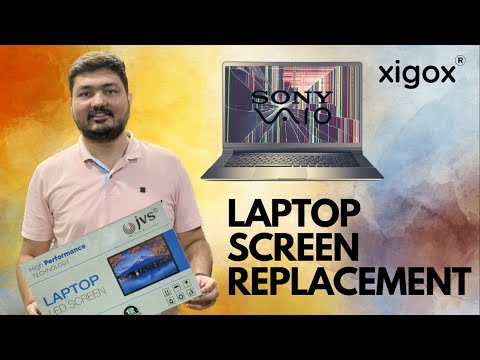
See how Xigox handles real customer repairs — fast diagnosis, transparent pricing and a 90-day warranty on every job.
FAQ
Everything you need to know before booking your service
10 questions answered
Send us your question on WhatsApp or call — a technician will answer.
If you are looking for Kyocera Printer repair in Thane that is not a brand service centre, this is it. Xigox has run an independent Kyocera bench since 2011, and our technicians work on Kyocera boards and firmware every day rather than treating them as an occasional job. More than 1,00,000 repairs and a 4.9-star average rating sit behind that.
We stock genuine Kyocera parts and OEM-compatible components for every common Printer fault — from screen replacements and battery swaps to logic board repairs and data recovery. Before any work begins, you receive a written cost estimate. Our ₹350 inspection fee is refunded if you proceed with the repair.
We actively serve the entire 400601 postal area within Thane district, ensuring same-day response for every repair request. ₹350 inspection fee (refunded if you proceed with repair). Located near Vartak Nagar, our service coverage extends across Thane and all surrounding localities. In addition to Thane, we also provide doorstep repairs and free pickup for lab work for customers in Thane West, Charai, Balkum and other nearby areas.
Doorstep part replacement (battery, keyboard, screen, SSD, RAM) is available across Thane. For chip-level and motherboard repairs, we provide free pickup and drop — confirming within 15 minutes of your booking. Most common faults are resolved same-day. For complex repairs, we provide a realistic timeline and keep you updated throughout.
Your Kyocera Printer leaves with a written 90-day warranty covering both parts and labour. Same fault back inside that window and we redo it free — no argument, no diagnostic fee. WhatsApp support stays open afterwards for any question about the repair.
Service Hours
Monday – Sunday · 9 AM – 9 PM
Open on all public holidays
Service Area
Thane & surrounding Mumbai areas
Doorstep repairs + free pickup for lab work
Our Guarantee
90-day warranty on all repairs
Free re-repair if same fault recurs
Product lines
Our bench covers 2 distinct Kyocera series. That matters for Printer Wireless Setup, because a ECOSYS and a TASKalfa are stripped down very differently. We regularly take in ECOSYS and TASKalfa units for Printer Wireless Setup in Thane. Specific Kyocera models on our current service list include Kyocera ECOSYS M2040dn, Kyocera ECOSYS P2040dn and Kyocera TASKalfa 2321. If your Kyocera model is not listed, it is almost certainly still covered — send us the model number on the base sticker and we will confirm parts availability before you book.
The Kyocera ECOSYS is part of Kyocera's ECOSYS line — Kyocera's laser printer series, known for a long-life drum design that reduces the frequency of consumable replacement compared to typical laser printers.
Worth knowing for this repair: Toner-based laser printing for low per-page document cost.
The Kyocera TASKalfa 2321 is part of Kyocera's TASKalfa line — Kyocera's higher-volume multifunction printer/copier series for busier office environments.
Guides
Written by the Xigox workshop team — diagnostics, cost breakdowns and step-by-step fixes you can read before you book.
A printer that keeps disconnecting from Wi-Fi is usually power-saving mode, a shifting IP address, or router c...
3 min read Printer SetupSet up a shared office network printer properly: wired connection, fixed IP, admin security, TCP/IP ports, pri...
8 min read Brand GuideSet up and troubleshoot Brother DCP-T, HL and MFC printers: model names decoded, Wi-Fi and driver steps, toner...
6 min read Printer TroubleshootingHP printers fail to connect on Windows 11 for one of three reasons: the printer isn't on the network yet, a Pu...
4 min readSelect your Kyocera model for model-specific service details and pricing
Complete range of Kyocera repair and upgrade services at Xigox
Not sure if it's a Printer Wireless Setup issue? Check these common Kyocera problems
Free pickup & drop across all these neighbourhoods
Free doorstep pickup available in all these areas
Explore more services
Same technicians · Free pickup · 90-day warranty across all services.
Free doorstep pickup · Expert Printer Wireless Setup · 90-day warranty
Serving Thane and all of Mumbai MMR · Open 9 AM – 9 PM daily
Comparison
What you get with Xigox in Thane, side by side.
| Feature | Xigox | Other shops |
|---|---|---|
| Experienced Technicians | Trained & Verified | Varies; ask who will work on the device |
| Genuine / OEM Parts | OEM-Quality Parts | Varies; ask which part will be fitted |
| 90-Day Warranty | Written Certificate | Varies; ask for the warranty in writing |
| Diagnosis / Inspection | ₹350, credited to the repair | Varies; ask what the diagnosis costs |
| Same-Day Turnaround | Thane — Most Repairs | Varies; ask for a time in writing |
| Free Doorstep Pickup | Thane — Free | Varies; ask whether pickup is free |
| Transparent Pricing | Written Quote First | Varies; ask for a written quote first |
| Live WhatsApp Updates | Real-time Repair Status | Varies; ask how you will get updates |
Xigox charges ₹350 for inspection — credited to your repair cost if you go ahead.
How it's done
What our technicians do, what it requires, and how to tell you need it.
For a clean installation or setup, our technicians configure the printer or device's wireless settings from scratch (rather than just retrying a half-working existing setup), install the matching driver on each device that needs it, and confirm the connection survives a router restart.
Typical time: 20–40 minutes
Don't waste time on booking portals. Reach the engineers directly with Xigox. Inkjet print head clogs in Thane are the #1 reason for blank lines, colour gaps, and faded output — and new heads are rarely needed. Xigox's printer team uses professional cleaning equipment to clear blockages for HP Deskjet, Canon PIXMA, Epson EcoTank, and Brother. Most Kyocera Printer Wireless Setup jobs in Thane restores full print quality without parts cost.
We know your time is valuable in Thane. Xigox plans this issue for maximum convenience. In 90% of cases, our technicians complete the issue on the same day. Our team offers free doorstep pickup from your Thane address, execute the repair at our workshop, and return it to you.
Wondering how fast Xigox can complete repair in Thane? Our standard process: First — call or WhatsApp +91 74997 61196 and our pickup technician reaches you within 2 hours. Then — ₹350 diagnostic pinpoints the issue. Step 3 — you approve the quote via WhatsApp — zero pressure. Step 4 — the repair is done using OEM-grade components by our engineers, usually within 2–4 hours. Step 5 — your Kyocera is delivered back to your Thane address with a quality report.
Getting your Kyocera fixed in Thane is designed to be straightforward. First, message us at +91 74997 61196 sharing your issue. Then, our free pickup technician arrives at your Thane address within the same day. Our engineers then perform a detailed diagnostic (₹350, refunded if you proceed). After your approval, this issue is completed with OEM-grade parts — and your Kyocera is delivered back to you. Total turnaround: 24-48 hours.
Reliability matters for the repair. That's why our technicians exclusively use original-specification parts for your Kyocera. Rather than counterfeit components, we source from established suppliers. This helps your repair last, backed by our written 90-day warranty.
One of the most common complaints about repair shops in Thane is hidden charges after the job is done. Xigox operates differently. Prior to touching your Kyocera, our technician provides a clear cost estimate covering parts and labour. There is zero ambiguity — the decision is entirely yours. The ₹350 diagnostic is credited 100% when you approve the repair.
Navigating traffic in Thane can be a nightmare. To solve this, Xigox offers a no-hassle doorstep logistics service for the repair. Simply share your Thane address, and our secure courier will collect your Kyocera directly from you. Once the repair is finished, we safely return it in protective packaging. Enjoy total convenience without leaving your desk.
All this issue performed by Xigox in Thane comes with a written 90-day warranty covering parts and labour. Simply put, if the same issue recurs within 90 days, we redo it completely free. Xigox issues a printed warranty receipt every single time, so you know exactly what is covered.
Your repair doesn't end when the Kyocera is returned. Our support line is available daily via call or message. If you notice anything unusual in the post-repair period, just reach out and we dispatch a technician immediately. This promise is why Thane customers choose Xigox again and again.
Numbers speak louder. Xigox maintains a 4.9-star rating from 9,605+ customer reviews from customers across Mumbai MMR. Common praise includes: honest pricing, fast turnaround, and genuine parts. What Thane customers value most: "Same-day fix with genuine parts and clear communication throughout." Become part of the growing community of satisfied Xigox customers in Thane.
Fixing the immediate problem is only half the job at Xigox. Prior to delivery in Thane, it must pass a strict multi-point quality check. Our team ensures that the repair was successful, checking port functionality. This level of testing is the reason for our 4.9★ rating across Thane.
Genuine parts and a clear bill in Thane. Xigox combines experienced engineers, OEM-grade spares, upfront pricing, and a real warranty on every Kyocera Printer Wireless Setup. Join the thousands in Thane who trust us — call or WhatsApp +91 74997 61196 for same-day service in Thane.
Service area
Xigox provides kyocera printer wireless setup across Thane (PIN 400601), in the Thane district of Mumbai. Our doorstep pickup and on-site service cover the entire Thane area and the neighbourhoods around it.
Localities we cover in Thane: Thane West, Thane East, Majiwada, Ghodbunder Road, Vartak Nagar, Hiranandani Estate, Wagle Estate, Kasarvadavali, Kopri, Balkum, Waghbil, Naupada. Wherever you are in Thane, we can collect your device from your door and bring it back after the repair.
Our technicians regularly serve homes, societies and offices around Viviana Mall, Korum Mall, Thane Station, Upvan Lake and Talao Pali, and along Kolshet Road, Pokhran Road No. 1, Pokhran Road No. 2, Gokhale Road, LBS Road and Eastern Express Highway. If you're near any of these landmarks, same-day pickup for kyocera printer wireless setup is almost always available.
We also serve these nearby areas — tap your locality for local kyocera printer wireless setup:
4.9 from 73 customer reviews for this service · upfront pricing · 90-day warranty
Before you book: have your device model and a quick description of the issue ready — it speeds up your quote.
Not sure what's wrong?
Tell us what your device is doing — we'll point you to the right repair, with real pricing and next steps.
Nearest branch: Hiranandani Estate
About 4.4 km from Thane in a straight line. With free doorstep pickup you don't need to travel — call or WhatsApp before you visit.
Book a repair
Free pickup · Genuine parts · 90-day warranty
We'll call you within 1 hour to confirm your appointment and arrange doorstep pickup.
Inspection fee: ₹350
Device type *
Inspection fee: ₹350
Your details are used only to arrange this repair. By submitting, you agree to our Privacy Policy.
 Brother
 Canon
 Epson
 HP
 Ricoh
 Samsung